DOCKER
COMPOSE
An introduction
Matthias Noback
@matthiasnoback
info@matthiasnoback.nl
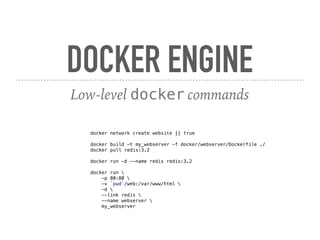
DOCKER ENGINE
Low-level docker commands
docker network create website || true
docker build -t my_webserver -f docker/webserver/Dockerfile ./
docker pull redis:3.2
docker run -d --name redis redis:3.2
docker run 
-p 80:80 
-v `pwd`/web:/var/www/html 
-d 
--link redis 
--name webserver 
my_webserver
DOCKER COMPOSE
Configuring and running multiple containers
docker-compose CLI tool
Yaml configuration file(s)
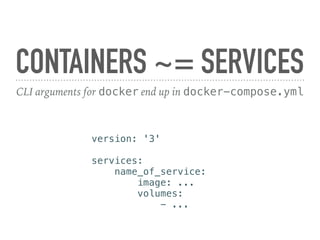
CONTAINERS ~= SERVICES
CLI arguments for docker end up in docker-compose.yml
version: '3'
services:
name_of_service:
image: ...
volumes:
- ...
BUILDING
IMAGES
Dockerfile and build context
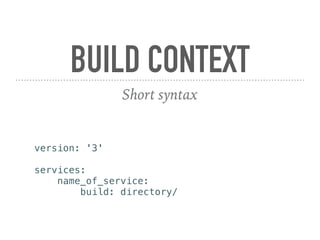
BUILD CONTEXT
Short syntax
version: '3'
services:
name_of_service:
build: directory/
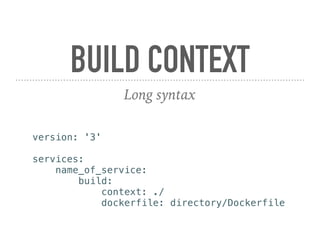
BUILD CONTEXT
Long syntax
version: '3'
services:
name_of_service:
build:
context: ./
dockerfile: directory/Dockerfile
USING
READY-MADE
IMAGES
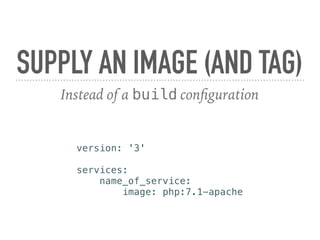
SUPPLY AN IMAGE (AND TAG)
Instead of a build configuration
version: '3'
services:
name_of_service:
image: php:7.1-apache
DEPLOYMENT
With Compose
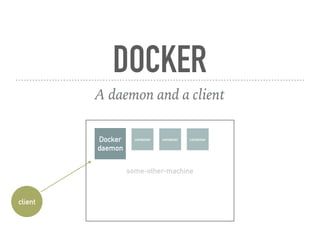
some-other-machine
DOCKER
A daemon and a client
Docker
daemon
client
container container container
ASSIGNMENTS/
ALL.MD
Playing with docker-compose and docker-compose.yml files
https://github.com/matthiasnoback/docker-compose-workshop/
BETTER OPTIONS?
Docker Swarm
Multiple nodes
Fine-grained deploy strategies

Docker compose workshop