DJANGO WEB
FRAMEWORK
TRAINING & CERTIFICATION
MAKING CAREER IN SOFTWARE ENGINEERING WITH MOLMEH TECHNOLABS.
DURATION
2- MONTHS
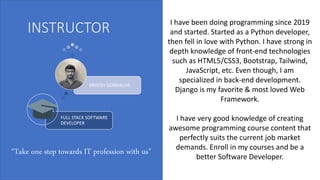
INSTRUCTOR
FULL STACK SOFTWARE
DEVELOPER
BRIJESH GONDALIYA
I have been doing programming since 2019
and started. Started as a Python developer,
then fell in love with Python. I have strong in
depth knowledge of front-end technologies
such as HTML5/CSS3, Bootstrap, Tailwind,
JavaScript, etc. Even though, I am
specialized in back-end development.
Django is my favorite & most loved Web
Framework.
I have very good knowledge of creating
awesome programming course content that
perfectly suits the current job market
demands. Enroll in my courses and be a
better Software Developer.
“Take one step towards IT profession with us”
MODULE 1 : Getting started
• Introduction
• What is Django?
• The Course Prerequisites.
• What’s Inside the course?
• Join Our Learning Community!
• Getting the most out of the course
MODULE 2 : Course setup
• Module introduction
• Installing python & Django
• Creating a Django Project
• Installing an IDE
• Analyzing the Created Project
• Starting a development Server
• Django apps
• Analyzing the Created Project
• More advanced Setup Steps
• Useful Resources & links
MODULE 3 : URLs & Views
• Module introduction
• Creating a New Project
• What are URLs & Views?
• Creating a First Views & URL
• Adding more Views & URLS
• Dynamic Path Segments & Captured Values
• Path converters
• Adding more Dynamic View Logic
• Redirects
MODULE 3 : URLs & Views
• The reverse Function & Named URLs
• Returning HTML
• Practicing URLs, Views & Dynamic View Logic
• Summary
• Useful Resources & links
MODULE 4 : Templates & Static Files
• Module introduction
• Adding & Registering templates
• Rendering templates
• Template Language & Variable Interpolation
• Filters
• The Django Visual Studio Code Extension
• Tags & the “for” Tag
• The URL Tag for Dynamic URLs
• The if Tag for Conditional Content
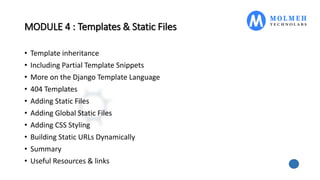
MODULE 4 : Templates & Static Files
• Template inheritance
• Including Partial Template Snippets
• More on the Django Template Language
• 404 Templates
• Adding Static Files
• Adding Global Static Files
• Adding CSS Styling
• Building Static URLs Dynamically
• Summary
• Useful Resources & links
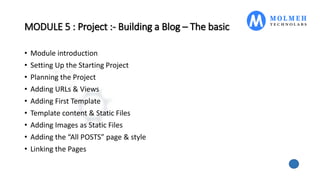
MODULE 5 : Project :- Building a Blog – The basic
• Module introduction
• Setting Up the Starting Project
• Planning the Project
• Adding URLs & Views
• Adding First Template
• Template content & Static Files
• Adding Images as Static Files
• Adding the “All POSTS” page & style
• Linking the Pages
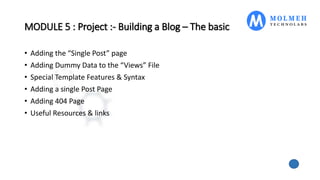
MODULE 5 : Project :- Building a Blog – The basic
• Adding the “Single Post” page
• Adding Dummy Data to the “Views” File
• Special Template Features & Syntax
• Adding a single Post Page
• Adding 404 Page
• Useful Resources & links
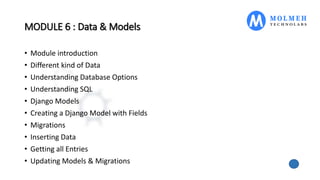
MODULE 6 : Data & Models
• Module introduction
• Different kind of Data
• Understanding Database Options
• Understanding SQL
• Django Models
• Creating a Django Model with Fields
• Migrations
• Inserting Data
• Getting all Entries
• Updating Models & Migrations
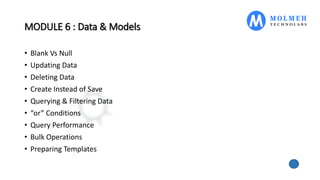
MODULE 6 : Data & Models
• Blank Vs Null
• Updating Data
• Deleting Data
• Create Instead of Save
• Querying & Filtering Data
• “or” Conditions
• Query Performance
• Bulk Operations
• Preparing Templates
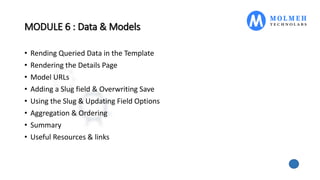
MODULE 6 : Data & Models
• Rending Queried Data in the Template
• Rendering the Details Page
• Model URLs
• Adding a Slug field & Overwriting Save
• Using the Slug & Updating Field Options
• Aggregation & Ordering
• Summary
• Useful Resources & links
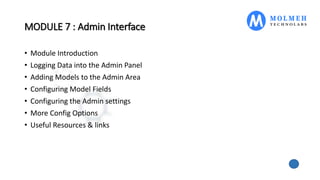
MODULE 7 : Admin Interface
• Module Introduction
• Logging Data into the Admin Panel
• Adding Models to the Admin Area
• Configuring Model Fields
• Configuring the Admin settings
• More Config Options
• Useful Resources & links
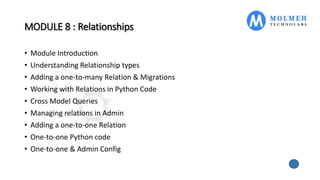
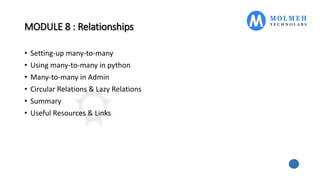
MODULE 8 : Relationships
• Module Introduction
• Understanding Relationship types
• Adding a one-to-many Relation & Migrations
• Working with Relations in Python Code
• Cross Model Queries
• Managing relations in Admin
• Adding a one-to-one Relation
• One-to-one Python code
• One-to-one & Admin Config
MODULE 8 : Relationships
• Setting-up many-to-many
• Using many-to-many in python
• Many-to-many in Admin
• Circular Relations & Lazy Relations
• Summary
• Useful Resources & Links
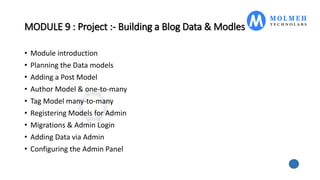
MODULE 9 : Project :- Building a Blog Data & Modles
• Module introduction
• Planning the Data models
• Adding a Post Model
• Author Model & one-to-many
• Tag Model many-to-many
• Registering Models for Admin
• Migrations & Admin Login
• Adding Data via Admin
• Configuring the Admin Panel
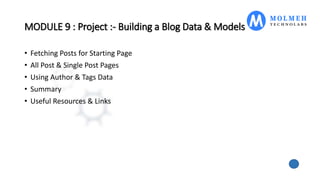
MODULE 9 : Project :- Building a Blog Data & Models
• Fetching Posts for Starting Page
• All Post & Single Post Pages
• Using Author & Tags Data
• Summary
• Useful Resources & Links
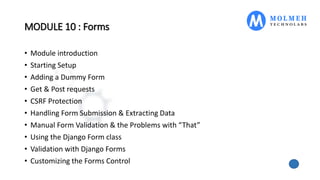
MODULE 10 : Forms
• Module introduction
• Starting Setup
• Adding a Dummy Form
• Get & Post requests
• CSRF Protection
• Handling Form Submission & Extracting Data
• Manual Form Validation & the Problems with “That”
• Using the Django Form class
• Validation with Django Forms
• Customizing the Forms Control
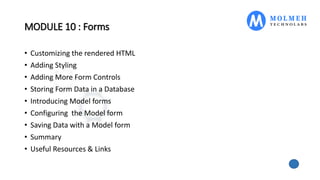
MODULE 10 : Forms
• Customizing the rendered HTML
• Adding Styling
• Adding More Form Controls
• Storing Form Data in a Database
• Introducing Model forms
• Configuring the Model form
• Saving Data with a Model form
• Summary
• Useful Resources & Links
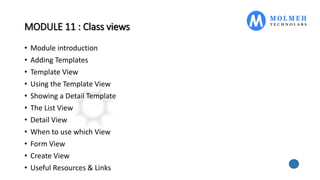
MODULE 11 : Class views
• Module introduction
• Adding Templates
• Template View
• Using the Template View
• Showing a Detail Template
• The List View
• Detail View
• When to use which View
• Form View
• Create View
• Useful Resources & Links
MODULE 12 : File Uploads
• Module Introduction
• Starting Setup
• Making the File Upload work
• Storing Uploaded Files Naïve Approach
• Adding a Form with a File field
• Using Models for File Storage
• Using an Image field
• Using a Create View
MODULE 12 : File Uploads
• Working with the File Field
• Serving Uploaded Files
• Summary
• Useful Resources & Links
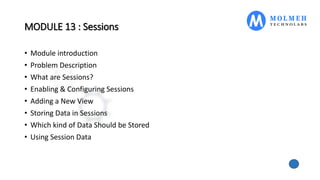
MODULE 13 : Sessions
• Module introduction
• Problem Description
• What are Sessions?
• Enabling & Configuring Sessions
• Adding a New View
• Storing Data in Sessions
• Which kind of Data Should be Stored
• Using Session Data
MODULE 13 : Sessions
• Safely Accessing Session Data
• Summary
• Useful Resources & Links
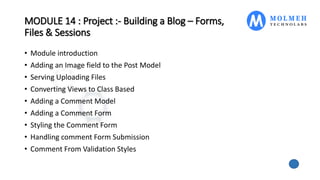
MODULE 14 : Project :- Building a Blog – Forms,
Files & Sessions
• Module introduction
• Adding an Image field to the Post Model
• Serving Uploading Files
• Converting Views to Class Based
• Adding a Comment Model
• Adding a Comment Form
• Styling the Comment Form
• Handling comment Form Submission
• Comment From Validation Styles
MODULE 14 : Project :- Building a Blog – Forms,
Files & Sessions
• Outputting Comments
• Styling the Comments
• Comment Admin
• Read Later Page & Styling
• Managing Read Later Via Session
• Read Later Starting Setup
• Finishing the Read Later Feature
• Useful Resources & Links
MODULE 15 : Deployment
• Module introduction
• Deployment Considerations
• Which Database
• Django & Web Servers
• Serving Static Files
• Choosing a Hosting Provider
• Getting Started & Revisiting setting
• Collecting Static Files
• Serving Static Files
MODULE 15 : Deployment
• A Note about Migrations
• Locking in Dependencies
• More On Virtual Environments
• Using Environment Variables
• Deploying with Elastic Beanstalk
• SSL & Custom Domains
• Connecting PostgreSQL
• Serving Static Files Separately
• Serving Static Files via S3
MODULE 15 : Deployment
• Moving File Uploads to S3
• Summary
• Useful Resources & Links
MODULE 16 : Optional :- Django Summary & Quick
introduction
• Module introduction
• What & Why?
• Setup & Analyzing the project Folder
• Working with apps
• URLs & Views
• Getting Started with templates
• Static Files & First Steps with the Django templates Language
• Key Django Template Language Features & tags
• Using What we learned
MODULE 16 : Optional :- Django Summary & Quick
introduction
• Adding a Detail Page
• Dynamic Paths
• Dynamic URLs in Templates
• Using Template Inheritance
• Includes
• What is Data?
• Getting Started with Models
• Using the Admin panel
• Querying Data
• Adding Image upload
MODULE 16 : Optional :- Django Summary & Quick
introduction
• Serving & Displaying Images
• Configuring the Admin Area
• Setting one-to-many Relations
• Many-to-many relations
• More meetup fields & outputting related Data
• Creating a Model form
• Handling Form submission
• More on Form Submission & validation
• Form Model form to Form
MODULE 16 : Optional :- Django Summary & Quick
introduction
• Polishing Organizer Email
• Optimizing URLs
• Wrap Up
• Useful Resources & links
Django web framework

Django web framework

  • 1.
    DJANGO WEB FRAMEWORK TRAINING &CERTIFICATION MAKING CAREER IN SOFTWARE ENGINEERING WITH MOLMEH TECHNOLABS. DURATION 2- MONTHS
  • 2.
    INSTRUCTOR FULL STACK SOFTWARE DEVELOPER BRIJESHGONDALIYA I have been doing programming since 2019 and started. Started as a Python developer, then fell in love with Python. I have strong in depth knowledge of front-end technologies such as HTML5/CSS3, Bootstrap, Tailwind, JavaScript, etc. Even though, I am specialized in back-end development. Django is my favorite & most loved Web Framework. I have very good knowledge of creating awesome programming course content that perfectly suits the current job market demands. Enroll in my courses and be a better Software Developer. “Take one step towards IT profession with us”
  • 3.
    MODULE 1 :Getting started • Introduction • What is Django? • The Course Prerequisites. • What’s Inside the course? • Join Our Learning Community! • Getting the most out of the course
  • 4.
    MODULE 2 :Course setup • Module introduction • Installing python & Django • Creating a Django Project • Installing an IDE • Analyzing the Created Project • Starting a development Server • Django apps • Analyzing the Created Project • More advanced Setup Steps • Useful Resources & links
  • 5.
    MODULE 3 :URLs & Views • Module introduction • Creating a New Project • What are URLs & Views? • Creating a First Views & URL • Adding more Views & URLS • Dynamic Path Segments & Captured Values • Path converters • Adding more Dynamic View Logic • Redirects
  • 6.
    MODULE 3 :URLs & Views • The reverse Function & Named URLs • Returning HTML • Practicing URLs, Views & Dynamic View Logic • Summary • Useful Resources & links
  • 7.
    MODULE 4 :Templates & Static Files • Module introduction • Adding & Registering templates • Rendering templates • Template Language & Variable Interpolation • Filters • The Django Visual Studio Code Extension • Tags & the “for” Tag • The URL Tag for Dynamic URLs • The if Tag for Conditional Content
  • 8.
    MODULE 4 :Templates & Static Files • Template inheritance • Including Partial Template Snippets • More on the Django Template Language • 404 Templates • Adding Static Files • Adding Global Static Files • Adding CSS Styling • Building Static URLs Dynamically • Summary • Useful Resources & links
  • 9.
    MODULE 5 :Project :- Building a Blog – The basic • Module introduction • Setting Up the Starting Project • Planning the Project • Adding URLs & Views • Adding First Template • Template content & Static Files • Adding Images as Static Files • Adding the “All POSTS” page & style • Linking the Pages
  • 10.
    MODULE 5 :Project :- Building a Blog – The basic • Adding the “Single Post” page • Adding Dummy Data to the “Views” File • Special Template Features & Syntax • Adding a single Post Page • Adding 404 Page • Useful Resources & links
  • 11.
    MODULE 6 :Data & Models • Module introduction • Different kind of Data • Understanding Database Options • Understanding SQL • Django Models • Creating a Django Model with Fields • Migrations • Inserting Data • Getting all Entries • Updating Models & Migrations
  • 12.
    MODULE 6 :Data & Models • Blank Vs Null • Updating Data • Deleting Data • Create Instead of Save • Querying & Filtering Data • “or” Conditions • Query Performance • Bulk Operations • Preparing Templates
  • 13.
    MODULE 6 :Data & Models • Rending Queried Data in the Template • Rendering the Details Page • Model URLs • Adding a Slug field & Overwriting Save • Using the Slug & Updating Field Options • Aggregation & Ordering • Summary • Useful Resources & links
  • 14.
    MODULE 7 :Admin Interface • Module Introduction • Logging Data into the Admin Panel • Adding Models to the Admin Area • Configuring Model Fields • Configuring the Admin settings • More Config Options • Useful Resources & links
  • 15.
    MODULE 8 :Relationships • Module Introduction • Understanding Relationship types • Adding a one-to-many Relation & Migrations • Working with Relations in Python Code • Cross Model Queries • Managing relations in Admin • Adding a one-to-one Relation • One-to-one Python code • One-to-one & Admin Config
  • 16.
    MODULE 8 :Relationships • Setting-up many-to-many • Using many-to-many in python • Many-to-many in Admin • Circular Relations & Lazy Relations • Summary • Useful Resources & Links
  • 17.
    MODULE 9 :Project :- Building a Blog Data & Modles • Module introduction • Planning the Data models • Adding a Post Model • Author Model & one-to-many • Tag Model many-to-many • Registering Models for Admin • Migrations & Admin Login • Adding Data via Admin • Configuring the Admin Panel
  • 18.
    MODULE 9 :Project :- Building a Blog Data & Models • Fetching Posts for Starting Page • All Post & Single Post Pages • Using Author & Tags Data • Summary • Useful Resources & Links
  • 19.
    MODULE 10 :Forms • Module introduction • Starting Setup • Adding a Dummy Form • Get & Post requests • CSRF Protection • Handling Form Submission & Extracting Data • Manual Form Validation & the Problems with “That” • Using the Django Form class • Validation with Django Forms • Customizing the Forms Control
  • 20.
    MODULE 10 :Forms • Customizing the rendered HTML • Adding Styling • Adding More Form Controls • Storing Form Data in a Database • Introducing Model forms • Configuring the Model form • Saving Data with a Model form • Summary • Useful Resources & Links
  • 21.
    MODULE 11 :Class views • Module introduction • Adding Templates • Template View • Using the Template View • Showing a Detail Template • The List View • Detail View • When to use which View • Form View • Create View • Useful Resources & Links
  • 22.
    MODULE 12 :File Uploads • Module Introduction • Starting Setup • Making the File Upload work • Storing Uploaded Files Naïve Approach • Adding a Form with a File field • Using Models for File Storage • Using an Image field • Using a Create View
  • 23.
    MODULE 12 :File Uploads • Working with the File Field • Serving Uploaded Files • Summary • Useful Resources & Links
  • 24.
    MODULE 13 :Sessions • Module introduction • Problem Description • What are Sessions? • Enabling & Configuring Sessions • Adding a New View • Storing Data in Sessions • Which kind of Data Should be Stored • Using Session Data
  • 25.
    MODULE 13 :Sessions • Safely Accessing Session Data • Summary • Useful Resources & Links
  • 26.
    MODULE 14 :Project :- Building a Blog – Forms, Files & Sessions • Module introduction • Adding an Image field to the Post Model • Serving Uploading Files • Converting Views to Class Based • Adding a Comment Model • Adding a Comment Form • Styling the Comment Form • Handling comment Form Submission • Comment From Validation Styles
  • 27.
    MODULE 14 :Project :- Building a Blog – Forms, Files & Sessions • Outputting Comments • Styling the Comments • Comment Admin • Read Later Page & Styling • Managing Read Later Via Session • Read Later Starting Setup • Finishing the Read Later Feature • Useful Resources & Links
  • 28.
    MODULE 15 :Deployment • Module introduction • Deployment Considerations • Which Database • Django & Web Servers • Serving Static Files • Choosing a Hosting Provider • Getting Started & Revisiting setting • Collecting Static Files • Serving Static Files
  • 29.
    MODULE 15 :Deployment • A Note about Migrations • Locking in Dependencies • More On Virtual Environments • Using Environment Variables • Deploying with Elastic Beanstalk • SSL & Custom Domains • Connecting PostgreSQL • Serving Static Files Separately • Serving Static Files via S3
  • 30.
    MODULE 15 :Deployment • Moving File Uploads to S3 • Summary • Useful Resources & Links
  • 31.
    MODULE 16 :Optional :- Django Summary & Quick introduction • Module introduction • What & Why? • Setup & Analyzing the project Folder • Working with apps • URLs & Views • Getting Started with templates • Static Files & First Steps with the Django templates Language • Key Django Template Language Features & tags • Using What we learned
  • 32.
    MODULE 16 :Optional :- Django Summary & Quick introduction • Adding a Detail Page • Dynamic Paths • Dynamic URLs in Templates • Using Template Inheritance • Includes • What is Data? • Getting Started with Models • Using the Admin panel • Querying Data • Adding Image upload
  • 33.
    MODULE 16 :Optional :- Django Summary & Quick introduction • Serving & Displaying Images • Configuring the Admin Area • Setting one-to-many Relations • Many-to-many relations • More meetup fields & outputting related Data • Creating a Model form • Handling Form submission • More on Form Submission & validation • Form Model form to Form
  • 34.
    MODULE 16 :Optional :- Django Summary & Quick introduction • Polishing Organizer Email • Optimizing URLs • Wrap Up • Useful Resources & links