Presented by
Akash Thukral
(18)
Vibhor Midha (03)
Alka (14)
Shridhar SIngh
(45)
WHAT IS BUSINESS CONTINUITY PLAN?
• A business continuity plan (BCP) is a plan to help ensure that
business processes can continue during a time of emergency or
disaster. Such emergencies or disasters might include a fire or
any other case where business is not able to occur under
normal conditions. Businesses need to look at all such potential
threats and devise BCPs to ensure continued operations should
the threat become a reality.
LITTLE LIST OF EMERGENCIES
• Water Outage
• Loss of data
• Power failure
• Contagious illness
• Employees strike
• Network/Servers hacked
WHAT IS DR ?
• DR or Disaster Recovery focuses on the set of actions that
businesses will take after suffering disaster may it be natural or
man-made.

• Its sole purpose is business preservation, meaning, how the
businesses would cope up and be able to operate again after a
disaster occurred like loss of electricity, computer viruses, and
thieves.

• This Disaster Recovery program is a just a part of BCP.
DIFFERENCE BETWEEN BCP & DR
1. BCP is a proactive strategy whereas DR is a reactive approach.
2. BCP helps prevent and anticipates a disaster or unfavourable
incident in advance whereas DR is a strategy that treats or
recovers from disasters and the like.
WHY DO WE NEED BCP ?
• Business continuity is a proactive plan to avoid and mitigate
risks associated with a disruption of operations. It details steps
to be taken before, during and after an event to maintain the
financial viability of an organization. Disaster recovery is a
reactive plan for responding after an event.
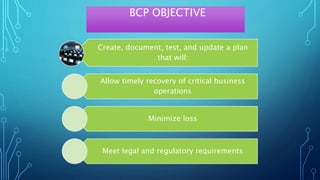
BCP OBJECTIVE
Create, document, test, and update a plan
that will:
Allow timely recovery of critical business
operations
Minimize loss
Meet legal and regulatory requirements
CREATING A DISASTER RECOVERY PLAN
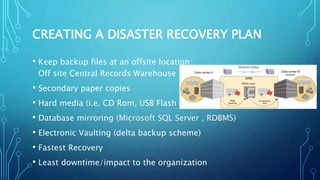
• Keep backup files at an offsite location:
Off site Central Records Warehouse
• Secondary paper copies
• Hard media (i.e. CD Rom, USB Flash Drive)
• Database mirroring (Microsoft SQL Server , RDBMS)
• Electronic Vaulting (delta backup scheme)
• Fastest Recovery
• Least downtime/impact to the organization
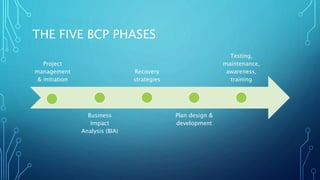
THE FIVE BCP PHASES
Project
management
& initiation
Business
Impact
Analysis (BIA)
Recovery
strategies
Plan design &
development
Testing,
maintenance,
awareness,
training
I - PROJECT MANAGEMENT & INITIATION
• Get management support
• Establish team (functional, technical, BCC – Business
Continuity Coordinator)
• Create work plan (scope, goals, methods, timeline)
• Initial report to management
• Establish need (risk analysis)
• Obtain management approval to proceed
II - BUSINESS IMPACT ANALYSIS (BIA)
• Calculate MTD – maximum tolerable downtime
• Quantify loss due to business outage (financial, extra cost of
recovery)
• Does not estimate the probability of kinds of incidents, only
quantifies the consequences
• Analyze information by using software tools
• Rank critical business functions by MTDs
• Report recovery options
• Obtain management approval
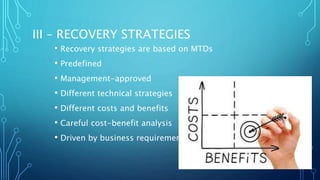
III – RECOVERY STRATEGIES
• Recovery strategies are based on MTDs
• Predefined
• Management-approved
• Different technical strategies
• Different costs and benefits
• Careful cost-benefit analysis
• Driven by business requirements
III – RECOVERY STRATEGIES
• Strategies should address recovery of:
• Business operations
• Facilities & supplies
• Users (workers and end-users)
• Network, data center (technical)
• Data (off-site backups of data and applications)
III – RECOVERY STRATEGIES
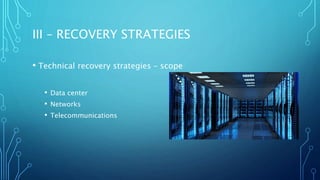
• Technical recovery strategies – scope
• Data center
• Networks
• Telecommunications
III – RECOVERY STRATEGIES
• Technical recovery strategies – methods
• Subscription services
• Mutual aid agreements
• Redundant data centers
• Service bureaus
III – RECOVERY STRATEGIES
• Technical recovery strategies – subscription service sites
• Hot – fully equipped
• Warm – missing key components
• Cold – empty data center
• Mirror – full redundancy
III – RECOVERY STRATEGIES
• Technical recovery strategies – redundant processing centers
• Expensive
• Maybe not enough spare capacity for critical operations
III – RECOVERY STRATEGIES
• Technical recovery strategies –service bureaus
• Many clients share facilities
• Almost as expensive as a hot site
• Must negotiate agreements with other clients
III – RECOVERY STRATEGIES
• Technical recovery strategies –data
• Backups of data and applications
• Off-site vs. on-site storage of media
• How fast can data be recovered?
• How much data can you lose?
• Security of off-site backup media
• Types of backups (full, incremental, differential, etc.)
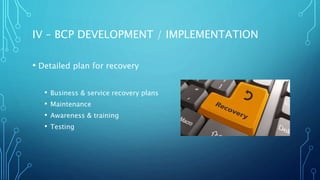
IV – BCP DEVELOPMENT / IMPLEMENTATION
• Detailed plan for recovery
• Business & service recovery plans
• Maintenance
• Awareness & training
• Testing
IV – BCP DEVELOPMENT / IMPLEMENTATION
• Sample plan phases
• Initial disaster response
• Resume critical business ops
• Resume non-critical business ops
• Restoration (return to primary site)
• Interacting with external groups (customers, media, emergency
responders)
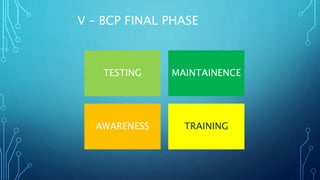
V – BCP FINAL PHASE
TESTING MAINTAINENCE
AWARENESS TRAINING
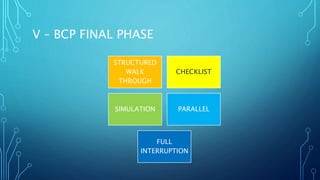
V – BCP FINAL PHASE
STRUCTURED
WALK
THROUGH
CHECKLIST
SIMULATION PARALLEL
FULL
INTERRUPTION
FEW SCENARIOS OF BCP/DR
Let's assume that a large
banking company runs its core
business from a major city in
India. One fine afternoon its
network is attacked by cyber
terrorists or there's a virus
outbreak. In such a situation,
the data integrity is lost. The
easiest way to manoeuvre this
disaster would be to
immediately isolate the cyber
attack on the branch and
transfer the core job to a DR
datacenter hosted at some
other location. This would help
users to immediately connect to
Technology Breakdown
EPIDEMIC
Take another scenario. One day
the same city where the bank
was operating from, encounters
an epidemic. The Bird Flu virus
hits the city, and being an
airborne virus, infects anybody
walking out in the open. So a
city wide red alert is sounded, a
curfew is enforced, and nobody
can come out in the open. In
such a scenario, all your pillars
that constitute Business
Continuity remain intact except
human resources. So your data,
equipment and workplace are
intact but no one can come to
the office and operate from
there. So, the strategy to
overcome such a problem
should be different. Here you
must have a DR site with not
only data, but also with a
backup of employees who can
take over the charge of the
center and finish the tasks from
some other city.
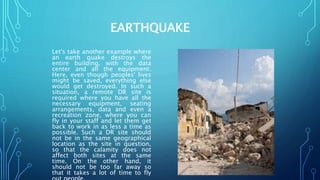
EARTHQUAKE
Let's take another example where
an earth quake destroys the
entire building, with the data
center and all the equipment.
Here, even though peoples' lives
might be saved, everything else
would get destroyed. In such a
situation, a remote DR site is
required where you have all the
necessary equipment, seating
arrangements, data and even a
recreation zone, where you can
fly in your staff and let them get
back to work in as less a time as
possible. Such a DR site should
not be in the same geographical
location as the site in question,
so that the calamity does not
affect both sites at the same
time. On the other hand, it
should not be too far away so
that it takes a lot of time to fly
SO WHAT WILL HAPPEN IF AN ORGANISATION
DOESN’T HAVE A BCP/DR PLAN?
The cost of not having a
robust continuity solution
in place could be
catastrophic – lost
revenues, bad press
coverage, loss of
customers and
competitive mindshare to
name but a few.
SO WHAT WILL HAPPEN IF AN ORGANISATION
DOESN’T HAVE A BCP/DR PLAN?
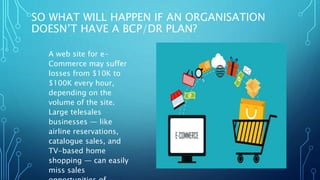
A web site for e-
Commerce may suffer
losses from $10K to
$100K every hour,
depending on the
volume of the site.
Large telesales
businesses — like
airline reservations,
catalogue sales, and
TV-based home
shopping — can easily
miss sales
SO WHAT WILL HAPPEN IF AN
ORGANISATION DOESN’T HAVE A BCP/DR
PLAN?
In financial markets, losses total several million dollars per hour of
downtime.
CONCLUSION
Plan, plan, plan! Planning is essential for BCP.
Gather as much critical information on what you will need
to recover before an event ever happens. Having data
beforehand can help to avoid a possible threat in the
future.
Establish procedures for recovery
Establish priorities for recovery
Keep people informed. Awareness and
training of staff is essential
Keep a record of what happened for a
THANK YOU

Business continuity

  • 1.
    Presented by Akash Thukral (18) VibhorMidha (03) Alka (14) Shridhar SIngh (45)
  • 5.
    WHAT IS BUSINESSCONTINUITY PLAN? • A business continuity plan (BCP) is a plan to help ensure that business processes can continue during a time of emergency or disaster. Such emergencies or disasters might include a fire or any other case where business is not able to occur under normal conditions. Businesses need to look at all such potential threats and devise BCPs to ensure continued operations should the threat become a reality.
  • 6.
    LITTLE LIST OFEMERGENCIES • Water Outage • Loss of data • Power failure • Contagious illness • Employees strike • Network/Servers hacked
  • 7.
    WHAT IS DR? • DR or Disaster Recovery focuses on the set of actions that businesses will take after suffering disaster may it be natural or man-made. • Its sole purpose is business preservation, meaning, how the businesses would cope up and be able to operate again after a disaster occurred like loss of electricity, computer viruses, and thieves. • This Disaster Recovery program is a just a part of BCP.
  • 8.
    DIFFERENCE BETWEEN BCP& DR 1. BCP is a proactive strategy whereas DR is a reactive approach. 2. BCP helps prevent and anticipates a disaster or unfavourable incident in advance whereas DR is a strategy that treats or recovers from disasters and the like.
  • 9.
    WHY DO WENEED BCP ? • Business continuity is a proactive plan to avoid and mitigate risks associated with a disruption of operations. It details steps to be taken before, during and after an event to maintain the financial viability of an organization. Disaster recovery is a reactive plan for responding after an event.
  • 10.
    BCP OBJECTIVE Create, document,test, and update a plan that will: Allow timely recovery of critical business operations Minimize loss Meet legal and regulatory requirements
  • 12.
    CREATING A DISASTERRECOVERY PLAN • Keep backup files at an offsite location: Off site Central Records Warehouse • Secondary paper copies • Hard media (i.e. CD Rom, USB Flash Drive) • Database mirroring (Microsoft SQL Server , RDBMS) • Electronic Vaulting (delta backup scheme) • Fastest Recovery • Least downtime/impact to the organization
  • 13.
    THE FIVE BCPPHASES Project management & initiation Business Impact Analysis (BIA) Recovery strategies Plan design & development Testing, maintenance, awareness, training
  • 14.
    I - PROJECTMANAGEMENT & INITIATION • Get management support • Establish team (functional, technical, BCC – Business Continuity Coordinator) • Create work plan (scope, goals, methods, timeline) • Initial report to management • Establish need (risk analysis) • Obtain management approval to proceed
  • 15.
    II - BUSINESSIMPACT ANALYSIS (BIA) • Calculate MTD – maximum tolerable downtime • Quantify loss due to business outage (financial, extra cost of recovery) • Does not estimate the probability of kinds of incidents, only quantifies the consequences • Analyze information by using software tools • Rank critical business functions by MTDs • Report recovery options • Obtain management approval
  • 16.
    III – RECOVERYSTRATEGIES • Recovery strategies are based on MTDs • Predefined • Management-approved • Different technical strategies • Different costs and benefits • Careful cost-benefit analysis • Driven by business requirements
  • 17.
    III – RECOVERYSTRATEGIES • Strategies should address recovery of: • Business operations • Facilities & supplies • Users (workers and end-users) • Network, data center (technical) • Data (off-site backups of data and applications)
  • 18.
    III – RECOVERYSTRATEGIES • Technical recovery strategies – scope • Data center • Networks • Telecommunications
  • 19.
    III – RECOVERYSTRATEGIES • Technical recovery strategies – methods • Subscription services • Mutual aid agreements • Redundant data centers • Service bureaus
  • 20.
    III – RECOVERYSTRATEGIES • Technical recovery strategies – subscription service sites • Hot – fully equipped • Warm – missing key components • Cold – empty data center • Mirror – full redundancy
  • 21.
    III – RECOVERYSTRATEGIES • Technical recovery strategies – redundant processing centers • Expensive • Maybe not enough spare capacity for critical operations
  • 22.
    III – RECOVERYSTRATEGIES • Technical recovery strategies –service bureaus • Many clients share facilities • Almost as expensive as a hot site • Must negotiate agreements with other clients
  • 23.
    III – RECOVERYSTRATEGIES • Technical recovery strategies –data • Backups of data and applications • Off-site vs. on-site storage of media • How fast can data be recovered? • How much data can you lose? • Security of off-site backup media • Types of backups (full, incremental, differential, etc.)
  • 24.
    IV – BCPDEVELOPMENT / IMPLEMENTATION • Detailed plan for recovery • Business & service recovery plans • Maintenance • Awareness & training • Testing
  • 25.
    IV – BCPDEVELOPMENT / IMPLEMENTATION • Sample plan phases • Initial disaster response • Resume critical business ops • Resume non-critical business ops • Restoration (return to primary site) • Interacting with external groups (customers, media, emergency responders)
  • 26.
    V – BCPFINAL PHASE TESTING MAINTAINENCE AWARENESS TRAINING
  • 27.
    V – BCPFINAL PHASE STRUCTURED WALK THROUGH CHECKLIST SIMULATION PARALLEL FULL INTERRUPTION
  • 29.
    FEW SCENARIOS OFBCP/DR Let's assume that a large banking company runs its core business from a major city in India. One fine afternoon its network is attacked by cyber terrorists or there's a virus outbreak. In such a situation, the data integrity is lost. The easiest way to manoeuvre this disaster would be to immediately isolate the cyber attack on the branch and transfer the core job to a DR datacenter hosted at some other location. This would help users to immediately connect to Technology Breakdown
  • 30.
    EPIDEMIC Take another scenario.One day the same city where the bank was operating from, encounters an epidemic. The Bird Flu virus hits the city, and being an airborne virus, infects anybody walking out in the open. So a city wide red alert is sounded, a curfew is enforced, and nobody can come out in the open. In such a scenario, all your pillars that constitute Business Continuity remain intact except human resources. So your data, equipment and workplace are intact but no one can come to the office and operate from there. So, the strategy to overcome such a problem should be different. Here you must have a DR site with not only data, but also with a backup of employees who can take over the charge of the center and finish the tasks from some other city.
  • 31.
    EARTHQUAKE Let's take anotherexample where an earth quake destroys the entire building, with the data center and all the equipment. Here, even though peoples' lives might be saved, everything else would get destroyed. In such a situation, a remote DR site is required where you have all the necessary equipment, seating arrangements, data and even a recreation zone, where you can fly in your staff and let them get back to work in as less a time as possible. Such a DR site should not be in the same geographical location as the site in question, so that the calamity does not affect both sites at the same time. On the other hand, it should not be too far away so that it takes a lot of time to fly
  • 32.
    SO WHAT WILLHAPPEN IF AN ORGANISATION DOESN’T HAVE A BCP/DR PLAN? The cost of not having a robust continuity solution in place could be catastrophic – lost revenues, bad press coverage, loss of customers and competitive mindshare to name but a few.
  • 33.
    SO WHAT WILLHAPPEN IF AN ORGANISATION DOESN’T HAVE A BCP/DR PLAN? A web site for e- Commerce may suffer losses from $10K to $100K every hour, depending on the volume of the site. Large telesales businesses — like airline reservations, catalogue sales, and TV-based home shopping — can easily miss sales
  • 35.
    SO WHAT WILLHAPPEN IF AN ORGANISATION DOESN’T HAVE A BCP/DR PLAN? In financial markets, losses total several million dollars per hour of downtime.
  • 36.
    CONCLUSION Plan, plan, plan!Planning is essential for BCP. Gather as much critical information on what you will need to recover before an event ever happens. Having data beforehand can help to avoid a possible threat in the future.
  • 37.
    Establish procedures forrecovery Establish priorities for recovery Keep people informed. Awareness and training of staff is essential Keep a record of what happened for a
  • 39.