
8th Hadoop User Group Vienna
@ T-Mobile Austria
September 06, 2017
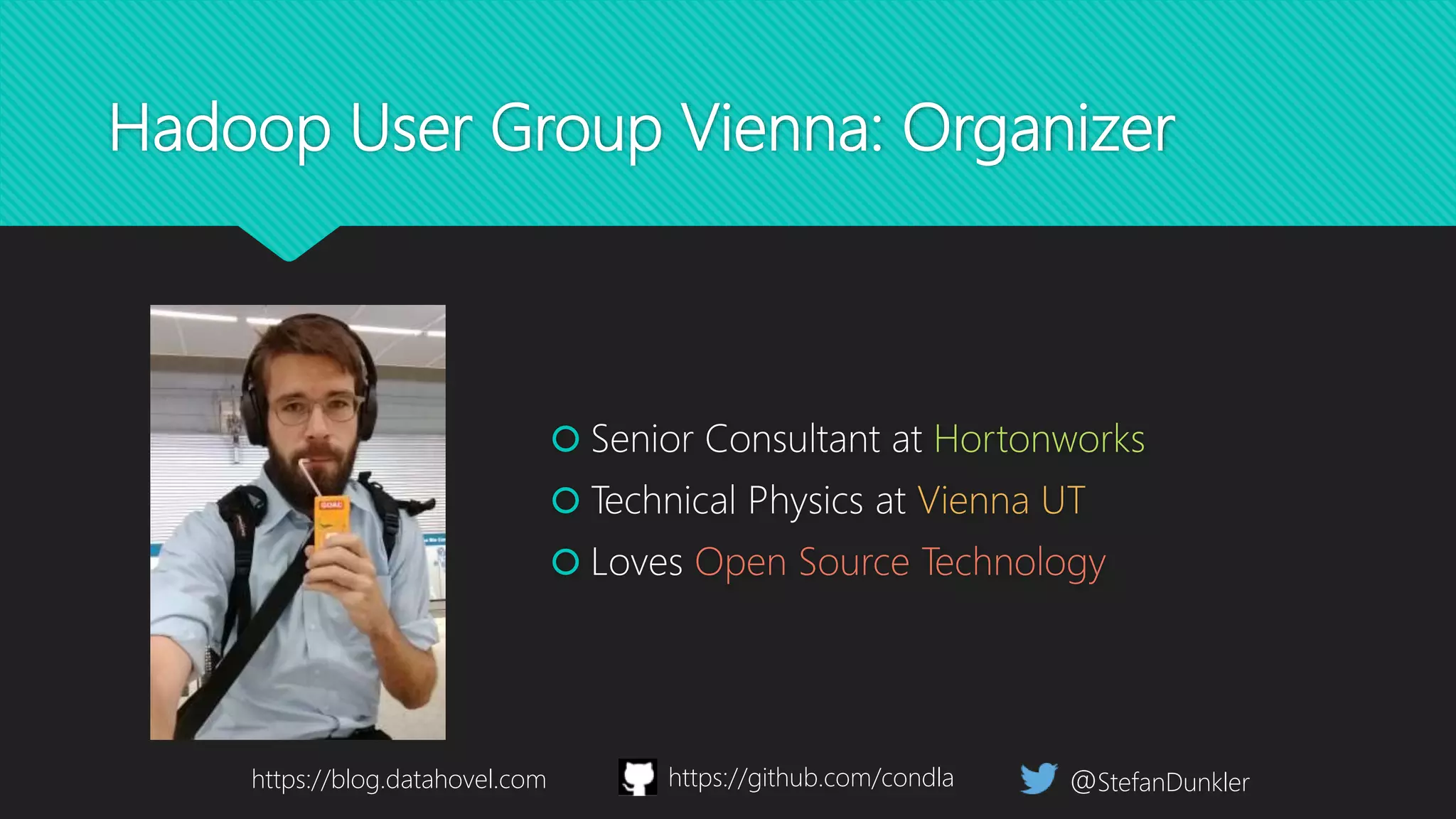
Hadoop User Group Vienna: Organizer
@StefanDunkler
 Senior Consultant at Hortonworks
 Technical Physics at Vienna UT
 Loves Open Source Technology
https://blog.datahovel.com https://github.com/condla
Hadoop User Group Vienna: Introduction
 Network and Connect to
real Hadoop Users!
 Present technical problems
or solutions!
 Meet the experts!
 Share problems and/or
solutions
 Have a good time! 
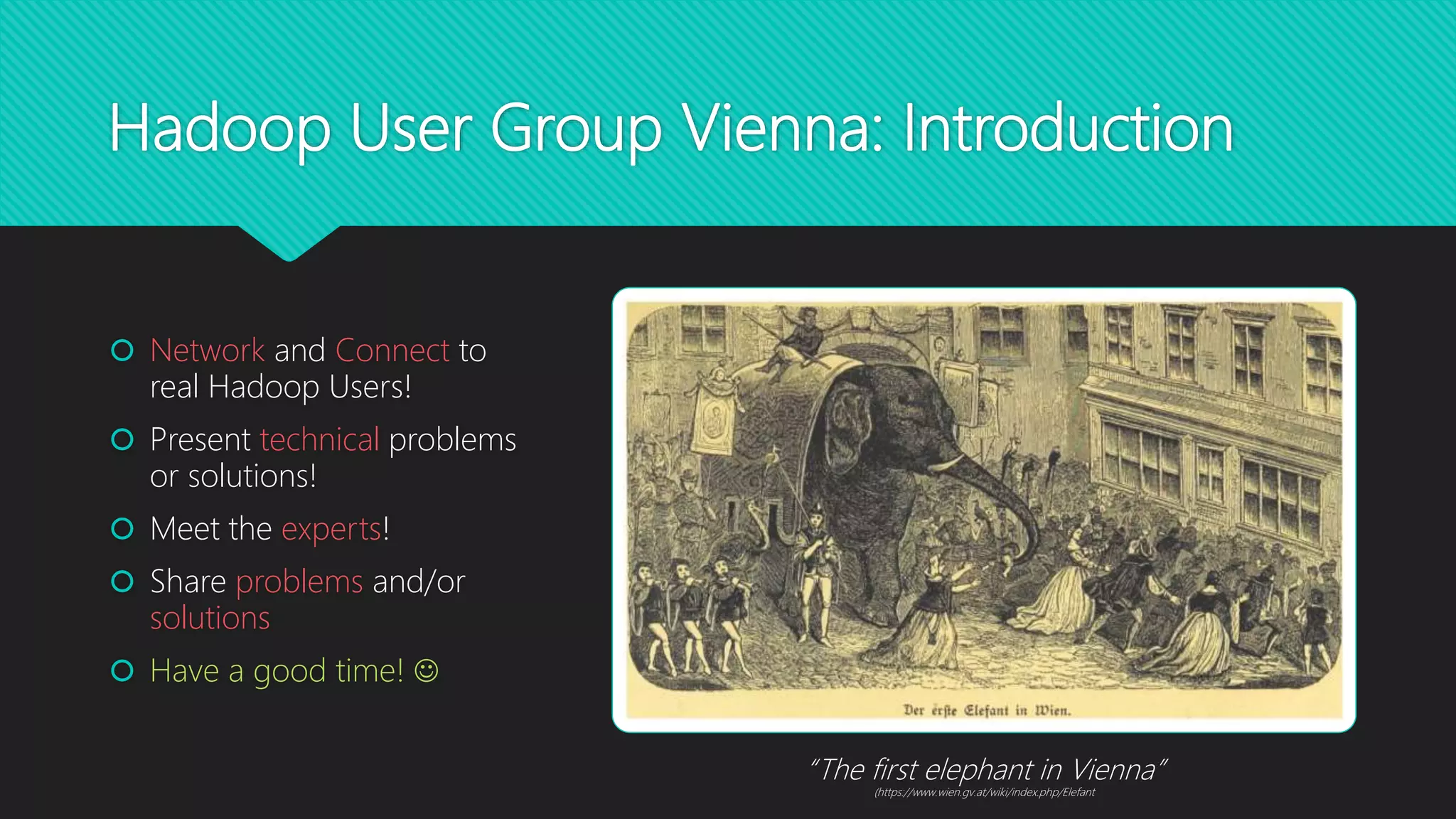
“The first elephant in Vienna”
(https://www.wien.gv.at/wiki/index.php/Elefant
Hadoop User Group Vienna: Agenda
 “Disaster Recovery in the Hadoop Ecosystem:
Preparing for the Improbable”
 Stefan Kupstaitis-Dunkler, Hortonworks
 Highly Scalable Machine Learning and Deep
Learning in Real Time with Apache Kafka’s Streams
API
 Kai Wähner, Confluent
 Pizza, Beer and Networking
Disaster Recovery in the Hadoop
Ecosystem
Preparing for the Improbable Stefan Kupstaitis-Dunkler, 2017-09-06
Hadoop Disaster
Recovery: Agenda
 Foundations, Considerations and
Terminology
 Disaster Recovery Solution
Scenarios
 DR Capabilities of Selected
Services
 HDFS
 Hive
 HBase
 Kafka
 Policies and Configuration
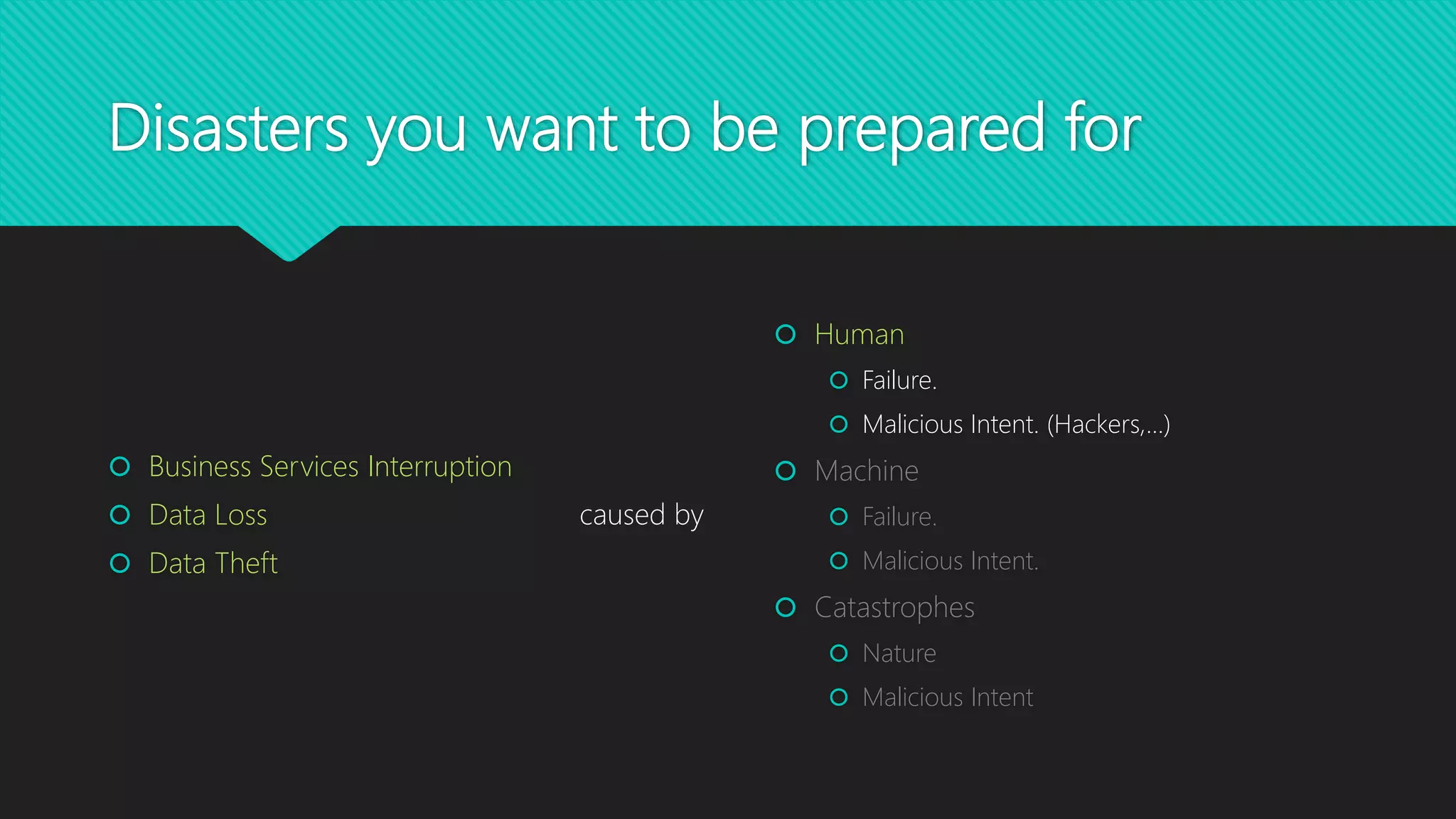
Disasters you want to be prepared for
 Human
 Failure.
 Malicious Intent. (Hackers,…)
 Machine
 Failure.
 Malicious Intent.
 Catastrophes
 Nature
 Malicious Intent
 Business Services Interruption
 Data Loss
 Data Theft
caused by
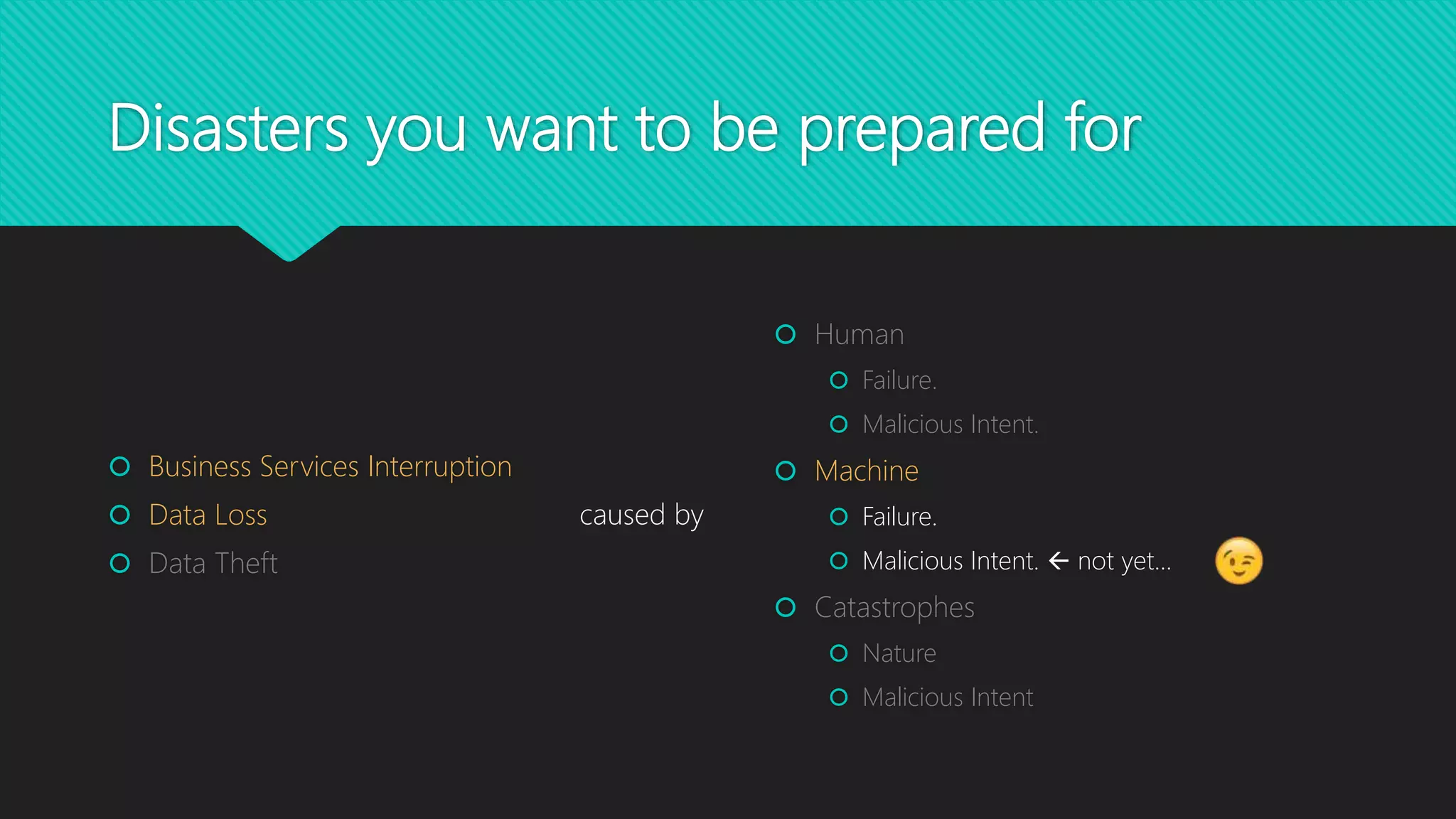
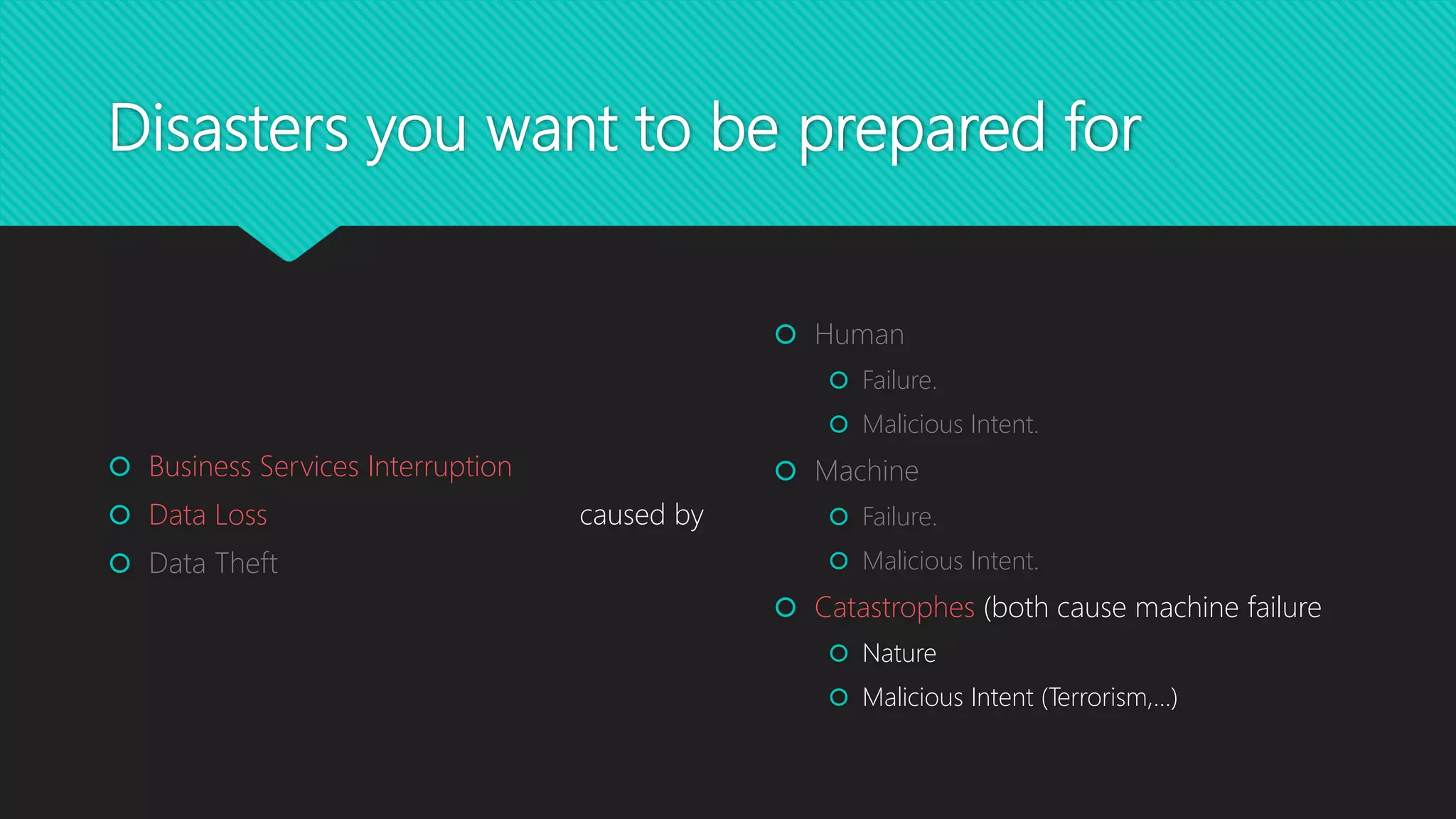
Disasters you want to be prepared for
 Human
 Failure.
 Malicious Intent.
 Machine
 Failure.
 Malicious Intent.  not yet…
 Catastrophes
 Nature
 Malicious Intent
 Business Services Interruption
 Data Loss
 Data Theft
caused by
Disasters you want to be prepared for
 Human
 Failure.
 Malicious Intent.
 Machine
 Failure.
 Malicious Intent.
 Catastrophes (both cause machine failure
 Nature
 Malicious Intent (Terrorism,…)
 Business Services Interruption
 Data Loss
 Data Theft
caused by
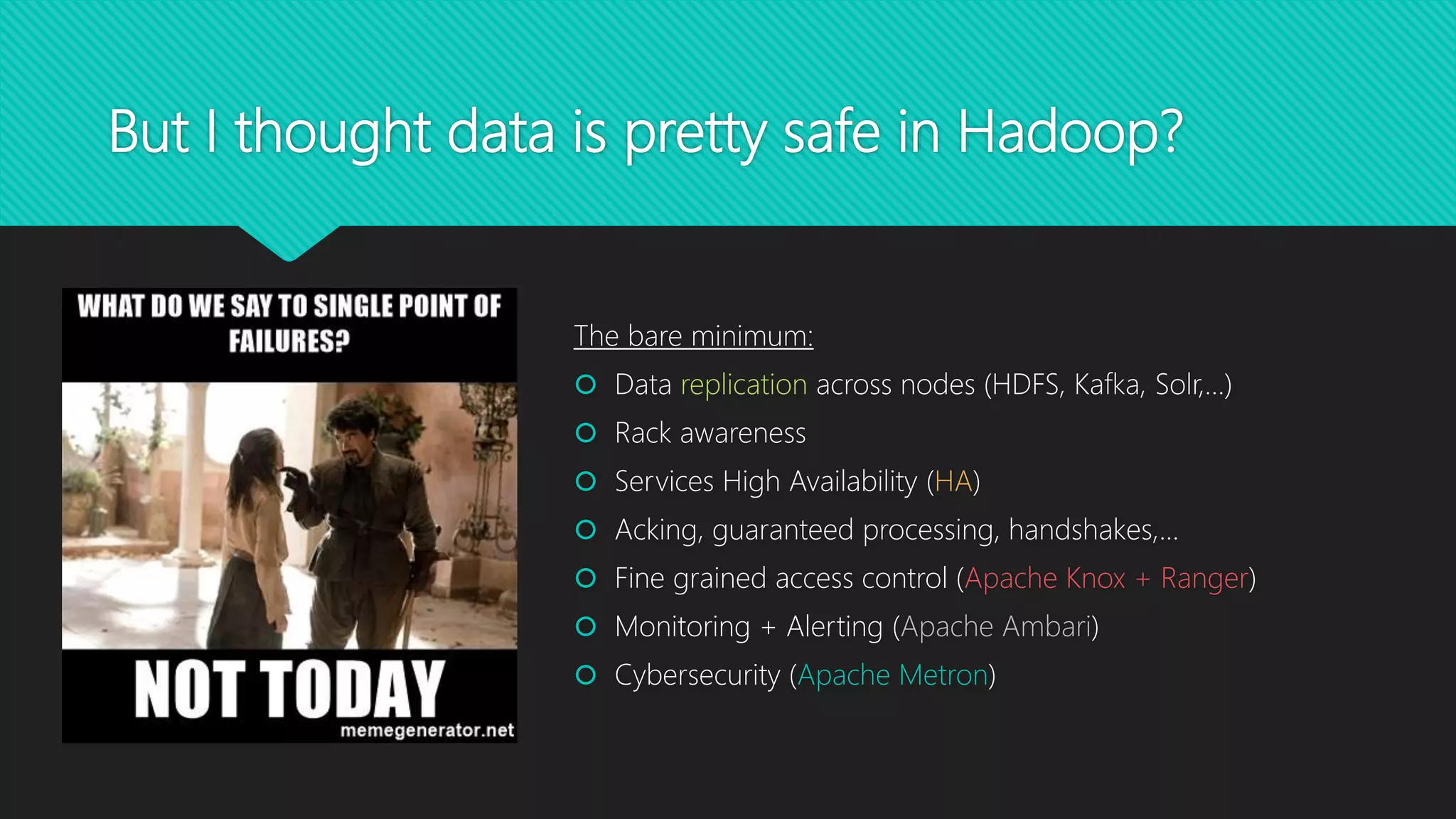
But I thought data is pretty safe in Hadoop?
The bare minimum:
 Data replication across nodes (HDFS, Kafka, Solr,…)
 Rack awareness
 Services High Availability (HA)
 Acking, guaranteed processing, handshakes,…
 Fine grained access control (Apache Knox + Ranger)
 Monitoring + Alerting (Apache Ambari)
 Cybersecurity (Apache Metron)
Let’s talk about apples and pears: Terms and
Definitions
 Disaster Recovery vs. Disaster Prevention
 Full/Delta Backup
 Replication
 Snapshots
Considerations
 Why DR?  Disaster Prevention…
 List your data sources? What’s the impact of their loss?
 Backup frequency?
 Recovery speed?
 Choose backup/replication mechanism that fits your business
requirements and your data
 Organize Prioritize Generalize!
DR Solution
Scenarios
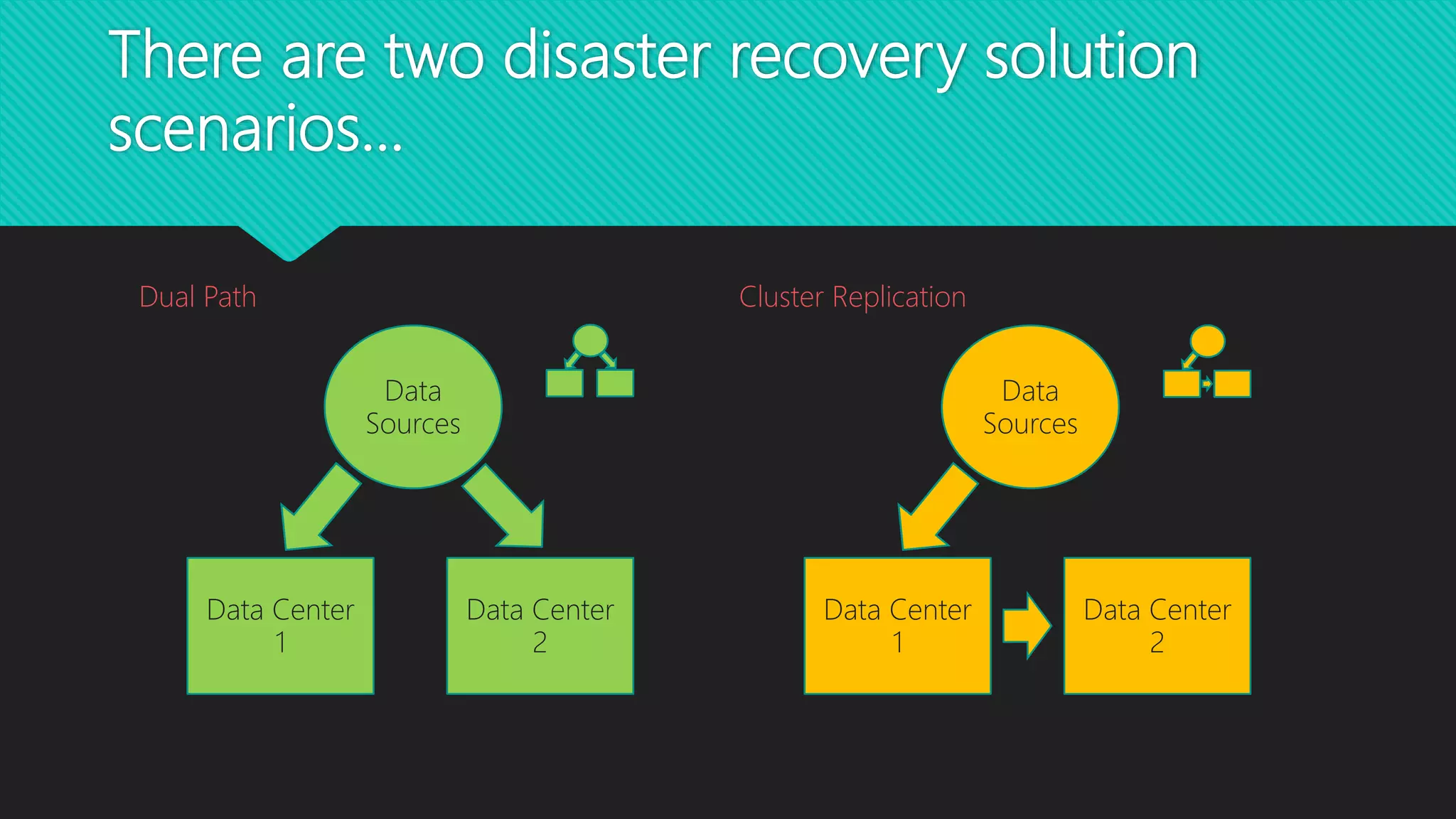
There are two disaster recovery solution
scenarios…
Data Center
1
Data
Sources
Data Center
2
Data Center
1
Data
Sources
Data Center
2
Dual Path Cluster Replication
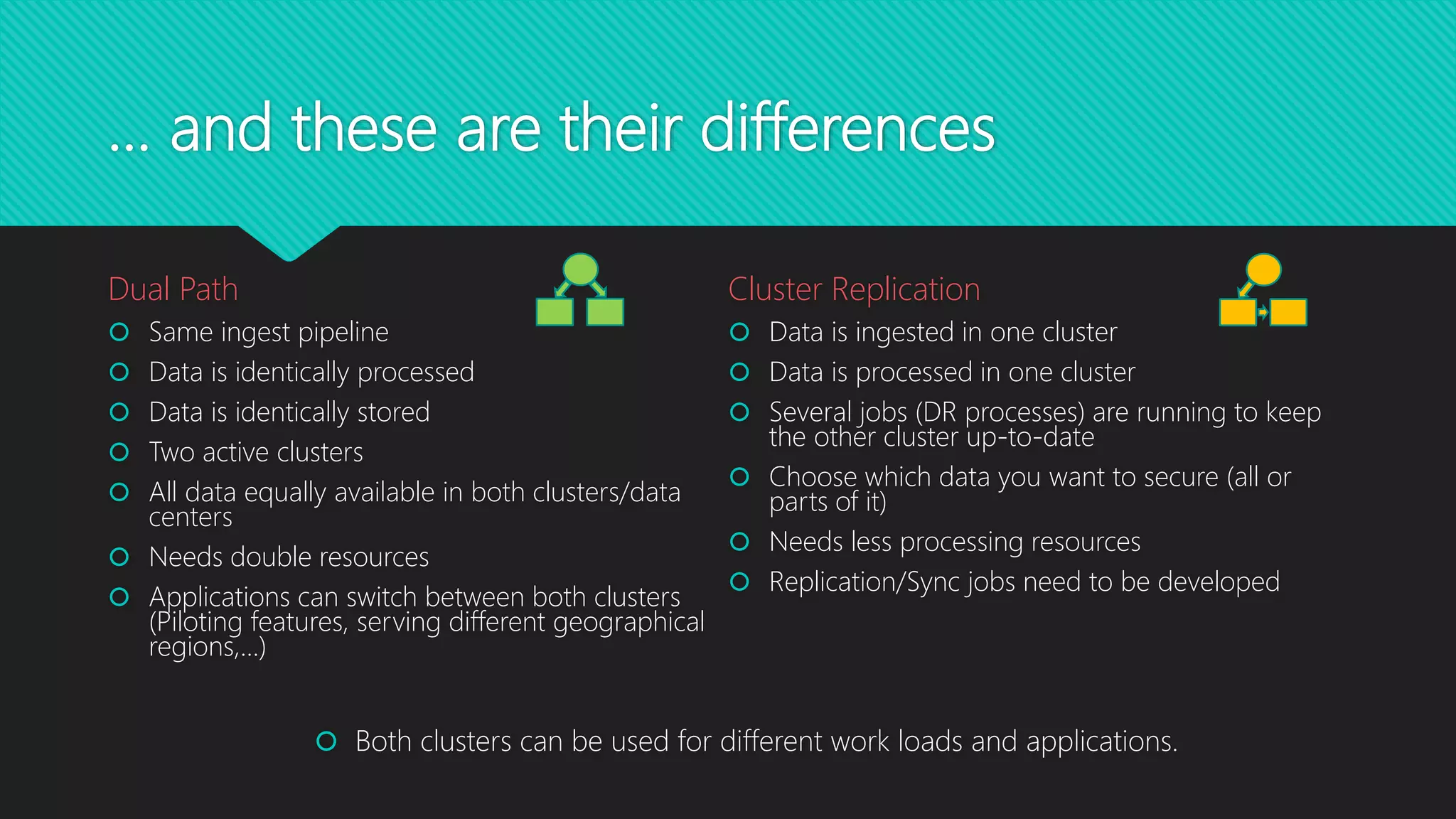
… and these are their differences
Dual Path
 Same ingest pipeline
 Data is identically processed
 Data is identically stored
 Two active clusters
 All data equally available in both clusters/data
centers
 Needs double resources
 Applications can switch between both clusters
(Piloting features, serving different geographical
regions,…)
Cluster Replication
 Data is ingested in one cluster
 Data is processed in one cluster
 Several jobs (DR processes) are running to keep
the other cluster up-to-date
 Choose which data you want to secure (all or
parts of it)
 Needs less processing resources
 Replication/Sync jobs need to be developed
 Both clusters can be used for different work loads and applications.
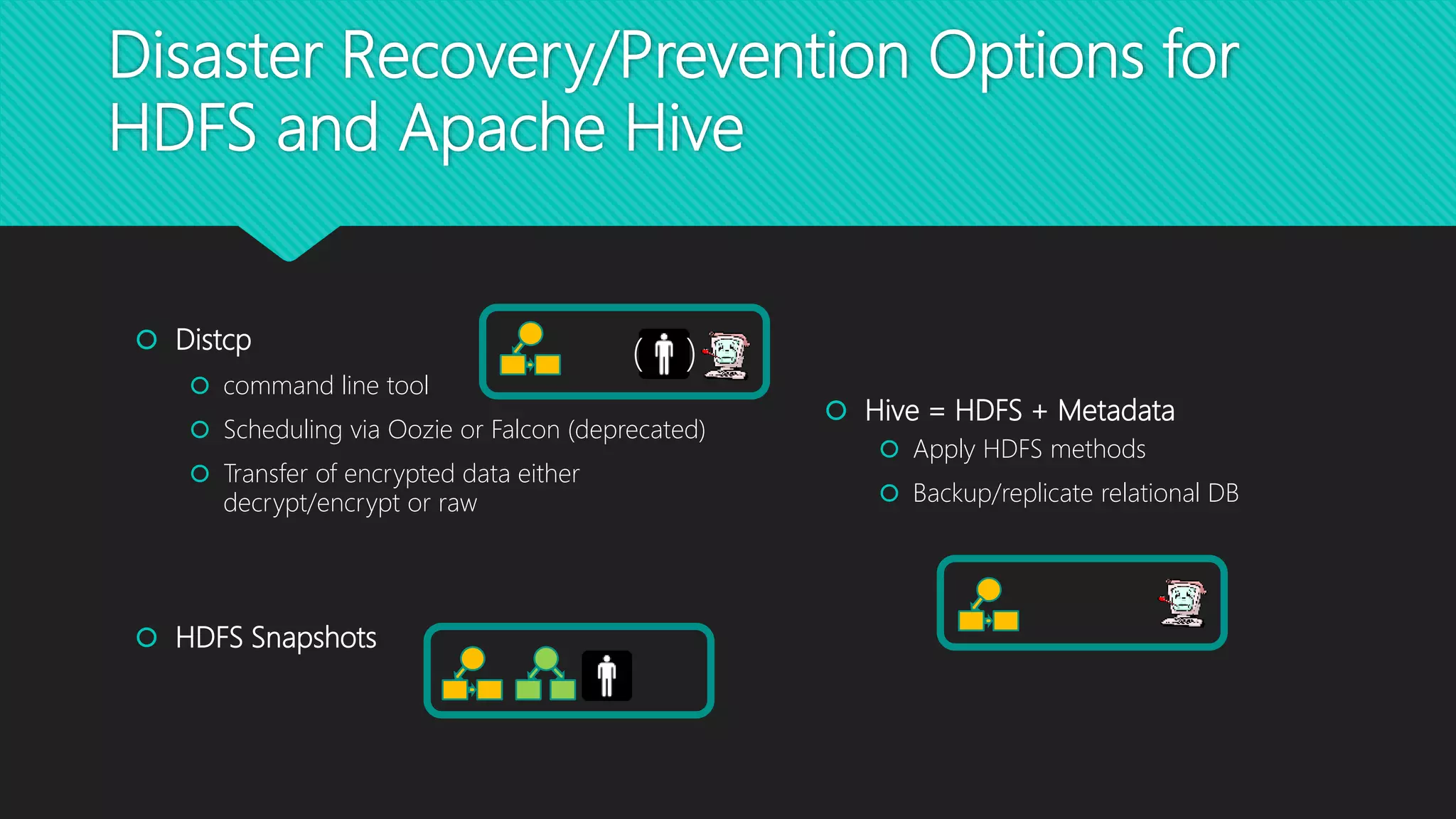
 Hive = HDFS + Metadata
 Apply HDFS methods
 Backup/replicate relational DB
 Distcp
 command line tool
 Scheduling via Oozie or Falcon (deprecated)
 Transfer of encrypted data either
decrypt/encrypt or raw
 HDFS Snapshots
Disaster Recovery/Prevention Options for
HDFS and Apache Hive
( )
Disaster Recovery for Apache HBase
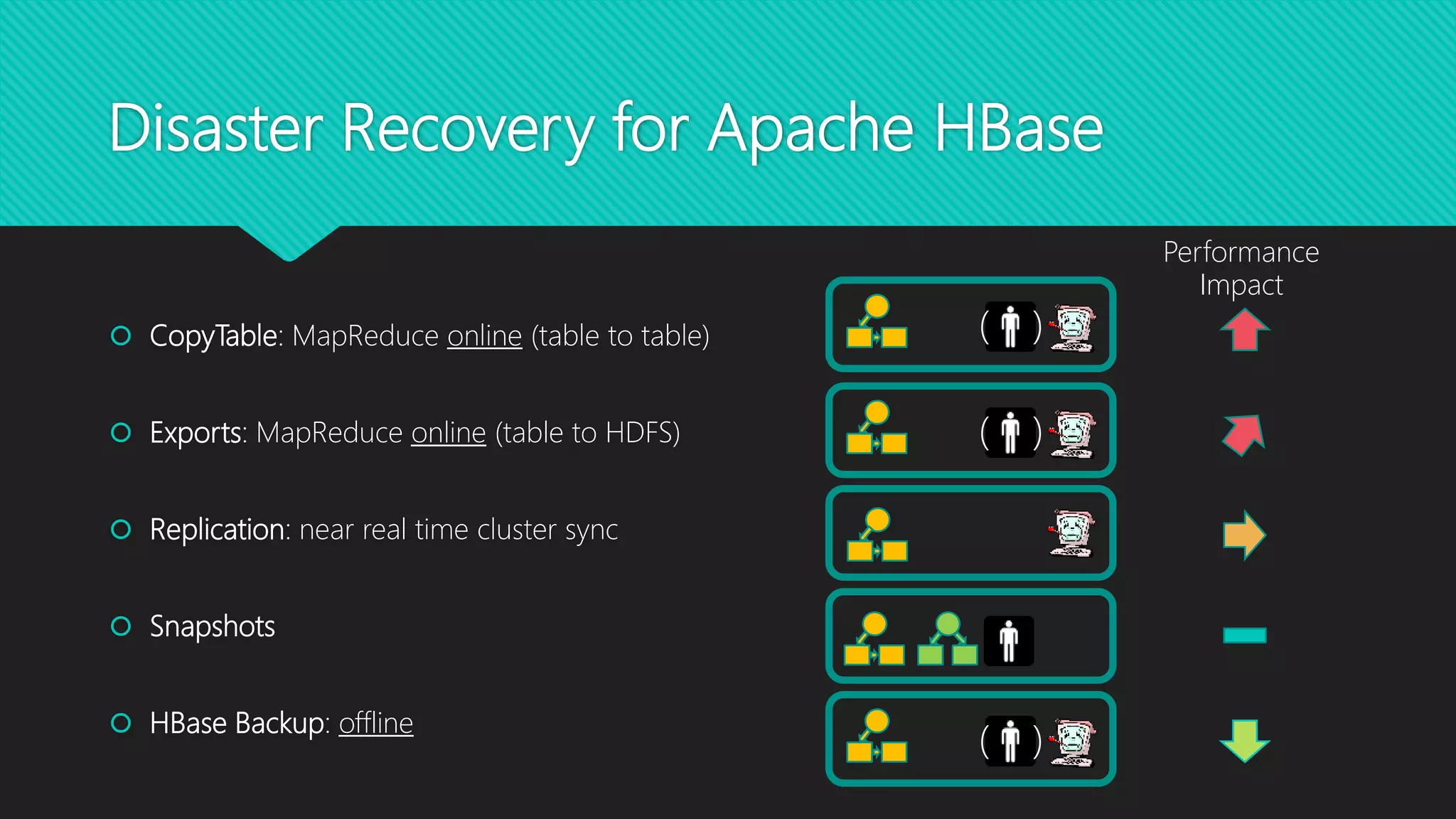
 CopyTable: MapReduce online (table to table)
 Exports: MapReduce online (table to HDFS)
 Replication: near real time cluster sync
 Snapshots
 HBase Backup: offline
Performance
Impact
( )
( )
( )
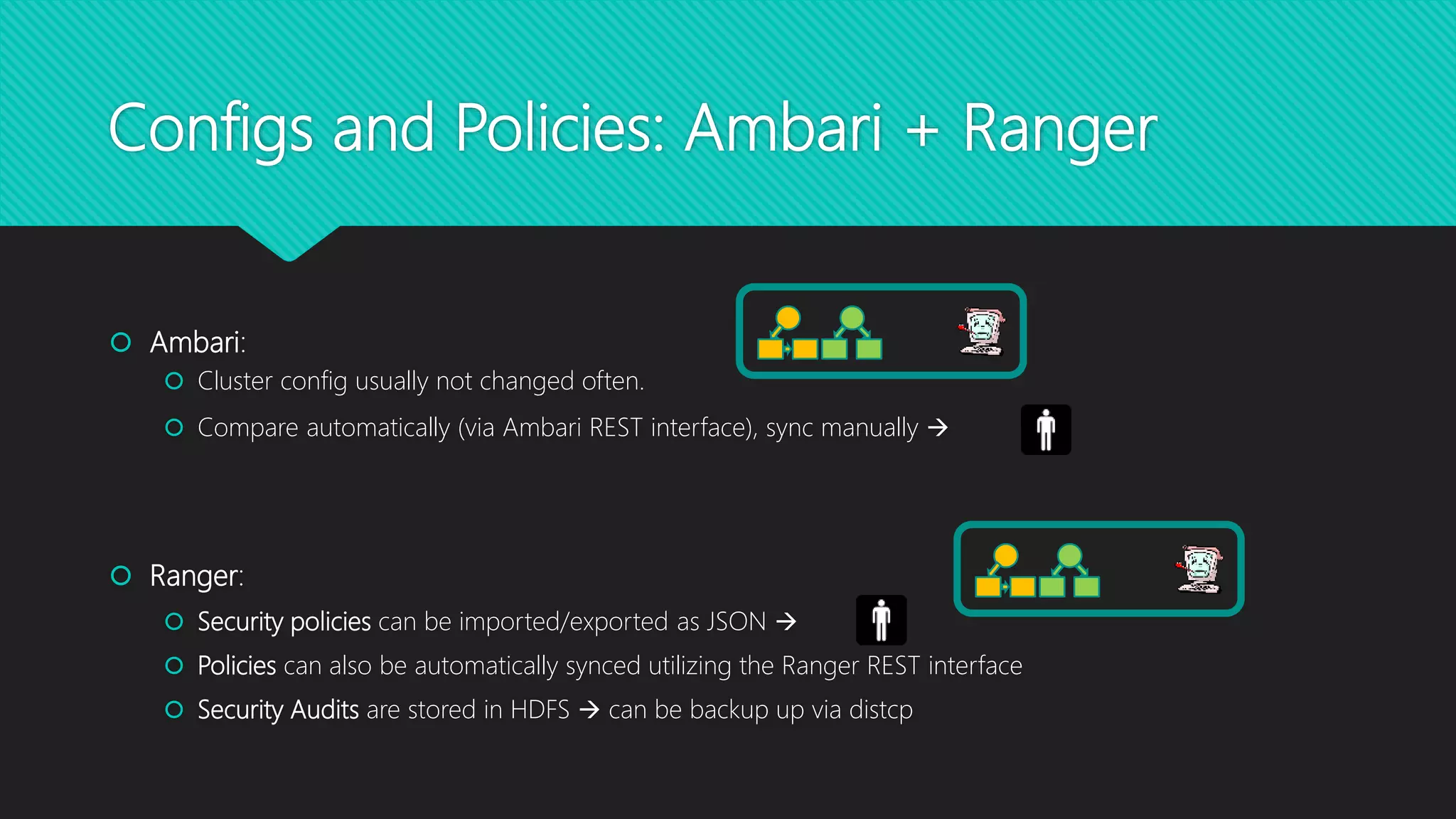
 Ambari:
 Cluster config usually not changed often.
 Compare automatically (via Ambari REST interface), sync manually 
 Ranger:
 Security policies can be imported/exported as JSON 
 Policies can also be automatically synced utilizing the Ranger REST interface
 Security Audits are stored in HDFS  can be backup up via distcp
Configs and Policies: Ambari + Ranger
Kafka Mirror Maker
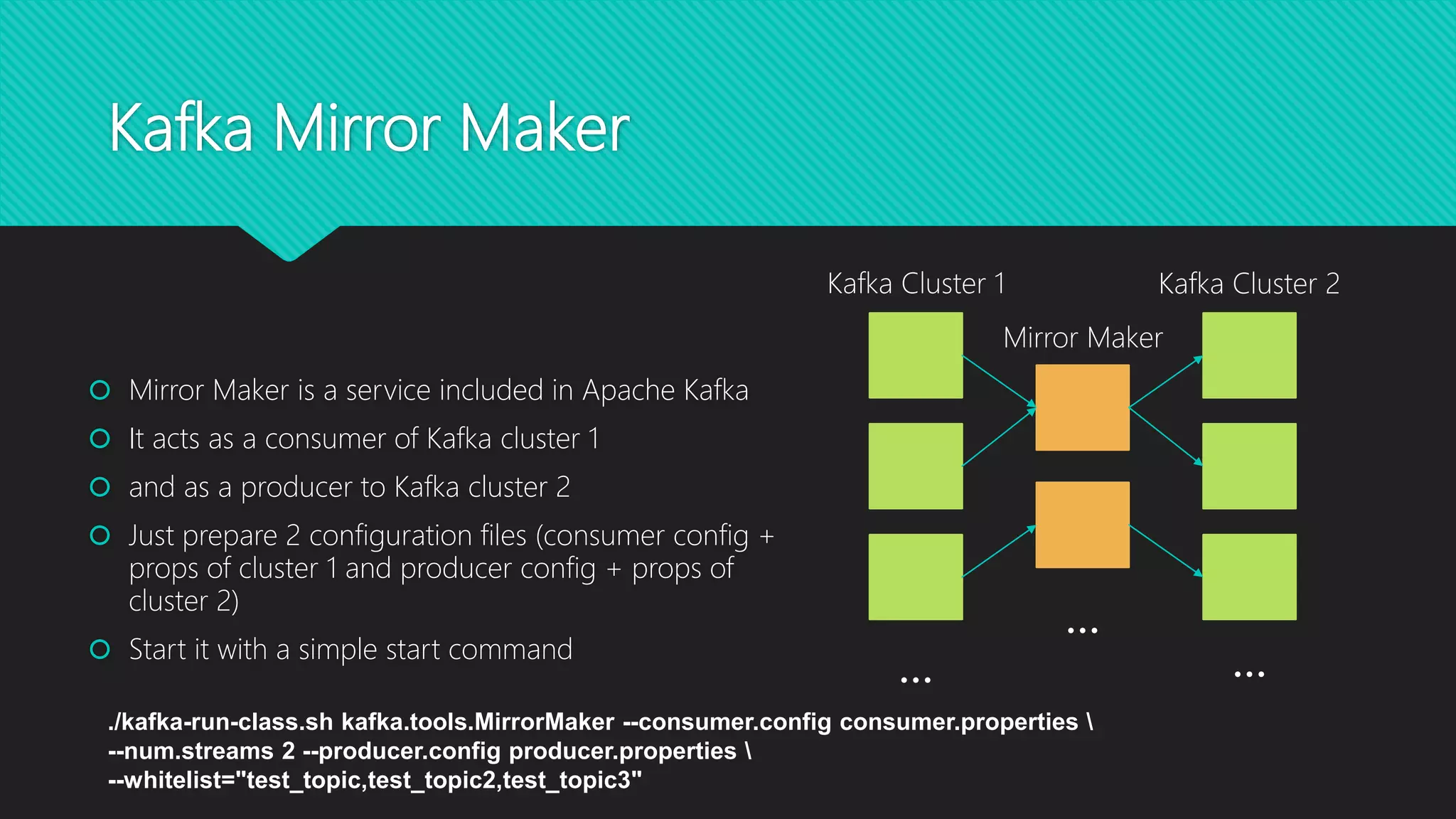
Kafka Cluster 1
Mirror Maker
Kafka Cluster 2
…
…
…
 Mirror Maker is a service included in Apache Kafka
 It acts as a consumer of Kafka cluster 1
 and as a producer to Kafka cluster 2
 Just prepare 2 configuration files (consumer config +
props of cluster 1 and producer config + props of
cluster 2)
 Start it with a simple start command
./kafka-run-class.sh kafka.tools.MirrorMaker --consumer.config consumer.properties 
--num.streams 2 --producer.config producer.properties 
--whitelist="test_topic,test_topic2,test_topic3"
Now what?
 Test your scenario…
 Regularly!
 Implement automated tests to track performance and
completeness of data.
 Idea: Let’s kill random services in production and see what
happens. After all, Hadoop services and applications can handle
such situations, plus now we have a DR strategy in place, that we
trust. Do we?
Thanks for your attention!
Questions?

Disaster Recovery in the Hadoop Ecosystem: Preparing for the Improbable

  • 1.
    8th Hadoop UserGroup Vienna @ T-Mobile Austria September 06, 2017
  • 2.
    Hadoop User GroupVienna: Organizer @StefanDunkler  Senior Consultant at Hortonworks  Technical Physics at Vienna UT  Loves Open Source Technology https://blog.datahovel.com https://github.com/condla
  • 3.
    Hadoop User GroupVienna: Introduction  Network and Connect to real Hadoop Users!  Present technical problems or solutions!  Meet the experts!  Share problems and/or solutions  Have a good time!  “The first elephant in Vienna” (https://www.wien.gv.at/wiki/index.php/Elefant
  • 4.
    Hadoop User GroupVienna: Agenda  “Disaster Recovery in the Hadoop Ecosystem: Preparing for the Improbable”  Stefan Kupstaitis-Dunkler, Hortonworks  Highly Scalable Machine Learning and Deep Learning in Real Time with Apache Kafka’s Streams API  Kai Wähner, Confluent  Pizza, Beer and Networking
  • 5.
    Disaster Recovery inthe Hadoop Ecosystem Preparing for the Improbable Stefan Kupstaitis-Dunkler, 2017-09-06
  • 6.
    Hadoop Disaster Recovery: Agenda Foundations, Considerations and Terminology  Disaster Recovery Solution Scenarios  DR Capabilities of Selected Services  HDFS  Hive  HBase  Kafka  Policies and Configuration
  • 7.
    Disasters you wantto be prepared for  Human  Failure.  Malicious Intent. (Hackers,…)  Machine  Failure.  Malicious Intent.  Catastrophes  Nature  Malicious Intent  Business Services Interruption  Data Loss  Data Theft caused by
  • 8.
    Disasters you wantto be prepared for  Human  Failure.  Malicious Intent.  Machine  Failure.  Malicious Intent.  not yet…  Catastrophes  Nature  Malicious Intent  Business Services Interruption  Data Loss  Data Theft caused by
  • 9.
    Disasters you wantto be prepared for  Human  Failure.  Malicious Intent.  Machine  Failure.  Malicious Intent.  Catastrophes (both cause machine failure  Nature  Malicious Intent (Terrorism,…)  Business Services Interruption  Data Loss  Data Theft caused by
  • 10.
    But I thoughtdata is pretty safe in Hadoop? The bare minimum:  Data replication across nodes (HDFS, Kafka, Solr,…)  Rack awareness  Services High Availability (HA)  Acking, guaranteed processing, handshakes,…  Fine grained access control (Apache Knox + Ranger)  Monitoring + Alerting (Apache Ambari)  Cybersecurity (Apache Metron)
  • 11.
    Let’s talk aboutapples and pears: Terms and Definitions  Disaster Recovery vs. Disaster Prevention  Full/Delta Backup  Replication  Snapshots
  • 12.
    Considerations  Why DR? Disaster Prevention…  List your data sources? What’s the impact of their loss?  Backup frequency?  Recovery speed?  Choose backup/replication mechanism that fits your business requirements and your data  Organize Prioritize Generalize!
  • 13.
  • 14.
    There are twodisaster recovery solution scenarios… Data Center 1 Data Sources Data Center 2 Data Center 1 Data Sources Data Center 2 Dual Path Cluster Replication
  • 15.
    … and theseare their differences Dual Path  Same ingest pipeline  Data is identically processed  Data is identically stored  Two active clusters  All data equally available in both clusters/data centers  Needs double resources  Applications can switch between both clusters (Piloting features, serving different geographical regions,…) Cluster Replication  Data is ingested in one cluster  Data is processed in one cluster  Several jobs (DR processes) are running to keep the other cluster up-to-date  Choose which data you want to secure (all or parts of it)  Needs less processing resources  Replication/Sync jobs need to be developed  Both clusters can be used for different work loads and applications.
  • 16.
     Hive =HDFS + Metadata  Apply HDFS methods  Backup/replicate relational DB  Distcp  command line tool  Scheduling via Oozie or Falcon (deprecated)  Transfer of encrypted data either decrypt/encrypt or raw  HDFS Snapshots Disaster Recovery/Prevention Options for HDFS and Apache Hive ( )
  • 17.
    Disaster Recovery forApache HBase  CopyTable: MapReduce online (table to table)  Exports: MapReduce online (table to HDFS)  Replication: near real time cluster sync  Snapshots  HBase Backup: offline Performance Impact ( ) ( ) ( )
  • 18.
     Ambari:  Clusterconfig usually not changed often.  Compare automatically (via Ambari REST interface), sync manually   Ranger:  Security policies can be imported/exported as JSON   Policies can also be automatically synced utilizing the Ranger REST interface  Security Audits are stored in HDFS  can be backup up via distcp Configs and Policies: Ambari + Ranger
  • 19.
    Kafka Mirror Maker KafkaCluster 1 Mirror Maker Kafka Cluster 2 … … …  Mirror Maker is a service included in Apache Kafka  It acts as a consumer of Kafka cluster 1  and as a producer to Kafka cluster 2  Just prepare 2 configuration files (consumer config + props of cluster 1 and producer config + props of cluster 2)  Start it with a simple start command ./kafka-run-class.sh kafka.tools.MirrorMaker --consumer.config consumer.properties --num.streams 2 --producer.config producer.properties --whitelist="test_topic,test_topic2,test_topic3"
  • 20.
    Now what?  Testyour scenario…  Regularly!  Implement automated tests to track performance and completeness of data.  Idea: Let’s kill random services in production and see what happens. After all, Hadoop services and applications can handle such situations, plus now we have a DR strategy in place, that we trust. Do we?
  • 21.
    Thanks for yourattention! Questions?

Editor's Notes

  • #4 On this picture: The first elephant in vienna This picture has obviously nothing to do with Hadoop…. What it has in common with Hadoop is that it arrived pretty late, but it arrived eventually.
  • #5 I always try to have 1-2 talks, or hands on sessions….
  • #10 You could categorize. Natural catastrophes as machine failures,…. and terrorism as human malicious intent
  • #11 Replication to three nodes for 2 reasons: prevention of data loss on commodity hardware parallel processing across multiple jobs high availability of data to services --> Single point of failures Rack awareness helps if one rack breaks, but not if the entire data center collapses High availability of services has nothing to do with data security in general… Everybody Well nobody prevents you from falling asleep on your keyboard accidently typing….. rm –r * And we still got the terrorist going and entire data center failure….
  • #12 It’s important that we speak about the same things. Full backup: All data from beginning of time until now Delta backup: All data from a certain time until another certain point in time; a bunch of delta backups can be summed up to get to a full backup. Replication: Replication in computing involves sharing information so as to ensure consistency between redundant resources; Snapshots: contains meta information about a specific state of a database at a certain point in time Disaster Recovery Prevention: Backup differs from replication in that it saves a copy of data unchanged for a long period of time. Replicas, on the other hand, undergo frequent updates and quickly lose any historical state. Replication is one of the oldest and most important topics in the overall area of distributed systems.
  • #13 Why do I need to have a DR plan? if it’s not important, then is my data important at all? Which data sources do I want to back up? Maintain a list of all databases, storage types, tables, topics, directories, files, shards Business critical data in HDFS, Hive, HBase, Kafka, Solr,… Meta Data: Service Configurations, Schemas, Security Audits, Security Policies How often do you want to back up or replicate? Prioritize! How fast do you want to be able to recover? How do you want to backup? (each service has different mechanisms) Organize and Genralize: Don’t implement a replication job for each and every data source In the future and you might have hundreds of data sources. So try to organize your data sources. Try to generalize the DR processes for each data source
  • #15 Dual Path: All data sources are connected to both clusters in both data centers
  • #16 Disaster Recovery Scenarios If HA of services is not sufficient, DR scenarios and a replica cluster containing the same data need to be established. In general, there are two main DR strategies, “dual path” and “replicate”. In the dual path strategy, the same data from all input feeds is ingested into both clusters, identically processed and stored. The disadvantage of double-processing is equalized by the advantage of having a minimal time delay between the clusters. In the replicate strategy, data is ingested and processed in one cluster and only relevant data, e.g., results and important sources, are replicated in a process that is either batch in certain intervals or real-time – depending on the amounts of data, the kind of service in use and the business requirements.   This decision affects the choice of methods described in the following sections.
  • #17 Distcp: useful Snapshots: Prevention: Hive = HDFS + Metadata Apply HDFS methods Backup/Replicate relational DB
  • #18 CopyTable is a MapReduce job that copies the contents of a table online into another table of the same or another cluster. The performance impact is high. CopyTable is not incremental by default, but the jobs can be configured to copy only parts of the table based on a start and end time. Changes in the table could be potentially missed. Exports are also MapReduce jobs, that write data into HDFS. From there they can be copied to another cluster using distcp and imported using the Import tool. The performance impact is high. Exports are not incremental by default, but the jobs can be configured to export only parts of the table based on a start and end time. Changes in the table could be potentially missed. Replication is a way to keep two clusters in sync in near real time. The performance overhead is low and no data can be missed. A big pitfall of replication is, that user or application errors corrupting data cannot be undone. Documentation: https://docs.hortonworks.com/HDPDocuments/HDP2/HDP-2.4.2/bk_hadoop-ha/content/cluster-repl-x-dc.html Snapshots are incremental, but are usually used for creating checkpoints. They can be used to restore a certain state of the data at a certain point in time. Documentation: https://docs.hortonworks.com/HDPDocuments/HDP2/HDP-2.4.2/bk_hbase_snapshots_guide/content/ch_hbase_snapshots_chapter.html Not feasible for this disaster recovery scenario, but to complete this list, HBase Backup should be mentioned. The full backup requires a shutdown of the Region Servers. Then a distcp action could be performed to transfer the data to cluster 2. The advantage is, that no changes on the table can be missed.
  • #19 The cluster configurations should not be replicated automatically for two reasons: Automating might consume more time than manually configuring the few changes to be expected on both clusters. Wrong configurations caused by human errors should not be propagated to the DR cluster automatically. To keep the configurations in sync Hortonworks provides a Python script “compare-clusters.py” that creates a report in HTML format. This report shows all configurations of all services installed on both clusters and marks differing values. Ranger security policies can be exported and imported manually as files starting from version 0.7 included in HDP 2.6.x. In earlier versions, it is a valid approach, to use the Ranger REST interface to GET all the policies of all services of one cluster, DELETE all policies of the cluster 2 and POST the policies of cluster 1 adapted to the cluster name of cluster 2. An set of scripts of how tools could look like, which could also be used as a base for further development efforts can be found in the following repository in the subdirectory “rangercli”: https://github.com/Condla/dr-tools
  • #20 https://github.com/Condla/protocols/blob/master/manuals/17-06-02_KAFKA_mirror_maker_example_configuration.md
  • #21 Setting up tests is a strict requirement. A DR setup does only make sense if it is tested or responsible persons are trained. Usually, test applications are scheduled in the cluster that are comparable to other productive applications. These test applications can be used to collect, save and analyze cluster and job/application specific metrics. These applications should have a well-known and easily reproducible input and output to make it easier to check data for completeness, especially if DR is tested. There will always be application specific test scenarios, thus they need to be developed with the application. However, there are a few generic test cases that should be tested on all clusters: Test HDFS is down. (a datanode, a namenode, full service) Test another service is down, that is crititcal to applications running in the cluster. Test all services are down. Test all services of one node are down.