Univerza
v
Ljubljani Pedagošk
a
fakulteta
Digital
storytelling
Story creating, Digital fluency or
Programming?
Irena Nančovska Šerbec
Alenka Žerovnik
Faculty of Education
Dep. for math. and comp.
Irena.Nancovska@pef.uni-lj.si
Alenka.Zerovnik@pef.uni-lj.si
lesson Digital stories 2
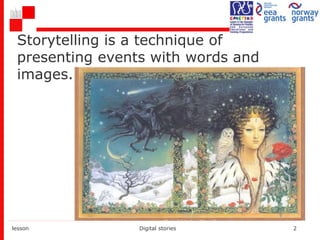
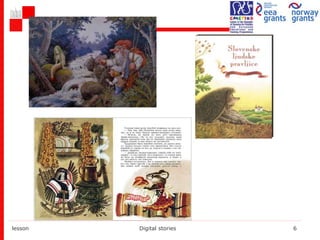
Storytelling is a technique of
presenting events with words and
images.
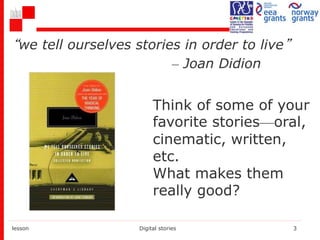
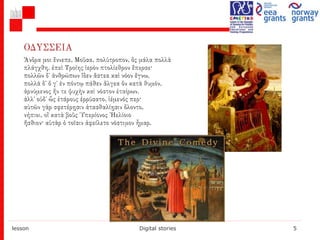
“we tell ourselves stories in order to live”
– Joan Didion
lesson Digital stories 3
Think of some of your
favorite stories—oral,
cinematic, written,
etc.
What makes them
really good?
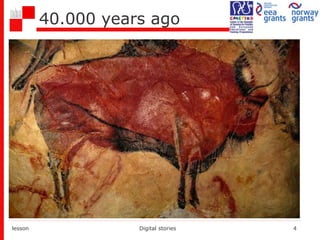
40.000 years ago
lesson Digital stories 4
lesson Digital stories 5
lesson Digital stories 6
lesson Digital stories 7
What is this lesson about?
The use of media? (“digital”)
Developing digital competence?
Role playing?
Programming?
Game creating?
Problem solving?
Or
Just storytelling?
Digital storytelling?
lesson Digital stories 8
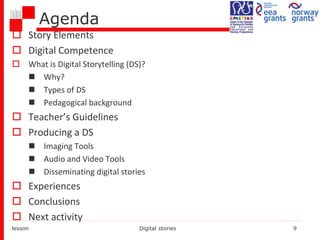
Agenda
 Story Elements
 Digital Competence
 What is Digital Storytelling (DS)?
 Why?
 Types of DS
 Pedagogical background
 Teacher’s Guidelines
 Producing a DS
 Imaging Tools
 Audio and Video Tools
 Disseminating digital stories
 Experiences
 Conclusions
 Next activity
lesson Digital stories 9
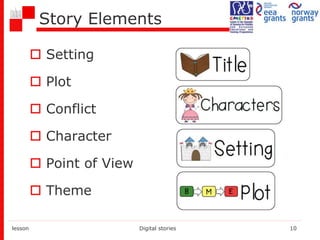
Story Elements
 Setting
 Plot
 Conflict
 Character
 Point of View
 Theme
lesson Digital stories 10
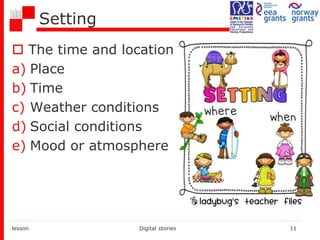
Setting
 The time and location
a) Place
b) Time
c) Weather conditions
d) Social conditions
e) Mood or atmosphere
lesson Digital stories 11
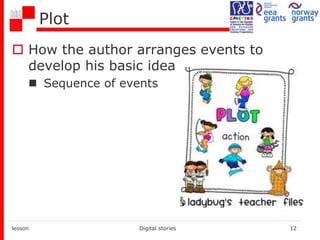
Plot
 How the author arranges events to
develop his basic idea
 Sequence of events
lesson Digital stories 12
Plot
a) Introduction
b) Rising Action
 where the events in the story become complicated and
the conflict in the story is revealed
c) Climax
 the highest point of interest and the turning point of the
story
d) Falling action
 the events and complications begin to resolve
themselves
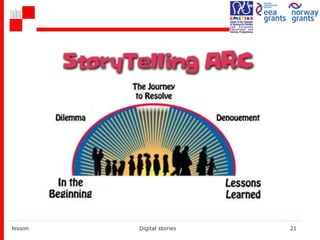
e) Denouement (outcome of the story)
 the final outcome or untangling of events in the story.
lesson Digital stories 13
Character
 Persons in a work of fiction –
 Protagonist (central) and
Antagonist (opposite)
 The Characteristics of a Person –
a) his/her physical appearance
b) what he/she says, thinks, feels and
dreams
c) what he/she does or does not do
d) what others say about him/her and how
others react to him/her
 Individual, static, developing
lesson Digital stories 14
Conflict
 Conflict is essential to plot.
 Without conflict there is no plot.
 It is the opposition of forces which ties
one incident to another and makes the
plot move.
 Any form of opposition that faces the
main character.
 Internal/external
 Man vs.: men, society, circumstances,
himself…
lesson Digital stories 15
Point of View
 The angle from which the story is told
 Innocent Eye – eyes of a child
 Stream of Consciousness - the reader feels as
if they are inside the head of one character
 First Person - by the protagonist or one of the
characters (using pronouns I, me, we, etc).
 Omniscient- move from character to
character, event to event…
lesson Digital stories 16
Theme
 Its controlling idea or its central
insight.
 Examples:
 Love is blind
 Believe in yourself
 People are afraid of change
 Don't judge a book by its cover
lesson Digital stories 17
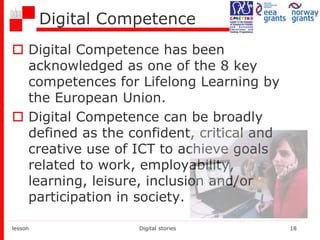
Digital Competence
 Digital Competence has been
acknowledged as one of the 8 key
competences for Lifelong Learning by
the European Union.
 Digital Competence can be broadly
defined as the confident, critical and
creative use of ICT to achieve goals
related to work, employability,
learning, leisure, inclusion and/or
participation in society.
lesson Digital stories 18
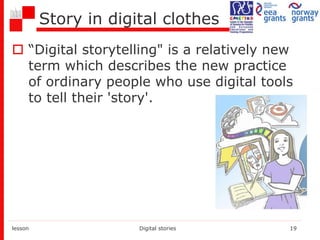
Story in digital clothes
 “Digital storytelling" is a relatively new
term which describes the new practice
of ordinary people who use digital tools
to tell their 'story'.
lesson Digital stories 19
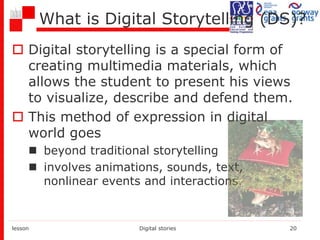
What is Digital Storytelling (DS)?
 Digital storytelling is a special form of
creating multimedia materials, which
allows the student to present his views
to visualize, describe and defend them.
 This method of expression in digital
world goes
 beyond traditional storytelling
 involves animations, sounds, text,
nonlinear events and interactions.
lesson Digital stories 20
lesson Digital stories 21
Digital story is more…
 Digital Storytelling is much more than
just writing a story or putting
multimedia together.
 Planning, analysis, and critical thinking
is needed throughout the process as
students develop a story using the
story arc
 The phases of Digital Storytelling help
organize and insure a successful,
productive and rewarding experience.
lesson Digital stories 22
According to ISTE
ISTE = International Society for Technology in
Education
NETS-S (For students):
1. Creativity and Innovation
2. Communication and Collaboration
3. Research and Information Fluency
4. Critical Thinking, Problem Solving, and Decision
Making
5. Digital Citizenship
6. Technology Operations and Concepts
lesson Digital stories 23
According to ISTE
NETS-T (For teachers):
1. Facilitate and Inspire Student Learning and
Creativity
2. Design and Develop Digital Age Learning
Experiences
3. Model Digital Age Work and Learning
4. Promote and Model Digital Citizenship and
Responsibility
lesson Digital stories 24
Types of Digital Stories
1. Personal Narratives
 Character stories
 Memorial stories
 Stories about events or places in our lives
 Stories about what we do
 Recovery & discovery stories
 Love Stories
2. Examination of Historical Themes and Events
 Explore and depict a historical theme or event.
 Require students to research a topic
 Use informational & media literacy skills
3. Stories that Inform or Instruct
 Curriculum content which delivers information
 Motivational/Inspirational
 Testimonial
lesson Digital stories 25
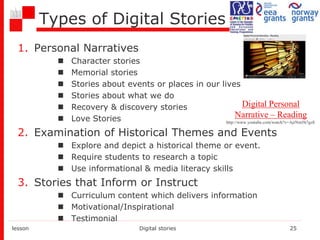
Digital Personal
Narrative – Reading
http://www.youtube.com/watch?v=AjrNm5h7gzE
Why do we use Digital Storytelling?
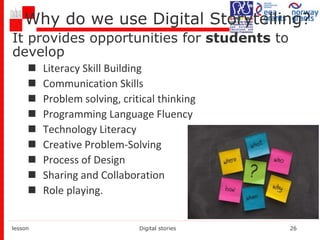
It provides opportunities for students to
develop
 Literacy Skill Building
 Communication Skills
 Problem solving, critical thinking
 Programming Language Fluency
 Technology Literacy
 Creative Problem-Solving
 Process of Design
 Sharing and Collaboration
 Role playing.
lesson Digital stories 26
Pedagogical background
Teachers, by means of digital
storytelling, incerase students' motivation
and emphatic listening.
lesson Digital stories 27
Pedagogical background
lesson Digital stories 28
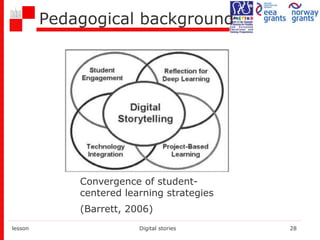
Convergence of student-
centered learning strategies
(Barrett, 2006)
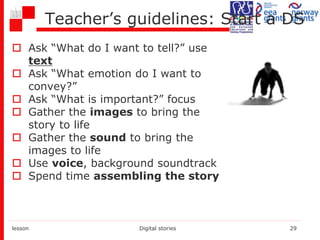
Teacher’s guidelines: Start a DS
 Ask “What do I want to tell?” use
text
 Ask “What emotion do I want to
convey?”
 Ask “What is important?” focus
 Gather the images to bring the
story to life
 Gather the sound to bring the
images to life
 Use voice, background soundtrack
 Spend time assembling the story
lesson Digital stories 29
Seven Elements of Effective Storytelling
1. Point (of View)
2. Dramatic Question
3. Emotional Content
4. Voice
5. Power of the Soundtrack
6. Economy
7. Pacing
(Robin, 2008)
lesson Digital stories 30
1. Point (of View)
 What is the main idea behind the story?
 What is the storyteller trying to
communicate?
 What perspective is adopted by the
storyteller?
 Use first-person to create a more
intimate story and claim responsibility
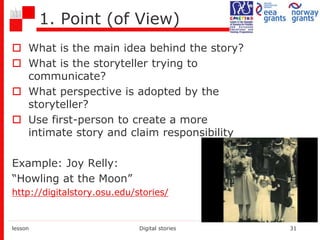
Example: Joy Relly:
“Howling at the Moon”
http://digitalstory.osu.edu/stories/
lesson Digital stories 31
2. Dramatic Question
 Dramatic tension/conflict
 What question is the story trying to answer?
 How is the story structured? How is it resolved?
 How are the audience’s expectations met or challenged?
Example:
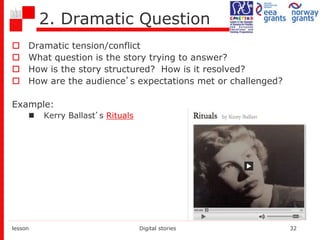
 Kerry Ballast’s Rituals
lesson Digital stories 32
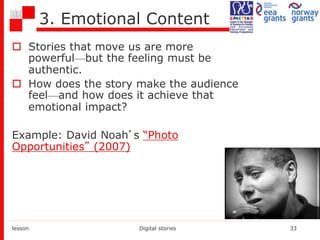
3. Emotional Content
 Stories that move us are more
powerful—but the feeling must be
authentic.
 How does the story make the audience
feel—and how does it achieve that
emotional impact?
Example: David Noah’s “Photo
Opportunities” (2007)
lesson Digital stories 33
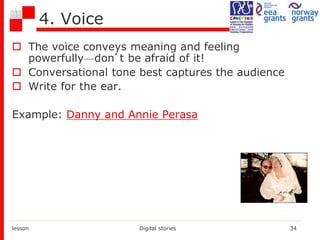
4. Voice
 The voice conveys meaning and feeling
powerfully—don’t be afraid of it!
 Conversational tone best captures the audience
 Write for the ear.
Example: Danny and Annie Perasa
lesson Digital stories 34
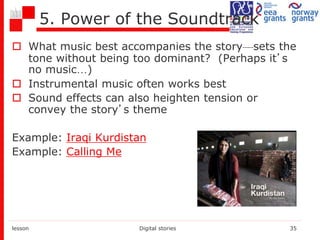
5. Power of the Soundtrack
 What music best accompanies the story—sets the
tone without being too dominant? (Perhaps it’s
no music…)
 Instrumental music often works best
 Sound effects can also heighten tension or
convey the story’s theme
Example: Iraqi Kurdistan
Example: Calling Me
lesson Digital stories 35
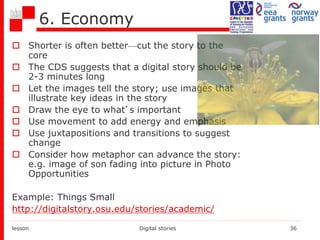
6. Economy
 Shorter is often better—cut the story to the
core
 The CDS suggests that a digital story should be
2-3 minutes long
 Let the images tell the story; use images that
illustrate key ideas in the story
 Draw the eye to what’s important
 Use movement to add energy and emphasis
 Use juxtapositions and transitions to suggest
change
 Consider how metaphor can advance the story:
e.g. image of son fading into picture in Photo
Opportunities
Example: Things Small
http://digitalstory.osu.edu/stories/academic/
lesson Digital stories 36
7. Pacing
 Rhythm of the story
 Fast pace = exciting; slow pace =
meditative
 Changes in pace can be effective, as
can pauses
Example: Example: “Home Movies”,
http://www.storycenter.org/stories/
lesson Digital stories 37
Producing a Digital Story
 Decide what your story will be about
 Use questions to prompt your reflection, such as “What
was a decisive moment in your life?” or “Who is a
mentor or hero?”
 Gather the elements of your story, e.g. pictures,
songs, video
 Script your story & get feedback on it
 Create a storyboard
 Digitize story elements
 Record a voiceover
 Assemble the story using video editing or
presentation software
 Screen & share your story
lesson Digital stories 38
Imaging tools
 Getting images
 You can create them using a digital camera or scanner
 You can download them from an open image archives,
like Flickr (and others listed at
http://en.wikipedia.org/wiki/List_of_photo-
sharing_websites)
 Check copyright to make sure you can use the images
 The quality of some online images may not be sufficient.
 Editing images
 Typical operations: crop, touch up, improve brightness
& contrast, rotate, add text
 Photo editor, e.g. Photoshop (Elements), GIMP
lesson Digital stories 39
Audio & Video Tools
 Audio recording and editing
 Record and edit audio using Audacity (free software),
WavePad, Wavosaur, Vocaro
 Use a microphone
 Download copyright-free music, e.g.
 Free Music Archive
 Podsafe
 Video-editing. Slide-show production software
 Online loopster, stupeflix studio
 Web-based, e.g. JumpCut & other tools at
http://cogdogroo.wikispaces.com/50+Ways
 Free & easy: iMovie (Mac); Windows Movie Maker, PhotoStory
(Windows), SlideStory (web-based)
 Moderately priced: FinalCut Express, ULead VideoStudio
 Professional (expensive & complex): FinalCut Pro, Premiere
lesson Digital stories 40
Disseminating digital stories
 Distribute a CD or DVD
 Make available online:
 Your own web site
 YouTube, OurMedia, etc.
Examples
• Project work - students of Faculty of Education,
University of Ljubljana
• Primary Teacher Education
• The Two-Subject Teacher (Comp. Sci.)
• Art Pedagogy
 CS students are skilled
in SW use and
publishing (technology
competence)
 CS students have
problems with
imagination, relating
DS to objectives,
esthetics of graphics
 Art Pedagogy
students have
problems with SW
selection and use
 They have
imagination and
creative ideas
 They are good in
design
lesson Digital stories 42
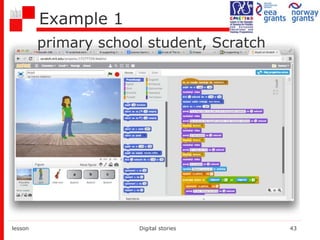
Example 1
lesson Digital stories 43
primary school student, Scratch
Example 1 – Scratch story
 11 years old student
 Introduce yourself: Anja
 Hobby or Meaningful event from your life
 At least one guess and counting the number of
guesses
 Learning objectives related to storytelling,
programming and multimedia use:
 conditions, loops, variables and events
 scenes, character changes "costumes”
(animation), recording your own voice,
storage and use of music and video…
lesson Digital stories 44
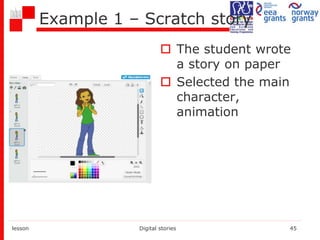
Example 1 – Scratch story
 The student wrote
a story on paper
 Selected the main
character,
animation
lesson Digital stories 45
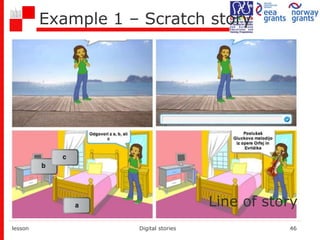
Example 1 – Scratch story
lesson Digital stories 46
Line of story
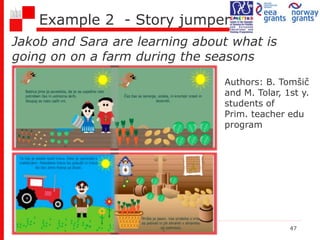
Example 2 - Story jumper
Jakob and Sara are learning about what is
going on on a farm during the seasons
lesson Digital stories 47
Authors: B. Tomšič
and M. Tolar, 1st y.
students of
Prim. teacher edu
program
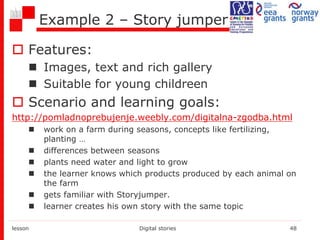
Example 2 – Story jumper
 Features:
 Images, text and rich gallery
 Suitable for young childreen
 Scenario and learning goals:
http://pomladnoprebujenje.weebly.com/digitalna-zgodba.html
 work on a farm during seasons, concepts like fertilizing,
planting …
 differences between seasons
 plants need water and light to grow
 the learner knows which products produced by each animal on
the farm
 gets familiar with Storyjumper.
 learner creates his own story with the same topic
lesson Digital stories 48
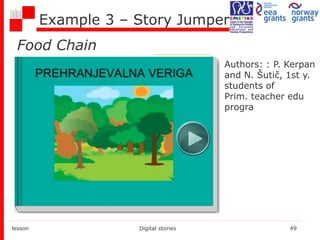
Example 3 – Story Jumper
lesson Digital stories 49
Authors: : P. Kerpan
and N. Šutič, 1st y.
students of
Prim. teacher edu
progra
Food Chain
lesson Digital stories 50
lesson Digital stories 51
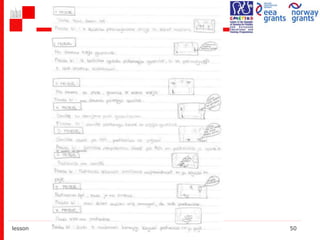
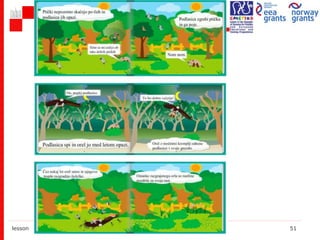
Example 3 – StoryJumper
 Features:
 text, images, audio, video
 online
 Scenario and learning goals:
http://pikake.weebly.com/
http://www.storyjumper.com/book/index/15570322/PREHRAN
JEVALNA-VERIGA
lesson Digital stories 52
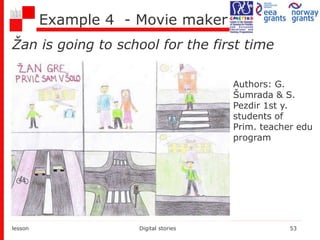
Example 4 - Movie maker
Žan is going to school for the first time
lesson Digital stories 53
Authors: G.
Šumrada & S.
Pezdir 1st y.
students of
Prim. teacher edu
program
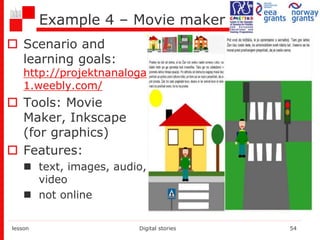
Example 4 – Movie maker
 Scenario and
learning goals:
http://projektnanaloga
1.weebly.com/
 Tools: Movie
Maker, Inkscape
(for graphics)
 Features:
 text, images, audio,
video
 not online
lesson Digital stories 54
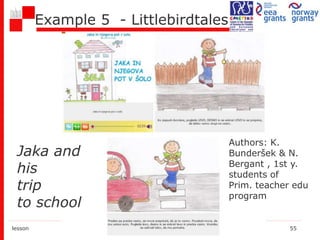
Example 5 - Littlebirdtales
lesson Digital stories 55
Authors: K.
Bunderšek & N.
Bergant , 1st y.
students of
Prim. teacher edu
program
Jaka and
his
trip
to school
Example 5 – Littlebirdtales
 Features:
 text, images, audio, video
 online
 Scenario and learning goals:
http://littlebirdtales.com/tales/view/story_id/414559
lesson Digital stories 56
Example 6 - UTellStory
lesson Digital stories 57
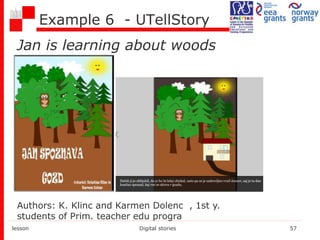
Authors: K. Klinc and Karmen Dolenc , 1st y.
students of Prim. teacher edu progra
Jan is learning about woods
Example 6 – UTellStory
 Features:
 text, images, audio, video
 online
 Scenario and learning goals:
http://www.utellstory.com/viewstory/vie
w/2693cdb8665f5e0f7355f48ce9b81d73#
lesson Digital stories 58
Conclusions
 Digital storytelling
pushes students in
critical thinking,
requiring them to
incorporate their
opinions and
perspectives.
 Creating DS projects
is interesting and
engaging
 DSs are powerful
combination
technology and
creative skills
 DSs Motivate
students to perform
professional work
and engage them in
a process that helps
make learning
relevant and
exciting.
lesson Digital stories 59
Conclusions
Easy to address:
 Combination of technology and
creativity
 Technology is easy to reach
 Technology as distraction
lesson Digital stories 60
Conclusions
Less easy, but doable:
For students:
 Intellectual honesty (copyrights,
plagiarism)
 Resistance to realize from idea to DS
 Evaluation of project work in the light
of articulated criteria
For professors:
 Defining fair criteria for assessment of
DSs projects
lesson Digital stories 61
What’s Next For Our Workshop
Story Cycle
 Brainstorming of ideas in groups
 Present ideas
 Public selection
 Write scenario in a group
 Use concrete, evocative language
 Storyboard
 Collect materials (photos, videos,
sounds…)
 Merge with appropriate SW
lesson 1 Digital Competence 62
Story Cycle
 Share the Story
 Your story needs to be told!
 Publish it on e. g. YouTube
 Share it with other participants
 Reflections
 Improve the story
lesson Digital stories 63

Digital Storytelling

  • 1.
    Univerza v Ljubljani Pedagošk a fakulteta Digital storytelling Story creating,Digital fluency or Programming? Irena Nančovska Šerbec Alenka Žerovnik Faculty of Education Dep. for math. and comp. Irena.Nancovska@pef.uni-lj.si Alenka.Zerovnik@pef.uni-lj.si
  • 2.
    lesson Digital stories2 Storytelling is a technique of presenting events with words and images.
  • 3.
    “we tell ourselvesstories in order to live” – Joan Didion lesson Digital stories 3 Think of some of your favorite stories—oral, cinematic, written, etc. What makes them really good?
  • 4.
    40.000 years ago lessonDigital stories 4
  • 5.
  • 6.
  • 7.
  • 8.
    What is thislesson about? The use of media? (“digital”) Developing digital competence? Role playing? Programming? Game creating? Problem solving? Or Just storytelling? Digital storytelling? lesson Digital stories 8
  • 9.
    Agenda  Story Elements Digital Competence  What is Digital Storytelling (DS)?  Why?  Types of DS  Pedagogical background  Teacher’s Guidelines  Producing a DS  Imaging Tools  Audio and Video Tools  Disseminating digital stories  Experiences  Conclusions  Next activity lesson Digital stories 9
  • 10.
    Story Elements  Setting Plot  Conflict  Character  Point of View  Theme lesson Digital stories 10
  • 11.
    Setting  The timeand location a) Place b) Time c) Weather conditions d) Social conditions e) Mood or atmosphere lesson Digital stories 11
  • 12.
    Plot  How theauthor arranges events to develop his basic idea  Sequence of events lesson Digital stories 12
  • 13.
    Plot a) Introduction b) RisingAction  where the events in the story become complicated and the conflict in the story is revealed c) Climax  the highest point of interest and the turning point of the story d) Falling action  the events and complications begin to resolve themselves e) Denouement (outcome of the story)  the final outcome or untangling of events in the story. lesson Digital stories 13
  • 14.
    Character  Persons ina work of fiction –  Protagonist (central) and Antagonist (opposite)  The Characteristics of a Person – a) his/her physical appearance b) what he/she says, thinks, feels and dreams c) what he/she does or does not do d) what others say about him/her and how others react to him/her  Individual, static, developing lesson Digital stories 14
  • 15.
    Conflict  Conflict isessential to plot.  Without conflict there is no plot.  It is the opposition of forces which ties one incident to another and makes the plot move.  Any form of opposition that faces the main character.  Internal/external  Man vs.: men, society, circumstances, himself… lesson Digital stories 15
  • 16.
    Point of View The angle from which the story is told  Innocent Eye – eyes of a child  Stream of Consciousness - the reader feels as if they are inside the head of one character  First Person - by the protagonist or one of the characters (using pronouns I, me, we, etc).  Omniscient- move from character to character, event to event… lesson Digital stories 16
  • 17.
    Theme  Its controllingidea or its central insight.  Examples:  Love is blind  Believe in yourself  People are afraid of change  Don't judge a book by its cover lesson Digital stories 17
  • 18.
    Digital Competence  DigitalCompetence has been acknowledged as one of the 8 key competences for Lifelong Learning by the European Union.  Digital Competence can be broadly defined as the confident, critical and creative use of ICT to achieve goals related to work, employability, learning, leisure, inclusion and/or participation in society. lesson Digital stories 18
  • 19.
    Story in digitalclothes  “Digital storytelling" is a relatively new term which describes the new practice of ordinary people who use digital tools to tell their 'story'. lesson Digital stories 19
  • 20.
    What is DigitalStorytelling (DS)?  Digital storytelling is a special form of creating multimedia materials, which allows the student to present his views to visualize, describe and defend them.  This method of expression in digital world goes  beyond traditional storytelling  involves animations, sounds, text, nonlinear events and interactions. lesson Digital stories 20
  • 21.
  • 22.
    Digital story ismore…  Digital Storytelling is much more than just writing a story or putting multimedia together.  Planning, analysis, and critical thinking is needed throughout the process as students develop a story using the story arc  The phases of Digital Storytelling help organize and insure a successful, productive and rewarding experience. lesson Digital stories 22
  • 23.
    According to ISTE ISTE= International Society for Technology in Education NETS-S (For students): 1. Creativity and Innovation 2. Communication and Collaboration 3. Research and Information Fluency 4. Critical Thinking, Problem Solving, and Decision Making 5. Digital Citizenship 6. Technology Operations and Concepts lesson Digital stories 23
  • 24.
    According to ISTE NETS-T(For teachers): 1. Facilitate and Inspire Student Learning and Creativity 2. Design and Develop Digital Age Learning Experiences 3. Model Digital Age Work and Learning 4. Promote and Model Digital Citizenship and Responsibility lesson Digital stories 24
  • 25.
    Types of DigitalStories 1. Personal Narratives  Character stories  Memorial stories  Stories about events or places in our lives  Stories about what we do  Recovery & discovery stories  Love Stories 2. Examination of Historical Themes and Events  Explore and depict a historical theme or event.  Require students to research a topic  Use informational & media literacy skills 3. Stories that Inform or Instruct  Curriculum content which delivers information  Motivational/Inspirational  Testimonial lesson Digital stories 25 Digital Personal Narrative – Reading http://www.youtube.com/watch?v=AjrNm5h7gzE
  • 26.
    Why do weuse Digital Storytelling? It provides opportunities for students to develop  Literacy Skill Building  Communication Skills  Problem solving, critical thinking  Programming Language Fluency  Technology Literacy  Creative Problem-Solving  Process of Design  Sharing and Collaboration  Role playing. lesson Digital stories 26
  • 27.
    Pedagogical background Teachers, bymeans of digital storytelling, incerase students' motivation and emphatic listening. lesson Digital stories 27
  • 28.
    Pedagogical background lesson Digitalstories 28 Convergence of student- centered learning strategies (Barrett, 2006)
  • 29.
    Teacher’s guidelines: Starta DS  Ask “What do I want to tell?” use text  Ask “What emotion do I want to convey?”  Ask “What is important?” focus  Gather the images to bring the story to life  Gather the sound to bring the images to life  Use voice, background soundtrack  Spend time assembling the story lesson Digital stories 29
  • 30.
    Seven Elements ofEffective Storytelling 1. Point (of View) 2. Dramatic Question 3. Emotional Content 4. Voice 5. Power of the Soundtrack 6. Economy 7. Pacing (Robin, 2008) lesson Digital stories 30
  • 31.
    1. Point (ofView)  What is the main idea behind the story?  What is the storyteller trying to communicate?  What perspective is adopted by the storyteller?  Use first-person to create a more intimate story and claim responsibility Example: Joy Relly: “Howling at the Moon” http://digitalstory.osu.edu/stories/ lesson Digital stories 31
  • 32.
    2. Dramatic Question Dramatic tension/conflict  What question is the story trying to answer?  How is the story structured? How is it resolved?  How are the audience’s expectations met or challenged? Example:  Kerry Ballast’s Rituals lesson Digital stories 32
  • 33.
    3. Emotional Content Stories that move us are more powerful—but the feeling must be authentic.  How does the story make the audience feel—and how does it achieve that emotional impact? Example: David Noah’s “Photo Opportunities” (2007) lesson Digital stories 33
  • 34.
    4. Voice  Thevoice conveys meaning and feeling powerfully—don’t be afraid of it!  Conversational tone best captures the audience  Write for the ear. Example: Danny and Annie Perasa lesson Digital stories 34
  • 35.
    5. Power ofthe Soundtrack  What music best accompanies the story—sets the tone without being too dominant? (Perhaps it’s no music…)  Instrumental music often works best  Sound effects can also heighten tension or convey the story’s theme Example: Iraqi Kurdistan Example: Calling Me lesson Digital stories 35
  • 36.
    6. Economy  Shorteris often better—cut the story to the core  The CDS suggests that a digital story should be 2-3 minutes long  Let the images tell the story; use images that illustrate key ideas in the story  Draw the eye to what’s important  Use movement to add energy and emphasis  Use juxtapositions and transitions to suggest change  Consider how metaphor can advance the story: e.g. image of son fading into picture in Photo Opportunities Example: Things Small http://digitalstory.osu.edu/stories/academic/ lesson Digital stories 36
  • 37.
    7. Pacing  Rhythmof the story  Fast pace = exciting; slow pace = meditative  Changes in pace can be effective, as can pauses Example: Example: “Home Movies”, http://www.storycenter.org/stories/ lesson Digital stories 37
  • 38.
    Producing a DigitalStory  Decide what your story will be about  Use questions to prompt your reflection, such as “What was a decisive moment in your life?” or “Who is a mentor or hero?”  Gather the elements of your story, e.g. pictures, songs, video  Script your story & get feedback on it  Create a storyboard  Digitize story elements  Record a voiceover  Assemble the story using video editing or presentation software  Screen & share your story lesson Digital stories 38
  • 39.
    Imaging tools  Gettingimages  You can create them using a digital camera or scanner  You can download them from an open image archives, like Flickr (and others listed at http://en.wikipedia.org/wiki/List_of_photo- sharing_websites)  Check copyright to make sure you can use the images  The quality of some online images may not be sufficient.  Editing images  Typical operations: crop, touch up, improve brightness & contrast, rotate, add text  Photo editor, e.g. Photoshop (Elements), GIMP lesson Digital stories 39
  • 40.
    Audio & VideoTools  Audio recording and editing  Record and edit audio using Audacity (free software), WavePad, Wavosaur, Vocaro  Use a microphone  Download copyright-free music, e.g.  Free Music Archive  Podsafe  Video-editing. Slide-show production software  Online loopster, stupeflix studio  Web-based, e.g. JumpCut & other tools at http://cogdogroo.wikispaces.com/50+Ways  Free & easy: iMovie (Mac); Windows Movie Maker, PhotoStory (Windows), SlideStory (web-based)  Moderately priced: FinalCut Express, ULead VideoStudio  Professional (expensive & complex): FinalCut Pro, Premiere lesson Digital stories 40
  • 41.
    Disseminating digital stories Distribute a CD or DVD  Make available online:  Your own web site  YouTube, OurMedia, etc.
  • 42.
    Examples • Project work- students of Faculty of Education, University of Ljubljana • Primary Teacher Education • The Two-Subject Teacher (Comp. Sci.) • Art Pedagogy  CS students are skilled in SW use and publishing (technology competence)  CS students have problems with imagination, relating DS to objectives, esthetics of graphics  Art Pedagogy students have problems with SW selection and use  They have imagination and creative ideas  They are good in design lesson Digital stories 42
  • 43.
    Example 1 lesson Digitalstories 43 primary school student, Scratch
  • 44.
    Example 1 –Scratch story  11 years old student  Introduce yourself: Anja  Hobby or Meaningful event from your life  At least one guess and counting the number of guesses  Learning objectives related to storytelling, programming and multimedia use:  conditions, loops, variables and events  scenes, character changes "costumes” (animation), recording your own voice, storage and use of music and video… lesson Digital stories 44
  • 45.
    Example 1 –Scratch story  The student wrote a story on paper  Selected the main character, animation lesson Digital stories 45
  • 46.
    Example 1 –Scratch story lesson Digital stories 46 Line of story
  • 47.
    Example 2 -Story jumper Jakob and Sara are learning about what is going on on a farm during the seasons lesson Digital stories 47 Authors: B. Tomšič and M. Tolar, 1st y. students of Prim. teacher edu program
  • 48.
    Example 2 –Story jumper  Features:  Images, text and rich gallery  Suitable for young childreen  Scenario and learning goals: http://pomladnoprebujenje.weebly.com/digitalna-zgodba.html  work on a farm during seasons, concepts like fertilizing, planting …  differences between seasons  plants need water and light to grow  the learner knows which products produced by each animal on the farm  gets familiar with Storyjumper.  learner creates his own story with the same topic lesson Digital stories 48
  • 49.
    Example 3 –Story Jumper lesson Digital stories 49 Authors: : P. Kerpan and N. Šutič, 1st y. students of Prim. teacher edu progra Food Chain
  • 50.
  • 51.
  • 52.
    Example 3 –StoryJumper  Features:  text, images, audio, video  online  Scenario and learning goals: http://pikake.weebly.com/ http://www.storyjumper.com/book/index/15570322/PREHRAN JEVALNA-VERIGA lesson Digital stories 52
  • 53.
    Example 4 -Movie maker Žan is going to school for the first time lesson Digital stories 53 Authors: G. Šumrada & S. Pezdir 1st y. students of Prim. teacher edu program
  • 54.
    Example 4 –Movie maker  Scenario and learning goals: http://projektnanaloga 1.weebly.com/  Tools: Movie Maker, Inkscape (for graphics)  Features:  text, images, audio, video  not online lesson Digital stories 54
  • 55.
    Example 5 -Littlebirdtales lesson Digital stories 55 Authors: K. Bunderšek & N. Bergant , 1st y. students of Prim. teacher edu program Jaka and his trip to school
  • 56.
    Example 5 –Littlebirdtales  Features:  text, images, audio, video  online  Scenario and learning goals: http://littlebirdtales.com/tales/view/story_id/414559 lesson Digital stories 56
  • 57.
    Example 6 -UTellStory lesson Digital stories 57 Authors: K. Klinc and Karmen Dolenc , 1st y. students of Prim. teacher edu progra Jan is learning about woods
  • 58.
    Example 6 –UTellStory  Features:  text, images, audio, video  online  Scenario and learning goals: http://www.utellstory.com/viewstory/vie w/2693cdb8665f5e0f7355f48ce9b81d73# lesson Digital stories 58
  • 59.
    Conclusions  Digital storytelling pushesstudents in critical thinking, requiring them to incorporate their opinions and perspectives.  Creating DS projects is interesting and engaging  DSs are powerful combination technology and creative skills  DSs Motivate students to perform professional work and engage them in a process that helps make learning relevant and exciting. lesson Digital stories 59
  • 60.
    Conclusions Easy to address: Combination of technology and creativity  Technology is easy to reach  Technology as distraction lesson Digital stories 60
  • 61.
    Conclusions Less easy, butdoable: For students:  Intellectual honesty (copyrights, plagiarism)  Resistance to realize from idea to DS  Evaluation of project work in the light of articulated criteria For professors:  Defining fair criteria for assessment of DSs projects lesson Digital stories 61
  • 62.
    What’s Next ForOur Workshop Story Cycle  Brainstorming of ideas in groups  Present ideas  Public selection  Write scenario in a group  Use concrete, evocative language  Storyboard  Collect materials (photos, videos, sounds…)  Merge with appropriate SW lesson 1 Digital Competence 62
  • 63.
    Story Cycle  Sharethe Story  Your story needs to be told!  Publish it on e. g. YouTube  Share it with other participants  Reflections  Improve the story lesson Digital stories 63