


Developing
Multiplayer
Games in
Unity 3D
Adrian Popovici
Software developer by day
Game developer by night
Games
Digital Void Entertainment
Galactic Hunt ∙ Zorah ∙ Pulse
First prizes on gamedev.ro
Future Visions Games
Desert Land 2115
Early access on Steam
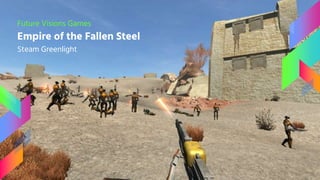
Future Visions Games
Empire of the Fallen Steel
Steam Greenlight
Agenda
1. Multiplayer
2. Technical details
3. Multiplayer solutions
4. Possible problems
5. Interesting facts
6. Demo
1
Multiplayer
In general
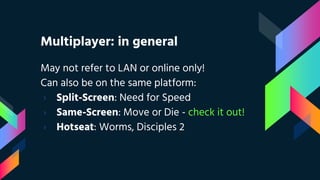
Multiplayer: in general
May not refer to LAN or online only!
Can also be on the same platform:
› Split-Screen: Need for Speed
› Same-Screen: Move or Die - check it out!
› Hotseat: Worms, Disciples 2
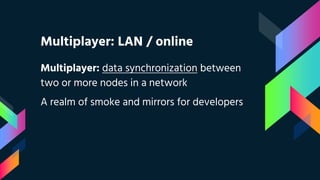
Multiplayer: LAN / online
Multiplayer: data synchronization between
two or more nodes in a network
A realm of smoke and mirrors for developers
2
Technical
details
Transport protocols
Architectures
Data transfer models
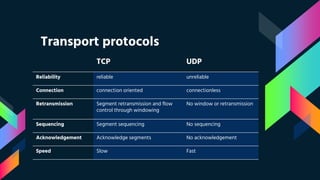
Transport protocols
TCP UDP
Reliability reliable unreliable
Connection connection oriented connectionless
Retransmission Segment retransmission and flow
control through windowing
No window or retransmission
Sequencing Segment sequencing No sequencing
Acknowledgement Acknowledge segments No acknowledgement
Speed Slow Fast
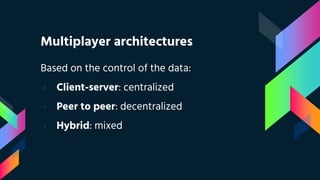
Multiplayer architectures
Based on the control of the data:
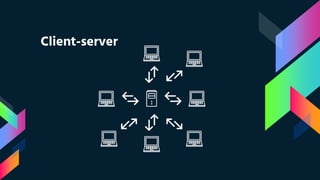
› Client-server: centralized
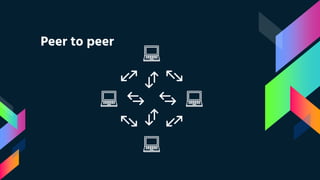
› Peer to peer: decentralized
› Hybrid: mixed
Client-server
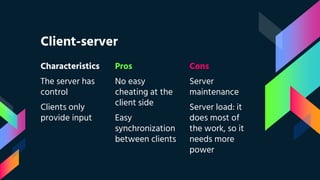
Client-server
Characteristics
The server has
control
Clients only
provide input
Pros
No easy
cheating at the
client side
Easy
synchronization
between clients
Cons
Server
maintenance
Server load: it
does most of
the work, so it
needs more
power
Peer to peer
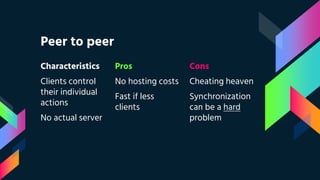
Peer to peer
Characteristics
Clients control
their individual
actions
No actual server
Pros
No hosting costs
Fast if less
clients
Cons
Cheating heaven
Synchronization
can be a hard
problem
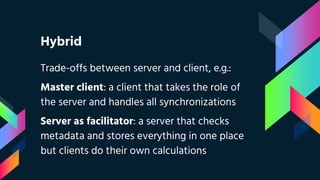
Hybrid
Trade-offs between server and client, e.g.:
Master client: a client that takes the role of
the server and handles all synchronizations
Server as facilitator: a server that checks
metadata and stores everything in one place
but clients do their own calculations
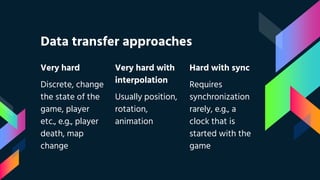
Data transfer approaches
Very hard
Discrete, change
the state of the
game, player
etc., e.g., player
death, map
change
Very hard with
interpolation
Usually position,
rotation,
animation
Hard with sync
Requires
synchronization
rarely, e.g., a
clock that is
started with the
game
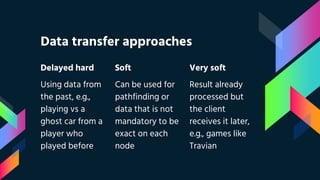
Data transfer approaches
Delayed hard
Using data from
the past, e.g.,
playing vs a
ghost car from a
player who
played before
Soft
Can be used for
pathfinding or
data that is not
mandatory to be
exact on each
node
Very soft
Result already
processed but
the client
receives it later,
e.g., games like
Travian
3
Multiplayer
solutions
Questions to ask
Technologies
Multiplayer solutions: choice
Pick what makes sense by answering, e.g.:
› What type of game am I developing?
› What is the expected monthly user ratio?
› What is the level of security in the game?
› What server issues appear and how to handle?
› Do I want just an easy solution that works?
Multiplayer solutions: examples
› Unity Multiplayer
› Smartfox
› Amazon Web Services
› Bolt
› Photon Unity Network (PUN)
PUN: features
› Authentication
› Matchmaking
› In-game communication
› Integration with Unity
› Free for 20 concurrent connections
PUN: Photon Cloud
› Uses a hybrid architecture
› No server, only clients
› One client takes the Master Client role
› Photon handles network address translation,
game session finding and other problems that
appear between clients
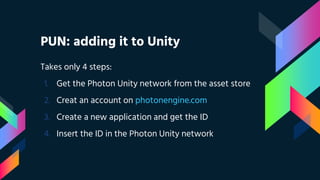
PUN: adding it to Unity
Takes only 4 steps:
1. Get the Photon Unity network from the asset store
2. Creat an account on photonengine.com
3. Create a new application and get the ID
4. Insert the ID in the Photon Unity network
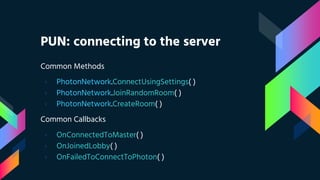
PUN: connecting to the server
Common Methods
› PhotonNetwork.ConnectUsingSettings( )
› PhotonNetwork.JoinRandomRoom( )
› PhotonNetwork.CreateRoom( )
Common Callbacks
› OnConnectedToMaster( )
› OnJoinedLobby( )
› OnFailedToConnectToPhoton( )
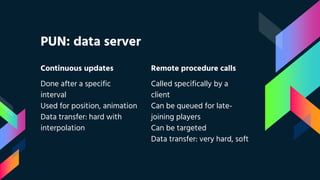
Continuous updates
Done after a specific
interval
Used for position, animation
Data transfer: hard with
interpolation
PUN: data server
Remote procedure calls
Called specifically by a
client
Can be queued for late-
joining players
Can be targeted
Data transfer: very hard, soft
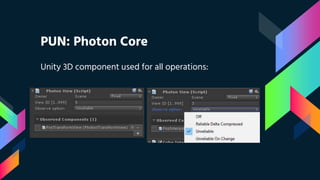
PUN: Photon Core
Unity 3D component used for all operations:
PUN: Photon View
Can observe:
1. Unity 3D components
2. Photon sync components
a. PhotonTransformView
b. PhotonAnimatorView
3. Custom user scripts
a. OnPhotonSerializeView
b. Remote procedure calls
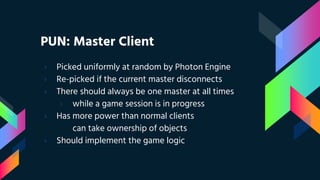
PUN: Master Client
› Picked uniformly at random by Photon Engine
› Re-picked if the current master disconnects
› There should always be one master at all times
› while a game session is in progress
› Has more power than normal clients
can take ownership of objects
› Should implement the game logic
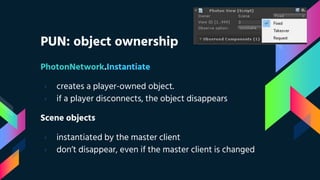
PUN: object ownership
PhotonNetwork.Instantiate
› creates a player-owned object.
› if a player disconnects, the object disappears
Scene objects
› instantiated by the master client
› don’t disappear, even if the master client is changed
4
Possible
problems
Latency at game
Network address translation
Cheating players
Synchronization
Latency At Game: problem
› Multiplayer enemy No. 1
› Affects even LAN networks
› Can create frustration among players
› Probably the most annoying thing
anyone experienced in multiplayer
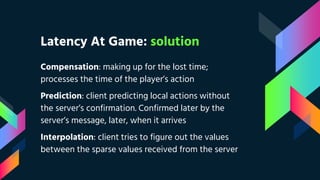
Latency At Game: solution
Compensation: making up for the lost time;
processes the time of the player’s action
Prediction: client predicting local actions without
the server’s confirmation. Confirmed later by the
server’s message, later, when it arrives
Interpolation: client tries to figure out the values
between the sparse values received from the server
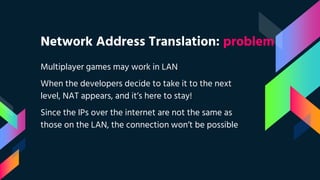
Network Address Translation: problem
Multiplayer games may work in LAN
When the developers decide to take it to the next
level, NAT appears, and it’s here to stay!
Since the IPs over the internet are not the same as
those on the LAN, the connection won’t be possible
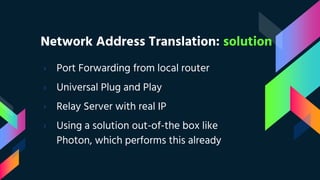
Network Address Translation: solution
› Port Forwarding from local router
› Universal Plug and Play
› Relay Server with real IP
› Using a solution out-of-the box like
Photon, which performs this already
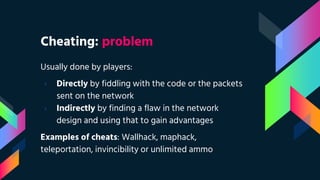
Cheating: problem
Usually done by players:
› Directly by fiddling with the code or the packets
sent on the network
› Indirectly by finding a flaw in the network
design and using that to gain advantages
Examples of cheats: Wallhack, maphack,
teleportation, invincibility or unlimited ammo
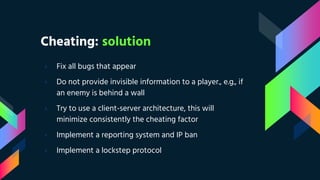
Cheating: solution
› Fix all bugs that appear
› Do not provide invisible information to a player., e.g., if
an enemy is behind a wall
› Try to use a client-server architecture, this will
minimize consistently the cheating factor
› Implement a reporting system and IP ban
› Implement a lockstep protocol
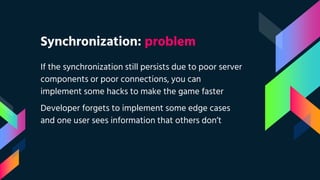
Synchronization: problem
If the synchronization still persists due to poor server
components or poor connections, you can
implement some hacks to make the game faster
Developer forgets to implement some edge cases
and one user sees information that others don’t
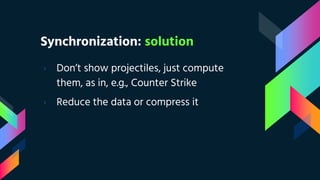
Synchronization: solution
› Don’t show projectiles, just compute
them, as in, e.g., Counter Strike
› Reduce the data or compress it
5
Interesting
facts
Quake
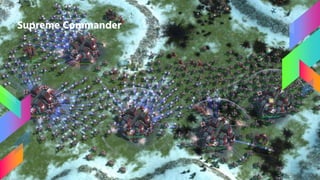
Supreme Commander
Quake
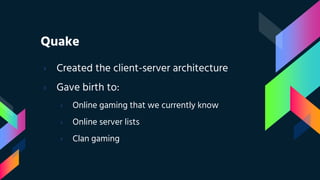
› Created the client-server architecture
› Gave birth to:
› Online gaming that we currently know
› Online server lists
› Clan gaming
Supreme Commander
6
Demo
Data transmission using the
Photon Unity network
Thank you
Adrian Popovici
popovici.ad@gmail.com
Resources ∙ Credits
› Multiplayer video game. Wikipedia link
› Lag compensation explained. Call of Duty Community Forums link
› Source multiplayer networking. Lag compensation. Valve Community Network Developer Wiki link
› Introduction to multiplayer game programming by Brian Hook. Book of Hook link
› Fast-paced multiplayer by Gabriel Gambetta link
› Why do some networked games use interpolation and some use pathfinding for remote movement?
StackOverflow link
› Lockstep protocol. Wikipedia link
› Why Quake changed games forever? by Ryan Winterhalter. 1up link
› Dumaine Google presentation theme by Jimena Catalina. Slides Carnival link
› Icons8 icons with Creative Commons Attribution-NoDerivs 3.0 Unported free license link
Codecamp feedback
https://goo.gl/0XMg0o
Developing Multiplayer Games in Unity3D

Developing Multiplayer Games in Unity3D

  • 1.
  • 2.
    Adrian Popovici Software developerby day Game developer by night
  • 3.
    Games Digital Void Entertainment GalacticHunt ∙ Zorah ∙ Pulse First prizes on gamedev.ro Future Visions Games Desert Land 2115 Early access on Steam
  • 4.
    Future Visions Games Empireof the Fallen Steel Steam Greenlight
  • 5.
    Agenda 1. Multiplayer 2. Technicaldetails 3. Multiplayer solutions 4. Possible problems 5. Interesting facts 6. Demo
  • 6.
  • 7.
    Multiplayer: in general Maynot refer to LAN or online only! Can also be on the same platform: › Split-Screen: Need for Speed › Same-Screen: Move or Die - check it out! › Hotseat: Worms, Disciples 2
  • 8.
    Multiplayer: LAN /online Multiplayer: data synchronization between two or more nodes in a network A realm of smoke and mirrors for developers
  • 9.
  • 10.
    Transport protocols TCP UDP Reliabilityreliable unreliable Connection connection oriented connectionless Retransmission Segment retransmission and flow control through windowing No window or retransmission Sequencing Segment sequencing No sequencing Acknowledgement Acknowledge segments No acknowledgement Speed Slow Fast
  • 11.
    Multiplayer architectures Based onthe control of the data: › Client-server: centralized › Peer to peer: decentralized › Hybrid: mixed
  • 12.
  • 13.
    Client-server Characteristics The server has control Clientsonly provide input Pros No easy cheating at the client side Easy synchronization between clients Cons Server maintenance Server load: it does most of the work, so it needs more power
  • 14.
  • 15.
    Peer to peer Characteristics Clientscontrol their individual actions No actual server Pros No hosting costs Fast if less clients Cons Cheating heaven Synchronization can be a hard problem
  • 16.
    Hybrid Trade-offs between serverand client, e.g.: Master client: a client that takes the role of the server and handles all synchronizations Server as facilitator: a server that checks metadata and stores everything in one place but clients do their own calculations
  • 17.
    Data transfer approaches Veryhard Discrete, change the state of the game, player etc., e.g., player death, map change Very hard with interpolation Usually position, rotation, animation Hard with sync Requires synchronization rarely, e.g., a clock that is started with the game
  • 18.
    Data transfer approaches Delayedhard Using data from the past, e.g., playing vs a ghost car from a player who played before Soft Can be used for pathfinding or data that is not mandatory to be exact on each node Very soft Result already processed but the client receives it later, e.g., games like Travian
  • 19.
  • 20.
    Multiplayer solutions: choice Pickwhat makes sense by answering, e.g.: › What type of game am I developing? › What is the expected monthly user ratio? › What is the level of security in the game? › What server issues appear and how to handle? › Do I want just an easy solution that works?
  • 21.
    Multiplayer solutions: examples ›Unity Multiplayer › Smartfox › Amazon Web Services › Bolt › Photon Unity Network (PUN)
  • 22.
    PUN: features › Authentication ›Matchmaking › In-game communication › Integration with Unity › Free for 20 concurrent connections
  • 23.
    PUN: Photon Cloud ›Uses a hybrid architecture › No server, only clients › One client takes the Master Client role › Photon handles network address translation, game session finding and other problems that appear between clients
  • 24.
    PUN: adding itto Unity Takes only 4 steps: 1. Get the Photon Unity network from the asset store 2. Creat an account on photonengine.com 3. Create a new application and get the ID 4. Insert the ID in the Photon Unity network
  • 25.
    PUN: connecting tothe server Common Methods › PhotonNetwork.ConnectUsingSettings( ) › PhotonNetwork.JoinRandomRoom( ) › PhotonNetwork.CreateRoom( ) Common Callbacks › OnConnectedToMaster( ) › OnJoinedLobby( ) › OnFailedToConnectToPhoton( )
  • 26.
    Continuous updates Done aftera specific interval Used for position, animation Data transfer: hard with interpolation PUN: data server Remote procedure calls Called specifically by a client Can be queued for late- joining players Can be targeted Data transfer: very hard, soft
  • 27.
    PUN: Photon Core Unity3D component used for all operations:
  • 28.
    PUN: Photon View Canobserve: 1. Unity 3D components 2. Photon sync components a. PhotonTransformView b. PhotonAnimatorView 3. Custom user scripts a. OnPhotonSerializeView b. Remote procedure calls
  • 29.
    PUN: Master Client ›Picked uniformly at random by Photon Engine › Re-picked if the current master disconnects › There should always be one master at all times › while a game session is in progress › Has more power than normal clients can take ownership of objects › Should implement the game logic
  • 30.
    PUN: object ownership PhotonNetwork.Instantiate ›creates a player-owned object. › if a player disconnects, the object disappears Scene objects › instantiated by the master client › don’t disappear, even if the master client is changed
  • 31.
    4 Possible problems Latency at game Networkaddress translation Cheating players Synchronization
  • 32.
    Latency At Game:problem › Multiplayer enemy No. 1 › Affects even LAN networks › Can create frustration among players › Probably the most annoying thing anyone experienced in multiplayer
  • 33.
    Latency At Game:solution Compensation: making up for the lost time; processes the time of the player’s action Prediction: client predicting local actions without the server’s confirmation. Confirmed later by the server’s message, later, when it arrives Interpolation: client tries to figure out the values between the sparse values received from the server
  • 34.
    Network Address Translation:problem Multiplayer games may work in LAN When the developers decide to take it to the next level, NAT appears, and it’s here to stay! Since the IPs over the internet are not the same as those on the LAN, the connection won’t be possible
  • 35.
    Network Address Translation:solution › Port Forwarding from local router › Universal Plug and Play › Relay Server with real IP › Using a solution out-of-the box like Photon, which performs this already
  • 36.
    Cheating: problem Usually doneby players: › Directly by fiddling with the code or the packets sent on the network › Indirectly by finding a flaw in the network design and using that to gain advantages Examples of cheats: Wallhack, maphack, teleportation, invincibility or unlimited ammo
  • 37.
    Cheating: solution › Fixall bugs that appear › Do not provide invisible information to a player., e.g., if an enemy is behind a wall › Try to use a client-server architecture, this will minimize consistently the cheating factor › Implement a reporting system and IP ban › Implement a lockstep protocol
  • 38.
    Synchronization: problem If thesynchronization still persists due to poor server components or poor connections, you can implement some hacks to make the game faster Developer forgets to implement some edge cases and one user sees information that others don’t
  • 39.
    Synchronization: solution › Don’tshow projectiles, just compute them, as in, e.g., Counter Strike › Reduce the data or compress it
  • 40.
  • 41.
    Quake › Created theclient-server architecture › Gave birth to: › Online gaming that we currently know › Online server lists › Clan gaming
  • 42.
  • 43.
    6 Demo Data transmission usingthe Photon Unity network
  • 44.
  • 45.
    Resources ∙ Credits ›Multiplayer video game. Wikipedia link › Lag compensation explained. Call of Duty Community Forums link › Source multiplayer networking. Lag compensation. Valve Community Network Developer Wiki link › Introduction to multiplayer game programming by Brian Hook. Book of Hook link › Fast-paced multiplayer by Gabriel Gambetta link › Why do some networked games use interpolation and some use pathfinding for remote movement? StackOverflow link › Lockstep protocol. Wikipedia link › Why Quake changed games forever? by Ryan Winterhalter. 1up link › Dumaine Google presentation theme by Jimena Catalina. Slides Carnival link › Icons8 icons with Creative Commons Attribution-NoDerivs 3.0 Unported free license link
  • 46.