Developing ideas…

“Pupils should be taught…
2a) how to develop and refine ideas by bringing
together, organising and reorganising text, tables,
images and sound as appropriate”
T&L videos?
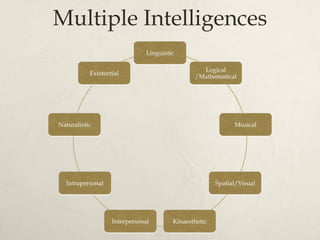
Multiple Intelligences
Video in primary schools
   Recording evidence
   Multiple literacies
   Live action
       Kit?
       Edited vs raw footage

   Animation
       Stop motion
       Computer generated (‘tweening vs programming)

   YouTube etc
   Concerns?
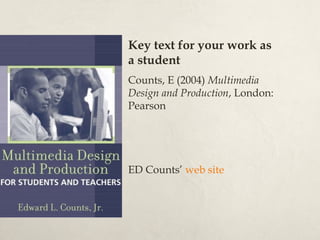
Key text for your work as
a student
Counts, E (2004) Multimedia
Design and Production, London:
Pearson


ED Counts’ web site
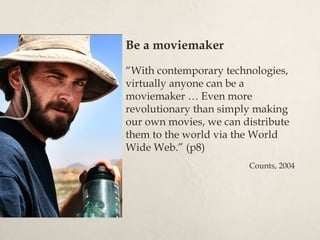
Be a moviemaker

“With contemporary technologies,
virtually anyone can be a
moviemaker … Even more
revolutionary than simply making
our own movies, we can distribute
them to the world via the World
Wide Web.” (p8)
                        Counts, 2004
Be creative
“… students and teachers can
learn to use multimedia tools,
theories and skills to create
original , inventive and
expressive works of high
technical quality.” (p7)
                       Counts, 2004
Spectacular results
“Unfortunately, if one wishes to
use multimedia tools creatively,
there is no way to avoid the
many hours that it takes to learn
to use them. Most often,
however, the time spent pays off
in successful and sometimes even
spectacular results.” (p9)

                       Counts, 2004
Vision
“The creative and expressive
power of contemporary
multimedia production tools is
nearly unlimited … [but] merely
having some skills in operating
tools and devices cannot
compensate for a lack of vision,
imagination, motivation, passion
and above all, a point of view.”
(p12)

                       Counts, 2004
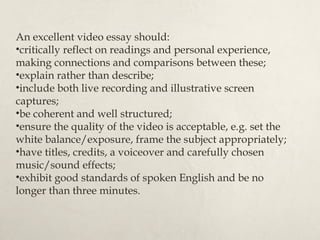
An excellent video essay should:
•critically reflect on readings and personal experience,
making connections and comparisons between these;
•explain rather than describe;
•include both live recording and illustrative screen
captures;
•be coherent and well structured;
•ensure the quality of the video is acceptable, e.g. set the
white balance/exposure, frame the subject appropriately;
•have titles, credits, a voiceover and carefully chosen
music/sound effects;
•exhibit good standards of spoken English and be no
longer than three minutes.
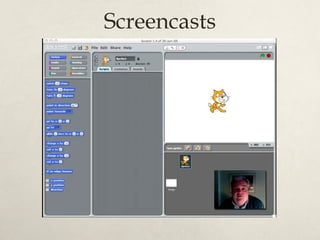
Screencasts
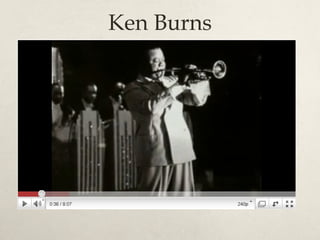
Ken Burns
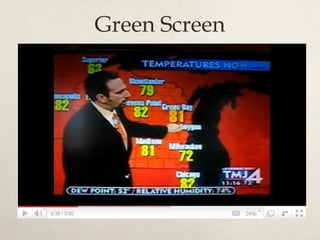
Green Screen
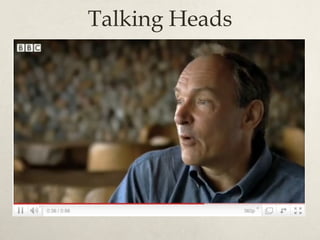
Talking Heads
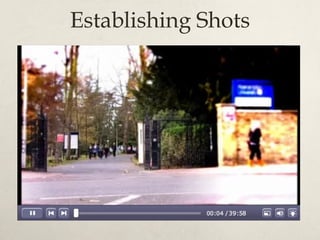
Establishing Shots
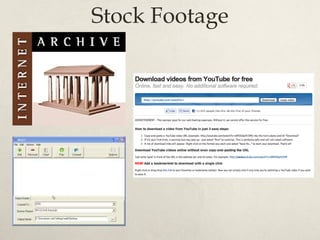
Stock Footage
Referencing


Lord, P & Park, N. (2000) Chicken Run.
[VHS Video]. UK: Pathe Distribution
To follow up…
Post your screencast and
interview to YouTube and then
embed in your blog

Start work on your video essay

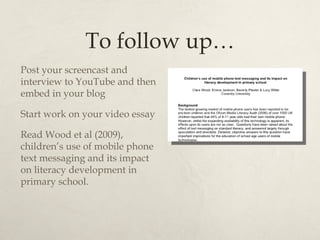
Read Wood et al (2009),
children’s use of mobile phone
text messaging and its impact
on literacy development in
primary school.

Developing ideas with ... video

  • 2.
    Developing ideas… “Pupils shouldbe taught… 2a) how to develop and refine ideas by bringing together, organising and reorganising text, tables, images and sound as appropriate”
  • 3.
  • 4.
  • 5.
    Video in primaryschools  Recording evidence  Multiple literacies  Live action  Kit?  Edited vs raw footage  Animation  Stop motion  Computer generated (‘tweening vs programming)  YouTube etc  Concerns?
  • 6.
    Key text foryour work as a student Counts, E (2004) Multimedia Design and Production, London: Pearson ED Counts’ web site
  • 7.
    Be a moviemaker “Withcontemporary technologies, virtually anyone can be a moviemaker … Even more revolutionary than simply making our own movies, we can distribute them to the world via the World Wide Web.” (p8) Counts, 2004
  • 8.
    Be creative “… studentsand teachers can learn to use multimedia tools, theories and skills to create original , inventive and expressive works of high technical quality.” (p7) Counts, 2004
  • 9.
    Spectacular results “Unfortunately, ifone wishes to use multimedia tools creatively, there is no way to avoid the many hours that it takes to learn to use them. Most often, however, the time spent pays off in successful and sometimes even spectacular results.” (p9) Counts, 2004
  • 10.
    Vision “The creative andexpressive power of contemporary multimedia production tools is nearly unlimited … [but] merely having some skills in operating tools and devices cannot compensate for a lack of vision, imagination, motivation, passion and above all, a point of view.” (p12) Counts, 2004
  • 12.
    An excellent videoessay should: •critically reflect on readings and personal experience, making connections and comparisons between these; •explain rather than describe; •include both live recording and illustrative screen captures; •be coherent and well structured; •ensure the quality of the video is acceptable, e.g. set the white balance/exposure, frame the subject appropriately; •have titles, credits, a voiceover and carefully chosen music/sound effects; •exhibit good standards of spoken English and be no longer than three minutes.
  • 14.
  • 15.
  • 16.
  • 17.
  • 18.
  • 19.
  • 20.
    Referencing Lord, P &Park, N. (2000) Chicken Run. [VHS Video]. UK: Pathe Distribution
  • 21.
    To follow up… Postyour screencast and interview to YouTube and then embed in your blog Start work on your video essay Read Wood et al (2009), children’s use of mobile phone text messaging and its impact on literacy development in primary school.

Editor's Notes

  • #5 They ’ ve covered the ideas behind these in T&L lectures and the prep. reading, but it ’ s still worth just checking they know what the words mean. I get them to choose the one they ’ re best at and then ask the students who picked each to give examples of how video might be used to develop a pupil ’ s capabilities in that area. A little criticality is no bad thing here, and so it ’ s worth encouraging them to suggest flaws in Gardiner ’ s idea. Recommended readings are at http://www.dawsonera.com/guard/protected/dawson.jsp?name=Roehampton%20University&dest=http://www.dawsonera.com/depp/reader/protected/external/AbstractView/S9780203887240 (requires RU Shibboleth authentication) and http://www.thirteen.org/edonline/concept2class/mi/index.html
  • #6 I ’ ve generally asked them to share examples of any video work they saw on placement rather than going through the above.
  • #7 Final advice
  • #8 Final advice
  • #9 Final advice
  • #10 Final advice
  • #11 Final advice