Topic: Desktop Publishing - DTP
• Desktop publishing – the process of using specific types
of software to combine text and graphics to produce
documents such as newsletters, brochures, books, etc.
• Microsoft Powerpoint – presentation software that can
be used for desktop publishing.
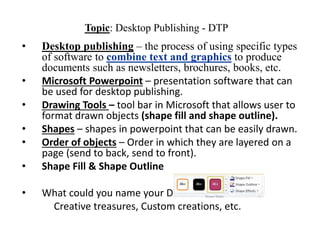
• Drawing Tools – tool bar in Microsoft that allows user to
format drawn objects (shape fill and shape outline).
• Shapes – shapes in powerpoint that can be easily drawn.
• Order of objects – Order in which they are layered on a
page (send to back, send to front).
• Shape Fill & Shape Outline
• What could you name your DTP business?
Creative treasures, Custom creations, etc.
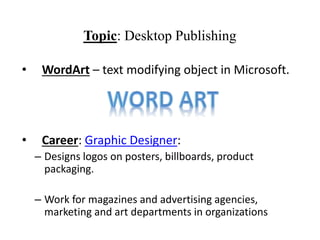
• WordArt – text modifying object in Microsoft.
• Career: Graphic Designer:
– Designs logos on posters, billboards, product
packaging.
– Work for magazines and advertising agencies,
marketing and art departments in organizations
Topic: Desktop Publishing
Topic: Microsoft Powerpoint
Essential Q:
Career: Desktop Publisher
Desktop publishers combine, alter and manipulate
words and images to create documents. They use
computers and their imagination.
Graphic Designer VS Desktop Publisher:
– Graphic designers come up with concepts and ideas
to create original designs.
– Desktop publishers take those designs and turn them
into digital files for printing.
Topic: Microsoft Powerpoint
Essential Q:
Graphic Designer VS Desktop Publisher:
– Graphic designers come up with concepts and ideas
to create original designs.
– Desktop publishers take those designs and turn
them into digital files for printing.
Topic: Microsoft Powerpoint
Essential Q:
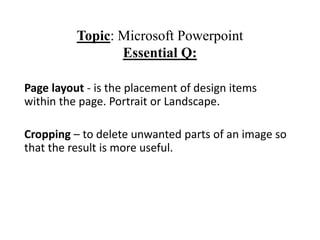
Page layout - is the placement of design items
within the page. Portrait or Landscape.
Cropping – to delete unwanted parts of an image so
that the result is more useful.
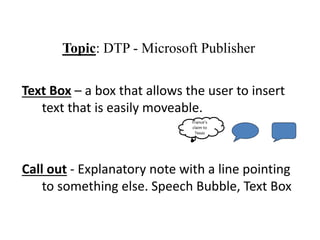
Text Box – a box that allows the user to insert
text that is easily moveable.
Call out - Explanatory note with a line pointing
to something else. Speech Bubble, Text Box
Topic: DTP - Microsoft Publisher
France’s
claim to
Texas
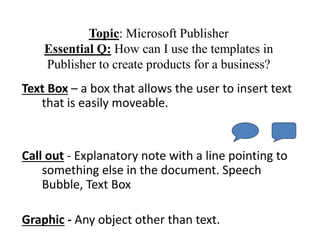
Text Box – a box that allows the user to insert text
that is easily moveable.
Call out - Explanatory note with a line pointing to
something else in the document. Speech
Bubble, Text Box
Graphic - Any object other than text.
Topic: Microsoft Publisher
Essential Q: How can I use the templates in
Publisher to create products for a business?
Microsoft Publisher – software used for desktop
publishing
Business cards – cards bearing business
information about a company or individual.
Memory aide or Advertisement.
Correct Address format: 12543 Atasca Lane
Humble, TX 77346
Topic: DTP - Microsoft Publisher
Topic: DTP: Microsoft Publisher
Margins - Empty space around the edge of a
page: top, bottom, left and right margins.
Byline - The author's name. Usually printed
in a smaller or italic font just below the
headline.

DTP Notes.pptx

  • 1.
    Topic: Desktop Publishing- DTP • Desktop publishing – the process of using specific types of software to combine text and graphics to produce documents such as newsletters, brochures, books, etc. • Microsoft Powerpoint – presentation software that can be used for desktop publishing. • Drawing Tools – tool bar in Microsoft that allows user to format drawn objects (shape fill and shape outline). • Shapes – shapes in powerpoint that can be easily drawn. • Order of objects – Order in which they are layered on a page (send to back, send to front). • Shape Fill & Shape Outline • What could you name your DTP business? Creative treasures, Custom creations, etc.
  • 2.
    • WordArt –text modifying object in Microsoft. • Career: Graphic Designer: – Designs logos on posters, billboards, product packaging. – Work for magazines and advertising agencies, marketing and art departments in organizations Topic: Desktop Publishing
  • 3.
    Topic: Microsoft Powerpoint EssentialQ: Career: Desktop Publisher Desktop publishers combine, alter and manipulate words and images to create documents. They use computers and their imagination. Graphic Designer VS Desktop Publisher: – Graphic designers come up with concepts and ideas to create original designs. – Desktop publishers take those designs and turn them into digital files for printing.
  • 4.
    Topic: Microsoft Powerpoint EssentialQ: Graphic Designer VS Desktop Publisher: – Graphic designers come up with concepts and ideas to create original designs. – Desktop publishers take those designs and turn them into digital files for printing.
  • 5.
    Topic: Microsoft Powerpoint EssentialQ: Page layout - is the placement of design items within the page. Portrait or Landscape. Cropping – to delete unwanted parts of an image so that the result is more useful.
  • 6.
    Text Box –a box that allows the user to insert text that is easily moveable. Call out - Explanatory note with a line pointing to something else. Speech Bubble, Text Box Topic: DTP - Microsoft Publisher France’s claim to Texas
  • 7.
    Text Box –a box that allows the user to insert text that is easily moveable. Call out - Explanatory note with a line pointing to something else in the document. Speech Bubble, Text Box Graphic - Any object other than text. Topic: Microsoft Publisher Essential Q: How can I use the templates in Publisher to create products for a business?
  • 8.
    Microsoft Publisher –software used for desktop publishing Business cards – cards bearing business information about a company or individual. Memory aide or Advertisement. Correct Address format: 12543 Atasca Lane Humble, TX 77346 Topic: DTP - Microsoft Publisher
  • 9.
    Topic: DTP: MicrosoftPublisher Margins - Empty space around the edge of a page: top, bottom, left and right margins. Byline - The author's name. Usually printed in a smaller or italic font just below the headline.