Choose the letter that corresponds to your answer:
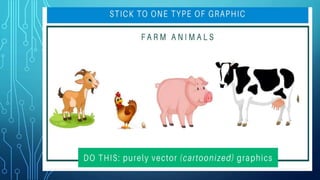
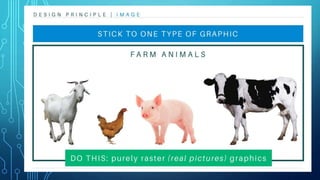
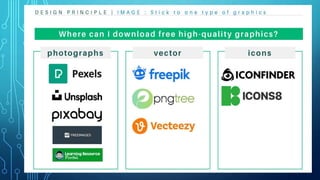
1. When selecting images for a PowerPoint presentation, what
should you consider regarding image types?
a. Use any image type available
b. Prioritize only vector graphics for clarity
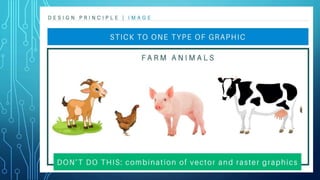
c. Choose only raster graphics for flexibility
d. Consider the content and purpose, using both vectors and
raster graphics as needed
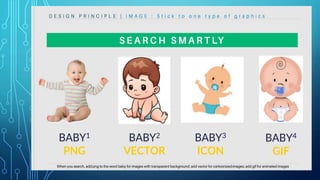
2. Which of the following is a suitable image file format for
maintaining high quality and scalability in PowerPoint?
a. JPEG
b. PNG
c. GIF
d. SVG
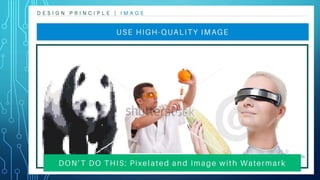
3. Why is it important to compress images before inserting them
into a PowerPoint presentation?
a. To reduce file size and improve performance
b. To make images appear larger on the slides
c. To maintain the original image quality
d. To limit the range of colors in the images
4. What is the recommended method for inserting pictures into a
PowerPoint slide?
a. Drag and drop from a web browser
b. Copy and paste directly from a website
c. Use the "Insert Picture" function in PowerPoint
d. Link to external images without embedding them
5. Can you combine the use of vector graphics and raster
graphics in a single PowerPoint presentation?
a. Yes, but it's not recommended for compatibility issues
b. No, PowerPoint supports only one type of graphics per
presentation
c. Yes, it's common to use both for different elements
d. No, it will result in distorted images
6. How does proper spacing contribute to the overall
design of a PowerPoint presentation?
a. It doesn't matter; spacing is not crucial
b. It adds unnecessary visual clutter
c. It improves readability and organization
7. What is the purpose of using consistent colors, fonts, and
spacing throughout a presentation?
a. To confuse the audience and keep them guessing
b. To demonstrate a lack of creativity
c. To create a cohesive and professional look
d. To show off different design skills
8. Which domain and strand of professional standards does the
integration of technology in lesson delivery fall under?
a. Domain: Social Regard for Learning, Strand: Creating Positive
Learning Environment
b. Domain: Learning Environment, Strand: Utilizing Interactive
Technology
c. Domain: Diversity of Learners, Strand: Adapting instruction for
diverse needs
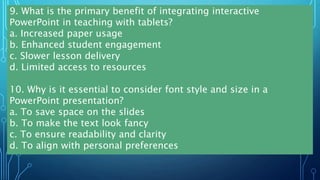
9. What is the primary benefit of integrating interactive
PowerPoint in teaching with tablets?
a. Increased paper usage
b. Enhanced student engagement
c. Slower lesson delivery
d. Limited access to resources
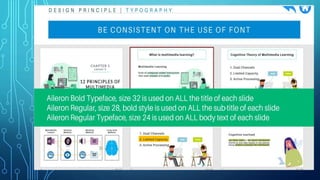
10. Why is it essential to consider font style and size in a
PowerPoint presentation?
a. To save space on the slides
b. To make the text look fancy
c. To ensure readability and clarity
d. To align with personal preferences
Designing-Effective-Instructional-Powerpoint.pptx

Designing-Effective-Instructional-Powerpoint.pptx

  • 1.
    Choose the letterthat corresponds to your answer: 1. When selecting images for a PowerPoint presentation, what should you consider regarding image types? a. Use any image type available b. Prioritize only vector graphics for clarity c. Choose only raster graphics for flexibility d. Consider the content and purpose, using both vectors and raster graphics as needed 2. Which of the following is a suitable image file format for maintaining high quality and scalability in PowerPoint? a. JPEG b. PNG c. GIF d. SVG
  • 2.
    3. Why isit important to compress images before inserting them into a PowerPoint presentation? a. To reduce file size and improve performance b. To make images appear larger on the slides c. To maintain the original image quality d. To limit the range of colors in the images 4. What is the recommended method for inserting pictures into a PowerPoint slide? a. Drag and drop from a web browser b. Copy and paste directly from a website c. Use the "Insert Picture" function in PowerPoint d. Link to external images without embedding them
  • 3.
    5. Can youcombine the use of vector graphics and raster graphics in a single PowerPoint presentation? a. Yes, but it's not recommended for compatibility issues b. No, PowerPoint supports only one type of graphics per presentation c. Yes, it's common to use both for different elements d. No, it will result in distorted images 6. How does proper spacing contribute to the overall design of a PowerPoint presentation? a. It doesn't matter; spacing is not crucial b. It adds unnecessary visual clutter c. It improves readability and organization
  • 4.
    7. What isthe purpose of using consistent colors, fonts, and spacing throughout a presentation? a. To confuse the audience and keep them guessing b. To demonstrate a lack of creativity c. To create a cohesive and professional look d. To show off different design skills 8. Which domain and strand of professional standards does the integration of technology in lesson delivery fall under? a. Domain: Social Regard for Learning, Strand: Creating Positive Learning Environment b. Domain: Learning Environment, Strand: Utilizing Interactive Technology c. Domain: Diversity of Learners, Strand: Adapting instruction for diverse needs
  • 5.
    9. What isthe primary benefit of integrating interactive PowerPoint in teaching with tablets? a. Increased paper usage b. Enhanced student engagement c. Slower lesson delivery d. Limited access to resources 10. Why is it essential to consider font style and size in a PowerPoint presentation? a. To save space on the slides b. To make the text look fancy c. To ensure readability and clarity d. To align with personal preferences