The Robustness Principle
Be conservative in what you send; be liberal in what you accept.
The Pareto Principle
80% of the effects come from 20% of the causes.
The Principle of Least Surprise
When two elements of an interface conflict, or are ambiguous, the behaviour should be that which will least surprise the
user.
The DRY Principle
Every piece of knowledge must have a single, unambiguous, authoritative representation within a system.
Design Principles http://principles.adactio.com/
1 of 26 7/8/2014 10:23 PM
These statements of architectural principle explain the thinking behind the specifications. These are personal notes by
Tim Berners-Lee: they are not endorsed by W3C. They are aimed at the technical community, to explain reasons, provide
a framework to provide consistency for for future developments, and avoid repetition of discussions once resolved.
Simplicity
1.
Modular Design
2.
Being part of a Modular Design
3.
Tolerance
4.
Decentralization
5.
Test of Independent Invention
6.
Principle of Least Power
7.
Design Principles http://principles.adactio.com/
2 of 26 7/8/2014 10:23 PM
Why doesn't HTML include tags for style? Why can't you put text inside SMIL? Why doesn't CSS include commands to
transform a document? Why, in short, does W3C modularize its specification and why in this particular way? This essay
tries to make explicit what the developers in the various W3C working groups mean when they invoke words like
efficiency, maintainability, accessibility, extensibility, learnability, simplicity, longevity, and other long words ending in
-y.
Maintainability
1.
Modularity
2.
Minimum redundancy
3.
Accessibility
4.
Device-independency
5.
Internationality
6.
Extensibility
7.
Learnability
8.
Readability
9.
Efficiency
10.
Binary or text format
11.
Implementability
12.
Simplicity
13.
Design Principles http://principles.adactio.com/
3 of 26 7/8/2014 10:23 PM
Longevity
14.
Backwards compatibility
15.
Interoperability
16.
Repurposing of content
17.
Timeliness
18.
Use what is there
19.
Design by committee
20.
Expertise
21.
Brevity
22.
Stability
23.
Robustness
24.
Design Principles http://principles.adactio.com/
4 of 26 7/8/2014 10:23 PM
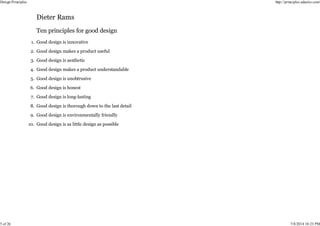
Good design is innovative
1.
Good design makes a product useful
2.
Good design is aesthetic
3.
Good design makes a product understandable
4.
Good design is unobtrusive
5.
Good design is honest
6.
Good design is long-lasting
7.
Good design is thorough down to the last detail
8.
Good design is environmentally friendly
9.
Good design is as little design as possible
10.
Design Principles http://principles.adactio.com/
5 of 26 7/8/2014 10:23 PM
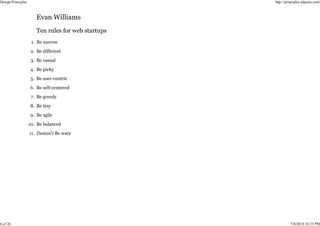
Be narrow
1.
Be different
2.
Be casual
3.
Be picky
4.
Be user-centric
5.
Be self-centered
6.
Be greedy
7.
Be tiny
8.
Be agile
9.
Be balanced
10.
(bonus!) Be wary
11.
Design Principles http://principles.adactio.com/
6 of 26 7/8/2014 10:23 PM
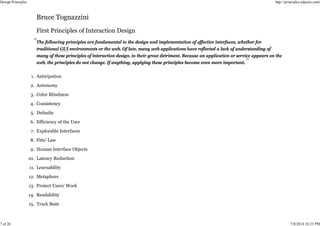
The following principles are fundamental to the design and implementation of effective interfaces, whether for
traditional GUI environments or the web. Of late, many web applications have reflected a lack of understanding of
many of these principles of interaction design, to their great detriment. Because an application or service appears on the
web, the principles do not change. If anything, applying these principles become even more important.
Anticipation
1.
Autonomy
2.
Color Blindness
3.
Consistency
4.
Defaults
5.
Efficiency of the User
6.
Explorable Interfaces
7.
Fitts’ Law
8.
Human Interface Objects
9.
Latency Reduction
10.
Learnability
11.
Metaphors
12.
Protect Users’ Work
13.
Readability
14.
Track State
15.
Design Principles http://principles.adactio.com/
7 of 26 7/8/2014 10:23 PM
Visible Navigation
16.
Design Principles http://principles.adactio.com/
8 of 26 7/8/2014 10:23 PM
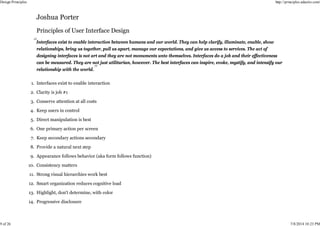
Interfaces exist to enable interaction between humans and our world. They can help clarify, illuminate, enable, show
relationships, bring us together, pull us apart, manage our expectations, and give us access to services. The act of
designing interfaces is not art and they are not monuments unto themselves. Interfaces do a job and their effectiveness
can be measured. They are not just utilitarian, however. The best interfaces can inspire, evoke, mystify, and intensify our
relationship with the world.
Interfaces exist to enable interaction
1.
Clarity is job #1
2.
Conserve attention at all costs
3.
Keep users in control
4.
Direct manipulation is best
5.
One primary action per screen
6.
Keep secondary actions secondary
7.
Provide a natural next step
8.
Appearance follows behavior (aka form follows function)
9.
Consistency matters
10.
Strong visual hierarchies work best
11.
Smart organization reduces cognitive load
12.
Highlight, don't determine, with color
13.
Progressive disclosure
14.
Design Principles http://principles.adactio.com/
9 of 26 7/8/2014 10:23 PM
Help people inline
15.
A crucial moment: the zero state
16.
Existing problems are most valuable
17.
Great design is invisible
18.
Build on other design disciplines
19.
Interfaces exist to be used
20.
Design Principles http://principles.adactio.com/
10 of 26 7/8/2014 10:23 PM
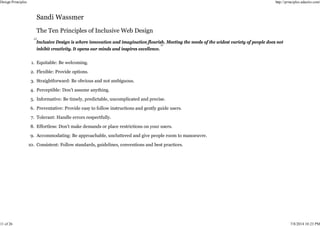
Inclusive Design is where innovation and imagination flourish. Meeting the needs of the widest variety of people does not
inhibit creativity. It opens our minds and inspires excellence.
Equitable: Be welcoming.
1.
Flexible: Provide options.
2.
Straightforward: Be obvious and not ambiguous.
3.
Perceptible: Don’t assume anything.
4.
Informative: Be timely, predictable, uncomplicated and precise.
5.
Preventative: Provide easy to follow instructions and gently guide users.
6.
Tolerant: Handle errors respectfully.
7.
Effortless: Don’t make demands or place restrictions on your users.
8.
Accommodating: Be approachable, uncluttered and give people room to manoeuvre.
9.
Consistent: Follow standards, guidelines, conventions and best practices.
10.
Design Principles http://principles.adactio.com/
11 of 26 7/8/2014 10:23 PM
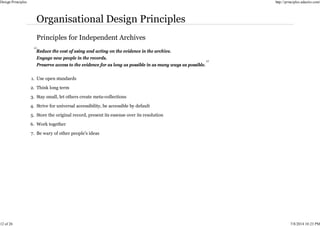
Reduce the cost of using and acting on the evidence in the archive.
Engage new people in the records.
Preserve access to the evidence for as long as possible in as many ways as possible.
Use open standards
1.
Think long term
2.
Stay small, let others create meta-collections
3.
Strive for universal accessibility, be accessible by default
4.
Store the original record, present its essense over its resolution
5.
Work together
6.
Be wary of other people’s ideas
7.
Design Principles http://principles.adactio.com/
12 of 26 7/8/2014 10:23 PM
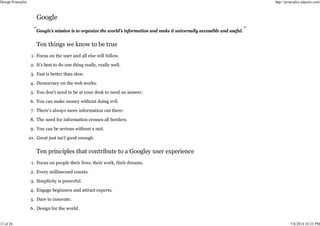
Google’s mission is to organize the world’s information and make it universally accessible and useful.
Focus on the user and all else will follow.
1.
It’s best to do one thing really, really well.
2.
Fast is better than slow.
3.
Democracy on the web works.
4.
You don’t need to be at your desk to need an answer.
5.
You can make money without doing evil.
6.
There’s always more information out there.
7.
The need for information crosses all borders.
8.
You can be serious without a suit.
9.
Great just isn’t good enough.
10.
Focus on people their lives, their work, their dreams.
1.
Every millisecond counts.
2.
Simplicity is powerful.
3.
Engage beginners and attract experts.
4.
Dare to innovate.
5.
Design for the world.
6.
Design Principles http://principles.adactio.com/
13 of 26 7/8/2014 10:23 PM
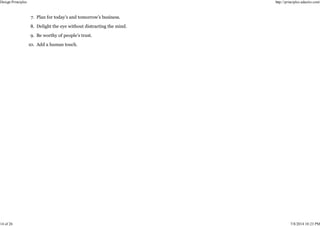
Plan for today’s and tomorrow’s business.
7.
Delight the eye without distracting the mind.
8.
Be worthy of people’s trust.
9.
Add a human touch.
10.
Design Principles http://principles.adactio.com/
14 of 26 7/8/2014 10:23 PM
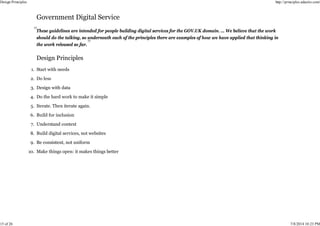
These guidelines are intended for people building digital services for the GOV.UK domain. … We believe that the work
should do the talking, so underneath each of the principles there are examples of how we have applied that thinking in
the work released so far.
Start with needs
1.
Do less
2.
Design with data
3.
Do the hard work to make it simple
4.
Iterate. Then iterate again.
5.
Build for inclusion
6.
Understand context
7.
Build digital services, not websites
8.
Be consistent, not uniform
9.
Make things open: it makes things better
10.
Design Principles http://principles.adactio.com/
15 of 26 7/8/2014 10:23 PM
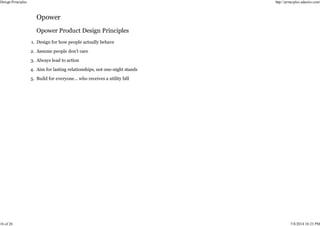
Design for how people actually behave
1.
Assume people don’t care
2.
Always lead to action
3.
Aim for lasting relationships, not one-night stands
4.
Build for everyone… who receives a utility bill
5.
Design Principles http://principles.adactio.com/
16 of 26 7/8/2014 10:23 PM
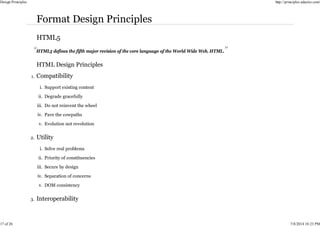
HTML5 defines the fifth major revision of the core language of the World Wide Web, HTML.
Support existing content
i.
Degrade gracefully
ii.
Do not reinvent the wheel
iii.
Pave the cowpaths
iv.
Evolution not revolution
v.
1.
Solve real problems
i.
Priority of constituencies
ii.
Secure by design
iii.
Separation of concerns
iv.
DOM consistency
v.
2.
3.
Design Principles http://principles.adactio.com/
17 of 26 7/8/2014 10:23 PM
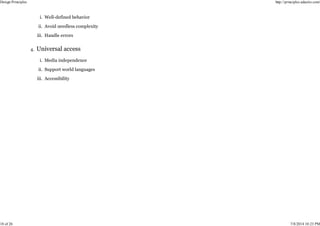
Well-defined behavior
i.
Avoid needless complexity
ii.
Handle errors
iii.
Media independence
i.
Support world languages
ii.
Accessibility
iii.
4.
Design Principles http://principles.adactio.com/
18 of 26 7/8/2014 10:23 PM
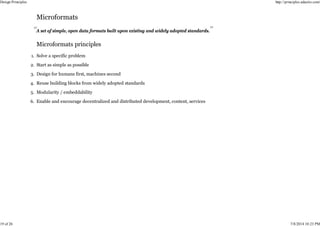
A set of simple, open data formats built upon existing and widely adopted standards.
Solve a specific problem
1.
Start as simple as possible
2.
Design for humans first, machines second
3.
Reuse building blocks from widely adopted standards
4.
Modularity / embeddability
5.
Enable and encourage decentralized and distributed development, content, services
6.
Design Principles http://principles.adactio.com/
19 of 26 7/8/2014 10:23 PM
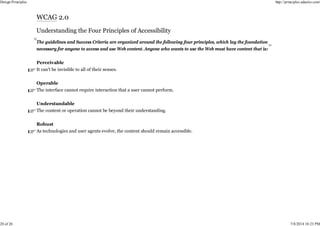
The guidelines and Success Criteria are organized around the following four principles, which lay the foundation
necessary for anyone to access and use Web content. Anyone who wants to use the Web must have content that is:
Perceivable
It can't be invisible to all of their senses.
Operable
The interface cannot require interaction that a user cannot perform.
Understandable
The content or operation cannot be beyond their understanding.
Robust
As technologies and user agents evolve, the content should remain accessible.
Design Principles http://principles.adactio.com/
20 of 26 7/8/2014 10:23 PM
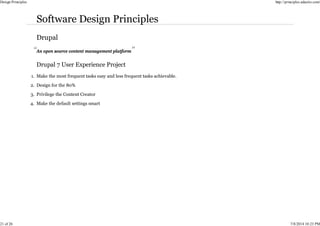
An open source content management platform
Make the most frequent tasks easy and less frequent tasks achievable.
1.
Design for the 80%
2.
Privilege the Content Creator
3.
Make the default settings smart
4.
Design Principles http://principles.adactio.com/
21 of 26 7/8/2014 10:23 PM
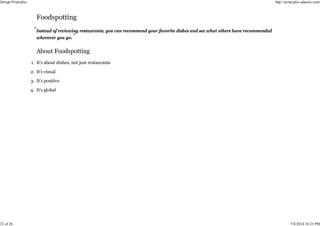
Instead of reviewing restaurants, you can recommend your favorite dishes and see what others have recommended
wherever you go.
It’s about dishes, not just restaurants
1.
It’s visual
2.
It’s positive
3.
It’s global
4.
Design Principles http://principles.adactio.com/
22 of 26 7/8/2014 10:23 PM
It's what enables us to debate whether something “Is Facebook” or “Isn't Facebook,” it's what allows us to evaluate
whether anything we’re designing could be improved.
Universal
1.
Human
2.
Clean
3.
Consistent
4.
Useful
5.
Fast
6.
Transparent
7.
Design Principles http://principles.adactio.com/
23 of 26 7/8/2014 10:23 PM
After a few weeks sketching and debating, we stepped back and created some simple design principles before moving
forward:
Interaction is the basic unit of design.
Transitional interfaces are easier to learn and more pleasant to use.
Interactions should be delightful and surprising.
Focus the user on one primary action at a time.
Design Principles http://principles.adactio.com/
24 of 26 7/8/2014 10:23 PM
These are the principles that Danny Hillis used in the initial stages of designing a 10,000 Year Clock. We have found
these are generally good principles for designing anything to last a long time.
Longevity
With occasional maintenance, the clock should reasonably be expected to display the correct time for the next 10,000
years.
Maintainability
The clock should be maintainable with bronze-age technology.
Transparency
It should be possible to determine operational principles of the clock by close inspection.
Evolvability
It should be possible to improve the clock with time.
Scalability
It should be possible to build working models of the clock from table-top to monumental size using the same design.
Design Principles http://principles.adactio.com/
25 of 26 7/8/2014 10:23 PM
Design Principles http://principles.adactio.com/
26 of 26 7/8/2014 10:23 PM

Design Principles.pdf

  • 1.
    The Robustness Principle Beconservative in what you send; be liberal in what you accept. The Pareto Principle 80% of the effects come from 20% of the causes. The Principle of Least Surprise When two elements of an interface conflict, or are ambiguous, the behaviour should be that which will least surprise the user. The DRY Principle Every piece of knowledge must have a single, unambiguous, authoritative representation within a system. Design Principles http://principles.adactio.com/ 1 of 26 7/8/2014 10:23 PM
  • 2.
    These statements ofarchitectural principle explain the thinking behind the specifications. These are personal notes by Tim Berners-Lee: they are not endorsed by W3C. They are aimed at the technical community, to explain reasons, provide a framework to provide consistency for for future developments, and avoid repetition of discussions once resolved. Simplicity 1. Modular Design 2. Being part of a Modular Design 3. Tolerance 4. Decentralization 5. Test of Independent Invention 6. Principle of Least Power 7. Design Principles http://principles.adactio.com/ 2 of 26 7/8/2014 10:23 PM
  • 3.
    Why doesn't HTMLinclude tags for style? Why can't you put text inside SMIL? Why doesn't CSS include commands to transform a document? Why, in short, does W3C modularize its specification and why in this particular way? This essay tries to make explicit what the developers in the various W3C working groups mean when they invoke words like efficiency, maintainability, accessibility, extensibility, learnability, simplicity, longevity, and other long words ending in -y. Maintainability 1. Modularity 2. Minimum redundancy 3. Accessibility 4. Device-independency 5. Internationality 6. Extensibility 7. Learnability 8. Readability 9. Efficiency 10. Binary or text format 11. Implementability 12. Simplicity 13. Design Principles http://principles.adactio.com/ 3 of 26 7/8/2014 10:23 PM
  • 4.
    Longevity 14. Backwards compatibility 15. Interoperability 16. Repurposing ofcontent 17. Timeliness 18. Use what is there 19. Design by committee 20. Expertise 21. Brevity 22. Stability 23. Robustness 24. Design Principles http://principles.adactio.com/ 4 of 26 7/8/2014 10:23 PM
  • 5.
    Good design isinnovative 1. Good design makes a product useful 2. Good design is aesthetic 3. Good design makes a product understandable 4. Good design is unobtrusive 5. Good design is honest 6. Good design is long-lasting 7. Good design is thorough down to the last detail 8. Good design is environmentally friendly 9. Good design is as little design as possible 10. Design Principles http://principles.adactio.com/ 5 of 26 7/8/2014 10:23 PM
  • 6.
    Be narrow 1. Be different 2. Becasual 3. Be picky 4. Be user-centric 5. Be self-centered 6. Be greedy 7. Be tiny 8. Be agile 9. Be balanced 10. (bonus!) Be wary 11. Design Principles http://principles.adactio.com/ 6 of 26 7/8/2014 10:23 PM
  • 7.
    The following principlesare fundamental to the design and implementation of effective interfaces, whether for traditional GUI environments or the web. Of late, many web applications have reflected a lack of understanding of many of these principles of interaction design, to their great detriment. Because an application or service appears on the web, the principles do not change. If anything, applying these principles become even more important. Anticipation 1. Autonomy 2. Color Blindness 3. Consistency 4. Defaults 5. Efficiency of the User 6. Explorable Interfaces 7. Fitts’ Law 8. Human Interface Objects 9. Latency Reduction 10. Learnability 11. Metaphors 12. Protect Users’ Work 13. Readability 14. Track State 15. Design Principles http://principles.adactio.com/ 7 of 26 7/8/2014 10:23 PM
  • 8.
    Visible Navigation 16. Design Principleshttp://principles.adactio.com/ 8 of 26 7/8/2014 10:23 PM
  • 9.
    Interfaces exist toenable interaction between humans and our world. They can help clarify, illuminate, enable, show relationships, bring us together, pull us apart, manage our expectations, and give us access to services. The act of designing interfaces is not art and they are not monuments unto themselves. Interfaces do a job and their effectiveness can be measured. They are not just utilitarian, however. The best interfaces can inspire, evoke, mystify, and intensify our relationship with the world. Interfaces exist to enable interaction 1. Clarity is job #1 2. Conserve attention at all costs 3. Keep users in control 4. Direct manipulation is best 5. One primary action per screen 6. Keep secondary actions secondary 7. Provide a natural next step 8. Appearance follows behavior (aka form follows function) 9. Consistency matters 10. Strong visual hierarchies work best 11. Smart organization reduces cognitive load 12. Highlight, don't determine, with color 13. Progressive disclosure 14. Design Principles http://principles.adactio.com/ 9 of 26 7/8/2014 10:23 PM
  • 10.
    Help people inline 15. Acrucial moment: the zero state 16. Existing problems are most valuable 17. Great design is invisible 18. Build on other design disciplines 19. Interfaces exist to be used 20. Design Principles http://principles.adactio.com/ 10 of 26 7/8/2014 10:23 PM
  • 11.
    Inclusive Design iswhere innovation and imagination flourish. Meeting the needs of the widest variety of people does not inhibit creativity. It opens our minds and inspires excellence. Equitable: Be welcoming. 1. Flexible: Provide options. 2. Straightforward: Be obvious and not ambiguous. 3. Perceptible: Don’t assume anything. 4. Informative: Be timely, predictable, uncomplicated and precise. 5. Preventative: Provide easy to follow instructions and gently guide users. 6. Tolerant: Handle errors respectfully. 7. Effortless: Don’t make demands or place restrictions on your users. 8. Accommodating: Be approachable, uncluttered and give people room to manoeuvre. 9. Consistent: Follow standards, guidelines, conventions and best practices. 10. Design Principles http://principles.adactio.com/ 11 of 26 7/8/2014 10:23 PM
  • 12.
    Reduce the costof using and acting on the evidence in the archive. Engage new people in the records. Preserve access to the evidence for as long as possible in as many ways as possible. Use open standards 1. Think long term 2. Stay small, let others create meta-collections 3. Strive for universal accessibility, be accessible by default 4. Store the original record, present its essense over its resolution 5. Work together 6. Be wary of other people’s ideas 7. Design Principles http://principles.adactio.com/ 12 of 26 7/8/2014 10:23 PM
  • 13.
    Google’s mission isto organize the world’s information and make it universally accessible and useful. Focus on the user and all else will follow. 1. It’s best to do one thing really, really well. 2. Fast is better than slow. 3. Democracy on the web works. 4. You don’t need to be at your desk to need an answer. 5. You can make money without doing evil. 6. There’s always more information out there. 7. The need for information crosses all borders. 8. You can be serious without a suit. 9. Great just isn’t good enough. 10. Focus on people their lives, their work, their dreams. 1. Every millisecond counts. 2. Simplicity is powerful. 3. Engage beginners and attract experts. 4. Dare to innovate. 5. Design for the world. 6. Design Principles http://principles.adactio.com/ 13 of 26 7/8/2014 10:23 PM
  • 14.
    Plan for today’sand tomorrow’s business. 7. Delight the eye without distracting the mind. 8. Be worthy of people’s trust. 9. Add a human touch. 10. Design Principles http://principles.adactio.com/ 14 of 26 7/8/2014 10:23 PM
  • 15.
    These guidelines areintended for people building digital services for the GOV.UK domain. … We believe that the work should do the talking, so underneath each of the principles there are examples of how we have applied that thinking in the work released so far. Start with needs 1. Do less 2. Design with data 3. Do the hard work to make it simple 4. Iterate. Then iterate again. 5. Build for inclusion 6. Understand context 7. Build digital services, not websites 8. Be consistent, not uniform 9. Make things open: it makes things better 10. Design Principles http://principles.adactio.com/ 15 of 26 7/8/2014 10:23 PM
  • 16.
    Design for howpeople actually behave 1. Assume people don’t care 2. Always lead to action 3. Aim for lasting relationships, not one-night stands 4. Build for everyone… who receives a utility bill 5. Design Principles http://principles.adactio.com/ 16 of 26 7/8/2014 10:23 PM
  • 17.
    HTML5 defines thefifth major revision of the core language of the World Wide Web, HTML. Support existing content i. Degrade gracefully ii. Do not reinvent the wheel iii. Pave the cowpaths iv. Evolution not revolution v. 1. Solve real problems i. Priority of constituencies ii. Secure by design iii. Separation of concerns iv. DOM consistency v. 2. 3. Design Principles http://principles.adactio.com/ 17 of 26 7/8/2014 10:23 PM
  • 18.
    Well-defined behavior i. Avoid needlesscomplexity ii. Handle errors iii. Media independence i. Support world languages ii. Accessibility iii. 4. Design Principles http://principles.adactio.com/ 18 of 26 7/8/2014 10:23 PM
  • 19.
    A set ofsimple, open data formats built upon existing and widely adopted standards. Solve a specific problem 1. Start as simple as possible 2. Design for humans first, machines second 3. Reuse building blocks from widely adopted standards 4. Modularity / embeddability 5. Enable and encourage decentralized and distributed development, content, services 6. Design Principles http://principles.adactio.com/ 19 of 26 7/8/2014 10:23 PM
  • 20.
    The guidelines andSuccess Criteria are organized around the following four principles, which lay the foundation necessary for anyone to access and use Web content. Anyone who wants to use the Web must have content that is: Perceivable It can't be invisible to all of their senses. Operable The interface cannot require interaction that a user cannot perform. Understandable The content or operation cannot be beyond their understanding. Robust As technologies and user agents evolve, the content should remain accessible. Design Principles http://principles.adactio.com/ 20 of 26 7/8/2014 10:23 PM
  • 21.
    An open sourcecontent management platform Make the most frequent tasks easy and less frequent tasks achievable. 1. Design for the 80% 2. Privilege the Content Creator 3. Make the default settings smart 4. Design Principles http://principles.adactio.com/ 21 of 26 7/8/2014 10:23 PM
  • 22.
    Instead of reviewingrestaurants, you can recommend your favorite dishes and see what others have recommended wherever you go. It’s about dishes, not just restaurants 1. It’s visual 2. It’s positive 3. It’s global 4. Design Principles http://principles.adactio.com/ 22 of 26 7/8/2014 10:23 PM
  • 23.
    It's what enablesus to debate whether something “Is Facebook” or “Isn't Facebook,” it's what allows us to evaluate whether anything we’re designing could be improved. Universal 1. Human 2. Clean 3. Consistent 4. Useful 5. Fast 6. Transparent 7. Design Principles http://principles.adactio.com/ 23 of 26 7/8/2014 10:23 PM
  • 24.
    After a fewweeks sketching and debating, we stepped back and created some simple design principles before moving forward: Interaction is the basic unit of design. Transitional interfaces are easier to learn and more pleasant to use. Interactions should be delightful and surprising. Focus the user on one primary action at a time. Design Principles http://principles.adactio.com/ 24 of 26 7/8/2014 10:23 PM
  • 25.
    These are theprinciples that Danny Hillis used in the initial stages of designing a 10,000 Year Clock. We have found these are generally good principles for designing anything to last a long time. Longevity With occasional maintenance, the clock should reasonably be expected to display the correct time for the next 10,000 years. Maintainability The clock should be maintainable with bronze-age technology. Transparency It should be possible to determine operational principles of the clock by close inspection. Evolvability It should be possible to improve the clock with time. Scalability It should be possible to build working models of the clock from table-top to monumental size using the same design. Design Principles http://principles.adactio.com/ 25 of 26 7/8/2014 10:23 PM
  • 26.