User Experience Design Heuristics Presented by Nathanael Boehm Thursday 22 January 2009
What is User Experience Design? User Experience is defined by the perception people develop and retain following their interaction with an interface, device or service. Therefore User Experience  Design  is about consciously designing an interface, device or service to ensure users develop a desired perception: a  positive  experience.
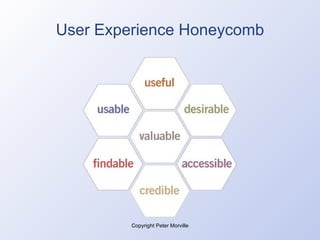
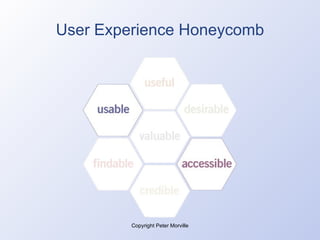
User Experience Honeycomb Copyright Peter Morville
Heuristics in Design Design between user-testing points Absence of active user input Based on: general research and experience project-specific knowledge of users documented checklists and guidelines
Heuristics in Testing Laboratory-style simulation versus real-world use of product by real people. Each aspect generally evaluated in isolation. Won’t pick up all accessibility and usability problems.
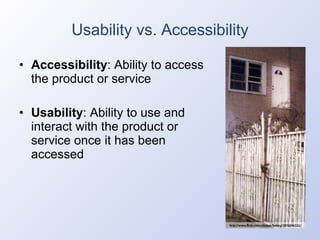
Usability vs. Accessibility Accessibility : Ability to access the product or service Usability : Ability to use and interact with the product or service once it has been accessed
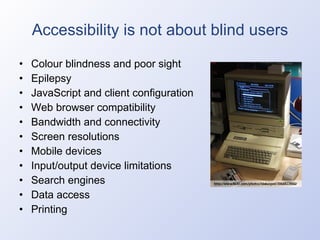
Accessibility is not about blind users Colour blindness and poor sight Epilepsy JavaScript and client configuration Web browser compatibility Bandwidth and connectivity Screen resolutions Mobile devices Input/output device limitations Search engines Data access Printing
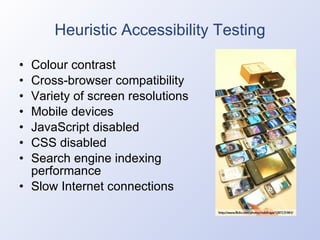
Heuristic Accessibility Testing Colour contrast Cross-browser compatibility Variety of screen resolutions Mobile devices JavaScript disabled CSS disabled Search engine indexing performance Slow Internet connections
Accessibility is Mandatory W3C Web Content Accessibility Guidelines Disability Discrimination Act 1992 World Wide Web Access: Disability Discrimination Act Advisory Notes Human Rights and Equal Opportunity Commission 2000 Government Online Strategy Agencies must achieve level "A" conformance Level "AA" conformance recommended Commonwealth Disability Strategy
Web Content Accessibility Guidelines Priority 1 includes: Screen is readable without stylesheets Information conveyed with colour is also available without colour Text equivalents for non-text elements (images) Control flickering Simplest language Row and column headers in tables
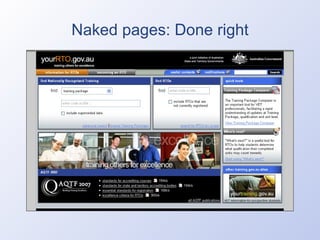
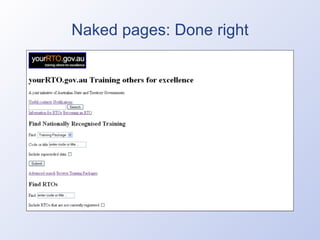
Naked pages: Done right
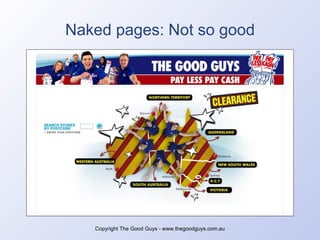
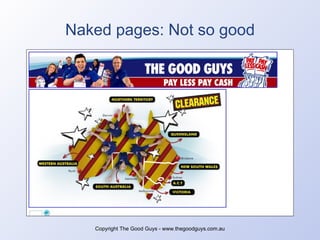
Naked pages: Not so good Copyright The Good Guys - www.thegoodguys.com.au
Web Content Accessibility Guidelines Priority 2 includes: Foreground/background contrast Use stylesheets to control presentation Relative units (resizability, flexibility) Dynamic content is accessible Header elements Metadata Site map Tables only for tabulated data
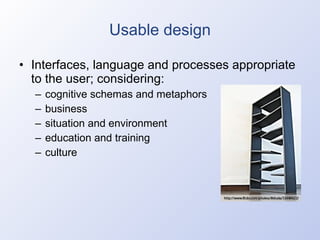
Usable design Interfaces, language and processes appropriate to the user; considering: cognitive schemas and metaphors business situation and environment education and training culture
Considerations in Usable Design User-focused rather than system-focussed System feedback to users Control, flexibility and freedom Consistency and standards Error handling/prevention, exception support
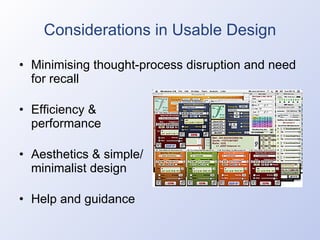
Considerations in Usable Design Minimising thought-process disruption and need for recall Efficiency & performance Aesthetics & simple/ minimalist design Help and guidance
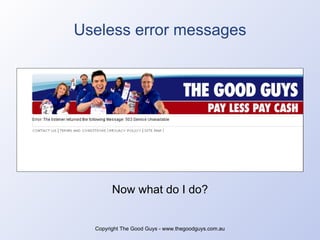
Useless error messages Copyright The Good Guys - www.thegoodguys.com.au Now what do I do?
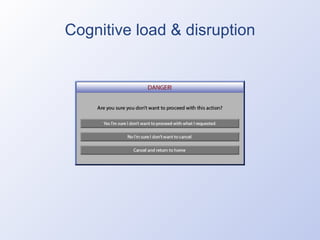
Cognitive load & disruption
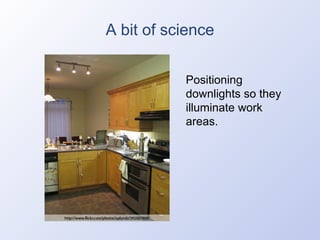
A bit of science Positioning downlights so they illuminate work areas.
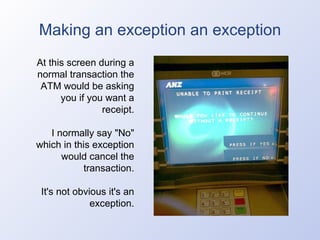
Making an exception an exception At this screen during a normal transaction the ATM would be asking you if you want a receipt. I normally say "No" which in this exception would cancel the transaction. It's not obvious it's an exception.
Post-development There are just some things that are either impossible to anticipate, plan for and document. There are some aspects of implementing usable design that require experience and diligence from the developer. There is always going to be the need to assess and calibrate designs post-development.
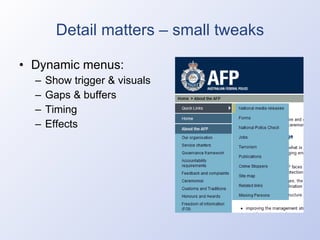
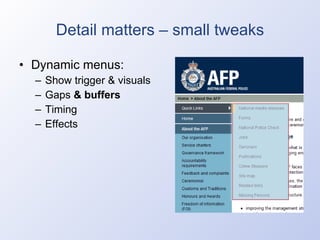
Detail matters – small tweaks Dynamic menus: Show trigger & visuals Gaps & buffers Timing Effects
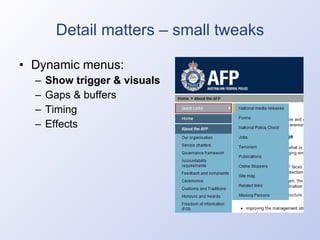
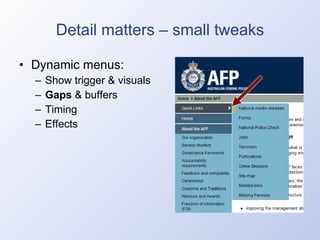
Detail matters – small tweaks Dynamic menus: Show trigger & visuals Gaps  & buffers Timing Effects
Accessibility assessments How a heuristic accessibility assessment is conducted: Examining source code Page assembly deconstruction Running it through validators Screen readers SEO analytics Testing against W3C WCAG
Usability assessments How a heuristic usability assessment is conducted: Exploratory navigation Interactive component/widget analysis Asset load sequence & timing analysis Assessment against principles such as: Jakob Nielsen’s Ten Usability Heuristics Bruce Tognazzi’s First Principles of Interaction Design
Conclusion Heuristic expert accessibility and usability design input and assessment is an important part of the process. However … It alone does not constitute user-centred design and must complement end user testing.
Conclusion “ In the absence of detailed information, we all work from assumptions about who the user is, what he or she does, and what type of system would meet his or her needs. Following these assumptions, we tend to design for ourselves, not for other people.” - Human Factor: Designing Computer Systems for People by Richard Rubinstein and Harry Hersh
Conclusion Heuristic expert accessibility and usability design input will get you in the ballpark but involving real users to  inform  the design throughout the project and  validate  the output is essential. Client acceptance, stakeholder acceptance – all good but what we’re really after is user acceptance .

User Experience Design Heuristics

  • 1.
    User Experience DesignHeuristics Presented by Nathanael Boehm Thursday 22 January 2009
  • 2.
    What is UserExperience Design? User Experience is defined by the perception people develop and retain following their interaction with an interface, device or service. Therefore User Experience Design is about consciously designing an interface, device or service to ensure users develop a desired perception: a positive experience.
  • 3.
    User Experience HoneycombCopyright Peter Morville
  • 4.
    User Experience HoneycombCopyright Peter Morville
  • 5.
    Heuristics in DesignDesign between user-testing points Absence of active user input Based on: general research and experience project-specific knowledge of users documented checklists and guidelines
  • 6.
    Heuristics in TestingLaboratory-style simulation versus real-world use of product by real people. Each aspect generally evaluated in isolation. Won’t pick up all accessibility and usability problems.
  • 7.
    Usability vs. AccessibilityAccessibility : Ability to access the product or service Usability : Ability to use and interact with the product or service once it has been accessed
  • 8.
    Accessibility is notabout blind users Colour blindness and poor sight Epilepsy JavaScript and client configuration Web browser compatibility Bandwidth and connectivity Screen resolutions Mobile devices Input/output device limitations Search engines Data access Printing
  • 9.
    Heuristic Accessibility TestingColour contrast Cross-browser compatibility Variety of screen resolutions Mobile devices JavaScript disabled CSS disabled Search engine indexing performance Slow Internet connections
  • 10.
    Accessibility is MandatoryW3C Web Content Accessibility Guidelines Disability Discrimination Act 1992 World Wide Web Access: Disability Discrimination Act Advisory Notes Human Rights and Equal Opportunity Commission 2000 Government Online Strategy Agencies must achieve level "A" conformance Level "AA" conformance recommended Commonwealth Disability Strategy
  • 11.
    Web Content AccessibilityGuidelines Priority 1 includes: Screen is readable without stylesheets Information conveyed with colour is also available without colour Text equivalents for non-text elements (images) Control flickering Simplest language Row and column headers in tables
  • 12.
  • 13.
  • 14.
    Naked pages: Notso good Copyright The Good Guys - www.thegoodguys.com.au
  • 15.
    Naked pages: Notso good Copyright The Good Guys - www.thegoodguys.com.au
  • 16.
    Web Content AccessibilityGuidelines Priority 2 includes: Foreground/background contrast Use stylesheets to control presentation Relative units (resizability, flexibility) Dynamic content is accessible Header elements Metadata Site map Tables only for tabulated data
  • 17.
    Usable design Interfaces,language and processes appropriate to the user; considering: cognitive schemas and metaphors business situation and environment education and training culture
  • 18.
    Considerations in UsableDesign User-focused rather than system-focussed System feedback to users Control, flexibility and freedom Consistency and standards Error handling/prevention, exception support
  • 19.
    Considerations in UsableDesign Minimising thought-process disruption and need for recall Efficiency & performance Aesthetics & simple/ minimalist design Help and guidance
  • 20.
    Useless error messagesCopyright The Good Guys - www.thegoodguys.com.au Now what do I do?
  • 21.
    Cognitive load &disruption
  • 22.
    A bit ofscience Positioning downlights so they illuminate work areas.
  • 23.
    Making an exceptionan exception At this screen during a normal transaction the ATM would be asking you if you want a receipt. I normally say "No" which in this exception would cancel the transaction. It's not obvious it's an exception.
  • 24.
    Post-development There arejust some things that are either impossible to anticipate, plan for and document. There are some aspects of implementing usable design that require experience and diligence from the developer. There is always going to be the need to assess and calibrate designs post-development.
  • 25.
    Detail matters –small tweaks Dynamic menus: Show trigger & visuals Gaps & buffers Timing Effects
  • 26.
    Detail matters –small tweaks Dynamic menus: Show trigger & visuals Gaps & buffers Timing Effects
  • 27.
    Detail matters –small tweaks Dynamic menus: Show trigger & visuals Gaps & buffers Timing Effects
  • 28.
    Detail matters –small tweaks Dynamic menus: Show trigger & visuals Gaps & buffers Timing Effects
  • 29.
    Accessibility assessments Howa heuristic accessibility assessment is conducted: Examining source code Page assembly deconstruction Running it through validators Screen readers SEO analytics Testing against W3C WCAG
  • 30.
    Usability assessments Howa heuristic usability assessment is conducted: Exploratory navigation Interactive component/widget analysis Asset load sequence & timing analysis Assessment against principles such as: Jakob Nielsen’s Ten Usability Heuristics Bruce Tognazzi’s First Principles of Interaction Design
  • 31.
    Conclusion Heuristic expertaccessibility and usability design input and assessment is an important part of the process. However … It alone does not constitute user-centred design and must complement end user testing.
  • 32.
    Conclusion “ Inthe absence of detailed information, we all work from assumptions about who the user is, what he or she does, and what type of system would meet his or her needs. Following these assumptions, we tend to design for ourselves, not for other people.” - Human Factor: Designing Computer Systems for People by Richard Rubinstein and Harry Hersh
  • 33.
    Conclusion Heuristic expertaccessibility and usability design input will get you in the ballpark but involving real users to inform the design throughout the project and validate the output is essential. Client acceptance, stakeholder acceptance – all good but what we’re really after is user acceptance .