dotCloud,

use Perl;
What is dotCloud?
●   Platform as a Service
    –   Computing Platform
    –   Solution Stack
    –   Horizontally and vertically scalable
●   Sane defaults in a configurable platform.
●   Rapid deployment
    –   From create to live in a couple of minutes.
●   Hot-patching
    –   Changes can be pushed with zero-downtime.
●   Complexity and Reliability management.
    –   So you can sleep at night.
Why use a Cloud platform service?
●   Developers don't have to pretend to be system administrators.

●   Clients don't have to maintain an infrastructure or expand the IT
    department.

●   Start-ups don't have to waste limited funds on hardware and
    fiber into their garage.
●   Quickly and easily scale to meet popular demand.

●   Reliability, Availability.
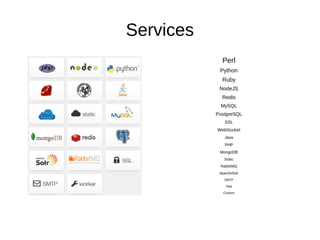
Services
             Perl
            Python
             Ruby
            NodeJS
             Redis
            MySQL
           PostgreSQL
              SSL
           WebSocket
              Java
              PHP
            MongoDB
              Static
            RabbitMQ
            ApacheSolr
              SMTP
               Opa

              Custom
dotCloud services
●   Service types include
    –   Web services (Served by nginx)
        ●   Perl, Python, PHP, Ruby, Java, Opa, NodeJS (sans
            nginx), and static.
    –   Worker services
    –   Data services
        ●   MySQL, PostgreSQL, MongoDB, redis.
    –   Other services
        ●   Apache Solr, RabbitMQ, SSL, SMTP, WebSocket
Custom Stacks
●   Web/Database       ●   Select stack
    –   Perl               components to
                           match the
    –   PostgreSQL
                           application's needs.
    –   SSL
                       ●   As many or as few as
    –   Redis
                           necessary.
A dotCloud stack...
●   Mix and match services as you see fit.
    –   We're here to talk about Perl.
●   Hosted on EC2.
    –   Scaled apps get multiple availability zones.
●   Stack components fit together like building
    blocks.
●   Add or remove components as the application
    evolves.
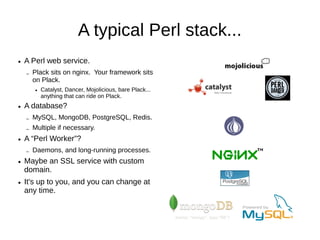
A typical Perl stack...
●   A Perl web service.
    –   Plack sits on nginx. Your framework sits
        on Plack.
        ●   Catalyst, Dancer, Mojolicious, bare Plack...
            anything that can ride on Plack.
●   A database?
    –   MySQL, MongoDB, PostgreSQL, Redis.
    –   Multiple if necessary.
●   A “Perl Worker”?
    –   Daemons, and long-running processes.
    –   Custom webservers.
        ●   Websocket support.
●   Maybe an SSL service with custom
    domain.
●   It's up to you, and you can change at
    any time.
Perl services...
●   Web or worker.
●   Perl web services spawn four processes.
    –   If a process dies it is re-spawned.
    –   If an EC2 instance goes wonky dotCloud reboots it
        and restores from backup.
    –   “Scaled applications were not affected...”
●   Perl worker service is for long-running
    services that don't need nginx/Plack.
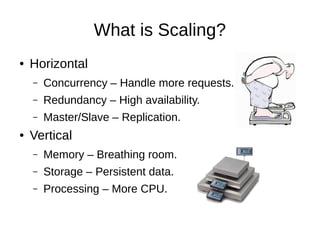
What is Scaling?
●   Horizontal
    –   Concurrency – Handle more requests.
    –   Redundancy – High availability.
    –   Master/Slave – Database Replication.
●   Vertical
    –   Memory – Breathing room.
    –   Storage – Persistent data.
    –   Processing – More CPU.
Horizontal Scaling with dotCloud
●   Horizontal:
    –   Multiple Perl services under the same application
        ●   Multiple EC2 availability zones: Automatic.
        ●   Load balancing: Automatic.
        ●   Failover: Automatic.
        ●   Dedicated cluster.
    –   Multiple Database Services
        ●   Multiple EC2 availability zones.
        ●   Replication: Automatic.
        ●   Failover and re-syncing: Automatic.
Vertical Scaling with dotCloud
●   Vertical scaling reserves more memory and storage.
    –   Scale memory in 32MB increments.
    –   Storage is allocated as 10x the RAM allotment.
●   Examples:
    –   A Perl service that needs 256MB to breathe in, and 2GB
        storage: Scale to 256MB.
    –   A database that needs 4GB storage: Scale to 416MB RAM.
●   CPU scaling isn't featured at this time.
What does it cost? – Sandbox
●   Sandbox Applications – FREE.
    –   dotCloud clearly wants to be friendly to developers.
        ●   Non-scaled applications without custom domains are free.
        ●   RAM, availability, and bandwidth are on a “best effort” basis.
        ●   Piggyback SSL is free.
        ●   Develop for free.
        ●   Test for free.
        ●   Deploy and use for free.
        ●   No time limitations.
        ●   No limited introductory periods.
        ●   Even multi-service stacks are free.
●   PLAY, enjoy!
What does it cost? – Live
●   When you need....
    –   Horizontal or vertical scaling.
    –   Reliability and performance guarantees.
    –   Custom domains.
    –   CA-certificate SSL.
●   $4.32/month per service-instance per 32MB
    RAM.
Pricing – Example
●   A Perl web service that needs 64MB RAM: $8.64/month.
    –   Four processes are spawned. An app consuming 16MB deploys in
        64MB RAM after four workers spawn.
●   Horizontally scale that same service to two service-instances
    for reliability and load balancing:
    –   $17.28.
●   Add a horizontally scaled (master/slave) database with 640MB
    storage allocation:
    –   Total cost: $34.56/month.
●   More breathing room:
    –   Scale Perl to 128MB and database to 1GB storage: $69.12/month.
Scale as needed


●   Hit by a swarm?
    –   Up-scale to as many as five Perl service-instances (20 total
        processes).
    –   Higher scaling levels are available by explicit arrangement.
●   Nobody clicks at night/weekends?
    –   Down-scale during low-volume times.
●   Usage is measured hourly.
●   Scaling adjustments are “one liners” with the CLI.
●   Nearly instant spin-up.
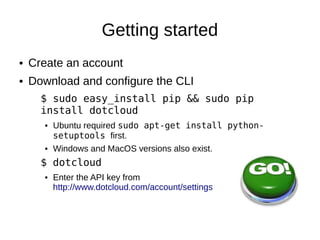
Getting started
●   Create an account
●   Download and configure the CLI
      $ sudo easy_install pip && sudo pip
      install dotcloud
      ●   Ubuntu required sudo apt-get install python-
          setuptools first... bleah!
      ●   Windows and MacOS versions also exist.
      $ dotcloud
      ●   Enter the API key from
          http://www.dotcloud.com/account/settings
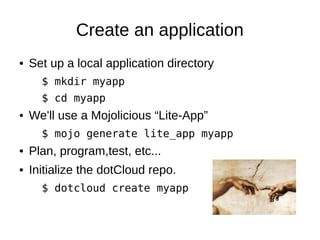
Create an application
●   Set up a local application directory.
      $ mkdir myapp
      $ cd myapp
●   We'll use a Mojolicious “Lite-App”.
      $ mojo generate lite_app myapp
●   Plan, program,test, etc...
●   Initialize the dotCloud repo.
      $ dotcloud create myapp
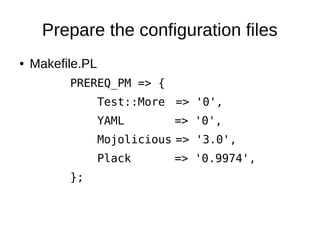
Prepare the configuration files
●   Makefile.PL
          PREREQ_PM => {
                  Test::More => '0',
                  YAML       => '0',
                  Mojolicious => '3.0',
                  Plack      => '0.9974',
          };
Configuration files
●   app.psgi
      $ENV{MOJO_MODE} = 'production'
      require 'myapp.pl';


●   dotcloud.yml
      www:
        type: perl
Deploy!

$ dotcloud push myapp myapp/
–   dotcloud command name path


Deployment finished successfully. Your
application is available at the
following URLs
www: http://myapp-
daoswald.dotcloud.com/
What just happened?
●   Relevant files were uploaded.
    –   “rsync” “mercurial”, or “git push”.
    –   You do have some control over this process if necessary:
        ●   dotcloud push –all
        ●   .gitignore
        ●   .dotcloudignore
●   cpanm pulls in all dependencies.
●   Application is built per Makefile.PL.
●   A supervisor starts Plack and spawns the workers.
●   Zero-downtime upgrades.
dotcloud.yml
●   List all the services.
    –   Give each a unique name.
●   List dependencies that don't fit Makefile.PL.
    –   cpanm used internally.
         ● Even pull tarballs by URL and build them out.


●   List an application root directory (per service)
    –   Useful for apps that reside in a more scalable
        directory structure.
●   Set environment variables.
●   Define prebuild and postbuild actions.
A simple directory structure
project_root/
    dotcloud.yml
    app_root/
        app.psgi
        Makefile.PL
        myapp.pl
        static/
        ...
A more scalable directory structure
project_root/
                       dotcloud.yml
   dotcloud.yml
   database_init.sql      www:
   myapp/                    type: perl
      app.psgi               approot: myapp
      Makefile.PL            db:
      myapp.conf
                                   type: mysql
      lib/
         Model/
         MyApp.pm
         Controller/   app.psgi
      log/
      public/             $ENV{MOJO_MODE} = 'production';
      script/             require 'script/myapp.pl';
            myapp.pl
      t/
      templates/
The database connection
●   dotcloud.yml:
        www:
            type: Perl
            approot: myapp
        db:
            type: mysql
●   environment.json
    –   Readable by the application.
    –   Contains database host, port, login, password info, custom variables, etc.
        ●   Inside my app, I merge its contents into my configuration data-structure.
    $ dotcloud info myapp.db
    –   View service parameters.
    $ dotcloud run myapp.db – mysql
    –   Get a mysql> prompt.
environment.json
{
    "DOTCLOUD_WWW_HTTP_URL": "http://myapp-daoswald.dotcloud.com/",
    "DOTCLOUD_WWW_SSH_PORT": "XXXXX",
    "DOTCLOUD_WWW_SSH_URL": "ssh://dotcloud@myapp-daoswald.dotcloud.com:XXXXX",
    "DOTCLOUD_DB_MYSQL_LOGIN": "XXXXXX",
    "DOTCLOUD_WWW_SSH_HOST": "myapp-daoswald.dotcloud.com",
    "DOTCLOUD_PROJECT": "myapp",
    "DOTCLOUD_SERVICE_NAME": "www",
    "DOTCLOUD_WWW_HTTP_VHOSTS_LIST": "myapp-daoswald.dotcloud.com",
    "PORT_SSH": XXXXX,
    "DOTCLOUD_DB_SSH_PORT": "XXXXX",
    "DOTCLOUD_WWW_HTTP_HOST": "myapp-daoswald.dotcloud.com",
    "DOTCLOUD_DB_SSH_URL": "ssh://mysql@myapp-daoswald.dotcloud.com:XXXXX",
    "DOTCLOUD_ENVIRONMENT": "default",
    "DOTCLOUD_DB_SSH_HOST": "myapp-daoswald.dotcloud.com",
    "DOTCLOUD_DB_MYSQL_HOST": "myapp-daoswald.dotcloud.com",
    "DOTCLOUD_DB_MYSQL_PASSWORD": "some_passphrase",
    "DOTCLOUD_DB_MYSQL_PORT": "XXXXX",
    "DOTCLOUD_DB_MYSQL_URL": "mysql://USER:PASS_XXXXX@myapp-daoswald.dotcloud.com:XXXXX",
    "DOTCLOUD_SERVICE_ID": "0",
    "PORT_HTTP": 80
}
environment.json simplified

●   DotCloud::Environment
    –   Easy handling of environment in dotcloud.
        ●   (In case a simple JSON file isn't simple enough.)
Other dotcloud.yml options
www:
   type: perl
   approot: helloperl
   requirements:
       http://example.com/something/not/on/cpan/yet.tar.gz
   config:
       perl_version: v5.16.x
       uwsgi_memory_report: true
       uwsgi_buffer_size: 8192
       uwsgi_processes: 4
   prebuild: ./prebuild.pl
   postbuild: ./postbuild.pl
worker:
   type: perl-worker
   …
Odds and ends
●   Static content will be served out of static/
●   nginx.conf: override the default nginx configuration.
●   Crontabs may be set in the Perl service, in a separate worker service,
    even in a database service.
    –   Beware of horizontal scaling and crontabs.
●   Off-site backups scheduled via crontabs.
●   dotCloud is the first PaaS with WebSocket support.
    –   Mojolicious is also WebSocket friendly.
The CLI tool
$ dotcloud create myapp
$ dotcloud create myapp -f live
$ dotcloud info myapp.www
$ dotcloud push myapp
$ dotcloud stats myapp.www
$ dotcloud scale myapp db:instances=2
$ dotcloud scale myapp www:instances=4
$ dotcloud scale myapp www:memory=512M
$ dotcloud destroy myapp
$ dotcloud logs myapp.www
$ dotcloud run myapp.db -- single-command
$ dotcloud ssh myapp.worker
A sample use-case
●   Client requires high availability web, and database redundancy:
    –   Perl web service scaled to two 256MB instances.
        ●   Load balancing, automatic failover, separate availability zones.
        ●   4 processes of 64MB each per service instance.
             –   Enough for Mojolicious, DBIx::Class, Moose, and some breathing room.
    –   Database scaled to two instances of 512MB (5GB storage).
        ●   Replication/syncing, automatic failover, separate availability zones.
    –   A single 64MB Perl worker for cron jobs (backups, etc.)
●   Cost: $216/month.
●   A custom domain with SSL certificate, add $21.60/month: total, $237.60.
    –   DotCloud configures a dedicated load balancer instance (since SSL requires at
        least one IP address per domain, or more accurately, per certificate).
●   Client and developer each get to sleep at night: Priceless.
    –   Sorry IT department – nothing to see here. ;)
Communications
●   @dotcloudstatus
    –   Exceptional events and are tweeted out.
    –   Get used to “Scaled applications were unaffected...”
●   http://status.dotcloud.com
    –   The same as the tweets.
●   http://platform-status.dotcloud.com
    –   A quick overview of cluster status.
●   $ dotcloud status myapp.www
●   irc://irc.freenode.net#dotcloud
●   support@dotcloud.com
    –   Real (useful) replies within a few hours – No dialog script.
●   http://support.dotcloud.com
●   http://help.dotcloud.com
Conclusions
●   Much more than bare EC2.
●   Supportive of the developer community.
●   Can-do attitude.
●   Innovative.
●   Reliable.
●   It's easy.
●   Deploying an application takes minutes.
●   Hot-patches take seconds, with no downtime.
A Working Example
●   The Perl Regex Tester
    –   http://retester-daoswald.dotcloud.com
    –   Uses a single dotCloud Perl service and less than 96MB RAM.
        ●   Deployed as a “Sandbox” app.
        ●   Configured for two uwsgi processes (low volume, so conserve memory)
        ●   If deployed “Live”, it would cost abpit $13/month.
    –   A Mojolicious::Lite application.
    –   Includes the application script, a model module, Twitter Bootstrap
        CSS/JS.
    –   Pulls in many CPAN dependencies (mostly to handle the paranoia of
        executing user-supplied regexes).
    –   Source on Github: https://github.com/daoswald/retester.git
David Oswald
                 daoswald@gmail.com
                   davido@cpan.org


http://www.slideshare.net/daoswald/deploying-perl-apps-on-dotcloud
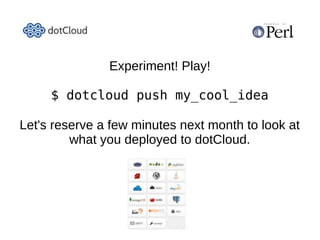
Experiment! Play!

   $ dotcloud push my_cool_idea

Next month let's look at what you deployed to
                   dotCloud.

Deploying Perl apps on dotCloud

  • 1.
  • 2.
    What is dotCloud? ● Platform as a Service – Computing Platform – Solution Stack – Horizontally and vertically scalable ● Sane defaults in a configurable platform. ● Rapid deployment – From create to live in a couple of minutes. ● Hot-patching – Changes can be pushed with zero-downtime. ● Complexity and Reliability management. – So you can sleep at night.
  • 3.
    Why use aCloud platform service? ● Developers don't have to pretend to be system administrators. ● Clients don't have to maintain an infrastructure or expand the IT department. ● Start-ups don't have to waste limited funds on hardware and fiber into their garage. ● Quickly and easily scale to meet popular demand. ● Reliability, Availability.
  • 4.
    Services Perl Python Ruby NodeJS Redis MySQL PostgreSQL SSL WebSocket Java PHP MongoDB Static RabbitMQ ApacheSolr SMTP Opa Custom
  • 5.
    dotCloud services ● Service types include – Web services (Served by nginx) ● Perl, Python, PHP, Ruby, Java, Opa, NodeJS (sans nginx), and static. – Worker services – Data services ● MySQL, PostgreSQL, MongoDB, redis. – Other services ● Apache Solr, RabbitMQ, SSL, SMTP, WebSocket
  • 6.
    Custom Stacks ● Web/Database ● Select stack – Perl components to match the – PostgreSQL application's needs. – SSL ● As many or as few as – Redis necessary.
  • 7.
    A dotCloud stack... ● Mix and match services as you see fit. – We're here to talk about Perl. ● Hosted on EC2. – Scaled apps get multiple availability zones. ● Stack components fit together like building blocks. ● Add or remove components as the application evolves.
  • 8.
    A typical Perlstack... ● A Perl web service. – Plack sits on nginx. Your framework sits on Plack. ● Catalyst, Dancer, Mojolicious, bare Plack... anything that can ride on Plack. ● A database? – MySQL, MongoDB, PostgreSQL, Redis. – Multiple if necessary. ● A “Perl Worker”? – Daemons, and long-running processes. – Custom webservers. ● Websocket support. ● Maybe an SSL service with custom domain. ● It's up to you, and you can change at any time.
  • 9.
    Perl services... ● Web or worker. ● Perl web services spawn four processes. – If a process dies it is re-spawned. – If an EC2 instance goes wonky dotCloud reboots it and restores from backup. – “Scaled applications were not affected...” ● Perl worker service is for long-running services that don't need nginx/Plack.
  • 10.
    What is Scaling? ● Horizontal – Concurrency – Handle more requests. – Redundancy – High availability. – Master/Slave – Database Replication. ● Vertical – Memory – Breathing room. – Storage – Persistent data. – Processing – More CPU.
  • 11.
    Horizontal Scaling withdotCloud ● Horizontal: – Multiple Perl services under the same application ● Multiple EC2 availability zones: Automatic. ● Load balancing: Automatic. ● Failover: Automatic. ● Dedicated cluster. – Multiple Database Services ● Multiple EC2 availability zones. ● Replication: Automatic. ● Failover and re-syncing: Automatic.
  • 12.
    Vertical Scaling withdotCloud ● Vertical scaling reserves more memory and storage. – Scale memory in 32MB increments. – Storage is allocated as 10x the RAM allotment. ● Examples: – A Perl service that needs 256MB to breathe in, and 2GB storage: Scale to 256MB. – A database that needs 4GB storage: Scale to 416MB RAM. ● CPU scaling isn't featured at this time.
  • 13.
    What does itcost? – Sandbox ● Sandbox Applications – FREE. – dotCloud clearly wants to be friendly to developers. ● Non-scaled applications without custom domains are free. ● RAM, availability, and bandwidth are on a “best effort” basis. ● Piggyback SSL is free. ● Develop for free. ● Test for free. ● Deploy and use for free. ● No time limitations. ● No limited introductory periods. ● Even multi-service stacks are free. ● PLAY, enjoy!
  • 14.
    What does itcost? – Live ● When you need.... – Horizontal or vertical scaling. – Reliability and performance guarantees. – Custom domains. – CA-certificate SSL. ● $4.32/month per service-instance per 32MB RAM.
  • 15.
    Pricing – Example ● A Perl web service that needs 64MB RAM: $8.64/month. – Four processes are spawned. An app consuming 16MB deploys in 64MB RAM after four workers spawn. ● Horizontally scale that same service to two service-instances for reliability and load balancing: – $17.28. ● Add a horizontally scaled (master/slave) database with 640MB storage allocation: – Total cost: $34.56/month. ● More breathing room: – Scale Perl to 128MB and database to 1GB storage: $69.12/month.
  • 16.
    Scale as needed ● Hit by a swarm? – Up-scale to as many as five Perl service-instances (20 total processes). – Higher scaling levels are available by explicit arrangement. ● Nobody clicks at night/weekends? – Down-scale during low-volume times. ● Usage is measured hourly. ● Scaling adjustments are “one liners” with the CLI. ● Nearly instant spin-up.
  • 17.
    Getting started ● Create an account ● Download and configure the CLI $ sudo easy_install pip && sudo pip install dotcloud ● Ubuntu required sudo apt-get install python- setuptools first... bleah! ● Windows and MacOS versions also exist. $ dotcloud ● Enter the API key from http://www.dotcloud.com/account/settings
  • 18.
    Create an application ● Set up a local application directory. $ mkdir myapp $ cd myapp ● We'll use a Mojolicious “Lite-App”. $ mojo generate lite_app myapp ● Plan, program,test, etc... ● Initialize the dotCloud repo. $ dotcloud create myapp
  • 19.
    Prepare the configurationfiles ● Makefile.PL PREREQ_PM => { Test::More => '0', YAML => '0', Mojolicious => '3.0', Plack => '0.9974', };
  • 20.
    Configuration files ● app.psgi $ENV{MOJO_MODE} = 'production' require 'myapp.pl'; ● dotcloud.yml www: type: perl
  • 21.
    Deploy! $ dotcloud pushmyapp myapp/ – dotcloud command name path Deployment finished successfully. Your application is available at the following URLs www: http://myapp- daoswald.dotcloud.com/
  • 22.
    What just happened? ● Relevant files were uploaded. – “rsync” “mercurial”, or “git push”. – You do have some control over this process if necessary: ● dotcloud push –all ● .gitignore ● .dotcloudignore ● cpanm pulls in all dependencies. ● Application is built per Makefile.PL. ● A supervisor starts Plack and spawns the workers. ● Zero-downtime upgrades.
  • 23.
    dotcloud.yml ● List all the services. – Give each a unique name. ● List dependencies that don't fit Makefile.PL. – cpanm used internally. ● Even pull tarballs by URL and build them out. ● List an application root directory (per service) – Useful for apps that reside in a more scalable directory structure. ● Set environment variables. ● Define prebuild and postbuild actions.
  • 24.
    A simple directorystructure project_root/ dotcloud.yml app_root/ app.psgi Makefile.PL myapp.pl static/ ...
  • 25.
    A more scalabledirectory structure project_root/ dotcloud.yml dotcloud.yml database_init.sql www: myapp/ type: perl app.psgi approot: myapp Makefile.PL db: myapp.conf type: mysql lib/ Model/ MyApp.pm Controller/ app.psgi log/ public/ $ENV{MOJO_MODE} = 'production'; script/ require 'script/myapp.pl'; myapp.pl t/ templates/
  • 26.
    The database connection ● dotcloud.yml: www: type: Perl approot: myapp db: type: mysql ● environment.json – Readable by the application. – Contains database host, port, login, password info, custom variables, etc. ● Inside my app, I merge its contents into my configuration data-structure. $ dotcloud info myapp.db – View service parameters. $ dotcloud run myapp.db – mysql – Get a mysql> prompt.
  • 27.
    environment.json { "DOTCLOUD_WWW_HTTP_URL": "http://myapp-daoswald.dotcloud.com/", "DOTCLOUD_WWW_SSH_PORT": "XXXXX", "DOTCLOUD_WWW_SSH_URL": "ssh://dotcloud@myapp-daoswald.dotcloud.com:XXXXX", "DOTCLOUD_DB_MYSQL_LOGIN": "XXXXXX", "DOTCLOUD_WWW_SSH_HOST": "myapp-daoswald.dotcloud.com", "DOTCLOUD_PROJECT": "myapp", "DOTCLOUD_SERVICE_NAME": "www", "DOTCLOUD_WWW_HTTP_VHOSTS_LIST": "myapp-daoswald.dotcloud.com", "PORT_SSH": XXXXX, "DOTCLOUD_DB_SSH_PORT": "XXXXX", "DOTCLOUD_WWW_HTTP_HOST": "myapp-daoswald.dotcloud.com", "DOTCLOUD_DB_SSH_URL": "ssh://mysql@myapp-daoswald.dotcloud.com:XXXXX", "DOTCLOUD_ENVIRONMENT": "default", "DOTCLOUD_DB_SSH_HOST": "myapp-daoswald.dotcloud.com", "DOTCLOUD_DB_MYSQL_HOST": "myapp-daoswald.dotcloud.com", "DOTCLOUD_DB_MYSQL_PASSWORD": "some_passphrase", "DOTCLOUD_DB_MYSQL_PORT": "XXXXX", "DOTCLOUD_DB_MYSQL_URL": "mysql://USER:PASS_XXXXX@myapp-daoswald.dotcloud.com:XXXXX", "DOTCLOUD_SERVICE_ID": "0", "PORT_HTTP": 80 }
  • 28.
    environment.json simplified ● DotCloud::Environment – Easy handling of environment in dotcloud. ● (In case a simple JSON file isn't simple enough.)
  • 29.
    Other dotcloud.yml options www: type: perl approot: helloperl requirements: http://example.com/something/not/on/cpan/yet.tar.gz config: perl_version: v5.16.x uwsgi_memory_report: true uwsgi_buffer_size: 8192 uwsgi_processes: 4 prebuild: ./prebuild.pl postbuild: ./postbuild.pl worker: type: perl-worker …
  • 30.
    Odds and ends ● Static content will be served out of static/ ● nginx.conf: override the default nginx configuration. ● Crontabs may be set in the Perl service, in a separate worker service, even in a database service. – Beware of horizontal scaling and crontabs. ● Off-site backups scheduled via crontabs. ● dotCloud is the first PaaS with WebSocket support. – Mojolicious is also WebSocket friendly.
  • 31.
    The CLI tool $dotcloud create myapp $ dotcloud create myapp -f live $ dotcloud info myapp.www $ dotcloud push myapp $ dotcloud stats myapp.www $ dotcloud scale myapp db:instances=2 $ dotcloud scale myapp www:instances=4 $ dotcloud scale myapp www:memory=512M $ dotcloud destroy myapp $ dotcloud logs myapp.www $ dotcloud run myapp.db -- single-command $ dotcloud ssh myapp.worker
  • 32.
    A sample use-case ● Client requires high availability web, and database redundancy: – Perl web service scaled to two 256MB instances. ● Load balancing, automatic failover, separate availability zones. ● 4 processes of 64MB each per service instance. – Enough for Mojolicious, DBIx::Class, Moose, and some breathing room. – Database scaled to two instances of 512MB (5GB storage). ● Replication/syncing, automatic failover, separate availability zones. – A single 64MB Perl worker for cron jobs (backups, etc.) ● Cost: $216/month. ● A custom domain with SSL certificate, add $21.60/month: total, $237.60. – DotCloud configures a dedicated load balancer instance (since SSL requires at least one IP address per domain, or more accurately, per certificate). ● Client and developer each get to sleep at night: Priceless. – Sorry IT department – nothing to see here. ;)
  • 33.
    Communications ● @dotcloudstatus – Exceptional events and are tweeted out. – Get used to “Scaled applications were unaffected...” ● http://status.dotcloud.com – The same as the tweets. ● http://platform-status.dotcloud.com – A quick overview of cluster status. ● $ dotcloud status myapp.www ● irc://irc.freenode.net#dotcloud ● support@dotcloud.com – Real (useful) replies within a few hours – No dialog script. ● http://support.dotcloud.com ● http://help.dotcloud.com
  • 34.
    Conclusions ● Much more than bare EC2. ● Supportive of the developer community. ● Can-do attitude. ● Innovative. ● Reliable. ● It's easy. ● Deploying an application takes minutes. ● Hot-patches take seconds, with no downtime.
  • 35.
    A Working Example ● The Perl Regex Tester – http://retester-daoswald.dotcloud.com – Uses a single dotCloud Perl service and less than 96MB RAM. ● Deployed as a “Sandbox” app. ● Configured for two uwsgi processes (low volume, so conserve memory) ● If deployed “Live”, it would cost abpit $13/month. – A Mojolicious::Lite application. – Includes the application script, a model module, Twitter Bootstrap CSS/JS. – Pulls in many CPAN dependencies (mostly to handle the paranoia of executing user-supplied regexes). – Source on Github: https://github.com/daoswald/retester.git
  • 36.
    David Oswald daoswald@gmail.com davido@cpan.org http://www.slideshare.net/daoswald/deploying-perl-apps-on-dotcloud
  • 37.
    Experiment! Play! $ dotcloud push my_cool_idea Next month let's look at what you deployed to dotCloud.