How CNNs Work:Step-by-Step
Example
Assist. Prof. Dr. Mohammad Assaad 2
Let’s walk through an example of using a CNN for
image classification (e.g., classifying handwritten
digits from the MNIST dataset).
3.
How CNNs Work:Step-by-Step
Example
Assist. Prof. Dr. Mohammad Assaad 3
Step 1: Input Data
⚫ The input to a CNN is typically an image
represented as a 3D array:
⚫ Height x Width x Channels (e.g., 28x28x1 for grayscale
images or 224x224x3 for RGB images).
⚫ For example, in the MNIST dataset:
⚫ Each image is 28x28 pixels and has 1 channel (grayscale).
4.
How CNNs Work:Step-by-Step
Example
Assist. Prof. Dr. Mohammad Assaad 4
Step 2: Convolutional Layer
⚫ A filter (e.g., 3x3) slides over the input image,
performing convolution to extract features like edges
or corners.
⚫ Example:
⚫ Input: 28x28x1
⚫ Filter: 3x3
⚫ Output (Feature Map): 26x26x1 (if no padding is applied).
5.
How CNNs Work:Step-by-Step
Example
Assist. Prof. Dr. Mohammad Assaad 5
Step 3: Activation Function
⚫ Apply the ReLU activation function to the feature
map to introduce non-linearity:
ReLU(𝑥)=max(0,𝑥)
6.
How CNNs Work:Step-by-Step
Example
Assist. Prof. Dr. Mohammad Assaad 6
Step 4: Pooling Layer
⚫ Apply max pooling (e.g., 2x2) to reduce the spatial
dimensions:
⚫ Input: 26x26x1
⚫ Output: 13x13x1 (after 2x2 pooling with stride 2).
⚫ Step 5: Additional Convolutional and Pooling
Layers
⚫ Add more convolutional and pooling layers to
extract higher-level features.
7.
How CNNs Work:Step-by-Step
Example
Assist. Prof. Dr. Mohammad Assaad 7
Step 6: Flattening
⚫ Flatten the final feature map into a 1D vector to
feed into the fully connected layers.
⚫ Example: 13x13x1 → 169x1.
Step 7: Fully Connected Layer
⚫ Pass the flattened vector through one or more fully
connected layers to make predictions.
8.
How CNNs Work:Step-by-Step
Example
Assist. Prof. Dr. Mohammad Assaad 8
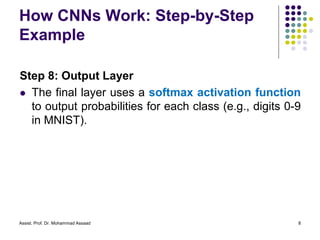
Step 8: Output Layer
⚫ The final layer uses a softmax activation function
to output probabilities for each class (e.g., digits 0-9
in MNIST).
9.
Example: CNN forMNIST
Classification in Python
Assist. Prof. Dr. Mohammad Assaad 9
import tensorflow as tf
from tensorflow.keras import layers, models
from tensorflow.keras.datasets import mnist
from tensorflow.keras.utils import to_categorical
# Load MNIST dataset
(X_train, y_train), (X_test, y_test) = mnist.load_data()
# Preprocess the data
X_train = X_train.reshape((X_train.shape[0], 28, 28, 1)).astype('float32') / 255
X_test = X_test.reshape((X_test.shape[0], 28, 28, 1)).astype('float32') / 255
y_train = to_categorical(y_train, 10)
y_test = to_categorical(y_test, 10)
A simple implementation of a CNN using TensorFlow/Keras:
10.
Example: CNN forMNIST
Classification in Python
Assist. Prof. Dr. Mohammad Assaad 10
# Build the CNN model
model = models.Sequential()
# Convolutional layer + ReLU + Max Pooling
model.add(layers.Conv2D(32, (3, 3), activation='relu', input_shape=(28, 28, 1)))
model.add(layers.MaxPooling2D((2, 2)))
# Add another convolutional layer + ReLU + Max Pooling
model.add(layers.Conv2D(64, (3, 3), activation='relu'))
model.add(layers.MaxPooling2D((2, 2)))
# Flatten and Fully Connected Layers
model.add(layers.Flatten())
model.add(layers.Dense(64, activation='relu'))
model.add(layers.Dense(10, activation='softmax')) # Output layer for 10 classes
11.
Example: CNN forMNIST
Classification in Python
Assist. Prof. Dr. Mohammad Assaad 11
# Compile the model
model.compile(optimizer='adam',
loss='categorical_crossentropy',
metrics=['accuracy'])
# Train the model
model.fit(X_train, y_train, epochs=5, batch_size=64, validation_split=0.1)
# Evaluate the model
test_loss, test_acc = model.evaluate(X_test, y_test)
print("Test Accuracy:", test_acc)
12.
Example: CNN forMNIST
Classification in Python/Explanation
of the Code
Assist. Prof. Dr. Mohammad Assaad 12
⚫ Data Preprocessing:
⚫ The MNIST dataset is loaded and reshaped to
include the channel dimension (28x28x1 for
grayscale).
⚫ Pixel values are normalized to the range [0, 1].
⚫ Labels are one-hot encoded (e.g., digit 3 becomes
[0, 0, 0, 1, 0, 0, 0, 0, 0, 0]).
13.
Example: CNN forMNIST
Classification in Python/Explanation
of the Code
Assist. Prof. Dr. Mohammad Assaad 13
⚫ Model Architecture:
⚫ Conv2D: Extracts features using 32 filters of size 3x3
in the first layer and 64 filters in the second layer.
⚫ MaxPooling2D: Reduces the spatial dimensions by
taking the maximum value in a 2x2 region.
⚫ Flatten: Converts the 2D feature maps into a 1D
vector.
⚫ Dense: Fully connected layers for classification, with
the final layer using softmax for probabilities.
14.
Example: CNN forMNIST
Classification in Python/Explanation
of the Code
Assist. Prof. Dr. Mohammad Assaad 14
⚫ Training:
⚫ The model is trained for 5 epochs with a batch size of
64.
⚫ The adam optimizer is used for efficient training,
and categorical_crossentropy is used as the loss
function.
⚫ Evaluation
⚫ The model is evaluated on the test set, and the
accuracy is printed.


![Example: CNN for MNIST
Classification in Python
Assist. Prof. Dr. Mohammad Assaad 9
import tensorflow as tf
from tensorflow.keras import layers, models
from tensorflow.keras.datasets import mnist
from tensorflow.keras.utils import to_categorical
# Load MNIST dataset
(X_train, y_train), (X_test, y_test) = mnist.load_data()
# Preprocess the data
X_train = X_train.reshape((X_train.shape[0], 28, 28, 1)).astype('float32') / 255
X_test = X_test.reshape((X_test.shape[0], 28, 28, 1)).astype('float32') / 255
y_train = to_categorical(y_train, 10)
y_test = to_categorical(y_test, 10)
A simple implementation of a CNN using TensorFlow/Keras:](https://image.slidesharecdn.com/deepllearning2-250920184342-3dc29f04/85/DeeplLearning2-a-good-lecture-for-learn-pdf-9-320.jpg)

![Example: CNN for MNIST
Classification in Python
Assist. Prof. Dr. Mohammad Assaad 11
# Compile the model
model.compile(optimizer='adam',
loss='categorical_crossentropy',
metrics=['accuracy'])
# Train the model
model.fit(X_train, y_train, epochs=5, batch_size=64, validation_split=0.1)
# Evaluate the model
test_loss, test_acc = model.evaluate(X_test, y_test)
print("Test Accuracy:", test_acc)](https://image.slidesharecdn.com/deepllearning2-250920184342-3dc29f04/85/DeeplLearning2-a-good-lecture-for-learn-pdf-11-320.jpg)
![Example: CNN for MNIST
Classification in Python/Explanation
of the Code
Assist. Prof. Dr. Mohammad Assaad 12
⚫ Data Preprocessing:
⚫ The MNIST dataset is loaded and reshaped to
include the channel dimension (28x28x1 for
grayscale).
⚫ Pixel values are normalized to the range [0, 1].
⚫ Labels are one-hot encoded (e.g., digit 3 becomes
[0, 0, 0, 1, 0, 0, 0, 0, 0, 0]).](https://image.slidesharecdn.com/deepllearning2-250920184342-3dc29f04/85/DeeplLearning2-a-good-lecture-for-learn-pdf-12-320.jpg)


![[Revised] Intro to CNN](https://cdn.slidesharecdn.com/ss_thumbnails/googletechsprinttalkcnnintro-200730141604-thumbnail.jpg?width=640&height=640&fit=bounds)


