













Azure Search Deep Dive
Gunnar Peipman
ASP.NET/IIS MVP
http://gunnarpeipman.com
Agenda
• Introduction to search
• Search in Microsoft world
• Planning for search
• Azure Search demos
Introduction to search
Two types of people
1. Navigation people
2. Search people
Q: What do navigation people with search?
A: They type in their favorite link catalog URL, search for it and then
start navigating again
Search over time
• Simple search scripts
• Database search
• Search engines
• NoSQL
• Search services
Components of search systems
• Crawler – in web systems finds resources to index
• Indexer – adds found resources to search index
• Analyzis – performs analyzis of on indexed content
• Query – performs search and returns results
Search in Microsoft world
Search technologies this far
• Desktop search – indexes desktop content (files, mailboxes, media)
• Bing – web search
• SharePoint search – search from enterprise data, web, and LOB
systems
Azure Search
• Desktop search – doesn’t scale
• Bing – oriented to web
• SharePoint Search – extremely powerful but expensive
• Azure Search – lightweight custom search offered as a service
Elastic in the cloud?
• Built on top of Elastic Search
• Still it is not cloud-hosted Elastic Search
• Azure Search has its own JSON-based API-s
Planning for search
Tips’n’tricks
• Search index must contain only two types of data:
• Data to search
• Data to display results
• Analyze what data is minimally needed for search
• Often search index is flat presentation of some domain classes
• If needed use more than one index
• Don’t allow users to come out with requirement „search for
everything“ – visualize them what everything means
Creating search index
• Join Microsoft Azure
• Create free or paid Azure Search service
• Use one of these to create search indices:
• Use Azure Preview Portal
• Use Azure Search library (full .NET only)
• Use plain JSON requests (full .NET and CoreCLR)
• Configure indices
Managing search index
Managing index
• Update index after insert, update and delete
• Update index after related data is changed
• Support indexing from data sources
• Make it easy to refresh all items in index
• Keep users away from Azure portal and JSON
I want indexing to be easy
and automated process
Managing search index
Single product scenario:
1. Product changed
2. Detect change type
3. Update index
This flow can be implemented behind inser, update and delete
operations.
Managing search index
Multiple product scenario:
1. Query for products to index
2. Save changes to index with up to 16K batches
Do this when:
1. Product category name changes
2. Products in category have some new attribute
3. Products for query are changed
Managing search index
All products scenario:
1. Create query to retrieve all products
2. Use paging to keep load normal
3. Send changes for page to index
4. You may want to write console application or service for this
Do this when:
1. You need to re-create search index
2. Big number of products have changed and there’s no query for detecting
changed products
Demo
Updating products in Azure Search
Demo
Searching from index
Demo
Paging
Paging scenario
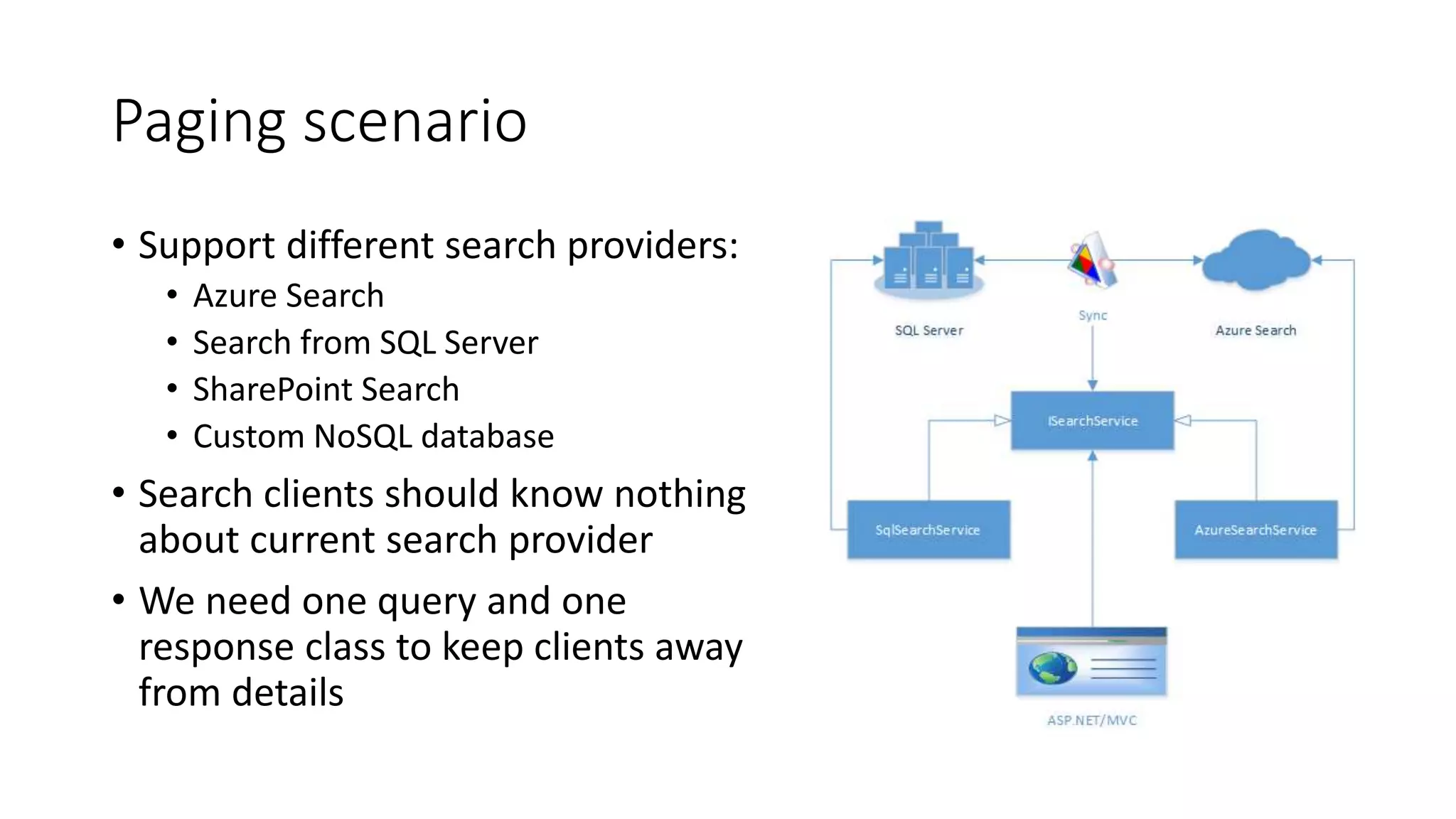
• Support different search providers:
• Azure Search
• Search from SQL Server
• SharePoint Search
• Custom NoSQL database
• Search clients should know nothing
about current search provider
• We need one query and one
response class to keep clients away
from details
Paging
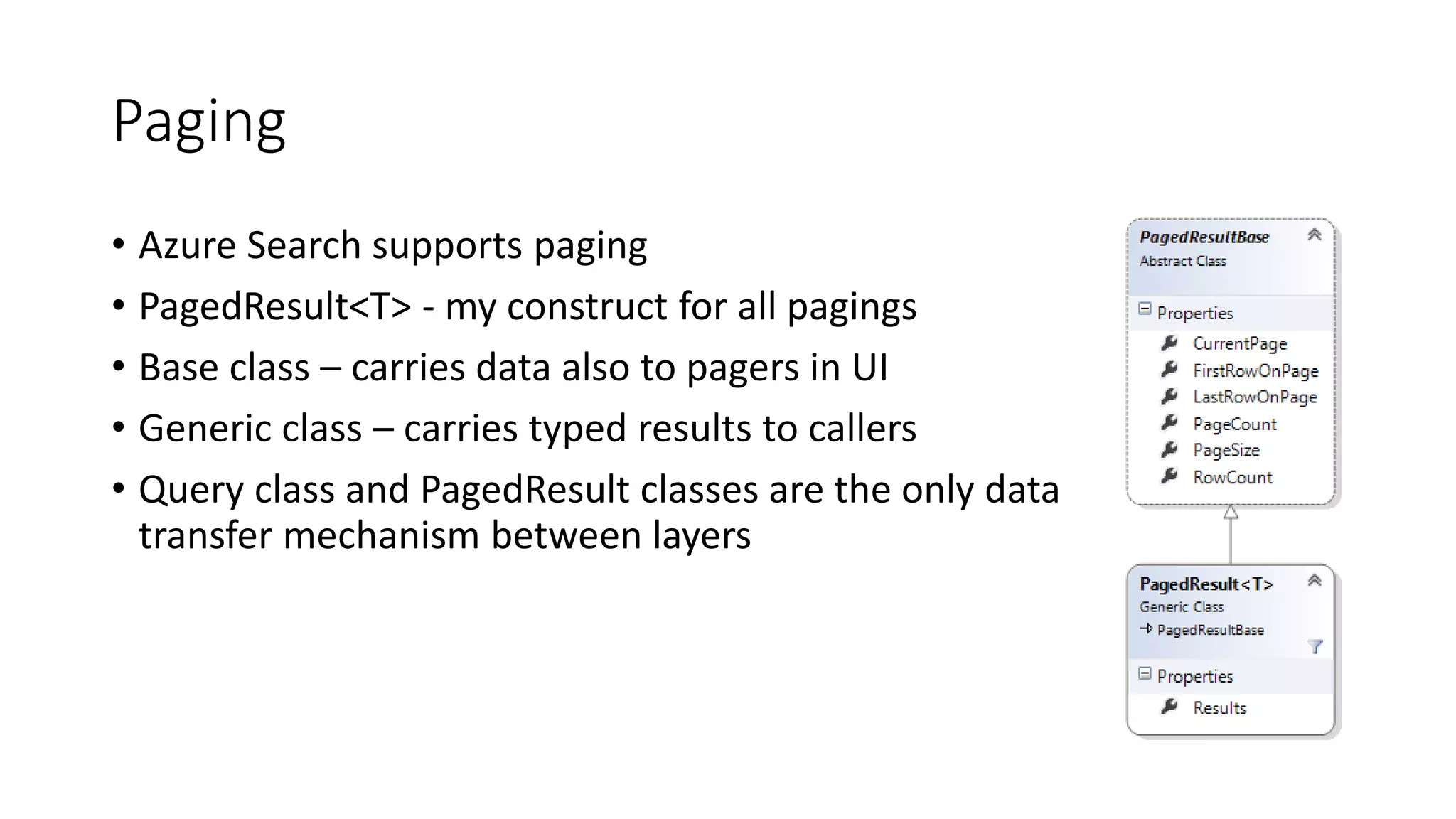
• Azure Search supports paging
• PagedResult<T> - my construct for all pagings
• Base class – carries data also to pagers in UI
• Generic class – carries typed results to callers
• Query class and PagedResult classes are the only data
transfer mechanism between layers
Demo
Scoring profiles
Scoring profiles
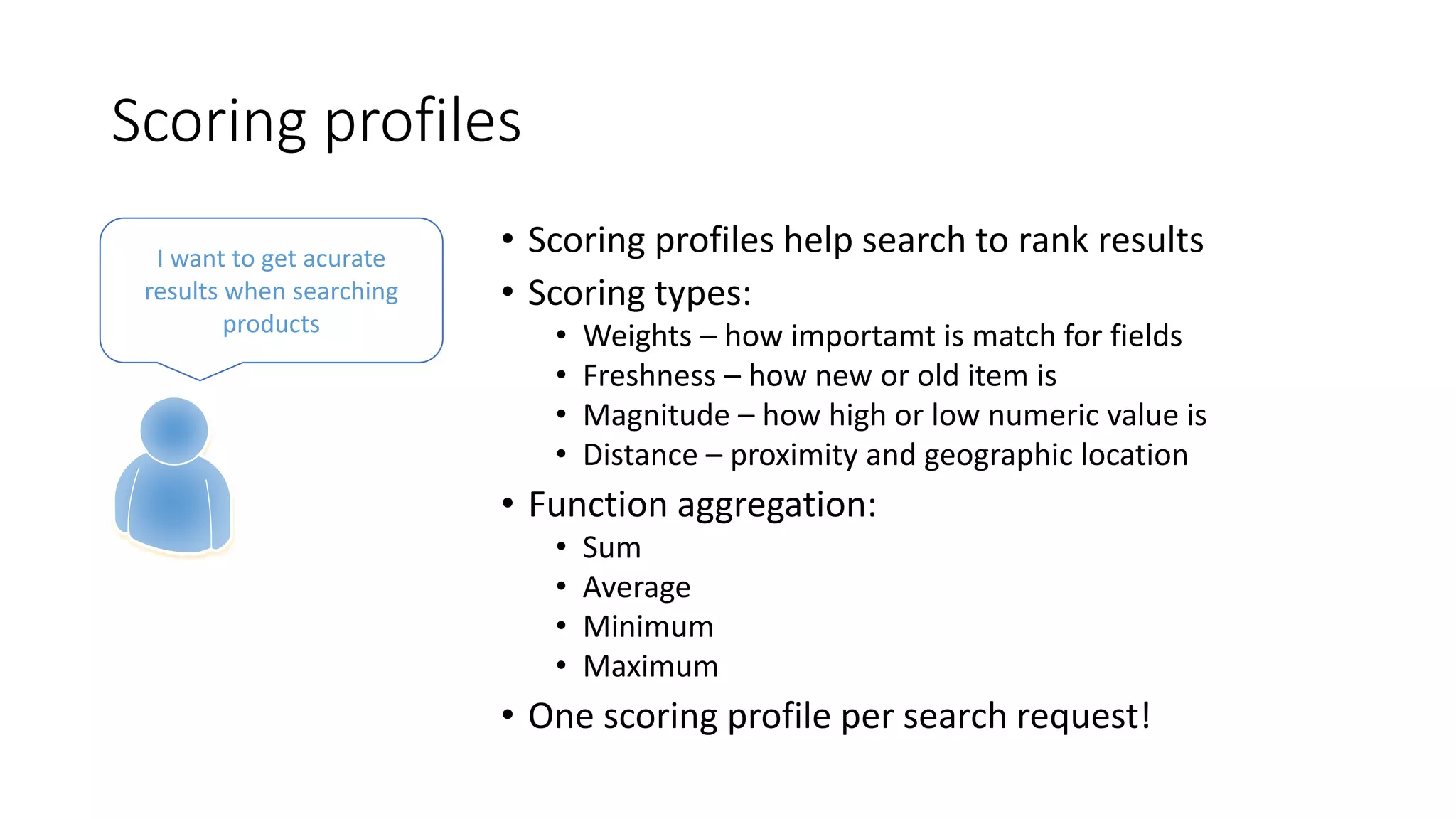
• Scoring profiles help search to rank results
• Scoring types:
• Weights – how importamt is match for fields
• Freshness – how new or old item is
• Magnitude – how high or low numeric value is
• Distance – proximity and geographic location
• Function aggregation:
• Sum
• Average
• Minimum
• Maximum
• One scoring profile per search request!
I want to get acurate
results when searching
products
Demo
Faceted navigation
Faceted navigation
• Facets are those blocks on listings where
visitors can set additional filters
• Example: price range, manufacturers, flight
companies etc
I want simple filters to
narrow down search
results
Demo
Suggesters
Suggesters
• Suggester is „lightweight search“
• Used to look up results from search index
• Works well for auto-complete search boxes
Sometimes I want
suggestions when typing
phrase to search box
Demo
Tag boosting
Tag boosting
• Add groups of tags to products
• Each group can boost up search results rank
for given products
• Example: based on customer preferences
boost up the rank of specific brands
I always want to see my
favorite products first in
listings
Indexers
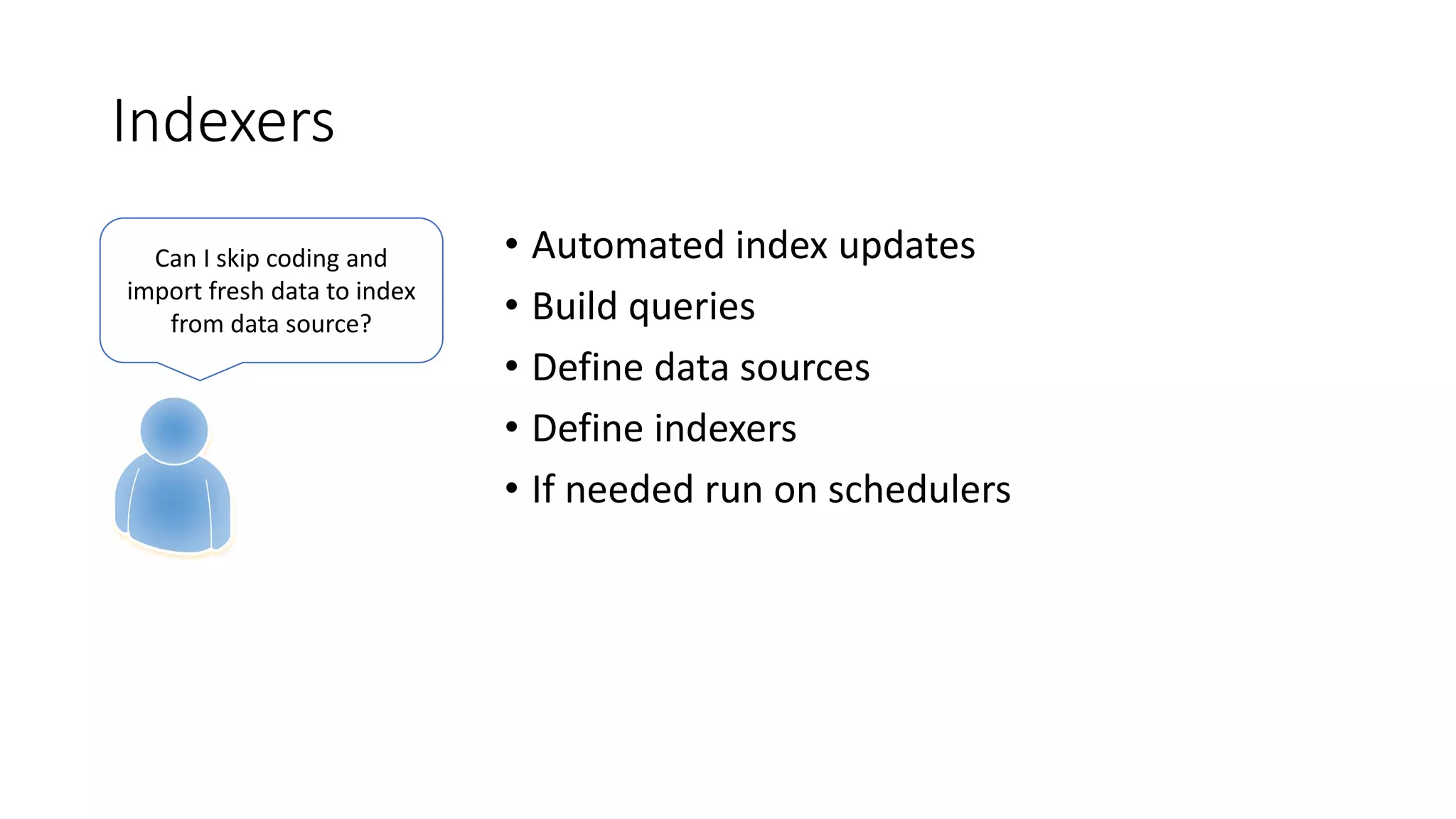
Indexers
• Automated index updates
• Build queries
• Define data sources
• Define indexers
• If needed run on schedulers
Can I skip coding and
import fresh data to index
from data source?
Thanks

Deep-Dive to Azure Search

  • 1.
    Azure Search DeepDive Gunnar Peipman ASP.NET/IIS MVP http://gunnarpeipman.com
  • 2.
    Agenda • Introduction tosearch • Search in Microsoft world • Planning for search • Azure Search demos
  • 3.
  • 4.
    Two types ofpeople 1. Navigation people 2. Search people Q: What do navigation people with search? A: They type in their favorite link catalog URL, search for it and then start navigating again
  • 5.
    Search over time •Simple search scripts • Database search • Search engines • NoSQL • Search services
  • 6.
    Components of searchsystems • Crawler – in web systems finds resources to index • Indexer – adds found resources to search index • Analyzis – performs analyzis of on indexed content • Query – performs search and returns results
  • 7.
  • 8.
    Search technologies thisfar • Desktop search – indexes desktop content (files, mailboxes, media) • Bing – web search • SharePoint search – search from enterprise data, web, and LOB systems
  • 9.
    Azure Search • Desktopsearch – doesn’t scale • Bing – oriented to web • SharePoint Search – extremely powerful but expensive • Azure Search – lightweight custom search offered as a service
  • 10.
    Elastic in thecloud? • Built on top of Elastic Search • Still it is not cloud-hosted Elastic Search • Azure Search has its own JSON-based API-s
  • 11.
  • 12.
    Tips’n’tricks • Search indexmust contain only two types of data: • Data to search • Data to display results • Analyze what data is minimally needed for search • Often search index is flat presentation of some domain classes • If needed use more than one index • Don’t allow users to come out with requirement „search for everything“ – visualize them what everything means
  • 13.
  • 14.
    Creating search index •Join Microsoft Azure • Create free or paid Azure Search service • Use one of these to create search indices: • Use Azure Preview Portal • Use Azure Search library (full .NET only) • Use plain JSON requests (full .NET and CoreCLR) • Configure indices
  • 15.
  • 16.
    Managing index • Updateindex after insert, update and delete • Update index after related data is changed • Support indexing from data sources • Make it easy to refresh all items in index • Keep users away from Azure portal and JSON I want indexing to be easy and automated process
  • 17.
    Managing search index Singleproduct scenario: 1. Product changed 2. Detect change type 3. Update index This flow can be implemented behind inser, update and delete operations.
  • 18.
    Managing search index Multipleproduct scenario: 1. Query for products to index 2. Save changes to index with up to 16K batches Do this when: 1. Product category name changes 2. Products in category have some new attribute 3. Products for query are changed
  • 19.
    Managing search index Allproducts scenario: 1. Create query to retrieve all products 2. Use paging to keep load normal 3. Send changes for page to index 4. You may want to write console application or service for this Do this when: 1. You need to re-create search index 2. Big number of products have changed and there’s no query for detecting changed products
  • 20.
  • 21.
  • 22.
  • 23.
    Paging scenario • Supportdifferent search providers: • Azure Search • Search from SQL Server • SharePoint Search • Custom NoSQL database • Search clients should know nothing about current search provider • We need one query and one response class to keep clients away from details
  • 24.
    Paging • Azure Searchsupports paging • PagedResult<T> - my construct for all pagings • Base class – carries data also to pagers in UI • Generic class – carries typed results to callers • Query class and PagedResult classes are the only data transfer mechanism between layers
  • 25.
  • 26.
    Scoring profiles • Scoringprofiles help search to rank results • Scoring types: • Weights – how importamt is match for fields • Freshness – how new or old item is • Magnitude – how high or low numeric value is • Distance – proximity and geographic location • Function aggregation: • Sum • Average • Minimum • Maximum • One scoring profile per search request! I want to get acurate results when searching products
  • 27.
  • 28.
    Faceted navigation • Facetsare those blocks on listings where visitors can set additional filters • Example: price range, manufacturers, flight companies etc I want simple filters to narrow down search results
  • 29.
  • 30.
    Suggesters • Suggester is„lightweight search“ • Used to look up results from search index • Works well for auto-complete search boxes Sometimes I want suggestions when typing phrase to search box
  • 31.
  • 32.
    Tag boosting • Addgroups of tags to products • Each group can boost up search results rank for given products • Example: based on customer preferences boost up the rank of specific brands I always want to see my favorite products first in listings
  • 33.
  • 34.
    Indexers • Automated indexupdates • Build queries • Define data sources • Define indexers • If needed run on schedulers Can I skip coding and import fresh data to index from data source?
  • 35.

Editor's Notes

  • #30 Show how paged result is implemented on NHibernate/MSSQL Show how paged result is implemented for Azure Search Make a demo
  • #32 Show default results for „oak“ (UI and VS) Comment out scoring profile in search client Show default results for „oak“ again (UI and VS)