INFRASTRUCTURE
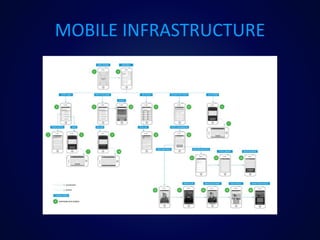
MOBILE INFRASTRUCTURE
FRUSTRATED USERS
DORMANT USERS
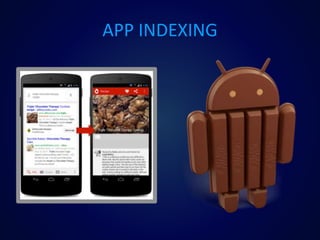
APP INDEXING
Case Studies
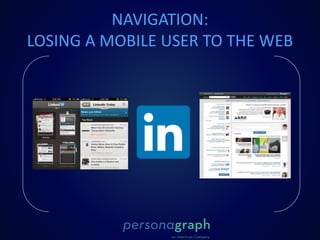
NAVIGATION:
LOSING A MOBILE USER TO THE WEB
DIRECTING USERS TO IN-APP PAGES
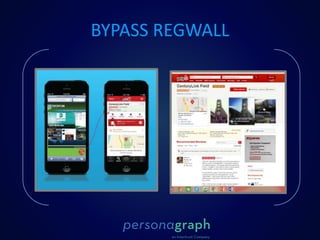
BYPASS REGWALL
MIGRATION TO MOBILE
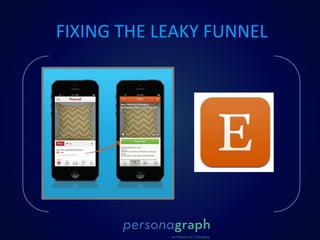
FIXING THE LEAKY FUNNEL
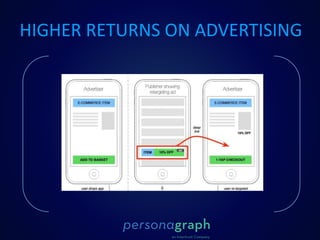
HIGHER RETURNS ON ADVERTISING
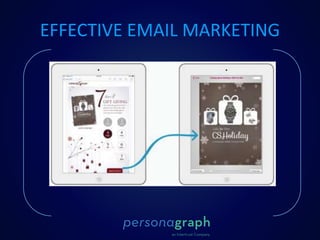
EFFECTIVE EMAIL MARKETING
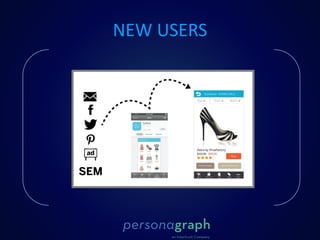
NEW USERS
A DAY WITHOUT THE WEB
Recap
• Circumvent home
page
• No Web Redirects
• Send users to most
relevant screen $$
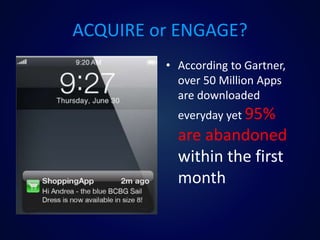
ACQUIRE or ENGAGE?
• According to Gartner,
over 50 Million Apps
are downloaded
everyday yet 95%
are abandoned
within the first
month
Code Examples
1. First, make your app discoverable by implementing a URI scheme
A mobile app URI is an address for an app. Just like a URL is an address for
a website, a URI is the same for an app on a device. Here are a couple
examples:
twitter:// is the iOS URI for twitter
Youtube:// is the iOS URI for YouTube
<scheme name> : <hierarchical part> [ ? <query> ] [ # <fragment> ]
The scheme name consists of a sequence of characters beginning with a
letter and followed by any combination of letters, digits, plus ("+"), period
("."), or hyphen ("-"). Although schemes are case-insensitive, the canonical
form is lowercase and documents that specify schemes must do so with
lowercase letters. It is followed by a colon (":").
1. First, make your app discoverable by implementing a URI scheme
A mobile app URI is an address for an app. Just like a URL is an address
for a website, a URI is the same for an app on a device. Here are a couple
examples:
twitter:// is the iOS URI for twitter
Youtube:// is the iOS URI for YouTube
<scheme name> : <hierarchical part> [ ? <query> ] [ # <fragment> ]
The scheme name consists of a sequence of characters beginning with a
letter and followed by any combination of letters, digits, plus ("+"), period
("."), or hyphen ("-"). Although schemes are case-insensitive, the
canonical form is lowercase and documents that specify schemes must do
so with lowercase letters. It is followed by a colon (":").
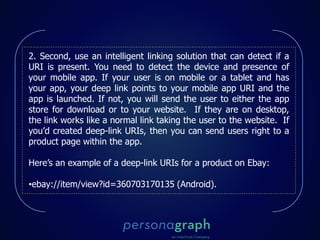
2. Second, use an intelligent linking solution that can detect if a
URI is present. You need to detect the device and presence of
your mobile app. If your user is on mobile or a tablet and has
your app, your deep link points to your mobile app URI and the
app is launched. If not, you will send the user to either the app
store for download or to your website. If they are on desktop,
the link works like a normal link taking the user to the website. If
you’d created deep-link URIs, then you can send users right to a
product page within the app.
Here’s an example of a deep-link URIs for a product on Ebay:
•ebay://item/view?id=360703170135 (Android).
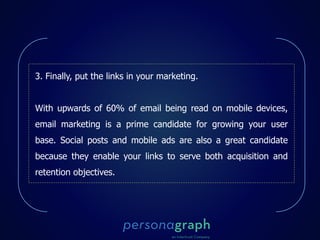
3. Finally, put the links in your marketing.
With upwards of 60% of email being read on mobile devices,
email marketing is a prime candidate for growing your user
base. Social posts and mobile ads are also a great candidate
because they enable your links to serve both acquisition and
retention objectives.
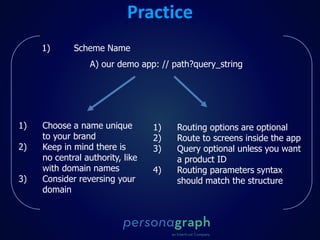
Practice
1) Scheme Name
A) our demo app: // path?query_string
1) Choose a name unique
to your brand
2) Keep in mind there is
no central authority, like
with domain names
3) Consider reversing your
domain
1) Routing options are optional
2) Route to screens inside the app
3) Query optional unless you want
a product ID
4) Routing parameters syntax
should match the structure
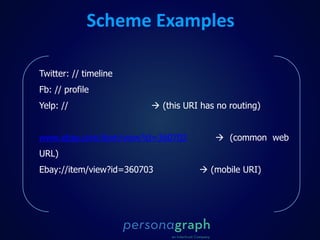
Scheme Examples
Twitter: // timeline
Fb: // profile
Yelp: //  (this URI has no routing)
www.ebay.com/item/view?id=360703  (common web
URL)
Ebay://item/view?id=360703  (mobile URI)
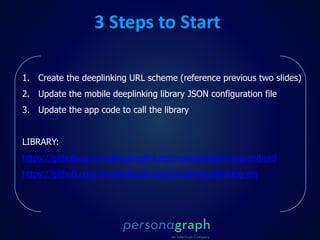
3 Steps to Start
1. Create the deeplinking URL scheme (reference previous two slides)
2. Update the mobile deeplinking library JSON configuration file
3. Update the app code to call the library
LIBRARY:
https://github.com/mobiledeeplinking/mobiledeeplinking-android
https://github.com/mobiledeeplinking/mobiledeeplinking-ios
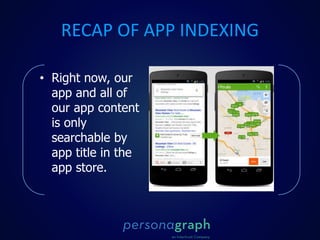
RECAP OF APP INDEXING
• Right now, our
app and all of
our app content
is only
searchable by
app title in the
app store.
INTERMISSION: ADD URI SRUCTURE
•Choosing a URI format
 For a reliable and smooth user experience, it is imperative that you
select a URI format that will never be used by a different app.
Conflicts can lead to unexpected and undesired behavior.
 It is highly recommended that your URI format use a scheme name
derived from your product, company, and/or domain name, and that it
is sufficiently specific that it is unlikely to be selected by someone else.
 For the purposes of simply launching your app, a URI with only a
scheme (e.g. companyname-productname:) will suffice; as you
approach more advanced features such as deep-linking, using
additional URI components such as the authority, path, query, and/or
fragment will be required to pass data within the link to your app
1. Add an android.intent.action.VIEW intent filter for your main application
activity (and/or any others you want launchable via a link).
2. Add the android.intent.category.DEFAULT category to the intent filter. This
means that the intent that launches it can be implicit, and not necessarily
requesting your particular activity explicitly.
3. Add the android.intent.category.BROWSABLE category to the intent filter. This
makes the URI usable from the browser/links, and not just other apps on the
device.
4. Specify the criteria for your custom URI in the data element. Android breaks it
down, so you can include a scheme, host, path, etc. individually. You should at
minimum have a scheme, one that is unlikely to be used by anyone else. Only
URIs that match every element you have included in the data element of the
intent filter will invoke your activity.
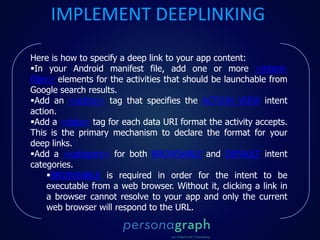
Here is how to specify a deep link to your app content:
In your Android manifest file, add one or more <intent-
filter> elements for the activities that should be launchable from
Google search results.
Add an <action> tag that specifies the ACTION_VIEW intent
action.
Add a <data> tag for each data URI format the activity accepts.
This is the primary mechanism to declare the format for your
deep links.
Add a <category> for both BROWSABLE and DEFAULT intent
categories.
BROWSABLE is required in order for the intent to be
executable from a web browser. Without it, clicking a link in
a browser cannot resolve to your app and only the current
web browser will respond to the URL.
IMPLEMENT DEEPLINKING
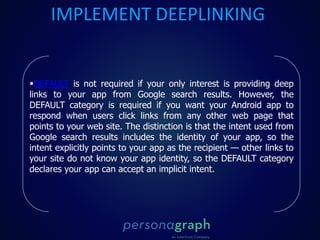
DEFAULT is not required if your only interest is providing deep
links to your app from Google search results. However, the
DEFAULT category is required if you want your Android app to
respond when users click links from any other web page that
points to your web site. The distinction is that the intent used from
Google search results includes the identity of your app, so the
intent explicitly points to your app as the recipient — other links to
your site do not know your app identity, so the DEFAULT category
declares your app can accept an implicit intent.
IMPLEMENT DEEPLINKING
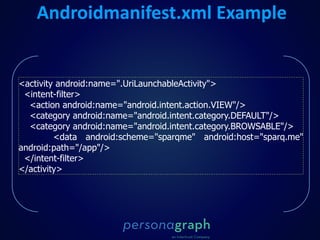
<activity android:name=".UriLaunchableActivity">
<intent-filter>
<action android:name="android.intent.action.VIEW"/>
<category android:name="android.intent.category.DEFAULT"/>
<category android:name="android.intent.category.BROWSABLE"/>
<data android:scheme="sparqme" android:host="sparq.me"
android:path="/app"/>
</intent-filter>
</activity>
Androidmanifest.xml Example
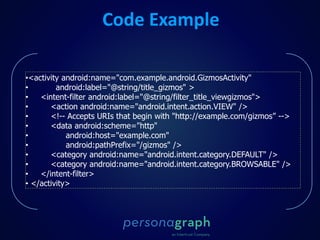
Code Example
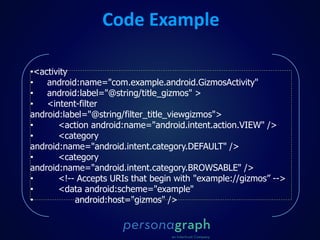
•<activity android:name="com.example.android.GizmosActivity"
• android:label="@string/title_gizmos" >
• <intent-filter android:label="@string/filter_title_viewgizmos">
• <action android:name="android.intent.action.VIEW" />
• <!-- Accepts URIs that begin with "http://example.com/gizmos” -->
• <data android:scheme="http"
• android:host="example.com"
• android:pathPrefix="/gizmos" />
• <category android:name="android.intent.category.DEFAULT" />
• <category android:name="android.intent.category.BROWSABLE" />
• </intent-filter>
• </activity>
•<activity
• android:name="com.example.android.GizmosActivity"
• android:label="@string/title_gizmos" >
• <intent-filter
android:label="@string/filter_title_viewgizmos">
• <action android:name="android.intent.action.VIEW" />
• <category
android:name="android.intent.category.DEFAULT" />
• <category
android:name="android.intent.category.BROWSABLE" />
• <!-- Accepts URIs that begin with "example://gizmos” -->
• <data android:scheme="example"
• android:host="gizmos" />
Code Example
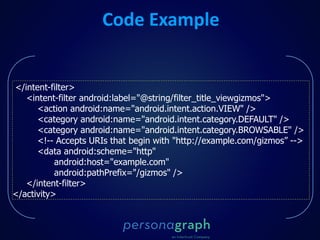
</intent-filter>
<intent-filter android:label="@string/filter_title_viewgizmos">
<action android:name="android.intent.action.VIEW" />
<category android:name="android.intent.category.DEFAULT" />
<category android:name="android.intent.category.BROWSABLE" />
<!-- Accepts URIs that begin with "http://example.com/gizmos” -->
<data android:scheme="http"
android:host="example.com"
android:pathPrefix="/gizmos" />
</intent-filter>
</activity>
Code Example
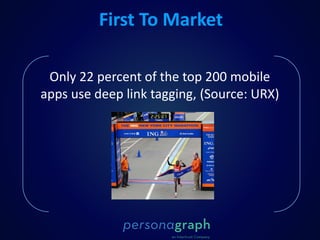
Only 22 percent of the top 200 mobile
apps use deep link tagging, (Source: URX)
First To Market
Personagraph is a mobile start up that helps make
mobile user understanding possible and actionable
using in-app and out-of-the app signals. Maximize user
value and mobile revenue using our analytics,
engagement, & monetization products.
Personagraph is an Intertrust company that champions
user privacy.
Who Are We?
Deep linking slides

Deep linking slides

  • 2.
  • 3.
  • 4.
  • 5.
  • 6.
  • 7.
  • 8.
  • 9.
    DIRECTING USERS TOIN-APP PAGES
  • 10.
  • 11.
  • 12.
  • 13.
    HIGHER RETURNS ONADVERTISING
  • 14.
  • 15.
  • 16.
  • 17.
    Recap • Circumvent home page •No Web Redirects • Send users to most relevant screen $$
  • 18.
    ACQUIRE or ENGAGE? •According to Gartner, over 50 Million Apps are downloaded everyday yet 95% are abandoned within the first month
  • 19.
  • 20.
    1. First, makeyour app discoverable by implementing a URI scheme A mobile app URI is an address for an app. Just like a URL is an address for a website, a URI is the same for an app on a device. Here are a couple examples: twitter:// is the iOS URI for twitter Youtube:// is the iOS URI for YouTube <scheme name> : <hierarchical part> [ ? <query> ] [ # <fragment> ] The scheme name consists of a sequence of characters beginning with a letter and followed by any combination of letters, digits, plus ("+"), period ("."), or hyphen ("-"). Although schemes are case-insensitive, the canonical form is lowercase and documents that specify schemes must do so with lowercase letters. It is followed by a colon (":").
  • 21.
    1. First, makeyour app discoverable by implementing a URI scheme A mobile app URI is an address for an app. Just like a URL is an address for a website, a URI is the same for an app on a device. Here are a couple examples: twitter:// is the iOS URI for twitter Youtube:// is the iOS URI for YouTube <scheme name> : <hierarchical part> [ ? <query> ] [ # <fragment> ] The scheme name consists of a sequence of characters beginning with a letter and followed by any combination of letters, digits, plus ("+"), period ("."), or hyphen ("-"). Although schemes are case-insensitive, the canonical form is lowercase and documents that specify schemes must do so with lowercase letters. It is followed by a colon (":").
  • 22.
    2. Second, usean intelligent linking solution that can detect if a URI is present. You need to detect the device and presence of your mobile app. If your user is on mobile or a tablet and has your app, your deep link points to your mobile app URI and the app is launched. If not, you will send the user to either the app store for download or to your website. If they are on desktop, the link works like a normal link taking the user to the website. If you’d created deep-link URIs, then you can send users right to a product page within the app. Here’s an example of a deep-link URIs for a product on Ebay: •ebay://item/view?id=360703170135 (Android).
  • 23.
    3. Finally, putthe links in your marketing. With upwards of 60% of email being read on mobile devices, email marketing is a prime candidate for growing your user base. Social posts and mobile ads are also a great candidate because they enable your links to serve both acquisition and retention objectives.
  • 24.
    Practice 1) Scheme Name A)our demo app: // path?query_string 1) Choose a name unique to your brand 2) Keep in mind there is no central authority, like with domain names 3) Consider reversing your domain 1) Routing options are optional 2) Route to screens inside the app 3) Query optional unless you want a product ID 4) Routing parameters syntax should match the structure
  • 25.
    Scheme Examples Twitter: //timeline Fb: // profile Yelp: //  (this URI has no routing) www.ebay.com/item/view?id=360703  (common web URL) Ebay://item/view?id=360703  (mobile URI)
  • 26.
    3 Steps toStart 1. Create the deeplinking URL scheme (reference previous two slides) 2. Update the mobile deeplinking library JSON configuration file 3. Update the app code to call the library LIBRARY: https://github.com/mobiledeeplinking/mobiledeeplinking-android https://github.com/mobiledeeplinking/mobiledeeplinking-ios
  • 27.
    RECAP OF APPINDEXING • Right now, our app and all of our app content is only searchable by app title in the app store.
  • 28.
    INTERMISSION: ADD URISRUCTURE •Choosing a URI format  For a reliable and smooth user experience, it is imperative that you select a URI format that will never be used by a different app. Conflicts can lead to unexpected and undesired behavior.  It is highly recommended that your URI format use a scheme name derived from your product, company, and/or domain name, and that it is sufficiently specific that it is unlikely to be selected by someone else.  For the purposes of simply launching your app, a URI with only a scheme (e.g. companyname-productname:) will suffice; as you approach more advanced features such as deep-linking, using additional URI components such as the authority, path, query, and/or fragment will be required to pass data within the link to your app
  • 29.
    1. Add anandroid.intent.action.VIEW intent filter for your main application activity (and/or any others you want launchable via a link). 2. Add the android.intent.category.DEFAULT category to the intent filter. This means that the intent that launches it can be implicit, and not necessarily requesting your particular activity explicitly. 3. Add the android.intent.category.BROWSABLE category to the intent filter. This makes the URI usable from the browser/links, and not just other apps on the device. 4. Specify the criteria for your custom URI in the data element. Android breaks it down, so you can include a scheme, host, path, etc. individually. You should at minimum have a scheme, one that is unlikely to be used by anyone else. Only URIs that match every element you have included in the data element of the intent filter will invoke your activity.
  • 30.
    Here is howto specify a deep link to your app content: In your Android manifest file, add one or more <intent- filter> elements for the activities that should be launchable from Google search results. Add an <action> tag that specifies the ACTION_VIEW intent action. Add a <data> tag for each data URI format the activity accepts. This is the primary mechanism to declare the format for your deep links. Add a <category> for both BROWSABLE and DEFAULT intent categories. BROWSABLE is required in order for the intent to be executable from a web browser. Without it, clicking a link in a browser cannot resolve to your app and only the current web browser will respond to the URL. IMPLEMENT DEEPLINKING
  • 31.
    DEFAULT is notrequired if your only interest is providing deep links to your app from Google search results. However, the DEFAULT category is required if you want your Android app to respond when users click links from any other web page that points to your web site. The distinction is that the intent used from Google search results includes the identity of your app, so the intent explicitly points to your app as the recipient — other links to your site do not know your app identity, so the DEFAULT category declares your app can accept an implicit intent. IMPLEMENT DEEPLINKING
  • 32.
    <activity android:name=".UriLaunchableActivity"> <intent-filter> <action android:name="android.intent.action.VIEW"/> <categoryandroid:name="android.intent.category.DEFAULT"/> <category android:name="android.intent.category.BROWSABLE"/> <data android:scheme="sparqme" android:host="sparq.me" android:path="/app"/> </intent-filter> </activity> Androidmanifest.xml Example
  • 33.
    Code Example •<activity android:name="com.example.android.GizmosActivity" •android:label="@string/title_gizmos" > • <intent-filter android:label="@string/filter_title_viewgizmos"> • <action android:name="android.intent.action.VIEW" /> • <!-- Accepts URIs that begin with "http://example.com/gizmos” --> • <data android:scheme="http" • android:host="example.com" • android:pathPrefix="/gizmos" /> • <category android:name="android.intent.category.DEFAULT" /> • <category android:name="android.intent.category.BROWSABLE" /> • </intent-filter> • </activity>
  • 34.
    •<activity • android:name="com.example.android.GizmosActivity" • android:label="@string/title_gizmos"> • <intent-filter android:label="@string/filter_title_viewgizmos"> • <action android:name="android.intent.action.VIEW" /> • <category android:name="android.intent.category.DEFAULT" /> • <category android:name="android.intent.category.BROWSABLE" /> • <!-- Accepts URIs that begin with "example://gizmos” --> • <data android:scheme="example" • android:host="gizmos" /> Code Example
  • 35.
    </intent-filter> <intent-filter android:label="@string/filter_title_viewgizmos"> <action android:name="android.intent.action.VIEW"/> <category android:name="android.intent.category.DEFAULT" /> <category android:name="android.intent.category.BROWSABLE" /> <!-- Accepts URIs that begin with "http://example.com/gizmos” --> <data android:scheme="http" android:host="example.com" android:pathPrefix="/gizmos" /> </intent-filter> </activity> Code Example
  • 36.
    Only 22 percentof the top 200 mobile apps use deep link tagging, (Source: URX) First To Market
  • 38.
    Personagraph is amobile start up that helps make mobile user understanding possible and actionable using in-app and out-of-the app signals. Maximize user value and mobile revenue using our analytics, engagement, & monetization products. Personagraph is an Intertrust company that champions user privacy. Who Are We?

Editor's Notes

  • #15 From Marketing Email to the Mobile App – NO HOME PAGE / NO LOGIN REQUIRED. 6 X Return
  • #18 We want to circumvent the home page when a new user or returning user comes to our app We worked hard developing our native apps and do not want the user to be redirected to the web for simple in-app requests In order to increase the revenue in our app, we’d like to have a user access specific in-app product pages Our advertising partners and marketing partners find more value in the mobile users we have acquired.
  • #28 Utilize search engines and other query methods for our in-app content.
  • #37 For Android Apps, only 14% are launch-able via external links & only 8% have deep-linking capabilities
  • #39 Personagraph slide