DEBUGGING
SUBMITTED BY
S.PRIYANKA
P.KALAISELVI
A.VIDYA
What id debugging?
Debugging is the process of finding and resolving of
defects that prevent correct operation of computer
software or a system.
 Mistake made by programmers
Also(and maybe better) called:
Errors
Defects
Faults
Basic Steps
Recognize that a bug exists
Isolate the source of the bug
Identify the cause of the bug
Determine a fix for the bug
Apply the fix and test it
cognize that
Sources of Bugs
 Bad Design
 Wrong/incorrect solution to problem
 From system-level to statement-level
 Insufficient Isolation
 Changes in one area affect another
 Typos
 Entered wrong text, chose wrong variable
 Later changes/fixes that aren’t complete
 A change in one area affects another
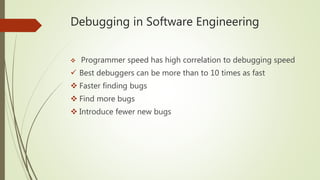
Debugging in Software Engineering
 Programmer speed has high correlation to debugging speed
 Best debuggers can be more than to 10 times as fast
 Faster finding bugs
 Find more bugs
 Introduce fewer new bugs
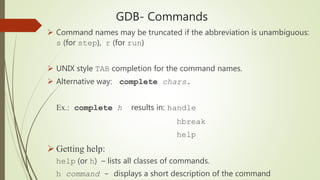
GDB- Commands
 Command names may be truncated if the abbreviation is unambiguous:
s (for step), r (for run)
 UNIX style TAB completion for the command names.
 Alternative way: complete chars.
Ex.: complete h results in: handle
hbreak
help
 Getting help:
help (or h) – lists all classes of commands.
h command - displays a short description of the command
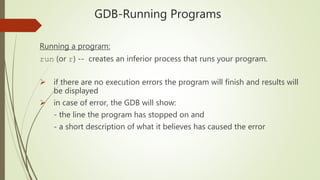
GDB-Running Programs
Running a program:
run (or r) -- creates an inferior process that runs your program.
 if there are no execution errors the program will finish and results will
be displayed
 in case of error, the GDB will show:
- the line the program has stopped on and
- a short description of what it believes has caused the error
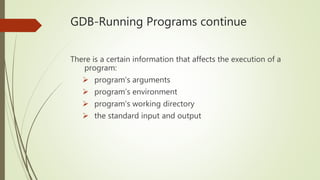
GDB-Running Programs continue
There is a certain information that affects the execution of a
program:
 program’s arguments
 program’s environment
 program’s working directory
 the standard input and output
Way NOT to Debug
 Guess at what’s causing it
 Don’t try to understand what’s causing it
 Fix the symptom instead of the cause
 Special case code
 Blame it on someone else’s code
 Only after extensive testing/proof
 Blame it on the compiler/ computer
 Yes, it happens, but almost never is this the read cause

Debugging

  • 1.
  • 2.
    What id debugging? Debuggingis the process of finding and resolving of defects that prevent correct operation of computer software or a system.  Mistake made by programmers Also(and maybe better) called: Errors Defects Faults
  • 3.
    Basic Steps Recognize thata bug exists Isolate the source of the bug Identify the cause of the bug Determine a fix for the bug Apply the fix and test it cognize that
  • 4.
    Sources of Bugs Bad Design  Wrong/incorrect solution to problem  From system-level to statement-level  Insufficient Isolation  Changes in one area affect another  Typos  Entered wrong text, chose wrong variable  Later changes/fixes that aren’t complete  A change in one area affects another
  • 5.
    Debugging in SoftwareEngineering  Programmer speed has high correlation to debugging speed  Best debuggers can be more than to 10 times as fast  Faster finding bugs  Find more bugs  Introduce fewer new bugs
  • 6.
    GDB- Commands  Commandnames may be truncated if the abbreviation is unambiguous: s (for step), r (for run)  UNIX style TAB completion for the command names.  Alternative way: complete chars. Ex.: complete h results in: handle hbreak help  Getting help: help (or h) – lists all classes of commands. h command - displays a short description of the command
  • 7.
    GDB-Running Programs Running aprogram: run (or r) -- creates an inferior process that runs your program.  if there are no execution errors the program will finish and results will be displayed  in case of error, the GDB will show: - the line the program has stopped on and - a short description of what it believes has caused the error
  • 8.
    GDB-Running Programs continue Thereis a certain information that affects the execution of a program:  program’s arguments  program’s environment  program’s working directory  the standard input and output
  • 9.
    Way NOT toDebug  Guess at what’s causing it  Don’t try to understand what’s causing it  Fix the symptom instead of the cause  Special case code  Blame it on someone else’s code  Only after extensive testing/proof  Blame it on the compiler/ computer  Yes, it happens, but almost never is this the read cause