DBMS(Oracle 9i SQL)
Introduction
Part-1
Contents
 DBMS
 DB
 RDB
 Properties of RDB
 Data Model
 ER-Model
 Benefits and Components of ER- Model
 Symbols of ER-Diagram
 Entity Relationship Modeling
Conventions
 RDBMS Features (Oracle 9i)
 Oracle Components
 Bibliography
DBMS
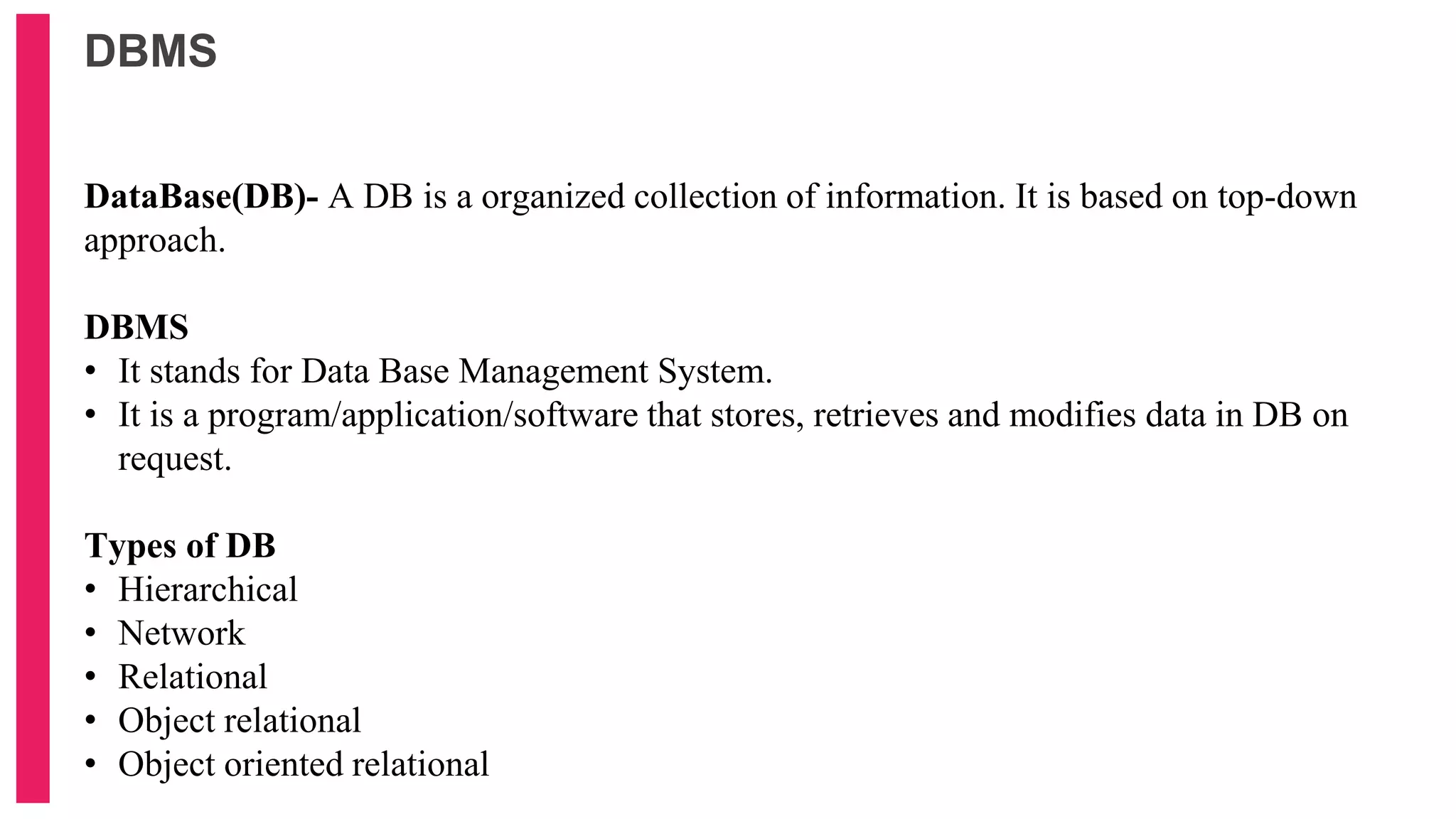
DataBase(DB)- A DB is a organized collection of information. It is based on top-down
approach.
DBMS
• It stands for Data Base Management System.
• It is a program/application/software that stores, retrieves and modifies data in DB on
request.
Types of DB
• Hierarchical
• Network
• Relational
• Object relational
• Object oriented relational
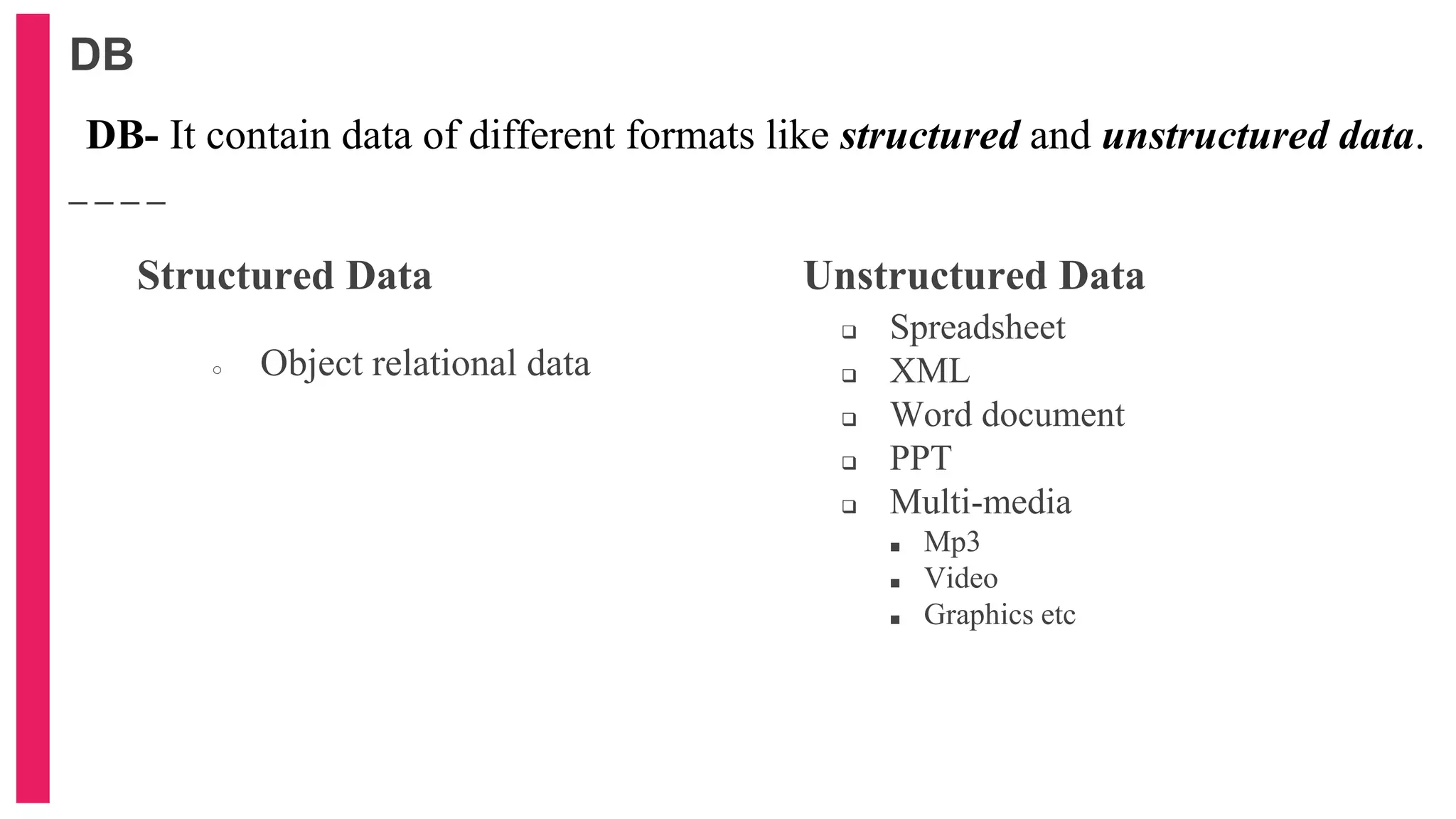
DB
Structured Data
○ Object relational data
Unstructured Data
 Spreadsheet
 XML
 Word document
 PPT
 Multi-media
■ Mp3
■ Video
■ Graphics etc
DB- It contain data of different formats like structured and unstructured data.
Relational Database(RDB) Concept
• Dr. E.F. Codd proposed the relational model for DB systems in 1970.
• It is the basis for the Relational Database Management System (RDBMS).
• The relational model consists of the following:
 Collection of objects or relations
 Set of operators to act on the relations
 Data integrity for accuracy and consistency
RDB- It is a collection of relation or 2-D tables.
e,g,- emp table, student table
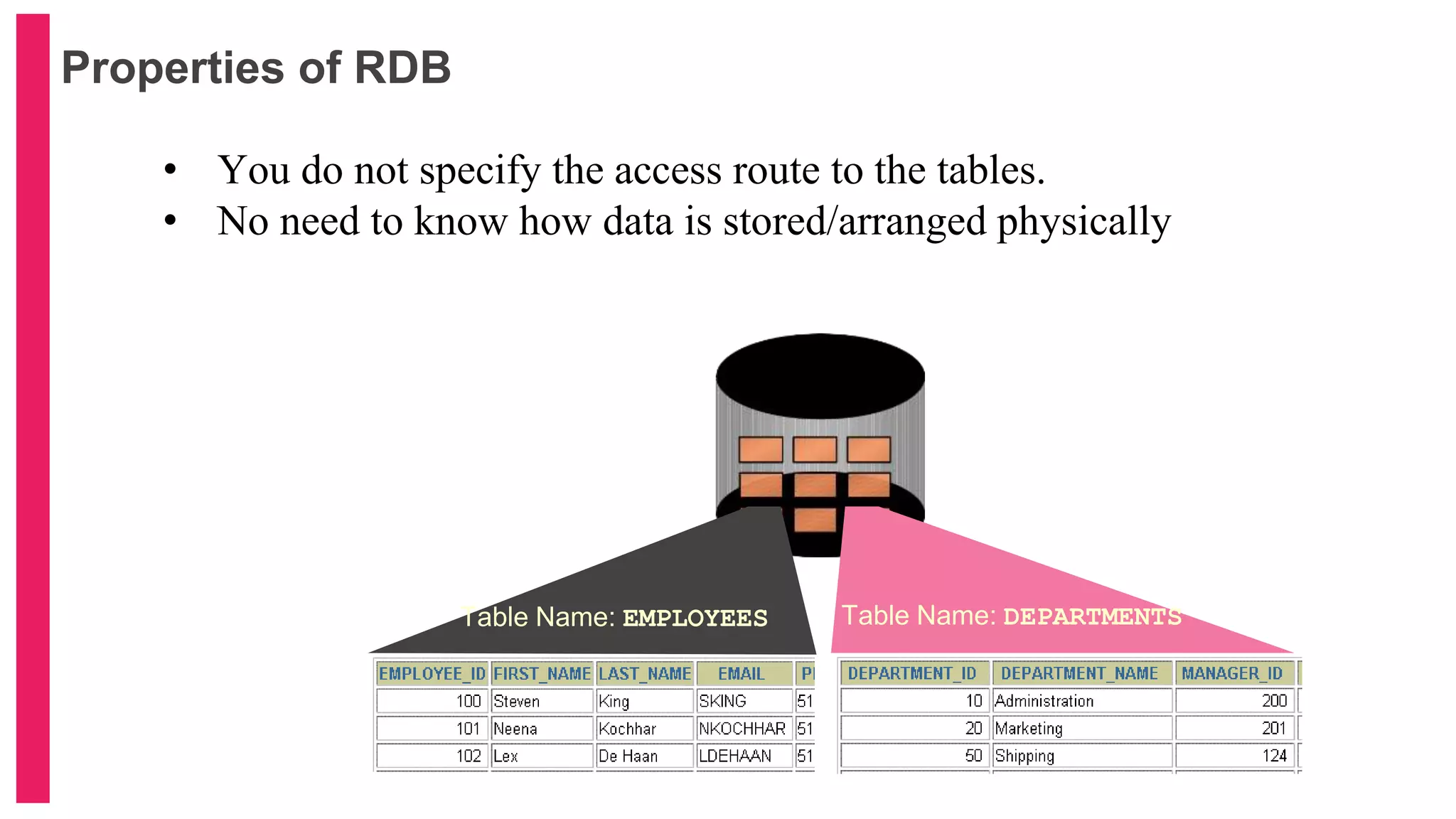
Properties of RDB
• You do not specify the access route to the tables.
• No need to know how data is stored/arranged physically
Table Name: EMPLOYEES Table Name: DEPARTMENTS
… …
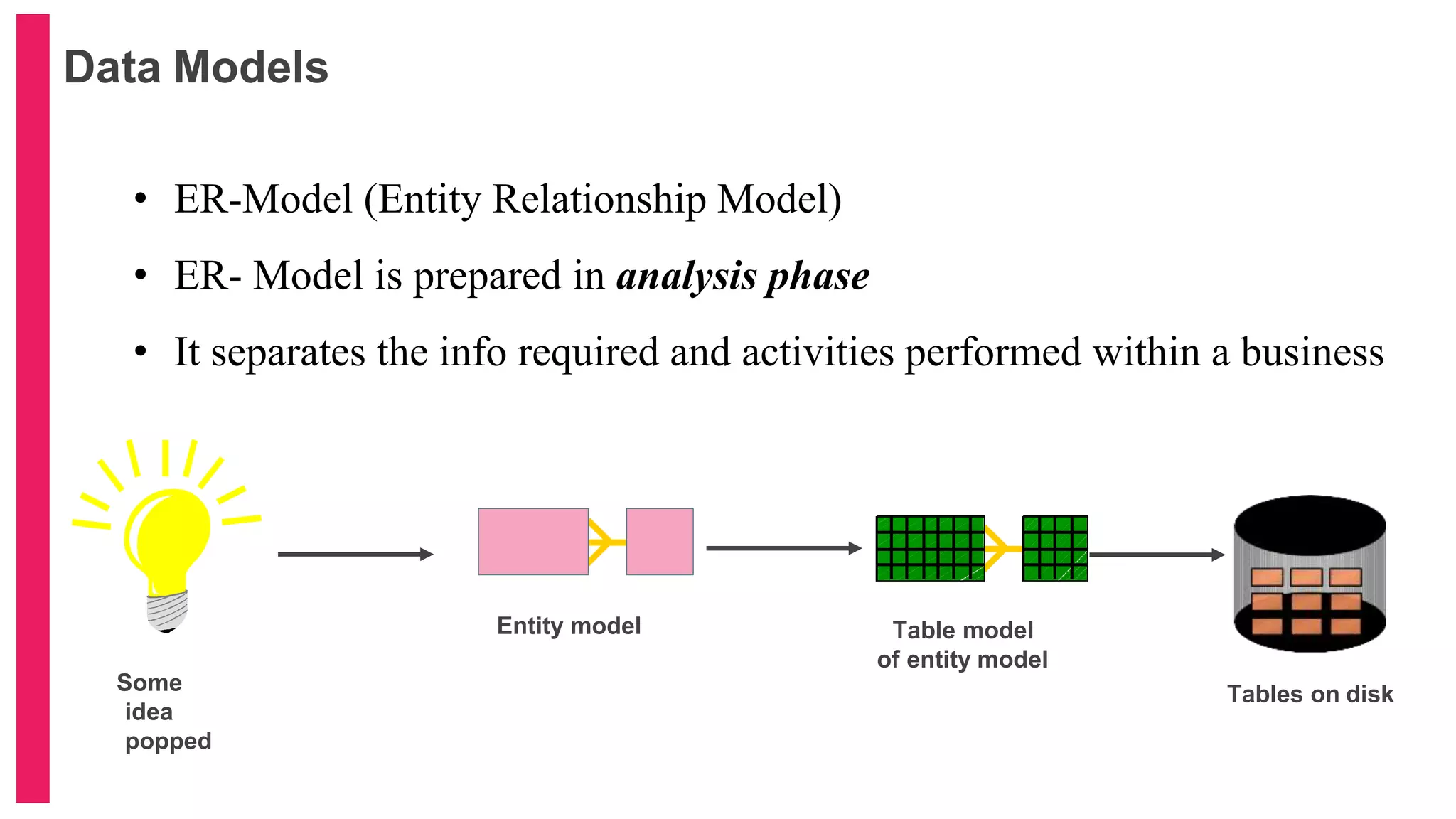
Data Models
Entity model
Tables on disk
Oracle
server
Table model
of entity model
Some
idea
popped
• ER-Model (Entity Relationship Model)
• ER- Model is prepared in analysis phase
• It separates the info required and activities performed within a business
Benefits and Components of ER- Model
Benefits of ER-Model
○ Documents information
○ Scope of information required
○ DB design understanding
○ Framework for integrating multiple application
Components of ER-Model
○ Entity- Information to be known (Table)
○ Attribute- describe of qualifies entity (column)
○ Relationship- degree/cardinality
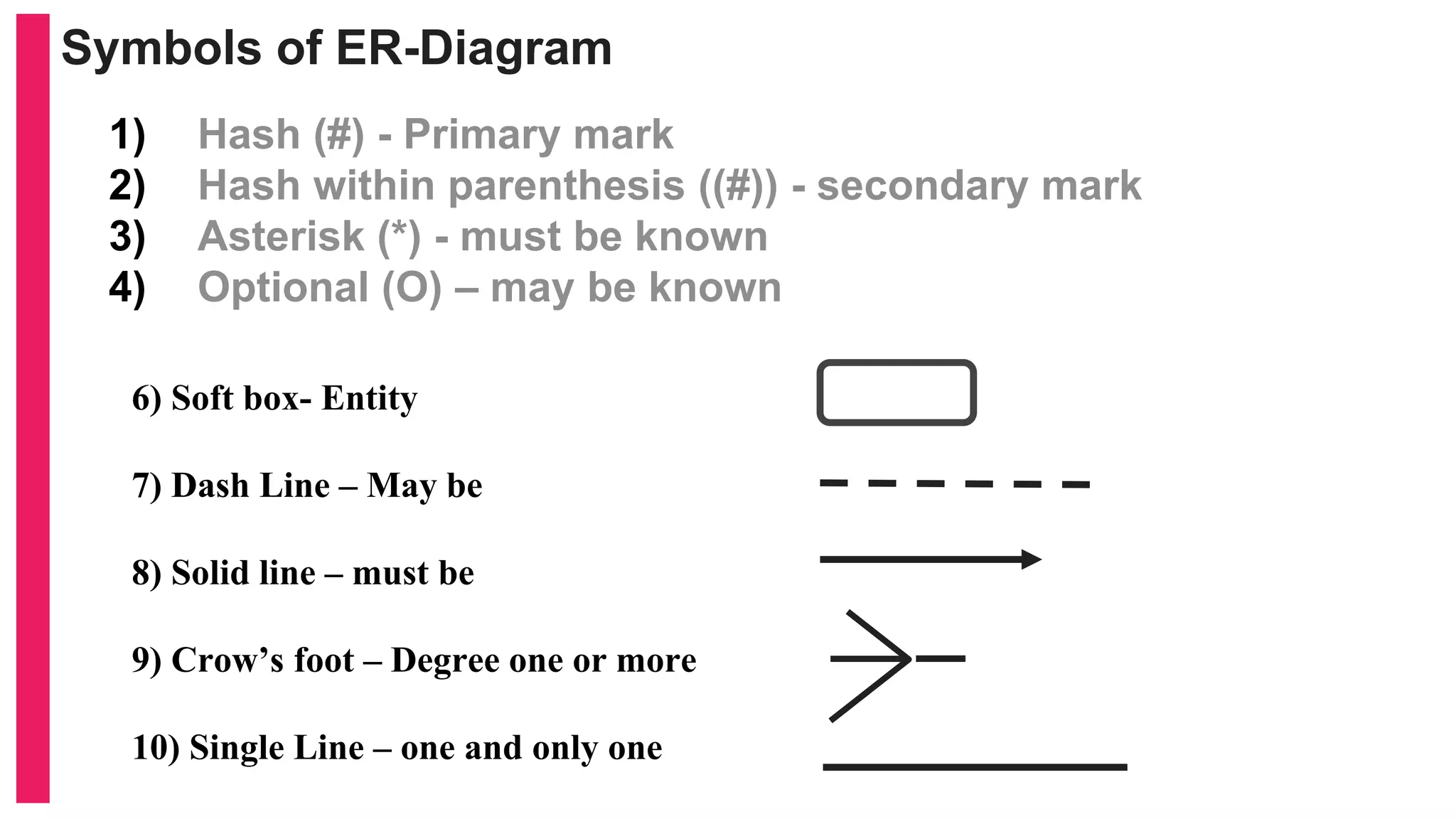
Symbols of ER-Diagram
1) Hash (#) - Primary mark
2) Hash within parenthesis ((#)) - secondary mark
3) Asterisk (*) - must be known
4) Optional (O) – may be known
6) Soft box- Entity
7) Dash Line – May be
8) Solid line – must be
9) Crow’s foot – Degree one or more
10) Single Line – one and only one
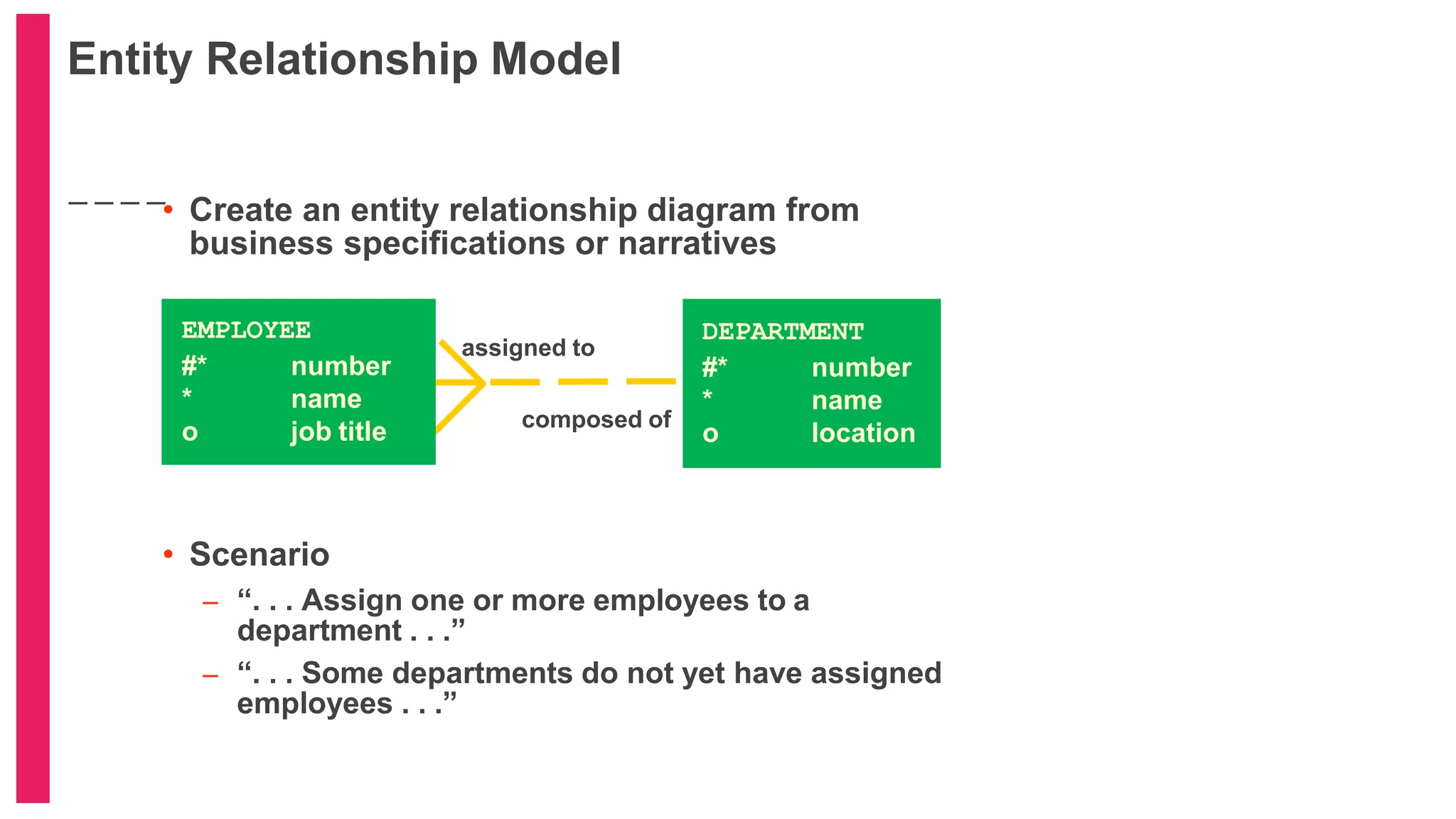
• Create an entity relationship diagram from
business specifications or narratives
• Scenario
– “. . . Assign one or more employees to a
department . . .”
– “. . . Some departments do not yet have assigned
employees . . .”
Entity Relationship Model
EMPLOYEE
#*
*
o
number
name
job title
DEPARTMENT
#*
*
o
number
name
location
assigned to
composed of
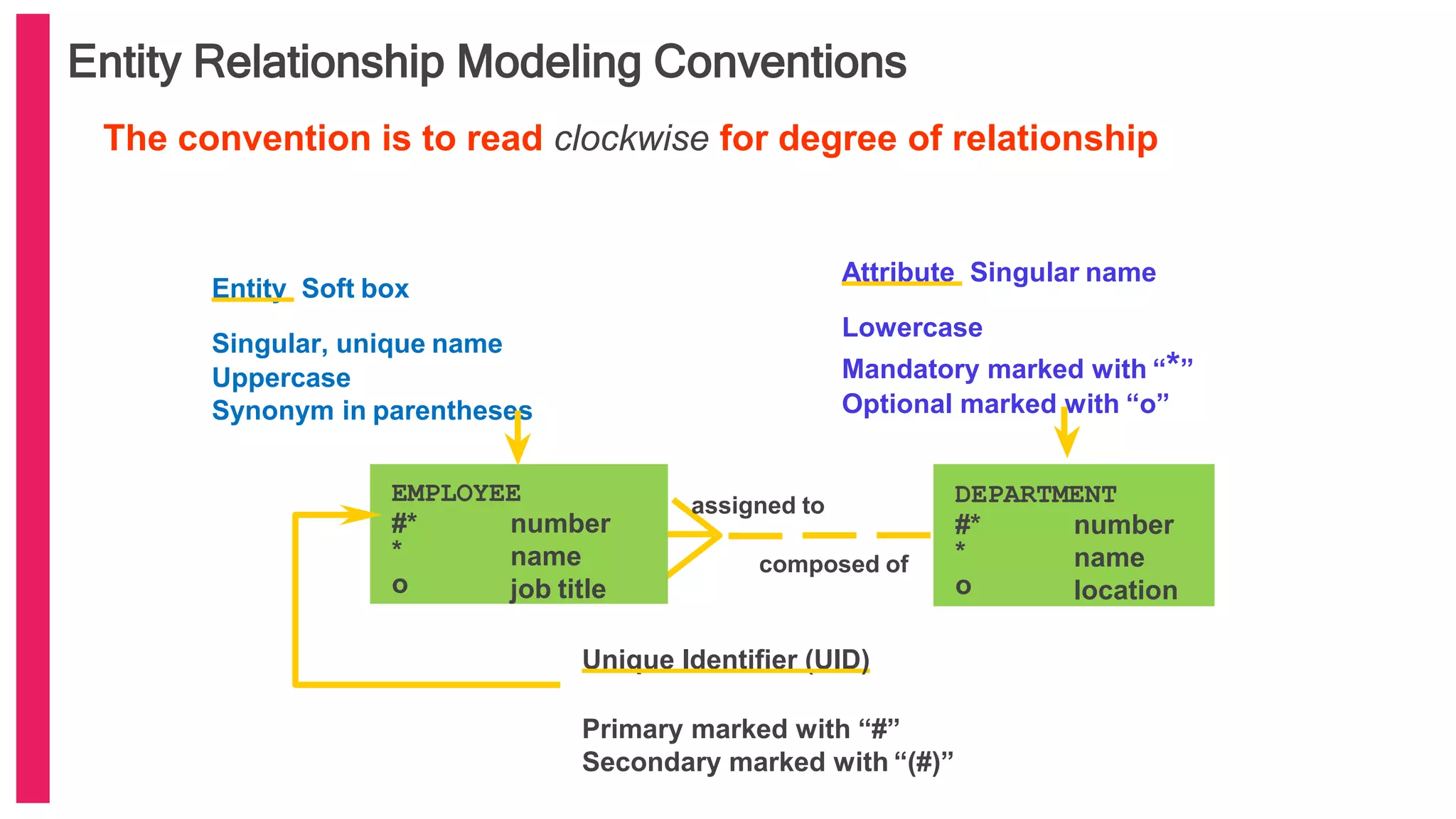
Entity Relationship Modeling Conventions
Entity Soft box
Singular, unique name
Uppercase
Synonym in parentheses
Attribute Singular name
Lowercase
Mandatory marked with “*”
Optional marked with “o”
Unique Identifier (UID)
Primary marked with “#”
Secondary marked with “(#)”
EMPLOYEE
#*
*
o
number
name
job title
DEPARTMENT
#*
*
o
number
name
location
assigned to
composed of
The convention is to read clockwise for degree of relationship
RDBMS Features (Oracle 9i)
• Can use PL/SQL
• Supports Java and XML
• Retrieval on optimization techniques
• Security of data
• Access
• usage
• Consistency
• Protection- by locking mechanism
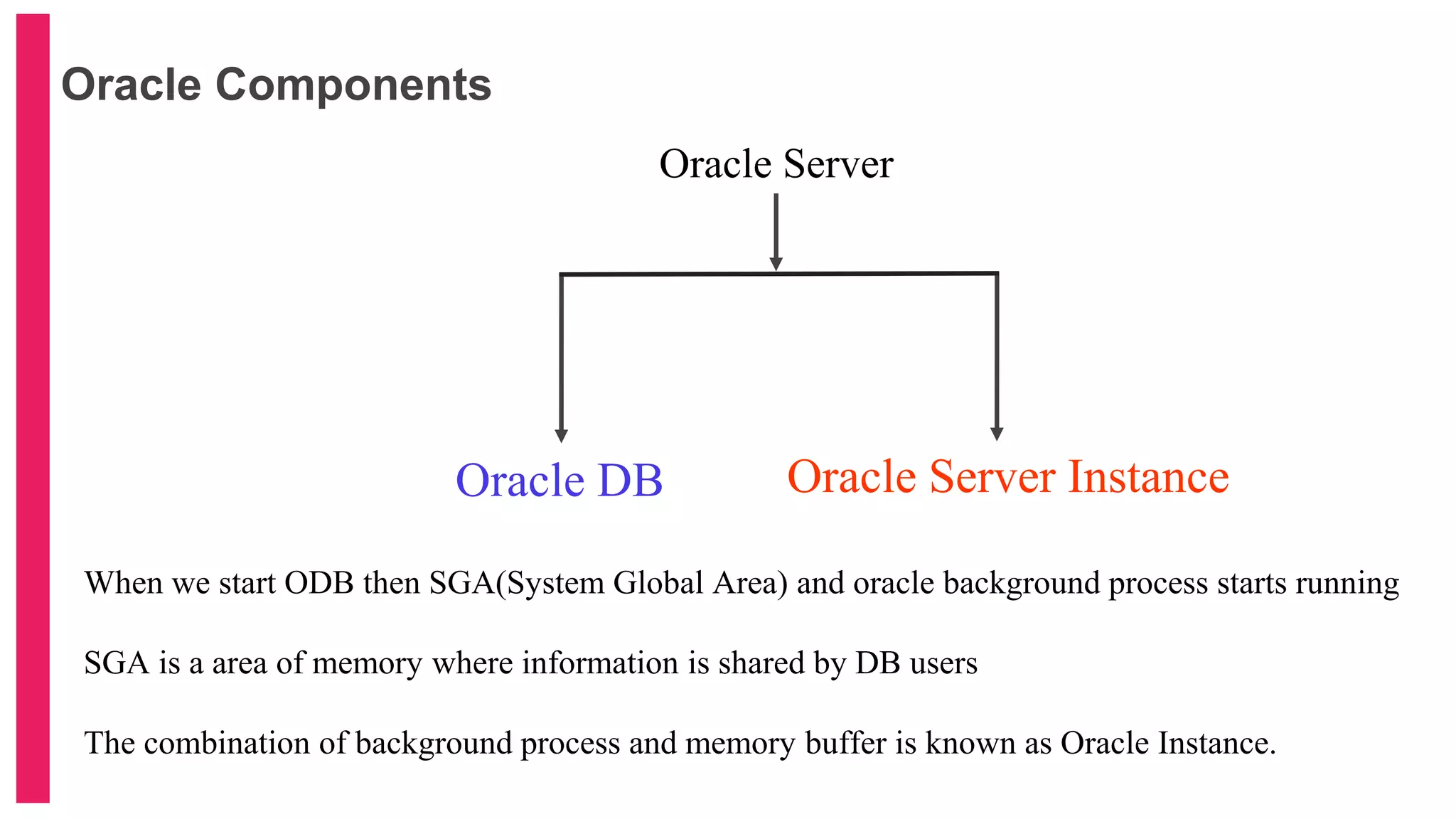
Oracle Components
Oracle Server
Oracle DB Oracle Server Instance
When we start ODB then SGA(System Global Area) and oracle background process starts running
SGA is a area of memory where information is shared by DB users
The combination of background process and memory buffer is known as Oracle Instance.
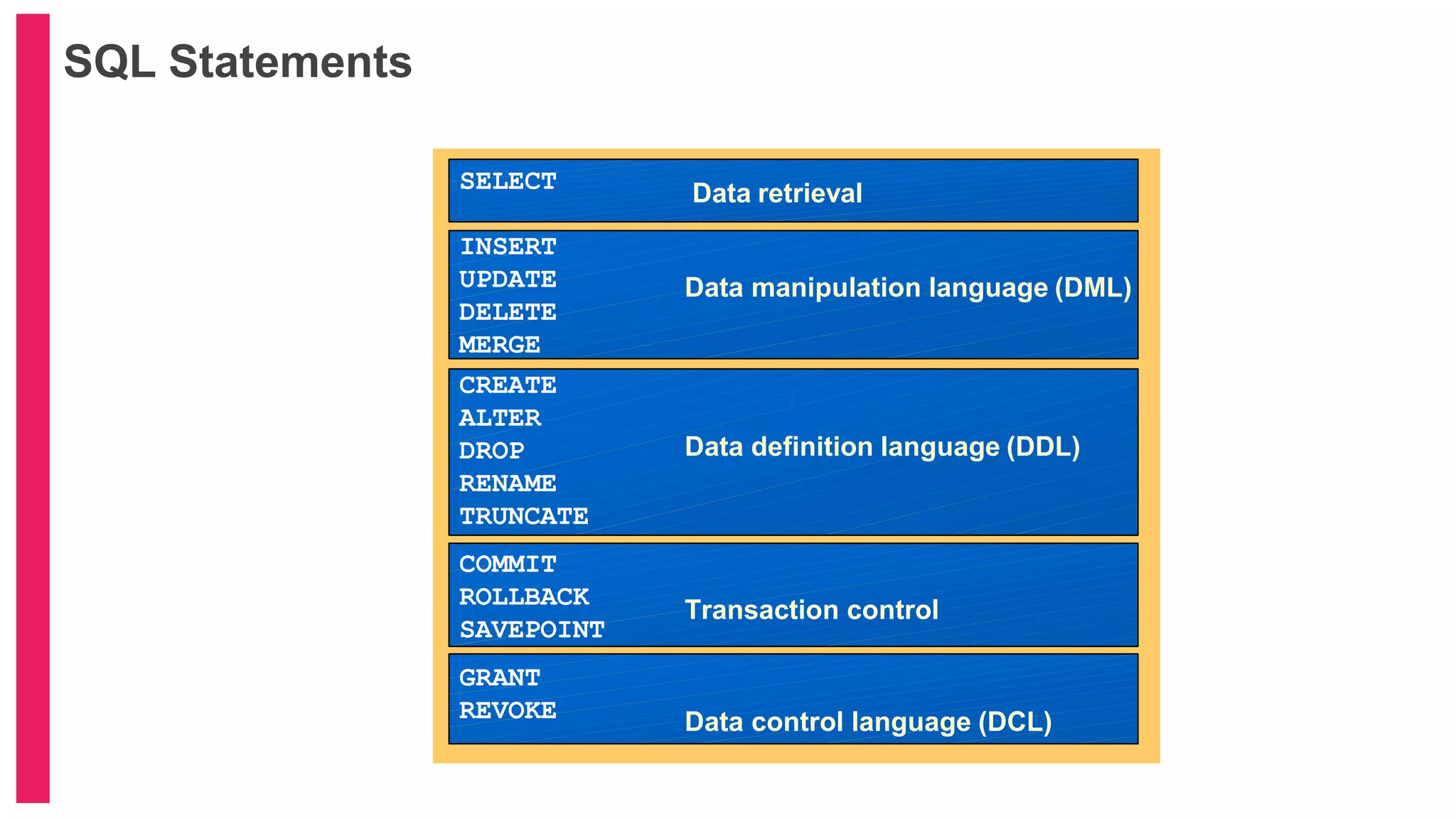
SQL Statements
SELECT
INSERT
UPDATE
DELETE
MERGE
CREATE
ALTER
DROP
RENAME
TRUNCATE
COMMIT
ROLLBACK
SAVEPOINT
GRANT
REVOKE
Data retrieval
Data manipulation language (DML)
Data definition language (DDL)
Transaction control
Data control language (DCL)
Bibliography
https://docs.oracle.com/cd/A97630_01/server.920/a96540.pdf
Learn oracle from oracle pdf volume-1 book link:
https://drive.google.com/open?id=1mszgUaw4-
kEz5RF7luQxR8EqkbdrhTEH
Thank You

DBMS (oracle 9i SQL) Introduction

  • 1.
  • 2.
    Contents  DBMS  DB RDB  Properties of RDB  Data Model  ER-Model  Benefits and Components of ER- Model  Symbols of ER-Diagram  Entity Relationship Modeling Conventions  RDBMS Features (Oracle 9i)  Oracle Components  Bibliography
  • 3.
    DBMS DataBase(DB)- A DBis a organized collection of information. It is based on top-down approach. DBMS • It stands for Data Base Management System. • It is a program/application/software that stores, retrieves and modifies data in DB on request. Types of DB • Hierarchical • Network • Relational • Object relational • Object oriented relational
  • 4.
    DB Structured Data ○ Objectrelational data Unstructured Data  Spreadsheet  XML  Word document  PPT  Multi-media ■ Mp3 ■ Video ■ Graphics etc DB- It contain data of different formats like structured and unstructured data.
  • 5.
    Relational Database(RDB) Concept •Dr. E.F. Codd proposed the relational model for DB systems in 1970. • It is the basis for the Relational Database Management System (RDBMS). • The relational model consists of the following:  Collection of objects or relations  Set of operators to act on the relations  Data integrity for accuracy and consistency RDB- It is a collection of relation or 2-D tables. e,g,- emp table, student table
  • 6.
    Properties of RDB •You do not specify the access route to the tables. • No need to know how data is stored/arranged physically Table Name: EMPLOYEES Table Name: DEPARTMENTS … …
  • 7.
    Data Models Entity model Tableson disk Oracle server Table model of entity model Some idea popped • ER-Model (Entity Relationship Model) • ER- Model is prepared in analysis phase • It separates the info required and activities performed within a business
  • 8.
    Benefits and Componentsof ER- Model Benefits of ER-Model ○ Documents information ○ Scope of information required ○ DB design understanding ○ Framework for integrating multiple application Components of ER-Model ○ Entity- Information to be known (Table) ○ Attribute- describe of qualifies entity (column) ○ Relationship- degree/cardinality
  • 9.
    Symbols of ER-Diagram 1)Hash (#) - Primary mark 2) Hash within parenthesis ((#)) - secondary mark 3) Asterisk (*) - must be known 4) Optional (O) – may be known 6) Soft box- Entity 7) Dash Line – May be 8) Solid line – must be 9) Crow’s foot – Degree one or more 10) Single Line – one and only one
  • 10.
    • Create anentity relationship diagram from business specifications or narratives • Scenario – “. . . Assign one or more employees to a department . . .” – “. . . Some departments do not yet have assigned employees . . .” Entity Relationship Model EMPLOYEE #* * o number name job title DEPARTMENT #* * o number name location assigned to composed of
  • 11.
    Entity Relationship ModelingConventions Entity Soft box Singular, unique name Uppercase Synonym in parentheses Attribute Singular name Lowercase Mandatory marked with “*” Optional marked with “o” Unique Identifier (UID) Primary marked with “#” Secondary marked with “(#)” EMPLOYEE #* * o number name job title DEPARTMENT #* * o number name location assigned to composed of The convention is to read clockwise for degree of relationship
  • 12.
    RDBMS Features (Oracle9i) • Can use PL/SQL • Supports Java and XML • Retrieval on optimization techniques • Security of data • Access • usage • Consistency • Protection- by locking mechanism
  • 13.
    Oracle Components Oracle Server OracleDB Oracle Server Instance When we start ODB then SGA(System Global Area) and oracle background process starts running SGA is a area of memory where information is shared by DB users The combination of background process and memory buffer is known as Oracle Instance.
  • 14.
    SQL Statements SELECT INSERT UPDATE DELETE MERGE CREATE ALTER DROP RENAME TRUNCATE COMMIT ROLLBACK SAVEPOINT GRANT REVOKE Data retrieval Datamanipulation language (DML) Data definition language (DDL) Transaction control Data control language (DCL)
  • 15.
    Bibliography https://docs.oracle.com/cd/A97630_01/server.920/a96540.pdf Learn oracle fromoracle pdf volume-1 book link: https://drive.google.com/open?id=1mszgUaw4- kEz5RF7luQxR8EqkbdrhTEH
  • 16.