XML
Ahmad Awsaf-uz-zaman
Apr 10, 2016
www.a2z-soft.com
What Is XML?
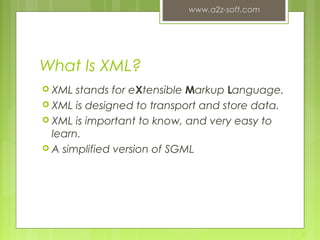
 XML stands for eXtensible Markup Language.
 XML is designed to transport and store data.
 XML is important to know, and very easy to
learn.
 A simplified version of SGML
www.a2z-soft.com
2
XML Declaration
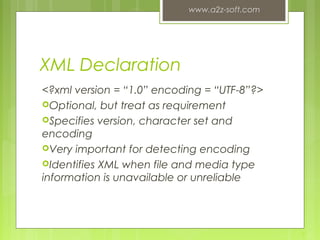
<?xml version = “1.0” encoding = “UTF-8”?>
Optional, but treat as requirement
Specifies version, character set and
encoding
Very important for detecting encoding
Identifies XML when file and media type
information is unavailable or unreliable
www.a2z-soft.com
3
Difference between XML and
HTML
 XML is not a replacement for HTML.
 Different goals:
XML was designed to describe data and to focus on
what data is.
HTML was designed to display data and to focus on
how data looks.
 HTML is about displaying information, XML is
about describing information.
www.a2z-soft.com
4
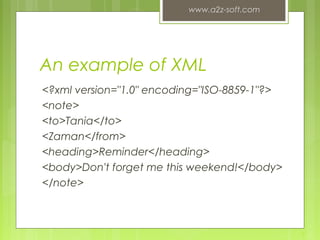
An example of XML
<?xml version="1.0" encoding="ISO-8859-1"?>
<note>
<to>Tania</to>
<Zaman</from>
<heading>Reminder</heading>
<body>Don't forget me this weekend!</body>
</note>
www.a2z-soft.com
5
Why Is XML Important?
 Plain Text
 Easy to edit
 Useful for storing small amounts of data
 Possible to efficiently store large amounts of
XML data through an XML front end to a
database
 Data Identification
 Tell you what kind of data you have
 Can be used in different ways by different
applications
www.a2z-soft.com
6
Why Is XML Important?
 Stylability
 Inherently style-free
 XSL---Extensible Stylesheet Language
 Different XSL formats can then be used to
display the same data in different ways
 Easily Processed
 Regular and consistent notation
 Vendor-neutral standard
 Hierarchical
 Faster to access
 Easier to rearrange
www.a2z-soft.com
7
XML Specifications
 XML 1.0
Defines the syntax of XML
 XPointer, XLink
Defines a standard way to represent links
between resources
 XSL
Defines the standard stylesheet language for XML
www.a2z-soft.com
8
XML Syntax
 All XML elements must have a closing tag
 XML tags are case sensitive
 All XML elements must be properly nested
 All XML documents must have a root tag
 Attribute values must always be quoted
 With XML, white space is preserved
 With XML, a new line is always stored as LF
 Comments in XML: <!-- This is a comment -->
www.a2z-soft.com
9
XML Elements
 XML Elements are Extensible
XML documents can be extended to carry more
information
 XML Elements have Relationships
Elements are related as parents and children
 Elements have Content
Elements can have different content types: element
content, mixed content, simple content, or empty content
and attributes
 XML elements must follow the naming
rules
www.a2z-soft.com
10
XML Attributes
 Located in the start tag of elements
 Provide additional information about
elements
 Often provide information that is not a
part of data
 Must be enclosed in quotes
 Should I use an element or an attribute?
metadata (data about data) should be stored as
attributes, and that data itself should be stored as
elements
www.a2z-soft.com
11
XML Validation
 "Well Formed" XML document
--correct XML syntax
 "Valid" XML document
 “well formed”
 Conforms to the rules of a DTD (Document Type
Definition)
 XML DTD
 defines the legal building blocks of an XML
document
 Can be inline in XML or as an external reference
 XML Schema
 an XML based alternative to DTD, more powerful
 Support namespace and data types
www.a2z-soft.com
12
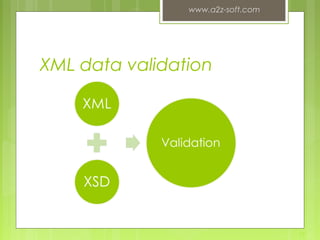
XML data validation
www.a2z-soft.com
13
Displaying XML
 XML documents do not carry information
about how to display the data
 We can add display information to XML with
 CSS (Cascading Style Sheets)
 XSL (eXtensible Stylesheet Language) --- preferred
www.a2z-soft.com
14
Serve XML+CSS to the client
• Supported by
• Safari
• IE 5.0 and later
• Mozilla
• Netscape 6 and later
• Konqueror
• Opera
• Firefox
• Omniweb
www.a2z-soft.com
15
Conclusion
 XML is a self-descriptive language
 XML is a powerful language to describe
structure data for web application
 XML is currently applied in many fields
 Many vendors already supports or will
support XML
www.a2z-soft.com
16

Xml basics for beginning

  • 1.
    XML Ahmad Awsaf-uz-zaman Apr 10,2016 www.a2z-soft.com
  • 2.
    What Is XML? XML stands for eXtensible Markup Language.  XML is designed to transport and store data.  XML is important to know, and very easy to learn.  A simplified version of SGML www.a2z-soft.com 2
  • 3.
    XML Declaration <?xml version= “1.0” encoding = “UTF-8”?> Optional, but treat as requirement Specifies version, character set and encoding Very important for detecting encoding Identifies XML when file and media type information is unavailable or unreliable www.a2z-soft.com 3
  • 4.
    Difference between XMLand HTML  XML is not a replacement for HTML.  Different goals: XML was designed to describe data and to focus on what data is. HTML was designed to display data and to focus on how data looks.  HTML is about displaying information, XML is about describing information. www.a2z-soft.com 4
  • 5.
    An example ofXML <?xml version="1.0" encoding="ISO-8859-1"?> <note> <to>Tania</to> <Zaman</from> <heading>Reminder</heading> <body>Don't forget me this weekend!</body> </note> www.a2z-soft.com 5
  • 6.
    Why Is XMLImportant?  Plain Text  Easy to edit  Useful for storing small amounts of data  Possible to efficiently store large amounts of XML data through an XML front end to a database  Data Identification  Tell you what kind of data you have  Can be used in different ways by different applications www.a2z-soft.com 6
  • 7.
    Why Is XMLImportant?  Stylability  Inherently style-free  XSL---Extensible Stylesheet Language  Different XSL formats can then be used to display the same data in different ways  Easily Processed  Regular and consistent notation  Vendor-neutral standard  Hierarchical  Faster to access  Easier to rearrange www.a2z-soft.com 7
  • 8.
    XML Specifications  XML1.0 Defines the syntax of XML  XPointer, XLink Defines a standard way to represent links between resources  XSL Defines the standard stylesheet language for XML www.a2z-soft.com 8
  • 9.
    XML Syntax  AllXML elements must have a closing tag  XML tags are case sensitive  All XML elements must be properly nested  All XML documents must have a root tag  Attribute values must always be quoted  With XML, white space is preserved  With XML, a new line is always stored as LF  Comments in XML: <!-- This is a comment --> www.a2z-soft.com 9
  • 10.
    XML Elements  XMLElements are Extensible XML documents can be extended to carry more information  XML Elements have Relationships Elements are related as parents and children  Elements have Content Elements can have different content types: element content, mixed content, simple content, or empty content and attributes  XML elements must follow the naming rules www.a2z-soft.com 10
  • 11.
    XML Attributes  Locatedin the start tag of elements  Provide additional information about elements  Often provide information that is not a part of data  Must be enclosed in quotes  Should I use an element or an attribute? metadata (data about data) should be stored as attributes, and that data itself should be stored as elements www.a2z-soft.com 11
  • 12.
    XML Validation  "WellFormed" XML document --correct XML syntax  "Valid" XML document  “well formed”  Conforms to the rules of a DTD (Document Type Definition)  XML DTD  defines the legal building blocks of an XML document  Can be inline in XML or as an external reference  XML Schema  an XML based alternative to DTD, more powerful  Support namespace and data types www.a2z-soft.com 12
  • 13.
  • 14.
    Displaying XML  XMLdocuments do not carry information about how to display the data  We can add display information to XML with  CSS (Cascading Style Sheets)  XSL (eXtensible Stylesheet Language) --- preferred www.a2z-soft.com 14
  • 15.
    Serve XML+CSS tothe client • Supported by • Safari • IE 5.0 and later • Mozilla • Netscape 6 and later • Konqueror • Opera • Firefox • Omniweb www.a2z-soft.com 15
  • 16.
    Conclusion  XML isa self-descriptive language  XML is a powerful language to describe structure data for web application  XML is currently applied in many fields  Many vendors already supports or will support XML www.a2z-soft.com 16