SHRI RAWATPURA SARKAR INSTITUTE OF TECHNOLOGY-II NEW RAIPUR
Department
Of
Computer Science & Engineering
Data Base Management Systems Lab Manual
SHRI RAWATPURA SARKAR INSTITUTE OF TECHNOLOGY-II, NEW RAIPUR
How to Write and execute sql, pl/sql commands/programs:
1). Open your oracle application by the following navigation
Start->all programs->oracle orahome.->application
development->sql.
2). You will be asked for user name, pass word and host string
You have to enter user name, pass word and host string as given
by the administrator. It will be different from one user to another user.
3). Upon successful login you will get SQL prompt (SQL>).
In two ways you can write your programs:
a). directly at SQL prompt
b). or in sql editor.
If you type your programs at sql prompt then screen will look like follow:
SQL> SELECT ename,empno,
2 sal from
3 emp;
where 2 and 3 are the line numbers and rest is the command /program……
to execute above program/command you have to press ‘/’ then enter.
Here editing the program is somewhat difficult; if you want to edit the previous command then you
have to open sql editor (by default it displays the sql buffer contents). By giving ‘ed’ at sql prompt.
(this is what I mentioned as a second method to type/enter the program).
in the sql editor you can do all the formatting/editing/file operations directly by selecting menu options
provided by it.
To execute the program which saved; do the following
SQL> @ programname.sql
Or
SQL> Run programname.sql
Then press ‘’ key and enter.
This how we can write, edit and execute the sql command and programs.
Always you have to save your programs in your own logins.
2
SHRI RAWATPURA SARKAR INSTITUTE OF TECHNOLOGY-II, NEW RAIPUR
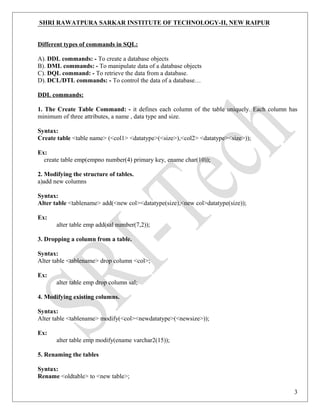
Different types of commands in SQL:
A). DDL commands: - To create a database objects
B). DML commands: - To manipulate data of a database objects
C). DQL command: - To retrieve the data from a database.
D). DCL/DTL commands: - To control the data of a database…
DDL commands:
1. The Create Table Command: - it defines each column of the table uniquely. Each column has
minimum of three attributes, a name , data type and size.
Syntax:
Create table <table name> (<col1> <datatype>(<size>),<col2> <datatype><size>));
Ex:
create table emp(empno number(4) primary key, ename char(10));
2. Modifying the structure of tables.
a)add new columns
Syntax:
Alter table <tablename> add(<new col><datatype(size),<new col>datatype(size));
Ex:
alter table emp add(sal number(7,2));
3. Dropping a column from a table.
Syntax:
Alter table <tablename> drop column <col>;
Ex:
alter table emp drop column sal;
4. Modifying existing columns.
Syntax:
Alter table <tablename> modify(<col><newdatatype>(<newsize>));
Ex:
alter table emp modify(ename varchar2(15));
5. Renaming the tables
Syntax:
Rename <oldtable> to <new table>;
3
SHRI RAWATPURA SARKAR INSTITUTE OF TECHNOLOGY-II, NEW RAIPUR
Ex:
rename emp to emp1;
6. truncating the tables.
Syntax:
Truncate table <tablename>;
Ex:
trunc table emp1;
7. Destroying tables.
Syntax:
Drop table <tablename>;
Ex:
drop table emp;
DML commands:
8. Inserting Data into Tables: - once a table is created the most natural thing to do is load this table
with data to be manipulated later.
Syntax:
insert into <tablename> (<col1>,<col2>) values(<exp>,<exp>);
9. Delete operations.
a) remove all rows
Syntax:
delete from <tablename>;
b) removal of a specified row/s
Syntax:
delete from <tablename> where <condition>;
10. Updating the contents of a table.
a) updating all rows
Syntax:
Update <tablename> set <col>=<exp>,<col>=<exp>;
b) updating seleted records.
Syntax:
Update <tablename> set <col>=<exp>,<col>=<exp>
where <condition>;
4
SHRI RAWATPURA SARKAR INSTITUTE OF TECHNOLOGY-II, NEW RAIPUR
11. Types of data constrains.
a) not null constraint at column level.
Syntax:
<col><datatype>(size)not null
b) unique constraint
Syntax:
Unique constraint at column level.
<col><datatype>(size)unique;
c) unique constraint at table level:
Syntax:
Create table tablename(col=format,col=format,unique(<col1>,<col2>);
d) primary key constraint at column level
Syntax:
<col><datatype>(size)primary key;
e) primary key constraint at table level.
Syntax:
Create table tablename(col=format,col=format
primary key(col1>,<col2>);
f) foreign key constraint at column level.
Syntax:
<col><datatype>(size>) references <tablename>[<col>];
g) foreign key constraint at table level
Syntax:
foreign key(<col>[,<col>])references <tablename>[(<col>,<col>)
h) check constraint
check constraint constraint at column level.
Syntax: <col><datatype>(size) check(<logical expression>)
i) check constraint constraint at table level.
Syntax: check(<logical expression>)
5
SHRI RAWATPURA SARKAR INSTITUTE OF TECHNOLOGY-II, NEW RAIPUR
DQL Commands:
12. Viewing data in the tables: - once data has been inserted into a table, the next most logical
operation would be to view what has been inserted.
a) all rows and all columns
Syntax:
Select <col> to <col n> from tablename;
Select * from tablename;
13. Filtering table data: - while viewing data from a table, it is rare that all the data from table will be
required each time. Hence, sql must give us a method of filtering out data that is not required data.
a) Selected columns and all rows:
Syntax:
select <col1>,<col2> from <tablename>;
b) selected rows and all columns:
Syntax:
select * from <tablename> where <condition>;
c) selected columns and selected rows
Syntax:
select <col1>,<col2> from <tablename> where<condition>;
14. Sorting data in a table.
Syntax:
Select * from <tablename> order by <col1>,<col2> <[sortorder]>;
DCL commands:
Oracle provides extensive feature in order to safeguard information stored in its tables from
unauthoraised viewing and damage.The rights that allow the user of some or all oracle resources on the
server are called privileges.
a) Grant privileges using the GRANT statement
The grant statement provides various types of access to database objects such as tables,views and
sequences and so on.
Syntax:
GRANT <object privileges>
ON <objectname>
TO<username>
[WITH GRANT OPTION];
b) Reoke permissions using the REVOKE statement:
6
SHRI RAWATPURA SARKAR INSTITUTE OF TECHNOLOGY-II, NEW RAIPUR
The REVOKE statement is used to deny the Grant given on an object.
Syntax:
REVOKE<object privilege>
ON
FROM<user name>;
CSE/5th
/DBMS Lab/Prepared by Vivek Kumar Sinha
7
SHRI RAWATPURA SARKAR INSTITUTE OF TECHNOLOGY-II, NEW RAIPUR
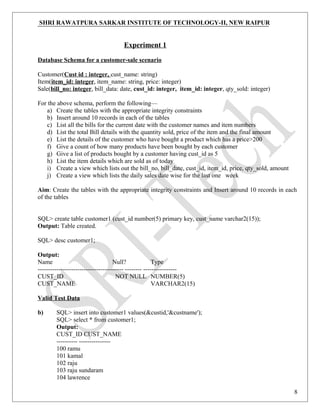
Experiment 1
Database Schema for a customer-sale scenario
Customer(Cust id : integer, cust_name: string)
Item(item_id: integer, item_name: string, price: integer)
Sale(bill_no: integer, bill_data: date, cust_id: integer, item_id: integer, qty_sold: integer)
For the above schema, perform the following—
a) Create the tables with the appropriate integrity constraints
b) Insert around 10 records in each of the tables
c) List all the bills for the current date with the customer names and item numbers
d) List the total Bill details with the quantity sold, price of the item and the final amount
e) List the details of the customer who have bought a product which has a price>200
f) Give a count of how many products have been bought by each customer
g) Give a list of products bought by a customer having cust_id as 5
h) List the item details which are sold as of today
i) Create a view which lists out the bill_no, bill_date, cust_id, item_id, price, qty_sold, amount
j) Create a view which lists the daily sales date wise for the last one week
Aim: Create the tables with the appropriate integrity constraints and Insert around 10 records in each
of the tables
SQL> create table customer1 (cust_id number(5) primary key, cust_name varchar2(15));
Output: Table created.
SQL> desc customer1;
Output:
Name Null? Type
----------------------------------------- -------- ----------------
CUST_ID NOT NULL NUMBER(5)
CUST_NAME VARCHAR2(15)
Valid Test Data
b) SQL> insert into customer1 values(&custid,'&custname');
SQL> select * from customer1;
Output:
CUST_ID CUST_NAME
---------- ---------------
100 ramu
101 kamal
102 raju
103 raju sundaram
104 lawrence
8
SHRI RAWATPURA SARKAR INSTITUTE OF TECHNOLOGY-II, NEW RAIPUR
SQL> create table item(item_id number(4) primary key,
item_name varchar2(15),price number(6,2));
SQL> dsec item
Output:
Name Null? Type
……………………………………………………………………………………………………
Cust_id NOT NULL NUMBER(4)
Item_name VARCHAR2(15)
PRICE NUMBER(6,2)
SQL>insert into item values(&item_id,’&item_name’,&price);
SQL> select * from item;
Output:
ITEM_ID ITEM_NAME PRICE
……………………………………………………………………………………..
2334 geera 6.25
4532 corn soup 34.65
2124 lays chips 20
4531 setwet 99.99
2319 duracell 45.5
SQL>create table sale(bill_no number(5) primary key,bill_date date, cust_id number(5) references
customer(cust_id), item_id number(4) references item(item_id),qty_sold number(4));
Out put: Table Created.
SQL>dsec sale
Output:
Name Null? Type
………………………………………………………………………………………..
BILL_NO NOT NULL NUMBER(4)
BILL_DATE DATE
CUST_ID NUMBER(5)
ITEM_ID NUMBER(4)
QTY_SOLD NUMBER(4)
SQL>insert into Sale values(&bill_no, ’&bill_date’,
&cust_id, &item_id, &qty_sold);
SQL>select * from sale;
Output:
BILL_NO BILL_DATE CUST_ID ITEM_ID QTY_SOLD
………………………………………………………………………………………………………...
1450 04-JAN-06 100 2124 2
1451 04-JAN-06 101 2319 1
9
SHRI RAWATPURA SARKAR INSTITUTE OF TECHNOLOGY-II, NEW RAIPUR
1452 04-JAN-06 103 4531 2
1453 04-JAN-06 102 2334 3
1454 04-JAN-06 104 4532 3
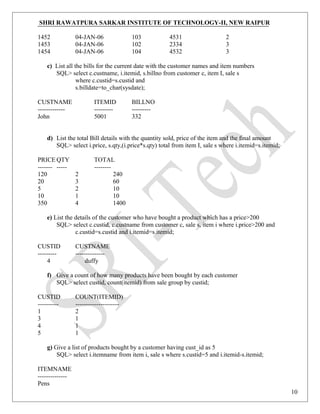
c) List all the bills for the current date with the customer names and item numbers
SQL> select c.custname, i.itemid, s.billno from customer c, item I, sale s
where c.custid=s.custid and
s.billdate=to_char(sysdate);
CUSTNAME ITEMID BILLNO
------------- --------- ---------
John 5001 332
d) List the total Bill details with the quantity sold, price of the item and the final amount
SQL> select i.price, s.qty,(i.price*s.qty) total from item I, sale s where i.itemid=s.itemid;
PRICE QTY TOTAL
------- ----- --------
120 2 240
20 3 60
5 2 10
10 1 10
350 4 1400
e) List the details of the customer who have bought a product which has a price>200
SQL> select c.custid, c.custname from customer c, sale s, item i where i.price>200 and
c.custid=s.custid and i.itemid=s.itemid;
CUSTID CUSTNAME
--------- --------------
4 duffy
f) Give a count of how many products have been bought by each customer
SQL> select custid, count(itemid) from sale group by custid;
CUSTID COUNT(ITEMID)
---------- ---------------------
1 2
3 1
4 1
5 1
g) Give a list of products bought by a customer having cust_id as 5
SQL> select i.itemname from item i, sale s where s.custid=5 and i.itemid-s.itemid;
ITEMNAME
--------------
Pens
10
SHRI RAWATPURA SARKAR INSTITUTE OF TECHNOLOGY-II, NEW RAIPUR
h) List the item details which are sold as of today
SQL> select i.itemid, i.itemname from item I, sale s where i.itemid=s.itemid
and s.billdate=to_char(sysdate);
ITEMID ITEMNAME
--------- -------------
1234 pencil
i)Create a view which lists out the bill_no, bill_date, cust_id, item_id, price, qty_sold, amount
SQL>create view cust as (select s.billno, s.billdate, c.custid, i. iitemid, i.price, s.qty from
customer c,sale s item I where c.custid=s.custid and i.iemid=s.itemid);
view created.
SQL>select * from cust;
BILLNO BILLDATE CUSTID ITEMID PRICE QTY
……………………………………………………………………………………………
3432 12-JAN-06 3 3244 120 2
4424 20-FEB-06 1 3456 20 3
332 13-MAR-06 1 1234 5 2
2343 10-MAR 5 5001 10 1
1331 11-MAR-06 4 76776 350 4
11
SHRI RAWATPURA SARKAR INSTITUTE OF TECHNOLOGY-II, NEW RAIPUR
Experiment 2
Database Schema for a Student Library scenario
Student(Stud_no : integer, Stud_name: string)
Membership(Mem_no: integer, Stud_no: integer)
Book(book_no: integer, book_name:string, author: string)
Iss_rec(iss_no:integer, iss_date: date, Mem_no: integer, book_no: integer)
For the above schema, perform the following—
a) Create the tables with the appropriate integrity constraints
b) Insert around 10 records in each of the tables
c) List all the student names with their membership numbers
d) List all the issues for the current date with student and Book names
e) List the details of students who borrowed book whose author is CJDATE
f) Give a count of how many books have been bought by each student
g) Give a list of books taken by student with stud_no as 5
h) List the book details which are issued as of today
i) Create a view which lists out the iss_no, iss _date, stud_name, book name
j) Create a view which lists the daily issues-date wise for the last one week
AIM: Create the tables with the appropriate integrity constraints
Insert around 10 records in each of the tables
SQL>create table student(stud_no number(5) primary key,stud_name varchar2(15));
SQL>desc student;
Name Null? Type
………………………………………………………………………………………..
STUD_NO NOT NULL NUMBER(5)
STUD_NAME VARCAHR2(15)
Valid Test Data:
SQL>insert into student values(&stud_no,’&stud_name’);
SQL>select * from student;
STUD_NO STUD_NAME
....................................................................
508 HARISH
513 BALAJI
518 RAKESH
524 PAVAN
12
SHRI RAWATPURA SARKAR INSTITUTE OF TECHNOLOGY-II, NEW RAIPUR
534 JOYCE
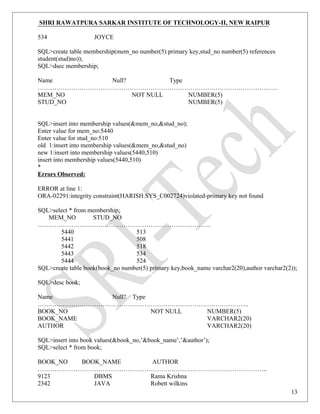
SQL>create table membership(mem_no number(5) primary key,stud_no number(5) references
student(stud)no));
SQL>dsec membership;
Name Null? Type
…………………………………………………………………………………………………….
MEM_NO NOT NULL NUMBER(5)
STUD_NO NUMBER(5)
SQL>insert into membership values(&mem_no,&stud_no);
Enter value for mem_no:5440
Enter value for stud_no:510
old 1:insert into membership values(&mem_no,&stud_no)
new 1:insert into membership values(5440,510)
insert into membership values(5440,510)
*
Errors Observed:
ERROR at line 1:
ORA-02291:integrity constraint(HARISH.SYS_C002724)violated-primary key not found
SQL>select * from membership;
MEM_NO STUD_NO
………………………………………………………………………..
5440 513
5441 508
5442 518
5443 534
5444 524
SQL>create table book(book_no number(5) primary key,book_name varchar2(20),author varchar2(2));
SQL>desc book;
Name Null? Type
………………………………………………………………………………………..
BOOK_NO NOT NULL NUMBER(5)
BOOK_NAME VARCHAR2(20)
AUTHOR VARCHAR2(20)
SQL>insert into book values(&book_no,’&book_name’,’&author’);
SQL>select * from book;
BOOK_NO BOOK_NAME AUTHOR
………………………………………………………………………………………………..
9123 DBMS Rama Krishna
2342 JAVA Robett wilkins
13
SHRI RAWATPURA SARKAR INSTITUTE OF TECHNOLOGY-II, NEW RAIPUR
4523 Fearless tales Alfred
8723 my ambition Harish
7821 Harry Potter JK Rowling
SQL>create table lss_rec(iss_no number primary key,iss_date date,mem_no number(5) references
membership(mem_no),book_no number(5) references book(book_no));
SQL>desc iss_rec;
Name Null? Type
………………………………………………………………………………………………………
ISS_NO NOT NULL NUMBER
ISS_DATE DATE
MEM_NO NUMBER(5)
BOOK_NO NUMBER(5)
SQL>select * from iss_rec;
ISS_NO ISS_DATE MEM_NO BOOK_NO
…………………………………………………………………………………………………
43 05-JAN-06 5443 4523
81 28-DEC-05 5441 8723
22 08-DEC-05 5440 7821
53 07-JAN-06 5442 9123
35 06-JAN-06 5444 2342
c) List all the student names with their membership numbers
SQL> select s.studname, m.memno from student s, membership m where m.studno=s.studno;
STUDNAME MEMNO
------------- --------
abhijeet 1001
arun 1002
arvind 1003
ashish 1004
ashwin 1005
d) List all the issues for the current date with student and Book names
SQL> select i.issno, s.studname, b.bookname from iss_rec I, membership m, student s, book b
2 where i.memno=m.memno and m.studno=s.studno and
i.issdate=to_char(sysdate);
ISSNOSTUDNAME BOOKNAME
------- ------------ ---------------
13 arvind P&S
e) List the details of students who borrowed book whose author is CJDATE
14
SHRI RAWATPURA SARKAR INSTITUTE OF TECHNOLOGY-II, NEW RAIPUR
SQL> select * from student where studno in(select studno from membership where memno in
2 (select memno from iss_rec where bookno in(select bookno from book where author=’CJDATE’)));
STUDNO STUDNAME
---------- -------------
505 ashwin
f) Give a count of how many books have been bought by each student
SQL> select s.studno, count(i.bookno) from student s.membership m, book b, 2 iss_rec I where
s.studno=m.studno and b.bookno=i.bookno group by s.studno;
STUDNO COUNT(I.BOOKNO)
---------- -----------------------
501 5
502 5
503 5
504 5
505 5
g) Give a list of books taken by student with stud_no as 5
SQL> select bookname from book where bookno in (select bookno from iss_rec where
2 memno in(select memno from membership where
3 studno in(select studno from student where studno=5)));
BOOKNAME
-------------
NT
h) List the book details which are issued as of today
SQL> delete from book where bookno in(select bookno from iss_rec where issdate=to_char(sysdate));
delete from book where bookno in (select bookno from iss_rec where issdate=to_char(sysdate))
Errors Observed:
ERROR at line 1:
ORA-02292: integrity constraint (SCOTT.SYS_C00840) violated – child record found
15
SHRI RAWATPURA SARKAR INSTITUTE OF TECHNOLOGY-II, NEW RAIPUR
Experiment 3
Database Schema for a Employee-pay scenario
employee(emp_id : integer, emp_name: string)
department(dept_id: integer, dept_name:string)
paydetails(emp_id : integer, dept_id: integer, basic: integer, deductions: integer, additions: integer,
DOJ: date)
payroll(emp_id : integer, pay_date: date)
For the above schema, perform the following—
a) Create the tables with the appropriate integrity constraints
b) Insert around 10 records in each of the tables
c) List the employee details department wise
d) List all the employee names who joined after particular date
e) List the details of employees whose basic salary is between 10,000 and 20,000
f) Give a count of how many employees are working in each department
g) Give a names of the employees whose netsalary>10,000
h) List the details for an employee_id=5
i) Create a view which lists out the emp_name, department, basic, dedeuctions, netsalary
j) Create a view which lists the emp_name and his netsalary
16
SHRI RAWATPURA SARKAR INSTITUTE OF TECHNOLOGY-II, NEW RAIPUR
AIM: Create the tables with the appropriate integrity constraints
Insert around 10 records in each of the tables
Create table employee(emp_id number(5) primary key,emp_name varchar2(25));
SQL>desc employee;
Name Null? Type
………………………………………………………………………………………..
EMP_ID NOT NULL NUMBER(5)
EMP_NAME VARCHAR2(25)
Valid Test Data:
SQL>insert into employee values(&emp_id,’&emp_name’);
SQL>select * from employee;
EMP_ID EMP_NAME
………………………………………………………….
10 Robert
21 Coulthard
30 Fernando Alonso
39 Kartikeyan
87 Kimmi
SQL>create table department(dept_id number(5) primary key,dept_name varchar2(20));
SQL>desc department;
Name Null? Type
………………………………………………………………………………………..
DEPT_ID NOT NULL NUMBER(5)
DEPT_NAME VARCHAR2(20)
SQL>insert into department values(&dept_id,’&dept_name’);
SQL>select * from department;
DEPT_ID DEPT_NAME
……………………………………………………………………………..
100 sales
101 accounts
102 administration
103 production
104 supervisor
SQL>create table paydetails(emp_id number(5) references employee(emp_id),dept_id number(5)
reerences department(dept_id),basic number(7,2),deductions number(5,2),additions number(5,2),doj
date);
17
SHRI RAWATPURA SARKAR INSTITUTE OF TECHNOLOGY-II, NEW RAIPUR
SQL>desc paydetails;
Name Null? Type
………………………………………………………………………………………..
EMP_ID NUMBER(5)
DEPT_ID NUMBER(5)
BASIC NUMBER(7,2)
DEDUCTIONS NUMBER(5,2)
ADDITIONS NUMBER(5,2)
DOJ DATE
Different Data Sets:
SQL>insert into paydeatils values(&emp_id,&dept_id,
&basic,&deductions,&additions,&doj);
SQL>select * from paydeatils;
EMP_ID DEPT_ID BASIC DEDUCTIONS ADDITIONS DOJ
……………………………………………………………………………………………………………
……..
10 101 25023.12 43.09 71.23 08-JAN-93
21 100 10500.29 23.98 40.9 01-JAN-06
30 102 6500.5 30.54 15 06-JUL-97
39 103 9700.45 32.78 65.09 08-AUG-03
87 104 15000 97.66 154.8 24-SEP-04
SQL>create table payroll(emp_id number(5)references employee(emp_id),pay_date date);
SQL>desc payroll;
Name Null? Type
………………………………………………………………………………………..
EMP_ID NUMBER(5)
PAY_DATE DATE
SQL>insert into payroll values(&emp_id,’&date’);
SQL>select * from payroll;
EMP_ID PAY_DATE
………………………………………………………….
10 31-JAN-06
21 03-FEB-06
30 15-JAN-06
39 27-JAN-06
87 04-FEB-06
c) List the employee details department wise
SQL>select empid,deptid from paydet;
EMPID DEPTID
18
SHRI RAWATPURA SARKAR INSTITUTE OF TECHNOLOGY-II, NEW RAIPUR
…………………………
401 500
402 200
403 600
404 400
405 1200
d) List all the employee names who joined after particular date
SQL>select e,empname from employee e,paydet p where e.empid=p.empid and p.doj>=’05-mar-06’;
EMPNAME
…………………
AVINASH
NITIN
PHALGUN
e) List the details of employees whose basic salary is between 10,000 and 20,000
sqL> Select empid,empname from employee where salary between 10000 and 20000;
EMPID EMPNAME
…………………………….
402 AKHILA
403 aaaaaaaa
EMPID EMPNAME
…………………………….
AKHILA
f) Give a count of how many employees are working in each department
SQL>select count(empid),deptid from paydet group by deptid;
COUNT (EMPID) DEPTID
………………………………………………………
1 200
1 400
1 500
1 600
1 1200
g) Give a names of the employees whose netsalary>10,000
SQL> select empname from employee where empid in(select empid from paydet where basic-
deduction>10000);
EMPNAME
………………
19
SHRI RAWATPURA SARKAR INSTITUTE OF TECHNOLOGY-II, NEW RAIPUR
AVINASH
AKHILA
HARISH
NITIN
PHALGUN
h) List the details for an employee_id=5
SQL> select * from employee where empid=5;
EMPID EMPNAME
------------------------------------------
5 Coulthard
20
SHRI RAWATPURA SARKAR INSTITUTE OF TECHNOLOGY-II, NEW RAIPUR
Experiment 4
Database Schema for a Video Library scenario
Customer(cust_no: integer,cust_name: string)
Membership(Mem_no: integer, cust_no: integer)
Cassette(cass_no:integer, cass_name:string, Language: String)
Iss_rec(iss_no: integer, iss_date: date, mem_no: integer, cass_no: integer)
For the above schema, perform the following—
a) Create the tables with the appropriate integrity constraints
b) Insert around 10 records in each of the tables
c) List all the customer names with their membership numbers
d) List all the issues for the current date with the customer names and cassette names
e) List the details of the customer who has borrowed the cassette whose title is “ The Legend”
f) Give a count of how many cassettes have been borrowed by each customer
g) Give a list of book which has been taken by the student with mem_no as 5
h) List the cassettes issues for today
AIM: Create the tables with the appropriate integrity constraints Insert around 10 records in each of
the tables
SQL>create table customer(cust_no number(5) primary key,cust_name varchar2(20));
SQL>desc customer;
Name Null? Type
…………………………………………………………………………………………………………….
.
CUST_NO NOT NULL NUMBER(5)
CUST_NAME VARCHAR2(20)
Valid Test Data:
SQL>insert into customer values(&cust_no,’&cust_name’);
SQL>select * from customer;
CUST_NO CUST_NAME
……………………………………………………………….
50 scott
51 pandey
52 varshney
53 naidu
54 bhimbra
21
SHRI RAWATPURA SARKAR INSTITUTE OF TECHNOLOGY-II, NEW RAIPUR
SQL>create table membership(mem_no number(5) primary key,cust_no number(5) references
customer(cust_no));
SQL>dsec membership;
Name Null? Type
………………………………………………………………………………………………………...
MEM_NO NOT NULL NUMBER(5)
CUST_NO NUMBER(5)
SQL>insert into memship values(&mem_no,&cust_no);
SQL>select * from memship;
MEM_NO CUST_NO
…………………………………………………
920 50
981 51
897 52
820 53
928 54
SQL>create table cassette(cass_no
number(5) primary key,
Cass_name varchar2(15),language varchar2(15));
SQL>desc cassette;
Name Null? Type
………………………………………………………………………………………..
CASS_NO NOT NULL NUMBER(5)
CASS_NAME VARCHAR2(15)
LANGUAGE VARCHAR2(15)
SQL>insert into cassette values(&cass_no,’&cass_name’,’&language’);
SQL>select * from cassette;
CASS_NO CASS_NAME LANGUAGE
………………………………………………………………………………………
1 tagore telugu
2 the lion king English
3 anniyan tamil
4 indra telugu
5 lord of rings English
SQL>create table issu_rec(iss_no number(5) primary key,iss_date date,mem_no number(5)references
memship(mem_no),cass_no number(5) references cassette(cass_no));
SQL>desc issu_rec;
Name Null? Type
………………………………………………………………………………………………………...
22
SHRI RAWATPURA SARKAR INSTITUTE OF TECHNOLOGY-II, NEW RAIPUR
ISS_NO NOT NULL NUMBER(5)
ISS_DATE DATE
MEM_NO NUMBER(5)
CASS_NO NUMBER(5)
SQL>select * from issu_rec;
ISS_NO ISS_DATE MEM_NO CASS_NO
……………………………………………………………………………………
22 07-JAN-06 920 1
23 10-JAN-00 981 2
26 10-JAN-06 897 5
3 01-JAN-06 820 4
34 31-DEC-05 928 3
c) List all the customer names with their membership numbers
SQL>select c.custname,m.memno from customer1 c,membership1 m where c.custno=m.custno;
CUSTNAME MEMNO
……………….. ………………..
NIKHIL 51
VIVEK 52
SHRAVAN 58
VAMSI 57
SHIVA 56
d) List all the issues for the current date with the customer names and cassette names
SQL>select i.issno,c.custname,cc.cassettename from customer1 c,membership1 m,cassette
cc,issrec1 I where i.issdate=to_char(sysdate) and c.custno=m.custno and i.cassno=cc.cassno
and i.memno=m.memno;
OutPut:
no rows selected.
23
SHRI RAWATPURA SARKAR INSTITUTE OF TECHNOLOGY-II, NEW RAIPUR
Experiment 5
Database Schema for a student-Lab scenario
Student(stud_no: integer, stud_name: string, class: string)
Class(class: string, descrip: string)
Lab(mach_no: integer, Lab_no: integer, description: String)
Allotment(Stud_no: Integer, mach_no: integer, dayof week: string)
For the above schema, perform the following—
a) Create the tables with the appropriate integrity constraints
b) Insert around 10 records in each of the tables
c) List all the machine allotments with the student names, lab and machine numbers
d) List the total number of lab allotments day wise
e) Give a count of how many machines have been allocated to the ‘CSIT’ class
f) Give a machine allotment etails of the stud_no 5 with his personal and class details
g) Count for how many machines have been allocatedin Lab_no 1 for the day of the week as
“Monday”
h) How many students class wise have allocated machines in the labs
i) Create a view which lists out the stud_no, stud_name, mach_no, lab_no, dayofweek
j) Create a view which lists the machine allotment details for “Thursday”
AIM: Create the tables with the appropriate integrity constraints
Insert around 10 records in each of the tables
SQL>create table stu(stud_no number(5) primary key,stud_nam varchar2(20),class varchar2(20));
SQL> desc stu;
Name null? Type
STUD_NO NOT NULL NUMBER(5)
STUD_NAM VARCHAR2(20)
CLASS VARCHAR2(20)
Valid Data Sets:
SQL> insert into stu values(&stud_no,’&stud_nam’,’&class’);
SQL> select * from stu;
STUD_NO STUD_NAM CLASS
39 LEON CSE
34 VIKAS CSIT
18 MATHEW ECE
8 HANSEN MECH
24 ALEXIS EEE
24
SHRI RAWATPURA SARKAR INSTITUTE OF TECHNOLOGY-II, NEW RAIPUR
SQL> Create table class (class varchar2(20), descript varchar2(10));
SQL> Describe class;
Name null type
CLASS VARCHAR2(10)
DESCRIPT VARCHAR2(20)
SQL> create table lab(match_no number(5), lab_no number(5), description varchar2(20));
SQL> desc lab;
Name null type
MACH_NO NOT NULL NUMBER(5)
LAB_NO NUMBER(5)
DESCRIPTION VARCHAR2(20)
SQL> insert into lab values(&mach_no,&lab_no,’&description’);
SQL> select * from lab;
MATCH_NO LAB_NO DESCRIPTION
--------------- --------- --------------------
23 7 physics
78 2 chemistry
87 1 edc
12 10 cds
8 3 java lab
SQL> create table allotment(stud_no number(5) references stu(stud_no), match_no number(5)
references lab(mach_no),
Doweek varchar2(20));
SQL> desc allotment;
Name Null? Type
-------------- ------- ---------
STUD_NO NUMBER(5)
MACH_NO NUMBER(5)
DOWEEK VARCHAR2(20)
SQL>select * from allotment;
STUD_NO MACH_NO DOWEEK
------------- -- ------------ ------------
25
SHRI RAWATPURA SARKAR INSTITUTE OF TECHNOLOGY-II, NEW RAIPUR
39 23 sat
34 87 mon
18 78 tue
8 12 wed
24 12 thu
c) List all the machine allotments with the student names, lab and machine numbers
SQL>select s.studname,l.machno from student1 s,lab l,allotment a where a.machno=l.machno and
a.studno=s.studno;
STUDNAME MACHNO
………………………………………..
ABHIJEET 1
KALYAN 22
ASHWIN 3
ARKA 4
ARVIND 5
d) List the total number of lab allotments day wise
SQL>select l.machno,l.descrip,a.day from lab l,allotment a where a.machno=l.machno;
MACHNO DESCRIP DAY
……………………………………………………………………
1 UNIX MONDAY
22 UNIX TUESDAY
3 XP WEDNESDAY
4 WINDOWS THRUSDAY
5 ME FRIDAY
e) Give a count of how many machines have been allocated to the ‘CSIT’ class
SQL>select count(machno)from allotment where studno in(select studno from student1 where
class=’CSIT’);
COUNT (MACHNO)
……………………..
1
f) Give a machine allotment etails of the stud_no 5 with his personal and class details
SQL>select a.studno,a.machno,s.studname,s.class from allotment a,student1 s where
a.studno=s.studno and a.studno=503;
STUDNO MACHNO STUDNAME CLASS
………………………………………………………………………………………………………
26
SHRI RAWATPURA SARKAR INSTITUTE OF TECHNOLOGY-II, NEW RAIPUR
503 5 ARVIND CSE
g) Count for how many machines have been allocatedin Lab_no 1 for the day of the week as
“Monday”
h) How many students class wise have allocated machines in the labs
SQL>select count(studno) “allocated students in the labs”,class from student1 where studno
in(select studno from allotment) group by class;
allocated students in the lab CLASS
……………………………………………………………………………
2 CSE
1 ECE
1 EEE
1 IT
27
SHRI RAWATPURA SARKAR INSTITUTE OF TECHNOLOGY-II, NEW RAIPUR
Experiment 6
Write a program to find largest number from the given three numbers.
Aim: To find largest number from the given three numbers.
Algorithm:
Step 1: Declare the variable A, B, and C.
Step 2: Store the valid data.
Step 3: Compare variable A with B and A with C
Step 4: If the value stored in variable A is big, it displays “A is Big”. (IF conditional statement
should be used)
Step 5: Compare variable B with C
Step 6: If the value stored in variable B is big, it displays “B is Big”.
Step 7: other wise it displays “C is Big”
Declare
A number;
B number;
C number;
Begin
A:=&a;
B:=&b;
C:=&c;
If a > b && a> c then
Dbms_output.put_line(‘ A is big ‘);
Else
If( b>c && b> a ) then
Dbms_output.put_line(‘ B is big ‘);
Else
28
SHRI RAWATPURA SARKAR INSTITUTE OF TECHNOLOGY-II, NEW RAIPUR
Dbms_output.put_line(‘ C is big ‘);
End if;
End if;
End;
Valid Data Sets:
Enter the value of a:
1
Enter the value of b:
2
Enter the value of c:
3
OUTPUT:
C is big
Invalid Data sets :
Enter the value of a:
y
Enter the value of b:
x
Enter the value of c:
a
Output:
Invalid data types.
29
SHRI RAWATPURA SARKAR INSTITUTE OF TECHNOLOGY-II, NEW RAIPUR
Experiment 7
Simple programs using loop, while and for iterative control statement.
a) To generate first 10 natural numbers using loop, while and for.
AIM: To generate first 10 natural numbers using loop, while and for.
Step 1: Declare the variable I.
Step 2: Store the valid data 1 in I.
Step 3: Use LOOP statement
Step 4: Display the first value.
Step 5: Increment the value of I by 1 value.
Step 6: check the value up to 10 no. and repeat the loop
Step 7: If condition exceeds the given value 10, the loop will be terminated.
/* using loop statement */
Declare
I number;
Begin
I:=1;
Loop
Dbms_output.put_line(I);
I:=I+1;
Exit when I>10;
End loop;
End;
Algorithm: for WHILE loop
Step 1: Declare the variable I.
Step 2: Store the valid data 1 in I.
Step 3: Use WHILE statement
30
SHRI RAWATPURA SARKAR INSTITUTE OF TECHNOLOGY-II, NEW RAIPUR
Step 4: Check the value of I with value 10.
Step 5: if the value of I reached to 10 the loop will be terminated
Step 6: otherwise display value of I
Step 7: increment the next value of I using I=I+1.
/* using while */
Declare
I number;
Begin
I:=1;
While (I<=10)
loop
Dbms_output.put_line(I);
I:=I+1;
End loop;
End;
31
SHRI RAWATPURA SARKAR INSTITUTE OF TECHNOLOGY-II, NEW RAIPUR
Algorithm:
Step 1: Declare the variable I.
Step 2: Store the value 1 in var. I.
Step 3: Use For… LOOP statement
Step 4: Display the first value of I.
Step 5: Increment the value of I by 1 value.
Step 6: check the value up to 10 no. and repeat the loop
Step 7: if the loop exceeds the value 10 then the loop will be terminated.
/* using for loop*/
Begin
For I in 1..10
loop
Dbms_output.put_line(I);
End loop;
End;
Valid Test Data:
OUTPUT
1
2
3
4
5
6
7
8
9
10
32
SHRI RAWATPURA SARKAR INSTITUTE OF TECHNOLOGY-II, NEW RAIPUR
Experiment 8
Program to check whether given number is Armstrong or not.
AIM: to check whether given number is Armstrong or not.
Algorithm:
Step 1: Declare the variable N, S, D and DUP.
Step 2: Store the value in var. N and var. DUP..
Step 3: check for the value of N, which is not equal to 0.
Step 4: divide value stored in N by 10 and store it var. D. (D=n%10).
Step 5: the reminder will be multiply 3 times and store it in Var. S.
Step 6: The coefficient will be calculated using FLOOR function. And store it in var. N.
Step 7: repeat the Steps 3, 4, 5, and 6 till loop will be terminated.
Step 8: Check whether the stored value and calculated values are same
Step 9: if both the values are same, then display “The given number is
Armstrong”
Step 10: Otherwise display “it is not Armstrong” and terminate the
loop.
Declare
N number;
S number;
D number;
Begin
N:=&n;
S:=0;
While(n!=0)
Loop
D=n%10;
S:=s+(D*D*D);
N:=floor(n/10);
End loop;
If (DUP=S) then
DBMS_output.put_line(‘number is armstrong’);
Else
33
SHRI RAWATPURA SARKAR INSTITUTE OF TECHNOLOGY-II, NEW RAIPUR
DBMS_output.put_line(‘number is not armstrong’);
End if;
End;
Test Valid Data Set:
Enter value of n
153
OUTPUT:
number is Armstrong.
34
SHRI RAWATPURA SARKAR INSTITUTE OF TECHNOLOGY-II, NEW RAIPUR
Experiment 9
Write a program to generate all prime numbers below 100.
AIM: to generate all prime numbers below 100.
Declare
I number;
J number;
C number;
Begin
While(i<=100)
Loop
C:=0;
J:=1;
While(j<=i)
Loop
If(floor(i%j)=0) then
C:= C+1;
End if;
J:=j+1;
End loop;
If(c=2) then
Dbms_output.put_line(i);
End if;
Endloop;
End;
35
SHRI RAWATPURA SARKAR INSTITUTE OF TECHNOLOGY-II, NEW RAIPUR
Valid Test Data
OUTPUT:
2
3
5
7
11
.
.
97
36
SHRI RAWATPURA SARKAR INSTITUTE OF TECHNOLOGY-II, NEW RAIPUR
Experiment 10
Write a program to demonstrate the GOTO statement.
AIM: to demonstrate the GOTO statement
Declare
I number;
Begin
I:=1;
If(i>=0) then
GOTO here;
Else
Dbms_output.put_line( ‘ I is negative’);
End if;
<<here>>
Dbms_output.put_line( ‘ I is positive’);
End;
Valid Test Data
OUTPUT:
I is positive
37
SHRI RAWATPURA SARKAR INSTITUTE OF TECHNOLOGY-II, NEW RAIPUR
11. Write a program to demonstrate %type and %rowtype attributes
AIM: to demonstrate %type and %rowtype attributes
HW/SW requirements:
Processor : AMD Athelon ™ 1.67 GHz
RAM : 256 MB
Hard Disk : 40 GB
Software : Oracle, PlSQL
Declare
My_Empno emp.empno%type;
My_Ename emp.ename%type;
My_Emprow emp%rowtype;
No number;
Begin
No:=&no;
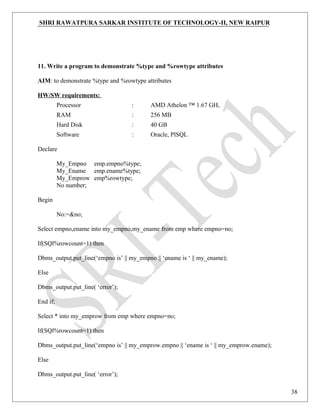
Select empno,ename into my_empno,my_ename from emp where empno=no;
If(SQl%rowcount=1) then
Dbms_output.put_line(‘empno is’ || my_empno || ‘ename is ‘ || my_ename);
Else
Dbms_output.put_line( ‘error’);
End if;
Select * into my_emprow from emp where empno=no;
If(SQl%rowcount=1) then
Dbms_output.put_line(‘empno is’ || my_emprow.empno || ‘ename is ‘ || my_emprow.ename);
Else
Dbms_output.put_line( ‘error’);
38
SHRI RAWATPURA SARKAR INSTITUTE OF TECHNOLOGY-II, NEW RAIPUR
End if;
End;
Valid Test Data
Enter the value for no:
7788
OUTPUT
empno is 7788 ename is vinay s.
39
SHRI RAWATPURA SARKAR INSTITUTE OF TECHNOLOGY-II, NEW RAIPUR
12. Write a program to demonstrate predefined exceptions
AIM: to demonstrate predefined exceptions
Declare
A number
B number;
C number;
Begin
A:=&a;
B:=&b;
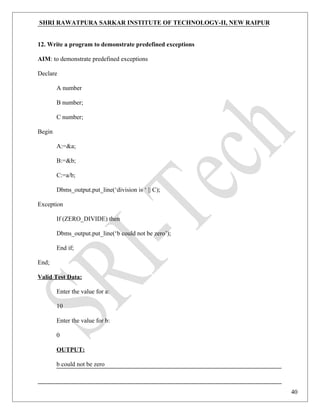
C:=a/b;
Dbms_output.put_line(‘division is ‘ || C);
Exception
If (ZERO_DIVIDE) then
Dbms_output.put_line(‘b could not be zero’);
End if;
End;
Valid Test Data:
Enter the value for a:
10
Enter the value for b:
0
OUTPUT:
b could not be zero
40
SHRI RAWATPURA SARKAR INSTITUTE OF TECHNOLOGY-II, NEW RAIPUR
14. Write a program to demonstrate user defined exceptions
AIM: to demonstrate user defined exceptions
Declare
A number
B number;
C number;
Mydivide_zero EXCEPTION;
Begin
A:=&a;
B:=&b;
If(B=0) then
Raise Mydivide_zero;
else
C:=a/b;
Dbms_output.put_line(‘division is ‘ || C);
End if;
Exception
If (mydivide_zero) then
Dbms_output.put_line(‘b could not be zero’);
End if;
End;
Valid Test Data:
Enter the value for a:
10
41
SHRI RAWATPURA SARKAR INSTITUTE OF TECHNOLOGY-II, NEW RAIPUR
Enter the value for b:
0
OUTPUT:
b could not be zero
42
SHRI RAWATPURA SARKAR INSTITUTE OF TECHNOLOGY-II, NEW RAIPUR
15. Create a Cursor which update the salaries of an Employee as follows.
1. if sal<1000then update the salary to 1500.
2. if sal>=1000 and <2000 then update the salary to 2500.
3. if sal>=2000 and <=3000 then update the salary to 4000.
And also count the no.of records have been updated.*/
Declare
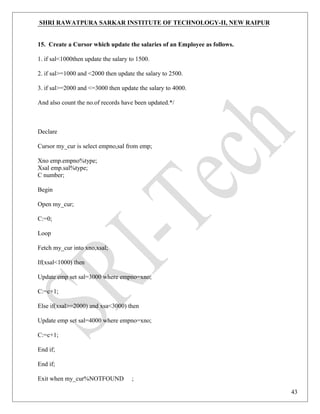
Cursor my_cur is select empno,sal from emp;
Xno emp.empno%type;
Xsal emp.sal%type;
C number;
Begin
Open my_cur;
C:=0;
Loop
Fetch my_cur into xno,xsal;
If(xsal<1000) then
Update emp set sal=3000 where empno=xno;
C:=c+1;
Else if(xsal>=2000) and xsa<3000) then
Update emp set sal=4000 where empno=xno;
C:=c+1;
End if;
End if;
Exit when my_cur%NOTFOUND ;
43
SHRI RAWATPURA SARKAR INSTITUTE OF TECHNOLOGY-II, NEW RAIPUR
End loop;
Close my_cur;
Dbma_output.put_line(c||’records have been successfully updated’);
End;
Sql>@a.sql;
records have been successfully updated
pl/sql procedure successfully completed.
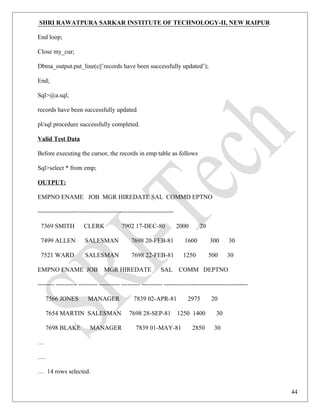
Valid Test Data
Before executing the cursor, the records in emp table as follows
Sql>select * from emp;
OUTPUT:
EMPNO ENAME JOB MGR HIREDATE SAL COMMD EPTNO
-----------------------------------------------------------------
7369 SMITH CLERK 7902 17-DEC-80 2000 20
7499 ALLEN SALESMAN 7698 20-FEB-81 1600 300 30
7521 WARD SALESMAN 7698 22-FEB-81 1250 500 30
EMPNO ENAME JOB MGR HIREDATE SAL COMM DEPTNO
-------- ---------- --------- ---------- --------- ---------- ----------------------------------------
7566 JONES MANAGER 7839 02-APR-81 2975 20
7654 MARTIN SALESMAN 7698 28-SEP-81 1250 1400 30
7698 BLAKE MANAGER 7839 01-MAY-81 2850 30
…
….
… 14 rows selected.
44
SHRI RAWATPURA SARKAR INSTITUTE OF TECHNOLOGY-II, NEW RAIPUR
16. create a procedure which generate all the prime numbers below the given number and
count the no.of prime numbers.
Create or replace procedure prime_proc(n IN number,tot OUT number) as
i number;
c number;
j number;
Begin
i:=1;
tot:=0;
while(i<=n)
loop
j:=1;
c:=0;
while(j<=i)
loop
if(mod(I,j)=0) then
c:=c+1;
end if;
j:=j+1;
end loop;
if(c=2) then
dbms_output.put_line(i);
tot:=tot+1;
end if;
45
SHRI RAWATPURA SARKAR INSTITUTE OF TECHNOLOGY-II, NEW RAIPUR
i:=i+1;
end loop;
end;
/
Sql>procedure created.
declare
t number;
begin
prime_proc(10,t);
dbms_output.put_line(‘the total prime no .are’||t);
end;
Valid Test Data:
sql>set serveroutput on
OUTPUT
sql>/
2
3
5
7
The total prime no.are 4
Pl/sql procedure successfully completed.
46
SHRI RAWATPURA SARKAR INSTITUTE OF TECHNOLOGY-II, NEW RAIPUR
17. create a procedure which updates the salaries of an employees as follows.
1.if sal<1000 then update the salry to 1500.
2.if sal>=1000 and <=2400 then update the salary to 2500.*/
Create or replace procedure myproc as
Cursor my_cur is select empno,sal from emp;
Xno emp.empno%type;
Xsal emp.sal%type;
C number;
Begin
Open my_cur;
C:=0;
Loop
Fetch my_cur into xno,xsal;
If(xsal<1000) then
Update emp set sal=1500 where empno=xno;
C:=c+1;
Else
Is(xsal>=1000 and xsal<=2400) then
Update emp set sal=2500 where empno=xno;
C:=c+1;
End if;
End if;
Exit when my_cur%NOTFOUND;
End loop;
47
SHRI RAWATPURA SARKAR INSTITUTE OF TECHNOLOGY-II, NEW RAIPUR
Close my_cur;
Dbms_output.put_line(c||’records have been successfully updated’);
End;
/
Valid Test Data:
Procedure created.
Sql>exec myproc;
OUTPUT:
Records have been successfully completed.
/* create function which add two given numbers. (Simple programs) */
Create or replace function add_fun(a number,b number) return
Number as
C number;
Begin
C:=a+b;
Return c;
End;
/
Function created.
/*add_fun specification*/
Declare
Result number;
48
SHRI RAWATPURA SARKAR INSTITUTE OF TECHNOLOGY-II, NEW RAIPUR
Begin
Result:=add_fun(10,20);
Dbms_output.put_line(‘the sum of 10 and 20 is’||result);
End;
Sql>/
The sum of 10 and 20 is 30
Pl/sql procedure successfully completed.
/*create a function which count total no.of employees having salary less than 6000.*/
/*function body*/
Create or replace function count_emp(esal number)return number as
Cursor vin_cur as Select empno,sal from emp;
Xno emp.empno%type;
Xsal emp.sal%type;
C number;
Begin
Open vin_cur;
C:=0;
loop
fetch vin_cur into xno,xsal;
if(xsal<esal) then
c:=c+1;
end if;
exit when vin_cur%notfound;
49
SHRI RAWATPURA SARKAR INSTITUTE OF TECHNOLOGY-II, NEW RAIPUR
end loop;
close vin_cur;
return c;
end;
/
Function created.
/*function specification*/
Declare
Ne number;
Xsal number;
Begin
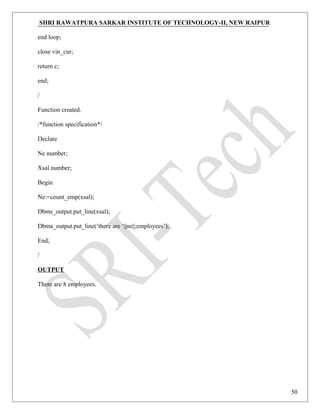
Ne:=count_emp(xsal);
Dbms_output.put_line(xsal);
Dbma_output.put_line(‘there are ‘||ne||;employees’);
End;
/
OUTPUT
There are 8 employees.
50
SHRI RAWATPURA SARKAR INSTITUTE OF TECHNOLOGY-II, NEW RAIPUR
51
SHRI RAWATPURA SARKAR INSTITUTE OF TECHNOLOGY-II, NEW RAIPUR
52

Dbms lab Manual

  • 1.
    SHRI RAWATPURA SARKARINSTITUTE OF TECHNOLOGY-II NEW RAIPUR Department Of Computer Science & Engineering Data Base Management Systems Lab Manual
  • 2.
    SHRI RAWATPURA SARKARINSTITUTE OF TECHNOLOGY-II, NEW RAIPUR How to Write and execute sql, pl/sql commands/programs: 1). Open your oracle application by the following navigation Start->all programs->oracle orahome.->application development->sql. 2). You will be asked for user name, pass word and host string You have to enter user name, pass word and host string as given by the administrator. It will be different from one user to another user. 3). Upon successful login you will get SQL prompt (SQL>). In two ways you can write your programs: a). directly at SQL prompt b). or in sql editor. If you type your programs at sql prompt then screen will look like follow: SQL> SELECT ename,empno, 2 sal from 3 emp; where 2 and 3 are the line numbers and rest is the command /program…… to execute above program/command you have to press ‘/’ then enter. Here editing the program is somewhat difficult; if you want to edit the previous command then you have to open sql editor (by default it displays the sql buffer contents). By giving ‘ed’ at sql prompt. (this is what I mentioned as a second method to type/enter the program). in the sql editor you can do all the formatting/editing/file operations directly by selecting menu options provided by it. To execute the program which saved; do the following SQL> @ programname.sql Or SQL> Run programname.sql Then press ‘’ key and enter. This how we can write, edit and execute the sql command and programs. Always you have to save your programs in your own logins. 2
  • 3.
    SHRI RAWATPURA SARKARINSTITUTE OF TECHNOLOGY-II, NEW RAIPUR Different types of commands in SQL: A). DDL commands: - To create a database objects B). DML commands: - To manipulate data of a database objects C). DQL command: - To retrieve the data from a database. D). DCL/DTL commands: - To control the data of a database… DDL commands: 1. The Create Table Command: - it defines each column of the table uniquely. Each column has minimum of three attributes, a name , data type and size. Syntax: Create table <table name> (<col1> <datatype>(<size>),<col2> <datatype><size>)); Ex: create table emp(empno number(4) primary key, ename char(10)); 2. Modifying the structure of tables. a)add new columns Syntax: Alter table <tablename> add(<new col><datatype(size),<new col>datatype(size)); Ex: alter table emp add(sal number(7,2)); 3. Dropping a column from a table. Syntax: Alter table <tablename> drop column <col>; Ex: alter table emp drop column sal; 4. Modifying existing columns. Syntax: Alter table <tablename> modify(<col><newdatatype>(<newsize>)); Ex: alter table emp modify(ename varchar2(15)); 5. Renaming the tables Syntax: Rename <oldtable> to <new table>; 3
  • 4.
    SHRI RAWATPURA SARKARINSTITUTE OF TECHNOLOGY-II, NEW RAIPUR Ex: rename emp to emp1; 6. truncating the tables. Syntax: Truncate table <tablename>; Ex: trunc table emp1; 7. Destroying tables. Syntax: Drop table <tablename>; Ex: drop table emp; DML commands: 8. Inserting Data into Tables: - once a table is created the most natural thing to do is load this table with data to be manipulated later. Syntax: insert into <tablename> (<col1>,<col2>) values(<exp>,<exp>); 9. Delete operations. a) remove all rows Syntax: delete from <tablename>; b) removal of a specified row/s Syntax: delete from <tablename> where <condition>; 10. Updating the contents of a table. a) updating all rows Syntax: Update <tablename> set <col>=<exp>,<col>=<exp>; b) updating seleted records. Syntax: Update <tablename> set <col>=<exp>,<col>=<exp> where <condition>; 4
  • 5.
    SHRI RAWATPURA SARKARINSTITUTE OF TECHNOLOGY-II, NEW RAIPUR 11. Types of data constrains. a) not null constraint at column level. Syntax: <col><datatype>(size)not null b) unique constraint Syntax: Unique constraint at column level. <col><datatype>(size)unique; c) unique constraint at table level: Syntax: Create table tablename(col=format,col=format,unique(<col1>,<col2>); d) primary key constraint at column level Syntax: <col><datatype>(size)primary key; e) primary key constraint at table level. Syntax: Create table tablename(col=format,col=format primary key(col1>,<col2>); f) foreign key constraint at column level. Syntax: <col><datatype>(size>) references <tablename>[<col>]; g) foreign key constraint at table level Syntax: foreign key(<col>[,<col>])references <tablename>[(<col>,<col>) h) check constraint check constraint constraint at column level. Syntax: <col><datatype>(size) check(<logical expression>) i) check constraint constraint at table level. Syntax: check(<logical expression>) 5
  • 6.
    SHRI RAWATPURA SARKARINSTITUTE OF TECHNOLOGY-II, NEW RAIPUR DQL Commands: 12. Viewing data in the tables: - once data has been inserted into a table, the next most logical operation would be to view what has been inserted. a) all rows and all columns Syntax: Select <col> to <col n> from tablename; Select * from tablename; 13. Filtering table data: - while viewing data from a table, it is rare that all the data from table will be required each time. Hence, sql must give us a method of filtering out data that is not required data. a) Selected columns and all rows: Syntax: select <col1>,<col2> from <tablename>; b) selected rows and all columns: Syntax: select * from <tablename> where <condition>; c) selected columns and selected rows Syntax: select <col1>,<col2> from <tablename> where<condition>; 14. Sorting data in a table. Syntax: Select * from <tablename> order by <col1>,<col2> <[sortorder]>; DCL commands: Oracle provides extensive feature in order to safeguard information stored in its tables from unauthoraised viewing and damage.The rights that allow the user of some or all oracle resources on the server are called privileges. a) Grant privileges using the GRANT statement The grant statement provides various types of access to database objects such as tables,views and sequences and so on. Syntax: GRANT <object privileges> ON <objectname> TO<username> [WITH GRANT OPTION]; b) Reoke permissions using the REVOKE statement: 6
  • 7.
    SHRI RAWATPURA SARKARINSTITUTE OF TECHNOLOGY-II, NEW RAIPUR The REVOKE statement is used to deny the Grant given on an object. Syntax: REVOKE<object privilege> ON FROM<user name>; CSE/5th /DBMS Lab/Prepared by Vivek Kumar Sinha 7
  • 8.
    SHRI RAWATPURA SARKARINSTITUTE OF TECHNOLOGY-II, NEW RAIPUR Experiment 1 Database Schema for a customer-sale scenario Customer(Cust id : integer, cust_name: string) Item(item_id: integer, item_name: string, price: integer) Sale(bill_no: integer, bill_data: date, cust_id: integer, item_id: integer, qty_sold: integer) For the above schema, perform the following— a) Create the tables with the appropriate integrity constraints b) Insert around 10 records in each of the tables c) List all the bills for the current date with the customer names and item numbers d) List the total Bill details with the quantity sold, price of the item and the final amount e) List the details of the customer who have bought a product which has a price>200 f) Give a count of how many products have been bought by each customer g) Give a list of products bought by a customer having cust_id as 5 h) List the item details which are sold as of today i) Create a view which lists out the bill_no, bill_date, cust_id, item_id, price, qty_sold, amount j) Create a view which lists the daily sales date wise for the last one week Aim: Create the tables with the appropriate integrity constraints and Insert around 10 records in each of the tables SQL> create table customer1 (cust_id number(5) primary key, cust_name varchar2(15)); Output: Table created. SQL> desc customer1; Output: Name Null? Type ----------------------------------------- -------- ---------------- CUST_ID NOT NULL NUMBER(5) CUST_NAME VARCHAR2(15) Valid Test Data b) SQL> insert into customer1 values(&custid,'&custname'); SQL> select * from customer1; Output: CUST_ID CUST_NAME ---------- --------------- 100 ramu 101 kamal 102 raju 103 raju sundaram 104 lawrence 8
  • 9.
    SHRI RAWATPURA SARKARINSTITUTE OF TECHNOLOGY-II, NEW RAIPUR SQL> create table item(item_id number(4) primary key, item_name varchar2(15),price number(6,2)); SQL> dsec item Output: Name Null? Type …………………………………………………………………………………………………… Cust_id NOT NULL NUMBER(4) Item_name VARCHAR2(15) PRICE NUMBER(6,2) SQL>insert into item values(&item_id,’&item_name’,&price); SQL> select * from item; Output: ITEM_ID ITEM_NAME PRICE …………………………………………………………………………………….. 2334 geera 6.25 4532 corn soup 34.65 2124 lays chips 20 4531 setwet 99.99 2319 duracell 45.5 SQL>create table sale(bill_no number(5) primary key,bill_date date, cust_id number(5) references customer(cust_id), item_id number(4) references item(item_id),qty_sold number(4)); Out put: Table Created. SQL>dsec sale Output: Name Null? Type ……………………………………………………………………………………….. BILL_NO NOT NULL NUMBER(4) BILL_DATE DATE CUST_ID NUMBER(5) ITEM_ID NUMBER(4) QTY_SOLD NUMBER(4) SQL>insert into Sale values(&bill_no, ’&bill_date’, &cust_id, &item_id, &qty_sold); SQL>select * from sale; Output: BILL_NO BILL_DATE CUST_ID ITEM_ID QTY_SOLD ………………………………………………………………………………………………………... 1450 04-JAN-06 100 2124 2 1451 04-JAN-06 101 2319 1 9
  • 10.
    SHRI RAWATPURA SARKARINSTITUTE OF TECHNOLOGY-II, NEW RAIPUR 1452 04-JAN-06 103 4531 2 1453 04-JAN-06 102 2334 3 1454 04-JAN-06 104 4532 3 c) List all the bills for the current date with the customer names and item numbers SQL> select c.custname, i.itemid, s.billno from customer c, item I, sale s where c.custid=s.custid and s.billdate=to_char(sysdate); CUSTNAME ITEMID BILLNO ------------- --------- --------- John 5001 332 d) List the total Bill details with the quantity sold, price of the item and the final amount SQL> select i.price, s.qty,(i.price*s.qty) total from item I, sale s where i.itemid=s.itemid; PRICE QTY TOTAL ------- ----- -------- 120 2 240 20 3 60 5 2 10 10 1 10 350 4 1400 e) List the details of the customer who have bought a product which has a price>200 SQL> select c.custid, c.custname from customer c, sale s, item i where i.price>200 and c.custid=s.custid and i.itemid=s.itemid; CUSTID CUSTNAME --------- -------------- 4 duffy f) Give a count of how many products have been bought by each customer SQL> select custid, count(itemid) from sale group by custid; CUSTID COUNT(ITEMID) ---------- --------------------- 1 2 3 1 4 1 5 1 g) Give a list of products bought by a customer having cust_id as 5 SQL> select i.itemname from item i, sale s where s.custid=5 and i.itemid-s.itemid; ITEMNAME -------------- Pens 10
  • 11.
    SHRI RAWATPURA SARKARINSTITUTE OF TECHNOLOGY-II, NEW RAIPUR h) List the item details which are sold as of today SQL> select i.itemid, i.itemname from item I, sale s where i.itemid=s.itemid and s.billdate=to_char(sysdate); ITEMID ITEMNAME --------- ------------- 1234 pencil i)Create a view which lists out the bill_no, bill_date, cust_id, item_id, price, qty_sold, amount SQL>create view cust as (select s.billno, s.billdate, c.custid, i. iitemid, i.price, s.qty from customer c,sale s item I where c.custid=s.custid and i.iemid=s.itemid); view created. SQL>select * from cust; BILLNO BILLDATE CUSTID ITEMID PRICE QTY …………………………………………………………………………………………… 3432 12-JAN-06 3 3244 120 2 4424 20-FEB-06 1 3456 20 3 332 13-MAR-06 1 1234 5 2 2343 10-MAR 5 5001 10 1 1331 11-MAR-06 4 76776 350 4 11
  • 12.
    SHRI RAWATPURA SARKARINSTITUTE OF TECHNOLOGY-II, NEW RAIPUR Experiment 2 Database Schema for a Student Library scenario Student(Stud_no : integer, Stud_name: string) Membership(Mem_no: integer, Stud_no: integer) Book(book_no: integer, book_name:string, author: string) Iss_rec(iss_no:integer, iss_date: date, Mem_no: integer, book_no: integer) For the above schema, perform the following— a) Create the tables with the appropriate integrity constraints b) Insert around 10 records in each of the tables c) List all the student names with their membership numbers d) List all the issues for the current date with student and Book names e) List the details of students who borrowed book whose author is CJDATE f) Give a count of how many books have been bought by each student g) Give a list of books taken by student with stud_no as 5 h) List the book details which are issued as of today i) Create a view which lists out the iss_no, iss _date, stud_name, book name j) Create a view which lists the daily issues-date wise for the last one week AIM: Create the tables with the appropriate integrity constraints Insert around 10 records in each of the tables SQL>create table student(stud_no number(5) primary key,stud_name varchar2(15)); SQL>desc student; Name Null? Type ……………………………………………………………………………………….. STUD_NO NOT NULL NUMBER(5) STUD_NAME VARCAHR2(15) Valid Test Data: SQL>insert into student values(&stud_no,’&stud_name’); SQL>select * from student; STUD_NO STUD_NAME .................................................................... 508 HARISH 513 BALAJI 518 RAKESH 524 PAVAN 12
  • 13.
    SHRI RAWATPURA SARKARINSTITUTE OF TECHNOLOGY-II, NEW RAIPUR 534 JOYCE SQL>create table membership(mem_no number(5) primary key,stud_no number(5) references student(stud)no)); SQL>dsec membership; Name Null? Type ……………………………………………………………………………………………………. MEM_NO NOT NULL NUMBER(5) STUD_NO NUMBER(5) SQL>insert into membership values(&mem_no,&stud_no); Enter value for mem_no:5440 Enter value for stud_no:510 old 1:insert into membership values(&mem_no,&stud_no) new 1:insert into membership values(5440,510) insert into membership values(5440,510) * Errors Observed: ERROR at line 1: ORA-02291:integrity constraint(HARISH.SYS_C002724)violated-primary key not found SQL>select * from membership; MEM_NO STUD_NO ……………………………………………………………………….. 5440 513 5441 508 5442 518 5443 534 5444 524 SQL>create table book(book_no number(5) primary key,book_name varchar2(20),author varchar2(2)); SQL>desc book; Name Null? Type ……………………………………………………………………………………….. BOOK_NO NOT NULL NUMBER(5) BOOK_NAME VARCHAR2(20) AUTHOR VARCHAR2(20) SQL>insert into book values(&book_no,’&book_name’,’&author’); SQL>select * from book; BOOK_NO BOOK_NAME AUTHOR ……………………………………………………………………………………………….. 9123 DBMS Rama Krishna 2342 JAVA Robett wilkins 13
  • 14.
    SHRI RAWATPURA SARKARINSTITUTE OF TECHNOLOGY-II, NEW RAIPUR 4523 Fearless tales Alfred 8723 my ambition Harish 7821 Harry Potter JK Rowling SQL>create table lss_rec(iss_no number primary key,iss_date date,mem_no number(5) references membership(mem_no),book_no number(5) references book(book_no)); SQL>desc iss_rec; Name Null? Type ……………………………………………………………………………………………………… ISS_NO NOT NULL NUMBER ISS_DATE DATE MEM_NO NUMBER(5) BOOK_NO NUMBER(5) SQL>select * from iss_rec; ISS_NO ISS_DATE MEM_NO BOOK_NO ………………………………………………………………………………………………… 43 05-JAN-06 5443 4523 81 28-DEC-05 5441 8723 22 08-DEC-05 5440 7821 53 07-JAN-06 5442 9123 35 06-JAN-06 5444 2342 c) List all the student names with their membership numbers SQL> select s.studname, m.memno from student s, membership m where m.studno=s.studno; STUDNAME MEMNO ------------- -------- abhijeet 1001 arun 1002 arvind 1003 ashish 1004 ashwin 1005 d) List all the issues for the current date with student and Book names SQL> select i.issno, s.studname, b.bookname from iss_rec I, membership m, student s, book b 2 where i.memno=m.memno and m.studno=s.studno and i.issdate=to_char(sysdate); ISSNOSTUDNAME BOOKNAME ------- ------------ --------------- 13 arvind P&S e) List the details of students who borrowed book whose author is CJDATE 14
  • 15.
    SHRI RAWATPURA SARKARINSTITUTE OF TECHNOLOGY-II, NEW RAIPUR SQL> select * from student where studno in(select studno from membership where memno in 2 (select memno from iss_rec where bookno in(select bookno from book where author=’CJDATE’))); STUDNO STUDNAME ---------- ------------- 505 ashwin f) Give a count of how many books have been bought by each student SQL> select s.studno, count(i.bookno) from student s.membership m, book b, 2 iss_rec I where s.studno=m.studno and b.bookno=i.bookno group by s.studno; STUDNO COUNT(I.BOOKNO) ---------- ----------------------- 501 5 502 5 503 5 504 5 505 5 g) Give a list of books taken by student with stud_no as 5 SQL> select bookname from book where bookno in (select bookno from iss_rec where 2 memno in(select memno from membership where 3 studno in(select studno from student where studno=5))); BOOKNAME ------------- NT h) List the book details which are issued as of today SQL> delete from book where bookno in(select bookno from iss_rec where issdate=to_char(sysdate)); delete from book where bookno in (select bookno from iss_rec where issdate=to_char(sysdate)) Errors Observed: ERROR at line 1: ORA-02292: integrity constraint (SCOTT.SYS_C00840) violated – child record found 15
  • 16.
    SHRI RAWATPURA SARKARINSTITUTE OF TECHNOLOGY-II, NEW RAIPUR Experiment 3 Database Schema for a Employee-pay scenario employee(emp_id : integer, emp_name: string) department(dept_id: integer, dept_name:string) paydetails(emp_id : integer, dept_id: integer, basic: integer, deductions: integer, additions: integer, DOJ: date) payroll(emp_id : integer, pay_date: date) For the above schema, perform the following— a) Create the tables with the appropriate integrity constraints b) Insert around 10 records in each of the tables c) List the employee details department wise d) List all the employee names who joined after particular date e) List the details of employees whose basic salary is between 10,000 and 20,000 f) Give a count of how many employees are working in each department g) Give a names of the employees whose netsalary>10,000 h) List the details for an employee_id=5 i) Create a view which lists out the emp_name, department, basic, dedeuctions, netsalary j) Create a view which lists the emp_name and his netsalary 16
  • 17.
    SHRI RAWATPURA SARKARINSTITUTE OF TECHNOLOGY-II, NEW RAIPUR AIM: Create the tables with the appropriate integrity constraints Insert around 10 records in each of the tables Create table employee(emp_id number(5) primary key,emp_name varchar2(25)); SQL>desc employee; Name Null? Type ……………………………………………………………………………………….. EMP_ID NOT NULL NUMBER(5) EMP_NAME VARCHAR2(25) Valid Test Data: SQL>insert into employee values(&emp_id,’&emp_name’); SQL>select * from employee; EMP_ID EMP_NAME …………………………………………………………. 10 Robert 21 Coulthard 30 Fernando Alonso 39 Kartikeyan 87 Kimmi SQL>create table department(dept_id number(5) primary key,dept_name varchar2(20)); SQL>desc department; Name Null? Type ……………………………………………………………………………………….. DEPT_ID NOT NULL NUMBER(5) DEPT_NAME VARCHAR2(20) SQL>insert into department values(&dept_id,’&dept_name’); SQL>select * from department; DEPT_ID DEPT_NAME …………………………………………………………………………….. 100 sales 101 accounts 102 administration 103 production 104 supervisor SQL>create table paydetails(emp_id number(5) references employee(emp_id),dept_id number(5) reerences department(dept_id),basic number(7,2),deductions number(5,2),additions number(5,2),doj date); 17
  • 18.
    SHRI RAWATPURA SARKARINSTITUTE OF TECHNOLOGY-II, NEW RAIPUR SQL>desc paydetails; Name Null? Type ……………………………………………………………………………………….. EMP_ID NUMBER(5) DEPT_ID NUMBER(5) BASIC NUMBER(7,2) DEDUCTIONS NUMBER(5,2) ADDITIONS NUMBER(5,2) DOJ DATE Different Data Sets: SQL>insert into paydeatils values(&emp_id,&dept_id, &basic,&deductions,&additions,&doj); SQL>select * from paydeatils; EMP_ID DEPT_ID BASIC DEDUCTIONS ADDITIONS DOJ …………………………………………………………………………………………………………… …….. 10 101 25023.12 43.09 71.23 08-JAN-93 21 100 10500.29 23.98 40.9 01-JAN-06 30 102 6500.5 30.54 15 06-JUL-97 39 103 9700.45 32.78 65.09 08-AUG-03 87 104 15000 97.66 154.8 24-SEP-04 SQL>create table payroll(emp_id number(5)references employee(emp_id),pay_date date); SQL>desc payroll; Name Null? Type ……………………………………………………………………………………….. EMP_ID NUMBER(5) PAY_DATE DATE SQL>insert into payroll values(&emp_id,’&date’); SQL>select * from payroll; EMP_ID PAY_DATE …………………………………………………………. 10 31-JAN-06 21 03-FEB-06 30 15-JAN-06 39 27-JAN-06 87 04-FEB-06 c) List the employee details department wise SQL>select empid,deptid from paydet; EMPID DEPTID 18
  • 19.
    SHRI RAWATPURA SARKARINSTITUTE OF TECHNOLOGY-II, NEW RAIPUR ………………………… 401 500 402 200 403 600 404 400 405 1200 d) List all the employee names who joined after particular date SQL>select e,empname from employee e,paydet p where e.empid=p.empid and p.doj>=’05-mar-06’; EMPNAME ………………… AVINASH NITIN PHALGUN e) List the details of employees whose basic salary is between 10,000 and 20,000 sqL> Select empid,empname from employee where salary between 10000 and 20000; EMPID EMPNAME ……………………………. 402 AKHILA 403 aaaaaaaa EMPID EMPNAME ……………………………. AKHILA f) Give a count of how many employees are working in each department SQL>select count(empid),deptid from paydet group by deptid; COUNT (EMPID) DEPTID ……………………………………………………… 1 200 1 400 1 500 1 600 1 1200 g) Give a names of the employees whose netsalary>10,000 SQL> select empname from employee where empid in(select empid from paydet where basic- deduction>10000); EMPNAME ……………… 19
  • 20.
    SHRI RAWATPURA SARKARINSTITUTE OF TECHNOLOGY-II, NEW RAIPUR AVINASH AKHILA HARISH NITIN PHALGUN h) List the details for an employee_id=5 SQL> select * from employee where empid=5; EMPID EMPNAME ------------------------------------------ 5 Coulthard 20
  • 21.
    SHRI RAWATPURA SARKARINSTITUTE OF TECHNOLOGY-II, NEW RAIPUR Experiment 4 Database Schema for a Video Library scenario Customer(cust_no: integer,cust_name: string) Membership(Mem_no: integer, cust_no: integer) Cassette(cass_no:integer, cass_name:string, Language: String) Iss_rec(iss_no: integer, iss_date: date, mem_no: integer, cass_no: integer) For the above schema, perform the following— a) Create the tables with the appropriate integrity constraints b) Insert around 10 records in each of the tables c) List all the customer names with their membership numbers d) List all the issues for the current date with the customer names and cassette names e) List the details of the customer who has borrowed the cassette whose title is “ The Legend” f) Give a count of how many cassettes have been borrowed by each customer g) Give a list of book which has been taken by the student with mem_no as 5 h) List the cassettes issues for today AIM: Create the tables with the appropriate integrity constraints Insert around 10 records in each of the tables SQL>create table customer(cust_no number(5) primary key,cust_name varchar2(20)); SQL>desc customer; Name Null? Type ……………………………………………………………………………………………………………. . CUST_NO NOT NULL NUMBER(5) CUST_NAME VARCHAR2(20) Valid Test Data: SQL>insert into customer values(&cust_no,’&cust_name’); SQL>select * from customer; CUST_NO CUST_NAME ………………………………………………………………. 50 scott 51 pandey 52 varshney 53 naidu 54 bhimbra 21
  • 22.
    SHRI RAWATPURA SARKARINSTITUTE OF TECHNOLOGY-II, NEW RAIPUR SQL>create table membership(mem_no number(5) primary key,cust_no number(5) references customer(cust_no)); SQL>dsec membership; Name Null? Type ………………………………………………………………………………………………………... MEM_NO NOT NULL NUMBER(5) CUST_NO NUMBER(5) SQL>insert into memship values(&mem_no,&cust_no); SQL>select * from memship; MEM_NO CUST_NO ………………………………………………… 920 50 981 51 897 52 820 53 928 54 SQL>create table cassette(cass_no number(5) primary key, Cass_name varchar2(15),language varchar2(15)); SQL>desc cassette; Name Null? Type ……………………………………………………………………………………….. CASS_NO NOT NULL NUMBER(5) CASS_NAME VARCHAR2(15) LANGUAGE VARCHAR2(15) SQL>insert into cassette values(&cass_no,’&cass_name’,’&language’); SQL>select * from cassette; CASS_NO CASS_NAME LANGUAGE ……………………………………………………………………………………… 1 tagore telugu 2 the lion king English 3 anniyan tamil 4 indra telugu 5 lord of rings English SQL>create table issu_rec(iss_no number(5) primary key,iss_date date,mem_no number(5)references memship(mem_no),cass_no number(5) references cassette(cass_no)); SQL>desc issu_rec; Name Null? Type ………………………………………………………………………………………………………... 22
  • 23.
    SHRI RAWATPURA SARKARINSTITUTE OF TECHNOLOGY-II, NEW RAIPUR ISS_NO NOT NULL NUMBER(5) ISS_DATE DATE MEM_NO NUMBER(5) CASS_NO NUMBER(5) SQL>select * from issu_rec; ISS_NO ISS_DATE MEM_NO CASS_NO …………………………………………………………………………………… 22 07-JAN-06 920 1 23 10-JAN-00 981 2 26 10-JAN-06 897 5 3 01-JAN-06 820 4 34 31-DEC-05 928 3 c) List all the customer names with their membership numbers SQL>select c.custname,m.memno from customer1 c,membership1 m where c.custno=m.custno; CUSTNAME MEMNO ……………….. ……………….. NIKHIL 51 VIVEK 52 SHRAVAN 58 VAMSI 57 SHIVA 56 d) List all the issues for the current date with the customer names and cassette names SQL>select i.issno,c.custname,cc.cassettename from customer1 c,membership1 m,cassette cc,issrec1 I where i.issdate=to_char(sysdate) and c.custno=m.custno and i.cassno=cc.cassno and i.memno=m.memno; OutPut: no rows selected. 23
  • 24.
    SHRI RAWATPURA SARKARINSTITUTE OF TECHNOLOGY-II, NEW RAIPUR Experiment 5 Database Schema for a student-Lab scenario Student(stud_no: integer, stud_name: string, class: string) Class(class: string, descrip: string) Lab(mach_no: integer, Lab_no: integer, description: String) Allotment(Stud_no: Integer, mach_no: integer, dayof week: string) For the above schema, perform the following— a) Create the tables with the appropriate integrity constraints b) Insert around 10 records in each of the tables c) List all the machine allotments with the student names, lab and machine numbers d) List the total number of lab allotments day wise e) Give a count of how many machines have been allocated to the ‘CSIT’ class f) Give a machine allotment etails of the stud_no 5 with his personal and class details g) Count for how many machines have been allocatedin Lab_no 1 for the day of the week as “Monday” h) How many students class wise have allocated machines in the labs i) Create a view which lists out the stud_no, stud_name, mach_no, lab_no, dayofweek j) Create a view which lists the machine allotment details for “Thursday” AIM: Create the tables with the appropriate integrity constraints Insert around 10 records in each of the tables SQL>create table stu(stud_no number(5) primary key,stud_nam varchar2(20),class varchar2(20)); SQL> desc stu; Name null? Type STUD_NO NOT NULL NUMBER(5) STUD_NAM VARCHAR2(20) CLASS VARCHAR2(20) Valid Data Sets: SQL> insert into stu values(&stud_no,’&stud_nam’,’&class’); SQL> select * from stu; STUD_NO STUD_NAM CLASS 39 LEON CSE 34 VIKAS CSIT 18 MATHEW ECE 8 HANSEN MECH 24 ALEXIS EEE 24
  • 25.
    SHRI RAWATPURA SARKARINSTITUTE OF TECHNOLOGY-II, NEW RAIPUR SQL> Create table class (class varchar2(20), descript varchar2(10)); SQL> Describe class; Name null type CLASS VARCHAR2(10) DESCRIPT VARCHAR2(20) SQL> create table lab(match_no number(5), lab_no number(5), description varchar2(20)); SQL> desc lab; Name null type MACH_NO NOT NULL NUMBER(5) LAB_NO NUMBER(5) DESCRIPTION VARCHAR2(20) SQL> insert into lab values(&mach_no,&lab_no,’&description’); SQL> select * from lab; MATCH_NO LAB_NO DESCRIPTION --------------- --------- -------------------- 23 7 physics 78 2 chemistry 87 1 edc 12 10 cds 8 3 java lab SQL> create table allotment(stud_no number(5) references stu(stud_no), match_no number(5) references lab(mach_no), Doweek varchar2(20)); SQL> desc allotment; Name Null? Type -------------- ------- --------- STUD_NO NUMBER(5) MACH_NO NUMBER(5) DOWEEK VARCHAR2(20) SQL>select * from allotment; STUD_NO MACH_NO DOWEEK ------------- -- ------------ ------------ 25
  • 26.
    SHRI RAWATPURA SARKARINSTITUTE OF TECHNOLOGY-II, NEW RAIPUR 39 23 sat 34 87 mon 18 78 tue 8 12 wed 24 12 thu c) List all the machine allotments with the student names, lab and machine numbers SQL>select s.studname,l.machno from student1 s,lab l,allotment a where a.machno=l.machno and a.studno=s.studno; STUDNAME MACHNO ……………………………………….. ABHIJEET 1 KALYAN 22 ASHWIN 3 ARKA 4 ARVIND 5 d) List the total number of lab allotments day wise SQL>select l.machno,l.descrip,a.day from lab l,allotment a where a.machno=l.machno; MACHNO DESCRIP DAY …………………………………………………………………… 1 UNIX MONDAY 22 UNIX TUESDAY 3 XP WEDNESDAY 4 WINDOWS THRUSDAY 5 ME FRIDAY e) Give a count of how many machines have been allocated to the ‘CSIT’ class SQL>select count(machno)from allotment where studno in(select studno from student1 where class=’CSIT’); COUNT (MACHNO) …………………….. 1 f) Give a machine allotment etails of the stud_no 5 with his personal and class details SQL>select a.studno,a.machno,s.studname,s.class from allotment a,student1 s where a.studno=s.studno and a.studno=503; STUDNO MACHNO STUDNAME CLASS ……………………………………………………………………………………………………… 26
  • 27.
    SHRI RAWATPURA SARKARINSTITUTE OF TECHNOLOGY-II, NEW RAIPUR 503 5 ARVIND CSE g) Count for how many machines have been allocatedin Lab_no 1 for the day of the week as “Monday” h) How many students class wise have allocated machines in the labs SQL>select count(studno) “allocated students in the labs”,class from student1 where studno in(select studno from allotment) group by class; allocated students in the lab CLASS …………………………………………………………………………… 2 CSE 1 ECE 1 EEE 1 IT 27
  • 28.
    SHRI RAWATPURA SARKARINSTITUTE OF TECHNOLOGY-II, NEW RAIPUR Experiment 6 Write a program to find largest number from the given three numbers. Aim: To find largest number from the given three numbers. Algorithm: Step 1: Declare the variable A, B, and C. Step 2: Store the valid data. Step 3: Compare variable A with B and A with C Step 4: If the value stored in variable A is big, it displays “A is Big”. (IF conditional statement should be used) Step 5: Compare variable B with C Step 6: If the value stored in variable B is big, it displays “B is Big”. Step 7: other wise it displays “C is Big” Declare A number; B number; C number; Begin A:=&a; B:=&b; C:=&c; If a > b && a> c then Dbms_output.put_line(‘ A is big ‘); Else If( b>c && b> a ) then Dbms_output.put_line(‘ B is big ‘); Else 28
  • 29.
    SHRI RAWATPURA SARKARINSTITUTE OF TECHNOLOGY-II, NEW RAIPUR Dbms_output.put_line(‘ C is big ‘); End if; End if; End; Valid Data Sets: Enter the value of a: 1 Enter the value of b: 2 Enter the value of c: 3 OUTPUT: C is big Invalid Data sets : Enter the value of a: y Enter the value of b: x Enter the value of c: a Output: Invalid data types. 29
  • 30.
    SHRI RAWATPURA SARKARINSTITUTE OF TECHNOLOGY-II, NEW RAIPUR Experiment 7 Simple programs using loop, while and for iterative control statement. a) To generate first 10 natural numbers using loop, while and for. AIM: To generate first 10 natural numbers using loop, while and for. Step 1: Declare the variable I. Step 2: Store the valid data 1 in I. Step 3: Use LOOP statement Step 4: Display the first value. Step 5: Increment the value of I by 1 value. Step 6: check the value up to 10 no. and repeat the loop Step 7: If condition exceeds the given value 10, the loop will be terminated. /* using loop statement */ Declare I number; Begin I:=1; Loop Dbms_output.put_line(I); I:=I+1; Exit when I>10; End loop; End; Algorithm: for WHILE loop Step 1: Declare the variable I. Step 2: Store the valid data 1 in I. Step 3: Use WHILE statement 30
  • 31.
    SHRI RAWATPURA SARKARINSTITUTE OF TECHNOLOGY-II, NEW RAIPUR Step 4: Check the value of I with value 10. Step 5: if the value of I reached to 10 the loop will be terminated Step 6: otherwise display value of I Step 7: increment the next value of I using I=I+1. /* using while */ Declare I number; Begin I:=1; While (I<=10) loop Dbms_output.put_line(I); I:=I+1; End loop; End; 31
  • 32.
    SHRI RAWATPURA SARKARINSTITUTE OF TECHNOLOGY-II, NEW RAIPUR Algorithm: Step 1: Declare the variable I. Step 2: Store the value 1 in var. I. Step 3: Use For… LOOP statement Step 4: Display the first value of I. Step 5: Increment the value of I by 1 value. Step 6: check the value up to 10 no. and repeat the loop Step 7: if the loop exceeds the value 10 then the loop will be terminated. /* using for loop*/ Begin For I in 1..10 loop Dbms_output.put_line(I); End loop; End; Valid Test Data: OUTPUT 1 2 3 4 5 6 7 8 9 10 32
  • 33.
    SHRI RAWATPURA SARKARINSTITUTE OF TECHNOLOGY-II, NEW RAIPUR Experiment 8 Program to check whether given number is Armstrong or not. AIM: to check whether given number is Armstrong or not. Algorithm: Step 1: Declare the variable N, S, D and DUP. Step 2: Store the value in var. N and var. DUP.. Step 3: check for the value of N, which is not equal to 0. Step 4: divide value stored in N by 10 and store it var. D. (D=n%10). Step 5: the reminder will be multiply 3 times and store it in Var. S. Step 6: The coefficient will be calculated using FLOOR function. And store it in var. N. Step 7: repeat the Steps 3, 4, 5, and 6 till loop will be terminated. Step 8: Check whether the stored value and calculated values are same Step 9: if both the values are same, then display “The given number is Armstrong” Step 10: Otherwise display “it is not Armstrong” and terminate the loop. Declare N number; S number; D number; Begin N:=&n; S:=0; While(n!=0) Loop D=n%10; S:=s+(D*D*D); N:=floor(n/10); End loop; If (DUP=S) then DBMS_output.put_line(‘number is armstrong’); Else 33
  • 34.
    SHRI RAWATPURA SARKARINSTITUTE OF TECHNOLOGY-II, NEW RAIPUR DBMS_output.put_line(‘number is not armstrong’); End if; End; Test Valid Data Set: Enter value of n 153 OUTPUT: number is Armstrong. 34
  • 35.
    SHRI RAWATPURA SARKARINSTITUTE OF TECHNOLOGY-II, NEW RAIPUR Experiment 9 Write a program to generate all prime numbers below 100. AIM: to generate all prime numbers below 100. Declare I number; J number; C number; Begin While(i<=100) Loop C:=0; J:=1; While(j<=i) Loop If(floor(i%j)=0) then C:= C+1; End if; J:=j+1; End loop; If(c=2) then Dbms_output.put_line(i); End if; Endloop; End; 35
  • 36.
    SHRI RAWATPURA SARKARINSTITUTE OF TECHNOLOGY-II, NEW RAIPUR Valid Test Data OUTPUT: 2 3 5 7 11 . . 97 36
  • 37.
    SHRI RAWATPURA SARKARINSTITUTE OF TECHNOLOGY-II, NEW RAIPUR Experiment 10 Write a program to demonstrate the GOTO statement. AIM: to demonstrate the GOTO statement Declare I number; Begin I:=1; If(i>=0) then GOTO here; Else Dbms_output.put_line( ‘ I is negative’); End if; <<here>> Dbms_output.put_line( ‘ I is positive’); End; Valid Test Data OUTPUT: I is positive 37
  • 38.
    SHRI RAWATPURA SARKARINSTITUTE OF TECHNOLOGY-II, NEW RAIPUR 11. Write a program to demonstrate %type and %rowtype attributes AIM: to demonstrate %type and %rowtype attributes HW/SW requirements: Processor : AMD Athelon ™ 1.67 GHz RAM : 256 MB Hard Disk : 40 GB Software : Oracle, PlSQL Declare My_Empno emp.empno%type; My_Ename emp.ename%type; My_Emprow emp%rowtype; No number; Begin No:=&no; Select empno,ename into my_empno,my_ename from emp where empno=no; If(SQl%rowcount=1) then Dbms_output.put_line(‘empno is’ || my_empno || ‘ename is ‘ || my_ename); Else Dbms_output.put_line( ‘error’); End if; Select * into my_emprow from emp where empno=no; If(SQl%rowcount=1) then Dbms_output.put_line(‘empno is’ || my_emprow.empno || ‘ename is ‘ || my_emprow.ename); Else Dbms_output.put_line( ‘error’); 38
  • 39.
    SHRI RAWATPURA SARKARINSTITUTE OF TECHNOLOGY-II, NEW RAIPUR End if; End; Valid Test Data Enter the value for no: 7788 OUTPUT empno is 7788 ename is vinay s. empno is 7788 ename is vinay s. 39
  • 40.
    SHRI RAWATPURA SARKARINSTITUTE OF TECHNOLOGY-II, NEW RAIPUR 12. Write a program to demonstrate predefined exceptions AIM: to demonstrate predefined exceptions Declare A number B number; C number; Begin A:=&a; B:=&b; C:=a/b; Dbms_output.put_line(‘division is ‘ || C); Exception If (ZERO_DIVIDE) then Dbms_output.put_line(‘b could not be zero’); End if; End; Valid Test Data: Enter the value for a: 10 Enter the value for b: 0 OUTPUT: b could not be zero 40
  • 41.
    SHRI RAWATPURA SARKARINSTITUTE OF TECHNOLOGY-II, NEW RAIPUR 14. Write a program to demonstrate user defined exceptions AIM: to demonstrate user defined exceptions Declare A number B number; C number; Mydivide_zero EXCEPTION; Begin A:=&a; B:=&b; If(B=0) then Raise Mydivide_zero; else C:=a/b; Dbms_output.put_line(‘division is ‘ || C); End if; Exception If (mydivide_zero) then Dbms_output.put_line(‘b could not be zero’); End if; End; Valid Test Data: Enter the value for a: 10 41
  • 42.
    SHRI RAWATPURA SARKARINSTITUTE OF TECHNOLOGY-II, NEW RAIPUR Enter the value for b: 0 OUTPUT: b could not be zero 42
  • 43.
    SHRI RAWATPURA SARKARINSTITUTE OF TECHNOLOGY-II, NEW RAIPUR 15. Create a Cursor which update the salaries of an Employee as follows. 1. if sal<1000then update the salary to 1500. 2. if sal>=1000 and <2000 then update the salary to 2500. 3. if sal>=2000 and <=3000 then update the salary to 4000. And also count the no.of records have been updated.*/ Declare Cursor my_cur is select empno,sal from emp; Xno emp.empno%type; Xsal emp.sal%type; C number; Begin Open my_cur; C:=0; Loop Fetch my_cur into xno,xsal; If(xsal<1000) then Update emp set sal=3000 where empno=xno; C:=c+1; Else if(xsal>=2000) and xsa<3000) then Update emp set sal=4000 where empno=xno; C:=c+1; End if; End if; Exit when my_cur%NOTFOUND ; 43
  • 44.
    SHRI RAWATPURA SARKARINSTITUTE OF TECHNOLOGY-II, NEW RAIPUR End loop; Close my_cur; Dbma_output.put_line(c||’records have been successfully updated’); End; Sql>@a.sql; records have been successfully updated pl/sql procedure successfully completed. Valid Test Data Before executing the cursor, the records in emp table as follows Sql>select * from emp; OUTPUT: EMPNO ENAME JOB MGR HIREDATE SAL COMMD EPTNO ----------------------------------------------------------------- 7369 SMITH CLERK 7902 17-DEC-80 2000 20 7499 ALLEN SALESMAN 7698 20-FEB-81 1600 300 30 7521 WARD SALESMAN 7698 22-FEB-81 1250 500 30 EMPNO ENAME JOB MGR HIREDATE SAL COMM DEPTNO -------- ---------- --------- ---------- --------- ---------- ---------------------------------------- 7566 JONES MANAGER 7839 02-APR-81 2975 20 7654 MARTIN SALESMAN 7698 28-SEP-81 1250 1400 30 7698 BLAKE MANAGER 7839 01-MAY-81 2850 30 … …. … 14 rows selected. 44
  • 45.
    SHRI RAWATPURA SARKARINSTITUTE OF TECHNOLOGY-II, NEW RAIPUR 16. create a procedure which generate all the prime numbers below the given number and count the no.of prime numbers. Create or replace procedure prime_proc(n IN number,tot OUT number) as i number; c number; j number; Begin i:=1; tot:=0; while(i<=n) loop j:=1; c:=0; while(j<=i) loop if(mod(I,j)=0) then c:=c+1; end if; j:=j+1; end loop; if(c=2) then dbms_output.put_line(i); tot:=tot+1; end if; 45
  • 46.
    SHRI RAWATPURA SARKARINSTITUTE OF TECHNOLOGY-II, NEW RAIPUR i:=i+1; end loop; end; / Sql>procedure created. declare t number; begin prime_proc(10,t); dbms_output.put_line(‘the total prime no .are’||t); end; Valid Test Data: sql>set serveroutput on OUTPUT sql>/ 2 3 5 7 The total prime no.are 4 Pl/sql procedure successfully completed. 46
  • 47.
    SHRI RAWATPURA SARKARINSTITUTE OF TECHNOLOGY-II, NEW RAIPUR 17. create a procedure which updates the salaries of an employees as follows. 1.if sal<1000 then update the salry to 1500. 2.if sal>=1000 and <=2400 then update the salary to 2500.*/ Create or replace procedure myproc as Cursor my_cur is select empno,sal from emp; Xno emp.empno%type; Xsal emp.sal%type; C number; Begin Open my_cur; C:=0; Loop Fetch my_cur into xno,xsal; If(xsal<1000) then Update emp set sal=1500 where empno=xno; C:=c+1; Else Is(xsal>=1000 and xsal<=2400) then Update emp set sal=2500 where empno=xno; C:=c+1; End if; End if; Exit when my_cur%NOTFOUND; End loop; 47
  • 48.
    SHRI RAWATPURA SARKARINSTITUTE OF TECHNOLOGY-II, NEW RAIPUR Close my_cur; Dbms_output.put_line(c||’records have been successfully updated’); End; / Valid Test Data: Procedure created. Sql>exec myproc; OUTPUT: Records have been successfully completed. /* create function which add two given numbers. (Simple programs) */ Create or replace function add_fun(a number,b number) return Number as C number; Begin C:=a+b; Return c; End; / Function created. /*add_fun specification*/ Declare Result number; 48
  • 49.
    SHRI RAWATPURA SARKARINSTITUTE OF TECHNOLOGY-II, NEW RAIPUR Begin Result:=add_fun(10,20); Dbms_output.put_line(‘the sum of 10 and 20 is’||result); End; Sql>/ The sum of 10 and 20 is 30 Pl/sql procedure successfully completed. /*create a function which count total no.of employees having salary less than 6000.*/ /*function body*/ Create or replace function count_emp(esal number)return number as Cursor vin_cur as Select empno,sal from emp; Xno emp.empno%type; Xsal emp.sal%type; C number; Begin Open vin_cur; C:=0; loop fetch vin_cur into xno,xsal; if(xsal<esal) then c:=c+1; end if; exit when vin_cur%notfound; 49
  • 50.
    SHRI RAWATPURA SARKARINSTITUTE OF TECHNOLOGY-II, NEW RAIPUR end loop; close vin_cur; return c; end; / Function created. /*function specification*/ Declare Ne number; Xsal number; Begin Ne:=count_emp(xsal); Dbms_output.put_line(xsal); Dbma_output.put_line(‘there are ‘||ne||;employees’); End; / OUTPUT There are 8 employees. 50
  • 51.
    SHRI RAWATPURA SARKARINSTITUTE OF TECHNOLOGY-II, NEW RAIPUR 51
  • 52.
    SHRI RAWATPURA SARKARINSTITUTE OF TECHNOLOGY-II, NEW RAIPUR 52