Advanced Perl DBI

                         Making data work for you

                               by Tim Bunce


June 2007 - DBI 1.58
Advanced DBI tutorial
                                                © Tim Bunce
                                                   June 2007


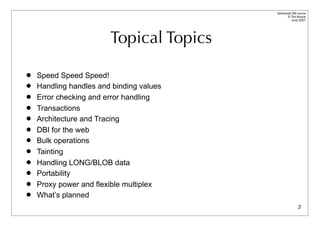
                        Topical Topics

   Speed Speed Speed!
   Handling handles and binding values
   Error checking and error handling
   Transactions
   Architecture and Tracing
   DBI for the web
   Bulk operations
   Tainting
   Handling LONG/BLOB data
   Portability
   Proxy power and flexible multiplex
   What’s planned
                                                         2
Advanced DBI tutorial
                                                                                          © Tim Bunce
                                                                                             June 2007


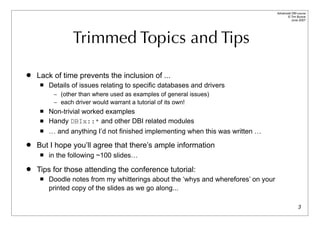
                 Trimmed Topics and Tips

   Lack of time prevents the inclusion of ...
        Details of issues relating to specific databases and drivers
          – (other than where used as examples of general issues)
          – each driver would warrant a tutorial of its own!
        Non-trivial worked examples
        Handy DBIx::* and other DBI related modules
        … and anything I’d not finished implementing when this was written …
   But I hope you’ll agree that there’s ample information
        in the following ~100 slides…
   Tips for those attending the conference tutorial:
        Doodle notes from my whitterings about the ‘whys and wherefores’ on your
         printed copy of the slides as we go along...

                                                                                                   3
Advanced DBI tutorial
                                                                               © Tim Bunce
                                                                                  June 2007


          The DBI - What’s it all about?

   The Perl DBI defines and implements an interface to databases
       Plug-in driver modules do the database-specific work
       DBI provides default methods, functions, tools etc for drivers
       Not limited to the lowest common denominator


   The Perl DBI has built-in…
       Automatic error checking
       Detailed call tracing/debugging
       Flexible call profiling/benchmarking


   Designed and built for speed

                                                                                        4
Advanced DBI tutorial
                                                           © Tim Bunce
                                                              June 2007


      A picture is worth?

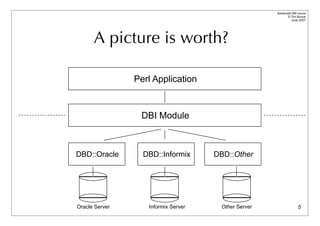
                Perl Application


                 DBI Module


DBD::Oracle       DBD::Informix      DBD::Other


Oracle Server      Informix Server    Other Server                  5
Speed    Speed              Speed!
        What helps,what doesn't,
         and how to measure it
Advanced DBI tutorial
                                                                      © Tim Bunce


                          Give me speed!
                                                                         June 2007


   DBI was designed for speed from day one
   DBI method dispatcher written in hand-crafted XS/C
   Dispatch to XS driver method calls is specially optimized
   Cached attributes returned directly by DBI dispatcher
   DBI overhead is generally insignificant

         – So we'll talk about other speed issues instead ...


                                                                               7
Advanced DBI tutorial
                                                                                        © Tim Bunce
                                                                                           June 2007


         What do you mean by Speed?

   Which can transfer data between Europe and USA the fastest?:
        A: Gigabit network connection.
        B: Airplane carrying data tapes.
   Answer:
        It depends on the volume of data.


   Throughput / Bandwidth
       Throughput is the amount of data transferred over a period of time.
   Latency / Response Time
       Latency is the time delay between the moment something is initiated, and the
        moment one of its effects begins or becomes detectable.
   Latency is often more important than Throughput
       Reducing latency is often harder than increasing bandwidth                               8
Advanced DBI tutorial
                                                                                 © Tim Bunce
                                                                                    June 2007


              Streaming & Round-trips

   Which would be fastest?
        A: 10MBit/sec connection to server in next room
        B: 100MBit/sec connection to server in next city
   Answer:
        It depends on the workload.


   Think about streaming and round-trips to the server
       SELECT results are streamed, they flow without per-row feedback.
       INSERT statements typically require a round-trip per row.
   Reduce round-trips, and try to do more on each one
       Stored procedures
       Bulk inserts
                                                                                          9
Advanced DBI tutorial
                                                                                                  © Tim Bunce
                                                                                                     June 2007


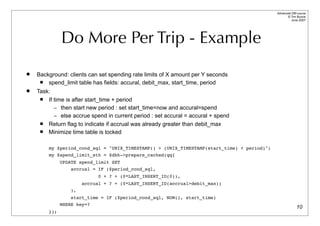
              Do More Per Trip - Example
   Background: clients can set spending rate limits of X amount per Y seconds
       spend_limit table has fields: accural, debit_max, start_time, period
   Task:
       If time is after start_time + period
           – then start new period : set start_time=now and accural=spend
           – else accrue spend in current period : set accural = accural + spend
       Return flag to indicate if accrual was already greater than debit_max
       Minimize time table is locked

        my $period_cond_sql = "UNIX_TIMESTAMP() > (UNIX_TIMESTAMP(start_time) + period)";
        my $spend_limit_sth = $dbh->prepare_cached(qq{
              UPDATE spend_limit SET
                  accrual = IF ($period_cond_sql,
                             0 + ? + (0*LAST_INSERT_ID(0)),
                       accrual + ? + (0*LAST_INSERT_ID(accrual>debit_max))
                  ),
                  start_time = IF ($period_cond_sql, NOW(), start_time)
              WHERE key=?
                                                                                                          10
        });
Advanced DBI tutorial
                                                                               © Tim Bunce
                                                                                  June 2007


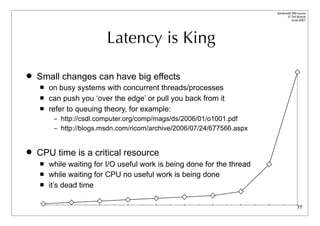
                         Latency is King

   Small changes can have big effects
       on busy systems with concurrent threads/processes
       can push you ‘over the edge’ or pull you back from it
       refer to queuing theory, for example:
         – http://csdl.computer.org/comp/mags/ds/2006/01/o1001.pdf
         – http://blogs.msdn.com/ricom/archive/2006/07/24/677566.aspx


   CPU time is a critical resource
       while waiting for I/O useful work is being done for the thread
       while waiting for CPU no useful work is being done
       it’s dead time

                                                                                       11
Advanced DBI tutorial
                                                                                        © Tim Bunce
                                                                                           June 2007


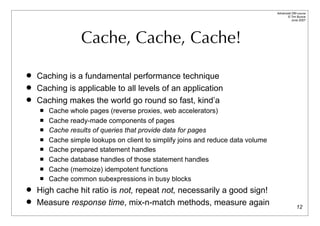
                  Cache, Cache, Cache!

   Caching is a fundamental performance technique
   Caching is applicable to all levels of an application
   Caching makes the world go round so fast, kind’a
       Cache whole pages (reverse proxies, web accelerators)
       Cache ready-made components of pages
       Cache results of queries that provide data for pages
       Cache simple lookups on client to simplify joins and reduce data volume
       Cache prepared statement handles
       Cache database handles of those statement handles
       Cache (memoize) idempotent functions
       Cache common subexpressions in busy blocks
   High cache hit ratio is not, repeat not, necessarily a good sign!
   Measure response time, mix-n-match methods, measure again                                   12
Advanced DBI tutorial
                                                                                           © Tim Bunce
                                                                                              June 2007


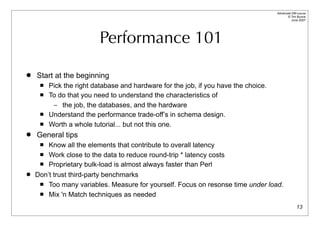
                          Performance 101

   Start at the beginning
        Pick the right database and hardware for the job, if you have the choice.
        To do that you need to understand the characteristics of
          – the job, the databases, and the hardware
        Understand the performance trade-off’s in schema design.
        Worth a whole tutorial... but not this one.
   General tips
       Know all the elements that contribute to overall latency
      Work close to the data to reduce round-trip * latency costs

      Proprietary bulk-load is almost always faster than Perl

   Don’t trust third-party benchmarks
      Too many variables. Measure for yourself. Focus on resonse time under load.

      Mix 'n Match techniques as needed


                                                                                                   13
Advanced DBI tutorial
                                                                                       © Tim Bunce
                                                                                          June 2007


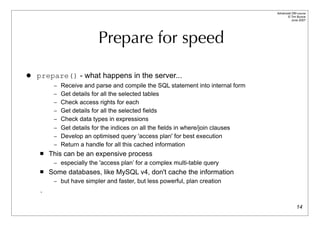
                          Prepare for speed

   prepare() - what happens in the server...
         – Receive and parse and compile the SQL statement into internal form
         – Get details for all the selected tables
         – Check access rights for each
         – Get details for all the selected fields
         – Check data types in expressions
         – Get details for the indices on all the fields in where/join clauses
         – Develop an optimised query 'access plan' for best execution
         – Return a handle for all this cached information
       This can be an expensive process
         – especially the 'access plan’ for a complex multi-table query
       Some databases, like MySQL v4, don't cache the information
         – but have simpler and faster, but less powerful, plan creation
    .

                                                                                               14
Advanced DBI tutorial


                                                            access
                                                                                           © Tim Bunce
                                                                                              June 2007


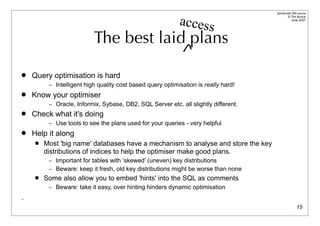
                           The best laid plans

   Query optimisation is hard
          – Intelligent high quality cost based query optimisation is really hard!
   Know your optimiser
          – Oracle, Informix, Sybase, DB2, SQL Server etc. all slightly different.
   Check what it's doing
          – Use tools to see the plans used for your queries - very helpful
   Help it along
        Most 'big name' databases have a mechanism to analyse and store the key
         distributions of indices to help the optimiser make good plans.
          – Important for tables with ‘skewed’ (uneven) key distributions
          – Beware: keep it fresh, old key distributions might be worse than none
        Some also allow you to embed 'hints' into the SQL as comments
          – Beware: take it easy, over hinting hinders dynamic optimisation

.
                                                                                                   15
Advanced DBI tutorial
                                                                                                               © Tim Bunce
                                                                                                                  June 2007


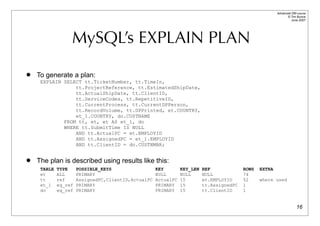
                  MySQL’s EXPLAIN PLAN
   To generate a plan:
     EXPLAIN SELECT tt.TicketNumber, tt.TimeIn,
                 tt.ProjectReference, tt.EstimatedShipDate,
                 tt.ActualShipDate, tt.ClientID,
                 tt.ServiceCodes, tt.RepetitiveID,
                 tt.CurrentProcess, tt.CurrentDPPerson,
                 tt.RecordVolume, tt.DPPrinted, et.COUNTRY,
                 et_1.COUNTRY, do.CUSTNAME
             FROM tt, et, et AS et_1, do
             WHERE tt.SubmitTime IS NULL
                 AND tt.ActualPC = et.EMPLOYID
                 AND tt.AssignedPC = et_1.EMPLOYID
                 AND tt.ClientID = do.CUSTNMBR;


   The plan is described using results like this:
     TABLE   TYPE     POSSIBLE_KEYS                  KEY        KEY_LEN   REF             ROWS   EXTRA
     et      ALL      PRIMARY                        NULL       NULL      NULL            74
     tt      ref      AssignedPC,ClientID,ActualPC   ActualPC   15        et.EMPLOYID     52     where used
     et_1    eq_ref   PRIMARY                        PRIMARY    15        tt.AssignedPC   1
     do      eq_ref   PRIMARY                        PRIMARY    15        tt.ClientID     1


                                                                                                                       16
Advanced DBI tutorial
                                                                                              © Tim Bunce
                                                                                                 June 2007


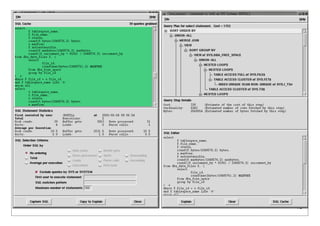
                 Oracle’s EXPLAIN PLAN
   To generate a plan:
      EXPLAIN PLAN SET STATEMENT_ID = 'Emp_Sal’ FOR
      SELECT ename, job, sal, dname
        FROM emp, dept
       WHERE emp.deptno = dept.deptno
         AND NOT EXISTS
               (SELECT * FROM salgrade
                WHERE emp.sal BETWEEN losal AND hisal);


   That writes plan details into a table which can be queried to yield results like this:
     ID PAR Query Plan
     --- --- --------------------------------------------------
       0     Select Statement   Cost = 69602
       1   0   Nested Loops
       2   1     Nested Loops
       3   2       Merge Join
       4   3         Sort Join
       5   4           Table Access Full T3
       6   3         Sort Join
       7   6           Table Access Full T4
       8   2       Index Unique Scan T2
       9   1     Table Access Full T1

                                                                                                      17
Advanced DBI tutorial
      © Tim Bunce
         June 2007


              18
Advanced DBI tutorial
                                                                                           © Tim Bunce
                                                                                              June 2007


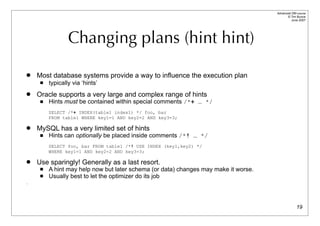
                 Changing plans (hint hint)

   Most database systems provide a way to influence the execution plan
        typically via ‘hints’
   Oracle supports a very large and complex range of hints
        Hints must be contained within special comments /*+ … */
         SELECT /*+ INDEX(table1 index1) */ foo, bar
         FROM table1 WHERE key1=1 AND key2=2 AND key3=3;

   MySQL has a very limited set of hints
        Hints can optionally be placed inside comments /*! … */
         SELECT foo, bar FROM table1 /*! USE INDEX (key1,key2) */
         WHERE key1=1 AND key2=2 AND key3=3;

   Use sparingly! Generally as a last resort.
        A hint may help now but later schema (or data) changes may make it worse.
        Usually best to let the optimizer do its job
.


                                                                                                   19
Advanced DBI tutorial
                                                                                                  © Tim Bunce
                                                                                                     June 2007


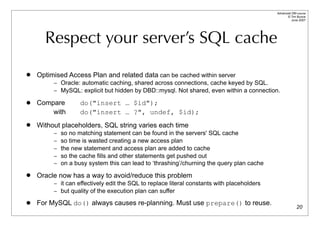
      Respect your server’s SQL cache
   Optimised Access Plan and related data can be cached within server
         – Oracle: automatic caching, shared across connections, cache keyed by SQL.
         – MySQL: explicit but hidden by DBD::mysql. Not shared, even within a connection.

   Compare         do("insert … $id");
        with        do("insert … ?", undef, $id);
   Without placeholders, SQL string varies each time
         –   so no matching statement can be found in the servers' SQL cache
         –   so time is wasted creating a new access plan
         –   the new statement and access plan are added to cache
         –   so the cache fills and other statements get pushed out
         –   on a busy system this can lead to ‘thrashing’/churning the query plan cache
   Oracle now has a way to avoid/reduce this problem
         – it can effectively edit the SQL to replace literal constants with placeholders
         – but quality of the execution plan can suffer

   For MySQL do() always causes re-planning. Must use prepare() to reuse.
                                                                                                          20
Advanced DBI tutorial
                                                                                              © Tim Bunce
                                                                                                 June 2007


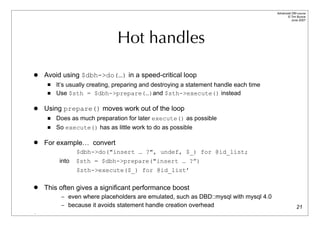
                               Hot handles

   Avoid using $dbh->do(…) in a speed-critical loop
        It’s usually creating, preparing and destroying a statement handle each time
        Use $sth = $dbh->prepare(…)and $sth->execute() instead

   Using prepare() moves work out of the loop
        Does as much preparation for later execute() as possible
        So execute() has as little work to do as possible

   For example… convert
                 $dbh->do("insert … ?", undef, $_) for @id_list;
          into   $sth = $dbh->prepare("insert … ?”)
                 $sth->execute($_) for @id_list’

   This often gives a significant performance boost
          – even where placeholders are emulated, such as DBD::mysql with mysql 4.0
          – because it avoids statement handle creation overhead                                      21
.
Advanced DBI tutorial
                                                                                                © Tim Bunce
                                                                                                   June 2007


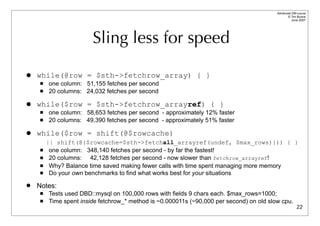
                        Sling less for speed

   while(@row = $sth->fetchrow_array) { }
        one column: 51,155 fetches per second
        20 columns: 24,032 fetches per second

   while($row = $sth->fetchrow_arrayref) { }
        one column: 58,653 fetches per second - approximately 12% faster
        20 columns: 49,390 fetches per second - approximately 51% faster

   while($row = shift(@$rowcache)
         || shift(@{$rowcache=$sth->fetchall_arrayref(undef, $max_rows)})) { }
         one column: 348,140 fetches per second - by far the fastest!
         20 columns: 42,128 fetches per second - now slower than fetchrow_arrayref!
         Why? Balance time saved making fewer calls with time spent managing more memory
         Do your own benchmarks to find what works best for your situations
   Notes:
        Tests used DBD::mysql on 100,000 rows with fields 9 chars each. $max_rows=1000;
        Time spent inside fetchrow_* method is ~0.000011s (~90,000 per second) on old slow cpu.
                                                                                                        22
Advanced DBI tutorial
                                                     © Tim Bunce
                                                        June 2007


                    Bind those columns!
   Compare
     while($row = $sth->fetchrow_arrayref) {
       print “$row->[0]: $row->[1]n”;
     }

   with
     $sth->bind_columns($key, $value);
     while($sth->fetchrow_arrayref) {
       print “$key: $valuen”;
     }

   No row assignment code!
   No column access code!
                         ... just magic

                                                             23
Advanced DBI tutorial
                                                                                                    © Tim Bunce
                                                                                                       June 2007


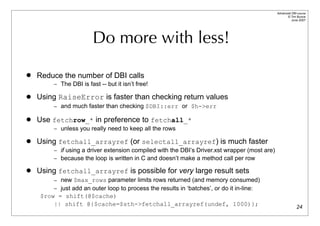
                        Do more with less!

   Reduce the number of DBI calls
        – The DBI is fast -- but it isn’t free!

   Using RaiseError is faster than checking return values
        – and much faster than checking $DBI::err or $h->err

   Use fetchrow_* in preference to fetchall_*
        – unless you really need to keep all the rows

   Using fetchall_arrayref (or selectall_arrayref) is much faster
        – if using a driver extension compiled with the DBI’s Driver.xst wrapper (most are)
        – because the loop is written in C and doesn’t make a method call per row

   Using fetchall_arrayref is possible for very large result sets
        – new $max_rows parameter limits rows returned (and memory consumed)
        – just add an outer loop to process the results in ‘batches’, or do it in-line:
    $row = shift(@$cache)
        || shift @{$cache=$sth->fetchall_arrayref(undef, 1000)};                                            24
Advanced DBI tutorial
                                                                                                 © Tim Bunce
                                                                                                    June 2007


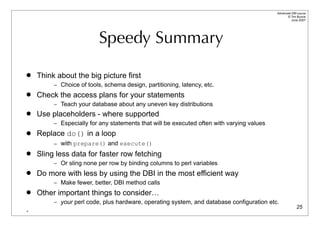
                          Speedy Summary

   Think about the big picture first
         – Choice of tools, schema design, partitioning, latency, etc.
   Check the access plans for your statements
         – Teach your database about any uneven key distributions
   Use placeholders - where supported
         – Especially for any statements that will be executed often with varying values
   Replace do() in a loop
         – with prepare() and execute()
   Sling less data for faster row fetching
         – Or sling none per row by binding columns to perl variables
   Do more with less by using the DBI in the most efficient way
         – Make fewer, better, DBI method calls
   Other important things to consider…
         – your perl code, plus hardware, operating system, and database configuration etc.
                                                                                                         25
-
Advanced DBI tutorial
                                                                                                    © Tim Bunce
                                                                                                       June 2007


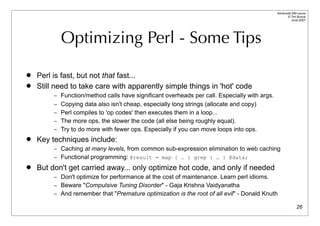
           Optimizing Perl - Some Tips

   Perl is fast, but not that fast...
   Still need to take care with apparently simple things in 'hot' code
         – Function/method calls have significant overheads per call. Especially with args.
         – Copying data also isn't cheap, especially long strings (allocate and copy)
         – Perl compiles to 'op codes' then executes them in a loop...
         – The more ops, the slower the code (all else being roughly equal).
         – Try to do more with fewer ops. Especially if you can move loops into ops.
   Key techniques include:
         – Caching at many levels, from common sub-expression elimination to web caching
         – Functional programming: @result = map { … } grep { … } @data;
   But don't get carried away... only optimize hot code, and only if needed
         – Don't optimize for performance at the cost of maintenance. Learn perl idioms.
         – Beware "Compulsive Tuning Disorder" - Gaja Krishna Vaidyanatha
         – And remember that "Premature optimization is the root of all evil" - Donald Knuth

                                                                                                            26
Profiling DBI Performance

       Time flies like an arrow
      (fruit flies like a banana)
Advanced DBI tutorial
                                                                                                 © Tim Bunce
                                                                                                    June 2007


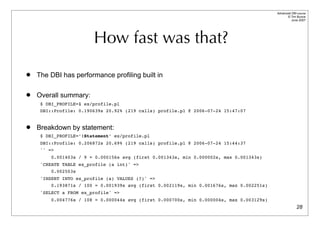
                        How fast was that?
   The DBI has performance profiling built in

   Overall summary:
     $ DBI_PROFILE=1 ex/profile.pl
     DBI::Profile: 0.190639s 20.92% (219 calls) profile.pl @ 2006-07-24 15:47:07


   Breakdown by statement:
     $ DBI_PROFILE=’!Statement’ ex/profile.pl
     DBI::Profile: 0.206872s 20.69% (219 calls) profile.pl @ 2006-07-24 15:44:37
     '' =>
         0.001403s / 9 = 0.000156s avg (first 0.001343s, min 0.000002s, max 0.001343s)
     'CREATE TABLE ex_profile (a int)' =>
         0.002503s
     'INSERT INTO ex_profile (a) VALUES (?)' =>
         0.193871s / 100 = 0.001939s avg (first 0.002119s, min 0.001676s, max 0.002251s)
     'SELECT a FROM ex_profile' =>
         0.004776s / 108 = 0.000044s avg (first 0.000700s, min 0.000004s, max 0.003129s)
                                                                                                         28
Advanced DBI tutorial
                                                                                          © Tim Bunce
                                                                                           August 2006


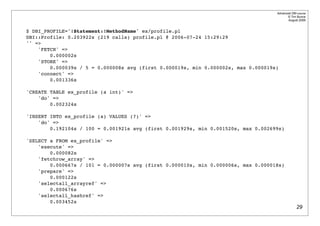
$ DBI_PROFILE='!Statement:!MethodName' ex/profile.pl
DBI::Profile: 0.203922s (219 calls) profile.pl @ 2006-07-24 15:29:29
'' =>
    'FETCH' =>
        0.000002s
    'STORE' =>
        0.000039s / 5 = 0.000008s avg (first 0.000019s, min 0.000002s, max 0.000019s)
    'connect' =>
        0.001336s

'CREATE TABLE ex_profile (a int)' =>
    'do' =>
        0.002324s

'INSERT INTO ex_profile (a) VALUES (?)' =>
    'do' =>
        0.192104s / 100 = 0.001921s avg (first 0.001929s, min 0.001520s, max 0.002699s)

'SELECT a FROM ex_profile' =>
    'execute' =>
        0.000082s
    'fetchrow_array' =>
        0.000667s / 101 = 0.000007s avg (first 0.000010s, min 0.000006s, max 0.000018s)
    'prepare' =>
        0.000122s
    'selectall_arrayref' =>
        0.000676s
    'selectall_hashref' =>
        0.003452s
                                                                                                  29
Advanced DBI tutorial
                                                                             © Tim Bunce
                                                                                June 2007


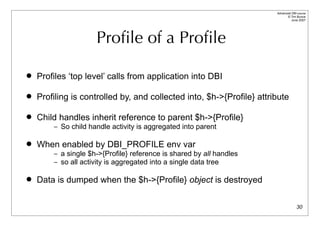
                     Profile of a Profile

   Profiles ‘top level’ calls from application into DBI

   Profiling is controlled by, and collected into, $h->{Profile} attribute

   Child handles inherit reference to parent $h->{Profile}
        – So child handle activity is aggregated into parent

   When enabled by DBI_PROFILE env var
        – a single $h->{Profile} reference is shared by all handles
        – so all activity is aggregated into a single data tree

   Data is dumped when the $h->{Profile} object is destroyed

                                                                                     30
Advanced DBI tutorial
                                                                                         © Tim Bunce
                                                                                            June 2007


             Profile Path ⇒ Profile Data

• The Path determines where each sample is accumulated within the Data hash tree

     $h->{Profile}->{Path} = [ ]
     $h->{Profile}->{Data} = [ ...accumulated sample data... ]

     $h->{Profile}->{Path} = [ “!MethodName” ]
     $h->{Profile}->{Data} = { “prepare” } -> [ ... ]
                             { “execute” } -> [ ... ]
                                   {      ...      } -> [ ... ]

     $h->{Profile}->{Path} = [ “!Statement”,             “!MethodName” ]
     $h->{Profile}->{Data} = { “INSERT ...” } -> { “prepare” } -> [ ... ]
                                              -> { “execute” } -> [ ... ]
                                   { “SELECT ...” } -> { “prepare” } -> [ ... ]
                                                    -> { “execute” } -> [ ... ]
                                                                                                 31
Advanced DBI tutorial
                                                                                        © Tim Bunce
                                                                                           June 2007


                   Profile Leaf Node Data

   Each leaf node is a ref to an array:
         [
             106,                        #   0:   count of samples at this node
             0.0312958955764771,         #   1:   total duration
             0.000490069389343262,       #   2:   first duration
             0.000176072120666504,       #   3:   shortest duration
             0.00140702724456787,        #   4:   longest duration
             1023115819.83019,           #   5:   time of first sample
             1023115819.86576,           #   6:   time of last sample
         ]

        First sample to create the leaf node populates all values
        Later samples reaching that node always update elements 0, 1, and 6
        and may update 3 or 4 depending on the duration of the sampled call
                                                                                                32
Advanced DBI tutorial
                                                                               © Tim Bunce
                                                                                  June 2007


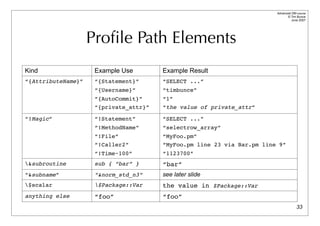
                    Profile Path Elements
Kind                 Example Use        Example Result
“{AttributeName}”    “{Statement}”      “SELECT ...”
                     “{Username}”       “timbunce”
                     “{AutoCommit}”     “1”
                     “{private_attr}”   “the value of private_attr”

“!Magic”             “!Statement”       “SELECT ...”
                     “!MethodName”      “selectrow_array”
                     “!File”            “MyFoo.pm”
                     “!Caller2”         “MyFoo.pm line 23 via Bar.pm line 9”
                     “!Time~100”        “1123700”
&subroutine         sub { “bar” }      “bar”
“&subname”           “&norm_std_n3”     see later slide
$scalar             $Package::Var     the value in $Package::Var
anything else        “foo”              “foo”
                                                                                       33
Advanced DBI tutorial
                                                                                         © Tim Bunce
                                                                                            June 2007


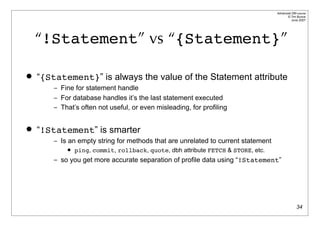
    “!Statement” vs “{Statement}”

   “{Statement}” is always the value of the Statement attribute
        – Fine for statement handle
        – For database handles it’s the last statement executed
        – That’s often not useful, or even misleading, for profiling


   “!Statement” is smarter
        – Is an empty string for methods that are unrelated to current statement
               ping, commit, rollback, quote, dbh attribute FETCH & STORE, etc.
        – so you get more accurate separation of profile data using “!Statement”


                                                                                                 34
Advanced DBI tutorial
                                                                                               © Tim Bunce
                                                                                                  June 2007


         Managing statement variations
   For when placeholders aren’t being used or there are tables with numeric suffixes.
   A ‘&norm_std_n3’ in the Path maps to ‘!Statement’ edited in this way:

    s/bd+b/<N>/g;                # 42 -> <N>
    s/b0x[0-9A-Fa-f]+b/<N>/g;     # 0xFE -> <N>

    s/'.*?'/'<S>'/g;                # single quoted strings (doesn't handle escapes)
    s/".*?"/"<S>"/g;                # double quoted strings (doesn't handle escapes)

    # convert names like log20001231 into log<N>
    s/([a-z_]+)(d{3,})b/${1}<N>/ieg;

    # abbreviate massive "in (...)" statements and similar
    s!((s*<[NS]>s*,s*){100,})!sprintf("$2,<repeated %d times>",length($1)/2)!eg;


   It’s aggressive and simplistic but usually very effective.
   You can define your own subs in the DBI::ProfileSubs namespace
                                                                                                       35
Advanced DBI tutorial
                                                                                           © Tim Bunce
                                                                                              June 2007


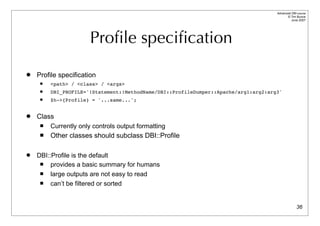
                       Profile specification
   Profile specification
        <path> / <class> / <args>
        DBI_PROFILE='!Statement:!MethodName/DBI::ProfileDumper::Apache/arg1:arg2:arg3'
        $h->{Profile} = '...same...';


   Class
        Currently only controls output formatting
        Other classes should subclass DBI::Profile

   DBI::Profile is the default
        provides a basic summary for humans
        large outputs are not easy to read
        can’t be filtered or sorted


                                                                                                   36
Advanced DBI tutorial
                                                                        © Tim Bunce
                                                                           June 2007


               Working with profile data
   To aggregate sample data for any part of the tree
         – to get total time spent inside the DBI
         – and return a merge all those leaf nodes


    $time_in_dbi = dbi_profile_merge(my $totals=[], @$leaves);


   To aggregate time in DBI since last measured
         – For example per-httpd request


    my $time_in_dbi = 0;
    if (my $Profile = $dbh->{Profile}) { # if profiling enabled
        $time_in_dbi = dbi_profile_merge([], $Profile->{Data});
        $Profile->{Data} = undef; # reset the profile Data
    }
    # add $time_in_dbi to httpd log
                                                                                37
Advanced DBI tutorial
                                                                      © Tim Bunce
                                                                         June 2007


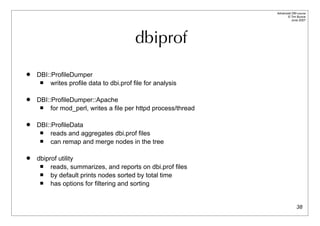
                                          dbiprof
   DBI::ProfileDumper
        writes profile data to dbi.prof file for analysis

   DBI::ProfileDumper::Apache
        for mod_perl, writes a file per httpd process/thread

   DBI::ProfileData
        reads and aggregates dbi.prof files
        can remap and merge nodes in the tree

   dbiprof utility
        reads, summarizes, and reports on dbi.prof files
        by default prints nodes sorted by total time
        has options for filtering and sorting


                                                                              38
Advanced DBI tutorial
                                                                             © Tim Bunce
                                                                                June 2007


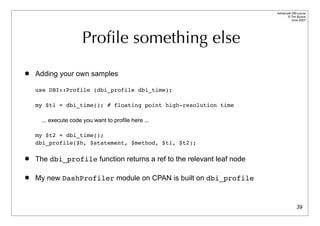
                     Profile something else
   Adding your own samples

    use DBI::Profile (dbi_profile dbi_time);

    my $t1 = dbi_time(); # floating point high-resolution time

     ... execute code you want to profile here ...

    my $t2 = dbi_time();
    dbi_profile($h, $statement, $method, $t1, $t2);

   The dbi_profile function returns a ref to the relevant leaf node

   My new DashProfiler module on CPAN is built on dbi_profile


                                                                                     39
Attribution

Names and Places
Advanced DBI tutorial
                                                                                                   © Tim Bunce
                                                                                                      June 2007


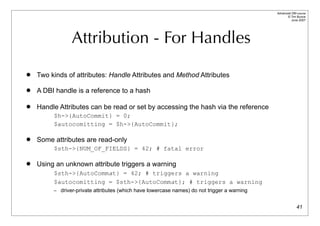
                Attribution - For Handles
   Two kinds of attributes: Handle Attributes and Method Attributes

   A DBI handle is a reference to a hash

   Handle Attributes can be read or set by accessing the hash via the reference
         $h->{AutoCommit} = 0;
         $autocomitting = $h->{AutoCommit};

   Some attributes are read-only
         $sth->{NUM_OF_FIELDS} = 42; # fatal error

   Using an unknown attribute triggers a warning
         $sth->{AutoCommat} = 42; # triggers a warning
         $autocomitting = $sth->{AutoCommat}; # triggers a warning
         – driver-private attributes (which have lowercase names) do not trigger a warning


                                                                                                           41
Advanced DBI tutorial
                                                                                             © Tim Bunce
                                                                                                June 2007


               Attribution - For Methods
   Two kinds of attributes: Handle Attributes and Method Attributes

   Many DBI methods take an ‘attributes’ parameter
         – in the form of a reference to a hash of key-value pairs


   The attributes parameter is typically used to provide ‘hints’ to the driver
         – Unrecognised attributes are simply ignored
         – So invalid attribute name (like typos) won't be caught


   The method attributes are generally unrelated to handle attributes
         – The connect() method is an exception
         – In DBI v2 prepare() will also accept handle attributes for the new handle


         $sth = $dbh->prepare($sql, { RaiseError => 0 });

                                                                                                     42
Advanced DBI tutorial
                                                                                              © Tim Bunce
                                                                                                 June 2007


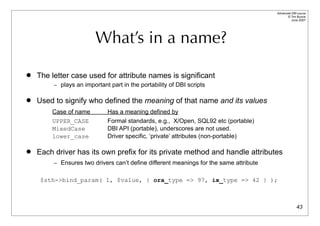
                         What’s in a name?

   The letter case used for attribute names is significant
         – plays an important part in the portability of DBI scripts


   Used to signify who defined the meaning of that name and its values
        Case of name         Has a meaning defined by
        UPPER_CASE           Formal standards, e.g., X/Open, SQL92 etc (portable)
        MixedCase            DBI API (portable), underscores are not used.
        lower_case           Driver specific, ‘private’ attributes (non-portable)

   Each driver has its own prefix for its private method and handle attributes
         – Ensures two drivers can’t define different meanings for the same attribute


     $sth->bind_param( 1, $value, { ora_type => 97, ix_type => 42 } );


                                                                                                      43
Handling your Handles

        Get a grip
Advanced DBI tutorial
                                                                           © Tim Bunce
                                                                              June 2007


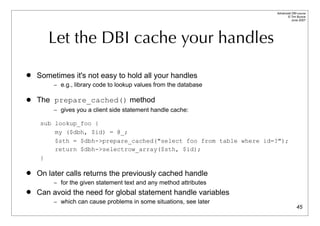
       Let the DBI cache your handles

   Sometimes it's not easy to hold all your handles
         – e.g., library code to lookup values from the database

   The prepare_cached() method
         – gives you a client side statement handle cache:

     sub lookup_foo {
         my ($dbh, $id) = @_;
         $sth = $dbh->prepare_cached("select foo from table where id=?");
         return $dbh->selectrow_array($sth, $id);
     }

   On later calls returns the previously cached handle
         – for the given statement text and any method attributes
   Can avoid the need for global statement handle variables
         – which can cause problems in some situations, see later
                                                                                   45
Advanced DBI tutorial
                                                                                  © Tim Bunce
                                                                                     June 2007


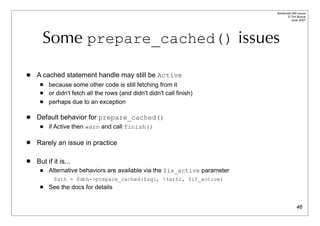
      Some prepare_cached() issues

   A cached statement handle may still be Active
        because some other code is still fetching from it
        or didn't fetch all the rows (and didn't didn't call finish)
        perhaps due to an exception

   Default behavior for prepare_cached()
        if Active then warn and call finish()

   Rarely an issue in practice

   But if it is...
        Alternative behaviors are available via the $is_active parameter
           $sth = $dbh->prepare_cached($sql, %attr, $if_active)
        See the docs for details


                                                                                          46
Advanced DBI tutorial
                                                                                          © Tim Bunce
                                                                                             June 2007


     Keep a handle on your databases

   Connecting to a database can be slow
         – Oracle especially so


   Try to connect once and stay connected where practical
         – We'll discuss web server issues later


   The connect_cached() method …
       Acts like prepare_cached() but for database handles
       Like prepare_cached(), it’s handy for library code
       It also checks the connection and automatically reconnects if it's broken
       Works well combined with prepare_cached(), see following example
.


                                                                                                  47
Advanced DBI tutorial
                                                                                   © Tim Bunce
                                                                                      June 2007


         A connect_cached() example
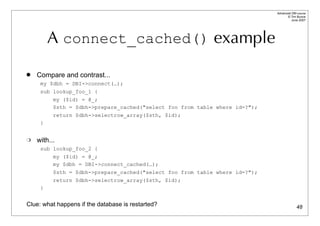
   Compare and contrast...
     my $dbh = DBI->connect(…);
     sub lookup_foo_1 {
         my ($id) = @_;
         $sth = $dbh->prepare_cached("select foo from table where id=?");
          return $dbh->selectrow_array($sth, $id);
     }


   with...
     sub lookup_foo_2 {
         my ($id) = @_;
         my $dbh = DBI->connect_cached(…);
          $sth = $dbh->prepare_cached("select foo from table where id=?");
          return $dbh->selectrow_array($sth, $id);
     }


Clue: what happens if the database is restarted?                                           48
Advanced DBI tutorial
                                                                                                © Tim Bunce
                                                                                                   June 2007


     Some connect_cached() issues

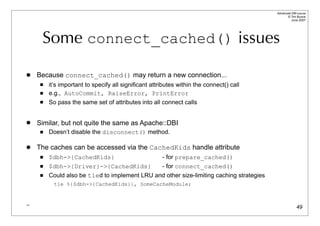
   Because connect_cached() may return a new connection...
        it’s important to specify all significant attributes within the connect() call
        e.g., AutoCommit, RaiseError, PrintError
        So pass the same set of attributes into all connect calls


   Similar, but not quite the same as Apache::DBI
        Doesn’t disable the disconnect() method.

   The caches can be accessed via the CachedKids handle attribute
        $dbh->{CachedKids}                            - for prepare_cached()
        $dbh->{Driver}->{CachedKids}          - for connect_cached()
        Could also be tied to implement LRU and other size-limiting caching strategies
           tie %{$dbh->{CachedKids}}, SomeCacheModule;


_
                                                                                                        49
Binding (Value Bondage)

     Placing values in holders
Advanced DBI tutorial
                                                                                © Tim Bunce
                                                                                   June 2007


                 First, the simple stuff...

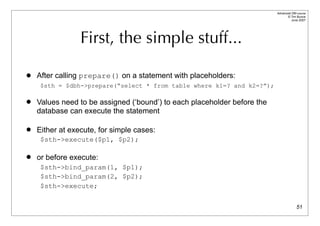
   After calling prepare() on a statement with placeholders:
     $sth = $dbh->prepare(“select * from table where k1=? and k2=?”);

   Values need to be assigned (‘bound’) to each placeholder before the
    database can execute the statement

   Either at execute, for simple cases:
     $sth->execute($p1, $p2);

   or before execute:
     $sth->bind_param(1, $p1);
     $sth->bind_param(2, $p2);
     $sth->execute;


                                                                                        51
Advanced DBI tutorial
                                                                                                 © Tim Bunce
                                                                                                    June 2007


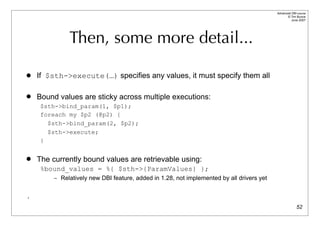
              Then, some more detail...

   If $sth->execute(…) specifies any values, it must specify them all

   Bound values are sticky across multiple executions:
     $sth->bind_param(1, $p1);
     foreach my $p2 (@p2) {
       $sth->bind_param(2, $p2);
       $sth->execute;
     }


   The currently bound values are retrievable using:
     %bound_values = %{ $sth->{ParamValues} };
         – Relatively new DBI feature, added in 1.28, not implemented by all drivers yet


.
                                                                                                         52
Advanced DBI tutorial
                                                                                                  © Tim Bunce
                                                                                                     June 2007


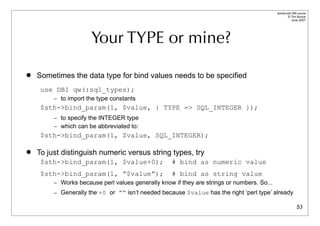
                      Your TYPE or mine?

   Sometimes the data type for bind values needs to be specified
     use DBI qw(:sql_types);
         – to import the type constants
     $sth->bind_param(1, $value, { TYPE => SQL_INTEGER });
         – to specify the INTEGER type
         – which can be abbreviated to:
     $sth->bind_param(1, $value, SQL_INTEGER);

   To just distinguish numeric versus string types, try
     $sth->bind_param(1, $value+0);                 # bind as numeric value
     $sth->bind_param(1, ”$value”);                 # bind as string value
         – Works because perl values generally know if they are strings or numbers. So...
         – Generally the +0 or ”” isn’t needed because $value has the right ‘perl type’ already

                                                                                                          53
Advanced DBI tutorial
                                                                                           © Tim Bunce
                                                                                              June 2007


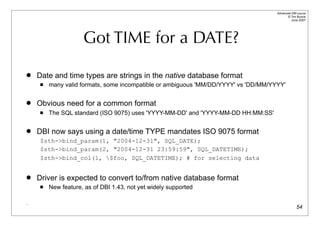
                     Got TIME for a DATE?

   Date and time types are strings in the native database format
        many valid formats, some incompatible or ambiguous 'MM/DD/YYYY' vs 'DD/MM/YYYY'

   Obvious need for a common format
        The SQL standard (ISO 9075) uses 'YYYY-MM-DD' and 'YYYY-MM-DD HH:MM:SS'

   DBI now says using a date/time TYPE mandates ISO 9075 format
     $sth->bind_param(1, "2004-12-31", SQL_DATE);
     $sth->bind_param(2, "2004-12-31 23:59:59", SQL_DATETIME);
     $sth->bind_col(1, $foo, SQL_DATETIME); # for selecting data


   Driver is expected to convert to/from native database format
        New feature, as of DBI 1.43, not yet widely supported

.
                                                                                                   54
Advanced DBI tutorial
                                                                                        © Tim Bunce
                                                                                           June 2007


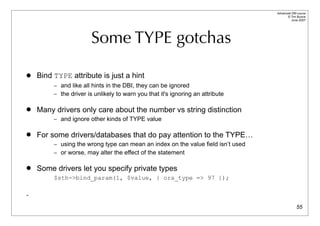
                       Some TYPE gotchas

   Bind TYPE attribute is just a hint
         – and like all hints in the DBI, they can be ignored
         – the driver is unlikely to warn you that it's ignoring an attribute


   Many drivers only care about the number vs string distinction
         – and ignore other kinds of TYPE value


   For some drivers/databases that do pay attention to the TYPE…
         – using the wrong type can mean an index on the value field isn’t used
         – or worse, may alter the effect of the statement


   Some drivers let you specify private types
         $sth->bind_param(1, $value, { ora_type => 97 });

-

                                                                                                55
Error Checking & Error Handling

           To err is human,
           to detect, divine!
Advanced DBI tutorial
                                                                                           © Tim Bunce
                                                                                              June 2007


     The importance of error checking

   Errors happen!
       Failure happens when you don't expect errors!
         – database crash / network disconnection
         – lack of disk space for insert or select (sort space for order by)
         – server math error on select (divide by zero after fetching 10,000 rows)
         – and maybe, just maybe, errors in your own code [Gasp!]

       Beat failure by expecting errors!
       Detect errors early to limit effects
         – Defensive Programming, e.g., check assumptions
         – Through Programming, e.g., check for errors after fetch loops

       (and undefined values are your friends: always enable warnings)
.
                                                                                                   57
Advanced DBI tutorial
                                                                      © Tim Bunce
                                                                         June 2007


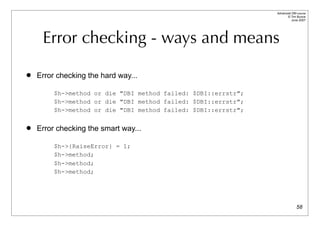
     Error checking - ways and means

   Error checking the hard way...

         $h->method or die "DBI method failed: $DBI::errstr";
         $h->method or die "DBI method failed: $DBI::errstr";
         $h->method or die "DBI method failed: $DBI::errstr";

   Error checking the smart way...

         $h->{RaiseError} = 1;
         $h->method;
         $h->method;
         $h->method;


                                                                              58
Advanced DBI tutorial
                                                                                © Tim Bunce
                                                                                   June 2007


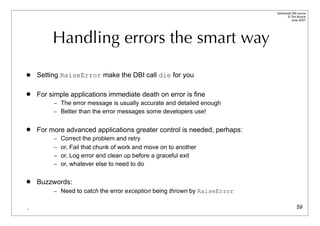
         Handling errors the smart way

   Setting RaiseError make the DBI call die for you

   For simple applications immediate death on error is fine
         – The error message is usually accurate and detailed enough
         – Better than the error messages some developers use!


   For more advanced applications greater control is needed, perhaps:
         – Correct the problem and retry
         – or, Fail that chunk of work and move on to another
         – or, Log error and clean up before a graceful exit
         – or, whatever else to need to do


   Buzzwords:
         – Need to catch the error exception being thrown by RaiseError


.                                                                                       59
Advanced DBI tutorial
                                                                                          © Tim Bunce
                                                                                             June 2007


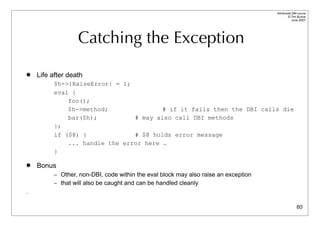
                  Catching the Exception
   Life after death
         $h->{RaiseError} = 1;
         eval {
             foo();
             $h->method;               # if it fails then the DBI calls die
             bar($h);          # may also call DBI methods
         };
         if ($@) {             # $@ holds error message
             ... handle the error here …
         }

   Bonus
         – Other, non-DBI, code within the eval block may also raise an exception
         – that will also be caught and can be handled cleanly
.

                                                                                                  60
Advanced DBI tutorial
                                                                                                          © Tim Bunce
                                                                                                             June 2007


                       Picking up the Pieces
   So, what went wrong?
     $@
          – holds the text of the error message
     if ($DBI::err && $@ =~ /^(S+) (S+) failed: /)
          – then it was probably a DBI error
          – and $1 is the driver class (e.g. DBD::foo::db), $2 is the name of the method (e.g. prepare)
     $DBI::lasth
          – holds last DBI handle used (not recommended for general use)
     $h->{Statement}
          – holds the statement text associated with the handle (even if it’s a database handle)


   $h->{ShowErrorStatement} = 1
          – appends $h->{Statement} to RaiseError/PrintError messages:
          – DBD::foo::execute failed: duplicate key [for ``insert …’’]
          – for statement handles it also includes the $h->{ParamValues} if available.
          – Makes error messages much more useful. Better than using $DBI::lasth
          – Many drivers should enable it by default. DBI v2 will. Inherited by child handles.

                                                                                                                  61
Advanced DBI tutorial
                                                                                                     © Tim Bunce
                                                                                                        June 2007


                    Custom Error Handling

   Don’t want to just Print or Raise an Error?
        Now you can Handle it as well…
               $h->{HandleError} = sub { … };

   The HandleError code
        is called just before PrintError/RaiseError are handled
        it’s passed
          – the error message string that RaiseError/PrintError would use
          – the DBI handle being used
          – the first value being returned by the method that failed (typically undef)
        if it returns false then RaiseError/PrintError are checked and acted upon as normal


   The handler code can
        alter the error message text by changing $_[0]
        use caller() or Carp::confess() or similar to get a stack trace
        use Exception or a similar module to throw a formal exception object                                62
Advanced DBI tutorial
                                                                                         © Tim Bunce
                                                                                            June 2007


           More Custom Error Handling
   It is also possible for HandleError to hide an error, to a limited degree
          – use set_err() to reset $DBI::err and $DBI::errstr
          – alter the return value of the failed method


     $h->{HandleError} = sub {
         my ($errmsg, $h) = @_;
          return 0 unless $errmsg =~ /^S+ fetchrow_arrayref failed:/;
          return 0 unless $h->err == 1234; # the error to 'hide'
          $h->set_err(0,"");        # turn off the error
          $_[2] = [ ... ]; # supply alternative return value by altering parameter
          return 1;
     };


   Only works for methods which return a single value and is hard to make reliable
    (avoiding infinite loops, for example) and so isn't recommended for general use!
          – If you find a good use for it then please let me know.
_                                                                                                63
Advanced DBI tutorial
                                                                                               © Tim Bunce
                                                                                                  June 2007


                Information and Warnings
   Drivers can indicate Information and Warning states in addition to Error states
        Uses false-but-defined values of $h->err and $DBI::err
        Zero "0" indicates a "warning"
        Empty "" indicates "success with information" or other messages from database

   Drivers should use $h->set_err(…) method to record info/warn/error states
        implements logic to correctly merge multiple info/warn/error states
        info/warn/error messages are appended to errstr with a newline
        $h->{ErrCount} attribute is incremented whenever an error is recorded

   The $h->{HandleSetErr} attribute can be used to influence $h->set_err()
        A code reference that's called by set_err and can edit its parameters
        So can promote warnings/info to errors or demote/hide errors etc.
        Called at point of error from within driver, unlike $h->{HandleError}

   The $h->{PrintWarn} attribute acts like $h->{PrintError} but for warnings
        Default is on                                                                                 64
Transactions

  To do or to undo,
 that is the question
Advanced DBI tutorial
                                                                                         © Tim Bunce
                                                                                            June 2007


                       Transactions - Eh?

   Far more than just locking
   The A.C.I.D. test
         – Atomicity - Consistency - Isolation - Durability
   True transactions give true safety
         – even from power failures and system crashes!
         – Incomplete transactions are automatically rolled-back by the database
           server when it's restarted.
   Also removes burden of undoing incomplete changes
   Hard to implement (for the vendor)
         – and can have significant performance cost
   A very large topic worthy of an entire tutorial


                                                                                                 66
Advanced DBI tutorial
                                                                                                © Tim Bunce
                                                                                                   June 2007


          Transactions - Life Preservers

   Text Book:
         – system crash between one bank account being debited and another being credited.
   Dramatic:
         – power failure during update on 3 million rows when only part way through.
   Real-world:
         – complex series of inter-related updates, deletes and inserts on many separate tables
           fails at the last step due to a duplicate unique key on an insert.

   Locking alone won’t help you in any of these situations
         – (And locking with DBD::mysql < 2.1027 is unsafe due to auto reconnect)
   Transaction recovery would handle all these situations - automatically
         – Makes a system far more robust and trustworthy over the long term.

   Use transactions if your database supports them.
         – If it doesn't and you need them, switch to a different database.
.                                                                                                       67
Advanced DBI tutorial
                                                                                                      © Tim Bunce
                                                                                                         June 2007


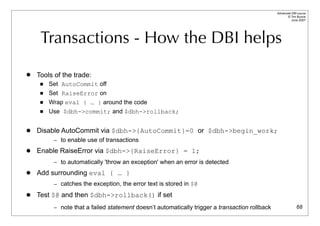
     Transactions - How the DBI helps
   Tools of the trade:
        Set AutoCommit off
        Set RaiseError on
        Wrap eval { … } around the code
        Use $dbh->commit; and $dbh->rollback;


   Disable AutoCommit via $dbh->{AutoCommit}=0 or $dbh->begin_work;
          – to enable use of transactions

   Enable RaiseError via $dbh->{RaiseError} = 1;
          – to automatically 'throw an exception' when an error is detected

   Add surrounding eval { … }
          – catches the exception, the error text is stored in $@

   Test $@ and then $dbh->rollback() if set
          – note that a failed statement doesn’t automatically trigger a transaction rollback                 68
Advanced DBI tutorial
                                                                     © Tim Bunce
                                                                        June 2007


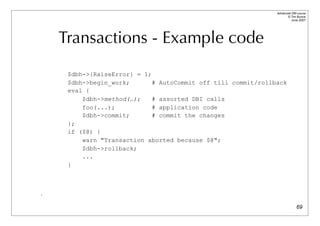
    Transactions - Example code
     $dbh->{RaiseError} = 1;
     $dbh->begin_work;       # AutoCommit off till commit/rollback
     eval {
         $dbh->method(…);    # assorted DBI calls
         foo(...);           # application code
         $dbh->commit;       # commit the changes
     };
     if ($@) {
         warn "Transaction aborted because $@";
         $dbh->rollback;
         ...
     }


.

                                                                             69
Advanced DBI tutorial
                                                                                                   © Tim Bunce
                                                                                                      June 2007


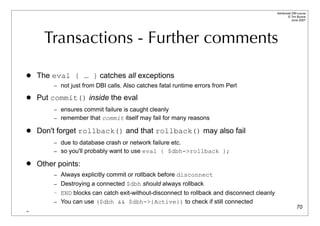
      Transactions - Further comments

   The eval { … } catches all exceptions
         – not just from DBI calls. Also catches fatal runtime errors from Perl

   Put commit() inside the eval
         – ensures commit failure is caught cleanly
         – remember that commit itself may fail for many reasons

   Don't forget rollback() and that rollback() may also fail
         – due to database crash or network failure etc.
         – so you'll probably want to use eval { $dbh->rollback };

   Other points:
         – Always explicitly commit or rollback before disconnect
         – Destroying a connected $dbh should always rollback
         – END blocks can catch exit-without-disconnect to rollback and disconnect cleanly
         – You can use ($dbh && $dbh->{Active}) to check if still connected
                                                                                                           70
-
Intermission?
Wheels within Wheels

      The DBI architecture
   and how to watch it at work
Advanced DBI tutorial
                                                                                         © Tim Bunce
                                                                                            June 2007


                        Setting the scene

   Inner and outer worlds
       Application and Drivers

   Inner and outer handles
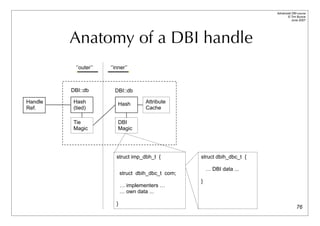
       DBI handles are references to tied hashes

   The DBI Method Dispatcher
       gateway between the inner and outer worlds, and the heart of the DBI


                                       … Now we'll go all deep and visual for a while...


                                                                                                 73
Advanced DBI tutorial
                                                                                                        © Tim Bunce
                                                                                                           June 2007


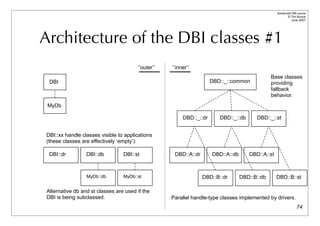
Architecture of the DBI classes #1
                                       ‘’outer’’   ‘’inner’’
                                                                                               Base classes
 DBI                                                                 DBD::_::common            providing
                                                                                               fallback
                                                                                               behavior.
 MyDb

                                                        DBD::_::dr      DBD::_::db      DBD::_::st


DBI::xx handle classes visible to applications
(these classes are effectively ‘empty’):

 DBI::dr         DBI::db         DBI::st            DBD::A::dr       DBD::A::db      DBD::A::st


                 MyDb::db        MyDb::st                        DBD::B::dr       DBD::B::db      DBD::B::st

Alternative db and st classes are used if the
DBI is being subclassed.                           Parallel handle-type classes implemented by drivers.
                                                                                                                74
Advanced DBI tutorial
                                                                                            © Tim Bunce
                                                                                               June 2007


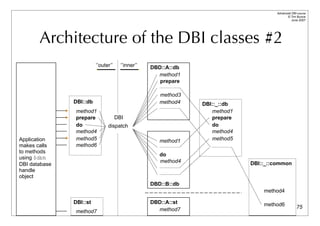
       Architecture of the DBI classes #2
                         ‘’outer’’     ‘’inner’’   DBD::A::db
                                                     method1
                                                      prepare

                                                      method3
               DBI::db                                method4   DBI::_::db
               method1                                             method1
               prepare               DBI                           prepare
               do              dispatch                            do
               method4                                             method4
Application    method5                                method1      method5
makes calls    method6
to methods
                                                      do
using $dbh
                                                      method4                DBI::_::common
DBI database
handle
object
                                                   DBD::B::db
                                                                                 method4

               DBI::st                             DBD::A::st                    method6
                                                     method7                                        75
               method7
Advanced DBI tutorial
                                                                                  © Tim Bunce
                                                                                     June 2007


         Anatomy of a DBI handle
          ‘’outer’’   ‘’inner’’


         DBI::db        DBI::db

Handle   Hash             Hash         Attribute
Ref.     (tied)                        Cache

         Tie              DBI
         Magic            Magic


                         struct imp_dbh_t {           struct dbih_dbc_t {

                                                          … DBI data ...
                             struct dbih_dbc_t com;
                                                      }
                             … implementers …
                             … own data ...

                         }
                                                                                          76
Advanced DBI tutorial
                                                                                       © Tim Bunce
                                                                                          June 2007


                Method call walk-through
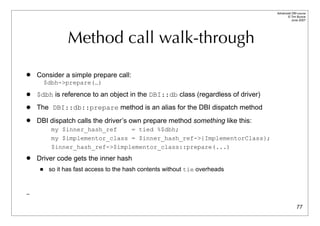
   Consider a simple prepare call:
         $dbh->prepare(…)
   $dbh is reference to an object in the DBI::db class (regardless of driver)
   The DBI::db::prepare method is an alias for the DBI dispatch method
   DBI dispatch calls the driver’s own prepare method something like this:
           my $inner_hash_ref    = tied %$dbh;
           my $implementor_class = $inner_hash_ref->{ImplementorClass};
           $inner_hash_ref->$implementor_class::prepare(...)
   Driver code gets the inner hash
         so it has fast access to the hash contents without tie overheads


_

                                                                                               77
Advanced DBI tutorial
                                                                                 © Tim Bunce
                                                                                    June 2007


             Watching the DBI in action

   DBI has detailed call tracing built-in
        Can be very helpful in understanding application behaviour
        Shows parameters and results
        Has multiple levels of detail
        Can show detailed internal information from the DBI and drivers
        Can be written to a file

   Not used often enough
         Not used often enough
             Not used often enough!
                  Not used often enough!


                                                                                         78
Advanced DBI tutorial
                                                                                                 © Tim Bunce
                                                                                                    June 2007


                                 Enabling tracing
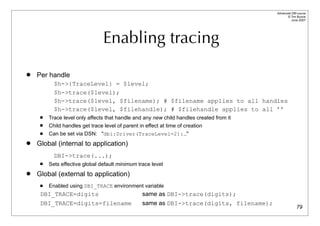
   Per handle
           $h->{TraceLevel} = $level;
           $h->trace($level);
           $h->trace($level, $filename); # $filename applies to all handles
           $h->trace($level, $filehandle); # $filehandle applies to all ’’
        Trace level only affects that handle and any new child handles created from it
        Child handles get trace level of parent in effect at time of creation
        Can be set via DSN: "dbi:Driver(TraceLevel=2):…"
   Global (internal to application)
           DBI->trace(...);
        Sets effective global default minimum trace level
   Global (external to application)
        Enabled using DBI_TRACE environment variable
     DBI_TRACE=digits                              same as DBI->trace(digits);
     DBI_TRACE=digits=filename                     same as DBI->trace(digits, filename);
                                                                                                         79
Advanced DBI tutorial
                                                                                                                       © Tim Bunce
                                                                                                                          June 2007


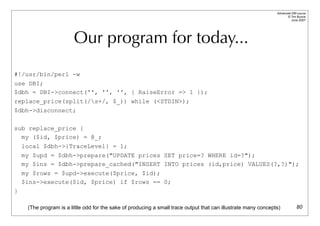
                         Our program for today...
#!/usr/bin/perl -w
use DBI;
$dbh = DBI->connect('', '', '', { RaiseError => 1 });
replace_price(split(/s+/, $_)) while (<STDIN>);
$dbh->disconnect;

sub replace_price {
  my ($id, $price) = @_;
    local $dbh->{TraceLevel} = 1;
    my $upd = $dbh->prepare("UPDATE prices SET price=? WHERE id=?");
    my $ins = $dbh->prepare_cached("INSERT INTO prices (id,price) VALUES(?,?)");
    my $rows = $upd->execute($price, $id);
    $ins->execute($id, $price) if $rows == 0;
}

     (The program is a little odd for the sake of producing a small trace output that can illustrate many concepts)            80
Advanced DBI tutorial
                                                                                        © Tim Bunce
                                                                                           June 2007


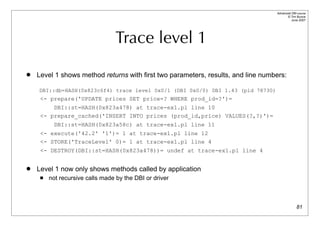
                                  Trace level 1
   Level 1 shows method returns with first two parameters, results, and line numbers:

    DBI::db=HASH(0x823c6f4) trace level 0x0/1 (DBI 0x0/0) DBI 1.43 (pid 78730)
     <- prepare('UPDATE prices SET price=? WHERE prod_id=?')=
         DBI::st=HASH(0x823a478) at trace-ex1.pl line 10
     <- prepare_cached('INSERT INTO prices (prod_id,price) VALUES(?,?)')=
          DBI::st=HASH(0x823a58c) at trace-ex1.pl line 11
     <- execute('42.2' '1')= 1 at trace-ex1.pl line 12
     <- STORE('TraceLevel' 0)= 1 at trace-ex1.pl line 4
     <- DESTROY(DBI::st=HASH(0x823a478))= undef at trace-ex1.pl line 4


   Level 1 now only shows methods called by application
        not recursive calls made by the DBI or driver


                                                                                                81
Advanced DBI tutorial
                                                                                            © Tim Bunce
                                                                                               June 2007


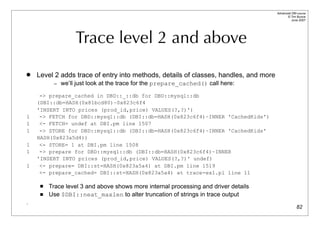
                  Trace level 2 and above
   Level 2 adds trace of entry into methods, details of classes, handles, and more
          – we’ll just look at the trace for the prepare_cached() call here:

     -> prepare_cached in DBD::_::db for DBD::mysql::db
    (DBI::db=HASH(0x81bcd80)~0x823c6f4
    'INSERT INTO prices (prod_id,price) VALUES(?,?)')
1    -> FETCH for DBD::mysql::db (DBI::db=HASH(0x823c6f4)~INNER 'CachedKids')
1    <- FETCH= undef at DBI.pm line 1507
1    -> STORE for DBD::mysql::db (DBI::db=HASH(0x823c6f4)~INNER 'CachedKids'
    HASH(0x823a5d4))
1    <- STORE= 1 at DBI.pm line 1508
1    -> prepare for DBD::mysql::db (DBI::db=HASH(0x823c6f4)~INNER
    'INSERT INTO prices (prod_id,price) VALUES(?,?)' undef)
1    <- prepare= DBI::st=HASH(0x823a5a4) at DBI.pm line 1519
     <- prepare_cached= DBI::st=HASH(0x823a5a4) at trace-ex1.pl line 11

        Trace level 3 and above shows more internal processing and driver details
        Use $DBI::neat_maxlen to alter truncation of strings in trace output
.
                                                                                                    82
Advanced DBI tutorial
                                                                                  © Tim Bunce
                                                                                     June 2007


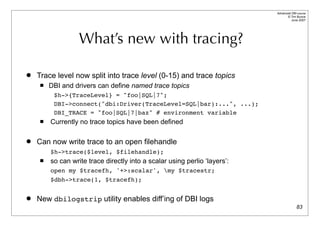
                   What’s new with tracing?

   Trace level now split into trace level (0-15) and trace topics
        DBI and drivers can define named trace topics
          $h->{TraceLevel} = "foo|SQL|7";
          DBI->connect("dbi:Driver(TraceLevel=SQL|bar):...", ...);
          DBI_TRACE = "foo|SQL|7|baz" # environment variable
        Currently no trace topics have been defined

   Can now write trace to an open filehandle
         $h->trace($level, $filehandle);
        so can write trace directly into a scalar using perlio ‘layers’:
         open my $tracefh, '+>:scalar', my $tracestr;
         $dbh->trace(1, $tracefh);


   New dbilogstrip utility enables diff’ing of DBI logs
                                                                                          83
DBI for the Web

Hand waving from 30,000 feet
Advanced DBI tutorial
                                                                                 © Tim Bunce
                                                                                    June 2007


             Web DBI - Connect speed

   Databases can be slow to connect
         – Traditional CGI forces a new connect per request

   Move Perl and DBI into the web server
         – Apache with mod_perl and Apache::DBI module
         – Microsoft IIS with ActiveState's PerlEx

   Connections can then persist and be shared between requests
         – Apache::DBI automatically used by DBI if loaded
         – No CGI script changes required to get persistence

   Take care not to change the shared session behaviour
         – Leave the $dbh and db session in the same state you found it!

   Other alternatives include
         – FastCGI, CGI::SpeedyCGI and CGI::MiniSvr


                                                                                         85
Advanced DBI tutorial
                                                                                  © Tim Bunce
                                                                                     June 2007


    Web DBI - Too many connections

   Busy web sites run many web server processes
         – possibly on many machines...
         – Machines * Processes = Many Connections
         – Machines * Processes * Users = Very Many Connections

   Limits on database connections
         – Memory consumption of web server processes
         – Database server resources (memory, threads etc.) or licensing

   So… partition web servers into General and Database groups
   Redirect requests that require database access to the Database web servers
         – Use Reverse Proxy / Redirect / Rewrite to achieve this
         – Allows each subset of servers to be tuned to best fit workload
         – And/or be run on appropriate hardware platforms
.                                                                                         86
Advanced DBI tutorial
                                                                                                          © Tim Bunce
                                                                                                             June 2007


               Web DBI - State-less-ness

   No fixed client-server pair
         – Each request can be handled by a different process.
         – So can't simply stop fetching rows from $sth when one page is complete and continue
           fetching from the same $sth when the next page is requested.
         – And transactions can't span requests.
         – Even if they could you'd have problems with database locks being held etc.

   Need access to 'accumulated state' somehow:
         – via the client (e.g., hidden form fields - simple but insecure)
                 Can be made safer using encryption or extra field with checksum (e.g. MD5 hash)
         – via the server:
                 requires a session id (via cookie or url)
                 in the database (records in a session_state table keyed the session id)
                 in the web server file system (DBM files etc) if shared across servers
                 Need to purge old state info if stored on server, so timestamp it
                 See Apache::Session module
.
                                                                                                                  87
Advanced DBI tutorial
                                                                                                  © Tim Bunce
                                                                                                     June 2007


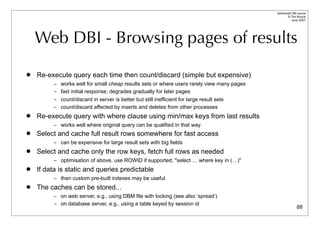
    Web DBI - Browsing pages of results
   Re-execute query each time then count/discard (simple but expensive)
          – works well for small cheap results sets or where users rarely view many pages
          – fast initial response, degrades gradually for later pages
          – count/discard in server is better but still inefficient for large result sets
          – count/discard affected by inserts and deletes from other processes
   Re-execute query with where clause using min/max keys from last results
          – works well where original query can be qualified in that way
   Select and cache full result rows somewhere for fast access
          – can be expensive for large result sets with big fields
   Select and cache only the row keys, fetch full rows as needed
          – optimisation of above, use ROWID if supported, "select … where key in (…)"
   If data is static and queries predictable
          – then custom pre-built indexes may be useful
   The caches can be stored...
          – on web server, e.g., using DBM file with locking (see also ‘spread’)
          – on database server, e.g., using a table keyed by session id
                                                                                                          88
Advanced DBI tutorial
                                                                                       © Tim Bunce
                                                                                          June 2007


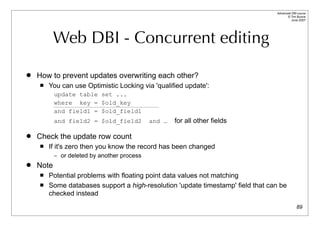
           Web DBI - Concurrent editing

   How to prevent updates overwriting each other?
       You can use Optimistic Locking via 'qualified update':
           update table set ...
           where key = $old_key
           and field1 = $old_field1
           and field2 = $old_field2          and …   for all other fields

   Check the update row count
       If it's zero then you know the record has been changed
           – or deleted by another process
   Note
       Potential problems with floating point data values not matching
       Some databases support a high-resolution 'update timestamp' field that can be
        checked instead
                                                                                               89
Advanced DBI tutorial
                                                                                           © Tim Bunce
                                                                                              June 2007


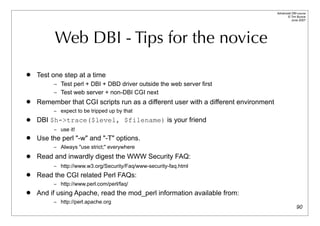
          Web DBI - Tips for the novice
   Test one step at a time
         – Test perl + DBI + DBD driver outside the web server first
         – Test web server + non-DBI CGI next
   Remember that CGI scripts run as a different user with a different environment
         – expect to be tripped up by that

   DBI $h->trace($level, $filename) is your friend
         – use it!
   Use the perl "-w" and "-T" options.
         – Always "use strict;" everywhere

   Read and inwardly digest the WWW Security FAQ:
         – http://www.w3.org/Security/Faq/www-security-faq.html
   Read the CGI related Perl FAQs:
         – http://www.perl.com/perl/faq/
   And if using Apache, read the mod_perl information available from:
         – http://perl.apache.org
                                                                                                   90
Other Topics

    Bulk Operations
    Security Tainting
Handling LOB/LONG Data
        Callbacks
Advanced DBI tutorial
                                                                                                            © Tim Bunce
                                                                                                               June 2007


                                 Bulk Operations

   Execute a statement for multiple values
     $sth = $dbh->prepare("insert into table (foo,bar) values (?,?)");
     $tuples = $sth->execute_array(%attr, @foo_values, @bar_values);
          – returns count of executions, not rows-affected, or undef if any failed


   Explicit array binding
     $dbh->bind_param_array(1, @foo_values, %attr);
     $dbh->bind_param_array(2, @bar_values, %attr);
     $sth->execute_array(%attr) # uses bind_param_array values

   Attribute to record per-tuple status:
     ArrayTupleStatus => $array_ref                      elements are rows-affected or [err, errstr, state]

   Explicit array binding
     $tuples = $sth->execute_for_fetch( sub {...}, @tuple_status );

   Works for all drivers, but some use underlying db bulk API so are very fast!                                    92
Advanced DBI tutorial
                                                                                                        © Tim Bunce
                                                                                                           June 2007


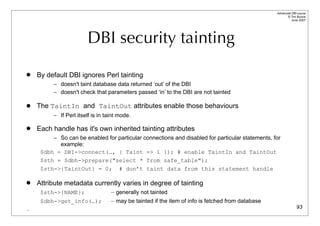
                       DBI security tainting
   By default DBI ignores Perl tainting
         – doesn't taint database data returned ‘out’ of the DBI
         – doesn't check that parameters passed ‘in’ to the DBI are not tainted

   The TaintIn and TaintOut attributes enable those behaviours
         – If Perl itself is in taint mode.

   Each handle has it's own inherited tainting attributes
         – So can be enabled for particular connections and disabled for particular statements, for
           example:
     $dbh = DBI->connect(…, { Taint => 1 }); # enable TaintIn and TaintOut
     $sth = $dbh->prepare("select * from safe_table");
     $sth->{TaintOut} = 0; # don’t taint data from this statement handle

   Attribute metadata currently varies in degree of tainting
     $sth->{NAME};                — generally not tainted
     $dbh->get_info(…);           — may be tainted if the item of info is fetched from database
.                                                                                                               93
Advanced DBI tutorial
                                                                                             © Tim Bunce
                                                                                                June 2007


             Handling LONG/BLOB data
   What makes LONG / BLOB data special?
        Not practical to pre-allocate fixed size buffers for worst case

   Fetching LONGs - treat as normal fields after setting:
        $dbh->{LongReadLen} - buffer size to allocate for expected data
        $dbh->{LongTruncOk} - should truncating-to-fit be allowed

   Inserting LONGs
        The limitations of string literals (max SQL length, quoting binary strings)
        The benefits of placeholders

   Chunking / Piecewise processing not yet supported
        So you're limited to available memory
        Some drivers support blob_read()and other private methods
-
                                                                                                     94
Advanced DBI tutorial
                                                                         © Tim Bunce
                                                                            June 2007


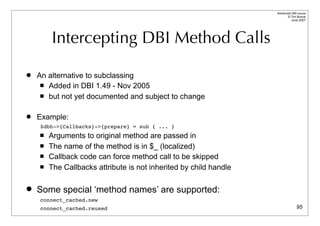
        Intercepting DBI Method Calls

   An alternative to subclassing
      Added in DBI 1.49 - Nov 2005

      but not yet documented and subject to change


   Example:
    $dbh->{Callbacks}->{prepare} = sub { ... }
       Arguments to original method are passed in
       The name of the method is in $_ (localized)
       Callback code can force method call to be skipped
       The Callbacks attribute is not inherited by child handle

   Some special ‘method names’ are supported:
    connect_cached.new
    connect_cached.reused                                                        95
Advanced DBI tutorial
                                                                   © Tim Bunce
                                                                      June 2007


                   Fetching Multiple Keys

•   fetchall_hashref() now supports multiple key columns

    $sth = $dbh->prepare(“select state, city, ...”);
    $sth->execute;
    $data = $sth->fetchall_hashref( [ ‘state’, ‘city’ ] );


    $data = {
        CA => {
             LA => { state=>’CA’, city=>’LA’, ... },
             SF => { state=>’CA’, city=>’SF’, ... },
        },
        NY => {
             NY => { ... },

    }


• Also works for selectall_hashref()                                       96
Advanced DBI tutorial
                                                                                               © Tim Bunce
                                                                                                  June 2007


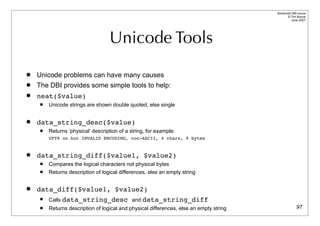
                                    Unicode Tools
   Unicode problems can have many causes
   The DBI provides some simple tools to help:
   neat($value)
        Unicode strings are shown double quoted, else single


   data_string_desc($value)
        Returns ‘physical’ description of a string, for example:
         UFT8 on but INVALID ENCODING, non-ASCII, 4 chars, 9 bytes


   data_string_diff($value1, $value2)
        Compares the logical characters not physical bytes
        Returns description of logical differences, else an empty string


   data_diff($value1, $value2)
        Calls data_string_desc and data_string_diff
        Returns description of logical and physical differences, else an empty string                 97
Portability

          A Holy Grail
(to be taken with a pinch of salt)
Advanced DBI tutorial
                                                                               © Tim Bunce
                                                                                  June 2007


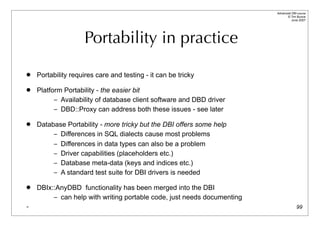
                    Portability in practice
   Portability requires care and testing - it can be tricky

   Platform Portability - the easier bit
          – Availability of database client software and DBD driver
          – DBD::Proxy can address both these issues - see later

   Database Portability - more tricky but the DBI offers some help
         – Differences in SQL dialects cause most problems
         – Differences in data types can also be a problem
         – Driver capabilities (placeholders etc.)
         – Database meta-data (keys and indices etc.)
         – A standard test suite for DBI drivers is needed

   DBIx::AnyDBD functionality has been merged into the DBI
         – can help with writing portable code, just needs documenting
-                                                                                      99
Advanced DBI tutorial
                                                                                     © Tim Bunce
                                                                                        June 2007


           SQL Portability - Data Types
   For raw information about data types supported by the driver:
     $type_info_data = $dbh->type_info_all(…);

   To map data type codes to names:
     $sth = $dbh->prepare(“select foo, bar from tablename”);
     $sth->execute;
     for my $i (0 .. $sth->{NUM_OF_FIELDS}) {
       printf ”Column name %s: Column type name: %s”,
           $sth->{NAME}->[$i],
           $dbh->type_info( $sth->{TYPE}->[$i] )->{TYPE_NAME};
     }

   To select the nearest type supported by the database:
     $my_date_type = $dbh->type_info( [ SQL_DATE, SQL_TIMESTAMP ] );
     $my_smallint_type = $dbh->type_info( [ SQL_SMALLINT, SQL_INTEGER, SQL_DECIMAL ] );
                                                                                     100
Advanced DBI tutorial
                                                                                           © Tim Bunce
                                                                                              June 2007


         SQL Portability - SQL Dialects
   How to concatenate strings? Let me count the (incompatible) ways...
     SELECT first_name || ' ' || last_name FROM table
     SELECT first_name + ' ' + last_name FROM table
     SELECT first_name CONCAT ' ' CONCAT last_name FROM table
     SELECT CONCAT(first_name, ' ', last_name) FROM table
     SELECT CONCAT(first_name, CONCAT(' ', last_name)) FROM table

   The ODBC way:       (not pretty, but portable)
     SELECT {fn CONCAT(first_name, {fn CONCAT(' ', last_name))}} FROM table

   The {fn …} will be rewritten by prepare() to the required syntax via a call to
     $new_sql_fragment = $dbh->{Rewrite}->CONCAT(”…”)

   Similarly for some data types:
     SELECT * FROM table WHERE date_time > {ts ’2002-06-04 12:00:00’} FROM table
     $new_sql_fragment = $dbh->{Rewrite}->ts(’2002-06-04 12:00:00’)
                                                                                                  101
   This 'rewrite' functionality is planned but not yet implemented
Advanced DBI tutorial
                                                                                                   © Tim Bunce
                                                                                                      June 2007


         SQL Portability - SQL Dialects
   Most people are familiar with how to portably quote a string literal:
     $dbh->quote($value)

   It’s now also possible to portably quote identifiers like table names:
     $dbh->quote_identifier($name1, $name2, $name3, %attr)
     For example:
          $dbh->quote_identifier( undef, 'Her schema', 'My table' );
          using DBD::Oracle:    "Her schema"."My table”
          using DBD::mysql:     `Her schema`.`My table`

   If three names are supplied then the first is assumed to be a catalog name and special rules
    may be applied based on what get_info() returns for SQL_CATALOG_NAME_SEPARATOR and
    SQL_CATALOG_LOCATION. For example:
           $dbh->quote_identifier( ’link’, ’schema’, ’table’ );
           using DBD::Oracle:           "schema"."table"@"link"

                                                                                                          102
Advanced DBI tutorial
                                                                                                                              © Tim Bunce
                                                                                                                                 June 2007


    SQL Portability - Driver Capabilities
   How can you tell what functionality the current driver and database support?
     $value = $dbh->get_info( … );

   Here’s a small sample of the information potentially available:
        AGGREGATE_FUNCTIONS     BATCH_SUPPORT      CATALOG_NAME_SEPARATOR                   CONCAT_NULL_BEHAVIOR   CONVERT_DATE
        CONVERT_FUNCTIONS CURSOR_COMMIT_BEHAVIOR CURSOR_SENSITIVITY DATETIME_LITERALS DBMS_NAME DBMS_VER
        DEFAULT_TXN_ISOLATION      EXPRESSIONS_IN_ORDERBY             GETDATA_EXTENSIONS            GROUP_BY     IDENTIFIER_CASE
        IDENTIFIER_QUOTE_CHAR    INTEGRITY    KEYWORDS        LIKE_ESCAPE_CLAUSE              LOCK_TYPES   MAX_COLUMNS_IN_INDEX
        MAX_COLUMNS_IN_SELECT MAX_IDENTIFIER_LEN MAX_STATEMENT_LEN MAX_TABLES_IN_SELECT MULT_RESULT_SETS
        OJ_CAPABILITIES PROCEDURES SQL_CONFORMANCE TXN_CAPABLE TXN_ISOLATION_OPTION UNION …


   A specific item of information is requested using its standard numeric value
     $db_version = $dbh->get_info( 18 );                              # 18 == SQL_DBMS_VER

   The standard names can be mapped to numeric values using:
     use DBI::Const::GetInfo;
     $dbh->get_info($GetInfoType{SQL_DBMS_VER})
                                                                                                                                     103
Advanced DBI tutorial
                                                                                           © Tim Bunce
                                                                                              June 2007


             SQL Portability - Metadata

   Getting data about your data:
     $sth = $dbh->table_info( ... )
         – Now allows parameters to qualify which tables you want info on


     $sth = $dbh->column_info($cat, $schema, $table, $col);
         – Returns information about the columns of a table


     $sth = $dbh->primary_key_info($cat, $schema, $table);
         – Returns information about the primary keys of a table


     @keys = $dbh->primary_key($cat, $schema, $table);
         – Simpler way to return information about the primary keys of a table


     $sth = $dbh->foreign_key_info($pkc,                $pks, $pkt, $fkc, $fks, $fkt);

         – Returns information about foreign keys                                                 104
DBI::SQL::Nano

            A
   "smaller than micro"
     SQL parser
Advanced DBI tutorial
                                                                                           © Tim Bunce
                                                                                              June 2007


                          DBI::SQL::Nano

   The DBI now includes an SQL parser module: DBI::SQL::Nano
         – Has an API compatible with SQL::Statement

   If SQL::Statement is installed then DBI::SQL::Nano becomes an empty subclass
    of SQL::Statement
         – unless the DBI_SQL_NANO env var is true.

   Existing DBD::File module is now shipped with the DBI
         – base class for simple DBI drivers
         – modified to use DBI::SQL::Nano.

   A DBD::DBM driver now ships with the DBI
         – An SQL interface to DBM and MLDBM files using DBD::File and DBI::SQL::Nano.

   Thanks to Jeff Zucker

                                                                                                  106
Advanced DBI tutorial
                                                                                     © Tim Bunce
                                                                                        June 2007


                            DBI::SQL::Nano
   Supported syntax
     DROP TABLE [IF EXISTS] <table_name>
     CREATE TABLE <table_name> <col_def_list>
     INSERT INTO <table_name> [<insert_col_list>] VALUES <val_list>
     DELETE FROM <table_name> [<where_clause>]
     UPDATE <table_name> SET <set_clause> [<where_clause>]
     SELECT <select_col_list> FROM <table_name> [<where_clause>] [<order_clause>]


   Where clause
        a single "[NOT] column/value <op> column/value" predicate
        multiple predicates combined with ORs or ANDs are not supported
        op may be one of: < > >= <= = <> LIKE CLIKE IS

   If you need more functionality...
        Just install the SQL::Statement module
_                                                                                           107
The Power of the Proxy,
 Flexing the Multiplex,
 and a Pure-Perl DBI!

    Thin clients, high availability ...
        and other buzz words
Advanced DBI tutorial
                                                                               © Tim Bunce
                                                                                  June 2007


      DBD::Proxy & DBI::ProxyServer

   Networking for Non-networked databases
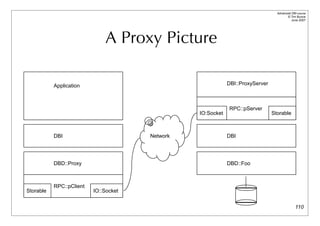
   DBD::Proxy driver forwards calls over network to remote DBI::ProxyServer
   No changes in application behavior
        – Only the DBI->connect statement needs to be changed
   Proxy can be made completely transparent
        – by setting the DBI_AUTOPROXY environment variable
        – so not even the DBI->connect statement needs to be changed!
   DBI::ProxyServer works on Win32
        – Access to Access and other Win32 ODBC and ADO data sources


   Developed by Jochen Wiedmann

                                                                                      109
Advanced DBI tutorial
                                                                                        © Tim Bunce
                                                                                           June 2007


                              A Proxy Picture

           Application                                       DBI::ProxyServer


                                                             RPC::pServer
                                                 IO:Socket                      Storable


           DBI                         Network               DBI


           DBD::Proxy                                        DBD::Foo


           RPC::pClient
Storable                  IO::Socket


                                                                                               110
Advanced DBI tutorial
                                                                                          © Tim Bunce
                                                                                             June 2007


    Thin clients and other buzz words

   Proxying for remote access: "thin-client"
         – No need for database client code on the DBI client

   Proxying for network security: "encryption"
         – Can use Crypt::IDEA, Crypt::DES etc.

   Proxying for "access control" and "firewalls"
         – extra user/password checks, choose port number, handy for web servers

   Proxying for action control
         – e.g., only allow specific select or insert statements per user or host

   Proxying for performance: "compression"
         – Can compress data transfers using Compress::Zlib
.


                                                                                                 111
Advanced DBI tutorial
                                                                                   © Tim Bunce
                                                                                      June 2007


                      The practical realities

   Modes of operation

   Multi-threaded Mode - one thread per connection
        DBI supports threads in perl 5.6 but recent 5.8.x recommended
        Threads are still not recommended for production use with the DBI

   Forking Mode - one process per connection
        Most practical mode for UNIX-like systems
        Doesn’t scale well to large numbers of connections
        Fork is emulated on windows using threads - so see above

   Single Connection Mode - only one connection per proxy server process
        Would need to start many processes to allow many connections
        Mainly for testing
                                                                                          112
Advanced DBI tutorial
                                                                        © Tim Bunce
                                                                           June 2007


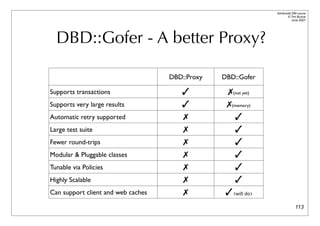
  DBD::Gofer - A better Proxy?

                                    DBD::Proxy   DBD::Gofer

Supports transactions                  ✓          ✗(not yet)
Supports very large results            ✓          ✗(memory)
Automatic retry supported               ✗             ✓
Large test suite                        ✗             ✓
Fewer round-trips                       ✗             ✓
Modular & Pluggable classes             ✗             ✓
Tunable via Policies                    ✗             ✓
Highly Scalable                         ✗             ✓
Can support client and web caches       ✗         ✓ (❨will do)❩
                                                                               113
Advanced DBI tutorial
                                                                                                      © Tim Bunce
                                                                                                         June 2007


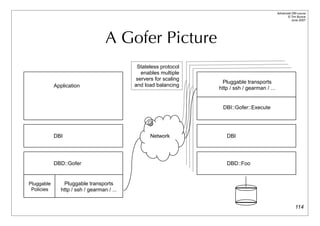
                                   A Gofer Picture
                                             Stateless protocol
                                               enables multiple
                                             servers for scaling
                                                                    Pluggable transports
            Application                     and load balancing
                                                                   http / ssh / gearman / ...


                                                                    DBI::Gofer::Execute


            DBI                                    Network            DBI


            DBD::Gofer                                                DBD::Foo


Pluggable       Pluggable transports
 Policies      http / ssh / gearman / ...


                                                                                                             114
Advanced DBI tutorial
                                                                                                     © Tim Bunce
                                                                                                        June 2007


                             DBD::Multiplex
   DBD::Multiplex
         – Connects to multiple databases (DBI DSN's) at once and returns a single $dbh
         – By default, executes any method call on that $dbh on each underlying $dbh in turn
   Can be configured to
         – modify (insert, update, …) only master db, select from one replica at random
         – modify all databases but select from one ("poor man's replication")
         – fallback to alternate database if primary is unavailable
         – pick database for select at random to distribute load
         – concatenate select results from multiple databases (effectively a 'union' select)
         – return row counts/errors from non-select statements as select results
                 one row for each underlying database
         – May also acquire fancy caching, retry, and other smart logic in the future

   See: http://search.cpan.org/search?dist=DBD-Multiplex*
         – developed by Thomas Kishel and Tim Bunce
         – (was) currently undergoing a significant redevelopment
                                                                                                            115
Advanced DBI tutorial
                                                                                                 © Tim Bunce
                                                                                                    June 2007


                                 DBI::PurePerl

   Need to use the DBI somewhere where you can’t compile extensions?
        To deliver pure-perl code to clients that might not have the DBI installed?
        On an ISP that won’t let you run extensions?
        On a Palm Pilot?

   The DBI::PurePerl module is an emulation of the DBI written in Perl
        Works with pure-perl drivers, including DBD::...
          AnyData, CSV, DBM, Excel, LDAP, mysqlPP, Sprite, XBase, etc.
        plus DBD::Proxy!

   Enabled via the DBI_PUREPERL environment variable:
     0 - Disabled
     1 - Automatically fall-back to DBI::PurePerl if DBI extension can’t be bootstrapped
     2 - Force use of DBI::PurePerl

   Reasonably complete emulation - enough for the drivers to work well
        See DBI::PurePerl documentation for the small-print if you want to use it                      116
Advanced DBI tutorial
                                                                                           © Tim Bunce
                                                                                              June 2007


                        Reference Materials
   http://dbi.perl.org/
          – The DBI Home Page
   http://www.perl.com/CPAN/authors/id/TIMB/DBI_IntroTalk_2002.tar.gz
          – An “Introduction to the DBI” tutorial, now rather old but still useful
   http://www.perl.com/CPAN/authors/id/TIMB/DBI_WhatsNewTalk_200607.pdf
          – Covers changes since “The Book” (DBI-1.14 thru DBI 1.52)
   http://www.perl.com/CPAN/authors/id/TIMB/DBI_AdvancedTalk_200708.pdf
          – This “Advanced DBI” tutorial (updated each year)
   http://www.oreilly.com/catalog/perldbi/
          – or http://www.amazon.com/exec/obidos/ASIN/1565926994/dbi
          – “Programming the Perl DBI” - The DBI book, but based on DBI 1.14
   http://dbi.perl.org/donate
          – Donate money to the DBI Development fund via The Perl Foundation

                                                                                                  117
The end.

DBI Advanced Tutorial 2007

  • 1.
    Advanced Perl DBI Making data work for you by Tim Bunce June 2007 - DBI 1.58
  • 2.
    Advanced DBI tutorial © Tim Bunce June 2007 Topical Topics  Speed Speed Speed!  Handling handles and binding values  Error checking and error handling  Transactions  Architecture and Tracing  DBI for the web  Bulk operations  Tainting  Handling LONG/BLOB data  Portability  Proxy power and flexible multiplex  What’s planned 2
  • 3.
    Advanced DBI tutorial © Tim Bunce June 2007 Trimmed Topics and Tips  Lack of time prevents the inclusion of ...  Details of issues relating to specific databases and drivers – (other than where used as examples of general issues) – each driver would warrant a tutorial of its own!  Non-trivial worked examples  Handy DBIx::* and other DBI related modules  … and anything I’d not finished implementing when this was written …  But I hope you’ll agree that there’s ample information  in the following ~100 slides…  Tips for those attending the conference tutorial:  Doodle notes from my whitterings about the ‘whys and wherefores’ on your printed copy of the slides as we go along... 3
  • 4.
    Advanced DBI tutorial © Tim Bunce June 2007 The DBI - What’s it all about?  The Perl DBI defines and implements an interface to databases  Plug-in driver modules do the database-specific work  DBI provides default methods, functions, tools etc for drivers  Not limited to the lowest common denominator  The Perl DBI has built-in…  Automatic error checking  Detailed call tracing/debugging  Flexible call profiling/benchmarking  Designed and built for speed 4
  • 5.
    Advanced DBI tutorial © Tim Bunce June 2007 A picture is worth? Perl Application DBI Module DBD::Oracle DBD::Informix DBD::Other Oracle Server Informix Server Other Server 5
  • 6.
    Speed Speed Speed! What helps,what doesn't, and how to measure it
  • 7.
    Advanced DBI tutorial © Tim Bunce Give me speed! June 2007  DBI was designed for speed from day one  DBI method dispatcher written in hand-crafted XS/C  Dispatch to XS driver method calls is specially optimized  Cached attributes returned directly by DBI dispatcher  DBI overhead is generally insignificant – So we'll talk about other speed issues instead ... 7
  • 8.
    Advanced DBI tutorial © Tim Bunce June 2007 What do you mean by Speed?  Which can transfer data between Europe and USA the fastest?: A: Gigabit network connection. B: Airplane carrying data tapes.  Answer: It depends on the volume of data.  Throughput / Bandwidth  Throughput is the amount of data transferred over a period of time.  Latency / Response Time  Latency is the time delay between the moment something is initiated, and the moment one of its effects begins or becomes detectable.  Latency is often more important than Throughput  Reducing latency is often harder than increasing bandwidth 8
  • 9.
    Advanced DBI tutorial © Tim Bunce June 2007 Streaming & Round-trips  Which would be fastest? A: 10MBit/sec connection to server in next room B: 100MBit/sec connection to server in next city  Answer: It depends on the workload.  Think about streaming and round-trips to the server  SELECT results are streamed, they flow without per-row feedback.  INSERT statements typically require a round-trip per row.  Reduce round-trips, and try to do more on each one  Stored procedures  Bulk inserts 9
  • 10.
    Advanced DBI tutorial © Tim Bunce June 2007 Do More Per Trip - Example  Background: clients can set spending rate limits of X amount per Y seconds  spend_limit table has fields: accural, debit_max, start_time, period  Task:  If time is after start_time + period – then start new period : set start_time=now and accural=spend – else accrue spend in current period : set accural = accural + spend  Return flag to indicate if accrual was already greater than debit_max  Minimize time table is locked my $period_cond_sql = "UNIX_TIMESTAMP() > (UNIX_TIMESTAMP(start_time) + period)"; my $spend_limit_sth = $dbh->prepare_cached(qq{ UPDATE spend_limit SET accrual = IF ($period_cond_sql, 0 + ? + (0*LAST_INSERT_ID(0)), accrual + ? + (0*LAST_INSERT_ID(accrual>debit_max)) ), start_time = IF ($period_cond_sql, NOW(), start_time) WHERE key=? 10 });
  • 11.
    Advanced DBI tutorial © Tim Bunce June 2007 Latency is King  Small changes can have big effects  on busy systems with concurrent threads/processes  can push you ‘over the edge’ or pull you back from it  refer to queuing theory, for example: – http://csdl.computer.org/comp/mags/ds/2006/01/o1001.pdf – http://blogs.msdn.com/ricom/archive/2006/07/24/677566.aspx  CPU time is a critical resource  while waiting for I/O useful work is being done for the thread  while waiting for CPU no useful work is being done  it’s dead time 11
  • 12.
    Advanced DBI tutorial © Tim Bunce June 2007 Cache, Cache, Cache!  Caching is a fundamental performance technique  Caching is applicable to all levels of an application  Caching makes the world go round so fast, kind’a  Cache whole pages (reverse proxies, web accelerators)  Cache ready-made components of pages  Cache results of queries that provide data for pages  Cache simple lookups on client to simplify joins and reduce data volume  Cache prepared statement handles  Cache database handles of those statement handles  Cache (memoize) idempotent functions  Cache common subexpressions in busy blocks  High cache hit ratio is not, repeat not, necessarily a good sign!  Measure response time, mix-n-match methods, measure again 12
  • 13.
    Advanced DBI tutorial © Tim Bunce June 2007 Performance 101  Start at the beginning  Pick the right database and hardware for the job, if you have the choice.  To do that you need to understand the characteristics of – the job, the databases, and the hardware  Understand the performance trade-off’s in schema design.  Worth a whole tutorial... but not this one.  General tips  Know all the elements that contribute to overall latency  Work close to the data to reduce round-trip * latency costs  Proprietary bulk-load is almost always faster than Perl  Don’t trust third-party benchmarks  Too many variables. Measure for yourself. Focus on resonse time under load.  Mix 'n Match techniques as needed 13
  • 14.
    Advanced DBI tutorial © Tim Bunce June 2007 Prepare for speed  prepare() - what happens in the server... – Receive and parse and compile the SQL statement into internal form – Get details for all the selected tables – Check access rights for each – Get details for all the selected fields – Check data types in expressions – Get details for the indices on all the fields in where/join clauses – Develop an optimised query 'access plan' for best execution – Return a handle for all this cached information  This can be an expensive process – especially the 'access plan’ for a complex multi-table query  Some databases, like MySQL v4, don't cache the information – but have simpler and faster, but less powerful, plan creation . 14
  • 15.
    Advanced DBI tutorial access © Tim Bunce June 2007 The best laid plans  Query optimisation is hard – Intelligent high quality cost based query optimisation is really hard!  Know your optimiser – Oracle, Informix, Sybase, DB2, SQL Server etc. all slightly different.  Check what it's doing – Use tools to see the plans used for your queries - very helpful  Help it along  Most 'big name' databases have a mechanism to analyse and store the key distributions of indices to help the optimiser make good plans. – Important for tables with ‘skewed’ (uneven) key distributions – Beware: keep it fresh, old key distributions might be worse than none  Some also allow you to embed 'hints' into the SQL as comments – Beware: take it easy, over hinting hinders dynamic optimisation . 15
  • 16.
    Advanced DBI tutorial © Tim Bunce June 2007 MySQL’s EXPLAIN PLAN  To generate a plan: EXPLAIN SELECT tt.TicketNumber, tt.TimeIn, tt.ProjectReference, tt.EstimatedShipDate, tt.ActualShipDate, tt.ClientID, tt.ServiceCodes, tt.RepetitiveID, tt.CurrentProcess, tt.CurrentDPPerson, tt.RecordVolume, tt.DPPrinted, et.COUNTRY, et_1.COUNTRY, do.CUSTNAME FROM tt, et, et AS et_1, do WHERE tt.SubmitTime IS NULL AND tt.ActualPC = et.EMPLOYID AND tt.AssignedPC = et_1.EMPLOYID AND tt.ClientID = do.CUSTNMBR;  The plan is described using results like this: TABLE TYPE POSSIBLE_KEYS KEY KEY_LEN REF ROWS EXTRA et ALL PRIMARY NULL NULL NULL 74 tt ref AssignedPC,ClientID,ActualPC ActualPC 15 et.EMPLOYID 52 where used et_1 eq_ref PRIMARY PRIMARY 15 tt.AssignedPC 1 do eq_ref PRIMARY PRIMARY 15 tt.ClientID 1 16
  • 17.
    Advanced DBI tutorial © Tim Bunce June 2007 Oracle’s EXPLAIN PLAN  To generate a plan: EXPLAIN PLAN SET STATEMENT_ID = 'Emp_Sal’ FOR SELECT ename, job, sal, dname FROM emp, dept WHERE emp.deptno = dept.deptno AND NOT EXISTS (SELECT * FROM salgrade WHERE emp.sal BETWEEN losal AND hisal);  That writes plan details into a table which can be queried to yield results like this: ID PAR Query Plan --- --- -------------------------------------------------- 0 Select Statement Cost = 69602 1 0 Nested Loops 2 1 Nested Loops 3 2 Merge Join 4 3 Sort Join 5 4 Table Access Full T3 6 3 Sort Join 7 6 Table Access Full T4 8 2 Index Unique Scan T2 9 1 Table Access Full T1 17
  • 18.
    Advanced DBI tutorial © Tim Bunce June 2007 18
  • 19.
    Advanced DBI tutorial © Tim Bunce June 2007 Changing plans (hint hint)  Most database systems provide a way to influence the execution plan  typically via ‘hints’  Oracle supports a very large and complex range of hints  Hints must be contained within special comments /*+ … */ SELECT /*+ INDEX(table1 index1) */ foo, bar FROM table1 WHERE key1=1 AND key2=2 AND key3=3;  MySQL has a very limited set of hints  Hints can optionally be placed inside comments /*! … */ SELECT foo, bar FROM table1 /*! USE INDEX (key1,key2) */ WHERE key1=1 AND key2=2 AND key3=3;  Use sparingly! Generally as a last resort.  A hint may help now but later schema (or data) changes may make it worse.  Usually best to let the optimizer do its job . 19
  • 20.
    Advanced DBI tutorial © Tim Bunce June 2007 Respect your server’s SQL cache  Optimised Access Plan and related data can be cached within server – Oracle: automatic caching, shared across connections, cache keyed by SQL. – MySQL: explicit but hidden by DBD::mysql. Not shared, even within a connection.  Compare do("insert … $id"); with do("insert … ?", undef, $id);  Without placeholders, SQL string varies each time – so no matching statement can be found in the servers' SQL cache – so time is wasted creating a new access plan – the new statement and access plan are added to cache – so the cache fills and other statements get pushed out – on a busy system this can lead to ‘thrashing’/churning the query plan cache  Oracle now has a way to avoid/reduce this problem – it can effectively edit the SQL to replace literal constants with placeholders – but quality of the execution plan can suffer  For MySQL do() always causes re-planning. Must use prepare() to reuse. 20
  • 21.
    Advanced DBI tutorial © Tim Bunce June 2007 Hot handles  Avoid using $dbh->do(…) in a speed-critical loop  It’s usually creating, preparing and destroying a statement handle each time  Use $sth = $dbh->prepare(…)and $sth->execute() instead  Using prepare() moves work out of the loop  Does as much preparation for later execute() as possible  So execute() has as little work to do as possible  For example… convert $dbh->do("insert … ?", undef, $_) for @id_list; into $sth = $dbh->prepare("insert … ?”) $sth->execute($_) for @id_list’  This often gives a significant performance boost – even where placeholders are emulated, such as DBD::mysql with mysql 4.0 – because it avoids statement handle creation overhead 21 .
  • 22.
    Advanced DBI tutorial © Tim Bunce June 2007 Sling less for speed  while(@row = $sth->fetchrow_array) { }  one column: 51,155 fetches per second  20 columns: 24,032 fetches per second  while($row = $sth->fetchrow_arrayref) { }  one column: 58,653 fetches per second - approximately 12% faster  20 columns: 49,390 fetches per second - approximately 51% faster  while($row = shift(@$rowcache) || shift(@{$rowcache=$sth->fetchall_arrayref(undef, $max_rows)})) { }  one column: 348,140 fetches per second - by far the fastest!  20 columns: 42,128 fetches per second - now slower than fetchrow_arrayref!  Why? Balance time saved making fewer calls with time spent managing more memory  Do your own benchmarks to find what works best for your situations  Notes:  Tests used DBD::mysql on 100,000 rows with fields 9 chars each. $max_rows=1000;  Time spent inside fetchrow_* method is ~0.000011s (~90,000 per second) on old slow cpu. 22
  • 23.
    Advanced DBI tutorial © Tim Bunce June 2007 Bind those columns!  Compare while($row = $sth->fetchrow_arrayref) { print “$row->[0]: $row->[1]n”; }  with $sth->bind_columns($key, $value); while($sth->fetchrow_arrayref) { print “$key: $valuen”; }  No row assignment code!  No column access code! ... just magic 23
  • 24.
    Advanced DBI tutorial © Tim Bunce June 2007 Do more with less!  Reduce the number of DBI calls – The DBI is fast -- but it isn’t free!  Using RaiseError is faster than checking return values – and much faster than checking $DBI::err or $h->err  Use fetchrow_* in preference to fetchall_* – unless you really need to keep all the rows  Using fetchall_arrayref (or selectall_arrayref) is much faster – if using a driver extension compiled with the DBI’s Driver.xst wrapper (most are) – because the loop is written in C and doesn’t make a method call per row  Using fetchall_arrayref is possible for very large result sets – new $max_rows parameter limits rows returned (and memory consumed) – just add an outer loop to process the results in ‘batches’, or do it in-line: $row = shift(@$cache) || shift @{$cache=$sth->fetchall_arrayref(undef, 1000)}; 24
  • 25.
    Advanced DBI tutorial © Tim Bunce June 2007 Speedy Summary  Think about the big picture first – Choice of tools, schema design, partitioning, latency, etc.  Check the access plans for your statements – Teach your database about any uneven key distributions  Use placeholders - where supported – Especially for any statements that will be executed often with varying values  Replace do() in a loop – with prepare() and execute()  Sling less data for faster row fetching – Or sling none per row by binding columns to perl variables  Do more with less by using the DBI in the most efficient way – Make fewer, better, DBI method calls  Other important things to consider… – your perl code, plus hardware, operating system, and database configuration etc. 25 -
  • 26.
    Advanced DBI tutorial © Tim Bunce June 2007 Optimizing Perl - Some Tips  Perl is fast, but not that fast...  Still need to take care with apparently simple things in 'hot' code – Function/method calls have significant overheads per call. Especially with args. – Copying data also isn't cheap, especially long strings (allocate and copy) – Perl compiles to 'op codes' then executes them in a loop... – The more ops, the slower the code (all else being roughly equal). – Try to do more with fewer ops. Especially if you can move loops into ops.  Key techniques include: – Caching at many levels, from common sub-expression elimination to web caching – Functional programming: @result = map { … } grep { … } @data;  But don't get carried away... only optimize hot code, and only if needed – Don't optimize for performance at the cost of maintenance. Learn perl idioms. – Beware "Compulsive Tuning Disorder" - Gaja Krishna Vaidyanatha – And remember that "Premature optimization is the root of all evil" - Donald Knuth 26
  • 27.
    Profiling DBI Performance Time flies like an arrow (fruit flies like a banana)
  • 28.
    Advanced DBI tutorial © Tim Bunce June 2007 How fast was that?  The DBI has performance profiling built in  Overall summary: $ DBI_PROFILE=1 ex/profile.pl DBI::Profile: 0.190639s 20.92% (219 calls) profile.pl @ 2006-07-24 15:47:07  Breakdown by statement: $ DBI_PROFILE=’!Statement’ ex/profile.pl DBI::Profile: 0.206872s 20.69% (219 calls) profile.pl @ 2006-07-24 15:44:37 '' => 0.001403s / 9 = 0.000156s avg (first 0.001343s, min 0.000002s, max 0.001343s) 'CREATE TABLE ex_profile (a int)' => 0.002503s 'INSERT INTO ex_profile (a) VALUES (?)' => 0.193871s / 100 = 0.001939s avg (first 0.002119s, min 0.001676s, max 0.002251s) 'SELECT a FROM ex_profile' => 0.004776s / 108 = 0.000044s avg (first 0.000700s, min 0.000004s, max 0.003129s) 28
  • 29.
    Advanced DBI tutorial © Tim Bunce August 2006 $ DBI_PROFILE='!Statement:!MethodName' ex/profile.pl DBI::Profile: 0.203922s (219 calls) profile.pl @ 2006-07-24 15:29:29 '' => 'FETCH' => 0.000002s 'STORE' => 0.000039s / 5 = 0.000008s avg (first 0.000019s, min 0.000002s, max 0.000019s) 'connect' => 0.001336s 'CREATE TABLE ex_profile (a int)' => 'do' => 0.002324s 'INSERT INTO ex_profile (a) VALUES (?)' => 'do' => 0.192104s / 100 = 0.001921s avg (first 0.001929s, min 0.001520s, max 0.002699s) 'SELECT a FROM ex_profile' => 'execute' => 0.000082s 'fetchrow_array' => 0.000667s / 101 = 0.000007s avg (first 0.000010s, min 0.000006s, max 0.000018s) 'prepare' => 0.000122s 'selectall_arrayref' => 0.000676s 'selectall_hashref' => 0.003452s 29
  • 30.
    Advanced DBI tutorial © Tim Bunce June 2007 Profile of a Profile  Profiles ‘top level’ calls from application into DBI  Profiling is controlled by, and collected into, $h->{Profile} attribute  Child handles inherit reference to parent $h->{Profile} – So child handle activity is aggregated into parent  When enabled by DBI_PROFILE env var – a single $h->{Profile} reference is shared by all handles – so all activity is aggregated into a single data tree  Data is dumped when the $h->{Profile} object is destroyed 30
  • 31.
    Advanced DBI tutorial © Tim Bunce June 2007 Profile Path ⇒ Profile Data • The Path determines where each sample is accumulated within the Data hash tree $h->{Profile}->{Path} = [ ] $h->{Profile}->{Data} = [ ...accumulated sample data... ] $h->{Profile}->{Path} = [ “!MethodName” ] $h->{Profile}->{Data} = { “prepare” } -> [ ... ] { “execute” } -> [ ... ] { ... } -> [ ... ] $h->{Profile}->{Path} = [ “!Statement”, “!MethodName” ] $h->{Profile}->{Data} = { “INSERT ...” } -> { “prepare” } -> [ ... ] -> { “execute” } -> [ ... ] { “SELECT ...” } -> { “prepare” } -> [ ... ] -> { “execute” } -> [ ... ] 31
  • 32.
    Advanced DBI tutorial © Tim Bunce June 2007 Profile Leaf Node Data  Each leaf node is a ref to an array: [ 106, # 0: count of samples at this node 0.0312958955764771, # 1: total duration 0.000490069389343262, # 2: first duration 0.000176072120666504, # 3: shortest duration 0.00140702724456787, # 4: longest duration 1023115819.83019, # 5: time of first sample 1023115819.86576, # 6: time of last sample ]  First sample to create the leaf node populates all values  Later samples reaching that node always update elements 0, 1, and 6  and may update 3 or 4 depending on the duration of the sampled call 32
  • 33.
    Advanced DBI tutorial © Tim Bunce June 2007 Profile Path Elements Kind Example Use Example Result “{AttributeName}” “{Statement}” “SELECT ...” “{Username}” “timbunce” “{AutoCommit}” “1” “{private_attr}” “the value of private_attr” “!Magic” “!Statement” “SELECT ...” “!MethodName” “selectrow_array” “!File” “MyFoo.pm” “!Caller2” “MyFoo.pm line 23 via Bar.pm line 9” “!Time~100” “1123700” &subroutine sub { “bar” } “bar” “&subname” “&norm_std_n3” see later slide $scalar $Package::Var the value in $Package::Var anything else “foo” “foo” 33
  • 34.
    Advanced DBI tutorial © Tim Bunce June 2007 “!Statement” vs “{Statement}”  “{Statement}” is always the value of the Statement attribute – Fine for statement handle – For database handles it’s the last statement executed – That’s often not useful, or even misleading, for profiling  “!Statement” is smarter – Is an empty string for methods that are unrelated to current statement  ping, commit, rollback, quote, dbh attribute FETCH & STORE, etc. – so you get more accurate separation of profile data using “!Statement” 34
  • 35.
    Advanced DBI tutorial © Tim Bunce June 2007 Managing statement variations  For when placeholders aren’t being used or there are tables with numeric suffixes.  A ‘&norm_std_n3’ in the Path maps to ‘!Statement’ edited in this way: s/bd+b/<N>/g; # 42 -> <N> s/b0x[0-9A-Fa-f]+b/<N>/g; # 0xFE -> <N> s/'.*?'/'<S>'/g; # single quoted strings (doesn't handle escapes) s/".*?"/"<S>"/g; # double quoted strings (doesn't handle escapes) # convert names like log20001231 into log<N> s/([a-z_]+)(d{3,})b/${1}<N>/ieg; # abbreviate massive "in (...)" statements and similar s!((s*<[NS]>s*,s*){100,})!sprintf("$2,<repeated %d times>",length($1)/2)!eg;  It’s aggressive and simplistic but usually very effective.  You can define your own subs in the DBI::ProfileSubs namespace 35
  • 36.
    Advanced DBI tutorial © Tim Bunce June 2007 Profile specification  Profile specification  <path> / <class> / <args>  DBI_PROFILE='!Statement:!MethodName/DBI::ProfileDumper::Apache/arg1:arg2:arg3'  $h->{Profile} = '...same...';  Class  Currently only controls output formatting  Other classes should subclass DBI::Profile  DBI::Profile is the default  provides a basic summary for humans  large outputs are not easy to read  can’t be filtered or sorted 36
  • 37.
    Advanced DBI tutorial © Tim Bunce June 2007 Working with profile data  To aggregate sample data for any part of the tree – to get total time spent inside the DBI – and return a merge all those leaf nodes $time_in_dbi = dbi_profile_merge(my $totals=[], @$leaves);  To aggregate time in DBI since last measured – For example per-httpd request my $time_in_dbi = 0; if (my $Profile = $dbh->{Profile}) { # if profiling enabled $time_in_dbi = dbi_profile_merge([], $Profile->{Data}); $Profile->{Data} = undef; # reset the profile Data } # add $time_in_dbi to httpd log 37
  • 38.
    Advanced DBI tutorial © Tim Bunce June 2007 dbiprof  DBI::ProfileDumper  writes profile data to dbi.prof file for analysis  DBI::ProfileDumper::Apache  for mod_perl, writes a file per httpd process/thread  DBI::ProfileData  reads and aggregates dbi.prof files  can remap and merge nodes in the tree  dbiprof utility  reads, summarizes, and reports on dbi.prof files  by default prints nodes sorted by total time  has options for filtering and sorting 38
  • 39.
    Advanced DBI tutorial © Tim Bunce June 2007 Profile something else  Adding your own samples use DBI::Profile (dbi_profile dbi_time); my $t1 = dbi_time(); # floating point high-resolution time ... execute code you want to profile here ... my $t2 = dbi_time(); dbi_profile($h, $statement, $method, $t1, $t2);  The dbi_profile function returns a ref to the relevant leaf node  My new DashProfiler module on CPAN is built on dbi_profile 39
  • 40.
  • 41.
    Advanced DBI tutorial © Tim Bunce June 2007 Attribution - For Handles  Two kinds of attributes: Handle Attributes and Method Attributes  A DBI handle is a reference to a hash  Handle Attributes can be read or set by accessing the hash via the reference $h->{AutoCommit} = 0; $autocomitting = $h->{AutoCommit};  Some attributes are read-only $sth->{NUM_OF_FIELDS} = 42; # fatal error  Using an unknown attribute triggers a warning $sth->{AutoCommat} = 42; # triggers a warning $autocomitting = $sth->{AutoCommat}; # triggers a warning – driver-private attributes (which have lowercase names) do not trigger a warning 41
  • 42.
    Advanced DBI tutorial © Tim Bunce June 2007 Attribution - For Methods  Two kinds of attributes: Handle Attributes and Method Attributes  Many DBI methods take an ‘attributes’ parameter – in the form of a reference to a hash of key-value pairs  The attributes parameter is typically used to provide ‘hints’ to the driver – Unrecognised attributes are simply ignored – So invalid attribute name (like typos) won't be caught  The method attributes are generally unrelated to handle attributes – The connect() method is an exception – In DBI v2 prepare() will also accept handle attributes for the new handle $sth = $dbh->prepare($sql, { RaiseError => 0 }); 42
  • 43.
    Advanced DBI tutorial © Tim Bunce June 2007 What’s in a name?  The letter case used for attribute names is significant – plays an important part in the portability of DBI scripts  Used to signify who defined the meaning of that name and its values Case of name Has a meaning defined by UPPER_CASE Formal standards, e.g., X/Open, SQL92 etc (portable) MixedCase DBI API (portable), underscores are not used. lower_case Driver specific, ‘private’ attributes (non-portable)  Each driver has its own prefix for its private method and handle attributes – Ensures two drivers can’t define different meanings for the same attribute $sth->bind_param( 1, $value, { ora_type => 97, ix_type => 42 } ); 43
  • 44.
  • 45.
    Advanced DBI tutorial © Tim Bunce June 2007 Let the DBI cache your handles  Sometimes it's not easy to hold all your handles – e.g., library code to lookup values from the database  The prepare_cached() method – gives you a client side statement handle cache: sub lookup_foo { my ($dbh, $id) = @_; $sth = $dbh->prepare_cached("select foo from table where id=?"); return $dbh->selectrow_array($sth, $id); }  On later calls returns the previously cached handle – for the given statement text and any method attributes  Can avoid the need for global statement handle variables – which can cause problems in some situations, see later 45
  • 46.
    Advanced DBI tutorial © Tim Bunce June 2007 Some prepare_cached() issues  A cached statement handle may still be Active  because some other code is still fetching from it  or didn't fetch all the rows (and didn't didn't call finish)  perhaps due to an exception  Default behavior for prepare_cached()  if Active then warn and call finish()  Rarely an issue in practice  But if it is...  Alternative behaviors are available via the $is_active parameter $sth = $dbh->prepare_cached($sql, %attr, $if_active)  See the docs for details 46
  • 47.
    Advanced DBI tutorial © Tim Bunce June 2007 Keep a handle on your databases  Connecting to a database can be slow – Oracle especially so  Try to connect once and stay connected where practical – We'll discuss web server issues later  The connect_cached() method …  Acts like prepare_cached() but for database handles  Like prepare_cached(), it’s handy for library code  It also checks the connection and automatically reconnects if it's broken  Works well combined with prepare_cached(), see following example . 47
  • 48.
    Advanced DBI tutorial © Tim Bunce June 2007 A connect_cached() example  Compare and contrast... my $dbh = DBI->connect(…); sub lookup_foo_1 { my ($id) = @_; $sth = $dbh->prepare_cached("select foo from table where id=?"); return $dbh->selectrow_array($sth, $id); }  with... sub lookup_foo_2 { my ($id) = @_; my $dbh = DBI->connect_cached(…); $sth = $dbh->prepare_cached("select foo from table where id=?"); return $dbh->selectrow_array($sth, $id); } Clue: what happens if the database is restarted? 48
  • 49.
    Advanced DBI tutorial © Tim Bunce June 2007 Some connect_cached() issues  Because connect_cached() may return a new connection...  it’s important to specify all significant attributes within the connect() call  e.g., AutoCommit, RaiseError, PrintError  So pass the same set of attributes into all connect calls  Similar, but not quite the same as Apache::DBI  Doesn’t disable the disconnect() method.  The caches can be accessed via the CachedKids handle attribute  $dbh->{CachedKids} - for prepare_cached()  $dbh->{Driver}->{CachedKids} - for connect_cached()  Could also be tied to implement LRU and other size-limiting caching strategies tie %{$dbh->{CachedKids}}, SomeCacheModule; _ 49
  • 50.
    Binding (Value Bondage) Placing values in holders
  • 51.
    Advanced DBI tutorial © Tim Bunce June 2007 First, the simple stuff...  After calling prepare() on a statement with placeholders: $sth = $dbh->prepare(“select * from table where k1=? and k2=?”);  Values need to be assigned (‘bound’) to each placeholder before the database can execute the statement  Either at execute, for simple cases: $sth->execute($p1, $p2);  or before execute: $sth->bind_param(1, $p1); $sth->bind_param(2, $p2); $sth->execute; 51
  • 52.
    Advanced DBI tutorial © Tim Bunce June 2007 Then, some more detail...  If $sth->execute(…) specifies any values, it must specify them all  Bound values are sticky across multiple executions: $sth->bind_param(1, $p1); foreach my $p2 (@p2) { $sth->bind_param(2, $p2); $sth->execute; }  The currently bound values are retrievable using: %bound_values = %{ $sth->{ParamValues} }; – Relatively new DBI feature, added in 1.28, not implemented by all drivers yet . 52
  • 53.
    Advanced DBI tutorial © Tim Bunce June 2007 Your TYPE or mine?  Sometimes the data type for bind values needs to be specified use DBI qw(:sql_types); – to import the type constants $sth->bind_param(1, $value, { TYPE => SQL_INTEGER }); – to specify the INTEGER type – which can be abbreviated to: $sth->bind_param(1, $value, SQL_INTEGER);  To just distinguish numeric versus string types, try $sth->bind_param(1, $value+0); # bind as numeric value $sth->bind_param(1, ”$value”); # bind as string value – Works because perl values generally know if they are strings or numbers. So... – Generally the +0 or ”” isn’t needed because $value has the right ‘perl type’ already 53
  • 54.
    Advanced DBI tutorial © Tim Bunce June 2007 Got TIME for a DATE?  Date and time types are strings in the native database format  many valid formats, some incompatible or ambiguous 'MM/DD/YYYY' vs 'DD/MM/YYYY'  Obvious need for a common format  The SQL standard (ISO 9075) uses 'YYYY-MM-DD' and 'YYYY-MM-DD HH:MM:SS'  DBI now says using a date/time TYPE mandates ISO 9075 format $sth->bind_param(1, "2004-12-31", SQL_DATE); $sth->bind_param(2, "2004-12-31 23:59:59", SQL_DATETIME); $sth->bind_col(1, $foo, SQL_DATETIME); # for selecting data  Driver is expected to convert to/from native database format  New feature, as of DBI 1.43, not yet widely supported . 54
  • 55.
    Advanced DBI tutorial © Tim Bunce June 2007 Some TYPE gotchas  Bind TYPE attribute is just a hint – and like all hints in the DBI, they can be ignored – the driver is unlikely to warn you that it's ignoring an attribute  Many drivers only care about the number vs string distinction – and ignore other kinds of TYPE value  For some drivers/databases that do pay attention to the TYPE… – using the wrong type can mean an index on the value field isn’t used – or worse, may alter the effect of the statement  Some drivers let you specify private types $sth->bind_param(1, $value, { ora_type => 97 }); - 55
  • 56.
    Error Checking &Error Handling To err is human, to detect, divine!
  • 57.
    Advanced DBI tutorial © Tim Bunce June 2007 The importance of error checking  Errors happen!  Failure happens when you don't expect errors! – database crash / network disconnection – lack of disk space for insert or select (sort space for order by) – server math error on select (divide by zero after fetching 10,000 rows) – and maybe, just maybe, errors in your own code [Gasp!]  Beat failure by expecting errors!  Detect errors early to limit effects – Defensive Programming, e.g., check assumptions – Through Programming, e.g., check for errors after fetch loops  (and undefined values are your friends: always enable warnings) . 57
  • 58.
    Advanced DBI tutorial © Tim Bunce June 2007 Error checking - ways and means  Error checking the hard way... $h->method or die "DBI method failed: $DBI::errstr"; $h->method or die "DBI method failed: $DBI::errstr"; $h->method or die "DBI method failed: $DBI::errstr";  Error checking the smart way... $h->{RaiseError} = 1; $h->method; $h->method; $h->method; 58
  • 59.
    Advanced DBI tutorial © Tim Bunce June 2007 Handling errors the smart way  Setting RaiseError make the DBI call die for you  For simple applications immediate death on error is fine – The error message is usually accurate and detailed enough – Better than the error messages some developers use!  For more advanced applications greater control is needed, perhaps: – Correct the problem and retry – or, Fail that chunk of work and move on to another – or, Log error and clean up before a graceful exit – or, whatever else to need to do  Buzzwords: – Need to catch the error exception being thrown by RaiseError . 59
  • 60.
    Advanced DBI tutorial © Tim Bunce June 2007 Catching the Exception  Life after death $h->{RaiseError} = 1; eval { foo(); $h->method; # if it fails then the DBI calls die bar($h); # may also call DBI methods }; if ($@) { # $@ holds error message ... handle the error here … }  Bonus – Other, non-DBI, code within the eval block may also raise an exception – that will also be caught and can be handled cleanly . 60
  • 61.
    Advanced DBI tutorial © Tim Bunce June 2007 Picking up the Pieces  So, what went wrong? $@ – holds the text of the error message if ($DBI::err && $@ =~ /^(S+) (S+) failed: /) – then it was probably a DBI error – and $1 is the driver class (e.g. DBD::foo::db), $2 is the name of the method (e.g. prepare) $DBI::lasth – holds last DBI handle used (not recommended for general use) $h->{Statement} – holds the statement text associated with the handle (even if it’s a database handle)  $h->{ShowErrorStatement} = 1 – appends $h->{Statement} to RaiseError/PrintError messages: – DBD::foo::execute failed: duplicate key [for ``insert …’’] – for statement handles it also includes the $h->{ParamValues} if available. – Makes error messages much more useful. Better than using $DBI::lasth – Many drivers should enable it by default. DBI v2 will. Inherited by child handles. 61
  • 62.
    Advanced DBI tutorial © Tim Bunce June 2007 Custom Error Handling  Don’t want to just Print or Raise an Error?  Now you can Handle it as well… $h->{HandleError} = sub { … };  The HandleError code  is called just before PrintError/RaiseError are handled  it’s passed – the error message string that RaiseError/PrintError would use – the DBI handle being used – the first value being returned by the method that failed (typically undef)  if it returns false then RaiseError/PrintError are checked and acted upon as normal  The handler code can  alter the error message text by changing $_[0]  use caller() or Carp::confess() or similar to get a stack trace  use Exception or a similar module to throw a formal exception object 62
  • 63.
    Advanced DBI tutorial © Tim Bunce June 2007 More Custom Error Handling  It is also possible for HandleError to hide an error, to a limited degree – use set_err() to reset $DBI::err and $DBI::errstr – alter the return value of the failed method $h->{HandleError} = sub { my ($errmsg, $h) = @_; return 0 unless $errmsg =~ /^S+ fetchrow_arrayref failed:/; return 0 unless $h->err == 1234; # the error to 'hide' $h->set_err(0,""); # turn off the error $_[2] = [ ... ]; # supply alternative return value by altering parameter return 1; };  Only works for methods which return a single value and is hard to make reliable (avoiding infinite loops, for example) and so isn't recommended for general use! – If you find a good use for it then please let me know. _ 63
  • 64.
    Advanced DBI tutorial © Tim Bunce June 2007 Information and Warnings  Drivers can indicate Information and Warning states in addition to Error states  Uses false-but-defined values of $h->err and $DBI::err  Zero "0" indicates a "warning"  Empty "" indicates "success with information" or other messages from database  Drivers should use $h->set_err(…) method to record info/warn/error states  implements logic to correctly merge multiple info/warn/error states  info/warn/error messages are appended to errstr with a newline  $h->{ErrCount} attribute is incremented whenever an error is recorded  The $h->{HandleSetErr} attribute can be used to influence $h->set_err()  A code reference that's called by set_err and can edit its parameters  So can promote warnings/info to errors or demote/hide errors etc.  Called at point of error from within driver, unlike $h->{HandleError}  The $h->{PrintWarn} attribute acts like $h->{PrintError} but for warnings  Default is on 64
  • 65.
    Transactions Todo or to undo, that is the question
  • 66.
    Advanced DBI tutorial © Tim Bunce June 2007 Transactions - Eh?  Far more than just locking  The A.C.I.D. test – Atomicity - Consistency - Isolation - Durability  True transactions give true safety – even from power failures and system crashes! – Incomplete transactions are automatically rolled-back by the database server when it's restarted.  Also removes burden of undoing incomplete changes  Hard to implement (for the vendor) – and can have significant performance cost  A very large topic worthy of an entire tutorial 66
  • 67.
    Advanced DBI tutorial © Tim Bunce June 2007 Transactions - Life Preservers  Text Book: – system crash between one bank account being debited and another being credited.  Dramatic: – power failure during update on 3 million rows when only part way through.  Real-world: – complex series of inter-related updates, deletes and inserts on many separate tables fails at the last step due to a duplicate unique key on an insert.  Locking alone won’t help you in any of these situations – (And locking with DBD::mysql < 2.1027 is unsafe due to auto reconnect)  Transaction recovery would handle all these situations - automatically – Makes a system far more robust and trustworthy over the long term.  Use transactions if your database supports them. – If it doesn't and you need them, switch to a different database. . 67
  • 68.
    Advanced DBI tutorial © Tim Bunce June 2007 Transactions - How the DBI helps  Tools of the trade:  Set AutoCommit off  Set RaiseError on  Wrap eval { … } around the code  Use $dbh->commit; and $dbh->rollback;  Disable AutoCommit via $dbh->{AutoCommit}=0 or $dbh->begin_work; – to enable use of transactions  Enable RaiseError via $dbh->{RaiseError} = 1; – to automatically 'throw an exception' when an error is detected  Add surrounding eval { … } – catches the exception, the error text is stored in $@  Test $@ and then $dbh->rollback() if set – note that a failed statement doesn’t automatically trigger a transaction rollback 68
  • 69.
    Advanced DBI tutorial © Tim Bunce June 2007 Transactions - Example code $dbh->{RaiseError} = 1; $dbh->begin_work; # AutoCommit off till commit/rollback eval { $dbh->method(…); # assorted DBI calls foo(...); # application code $dbh->commit; # commit the changes }; if ($@) { warn "Transaction aborted because $@"; $dbh->rollback; ... } . 69
  • 70.
    Advanced DBI tutorial © Tim Bunce June 2007 Transactions - Further comments  The eval { … } catches all exceptions – not just from DBI calls. Also catches fatal runtime errors from Perl  Put commit() inside the eval – ensures commit failure is caught cleanly – remember that commit itself may fail for many reasons  Don't forget rollback() and that rollback() may also fail – due to database crash or network failure etc. – so you'll probably want to use eval { $dbh->rollback };  Other points: – Always explicitly commit or rollback before disconnect – Destroying a connected $dbh should always rollback – END blocks can catch exit-without-disconnect to rollback and disconnect cleanly – You can use ($dbh && $dbh->{Active}) to check if still connected 70 -
  • 71.
  • 72.
    Wheels within Wheels The DBI architecture and how to watch it at work
  • 73.
    Advanced DBI tutorial © Tim Bunce June 2007 Setting the scene  Inner and outer worlds  Application and Drivers  Inner and outer handles  DBI handles are references to tied hashes  The DBI Method Dispatcher  gateway between the inner and outer worlds, and the heart of the DBI … Now we'll go all deep and visual for a while... 73
  • 74.
    Advanced DBI tutorial © Tim Bunce June 2007 Architecture of the DBI classes #1 ‘’outer’’ ‘’inner’’ Base classes DBI DBD::_::common providing fallback behavior. MyDb DBD::_::dr DBD::_::db DBD::_::st DBI::xx handle classes visible to applications (these classes are effectively ‘empty’): DBI::dr DBI::db DBI::st DBD::A::dr DBD::A::db DBD::A::st MyDb::db MyDb::st DBD::B::dr DBD::B::db DBD::B::st Alternative db and st classes are used if the DBI is being subclassed. Parallel handle-type classes implemented by drivers. 74
  • 75.
    Advanced DBI tutorial © Tim Bunce June 2007 Architecture of the DBI classes #2 ‘’outer’’ ‘’inner’’ DBD::A::db method1 prepare method3 DBI::db method4 DBI::_::db method1 method1 prepare DBI prepare do dispatch do method4 method4 Application method5 method1 method5 makes calls method6 to methods do using $dbh method4 DBI::_::common DBI database handle object DBD::B::db method4 DBI::st DBD::A::st method6 method7 75 method7
  • 76.
    Advanced DBI tutorial © Tim Bunce June 2007 Anatomy of a DBI handle ‘’outer’’ ‘’inner’’ DBI::db DBI::db Handle Hash Hash Attribute Ref. (tied) Cache Tie DBI Magic Magic struct imp_dbh_t { struct dbih_dbc_t { … DBI data ... struct dbih_dbc_t com; } … implementers … … own data ... } 76
  • 77.
    Advanced DBI tutorial © Tim Bunce June 2007 Method call walk-through  Consider a simple prepare call: $dbh->prepare(…)  $dbh is reference to an object in the DBI::db class (regardless of driver)  The DBI::db::prepare method is an alias for the DBI dispatch method  DBI dispatch calls the driver’s own prepare method something like this: my $inner_hash_ref = tied %$dbh; my $implementor_class = $inner_hash_ref->{ImplementorClass}; $inner_hash_ref->$implementor_class::prepare(...)  Driver code gets the inner hash  so it has fast access to the hash contents without tie overheads _ 77
  • 78.
    Advanced DBI tutorial © Tim Bunce June 2007 Watching the DBI in action  DBI has detailed call tracing built-in  Can be very helpful in understanding application behaviour  Shows parameters and results  Has multiple levels of detail  Can show detailed internal information from the DBI and drivers  Can be written to a file  Not used often enough Not used often enough Not used often enough! Not used often enough! 78
  • 79.
    Advanced DBI tutorial © Tim Bunce June 2007 Enabling tracing  Per handle $h->{TraceLevel} = $level; $h->trace($level); $h->trace($level, $filename); # $filename applies to all handles $h->trace($level, $filehandle); # $filehandle applies to all ’’  Trace level only affects that handle and any new child handles created from it  Child handles get trace level of parent in effect at time of creation  Can be set via DSN: "dbi:Driver(TraceLevel=2):…"  Global (internal to application) DBI->trace(...);  Sets effective global default minimum trace level  Global (external to application)  Enabled using DBI_TRACE environment variable DBI_TRACE=digits same as DBI->trace(digits); DBI_TRACE=digits=filename same as DBI->trace(digits, filename); 79
  • 80.
    Advanced DBI tutorial © Tim Bunce June 2007 Our program for today... #!/usr/bin/perl -w use DBI; $dbh = DBI->connect('', '', '', { RaiseError => 1 }); replace_price(split(/s+/, $_)) while (<STDIN>); $dbh->disconnect; sub replace_price { my ($id, $price) = @_; local $dbh->{TraceLevel} = 1; my $upd = $dbh->prepare("UPDATE prices SET price=? WHERE id=?"); my $ins = $dbh->prepare_cached("INSERT INTO prices (id,price) VALUES(?,?)"); my $rows = $upd->execute($price, $id); $ins->execute($id, $price) if $rows == 0; } (The program is a little odd for the sake of producing a small trace output that can illustrate many concepts) 80
  • 81.
    Advanced DBI tutorial © Tim Bunce June 2007 Trace level 1  Level 1 shows method returns with first two parameters, results, and line numbers: DBI::db=HASH(0x823c6f4) trace level 0x0/1 (DBI 0x0/0) DBI 1.43 (pid 78730) <- prepare('UPDATE prices SET price=? WHERE prod_id=?')= DBI::st=HASH(0x823a478) at trace-ex1.pl line 10 <- prepare_cached('INSERT INTO prices (prod_id,price) VALUES(?,?)')= DBI::st=HASH(0x823a58c) at trace-ex1.pl line 11 <- execute('42.2' '1')= 1 at trace-ex1.pl line 12 <- STORE('TraceLevel' 0)= 1 at trace-ex1.pl line 4 <- DESTROY(DBI::st=HASH(0x823a478))= undef at trace-ex1.pl line 4  Level 1 now only shows methods called by application  not recursive calls made by the DBI or driver 81
  • 82.
    Advanced DBI tutorial © Tim Bunce June 2007 Trace level 2 and above  Level 2 adds trace of entry into methods, details of classes, handles, and more – we’ll just look at the trace for the prepare_cached() call here: -> prepare_cached in DBD::_::db for DBD::mysql::db (DBI::db=HASH(0x81bcd80)~0x823c6f4 'INSERT INTO prices (prod_id,price) VALUES(?,?)') 1 -> FETCH for DBD::mysql::db (DBI::db=HASH(0x823c6f4)~INNER 'CachedKids') 1 <- FETCH= undef at DBI.pm line 1507 1 -> STORE for DBD::mysql::db (DBI::db=HASH(0x823c6f4)~INNER 'CachedKids' HASH(0x823a5d4)) 1 <- STORE= 1 at DBI.pm line 1508 1 -> prepare for DBD::mysql::db (DBI::db=HASH(0x823c6f4)~INNER 'INSERT INTO prices (prod_id,price) VALUES(?,?)' undef) 1 <- prepare= DBI::st=HASH(0x823a5a4) at DBI.pm line 1519 <- prepare_cached= DBI::st=HASH(0x823a5a4) at trace-ex1.pl line 11  Trace level 3 and above shows more internal processing and driver details  Use $DBI::neat_maxlen to alter truncation of strings in trace output . 82
  • 83.
    Advanced DBI tutorial © Tim Bunce June 2007 What’s new with tracing?  Trace level now split into trace level (0-15) and trace topics  DBI and drivers can define named trace topics $h->{TraceLevel} = "foo|SQL|7"; DBI->connect("dbi:Driver(TraceLevel=SQL|bar):...", ...); DBI_TRACE = "foo|SQL|7|baz" # environment variable  Currently no trace topics have been defined  Can now write trace to an open filehandle $h->trace($level, $filehandle);  so can write trace directly into a scalar using perlio ‘layers’: open my $tracefh, '+>:scalar', my $tracestr; $dbh->trace(1, $tracefh);  New dbilogstrip utility enables diff’ing of DBI logs 83
  • 84.
    DBI for theWeb Hand waving from 30,000 feet
  • 85.
    Advanced DBI tutorial © Tim Bunce June 2007 Web DBI - Connect speed  Databases can be slow to connect – Traditional CGI forces a new connect per request  Move Perl and DBI into the web server – Apache with mod_perl and Apache::DBI module – Microsoft IIS with ActiveState's PerlEx  Connections can then persist and be shared between requests – Apache::DBI automatically used by DBI if loaded – No CGI script changes required to get persistence  Take care not to change the shared session behaviour – Leave the $dbh and db session in the same state you found it!  Other alternatives include – FastCGI, CGI::SpeedyCGI and CGI::MiniSvr 85
  • 86.
    Advanced DBI tutorial © Tim Bunce June 2007 Web DBI - Too many connections  Busy web sites run many web server processes – possibly on many machines... – Machines * Processes = Many Connections – Machines * Processes * Users = Very Many Connections  Limits on database connections – Memory consumption of web server processes – Database server resources (memory, threads etc.) or licensing  So… partition web servers into General and Database groups  Redirect requests that require database access to the Database web servers – Use Reverse Proxy / Redirect / Rewrite to achieve this – Allows each subset of servers to be tuned to best fit workload – And/or be run on appropriate hardware platforms . 86
  • 87.
    Advanced DBI tutorial © Tim Bunce June 2007 Web DBI - State-less-ness  No fixed client-server pair – Each request can be handled by a different process. – So can't simply stop fetching rows from $sth when one page is complete and continue fetching from the same $sth when the next page is requested. – And transactions can't span requests. – Even if they could you'd have problems with database locks being held etc.  Need access to 'accumulated state' somehow: – via the client (e.g., hidden form fields - simple but insecure)  Can be made safer using encryption or extra field with checksum (e.g. MD5 hash) – via the server:  requires a session id (via cookie or url)  in the database (records in a session_state table keyed the session id)  in the web server file system (DBM files etc) if shared across servers  Need to purge old state info if stored on server, so timestamp it  See Apache::Session module . 87
  • 88.
    Advanced DBI tutorial © Tim Bunce June 2007 Web DBI - Browsing pages of results  Re-execute query each time then count/discard (simple but expensive) – works well for small cheap results sets or where users rarely view many pages – fast initial response, degrades gradually for later pages – count/discard in server is better but still inefficient for large result sets – count/discard affected by inserts and deletes from other processes  Re-execute query with where clause using min/max keys from last results – works well where original query can be qualified in that way  Select and cache full result rows somewhere for fast access – can be expensive for large result sets with big fields  Select and cache only the row keys, fetch full rows as needed – optimisation of above, use ROWID if supported, "select … where key in (…)"  If data is static and queries predictable – then custom pre-built indexes may be useful  The caches can be stored... – on web server, e.g., using DBM file with locking (see also ‘spread’) – on database server, e.g., using a table keyed by session id 88
  • 89.
    Advanced DBI tutorial © Tim Bunce June 2007 Web DBI - Concurrent editing  How to prevent updates overwriting each other?  You can use Optimistic Locking via 'qualified update': update table set ... where key = $old_key and field1 = $old_field1 and field2 = $old_field2 and … for all other fields  Check the update row count  If it's zero then you know the record has been changed – or deleted by another process  Note  Potential problems with floating point data values not matching  Some databases support a high-resolution 'update timestamp' field that can be checked instead 89
  • 90.
    Advanced DBI tutorial © Tim Bunce June 2007 Web DBI - Tips for the novice  Test one step at a time – Test perl + DBI + DBD driver outside the web server first – Test web server + non-DBI CGI next  Remember that CGI scripts run as a different user with a different environment – expect to be tripped up by that  DBI $h->trace($level, $filename) is your friend – use it!  Use the perl "-w" and "-T" options. – Always "use strict;" everywhere  Read and inwardly digest the WWW Security FAQ: – http://www.w3.org/Security/Faq/www-security-faq.html  Read the CGI related Perl FAQs: – http://www.perl.com/perl/faq/  And if using Apache, read the mod_perl information available from: – http://perl.apache.org 90
  • 91.
    Other Topics Bulk Operations Security Tainting Handling LOB/LONG Data Callbacks
  • 92.
    Advanced DBI tutorial © Tim Bunce June 2007 Bulk Operations  Execute a statement for multiple values $sth = $dbh->prepare("insert into table (foo,bar) values (?,?)"); $tuples = $sth->execute_array(%attr, @foo_values, @bar_values); – returns count of executions, not rows-affected, or undef if any failed  Explicit array binding $dbh->bind_param_array(1, @foo_values, %attr); $dbh->bind_param_array(2, @bar_values, %attr); $sth->execute_array(%attr) # uses bind_param_array values  Attribute to record per-tuple status: ArrayTupleStatus => $array_ref elements are rows-affected or [err, errstr, state]  Explicit array binding $tuples = $sth->execute_for_fetch( sub {...}, @tuple_status );  Works for all drivers, but some use underlying db bulk API so are very fast! 92
  • 93.
    Advanced DBI tutorial © Tim Bunce June 2007 DBI security tainting  By default DBI ignores Perl tainting – doesn't taint database data returned ‘out’ of the DBI – doesn't check that parameters passed ‘in’ to the DBI are not tainted  The TaintIn and TaintOut attributes enable those behaviours – If Perl itself is in taint mode.  Each handle has it's own inherited tainting attributes – So can be enabled for particular connections and disabled for particular statements, for example: $dbh = DBI->connect(…, { Taint => 1 }); # enable TaintIn and TaintOut $sth = $dbh->prepare("select * from safe_table"); $sth->{TaintOut} = 0; # don’t taint data from this statement handle  Attribute metadata currently varies in degree of tainting $sth->{NAME}; — generally not tainted $dbh->get_info(…); — may be tainted if the item of info is fetched from database . 93
  • 94.
    Advanced DBI tutorial © Tim Bunce June 2007 Handling LONG/BLOB data  What makes LONG / BLOB data special?  Not practical to pre-allocate fixed size buffers for worst case  Fetching LONGs - treat as normal fields after setting:  $dbh->{LongReadLen} - buffer size to allocate for expected data  $dbh->{LongTruncOk} - should truncating-to-fit be allowed  Inserting LONGs  The limitations of string literals (max SQL length, quoting binary strings)  The benefits of placeholders  Chunking / Piecewise processing not yet supported  So you're limited to available memory  Some drivers support blob_read()and other private methods - 94
  • 95.
    Advanced DBI tutorial © Tim Bunce June 2007 Intercepting DBI Method Calls  An alternative to subclassing  Added in DBI 1.49 - Nov 2005  but not yet documented and subject to change  Example: $dbh->{Callbacks}->{prepare} = sub { ... }  Arguments to original method are passed in  The name of the method is in $_ (localized)  Callback code can force method call to be skipped  The Callbacks attribute is not inherited by child handle  Some special ‘method names’ are supported: connect_cached.new connect_cached.reused 95
  • 96.
    Advanced DBI tutorial © Tim Bunce June 2007 Fetching Multiple Keys • fetchall_hashref() now supports multiple key columns $sth = $dbh->prepare(“select state, city, ...”); $sth->execute; $data = $sth->fetchall_hashref( [ ‘state’, ‘city’ ] ); $data = { CA => { LA => { state=>’CA’, city=>’LA’, ... }, SF => { state=>’CA’, city=>’SF’, ... }, }, NY => { NY => { ... }, } • Also works for selectall_hashref() 96
  • 97.
    Advanced DBI tutorial © Tim Bunce June 2007 Unicode Tools  Unicode problems can have many causes  The DBI provides some simple tools to help:  neat($value)  Unicode strings are shown double quoted, else single  data_string_desc($value)  Returns ‘physical’ description of a string, for example: UFT8 on but INVALID ENCODING, non-ASCII, 4 chars, 9 bytes  data_string_diff($value1, $value2)  Compares the logical characters not physical bytes  Returns description of logical differences, else an empty string  data_diff($value1, $value2)  Calls data_string_desc and data_string_diff  Returns description of logical and physical differences, else an empty string 97
  • 98.
    Portability A Holy Grail (to be taken with a pinch of salt)
  • 99.
    Advanced DBI tutorial © Tim Bunce June 2007 Portability in practice  Portability requires care and testing - it can be tricky  Platform Portability - the easier bit – Availability of database client software and DBD driver – DBD::Proxy can address both these issues - see later  Database Portability - more tricky but the DBI offers some help – Differences in SQL dialects cause most problems – Differences in data types can also be a problem – Driver capabilities (placeholders etc.) – Database meta-data (keys and indices etc.) – A standard test suite for DBI drivers is needed  DBIx::AnyDBD functionality has been merged into the DBI – can help with writing portable code, just needs documenting - 99
  • 100.
    Advanced DBI tutorial © Tim Bunce June 2007 SQL Portability - Data Types  For raw information about data types supported by the driver: $type_info_data = $dbh->type_info_all(…);  To map data type codes to names: $sth = $dbh->prepare(“select foo, bar from tablename”); $sth->execute; for my $i (0 .. $sth->{NUM_OF_FIELDS}) { printf ”Column name %s: Column type name: %s”, $sth->{NAME}->[$i], $dbh->type_info( $sth->{TYPE}->[$i] )->{TYPE_NAME}; }  To select the nearest type supported by the database: $my_date_type = $dbh->type_info( [ SQL_DATE, SQL_TIMESTAMP ] ); $my_smallint_type = $dbh->type_info( [ SQL_SMALLINT, SQL_INTEGER, SQL_DECIMAL ] ); 100
  • 101.
    Advanced DBI tutorial © Tim Bunce June 2007 SQL Portability - SQL Dialects  How to concatenate strings? Let me count the (incompatible) ways... SELECT first_name || ' ' || last_name FROM table SELECT first_name + ' ' + last_name FROM table SELECT first_name CONCAT ' ' CONCAT last_name FROM table SELECT CONCAT(first_name, ' ', last_name) FROM table SELECT CONCAT(first_name, CONCAT(' ', last_name)) FROM table  The ODBC way: (not pretty, but portable) SELECT {fn CONCAT(first_name, {fn CONCAT(' ', last_name))}} FROM table  The {fn …} will be rewritten by prepare() to the required syntax via a call to $new_sql_fragment = $dbh->{Rewrite}->CONCAT(”…”)  Similarly for some data types: SELECT * FROM table WHERE date_time > {ts ’2002-06-04 12:00:00’} FROM table $new_sql_fragment = $dbh->{Rewrite}->ts(’2002-06-04 12:00:00’) 101  This 'rewrite' functionality is planned but not yet implemented
  • 102.
    Advanced DBI tutorial © Tim Bunce June 2007 SQL Portability - SQL Dialects  Most people are familiar with how to portably quote a string literal: $dbh->quote($value)  It’s now also possible to portably quote identifiers like table names: $dbh->quote_identifier($name1, $name2, $name3, %attr) For example: $dbh->quote_identifier( undef, 'Her schema', 'My table' ); using DBD::Oracle: "Her schema"."My table” using DBD::mysql: `Her schema`.`My table`  If three names are supplied then the first is assumed to be a catalog name and special rules may be applied based on what get_info() returns for SQL_CATALOG_NAME_SEPARATOR and SQL_CATALOG_LOCATION. For example: $dbh->quote_identifier( ’link’, ’schema’, ’table’ ); using DBD::Oracle: "schema"."table"@"link" 102
  • 103.
    Advanced DBI tutorial © Tim Bunce June 2007 SQL Portability - Driver Capabilities  How can you tell what functionality the current driver and database support? $value = $dbh->get_info( … );  Here’s a small sample of the information potentially available: AGGREGATE_FUNCTIONS BATCH_SUPPORT CATALOG_NAME_SEPARATOR CONCAT_NULL_BEHAVIOR CONVERT_DATE CONVERT_FUNCTIONS CURSOR_COMMIT_BEHAVIOR CURSOR_SENSITIVITY DATETIME_LITERALS DBMS_NAME DBMS_VER DEFAULT_TXN_ISOLATION EXPRESSIONS_IN_ORDERBY GETDATA_EXTENSIONS GROUP_BY IDENTIFIER_CASE IDENTIFIER_QUOTE_CHAR INTEGRITY KEYWORDS LIKE_ESCAPE_CLAUSE LOCK_TYPES MAX_COLUMNS_IN_INDEX MAX_COLUMNS_IN_SELECT MAX_IDENTIFIER_LEN MAX_STATEMENT_LEN MAX_TABLES_IN_SELECT MULT_RESULT_SETS OJ_CAPABILITIES PROCEDURES SQL_CONFORMANCE TXN_CAPABLE TXN_ISOLATION_OPTION UNION …  A specific item of information is requested using its standard numeric value $db_version = $dbh->get_info( 18 ); # 18 == SQL_DBMS_VER  The standard names can be mapped to numeric values using: use DBI::Const::GetInfo; $dbh->get_info($GetInfoType{SQL_DBMS_VER}) 103
  • 104.
    Advanced DBI tutorial © Tim Bunce June 2007 SQL Portability - Metadata  Getting data about your data: $sth = $dbh->table_info( ... ) – Now allows parameters to qualify which tables you want info on $sth = $dbh->column_info($cat, $schema, $table, $col); – Returns information about the columns of a table $sth = $dbh->primary_key_info($cat, $schema, $table); – Returns information about the primary keys of a table @keys = $dbh->primary_key($cat, $schema, $table); – Simpler way to return information about the primary keys of a table $sth = $dbh->foreign_key_info($pkc, $pks, $pkt, $fkc, $fks, $fkt); – Returns information about foreign keys 104
  • 105.
    DBI::SQL::Nano A "smaller than micro" SQL parser
  • 106.
    Advanced DBI tutorial © Tim Bunce June 2007 DBI::SQL::Nano  The DBI now includes an SQL parser module: DBI::SQL::Nano – Has an API compatible with SQL::Statement  If SQL::Statement is installed then DBI::SQL::Nano becomes an empty subclass of SQL::Statement – unless the DBI_SQL_NANO env var is true.  Existing DBD::File module is now shipped with the DBI – base class for simple DBI drivers – modified to use DBI::SQL::Nano.  A DBD::DBM driver now ships with the DBI – An SQL interface to DBM and MLDBM files using DBD::File and DBI::SQL::Nano.  Thanks to Jeff Zucker 106
  • 107.
    Advanced DBI tutorial © Tim Bunce June 2007 DBI::SQL::Nano  Supported syntax DROP TABLE [IF EXISTS] <table_name> CREATE TABLE <table_name> <col_def_list> INSERT INTO <table_name> [<insert_col_list>] VALUES <val_list> DELETE FROM <table_name> [<where_clause>] UPDATE <table_name> SET <set_clause> [<where_clause>] SELECT <select_col_list> FROM <table_name> [<where_clause>] [<order_clause>]  Where clause  a single "[NOT] column/value <op> column/value" predicate  multiple predicates combined with ORs or ANDs are not supported  op may be one of: < > >= <= = <> LIKE CLIKE IS  If you need more functionality...  Just install the SQL::Statement module _ 107
  • 108.
    The Power ofthe Proxy, Flexing the Multiplex, and a Pure-Perl DBI! Thin clients, high availability ... and other buzz words
  • 109.
    Advanced DBI tutorial © Tim Bunce June 2007 DBD::Proxy & DBI::ProxyServer  Networking for Non-networked databases  DBD::Proxy driver forwards calls over network to remote DBI::ProxyServer  No changes in application behavior – Only the DBI->connect statement needs to be changed  Proxy can be made completely transparent – by setting the DBI_AUTOPROXY environment variable – so not even the DBI->connect statement needs to be changed!  DBI::ProxyServer works on Win32 – Access to Access and other Win32 ODBC and ADO data sources  Developed by Jochen Wiedmann 109
  • 110.
    Advanced DBI tutorial © Tim Bunce June 2007 A Proxy Picture Application DBI::ProxyServer RPC::pServer IO:Socket Storable DBI Network DBI DBD::Proxy DBD::Foo RPC::pClient Storable IO::Socket 110
  • 111.
    Advanced DBI tutorial © Tim Bunce June 2007 Thin clients and other buzz words  Proxying for remote access: "thin-client" – No need for database client code on the DBI client  Proxying for network security: "encryption" – Can use Crypt::IDEA, Crypt::DES etc.  Proxying for "access control" and "firewalls" – extra user/password checks, choose port number, handy for web servers  Proxying for action control – e.g., only allow specific select or insert statements per user or host  Proxying for performance: "compression" – Can compress data transfers using Compress::Zlib . 111
  • 112.
    Advanced DBI tutorial © Tim Bunce June 2007 The practical realities  Modes of operation  Multi-threaded Mode - one thread per connection  DBI supports threads in perl 5.6 but recent 5.8.x recommended  Threads are still not recommended for production use with the DBI  Forking Mode - one process per connection  Most practical mode for UNIX-like systems  Doesn’t scale well to large numbers of connections  Fork is emulated on windows using threads - so see above  Single Connection Mode - only one connection per proxy server process  Would need to start many processes to allow many connections  Mainly for testing 112
  • 113.
    Advanced DBI tutorial © Tim Bunce June 2007 DBD::Gofer - A better Proxy? DBD::Proxy DBD::Gofer Supports transactions ✓ ✗(not yet) Supports very large results ✓ ✗(memory) Automatic retry supported ✗ ✓ Large test suite ✗ ✓ Fewer round-trips ✗ ✓ Modular & Pluggable classes ✗ ✓ Tunable via Policies ✗ ✓ Highly Scalable ✗ ✓ Can support client and web caches ✗ ✓ (❨will do)❩ 113
  • 114.
    Advanced DBI tutorial © Tim Bunce June 2007 A Gofer Picture Stateless protocol enables multiple servers for scaling Pluggable transports Application and load balancing http / ssh / gearman / ... DBI::Gofer::Execute DBI Network DBI DBD::Gofer DBD::Foo Pluggable Pluggable transports Policies http / ssh / gearman / ... 114
  • 115.
    Advanced DBI tutorial © Tim Bunce June 2007 DBD::Multiplex  DBD::Multiplex – Connects to multiple databases (DBI DSN's) at once and returns a single $dbh – By default, executes any method call on that $dbh on each underlying $dbh in turn  Can be configured to – modify (insert, update, …) only master db, select from one replica at random – modify all databases but select from one ("poor man's replication") – fallback to alternate database if primary is unavailable – pick database for select at random to distribute load – concatenate select results from multiple databases (effectively a 'union' select) – return row counts/errors from non-select statements as select results  one row for each underlying database – May also acquire fancy caching, retry, and other smart logic in the future  See: http://search.cpan.org/search?dist=DBD-Multiplex* – developed by Thomas Kishel and Tim Bunce – (was) currently undergoing a significant redevelopment 115
  • 116.
    Advanced DBI tutorial © Tim Bunce June 2007 DBI::PurePerl  Need to use the DBI somewhere where you can’t compile extensions?  To deliver pure-perl code to clients that might not have the DBI installed?  On an ISP that won’t let you run extensions?  On a Palm Pilot?  The DBI::PurePerl module is an emulation of the DBI written in Perl  Works with pure-perl drivers, including DBD::... AnyData, CSV, DBM, Excel, LDAP, mysqlPP, Sprite, XBase, etc.  plus DBD::Proxy!  Enabled via the DBI_PUREPERL environment variable: 0 - Disabled 1 - Automatically fall-back to DBI::PurePerl if DBI extension can’t be bootstrapped 2 - Force use of DBI::PurePerl  Reasonably complete emulation - enough for the drivers to work well  See DBI::PurePerl documentation for the small-print if you want to use it 116
  • 117.
    Advanced DBI tutorial © Tim Bunce June 2007 Reference Materials  http://dbi.perl.org/ – The DBI Home Page  http://www.perl.com/CPAN/authors/id/TIMB/DBI_IntroTalk_2002.tar.gz – An “Introduction to the DBI” tutorial, now rather old but still useful  http://www.perl.com/CPAN/authors/id/TIMB/DBI_WhatsNewTalk_200607.pdf – Covers changes since “The Book” (DBI-1.14 thru DBI 1.52)  http://www.perl.com/CPAN/authors/id/TIMB/DBI_AdvancedTalk_200708.pdf – This “Advanced DBI” tutorial (updated each year)  http://www.oreilly.com/catalog/perldbi/ – or http://www.amazon.com/exec/obidos/ASIN/1565926994/dbi – “Programming the Perl DBI” - The DBI book, but based on DBI 1.14  http://dbi.perl.org/donate – Donate money to the DBI Development fund via The Perl Foundation 117
  • 118.