Database
Migration
Oracle11g to
SQL Server
2008/2012
Key Aspects of a Migration
   What is migration?
       Conversion of an existing application environment
        into a new architecture by preserving data and
        functionality of the old architecture
   What are the key components in a migration?
       Schema (table definitions)
       Data (content of tables)
       Application
   What are the major steps in a migration?
       Analysis
       Migration
       Testing
       Deployment
Migration - Oracle11g to SQL Server
     Migration Process
     Data Migration Architecture of SSMA for
      Oracle
     Migrating, emulating and validate data
      using SSMA
Process
1.   Migrating Schema and objects
2.   Migrating Business Logic
3.   Migrating the Clients applications
Migrating Schema and Objects

Migratable Objects in the database
 Tables and Data
 Primary Keys
 Check Constraints
 Foreign Keys
 Indexes
 Views
 Groups / Users
Migratable Objects in the
database
•   Databases
•   Stored Procedures
•   Triggers
•   Grants
•   Rules
•   Defaults
•   User Defined Types
Migrating the Business Logic
Business Logic in the database in SQL Server
   Primarily in Transact-SQL (T/SQL)
        Triggers, Stored Procedures
        Conversion the PL/SQL to SQL handled by SSMA
   Extended Stored Procedures
        Callouts from the database packaged as DLL’s
        Manual conversion process
   .NET CLR Stored Procedures
        Stored procedures written in a .NET language
Migrating the Clients
applications
   Adapt the way how to call the business
    logic
   Managing Result sets
   Adapt the way how to access the
    database
   Error Handling
   In some cases need some rewriting
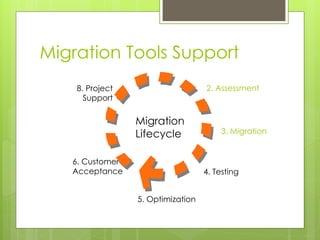
Migration Tools Support
    8. Project                     2. Assessment
      Support

                 Migration
                 Lifecycle              3. Migration


   6. Customer
   Acceptance                      4. Testing


                 5. Optimization
Migration - Oracle11g to SQL
Server

   Migration Process
   Data Migration Architecture of SSMA for
    Oracle
   Migrating, emulating and validate data
    using SSMA
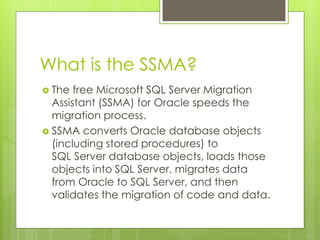
What is the SSMA?
 The  free Microsoft SQL Server Migration
  Assistant (SSMA) for Oracle speeds the
  migration process.
 SSMA converts Oracle database objects
  (including stored procedures) to
  SQL Server database objects, loads those
  objects into SQL Server, migrates data
  from Oracle to SQL Server, and then
  validates the migration of code and data.
Data Migration Architecture of
SSMA
 Understanding  this mechanism can help
 you set up the proper environment for
 SSMA data migration. It also helps you to
 better control, monitor, and optimize the
 process.
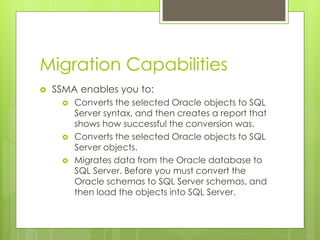
Migration Capabilities
   SSMA enables you to:
         Converts the selected Oracle objects to SQL
          Server syntax, and then creates a report that
          shows how successful the conversion was.
         Converts the selected Oracle objects to SQL
          Server objects.
         Migrates data from the Oracle database to
          SQL Server. Before you must convert the
          Oracle schemas to SQL Server schemas, and
          then load the objects into SQL Server.
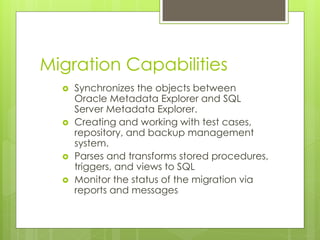
Migration Capabilities
     Synchronizes the objects between
      Oracle Metadata Explorer and SQL
      Server Metadata Explorer.
     Creating and working with test cases,
      repository, and backup management
      system.
     Parses and transforms stored procedures,
      triggers, and views to SQL
     Monitor the status of the migration via
      reports and messages
SSMA
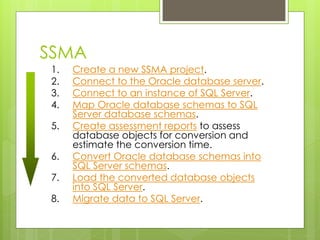
1.   Create a new SSMA project.
2.   Connect to the Oracle database server.
3.   Connect to an instance of SQL Server.
4.   Map Oracle database schemas to SQL
     Server database schemas.
5.   Create assessment reports to assess
     database objects for conversion and
     estimate the conversion time.
6.   Convert Oracle database schemas into
     SQL Server schemas.
7.   Load the converted database objects
     into SQL Server.
8.   Migrate data to SQL Server.
Migration - Oracle11g to SQL
Server

   Migration Process
   Data Migration Architecture of SSMA for
    Oracle
   Migrating, emulating and validate data
    using SSMA
Migration Process available
 Data type
 Emulating Oracle System Objects
 Converting Nested PL/SQL Subprograms
 Migrating Oracle User-Defined Functions
 Emulating Oracle Packages
 Simulating Oracle Transactions
Migration Process
   Compares schema and data between
    source and migrated SQL database
   Supports verification of tables, indexes,
    function, stored procedures, and triggers, and
    view objects
   Validates data in migrated SQL database
    against source database
   Generates a Report of schema and data
    verification failures summarized by object
    name and type
Conclusions
   This migration guide covers the differences
    between Oracle and SQL Server 2008 database
    platforms, and it includes the steps necessary to
    convert an Oracle database to SQL Server.
    It explains the algorithms that SSMA for Oracle
    uses to perform this conversion so that you can
    better understand the processes that are
    executed when you run the SSMA Convert
    Schema and Migrate Data commands.
   For those cases when SSMA does not handle a
    particular migration issue, approaches to manual
    conversion are included.

Database migration

  • 1.
  • 2.
    Key Aspects ofa Migration  What is migration?  Conversion of an existing application environment into a new architecture by preserving data and functionality of the old architecture  What are the key components in a migration?  Schema (table definitions)  Data (content of tables)  Application  What are the major steps in a migration?  Analysis  Migration  Testing  Deployment
  • 3.
    Migration - Oracle11gto SQL Server  Migration Process  Data Migration Architecture of SSMA for Oracle  Migrating, emulating and validate data using SSMA
  • 4.
    Process 1. Migrating Schema and objects 2. Migrating Business Logic 3. Migrating the Clients applications
  • 5.
    Migrating Schema andObjects Migratable Objects in the database  Tables and Data  Primary Keys  Check Constraints  Foreign Keys  Indexes  Views  Groups / Users
  • 6.
    Migratable Objects inthe database • Databases • Stored Procedures • Triggers • Grants • Rules • Defaults • User Defined Types
  • 7.
    Migrating the BusinessLogic Business Logic in the database in SQL Server  Primarily in Transact-SQL (T/SQL)  Triggers, Stored Procedures  Conversion the PL/SQL to SQL handled by SSMA  Extended Stored Procedures  Callouts from the database packaged as DLL’s  Manual conversion process  .NET CLR Stored Procedures  Stored procedures written in a .NET language
  • 8.
    Migrating the Clients applications  Adapt the way how to call the business logic  Managing Result sets  Adapt the way how to access the database  Error Handling  In some cases need some rewriting
  • 9.
    Migration Tools Support 8. Project 2. Assessment Support Migration Lifecycle 3. Migration 6. Customer Acceptance 4. Testing 5. Optimization
  • 10.
    Migration - Oracle11gto SQL Server  Migration Process  Data Migration Architecture of SSMA for Oracle  Migrating, emulating and validate data using SSMA
  • 11.
    What is theSSMA?  The free Microsoft SQL Server Migration Assistant (SSMA) for Oracle speeds the migration process.  SSMA converts Oracle database objects (including stored procedures) to SQL Server database objects, loads those objects into SQL Server, migrates data from Oracle to SQL Server, and then validates the migration of code and data.
  • 12.
    Data Migration Architectureof SSMA  Understanding this mechanism can help you set up the proper environment for SSMA data migration. It also helps you to better control, monitor, and optimize the process.
  • 13.
    Migration Capabilities  SSMA enables you to:  Converts the selected Oracle objects to SQL Server syntax, and then creates a report that shows how successful the conversion was.  Converts the selected Oracle objects to SQL Server objects.  Migrates data from the Oracle database to SQL Server. Before you must convert the Oracle schemas to SQL Server schemas, and then load the objects into SQL Server.
  • 14.
    Migration Capabilities  Synchronizes the objects between Oracle Metadata Explorer and SQL Server Metadata Explorer.  Creating and working with test cases, repository, and backup management system.  Parses and transforms stored procedures, triggers, and views to SQL  Monitor the status of the migration via reports and messages
  • 15.
    SSMA 1. Create a new SSMA project. 2. Connect to the Oracle database server. 3. Connect to an instance of SQL Server. 4. Map Oracle database schemas to SQL Server database schemas. 5. Create assessment reports to assess database objects for conversion and estimate the conversion time. 6. Convert Oracle database schemas into SQL Server schemas. 7. Load the converted database objects into SQL Server. 8. Migrate data to SQL Server.
  • 16.
    Migration - Oracle11gto SQL Server  Migration Process  Data Migration Architecture of SSMA for Oracle  Migrating, emulating and validate data using SSMA
  • 18.
    Migration Process available Data type  Emulating Oracle System Objects  Converting Nested PL/SQL Subprograms  Migrating Oracle User-Defined Functions  Emulating Oracle Packages  Simulating Oracle Transactions
  • 19.
    Migration Process  Compares schema and data between source and migrated SQL database  Supports verification of tables, indexes, function, stored procedures, and triggers, and view objects  Validates data in migrated SQL database against source database  Generates a Report of schema and data verification failures summarized by object name and type
  • 20.
    Conclusions  This migration guide covers the differences between Oracle and SQL Server 2008 database platforms, and it includes the steps necessary to convert an Oracle database to SQL Server.  It explains the algorithms that SSMA for Oracle uses to perform this conversion so that you can better understand the processes that are executed when you run the SSMA Convert Schema and Migrate Data commands.  For those cases when SSMA does not handle a particular migration issue, approaches to manual conversion are included.