3/25/2019
1
Data Analytics - 2
Analytics in the Audit
based on Data Analytics for
Internal Auditors
by Richard Cascarino
About Jim Kaplan, CIA, CFE
 President and Founder of AuditNet®,
the global resource for auditors (now
available on iOS, Android and
Windows devices)
 Auditor, Web Site Guru,
 Internet for Auditors Pioneer
 Recipient of the IIA’s 2007 Bradford
Cadmus Memorial Award.
 Author of “The Auditor’s Guide to
Internet Resources” 2nd Edition
Page 2
1
2
3/25/2019
2
About AuditNet® LLC
• AuditNet®, the global resource for auditors, is available on the
Web, iPad, iPhone, Windows and Android devices and features:
• Over 3,000 Reusable Templates, Audit Programs,
Questionnaires, and Control Matrices
• Training without Travel Webinars focusing on fraud, data
analytics, IT audit, and internal audit
• Audit guides, manuals, and books on audit basics and using
audit technology
• LinkedIn Networking Groups
• Monthly Newsletters with Expert Guest Columnists
• Surveys on timely topics for internal auditors
• NASBA Approved CPE Sponsor
Introductions
Page 3
The views expressed by the presenters do not necessarily represent
the views, positions, or opinions of AuditNet® LLC. These materials,
and the oral presentation accompanying them, are for educational
purposes only and do not constitute accounting or legal advice or
create an accountant-client relationship.
While AuditNet® makes every effort to ensure information is
accurate and complete, AuditNet® makes no representations,
guarantees, or warranties as to the accuracy or completeness of the
information provided via this presentation. AuditNet® specifically
disclaims all liability for any claims or damages that may result from
the information contained in this presentation, including any
websites maintained by third parties and linked to the AuditNet®
website.
Any mention of commercial products is for information only; it does
not imply recommendation or endorsement by AuditNet® LLC
3
4
3/25/2019
3
About Richard Cascarino, MBA,
CIA, CISM, CFE, CRMA
• Principal of Richard Cascarino &
Associates based in Colorado USA
• Over 28 years experience in IT audit
training and consultancy
• Past President of the Institute of
Internal Auditors in South Africa
• Member of ISACA
• Member of Association of Certified
Fraud Examiners
• Author of Data Analytics for Internal
Auditors
5
Today’s Agenda
 Conducting the Audit
 Audit Planning
 Determining Audit objectives
 Obtaining Information from IT Systems for Analysis
 Databases / Big Data
 The Download process
 Access to data
 Data verification
 Use of Computer Assisted Audit Techniques
 Test Techniques
 CAATs for Data Analysis
 Generalized Audit Software
 Audit Procedures
 CAAT Usage
Page 6
5
6
3/25/2019
4
Risk Analysis and Internal
Auditing
 Estimating the significance of the risk
 Assessing the likelihood or frequency of the risk
 Considering how the risk should be managed
 What actions need to be taken
 What controls need to be effected
 Preventative procedures - reduce the
significance or likelihood of the risk occurring
 Displacement procedures - offset the effect if
it does occur
 Risks are normally evaluated before the
mitigating effects of controls are considered
7
Risk Analysis and Internal
Auditing
 Estimating the significance of the risk
 Assessing the likelihood or frequency of the risk
 Considering how the risk should be managed
 What actions need to be taken
 What controls need to be effected
 Preventative procedures - reduce the
significance or likelihood of the risk occurring
 Displacement procedures - offset the effect if
it does occur
 Risks are normally evaluated before the
mitigating effects of controls are considered
8
7
8
3/25/2019
5
Several Ways of Defining
Risk
 Risk is the possibility of loss
 Risk is the probability of loss
 Risk expresses a possible loss over a specified
period of time
 Risk is the potential for realising unwanted,
negative consequences
 Risk measures the probability and severity of
adverse effects
 Risk is a function of the probability that an event
will occur and the consequence if it does
9
Other Ways of Seeing Risk
 Velocity
 Readiness/Preparedness
 Capacity
 Controllability
 Monitorability
 Interdependencies
 Frequency of occurrence
 Volatility
 Maturity
 Degree of confidence
9
10
3/25/2019
6
The One we Worry About -
Velocity
 Speed of onset
 How quickly does the risk descend upon us?
 Do we have much warning?
 Speed of impact
 Do we feel the effects right away, or does the
pain slowly increase?
 Does it spread and impact us in other ways;
e.g. reputation?
 Speed of reaction
 Even if we see it coming, do we have the agility
to timely react?
A Risk-based Planning Approach
 Typical audit scope issues:
 Audit frequency
Fixed frequency
Random frequencies
Conditional approach based on analytical review or risk analysis
 Audit intensity
Not always more time in the riskier areas
 Audit timing
Involves a variety of objectives and constraints
12
11
12
3/25/2019
7
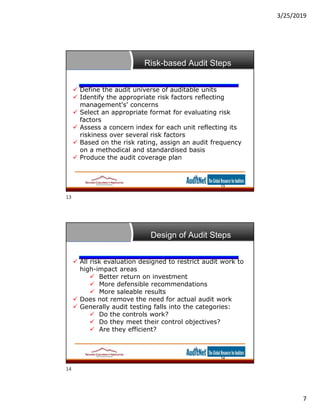
Risk-based Audit Steps
 Define the audit universe of auditable units
 Identify the appropriate risk factors reflecting
management's' concerns
 Select an appropriate format for evaluating risk
factors
 Assess a concern index for each unit reflecting its
riskiness over several risk factors
 Based on the risk rating, assign an audit frequency
on a methodical and standardised basis
 Produce the audit coverage plan
13
Design of Audit Steps
 All risk evaluation designed to restrict audit work to
high-impact areas
 Better return on investment
 More defensible recommendations
 More saleable results
 Does not remove the need for actual audit work
 Generally audit testing falls into the categories:
 Do the controls work?
 Do they meet their control objectives?
 Are they efficient?
14
13
14
3/25/2019
8
Selecting Controls for Testing
15
–Establish "prime" Controls for an Area
–Identify Controls covering several Areas
–Identify Stand-alone Controls
–Controls which provide Evidence
–Do NOT try to prove a Negative
Primary Areas of Concern
16
–Complex Systems cannot be re-created manually
–Many computer records are intelligible only to computers
–Most systems allow multiple access
–"Computers can be trusted"
–Disasters really mean Disaster
15
16
3/25/2019
9
Where to Start
 Establish audit objectives and requirements
 Gain executive-level support
 Ascertain degree to which management is
performing monitoring role
 Select appropriate technology solutions
 Identify information sources and gain access
 Understand business processes and identify
key controls and risks
 Build audit skill set
 Manage and report results
Big Data Definition
 No single standard definition…
“Big Data” is data whose scale, diversity, and
complexity require new architecture,
techniques, algorithms, and analytics to
manage it and extract value and hidden
knowledge from it…
18
17
18
3/25/2019
10
How much data?
 Google processes 20 PB a day (2008)
 Wayback Machine has 3 PB + 100
TB/month (3/2009)
 Facebook has 2.5 PB of user data + 15
TB/day (4/2009)
 eBay has 6.5 PB of user data + 50 TB/day
(5/2009)
 CERN’s Large Hydron Collider (LHC)
generates 15 PB a year
Type of Data
 Relational Data (Tables/Transaction/Legacy
Data)
 Text Data (Web)
 Semi-structured Data (XML)
 Graph Data
Social Network, Semantic Web (RDF), …
 Streaming Data
You can only scan the data once
19
20
3/25/2019
11
Characteristics of Big Data:
1-Scale (Volume)
 Data Volume
44x increase from 2009 2020
From 0.8 zettabytes to 35zb
 Data volume is increasing
exponentially
21
Exponential increase in
collected/generated data
Characteristics of Big Data:
2-Complexity (Varity)
 Various formats, types, and
structures
 Text, numerical, images, audio,
video, sequences, time series,
social media data, multi-dim
arrays, etc…
 Static data vs. streaming data
 A single application can be
generating/collecting many
types of data
22
To extract knowledge all these types of
data need to linked together
21
22
3/25/2019
12
Characteristics of Big Data:
3-Speed (Velocity)
 Data is begin generated fast and need to be
processed fast
 Online Data Analytics
 Late decisions  missing opportunities
 Examples
 E-Promotions: Based on your current location, your purchase
history, what you like  send promotions right now for store next to
you
 Healthcare monitoring: sensors monitoring your activities and body
 any abnormal measurements require immediate reaction
23
3 Vs of Big Data
 The “BIG” in big data isn’t just about volume
24
23
24
3/25/2019
13
The 4V’s
25
Big Data Usage
Transactional
•Fraud detection
•Financial services / stock
markets
Sub-Transactional
•Weblogs
•Social/online media
•Telecoms events
Non-Transactional
•Web pages, blogs etc
•Documents
•Physical events
•Application events
•Machine events
25
26
3/25/2019
14
Main Big Data Technologies
Hadoop NoSQL Databases Analytic Databases
Hadoop
•Low cost, reliable scale-
out architecture
•Distributed computing
Proven success in Fortune
500 companies
•Exploding interest
NoSQL Databases
•Huge horizontal scaling
and high availability
•Highly optimized for
retrieval and appending
•Types
• Document stores
• Key Value stores
• Graph databases
Analytic RDBMS
•Optimized for bulk-load and
fast aggregate query
workloads
•Types
• Column-oriented
• MPP (Massively
Parallel Processing)
• In-memory
Challenges for the Auditor
 How to efficiently and cost effectively sustain
controls assessment and testing efforts?
 How to know on a timely basis when control
deficiencies occur?
 How to quantify the impact of control
deficiencies?
 How to improve effectiveness of controls
 How to gain assurance over ongoing
effectiveness of controls
27
28
3/25/2019
15
Deficiencies of Traditional
Approach
 Retrospective view
analysis frequently occurs long after
transaction has taken place, too late for action
 Lack of timely visibility into control risks and
deficiencies
 Alternatively
Independently test all transactions for
compliance with controls at, or soon after, point
at which they occur
Not feasible with Big Data
Importing the Data
30
 Bring a copy to the audit machine
Copies can be reanalyzed later if need be
Live data moves on
You cannot corrupt live data working on a copy
 Bringing it into the audit software
Depends on the software
Most modern systems can import from a variety of data types
 What’s where in the data
Data layout is critical
May automatically extract the data layout from metadata (data
about the data)
ODBC databases
Excel layouts etc.
If the structure is flat you will need the file layout from IT (Make
sure it’s up-to-date)
29
30
3/25/2019
16
Acquiring the Data
31
If all you can get is the hard copy
 Can they print it to a file instead
Comma Delimited if possible
Fred Smith, Internal Audit,3/13/2011,
Individual data fields separated by commas
Easy for the software to identify individual fields
 If it’s a printout scan it
1 field of 120 characters for example
The audit software will allow you to define fields within the 120
characters
You can even define different layouts for different rows
Verifying the Data
32
You’ve got the data – now what?
 Make sure it’s what you asked for
Timeliness – does it reflect the right period?
Accuracy – is it the live data?
Completeness – is it all the data?
 It’s embarrassing to come to an adverse conclusion only to find you were
given the “wrong” file / layout etc.
 Its even worse if you came to a non-adverse conclusion
 Check against known
 Control totals
 Dates
 Transactions
 Never believe what the first printout tells you
31
32
3/25/2019
17
Challenges for the Auditor
 Obtaining appropriate data access
 Defining appropriate measurement metrics
 Setting appropriate thresholds for exceptions
reporting
 Developing appropriate metrics to prioritize
exceptions
 Minimizing impact on systems’ operational
performance
Source code review
–Requires programming skill
–Slow
–Expensive
–Boring
–Proves little
–May be useful for specialized review
33
34
3/25/2019
18
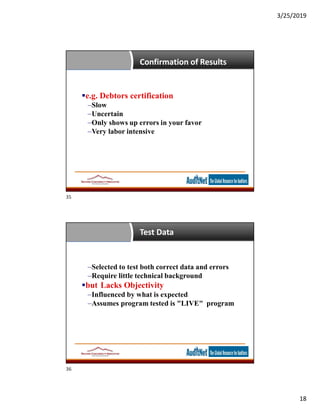
Confirmation of Results
35
e.g. Debtors certification
–Slow
–Uncertain
–Only shows up errors in your favor
–Very labor intensive
Test Data
36
–Selected to test both correct data and errors
–Require little technical background
but Lacks Objectivity
–Influenced by what is expected
–Assumes program tested is "LIVE" program
35
36
3/25/2019
19
Integrated Test Facility (ITF)
37
–Establishes a "dummy" entity
–Process data together with live data
–Excluded from live results
–Under the auditor's control but
–May result in system catastrophe
Advantages of an ITF
38
–Little technical training required
–Low processing cost
–Tests system as it routinely operates
–Understood by all involved
–Tests manual function as well as computer
37
38
3/25/2019
20
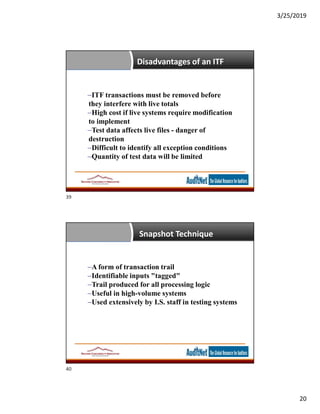
Disadvantages of an ITF
39
–ITF transactions must be removed before
they interfere with live totals
–High cost if live systems require modification
to implement
–Test data affects live files - danger of
destruction
–Difficult to identify all exception conditions
–Quantity of test data will be limited
Snapshot Technique
40
–A form of transaction trail
–Identifiable inputs "tagged"
–Trail produced for all processing logic
–Useful in high-volume systems
–Used extensively by I.S. staff in testing systems
39
40
3/25/2019
21
Sampling
41
–"Liars, Damned Liars and Statistics"
–A tool for audit quality control
–May be the only tool possible in a high-volume system
–Not well understood by auditors
–At computer speeds 100% sampling may be practicable
May not be desirable
Parallel Simulation
42
Uses same input data
Uses same files
Uses different programs
From a different source
To produce the same results?
41
42
3/25/2019
22
CAAT Types and Their Usage
43
–Application audit tools are not always CAATs
–"Any tangible aid that assists an auditor"
Tools to obtain information
Tools to evaluate controls
Tools to verify controls
Automated tools
Automated Tools (CAATs)
44
Test Data Generators
Flowcharting Packages
Specialized Audit Software
Generalized Audit Software
Utility Programs
43
44
3/25/2019
23
Specialized Audit Software
45
Can accomplish any audit task but
–High development and maintenance cost
–Require specific I.S. skills
–Must be "verified" if not written by the auditor
–High degree of obsolescence
Generalized Audit Software
46
"Prefabricated" audit tests
Each use is a one-off
Auditor has direct control
Lower development cost
Fast to implement
 IDEA
 ACL
 Arbutus Analyzer
45
46
3/25/2019
24
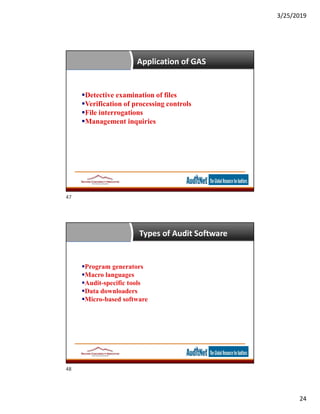
Application of GAS
47
Detective examination of files
Verification of processing controls
File interrogations
Management inquiries
Types of Audit Software
48
Program generators
Macro languages
Audit-specific tools
Data downloaders
Micro-based software
47
48
3/25/2019
25
Hardware / Software
Compatibility (Desirable)
49
–Across manufacturers
–Across operating environments
–Across machine size
–Mainframe / mini / micro
There are some about
Audit Software Functions
50
File access
Arithmetic operations
Logic operations
Record handling
Update
Output
Statistical Sampling
File comparison
Graphics
49
50
3/25/2019
26
Determining the Appropriate
CAAT
51
Depends on the Audit Objective and
selected technique
Application Audit Techniques
Purposes
–1 To verify processing operation
–2 To verify the results of processing
Common CAAT Problems
52
–Getting the wrong files
–Getting the wrong layout
–Documentation is out of date
–Prejudging results
Never believe what the first printout tells you
51
52
3/25/2019
27
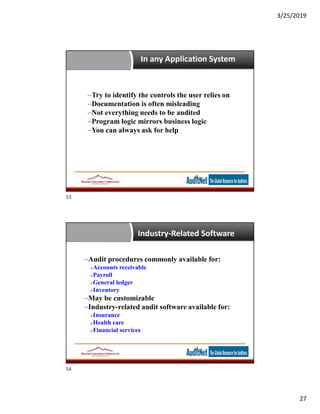
In any Application System
53
–Try to identify the controls the user relies on
–Documentation is often misleading
–Not everything needs to be audited
–Program logic mirrors business logic
–You can always ask for help
Industry-Related Software
54
–Audit procedures commonly available for:
Accounts receivable
Payroll
General ledger
Inventory
–May be customizable
–Industry-related audit software available for:
Insurance
Health care
Financial services
53
54
3/25/2019
28
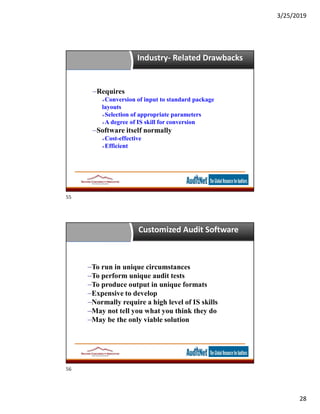
Industry- Related Drawbacks
55
–Requires
Conversion of input to standard package
layouts
Selection of appropriate parameters
A degree of IS skill for conversion
–Software itself normally
Cost-effective
Efficient
Customized Audit Software
56
–To run in unique circumstances
–To perform unique audit tests
–To produce output in unique formats
–Expensive to develop
–Normally require a high level of IS skills
–May not tell you what you think they do
–May be the only viable solution
55
56
3/25/2019
29
Information Retrieval Software
–Report writers and Query Languages
–Not specifically written for auditors
–Can perform many common audit routines
–Includes
Report writers
Program generators
4th generation languages
Excel as a CAAT
58
57
58
3/25/2019
30
ACL as a CAAT
59
Idea as a CAAT
7
59
60
3/25/2019
31
Questions?
Any Questions?
Don’t be Shy!
AuditNet® and cRisk Academy
If you would like
forever access to this
webinar recording
If you are watching
the recording, and
would like to obtain
CPE credit for this
webinar
Previous AuditNet®
webinars are also
available on-demand
for CPE credit
http://criskacademy.com
http://ondemand.criskacade
my.com
Use coupon code: 50OFF
for a discount on this
webinar for one week
61
62
3/25/2019
32
Data Analysis Webinar Series
 March 26 - Analytics Techniques
 April 2 - Analysis and Monitoring
 April 16 - Data Analytics Software
 April 23 - Using the Analysis
Thank You!
Jim Kaplan
AuditNet® LLC
1-800-385-1625
Email:info@auditnet.org
www.auditnet.org
Richard Cascarino & Associates
Cell: +1 970 819 7963
Tel +1 303 747 6087 (Skype Worldwide)
Tel: +1 970 367 5429
eMail: rcasc@rcascarino.com
Web: http://www.rcascarino.com
Skype: Richard.Cascarino
Page 64
63
64

Data analytics 2 analytics in the audit slides

  • 1.
    3/25/2019 1 Data Analytics -2 Analytics in the Audit based on Data Analytics for Internal Auditors by Richard Cascarino About Jim Kaplan, CIA, CFE  President and Founder of AuditNet®, the global resource for auditors (now available on iOS, Android and Windows devices)  Auditor, Web Site Guru,  Internet for Auditors Pioneer  Recipient of the IIA’s 2007 Bradford Cadmus Memorial Award.  Author of “The Auditor’s Guide to Internet Resources” 2nd Edition Page 2 1 2
  • 2.
    3/25/2019 2 About AuditNet® LLC •AuditNet®, the global resource for auditors, is available on the Web, iPad, iPhone, Windows and Android devices and features: • Over 3,000 Reusable Templates, Audit Programs, Questionnaires, and Control Matrices • Training without Travel Webinars focusing on fraud, data analytics, IT audit, and internal audit • Audit guides, manuals, and books on audit basics and using audit technology • LinkedIn Networking Groups • Monthly Newsletters with Expert Guest Columnists • Surveys on timely topics for internal auditors • NASBA Approved CPE Sponsor Introductions Page 3 The views expressed by the presenters do not necessarily represent the views, positions, or opinions of AuditNet® LLC. These materials, and the oral presentation accompanying them, are for educational purposes only and do not constitute accounting or legal advice or create an accountant-client relationship. While AuditNet® makes every effort to ensure information is accurate and complete, AuditNet® makes no representations, guarantees, or warranties as to the accuracy or completeness of the information provided via this presentation. AuditNet® specifically disclaims all liability for any claims or damages that may result from the information contained in this presentation, including any websites maintained by third parties and linked to the AuditNet® website. Any mention of commercial products is for information only; it does not imply recommendation or endorsement by AuditNet® LLC 3 4
  • 3.
    3/25/2019 3 About Richard Cascarino,MBA, CIA, CISM, CFE, CRMA • Principal of Richard Cascarino & Associates based in Colorado USA • Over 28 years experience in IT audit training and consultancy • Past President of the Institute of Internal Auditors in South Africa • Member of ISACA • Member of Association of Certified Fraud Examiners • Author of Data Analytics for Internal Auditors 5 Today’s Agenda  Conducting the Audit  Audit Planning  Determining Audit objectives  Obtaining Information from IT Systems for Analysis  Databases / Big Data  The Download process  Access to data  Data verification  Use of Computer Assisted Audit Techniques  Test Techniques  CAATs for Data Analysis  Generalized Audit Software  Audit Procedures  CAAT Usage Page 6 5 6
  • 4.
    3/25/2019 4 Risk Analysis andInternal Auditing  Estimating the significance of the risk  Assessing the likelihood or frequency of the risk  Considering how the risk should be managed  What actions need to be taken  What controls need to be effected  Preventative procedures - reduce the significance or likelihood of the risk occurring  Displacement procedures - offset the effect if it does occur  Risks are normally evaluated before the mitigating effects of controls are considered 7 Risk Analysis and Internal Auditing  Estimating the significance of the risk  Assessing the likelihood or frequency of the risk  Considering how the risk should be managed  What actions need to be taken  What controls need to be effected  Preventative procedures - reduce the significance or likelihood of the risk occurring  Displacement procedures - offset the effect if it does occur  Risks are normally evaluated before the mitigating effects of controls are considered 8 7 8
  • 5.
    3/25/2019 5 Several Ways ofDefining Risk  Risk is the possibility of loss  Risk is the probability of loss  Risk expresses a possible loss over a specified period of time  Risk is the potential for realising unwanted, negative consequences  Risk measures the probability and severity of adverse effects  Risk is a function of the probability that an event will occur and the consequence if it does 9 Other Ways of Seeing Risk  Velocity  Readiness/Preparedness  Capacity  Controllability  Monitorability  Interdependencies  Frequency of occurrence  Volatility  Maturity  Degree of confidence 9 10
  • 6.
    3/25/2019 6 The One weWorry About - Velocity  Speed of onset  How quickly does the risk descend upon us?  Do we have much warning?  Speed of impact  Do we feel the effects right away, or does the pain slowly increase?  Does it spread and impact us in other ways; e.g. reputation?  Speed of reaction  Even if we see it coming, do we have the agility to timely react? A Risk-based Planning Approach  Typical audit scope issues:  Audit frequency Fixed frequency Random frequencies Conditional approach based on analytical review or risk analysis  Audit intensity Not always more time in the riskier areas  Audit timing Involves a variety of objectives and constraints 12 11 12
  • 7.
    3/25/2019 7 Risk-based Audit Steps Define the audit universe of auditable units  Identify the appropriate risk factors reflecting management's' concerns  Select an appropriate format for evaluating risk factors  Assess a concern index for each unit reflecting its riskiness over several risk factors  Based on the risk rating, assign an audit frequency on a methodical and standardised basis  Produce the audit coverage plan 13 Design of Audit Steps  All risk evaluation designed to restrict audit work to high-impact areas  Better return on investment  More defensible recommendations  More saleable results  Does not remove the need for actual audit work  Generally audit testing falls into the categories:  Do the controls work?  Do they meet their control objectives?  Are they efficient? 14 13 14
  • 8.
    3/25/2019 8 Selecting Controls forTesting 15 –Establish "prime" Controls for an Area –Identify Controls covering several Areas –Identify Stand-alone Controls –Controls which provide Evidence –Do NOT try to prove a Negative Primary Areas of Concern 16 –Complex Systems cannot be re-created manually –Many computer records are intelligible only to computers –Most systems allow multiple access –"Computers can be trusted" –Disasters really mean Disaster 15 16
  • 9.
    3/25/2019 9 Where to Start Establish audit objectives and requirements  Gain executive-level support  Ascertain degree to which management is performing monitoring role  Select appropriate technology solutions  Identify information sources and gain access  Understand business processes and identify key controls and risks  Build audit skill set  Manage and report results Big Data Definition  No single standard definition… “Big Data” is data whose scale, diversity, and complexity require new architecture, techniques, algorithms, and analytics to manage it and extract value and hidden knowledge from it… 18 17 18
  • 10.
    3/25/2019 10 How much data? Google processes 20 PB a day (2008)  Wayback Machine has 3 PB + 100 TB/month (3/2009)  Facebook has 2.5 PB of user data + 15 TB/day (4/2009)  eBay has 6.5 PB of user data + 50 TB/day (5/2009)  CERN’s Large Hydron Collider (LHC) generates 15 PB a year Type of Data  Relational Data (Tables/Transaction/Legacy Data)  Text Data (Web)  Semi-structured Data (XML)  Graph Data Social Network, Semantic Web (RDF), …  Streaming Data You can only scan the data once 19 20
  • 11.
    3/25/2019 11 Characteristics of BigData: 1-Scale (Volume)  Data Volume 44x increase from 2009 2020 From 0.8 zettabytes to 35zb  Data volume is increasing exponentially 21 Exponential increase in collected/generated data Characteristics of Big Data: 2-Complexity (Varity)  Various formats, types, and structures  Text, numerical, images, audio, video, sequences, time series, social media data, multi-dim arrays, etc…  Static data vs. streaming data  A single application can be generating/collecting many types of data 22 To extract knowledge all these types of data need to linked together 21 22
  • 12.
    3/25/2019 12 Characteristics of BigData: 3-Speed (Velocity)  Data is begin generated fast and need to be processed fast  Online Data Analytics  Late decisions  missing opportunities  Examples  E-Promotions: Based on your current location, your purchase history, what you like  send promotions right now for store next to you  Healthcare monitoring: sensors monitoring your activities and body  any abnormal measurements require immediate reaction 23 3 Vs of Big Data  The “BIG” in big data isn’t just about volume 24 23 24
  • 13.
    3/25/2019 13 The 4V’s 25 Big DataUsage Transactional •Fraud detection •Financial services / stock markets Sub-Transactional •Weblogs •Social/online media •Telecoms events Non-Transactional •Web pages, blogs etc •Documents •Physical events •Application events •Machine events 25 26
  • 14.
    3/25/2019 14 Main Big DataTechnologies Hadoop NoSQL Databases Analytic Databases Hadoop •Low cost, reliable scale- out architecture •Distributed computing Proven success in Fortune 500 companies •Exploding interest NoSQL Databases •Huge horizontal scaling and high availability •Highly optimized for retrieval and appending •Types • Document stores • Key Value stores • Graph databases Analytic RDBMS •Optimized for bulk-load and fast aggregate query workloads •Types • Column-oriented • MPP (Massively Parallel Processing) • In-memory Challenges for the Auditor  How to efficiently and cost effectively sustain controls assessment and testing efforts?  How to know on a timely basis when control deficiencies occur?  How to quantify the impact of control deficiencies?  How to improve effectiveness of controls  How to gain assurance over ongoing effectiveness of controls 27 28
  • 15.
    3/25/2019 15 Deficiencies of Traditional Approach Retrospective view analysis frequently occurs long after transaction has taken place, too late for action  Lack of timely visibility into control risks and deficiencies  Alternatively Independently test all transactions for compliance with controls at, or soon after, point at which they occur Not feasible with Big Data Importing the Data 30  Bring a copy to the audit machine Copies can be reanalyzed later if need be Live data moves on You cannot corrupt live data working on a copy  Bringing it into the audit software Depends on the software Most modern systems can import from a variety of data types  What’s where in the data Data layout is critical May automatically extract the data layout from metadata (data about the data) ODBC databases Excel layouts etc. If the structure is flat you will need the file layout from IT (Make sure it’s up-to-date) 29 30
  • 16.
    3/25/2019 16 Acquiring the Data 31 Ifall you can get is the hard copy  Can they print it to a file instead Comma Delimited if possible Fred Smith, Internal Audit,3/13/2011, Individual data fields separated by commas Easy for the software to identify individual fields  If it’s a printout scan it 1 field of 120 characters for example The audit software will allow you to define fields within the 120 characters You can even define different layouts for different rows Verifying the Data 32 You’ve got the data – now what?  Make sure it’s what you asked for Timeliness – does it reflect the right period? Accuracy – is it the live data? Completeness – is it all the data?  It’s embarrassing to come to an adverse conclusion only to find you were given the “wrong” file / layout etc.  Its even worse if you came to a non-adverse conclusion  Check against known  Control totals  Dates  Transactions  Never believe what the first printout tells you 31 32
  • 17.
    3/25/2019 17 Challenges for theAuditor  Obtaining appropriate data access  Defining appropriate measurement metrics  Setting appropriate thresholds for exceptions reporting  Developing appropriate metrics to prioritize exceptions  Minimizing impact on systems’ operational performance Source code review –Requires programming skill –Slow –Expensive –Boring –Proves little –May be useful for specialized review 33 34
  • 18.
    3/25/2019 18 Confirmation of Results 35 e.g.Debtors certification –Slow –Uncertain –Only shows up errors in your favor –Very labor intensive Test Data 36 –Selected to test both correct data and errors –Require little technical background but Lacks Objectivity –Influenced by what is expected –Assumes program tested is "LIVE" program 35 36
  • 19.
    3/25/2019 19 Integrated Test Facility(ITF) 37 –Establishes a "dummy" entity –Process data together with live data –Excluded from live results –Under the auditor's control but –May result in system catastrophe Advantages of an ITF 38 –Little technical training required –Low processing cost –Tests system as it routinely operates –Understood by all involved –Tests manual function as well as computer 37 38
  • 20.
    3/25/2019 20 Disadvantages of anITF 39 –ITF transactions must be removed before they interfere with live totals –High cost if live systems require modification to implement –Test data affects live files - danger of destruction –Difficult to identify all exception conditions –Quantity of test data will be limited Snapshot Technique 40 –A form of transaction trail –Identifiable inputs "tagged" –Trail produced for all processing logic –Useful in high-volume systems –Used extensively by I.S. staff in testing systems 39 40
  • 21.
    3/25/2019 21 Sampling 41 –"Liars, Damned Liarsand Statistics" –A tool for audit quality control –May be the only tool possible in a high-volume system –Not well understood by auditors –At computer speeds 100% sampling may be practicable May not be desirable Parallel Simulation 42 Uses same input data Uses same files Uses different programs From a different source To produce the same results? 41 42
  • 22.
    3/25/2019 22 CAAT Types andTheir Usage 43 –Application audit tools are not always CAATs –"Any tangible aid that assists an auditor" Tools to obtain information Tools to evaluate controls Tools to verify controls Automated tools Automated Tools (CAATs) 44 Test Data Generators Flowcharting Packages Specialized Audit Software Generalized Audit Software Utility Programs 43 44
  • 23.
    3/25/2019 23 Specialized Audit Software 45 Canaccomplish any audit task but –High development and maintenance cost –Require specific I.S. skills –Must be "verified" if not written by the auditor –High degree of obsolescence Generalized Audit Software 46 "Prefabricated" audit tests Each use is a one-off Auditor has direct control Lower development cost Fast to implement  IDEA  ACL  Arbutus Analyzer 45 46
  • 24.
    3/25/2019 24 Application of GAS 47 Detectiveexamination of files Verification of processing controls File interrogations Management inquiries Types of Audit Software 48 Program generators Macro languages Audit-specific tools Data downloaders Micro-based software 47 48
  • 25.
    3/25/2019 25 Hardware / Software Compatibility(Desirable) 49 –Across manufacturers –Across operating environments –Across machine size –Mainframe / mini / micro There are some about Audit Software Functions 50 File access Arithmetic operations Logic operations Record handling Update Output Statistical Sampling File comparison Graphics 49 50
  • 26.
    3/25/2019 26 Determining the Appropriate CAAT 51 Dependson the Audit Objective and selected technique Application Audit Techniques Purposes –1 To verify processing operation –2 To verify the results of processing Common CAAT Problems 52 –Getting the wrong files –Getting the wrong layout –Documentation is out of date –Prejudging results Never believe what the first printout tells you 51 52
  • 27.
    3/25/2019 27 In any ApplicationSystem 53 –Try to identify the controls the user relies on –Documentation is often misleading –Not everything needs to be audited –Program logic mirrors business logic –You can always ask for help Industry-Related Software 54 –Audit procedures commonly available for: Accounts receivable Payroll General ledger Inventory –May be customizable –Industry-related audit software available for: Insurance Health care Financial services 53 54
  • 28.
    3/25/2019 28 Industry- Related Drawbacks 55 –Requires Conversionof input to standard package layouts Selection of appropriate parameters A degree of IS skill for conversion –Software itself normally Cost-effective Efficient Customized Audit Software 56 –To run in unique circumstances –To perform unique audit tests –To produce output in unique formats –Expensive to develop –Normally require a high level of IS skills –May not tell you what you think they do –May be the only viable solution 55 56
  • 29.
    3/25/2019 29 Information Retrieval Software –Reportwriters and Query Languages –Not specifically written for auditors –Can perform many common audit routines –Includes Report writers Program generators 4th generation languages Excel as a CAAT 58 57 58
  • 30.
    3/25/2019 30 ACL as aCAAT 59 Idea as a CAAT 7 59 60
  • 31.
    3/25/2019 31 Questions? Any Questions? Don’t beShy! AuditNet® and cRisk Academy If you would like forever access to this webinar recording If you are watching the recording, and would like to obtain CPE credit for this webinar Previous AuditNet® webinars are also available on-demand for CPE credit http://criskacademy.com http://ondemand.criskacade my.com Use coupon code: 50OFF for a discount on this webinar for one week 61 62
  • 32.
    3/25/2019 32 Data Analysis WebinarSeries  March 26 - Analytics Techniques  April 2 - Analysis and Monitoring  April 16 - Data Analytics Software  April 23 - Using the Analysis Thank You! Jim Kaplan AuditNet® LLC 1-800-385-1625 Email:info@auditnet.org www.auditnet.org Richard Cascarino & Associates Cell: +1 970 819 7963 Tel +1 303 747 6087 (Skype Worldwide) Tel: +1 970 367 5429 eMail: rcasc@rcascarino.com Web: http://www.rcascarino.com Skype: Richard.Cascarino Page 64 63 64