Cyber
Security
Threats:
Are You
@ Risk?

Patricia Watson, MBA
Digital Forensics Program Manager
ISCPA CPE Course | 11.15.13
What we will cover…
#
#
#

#

Today’s cyber security landscape
SMBs = False sense of security
Your role in mitigating cyber
threats at work
Appendix: Takeaways – Securing your
cyber space
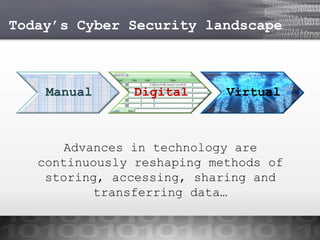
Today’s Cyber Security landscape

Manual

Digital

Virtual

Advances in technology are
continuously reshaping methods of
storing, accessing, sharing and
transferring data…
Today’s Cyber Security landscape
Some examples of cyber crime:
#
#
#
#

#
#
#

Distributing malware
Phishing
Stealing PII
Illegally downloading files
Espionage
Hacktivism
Cyber-warfare!
Today’s Cyber Security landscape

Cyber crime vectors include:
#
#
#
#
#
#
#

Unsuspecting Users
Social engineering
0 day exploits
Unpatched systems
Default/weak credentials
Mobile applications
USB devices
Today’s Cyber Security landscape

The Risks:
#
#
#
#
#
#

Financial loss
Loss of intellectual property
Loss of customer confidence
Identity theft
Utilization of resources
Being a hacker’s puppet!
Today’s Cyber Security landscape
In the news*…
#

#

#

#

Adobe breach impacted at least 38
million users
New variant of trojan targeting SAP
users
Google “outraged” at alleged NSA
hacking
Hackers exploit latest
Windows zero-day vulnerability

* See notes section for credit to article/news…
SMBs – False sense of Security
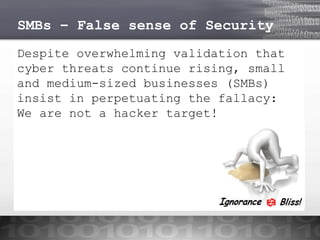
Despite overwhelming validation that
cyber threats continue rising, small
and medium-sized businesses (SMBs)
insist in perpetuating the fallacy:
We are not a hacker target!
SMBs – False sense of Security
A few statistics*:
#

#

#

#

96% of businesses are unprepared for
a cyber attack
50% of targeted attacks were aimed
at SMBs
37% of breaches affected financial
sector
Mobile malware increased 58% in 2012

* See notes section for credit to report references…
SMBs – False sense of Security
A few more…
#

#

#

Almost two-thirds of data breaches
are caused by human errors
Weak or stolen credentials account
for 76% of network intrusions
The United States accounts for
almost 50% of the world’s data
security breaches

* See notes section for credit to report references…
Cyber Security @ work
How can YOU mitigate the risks of
cyber threats @ work:
Use strong passwords (don’t recycle)
Use encryption
Foster social media etiquette
Lock your PC & mobile devices
Avoid “free” WIFI
Be vigilant - training & awareness
In summary…
#

#

#

#

Don’t underestimate cyber
adversaries
Cyber security is everyone’s
responsibility
Cyber security is a
continuous process
Training and awareness is
just one piece of the puzzle…
Appendix: Takeaways
#
#
#

#

Securing your home network
Social Media Etiquette
Do you know what your kids are
browsing
For your viewing enjoyment
Cyber Security @ home
 Use a firewall – software/hardware.
 Password protect your WIFI, never use the default
credentials
 Check the default security settings on all your
devices (computers, printers, tablets, etc.)
 Automate security patches
 Automate signature updates for anti-virus software.
 Plug & Scan: all USB devices, email attachments and
downloadable files should be checked for viruses
 Be diligent – Don’t open attachments or click on
links from unknown sources!
Social Media Etiquette
# Depending on the purpose of your social media account, you
don’t need to provide all your personal information – tailor
the account to your needs (including privacy settings).
# Remove all metadata from pictures and documents before
sending or uploading.
# Be mindful that in cyberspace, it is almost impossible to
distinguish between a “friend” & a “foe”. Don’t feel
obligated to “Like”, “Friend” or “Follow” profiles of people
you don’t actually know.
# There’s an App for that! Yes, most social media providers
have an App for mobile phones and tablets. Be sure to
manage the privacy, notifications and location services
settings to avoid oversharing.
# Stop.Think.Post – Remember, once you hit the upload, share,
tweet or send button, you have no control regarding the
destiny of that “post“!
Do you know what your kids
are browsing?
#

#

#

#

Create separate user accounts (user name &
password) if you share devices that connect to the
internet with other members of your household and
apply the principle of least privilege to each
account (separate from administrator account).
Manage internet access on all devices (game
consoles, tablets, smart phones, printers, etc.)
If your kids use social media, be sure to “friend”
&/or “follow” them.
Take off your technology blinders and stay current
with the latest cyber trends & threats…awareness
is key!
For your viewing enjoyment…
#

Short Film – The Dawn of the Net:
http://www.youtube.com/watch?v=RhvKm0RdUY0&feature=youtu.be

#

#

Video – 10 top time-saving tech tips by David
Pogue: https://www.youtube.com/watch?v=QoT0-2vu9m4&feature=youtu.be
Video – History of computer viruses:
http://www.youtube.com/watch?v=1g1yZVWrbtE#!

#

TedTalk – Mikko Hypponen: How the NSA betrayed the
world’s trust – time to act
http://www.ted.com/talks/mikko_hypponen_how_the_nsa_betrayed_the_world_s
_trust_time_to_act.html?awesm=on.ted.com_NSAbetray&utm_content=awesmpublisher&utm_campaign=&utm_source=t.co&utm_medium=on.ted.com-static

CyberSecThreats_R_U_atRisk_Watson

  • 1.
    Cyber Security Threats: Are You @ Risk? PatriciaWatson, MBA Digital Forensics Program Manager ISCPA CPE Course | 11.15.13
  • 2.
    What we willcover… # # # # Today’s cyber security landscape SMBs = False sense of security Your role in mitigating cyber threats at work Appendix: Takeaways – Securing your cyber space
  • 3.
    Today’s Cyber Securitylandscape Manual Digital Virtual Advances in technology are continuously reshaping methods of storing, accessing, sharing and transferring data…
  • 4.
    Today’s Cyber Securitylandscape Some examples of cyber crime: # # # # # # # Distributing malware Phishing Stealing PII Illegally downloading files Espionage Hacktivism Cyber-warfare!
  • 5.
    Today’s Cyber Securitylandscape Cyber crime vectors include: # # # # # # # Unsuspecting Users Social engineering 0 day exploits Unpatched systems Default/weak credentials Mobile applications USB devices
  • 6.
    Today’s Cyber Securitylandscape The Risks: # # # # # # Financial loss Loss of intellectual property Loss of customer confidence Identity theft Utilization of resources Being a hacker’s puppet!
  • 7.
    Today’s Cyber Securitylandscape In the news*… # # # # Adobe breach impacted at least 38 million users New variant of trojan targeting SAP users Google “outraged” at alleged NSA hacking Hackers exploit latest Windows zero-day vulnerability * See notes section for credit to article/news…
  • 8.
    SMBs – Falsesense of Security Despite overwhelming validation that cyber threats continue rising, small and medium-sized businesses (SMBs) insist in perpetuating the fallacy: We are not a hacker target!
  • 9.
    SMBs – Falsesense of Security A few statistics*: # # # # 96% of businesses are unprepared for a cyber attack 50% of targeted attacks were aimed at SMBs 37% of breaches affected financial sector Mobile malware increased 58% in 2012 * See notes section for credit to report references…
  • 10.
    SMBs – Falsesense of Security A few more… # # # Almost two-thirds of data breaches are caused by human errors Weak or stolen credentials account for 76% of network intrusions The United States accounts for almost 50% of the world’s data security breaches * See notes section for credit to report references…
  • 11.
    Cyber Security @work How can YOU mitigate the risks of cyber threats @ work: Use strong passwords (don’t recycle) Use encryption Foster social media etiquette Lock your PC & mobile devices Avoid “free” WIFI Be vigilant - training & awareness
  • 12.
    In summary… # # # # Don’t underestimatecyber adversaries Cyber security is everyone’s responsibility Cyber security is a continuous process Training and awareness is just one piece of the puzzle…
  • 13.
    Appendix: Takeaways # # # # Securing yourhome network Social Media Etiquette Do you know what your kids are browsing For your viewing enjoyment
  • 14.
    Cyber Security @home  Use a firewall – software/hardware.  Password protect your WIFI, never use the default credentials  Check the default security settings on all your devices (computers, printers, tablets, etc.)  Automate security patches  Automate signature updates for anti-virus software.  Plug & Scan: all USB devices, email attachments and downloadable files should be checked for viruses  Be diligent – Don’t open attachments or click on links from unknown sources!
  • 15.
    Social Media Etiquette #Depending on the purpose of your social media account, you don’t need to provide all your personal information – tailor the account to your needs (including privacy settings). # Remove all metadata from pictures and documents before sending or uploading. # Be mindful that in cyberspace, it is almost impossible to distinguish between a “friend” & a “foe”. Don’t feel obligated to “Like”, “Friend” or “Follow” profiles of people you don’t actually know. # There’s an App for that! Yes, most social media providers have an App for mobile phones and tablets. Be sure to manage the privacy, notifications and location services settings to avoid oversharing. # Stop.Think.Post – Remember, once you hit the upload, share, tweet or send button, you have no control regarding the destiny of that “post“!
  • 16.
    Do you knowwhat your kids are browsing? # # # # Create separate user accounts (user name & password) if you share devices that connect to the internet with other members of your household and apply the principle of least privilege to each account (separate from administrator account). Manage internet access on all devices (game consoles, tablets, smart phones, printers, etc.) If your kids use social media, be sure to “friend” &/or “follow” them. Take off your technology blinders and stay current with the latest cyber trends & threats…awareness is key!
  • 17.
    For your viewingenjoyment… # Short Film – The Dawn of the Net: http://www.youtube.com/watch?v=RhvKm0RdUY0&feature=youtu.be # # Video – 10 top time-saving tech tips by David Pogue: https://www.youtube.com/watch?v=QoT0-2vu9m4&feature=youtu.be Video – History of computer viruses: http://www.youtube.com/watch?v=1g1yZVWrbtE#! # TedTalk – Mikko Hypponen: How the NSA betrayed the world’s trust – time to act http://www.ted.com/talks/mikko_hypponen_how_the_nsa_betrayed_the_world_s _trust_time_to_act.html?awesm=on.ted.com_NSAbetray&utm_content=awesmpublisher&utm_campaign=&utm_source=t.co&utm_medium=on.ted.com-static