Cybersecurity 101
Nick Powers
Vice President
Nick Powers
• 15 years of experience working in both public and private
sectors as a software developer, database architect and
project manager.
• A PMI Agile Certified Practitioner (PMI-ACP), ScrumMaster
and PMP, he holds Bachelor’s degrees in Management
Information Systems and Business Administration from SIUE.
• Worked for: StellarRad Technologies, National Geospatial
Intelligence Agency (NGA), Cerroflow Products, Anheuser
Busch, and US Army Surface Deployment and Distribution
Command (SDDC)
• Has spoken on cybersecurity for over 10 different conferences
/ meetings in the last 2 years.
• Manages over 35 of the best people in St. Louis
Cyber Attacks > $445 Billion Annually
• In 2014, nearly 50% of U.S. adults had personal
information stolen during the past 12 months
• Prevented companies from creating an estimated
200,000 jobs in the U.S. alone
Cybersecurity Basics
• Home Computing
• Home Wireless
• Cell Phones
• Social Media
Home Computing
• Use passwords that can't be easily guessed, and protect your passwords.
• Minimize storage of sensitive information.
• Beware of scams.
• Protect information when using the Internet and email.
• Make sure your computer is protected with anti-virus and all necessary security "patches" and
updates.
• Secure laptop computers and mobile devices at all times: Lock them up or carry them with you.
• Shut down or log off when not using computer
• Don't install or download unknown or unsolicited programs/apps.
• Secure your area before leaving it unattended.
• Make backup copies of files or data you are not willing to lose. Keep these backups secure.
http://its.ucsc.edu/security/top10.html
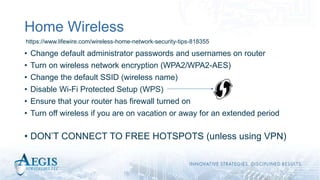
Home Wireless
• Change default administrator passwords and usernames on router
• Turn on wireless network encryption (WPA2/WPA2-AES)
• Change the default SSID (wireless name)
• Disable Wi-Fi Protected Setup (WPS)
• Ensure that your router has firewall turned on
• Turn off wireless if you are on vacation or away for an extended period
• DON’T CONNECT TO FREE HOTSPOTS (unless using VPN)
https://www.lifewire.com/wireless-home-network-security-tips-818355
Cell Phones
• Set a lock code
• Turn on “Do not track” on web browsers
• Avoid answering unknown numbers
• Install a recovery / location app (help find lost / stolen devices)
• Turn off wireless network auto-connect
• Turn off Bluetooth when not in use
• Backup your device
• Consider wiping phone from time to time – all important data is backed up
https://hbr.org/2016/09/your-biggest-cybersecurity-weakness-is-your-phone
Social Media
• Check haveibeenpwned.com
• Enable multi-factor authentication
• Avoid password reuse across sites – or “salt” your passwords
• Review and update your security settings regularly
• Ensure you verify “friends”
• Monitor news for security risks
• Remove critical personal information such as birthdate, address, phone
number, and email address.
https://www.lifewire.com/wireless-home-network-security-tips-818355
Biggest Risks
• Malware
• Ransomware
• Identity Theft
Prevention
• Monitoring – LifeLock or PrivacyGuard
• Use temporary credit card numbers for online purchases (do not store online)
• Vary passwords across sites, longer passwords are the hardest to crack
• For example: “1qaz@WSX3edc$RFV” is easier to crack than “Red Rover Red Rover,
send Captain Lydic right over”. (use a password manager – LastPass)
• Use backup services like BackBlaze or CrashPlan
• Update your computer and your anti-virus software
• If you get a call from someone you don’t know or a business you have never heard of, get
their contact information (name, address, phone, and website – if possible) and call
someone to check on the validity of the call.
• If you get a call from a credit card fraud department, take down their info and tell them
you’re going to call them back. Call the number on your card and ask to be transferred to
the fraud department. Verify the original call with the fraud department.
Crazy Stuff
www.aegis-strategies.com

Aegis Personal Cybersecurity 101

  • 1.
  • 2.
    Nick Powers • 15years of experience working in both public and private sectors as a software developer, database architect and project manager. • A PMI Agile Certified Practitioner (PMI-ACP), ScrumMaster and PMP, he holds Bachelor’s degrees in Management Information Systems and Business Administration from SIUE. • Worked for: StellarRad Technologies, National Geospatial Intelligence Agency (NGA), Cerroflow Products, Anheuser Busch, and US Army Surface Deployment and Distribution Command (SDDC) • Has spoken on cybersecurity for over 10 different conferences / meetings in the last 2 years. • Manages over 35 of the best people in St. Louis
  • 3.
    Cyber Attacks >$445 Billion Annually • In 2014, nearly 50% of U.S. adults had personal information stolen during the past 12 months • Prevented companies from creating an estimated 200,000 jobs in the U.S. alone
  • 4.
    Cybersecurity Basics • HomeComputing • Home Wireless • Cell Phones • Social Media
  • 5.
    Home Computing • Usepasswords that can't be easily guessed, and protect your passwords. • Minimize storage of sensitive information. • Beware of scams. • Protect information when using the Internet and email. • Make sure your computer is protected with anti-virus and all necessary security "patches" and updates. • Secure laptop computers and mobile devices at all times: Lock them up or carry them with you. • Shut down or log off when not using computer • Don't install or download unknown or unsolicited programs/apps. • Secure your area before leaving it unattended. • Make backup copies of files or data you are not willing to lose. Keep these backups secure. http://its.ucsc.edu/security/top10.html
  • 6.
    Home Wireless • Changedefault administrator passwords and usernames on router • Turn on wireless network encryption (WPA2/WPA2-AES) • Change the default SSID (wireless name) • Disable Wi-Fi Protected Setup (WPS) • Ensure that your router has firewall turned on • Turn off wireless if you are on vacation or away for an extended period • DON’T CONNECT TO FREE HOTSPOTS (unless using VPN) https://www.lifewire.com/wireless-home-network-security-tips-818355
  • 7.
    Cell Phones • Seta lock code • Turn on “Do not track” on web browsers • Avoid answering unknown numbers • Install a recovery / location app (help find lost / stolen devices) • Turn off wireless network auto-connect • Turn off Bluetooth when not in use • Backup your device • Consider wiping phone from time to time – all important data is backed up https://hbr.org/2016/09/your-biggest-cybersecurity-weakness-is-your-phone
  • 8.
    Social Media • Checkhaveibeenpwned.com • Enable multi-factor authentication • Avoid password reuse across sites – or “salt” your passwords • Review and update your security settings regularly • Ensure you verify “friends” • Monitor news for security risks • Remove critical personal information such as birthdate, address, phone number, and email address. https://www.lifewire.com/wireless-home-network-security-tips-818355
  • 9.
    Biggest Risks • Malware •Ransomware • Identity Theft
  • 10.
    Prevention • Monitoring –LifeLock or PrivacyGuard • Use temporary credit card numbers for online purchases (do not store online) • Vary passwords across sites, longer passwords are the hardest to crack • For example: “1qaz@WSX3edc$RFV” is easier to crack than “Red Rover Red Rover, send Captain Lydic right over”. (use a password manager – LastPass) • Use backup services like BackBlaze or CrashPlan • Update your computer and your anti-virus software • If you get a call from someone you don’t know or a business you have never heard of, get their contact information (name, address, phone, and website – if possible) and call someone to check on the validity of the call. • If you get a call from a credit card fraud department, take down their info and tell them you’re going to call them back. Call the number on your card and ask to be transferred to the fraud department. Verify the original call with the fraud department.
  • 11.
  • 12.