Customizing Microsoft
Teams Provisioning and
Governance
5.3.2020
Olli Jääskeläinen
Lead Architect, Collaboration & AI
Sulava
Olli Jääskeläinen
• Lead architect, Collaboration & AI
at Sulava - Finland
• Microsoft MVP, MCM, MCT
• Office 365 & SharePoint User
Group Finland organizer
• Twitter: @_opax
SharePoint Saturday Helsinki
Saturday 18.4.2020
FREE M365 event @ K Kampus
Register today:
https://www.spsevents.org/event/helsinki2020/
Microsoft Teams
Provisioning and Governance
Why and for who
Out of the box
Customizing
Check Laura’s session tomorrow!
SharePoint and Teams provisioning:
How to choose the right tool for automation
Friday at 10:10
Why and for who?
Customizing Microsoft Teams Provisioning and Governance
This is not a new thing
• Before Microsoft Teams we had
• Email, distribution lists
• Chat (Skype for Business, Lync, Microsoft Office Communicator)
• Documents (file share, SharePoint site)
• SharePoint site provisioning solutions and governance models
since early 2000
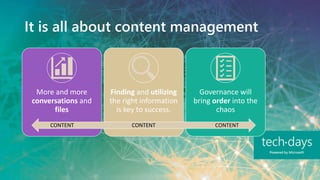
It is all about content management
More and more
conversations and
files
Finding and utilizing
the right information
is key to success.
Governance will
bring order into the
chaos
CONTENT CONTENTCONTENT
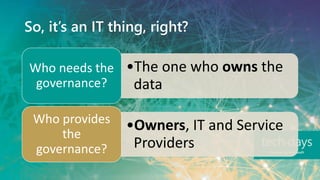
So, it’s an IT thing, right?
•The one who owns the
data
Who needs the
governance?
•Owners, IT and Service
Providers
Who provides
the
governance?
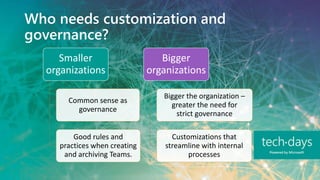
Who needs customization and
governance?
Smaller
organizations
Common sense as
governance
Good rules and
practices when creating
and archiving Teams.
Bigger
organizations
Bigger the organization –
greater the need for
strict governance
Customizations that
streamline with internal
processes
Out of the box
Customizing Microsoft Teams Provisioning and Governance
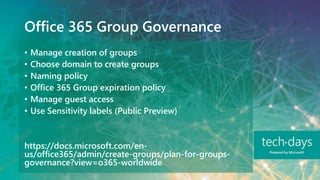
Office 365 Group Governance
• Manage creation of groups
• Choose domain to create groups
• Naming policy
• Office 365 Group expiration policy
• Manage guest access
• Use Sensitivity labels (Public Preview)
https://docs.microsoft.com/en-
us/office365/admin/create-groups/plan-for-groups-
governance?view=o365-worldwide
Teams Governance
• Teams expiration, retention, and archival
• Teams feature management
• Settings
• Meeting policies
• Messaging policies
• Security and compliance
• Auditing, reporting, compliance content search
• Retention labels and policies
• Sensitivity labels and policies (Public preview)
https://docs.microsoft.com/en-
us/microsoftteams/plan-teams-governance
Office 365 Group / Teams Governance
Public Preview
• Sensitivity Labels applied to Office 365 Group
(Teams/Modern SharePoint)
• Per label
• Privacy (public, private or both available)
• External user access (yes/no)
• Unmanaged devices (block, allow web only, allow all)
https://docs.microsoft.com/en-us/microsoft-
365/compliance/sensitivity-labels-teams-groups-
sites?view=o365-worldwide
Note: Sensitivity Label in Group/Team <>
Sensitivity Label in a file
• Word, Excel and PowerPoint file in SharePoint or
OneDrive
• Audit events (label applied, changed, removed)
• Content marking (header, footer, watermark)
• Encryption persist even when downloaded
• Still very much work in progress
https://docs.microsoft.com/en-us/microsoft-
365/compliance/sensitivity-labels-sharepoint-
onedrive-files?view=o365-worldwide
Customizing
Customizing Microsoft Teams Provisioning and Governance
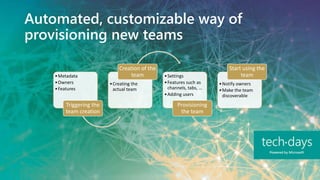
Automated, customizable way of
provisioning new teams
•Metadata
•Owners
•Features
Triggering the
team creation
•Creating the
actual team
Creation of the
team •Settings
•Features such as
channels, tabs, …
•Adding users
Provisioning
the team
•Notify owners
•Make the team
discoverable
Start using the
team
Automated, customizable way of
provisioning new teams
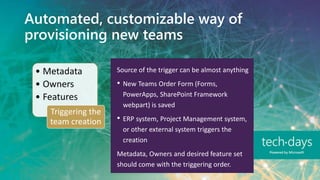
• Metadata
• Owners
• Features
Triggering the
team creation
Source of the trigger can be almost anything
• New Teams Order Form (Forms,
PowerApps, SharePoint Framework
webpart) is saved
• ERP system, Project Management system,
or other external system triggers the
creation
Metadata, Owners and desired feature set
should come with the triggering order.
Automated, customizable way of
provisioning new teams
• Creating
the actual
team
Creation of
the team
Custom provisioning solution will use
Microsoft Graph API to create the default
team
Azure AD application identity is used as the
creator instead of normal user account
Provisioning solution waits until all the
parts of the new team are available
Automated, customizable way of
provisioning new teams
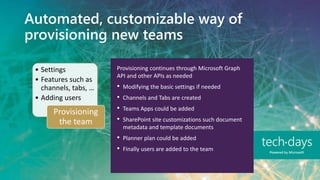
• Settings
• Features such as
channels, tabs, …
• Adding users
Provisioning
the team
Provisioning continues through Microsoft Graph
API and other APIs as needed
• Modifying the basic settings if needed
• Channels and Tabs are created
• Teams Apps could be added
• SharePoint site customizations such document
metadata and template documents
• Planner plan could be added
• Finally users are added to the team
Automated, customizable way of
provisioning new teams
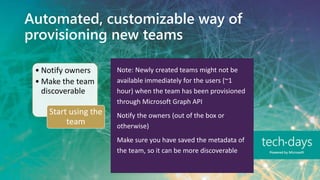
• Notify owners
• Make the team
discoverable
Start using the
team
Note: Newly created teams might not be
available immediately for the users (~1
hour) when the team has been provisioned
through Microsoft Graph API
Notify the owners (out of the box or
otherwise)
Make sure you have saved the metadata of
the team, so it can be more discoverable
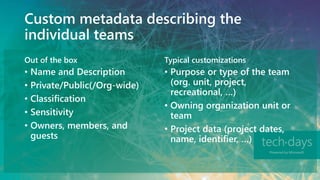
Custom metadata describing the
individual teams
Typical customizationsOut of the box
• Name and Description
• Private/Public(/Org-wide)
• Classification
• Sensitivity
• Owners, members, and
guests
• Purpose or type of the team
(org. unit, project,
recreational, …)
• Owning organization unit or
team
• Project data (project dates,
name, identifier, …)
Methods of Microsoft Teams
provisioning
Microsoft Graph API
https://docs.microsoft.com/en-us/graph/api/resources/teams-api-overview?view=graph-rest-1.0
• Microsoft Teams PowerShell module from Azure Function
https://docs.microsoft.com/en-us/powershell/module/teams
• Flow or Logic App using Microsoft Graph API
• Custom Application using Microsoft Graph API
Demo
• Creating and configuring a team using PowerShell
Configurable Teams directory
Microsoft
Graph
Custom Teams
metadata
Teams Directory
Featured Your Teams Projects Filter
Search
Popular
+ New team
Automated governance scripts for
existing teams
• Run daily or weekly
• Run different checks like
• Ask for missing metadata if the team is created using
the user interface
• Update metadata values based on current settings
• Ensure that there is at least two owners for each team
• Check if a team is about to expire, archive the team
automatically based on custom metadata
• Delete archived teams after certain period of time
• Check if the team is compliant to your own rules like “A
Team shared with guests should not have documents
labeled as ‘Internal’”
Key takeaways
Customizing Microsoft Teams Provisioning and Governance
Key takeaways
• Out of the box provisioning and governance of
Teams might not cover all business needs
• Team provisioning can be extended using
Microsoft Graph API
• In order to fulfill the business needs, you might
want to collect more metadata of Team
• Custom team metadata can be used in Teams
directory for better discoverability
• Automated scripts can be run daily to fulfill
business needs
Thank you!

Customizing Microsoft Teams Provisioning and-Governance

  • 1.
    Customizing Microsoft Teams Provisioningand Governance 5.3.2020 Olli Jääskeläinen Lead Architect, Collaboration & AI Sulava
  • 2.
    Olli Jääskeläinen • Leadarchitect, Collaboration & AI at Sulava - Finland • Microsoft MVP, MCM, MCT • Office 365 & SharePoint User Group Finland organizer • Twitter: @_opax
  • 3.
    SharePoint Saturday Helsinki Saturday18.4.2020 FREE M365 event @ K Kampus Register today: https://www.spsevents.org/event/helsinki2020/
  • 4.
    Microsoft Teams Provisioning andGovernance Why and for who Out of the box Customizing
  • 5.
    Check Laura’s sessiontomorrow! SharePoint and Teams provisioning: How to choose the right tool for automation Friday at 10:10
  • 6.
    Why and forwho? Customizing Microsoft Teams Provisioning and Governance
  • 7.
    This is nota new thing • Before Microsoft Teams we had • Email, distribution lists • Chat (Skype for Business, Lync, Microsoft Office Communicator) • Documents (file share, SharePoint site) • SharePoint site provisioning solutions and governance models since early 2000
  • 8.
    It is allabout content management More and more conversations and files Finding and utilizing the right information is key to success. Governance will bring order into the chaos CONTENT CONTENTCONTENT
  • 9.
    So, it’s anIT thing, right?
  • 10.
    So, it’s anIT thing, right? •The one who owns the data Who needs the governance? •Owners, IT and Service Providers Who provides the governance?
  • 11.
    Who needs customizationand governance? Smaller organizations Common sense as governance Good rules and practices when creating and archiving Teams. Bigger organizations Bigger the organization – greater the need for strict governance Customizations that streamline with internal processes
  • 12.
    Out of thebox Customizing Microsoft Teams Provisioning and Governance
  • 13.
    Office 365 GroupGovernance • Manage creation of groups • Choose domain to create groups • Naming policy • Office 365 Group expiration policy • Manage guest access • Use Sensitivity labels (Public Preview) https://docs.microsoft.com/en- us/office365/admin/create-groups/plan-for-groups- governance?view=o365-worldwide
  • 14.
    Teams Governance • Teamsexpiration, retention, and archival • Teams feature management • Settings • Meeting policies • Messaging policies • Security and compliance • Auditing, reporting, compliance content search • Retention labels and policies • Sensitivity labels and policies (Public preview) https://docs.microsoft.com/en- us/microsoftteams/plan-teams-governance
  • 15.
    Office 365 Group/ Teams Governance Public Preview • Sensitivity Labels applied to Office 365 Group (Teams/Modern SharePoint) • Per label • Privacy (public, private or both available) • External user access (yes/no) • Unmanaged devices (block, allow web only, allow all) https://docs.microsoft.com/en-us/microsoft- 365/compliance/sensitivity-labels-teams-groups- sites?view=o365-worldwide
  • 16.
    Note: Sensitivity Labelin Group/Team <> Sensitivity Label in a file • Word, Excel and PowerPoint file in SharePoint or OneDrive • Audit events (label applied, changed, removed) • Content marking (header, footer, watermark) • Encryption persist even when downloaded • Still very much work in progress https://docs.microsoft.com/en-us/microsoft- 365/compliance/sensitivity-labels-sharepoint- onedrive-files?view=o365-worldwide
  • 17.
    Customizing Customizing Microsoft TeamsProvisioning and Governance
  • 18.
    Automated, customizable wayof provisioning new teams •Metadata •Owners •Features Triggering the team creation •Creating the actual team Creation of the team •Settings •Features such as channels, tabs, … •Adding users Provisioning the team •Notify owners •Make the team discoverable Start using the team
  • 19.
    Automated, customizable wayof provisioning new teams • Metadata • Owners • Features Triggering the team creation Source of the trigger can be almost anything • New Teams Order Form (Forms, PowerApps, SharePoint Framework webpart) is saved • ERP system, Project Management system, or other external system triggers the creation Metadata, Owners and desired feature set should come with the triggering order.
  • 20.
    Automated, customizable wayof provisioning new teams • Creating the actual team Creation of the team Custom provisioning solution will use Microsoft Graph API to create the default team Azure AD application identity is used as the creator instead of normal user account Provisioning solution waits until all the parts of the new team are available
  • 21.
    Automated, customizable wayof provisioning new teams • Settings • Features such as channels, tabs, … • Adding users Provisioning the team Provisioning continues through Microsoft Graph API and other APIs as needed • Modifying the basic settings if needed • Channels and Tabs are created • Teams Apps could be added • SharePoint site customizations such document metadata and template documents • Planner plan could be added • Finally users are added to the team
  • 22.
    Automated, customizable wayof provisioning new teams • Notify owners • Make the team discoverable Start using the team Note: Newly created teams might not be available immediately for the users (~1 hour) when the team has been provisioned through Microsoft Graph API Notify the owners (out of the box or otherwise) Make sure you have saved the metadata of the team, so it can be more discoverable
  • 23.
    Custom metadata describingthe individual teams Typical customizationsOut of the box • Name and Description • Private/Public(/Org-wide) • Classification • Sensitivity • Owners, members, and guests • Purpose or type of the team (org. unit, project, recreational, …) • Owning organization unit or team • Project data (project dates, name, identifier, …)
  • 24.
    Methods of MicrosoftTeams provisioning Microsoft Graph API https://docs.microsoft.com/en-us/graph/api/resources/teams-api-overview?view=graph-rest-1.0 • Microsoft Teams PowerShell module from Azure Function https://docs.microsoft.com/en-us/powershell/module/teams • Flow or Logic App using Microsoft Graph API • Custom Application using Microsoft Graph API
  • 25.
    Demo • Creating andconfiguring a team using PowerShell
  • 26.
    Configurable Teams directory Microsoft Graph CustomTeams metadata Teams Directory Featured Your Teams Projects Filter Search Popular + New team
  • 27.
    Automated governance scriptsfor existing teams • Run daily or weekly • Run different checks like • Ask for missing metadata if the team is created using the user interface • Update metadata values based on current settings • Ensure that there is at least two owners for each team • Check if a team is about to expire, archive the team automatically based on custom metadata • Delete archived teams after certain period of time • Check if the team is compliant to your own rules like “A Team shared with guests should not have documents labeled as ‘Internal’”
  • 28.
    Key takeaways Customizing MicrosoftTeams Provisioning and Governance
  • 29.
    Key takeaways • Outof the box provisioning and governance of Teams might not cover all business needs • Team provisioning can be extended using Microsoft Graph API • In order to fulfill the business needs, you might want to collect more metadata of Team • Custom team metadata can be used in Teams directory for better discoverability • Automated scripts can be run daily to fulfill business needs
  • 30.

Editor's Notes

  • #9 - The amount of information in conversations and files is growing. - Finding and utilizing the right information is key to success. - Without governance the chaos is ensured, and Microsoft Teams becomes the burial ground of information.