CURATOR:
PSST…
Scenario
I know that my resources need refreshing, but I am not sure what
resources are available to help and how I can use them once I find
them.
3
ontar
io
Moving curation out of the museum (5 minutes)
Stage One Curation: The Search is On, On-point, and Open
• Copyright versus copyleft | Creative Commons (<10 minutes)
• Savvier searching and test drives (15 minutes)
Stage Two Curation: Creating Context and Community of Inquiry
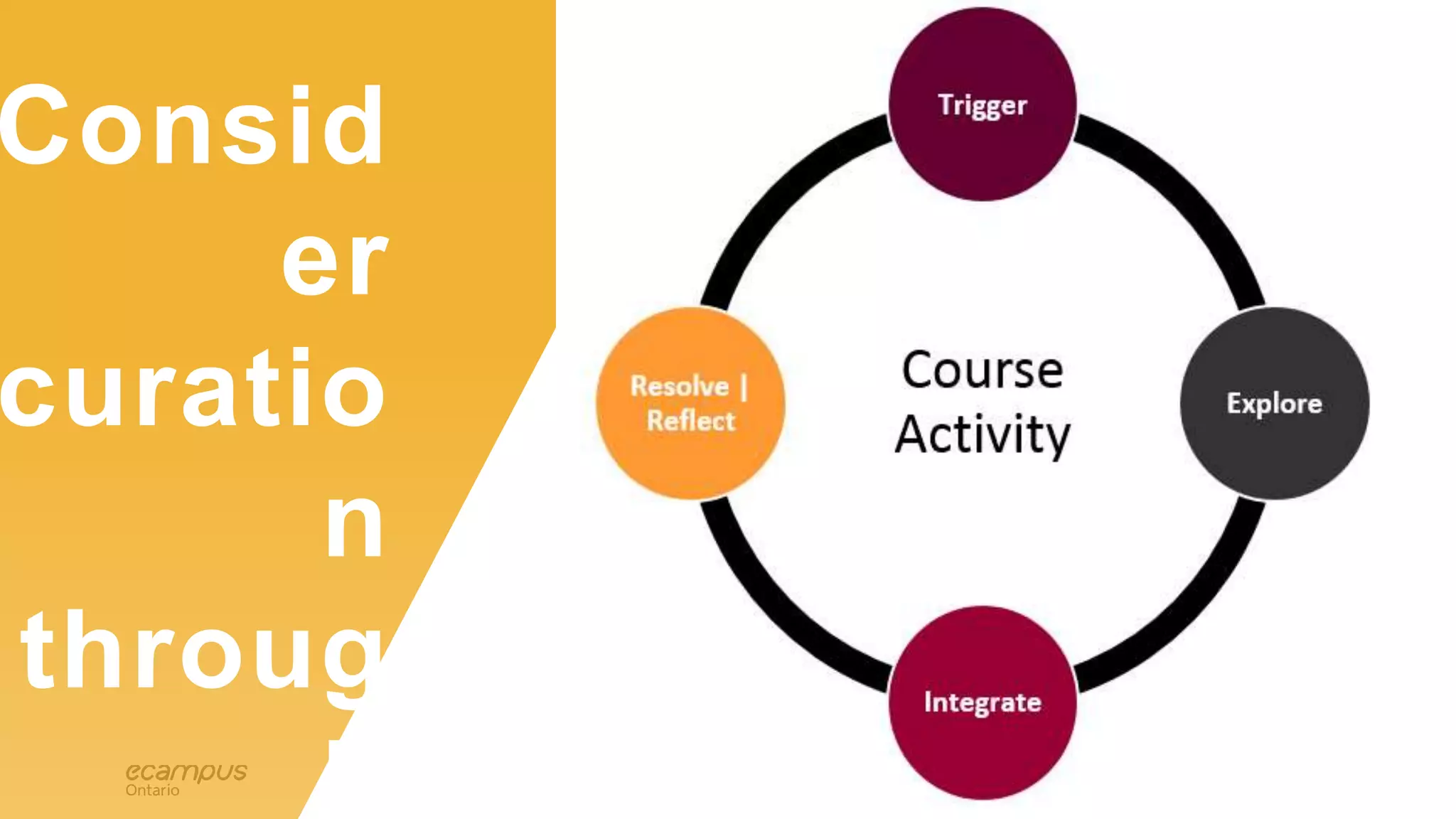
• Curating the learning experience: Four phases (10 minutes)
• Repository dives in the Curator module (15 minutes)
• Aesthetics matter: Making it pur-dy (10 minutes)
• Collaborate to create a curated learning experience (20 minutes)
• Share and extend (5 minutes)
Agenda – perhaps a tad
packed, we shall see…
4
educat
ionTECHN
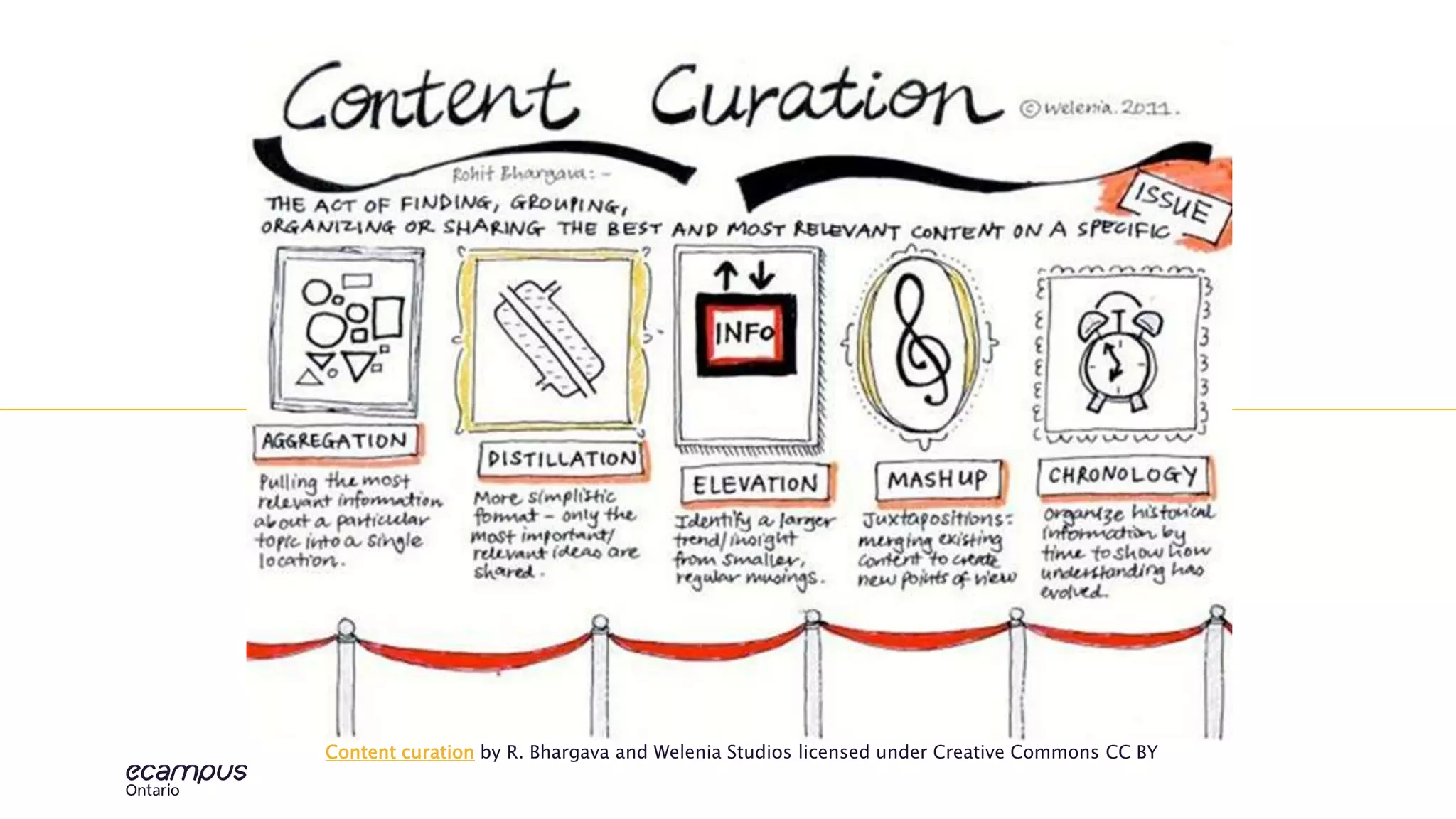
OLOGContent curation by R. Bhargava and Welenia Studios licensed under Creative Commons CC BY
5
educat
ionTECHN
OLOG
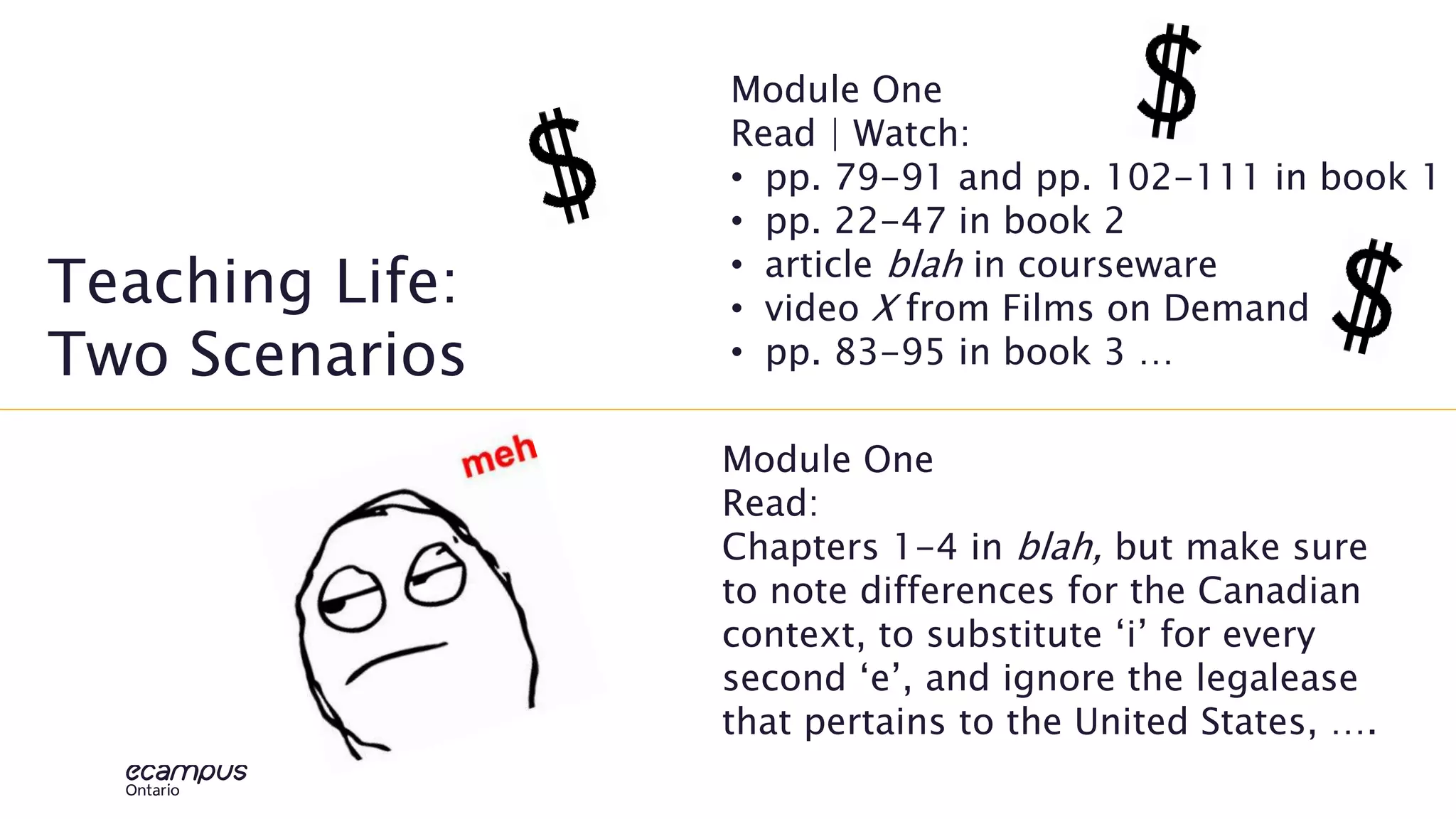
Teaching Life:
Two Scenarios
Module One
Read | Watch:
• pp. 79-91 and pp. 102-111 in book 1
• pp. 22-47 in book 2
• article blah in courseware
• video X from Films on Demand
• pp. 83-95 in book 3 …
Module One
Read:
Chapters 1-4 in blah, but make sure
to note differences for the Canadian
context, to substitute ‘i’ for every
second ‘e’, and ignore the legalease
that pertains to the United States, ….
6
Copy
right
vs
copy
left
Copyright
By default, when a creator produces something,
it is locked down. Fair dealing provides/d some
wiggle room for educators, but rather than
continually balancing the six factors for fair
dealing why not just pivot left.
Copyleft | Creative Commons
Allows the creator to choose what future users can do
with the work. It puts the power and agency back in
the hands of the creator. Let’s take a closer look and
solidify Alan’s overview …
7
copy
left
Copyleft | Creative Commons
There is built in flexibility; creators choose if
users:
• Provide attribution
• Can adapt
• Able to share their adaptations
• Can use for commercial purposes
Educators make these simple choices and
Creative Commons generates the appropriate
and legal licence! Check it out.
It is quite easy, I bet you can easily decipher the
Creative Commons licences and their meaning.
Even easier when you are part of a team!
8
Kaho
ot!
Creative Commons Licenses
1.Choose one device at your table to
use.
2.Go to Kahoot.it
3.Enter the PIN.
4.Pick a team name.
5.When I see the correct number of
teams, we will get going.
6.The combination of correct answers
and fastest on the draw, wins the
prize.
9
SAVVI
ER
SEAR
CHIN
G
• When you use your favourite search
engine e.g., Google, Bing you will
99.9999% of the time have multiple
results – often in the millions
[Googlewhackblatt]
• Limiting your search to sites that
support Creative Commons, your pool
of resources will be smaller
• Either case - too much or less
information, we want to search them
most effectively and efficiently
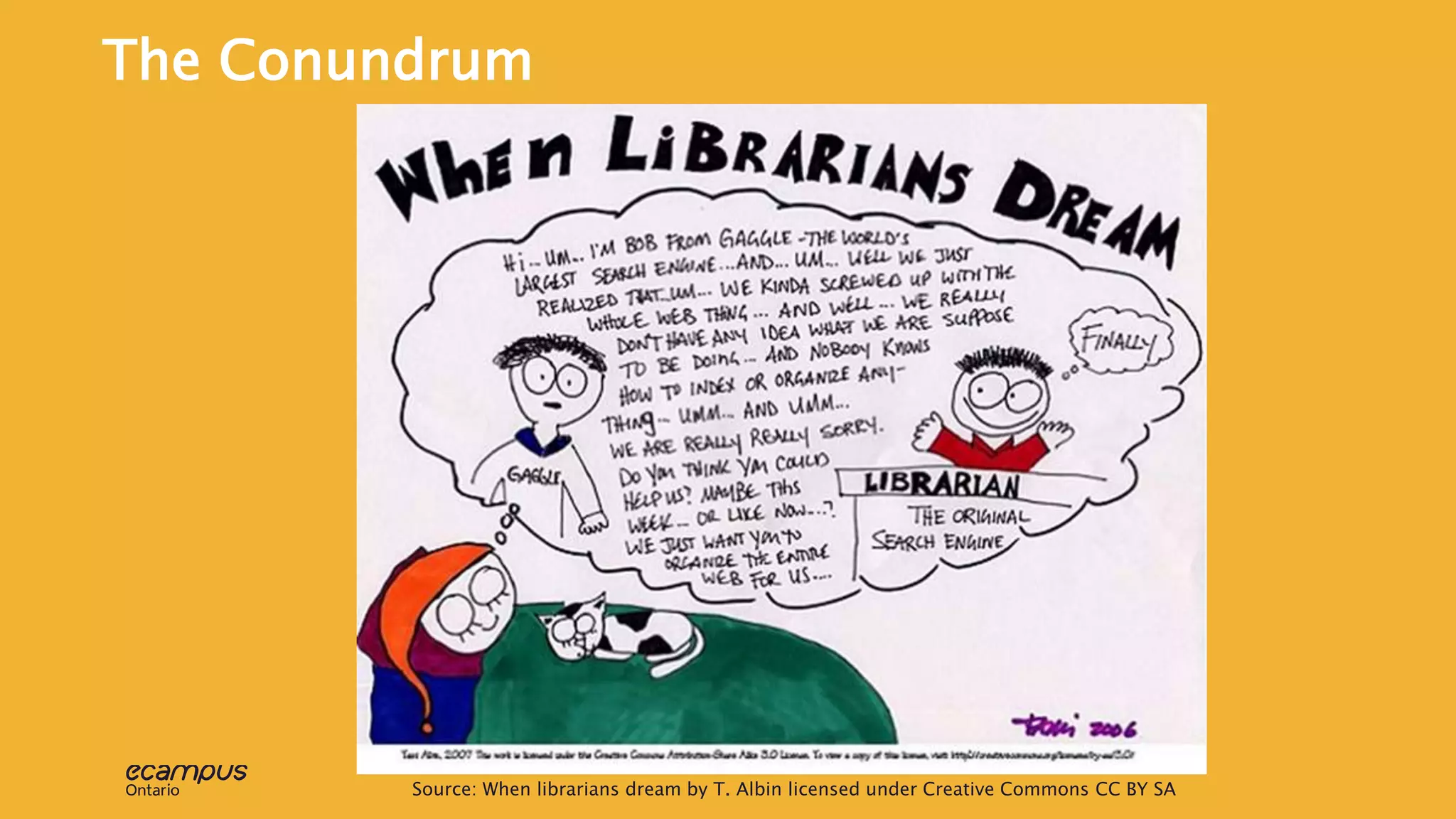
10Source: When librarians dream by T. Albin licensed under Creative Commons CC BY SA
The Conundrum
11
(quick)
Back to
Basics
Go to:
https://www.menti.com/bff4e1
Point to ponder
Say, I wrote the definitive article on this
object | subject and referred to it as a “felt
tip pen”.
A keyword search using marker, sharpie, or
purple pen would never find this definitive
article on the object.
Solutions?
12
Super
Quick,
super
savvy
search
Minute one: Brainstorm
synonyms
Minutes two and three: Boosting
with Booleans and beyond
Minutes four and five: Socialize
your superlative search string -
tweet it, share at your table, …
Pair Up: Mismatch
Comfort Levels
13
Super
Quick,
super
savvy
search
Extensions
14
Stage two curation:
Creating Context and
community of inquiry
Stage one had us curating the best resources from the
overload of information available with an eye toward
open. Now, the more challenging aspect of curation,
crafting the context a.k.a. course design and
development a.k.a. telling a story!
15
Hang
Your
Hat:
Don’t
Nail It to
the Wall
Lorem
Source: Our very own Giulia Forsythe!
16
Consid
er
curatio
n
throug
h
17
YOUR CHALLENGE: Curate
for each phase
1. With colleagues (smaller break outs) in your shared discipline, choose a
core concept or skill
2. Use the resources in our extend.ecampusontario.ca – Spotlight on
Repositories, your own go-to sources, your imagine | coffee, and tech
tools
3. Curate a learning activity that has a resource suitable for each phase.
• A resource that TRIGGERS learners’ desire to know more
• Material that aids learners’ EXPLORATION
• Content to support the challenge to INTEGRATE new learning
• Prompt to REFLECT on the process or RESOLVE an issue
18
My scenario
Learners need to review the ethics and history of surrogacy
TRIGGER: Quizlet – might just say “placeholder – build Quizlet”
EXPLORE: Harvard Justice
INTEGRATE: Flickr + CORE article + Margaret Somerville
REFLECT: Minute paper
Relieving the pressure: you get one
freebie – sort of
19
Don’t struggle, ask for help!
“Hey Joanne, what was that tool that did that thing?”
Do challenge yourself to consider open!
“Hey Alan, what’s the best open site for a pic of X?”
Do keep inclusion front and centre e.g., accessible, something for
everyone | anyone!
“Hey Giulia, is there a quick activity I could add to Y?”
Do recognize there are other steps involved beyond this exploration
– assessment (see module), citing (see The Learning Portal)
Do share (link in module):
https://padlet.com/french_peg/CurationCreation
Hop to it, but remember:
Thank you VERY
MUCH

Curator

  • 2.
    CURATOR: PSST… Scenario I know thatmy resources need refreshing, but I am not sure what resources are available to help and how I can use them once I find them.
  • 3.
    3 ontar io Moving curation outof the museum (5 minutes) Stage One Curation: The Search is On, On-point, and Open • Copyright versus copyleft | Creative Commons (<10 minutes) • Savvier searching and test drives (15 minutes) Stage Two Curation: Creating Context and Community of Inquiry • Curating the learning experience: Four phases (10 minutes) • Repository dives in the Curator module (15 minutes) • Aesthetics matter: Making it pur-dy (10 minutes) • Collaborate to create a curated learning experience (20 minutes) • Share and extend (5 minutes) Agenda – perhaps a tad packed, we shall see…
  • 4.
    4 educat ionTECHN OLOGContent curation byR. Bhargava and Welenia Studios licensed under Creative Commons CC BY
  • 5.
    5 educat ionTECHN OLOG Teaching Life: Two Scenarios ModuleOne Read | Watch: • pp. 79-91 and pp. 102-111 in book 1 • pp. 22-47 in book 2 • article blah in courseware • video X from Films on Demand • pp. 83-95 in book 3 … Module One Read: Chapters 1-4 in blah, but make sure to note differences for the Canadian context, to substitute ‘i’ for every second ‘e’, and ignore the legalease that pertains to the United States, ….
  • 6.
    6 Copy right vs copy left Copyright By default, whena creator produces something, it is locked down. Fair dealing provides/d some wiggle room for educators, but rather than continually balancing the six factors for fair dealing why not just pivot left. Copyleft | Creative Commons Allows the creator to choose what future users can do with the work. It puts the power and agency back in the hands of the creator. Let’s take a closer look and solidify Alan’s overview …
  • 7.
    7 copy left Copyleft | CreativeCommons There is built in flexibility; creators choose if users: • Provide attribution • Can adapt • Able to share their adaptations • Can use for commercial purposes Educators make these simple choices and Creative Commons generates the appropriate and legal licence! Check it out. It is quite easy, I bet you can easily decipher the Creative Commons licences and their meaning. Even easier when you are part of a team!
  • 8.
    8 Kaho ot! Creative Commons Licenses 1.Chooseone device at your table to use. 2.Go to Kahoot.it 3.Enter the PIN. 4.Pick a team name. 5.When I see the correct number of teams, we will get going. 6.The combination of correct answers and fastest on the draw, wins the prize.
  • 9.
    9 SAVVI ER SEAR CHIN G • When youuse your favourite search engine e.g., Google, Bing you will 99.9999% of the time have multiple results – often in the millions [Googlewhackblatt] • Limiting your search to sites that support Creative Commons, your pool of resources will be smaller • Either case - too much or less information, we want to search them most effectively and efficiently
  • 10.
    10Source: When librariansdream by T. Albin licensed under Creative Commons CC BY SA The Conundrum
  • 11.
    11 (quick) Back to Basics Go to: https://www.menti.com/bff4e1 Pointto ponder Say, I wrote the definitive article on this object | subject and referred to it as a “felt tip pen”. A keyword search using marker, sharpie, or purple pen would never find this definitive article on the object. Solutions?
  • 12.
    12 Super Quick, super savvy search Minute one: Brainstorm synonyms Minutestwo and three: Boosting with Booleans and beyond Minutes four and five: Socialize your superlative search string - tweet it, share at your table, … Pair Up: Mismatch Comfort Levels
  • 13.
  • 14.
    14 Stage two curation: CreatingContext and community of inquiry Stage one had us curating the best resources from the overload of information available with an eye toward open. Now, the more challenging aspect of curation, crafting the context a.k.a. course design and development a.k.a. telling a story!
  • 15.
    15 Hang Your Hat: Don’t Nail It to theWall Lorem Source: Our very own Giulia Forsythe!
  • 16.
  • 17.
    17 YOUR CHALLENGE: Curate foreach phase 1. With colleagues (smaller break outs) in your shared discipline, choose a core concept or skill 2. Use the resources in our extend.ecampusontario.ca – Spotlight on Repositories, your own go-to sources, your imagine | coffee, and tech tools 3. Curate a learning activity that has a resource suitable for each phase. • A resource that TRIGGERS learners’ desire to know more • Material that aids learners’ EXPLORATION • Content to support the challenge to INTEGRATE new learning • Prompt to REFLECT on the process or RESOLVE an issue
  • 18.
    18 My scenario Learners needto review the ethics and history of surrogacy TRIGGER: Quizlet – might just say “placeholder – build Quizlet” EXPLORE: Harvard Justice INTEGRATE: Flickr + CORE article + Margaret Somerville REFLECT: Minute paper Relieving the pressure: you get one freebie – sort of
  • 19.
    19 Don’t struggle, askfor help! “Hey Joanne, what was that tool that did that thing?” Do challenge yourself to consider open! “Hey Alan, what’s the best open site for a pic of X?” Do keep inclusion front and centre e.g., accessible, something for everyone | anyone! “Hey Giulia, is there a quick activity I could add to Y?” Do recognize there are other steps involved beyond this exploration – assessment (see module), citing (see The Learning Portal) Do share (link in module): https://padlet.com/french_peg/CurationCreation Hop to it, but remember:
  • 20.