





CSS3 vs. jQuery
Prak Sophy (@psophy)
www.web-essentials.asia
www.typo3cambodia.org
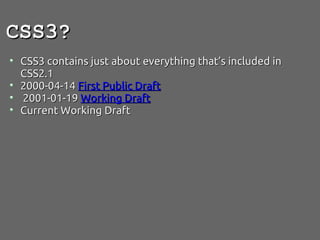
CSS3?
 CSS3 contains just about everything that’s included in
 CSS2.1
 2000-04-14 First Public Draft
  2001-01-19 Working Draft
 Current Working Draft
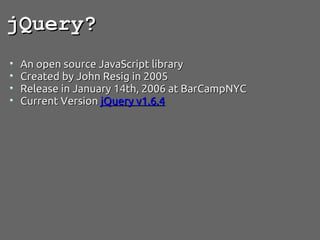
jQuery?
 An open source JavaScript library
 Created by John Resig in 2005 
 Release in January 14th, 2006 at BarCampNYC
 Current Version jQuery v1.6.4
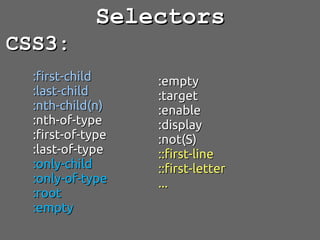
Selectors
CSS3:
  :first-child     :empty
  :last-child      :target
  :nth-child(n)    :enable
  :nth-of-type     :display
  :first-of-type   :not(S)
  :last-of-type    ::first-line
  :only-child      ::first-letter
  :only-of-type    ...
  :root
  :empty
Selectors...

jQuery:
  :button,
  :even
  :empty
  :first-child
  :gt
  :has
  :last-child
  :parent
  ...
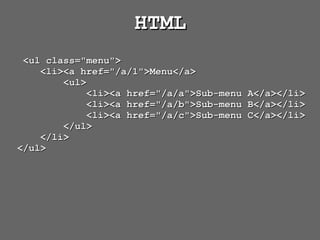
HTML
   <ul class="menu">
      <li><a href="/a/1">Menu</a>
          <ul>
              <li><a href="/a/a">Sub-menu   A</a></li>
              <li><a href="/a/b">Sub-menu   B</a></li>
              <li><a href="/a/c">Sub-menu   C</a></li>
          </ul>
      </li>
  </ul>
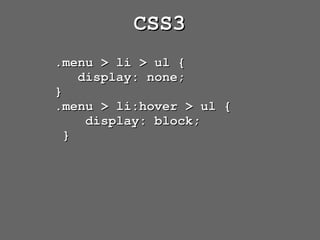
CSS3
      .menu > li > ul {
         display: none;
      }
      .menu > li:hover > ul {
          display: block;
       }
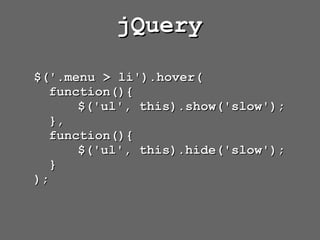
jQuery

$('.menu > li').hover(
  function(){
      $('ul', this).show('slow');
  },
  function(){
      $('ul', this).hide('slow');
  }
);
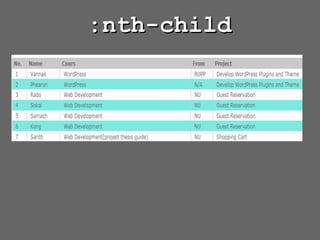
:nth-child
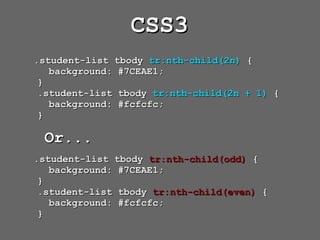
CSS3
.student-list tbody tr:nth-child(2n) {
   background: #7CEAE1;
 }
 .student-list tbody tr:nth-child(2n + 1) {
   background: #fcfcfc;
 }

 Or...
.student-list tbody tr:nth-child(odd) {
   background: #7CEAE1;
 }
 .student-list tbody tr:nth-child(even) {
   background: #fcfcfc;
 }
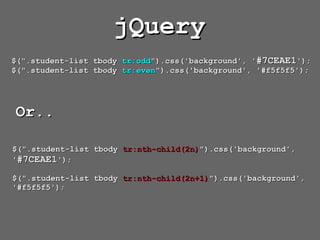
jQuery
$(".student-list tbody tr:odd").css('background', '#7CEAE1');
$(".student-list tbody tr:even").css('background', '#f5f5f5');


Or..

$(".student-list tbody tr:nth-child(2n)").css('background',
'#7CEAE1');

$(".student-list tbody tr:nth-child(2n+1)").css('background',
'#f5f5f5');
FORM VALIDATION
jQuery Validate Engine
https://github.com/posabsolute/jQuery-Validation-Engine
HTML
<input value="2010-12-01"
class="validate[required,custom[date]]"
type="text" name="date" id="date" />

<input value="too"
class="validate[required,custom[onlyLet
terNumber]]" type="text" name="special"
id="special" />
jQuery
$("#form.id").validationEngine();


//Demo   http://www.position-relative.net/creation/formValidator/
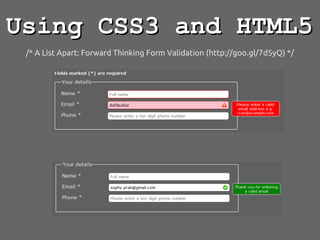
Using CSS3 and HTML5
 /* A List Apart: Forward Thinking Form Validation (http://goo.gl/7d5yQ) */
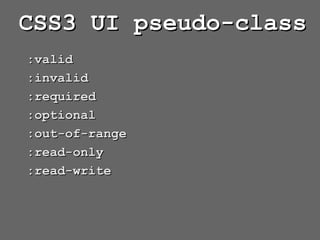
CSS3 UI pseudo-class
:valid
:invalid
:required
:optional
:out-of-range
:read-only
:read-write
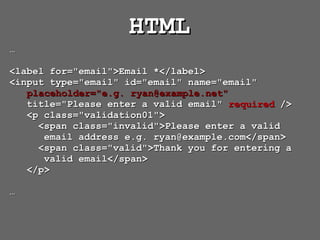
HTML
…

<label for="email">Email *</label>
<input type="email" id="email" name="email"
   placeholder="e.g. ryan@example.net"
   title="Please enter a valid email" required />
   <p class="validation01">
     <span class="invalid">Please enter a valid
      email address e.g. ryan@example.com</span>
     <span class="valid">Thank you for entering a
      valid email</span>
   </p>

…
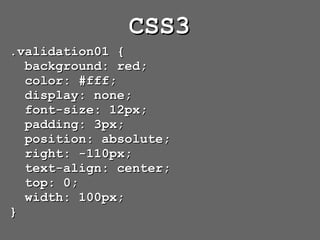
CSS3
.validation01 {
  background: red;
  color: #fff;
  display: none;
  font-size: 12px;
  padding: 3px;
  position: absolute;
  right: -110px;
  text-align: center;
  top: 0;
  width: 100px;
}
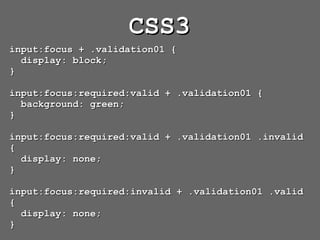
CSS3
input:focus + .validation01 {
  display: block;
}

input:focus:required:valid + .validation01 {
  background: green;
}

input:focus:required:valid + .validation01 .invalid
{
  display: none;
}

input:focus:required:invalid + .validation01 .valid
{
  display: none;
}
ANIMATION
jQuery Animation
       Methods
.animate()      .slideDown
.fadeIn()       .slideToggle()
.fadeOut()      .slideUp
.fadeToggle()   .stop()
.fadeTo()       .toggle()
.hide()
.show()
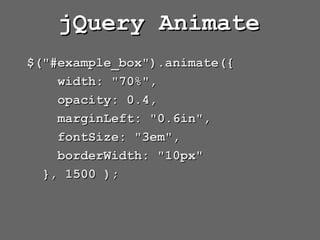
jQuery Animate
$("#example_box").animate({
    width: "70%",
    opacity: 0.4,
    marginLeft: "0.6in",
    fontSize: "3em",
    borderWidth: "10px"
  }, 1500 );
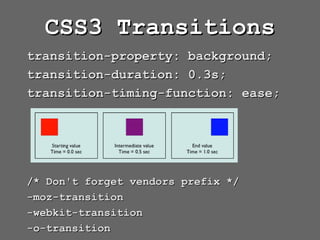
CSS3 Transitions
transition-property: background;
transition-duration: 0.3s;
transition-timing-function: ease;


/* Don't forget vendors prefix */
-moz-transition
-webkit-transition
-o-transition
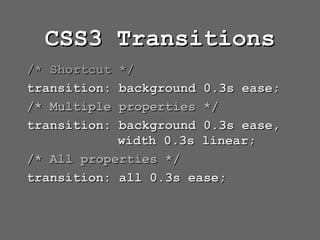
CSS3 Transitions
/* Shortcut */
transition: background 0.3s ease;
/* Multiple properties */
transition: background 0.3s ease,
            width 0.3s linear;
/* All properties */
transition: all 0.3s ease;
/* Understanding CSS3 Transitions */
http://goo.gl/k9EcX
/* Transition with Tranform */
http://goo.gl/HB2mc
http://goo.gl/KvclU
CSS3 Transform


    http://goo.gl/QZvVw


        http://goo.gl/xL2yv
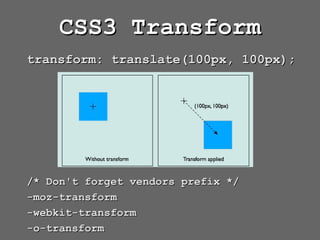
CSS3 Transform
transform: translate(100px, 100px);


/* Don't forget vendors prefix */
-moz-transform
-webkit-transform
-o-transform
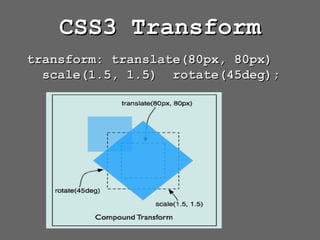
CSS3 Transform
transform: translate(80px, 80px)
  scale(1.5, 1.5) rotate(45deg);
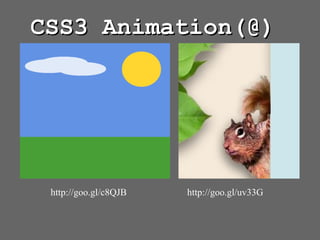
CSS3 Animation(@)


 http://goo.gl/c8QJB   http://goo.gl/uv33G
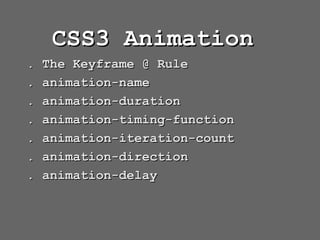
CSS3 Animation
.   The Keyframe @ Rule
.   animation-name
.   animation-duration
.   animation-timing-function
.   animation-iteration-count
.   animation-direction
.   animation-delay
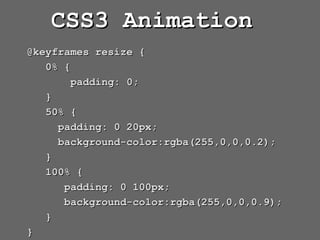
CSS3 Animation
@keyframes resize {
   0% {
        padding: 0;
   }
   50% {
     padding: 0 20px;
     background-color:rgba(255,0,0,0.2);
   }
   100% {
      padding: 0 100px;
      background-color:rgba(255,0,0,0.9);
   }
}
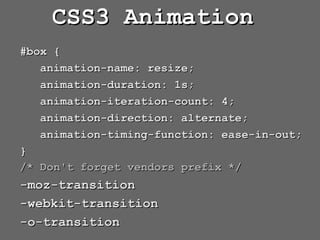
CSS3 Animation
#box {
   animation-name: resize;
   animation-duration: 1s;
   animation-iteration-count: 4;
   animation-direction: alternate;
   animation-timing-function: ease-in-out;
}
/* Don't forget vendors prefix */
-moz-transition
-webkit-transition
-o-transition
TAG TEAM: jQuery with CSS3
http://jquerymobile.com/
THANK YOU!
 http://kooms.info

CSS3 and jQuery