What is CSS?
• CSS stands for “Cascading Style Sheets”
• CSS is the language we use to style an HTML
document.
• CSS describes how HTML elements should be
displayed.
3.
CSS Syntax Rules
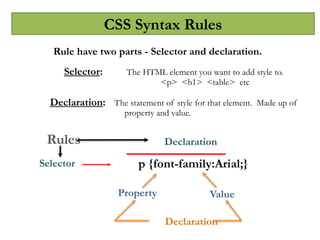
Rulehave two parts - Selector and declaration.
Selector: The HTML element you want to add style to.
<p> <h1> <table> etc
Declaration: The statement of style for that element. Made up of
property and value.
Selector
Property
Declaration
Value
Rules
Declaration
p {font-family:Arial;}
4.
CSS Style Example
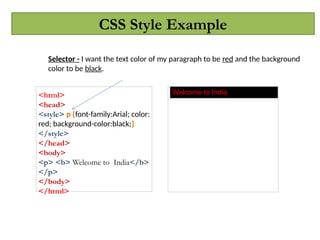
<html>
<head>
<style>p {font-family:Arial; color:
red; background-color:black;}
</style>
</head>
<body>
<p> <b> Welcome to India</b>
</p>
</body>
</html>
Welcome to India
Selector - I want the text color of my paragraph to be red and the background
color to be black.
5.
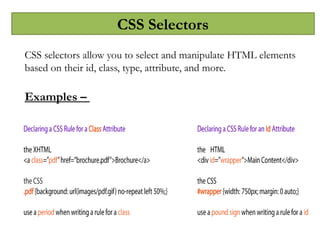
CSS Selectors
CSS selectorsallow you to select and manipulate HTML elements
based on their id, class, type, attribute, and more.
Examples –
6.
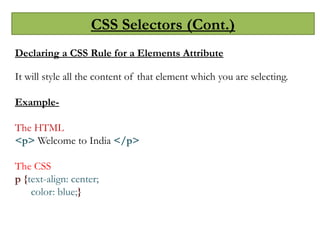
CSS Selectors (Cont.)
Declaringa CSS Rule for a Elements Attribute
It will style all the content of that element which you are selecting.
Example-
The HTML
<p> Welcome to India </p>
The CSS
p {text-align: center;
color: blue;}
7.
CSS Selectors (Cont.)
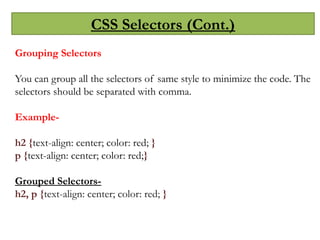
GroupingSelectors
You can group all the selectors of same style to minimize the code. The
selectors should be separated with comma.
Example-
h2 {text-align: center; color: red; }
p {text-align: center; color: red;}
Grouped Selectors-
h2, p {text-align: center; color: red; }
8.
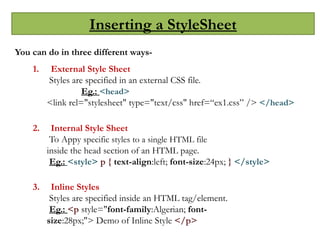
Inserting a StyleSheet
Youcan do in three different ways-
1. External Style Sheet
Styles are specified in an external CSS file.
Eg.: <head>
<link rel="stylesheet" type="text/css" href=“ex1.css” /> </head>
2. Internal Style Sheet
To Appy specific styles to a single HTML file
inside the head section of an HTML page.
Eg.: <style> p { text-align:left; font-size:24px; } </style>
3. Inline Styles
Styles are specified inside an HTML tag/element.
Eg.: <p style="font-family:Algerian; font-
size:28px;"> Demo of Inline Style </p>
9.
Color Properties
CSS color:
Used to set color of foreground.
The following properties can be used for color effects :
Color : red;
Color : pink;
Color : blue;
Color : green;
Color System :
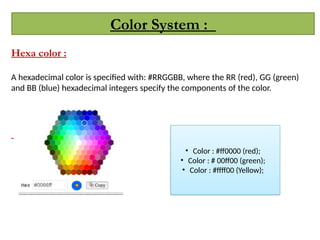
Hexacolor :
A hexadecimal color is specified with: #RRGGBB, where the RR (red), GG (green)
and BB (blue) hexadecimal integers specify the components of the color.
• Color : #ff0000 (red);
• Color : # 00ff00 (green);
• Color : #ffff00 (Yellow);
12.
Formatting with CSSProperties
CSS Background
We can use CSS Background properties to define
the background effects of an element.
The following properties can be used for background effects :
a. background-color
b. background-image
c. background-repeat
d. background-position
13.
Formatting with CSSProperties
CSS Background Position
If the background image disturbs the text, i.e. if the text cannot be
read clearly due to
the image in the background, we can set the
position of the background image.
Example-
body {
background-image:url(“snapdeal.jpg");
background-repeat:no-repeat;
background-position:right top;
}
14.
Formatting with CSSProperties
Text Formatting
The following properties can be used for formatting text :
1. Text Color
2. Text Alignment
3. Text Decoration
4. Text Transformation
5. Text Indentation
15.
Formatting with CSSProperties
Text Alignment
We can either align the text to the left, right, center
or we can make it justified.
Example-
p { text-align: left;}
h1{text-align: center;}
Text Color
The color property is used to set the color of text.
Example-
body { color: blue;}
p1 {color: magenta;}
16.
Formatting with CSSProperties
Text Decoration
You can use text-decoration property to set or remove
decorations from text.
Example-
p {text-decoration: overline;}
p {text-decoration: line-through;}
p {text-decoration: underline;}
Text Transformation
You can use text-transform property to specify
uppercase and lowercase letters of any text.
Example-
h1 {text-transform: uppercase;}
h2 {text-transform: lowercase;}
17.
Formatting with CSSProperties
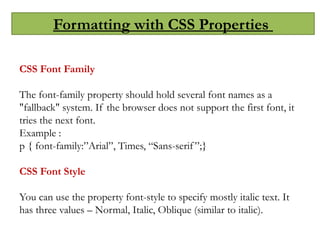
CSS Font Family
The font-family property should hold several font names as a
"fallback" system. If the browser does not support the first font, it
tries the next font.
Example :
p { font-family:”Arial”, Times, “Sans-serif”;}
CSS Font Style
You can use the property font-style to specify mostly italic text. It
has three values – Normal, Italic, Oblique (similar to italic).
18.
Formatting with CSSProperties
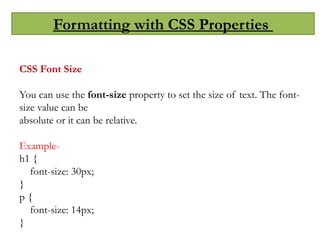
CSS Font Size
You can use the font-size property to set the size of text. The font-
size value can be
absolute or it can be relative.
Example-
h1 {
font-size: 30px;
}
p {
font-size: 14px;
}
19.
Formatting with CSSProperties
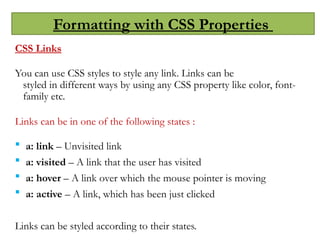
CSS Links
You can use CSS styles to style any link. Links can be
styled in different ways by using any CSS property like color, font-
family etc.
Links can be in one of the following states :
a: link – Unvisited link
a: visited – A link that the user has visited
a: hover – A link over which the mouse pointer is moving
a: active – A link, which has been just clicked
Links can be styled according to their states.
20.
Formatting with CSSProperties
CSS Links
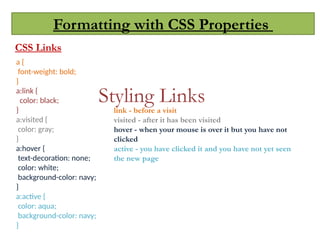
Styling Links
a {
font-weight: bold;
}
a:link {
color: black;
}
a:visited {
color: gray;
}
a:hover {
text-decoration: none;
color: white;
background-color: navy;
}
a:active {
color: aqua;
background-color: navy;
}
link - before a visit
visited - after it has been visited
hover - when your mouse is over it but you have not
clicked
active - you have clicked it and you have not yet seen
the new page
21.
Formatting with CSSProperties
CSS List
You can use CSS list properties for
Setting different list item markers for ordered lists
Setting different list item markers for unordered li
sts
Set an image as the list item marker
Values-
list-style-type
list-style-image
22.
Formatting with CSSProperties
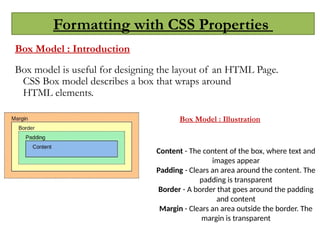
Box Model : Introduction
Box model is useful for designing the layout of an HTML Page.
CSS Box model describes a box that wraps around
HTML elements.
Content - The content of the box, where text and
images appear
Padding - Clears an area around the content. The
padding is transparent
Border - A border that goes around the padding
and content
Margin - Clears an area outside the border. The
margin is transparent
Box Model : Illustration
23.
Formatting with CSSProperties
CSS Padding
You can use the CSS padding properties to define the space between the element border
and the element content. It is possible to change the top, right, bottom and
left padding independently using separate properties.
Values:
padding-top: 20px;
padding-bottom: 30px;
padding-right: 25px;
padding-left: 10px;
In shorthand-
padding : 20px 30px 25px 10px;
24.
Formatting with CSSProperties
CSS Border
You can use the CSS Border properties to
specify the style and color of an element’s
border.
Values-
border-style
border-width
border-color
25.
Formatting with CSSProperties
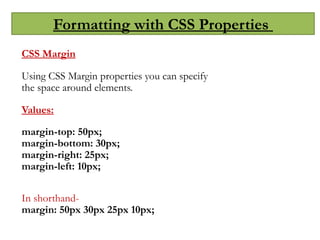
CSS Margin
Using CSS Margin properties you can specify
the space around elements.
Values:
margin-top: 50px;
margin-bottom: 30px;
margin-right: 25px;
margin-left: 10px;
In shorthand-
margin: 50px 30px 25px 10px;
26.
Formatting with CSSProperties
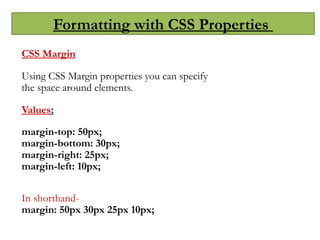
CSS Margin
Using CSS Margin properties you can specify
the space around elements.
Values:
margin-top: 50px;
margin-bottom: 30px;
margin-right: 25px;
margin-left: 10px;
In shorthand-
margin: 50px 30px 25px 10px;
27.
Formatting with CSSProperties
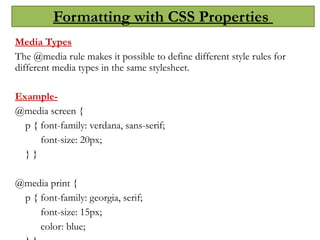
Media Types
The @media rule makes it possible to define different style rules for
different media types in the same stylesheet.
Example-
@media screen {
p { font-family: verdana, sans-serif;
font-size: 20px;
} }
@media print {
p { font-family: georgia, serif;
font-size: 15px;
color: blue;
28.
CSS3 Transforms
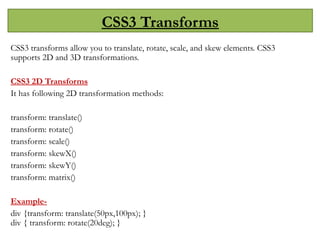
CSS3 transformsallow you to translate, rotate, scale, and skew elements. CSS3
supports 2D and 3D transformations.
CSS3 2D Transforms
It has following 2D transformation methods:
transform: translate()
transform: rotate()
transform: scale()
transform: skewX()
transform: skewY()
transform: matrix()
Example-
div {transform: translate(50px,100px); }
div { transform: rotate(20deg); }
29.
CSS3 Transforms
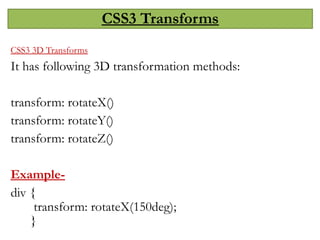
CSS3 3DTransforms
It has following 3D transformation methods:
transform: rotateX()
transform: rotateY()
transform: rotateZ()
Example-
div {
transform: rotateX(150deg);
}
30.
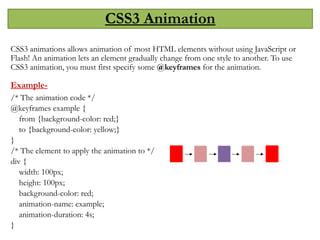
CSS3 Animation
CSS3 animationsallows animation of most HTML elements without using JavaScript or
Flash! An animation lets an element gradually change from one style to another. To use
CSS3 animation, you must first specify some @keyframes for the animation.
Example-
/* The animation code */
@keyframes example {
from {background-color: red;}
to {background-color: yellow;}
}
/* The element to apply the animation to */
div {
width: 100px;
height: 100px;
background-color: red;
animation-name: example;
animation-duration: 4s;
}
31.
Flex Box InCSS:
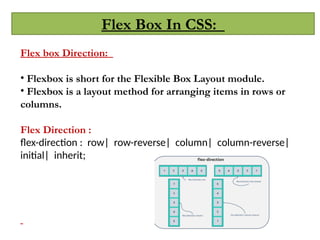
Flex box Direction:
• Flexbox is short for the Flexible Box Layout module.
• Flexbox is a layout method for arranging items in rows or
columns.
Flex Direction :
flex-direction : row| row-reverse| column| column-reverse|
initial| inherit;
32.
Flex Box InCSS:
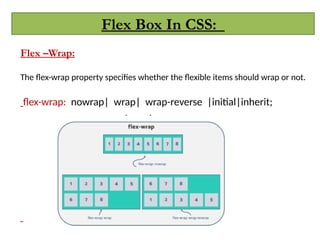
Flex –Wrap:
The flex-wrap property specifies whether the flexible items should wrap or not.
flex-wrap: nowrap| wrap| wrap-reverse |initial|inherit;
#3 A CSS declaration must always end with semi colon.
There can be multiple declarations represented by multiple property value pairs.
You can also have declarations on separate lines for easy readability like –
P {
font-family:Arial;
}
4. CSS is a Case-Senstive.
#27 Note: ::selection always starts with double colons (::).
#30 Note: This example does not work in Internet Explorer 9 and earlier versions.
When an animation is finished, it changes back to its original style.
There are many properties like – animation-delay, animation-duration, animation-direction, animation-iteration-count, etc.