Cross-­‐browser

              tes*ng     in	
  the


                     real	
  world
Mar*n	
  Kleppmann              rapportive
http://www.flickr.com/photos/stuart_spivack/2322070560/
Cross-­‐browser

              tes*ng     in	
  the


                     real	
  world
Mar*n	
  Kleppmann              rapportive
Cross-­‐browser
                                     urgh

              tes*ng     in	
  the


                     real	
  world
Mar*n	
  Kleppmann              rapportive
Cross-­‐browser

              tes*ng     in	
  the


                     real	
  world
Mar*n	
  Kleppmann              rapportive
Cross-­‐browser

              tes*ng     in	
  the
     mess
         y
                     real	
  world
Mar*n	
  Kleppmann              rapportive
Cross-­‐browser

              tes*ng     in	
  the


                     real	
  world
Mar*n	
  Kleppmann              rapportive
Cross-­‐browser                 t?
                                a ?
                              h
                             w ow
                              h
              tes*ng     in	
  the


                     real	
  world
Mar*n	
  Kleppmann              rapportive
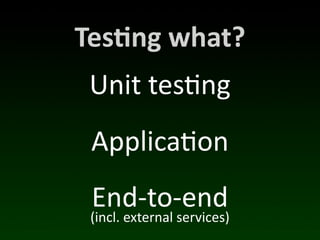
Tes*ng	
  what?
Tes*ng	
  what?
 Unit	
  tes(ng
 Applica(on
 End-­‐to-­‐end
 (incl.	
  external	
  services)

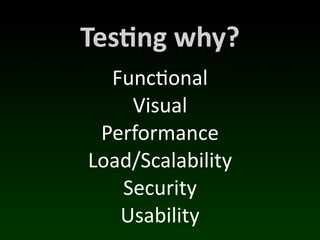
Tes*ng	
  why?
Tes*ng	
  why?
  Func(onal
    Visual
 Performance
Load/Scalability
   Security
   Usability
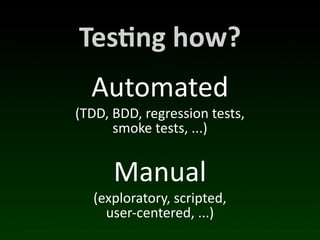
Tes*ng	
  how?
Tes*ng	
  how?
   Automated
(TDD,	
  BDD,	
  regression	
  tests,
         smoke	
  tests,	
  ...)


        Manual
   (exploratory,	
  scripted,
     user-­‐centered,	
  ...)
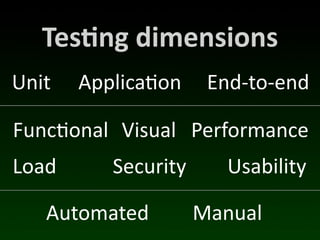
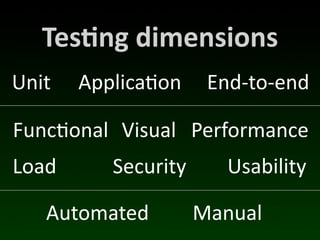
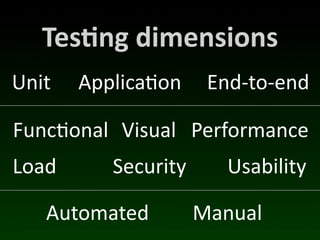
Tes*ng	
  dimensions
Unit   Applica(on     End-­‐to-­‐end

Func(onal Visual Performance
Load      Security      Usability

   Automated         Manual
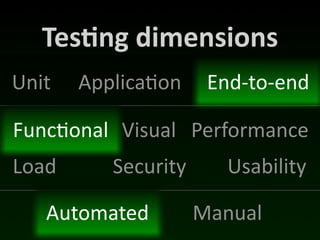
Tes*ng	
  dimensions
Unit   Applica(on     End-­‐to-­‐end

Func(onal Visual Performance
Load      Security      Usability

   Automated         Manual
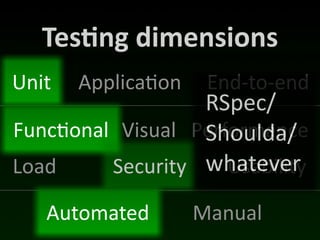
Tes*ng	
  dimensions
Unit   Applica(on    End-­‐to-­‐end
                  RSpec/
Func(onal Visual Performance
                  Shoulda/
Load     Security whatever
                     Usability

   Automated        Manual
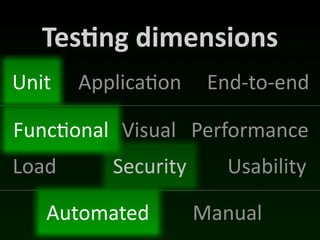
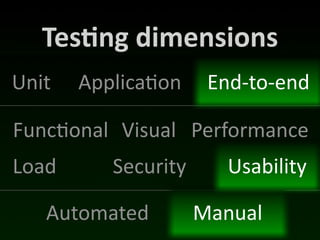
Tes*ng	
  dimensions
Unit   Applica(on     End-­‐to-­‐end

Func(onal Visual Performance
Load      Security      Usability

   Automated         Manual
Tes*ng	
  dimensions
Unit   Applica(on     End-­‐to-­‐end

Func(onal Visual Performance
Load      Security      Usability

   Automated         Manual
(Side-­‐note)
                     	
  wri te
              a n    ’t
    Yo u 	
  c           cs
              R S   p  e
                         b i li ty
               r	
  u s a
        fo
Tes*ng	
  dimensions
Unit   Applica(on     End-­‐to-­‐end

Func(onal Visual Performance
Load      Security      Usability

   Automated         Manual
Tes*ng	
  dimensions
Unit   Applica(on     End-­‐to-­‐end

Func(onal Visual Performance
Load      Security      Usability

   Automated         Manual
Me
http://www.flickr.com/photos/71263221@N00/4230334515/
P.S.	
  We’re	
  hiring!
http://www.flickr.com/photos/snake-eyes/410092369/
Anyway.
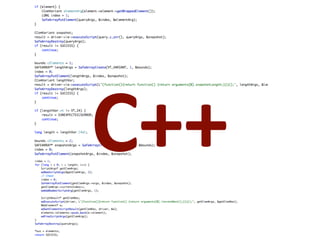
C++
C++
C++


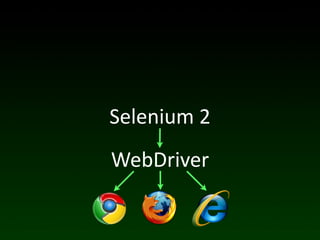
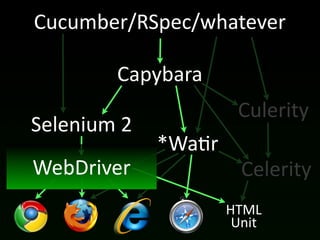
WebDriver
WebDriver
   C++
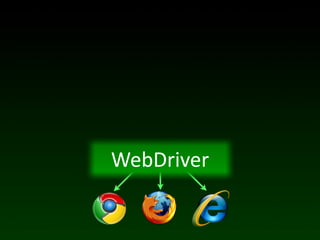
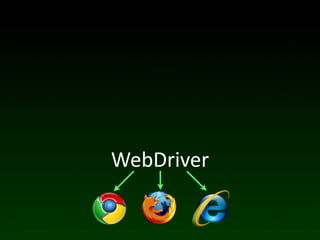
WebDriver
WebDriver
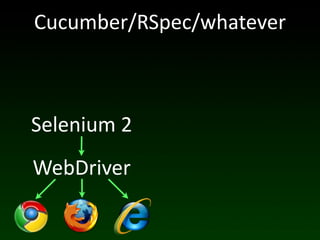
Selenium	
  2
WebDriver
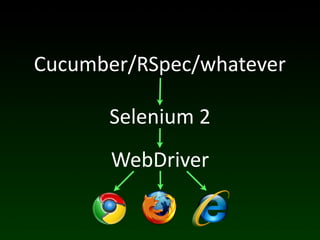
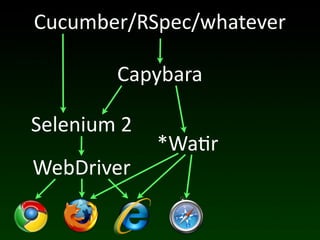
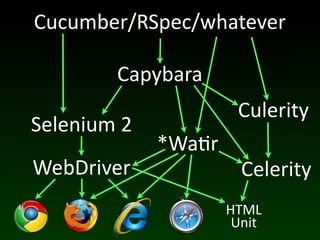
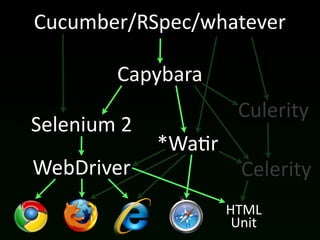
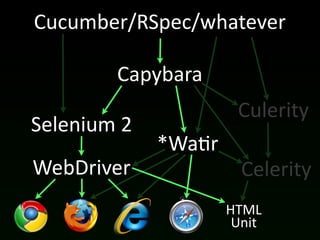
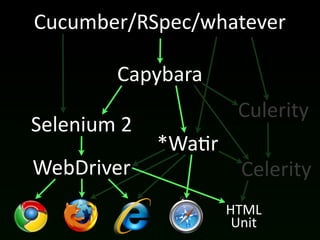
Cucumber/RSpec/whatever

      Selenium	
  2
       WebDriver
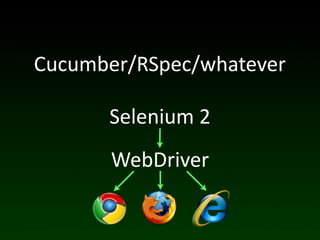
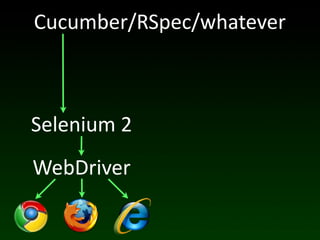
Cucumber/RSpec/whatever

      Selenium	
  2
       WebDriver
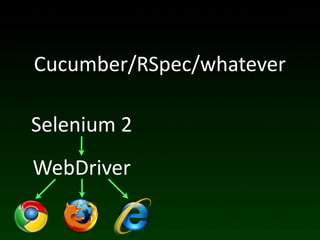
Cucumber/RSpec/whatever

Selenium	
  2
WebDriver
Cucumber/RSpec/whatever


Selenium	
  2
WebDriver
Cucumber/RSpec/whatever


Selenium	
  2
WebDriver
Cucumber/RSpec/whatever

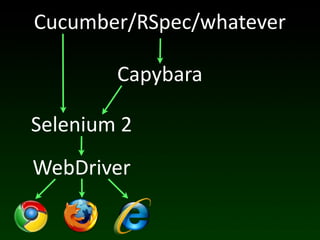
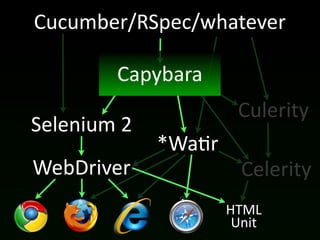
           Capybara

Selenium	
  2
WebDriver
Cucumber/RSpec/whatever

           Capybara

Selenium	
  2
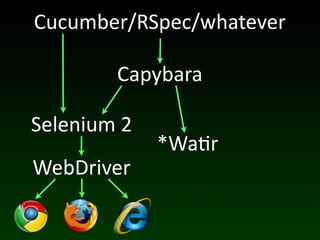
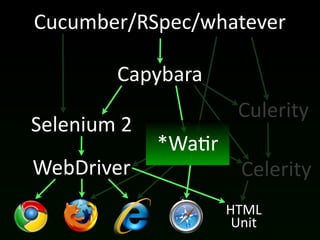
                *Wa(r
WebDriver
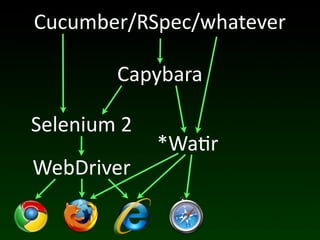
Cucumber/RSpec/whatever

           Capybara

Selenium	
  2
                *Wa(r
WebDriver
Cucumber/RSpec/whatever

           Capybara

Selenium	
  2
                *Wa(r
WebDriver
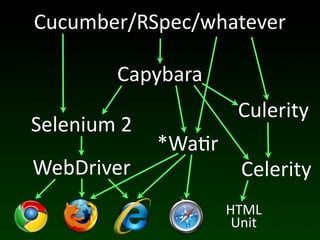
Cucumber/RSpec/whatever

           Capybara
                         Culerity
Selenium	
  2
                *Wa(r
WebDriver                 Celerity
                        HTML
                         Unit
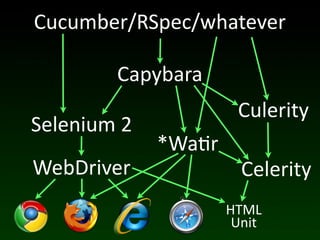
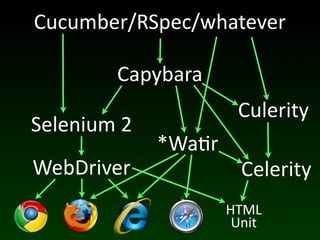
Cucumber/RSpec/whatever

           Capybara
                         Culerity
Selenium	
  2
                *Wa(r
WebDriver                 Celerity
                        HTML
                         Unit
Cucumber/RSpec/whatever

           Capybara
                       Culerity
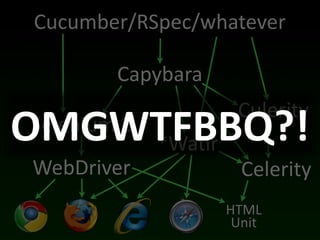
OMGWTFBBQ?!
Selenium	
  2
    *Wa(r
WebDriver               Celerity
                      HTML
                       Unit
Cucumber/RSpec/whatever

           Capybara
                         Culerity
Selenium	
  2
                *Wa(r
WebDriver                 Celerity
                        HTML
                         Unit
Cucumber/RSpec/whatever

           Capybara
                         Culerity
Selenium	
  2
                *Wa(r
WebDriver                 Celerity
                        HTML
                         Unit
http://www.flickr.com/photos/snake-eyes/449442699/
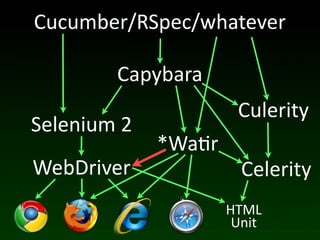
Cucumber/RSpec/whatever

           Capybara
                         Culerity
Selenium	
  2
                *Wa(r
WebDriver                 Celerity
                        HTML
                         Unit
Cucumber/RSpec/whatever

           Capybara
                         Culerity
Selenium	
  2
                *Wa(r
WebDriver                 Celerity
                        HTML
                         Unit
Cucumber/RSpec/whatever

           Capybara
                         Culerity
Selenium	
  2
                *Wa(r
WebDriver                 Celerity
                        HTML
                         Unit
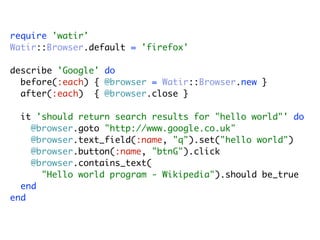
require 'watir'
Watir::Browser.default = 'firefox'

describe 'Google' do
  before(:each) { @browser = Watir::Browser.new }
  after(:each) { @browser.close }

  it 'should return search results for "hello world"' do
    @browser.goto "http://www.google.co.uk"
    @browser.text_field(:name, "q").set("hello world")
    @browser.button(:name, "btnG").click
    @browser.contains_text(
      "Hello world program - Wikipedia").should be_true
  end
end
Cucumber/RSpec/whatever

           Capybara
                         Culerity
Selenium	
  2
                *Wa(r
WebDriver                 Celerity
                        HTML
                         Unit
Cucumber/RSpec/whatever

           Capybara
                         Culerity
Selenium	
  2
                *Wa(r
WebDriver                 Celerity
                        HTML
                         Unit
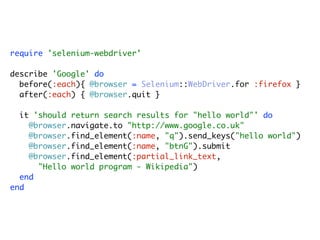
require 'selenium-webdriver'

describe 'Google' do
  before(:each){ @browser = Selenium::WebDriver.for :firefox }
  after(:each) { @browser.quit }

  it 'should return search results for "hello world"' do
    @browser.navigate.to "http://www.google.co.uk"
    @browser.find_element(:name, "q").send_keys("hello world")
    @browser.find_element(:name, "btnG").submit
    @browser.find_element(:partial_link_text,
      "Hello world program - Wikipedia")
  end
end
Cucumber/RSpec/whatever

           Capybara
                         Culerity
Selenium	
  2
                *Wa(r
WebDriver                 Celerity
                        HTML
                         Unit
Cucumber/RSpec/whatever

           Capybara
                         Culerity
Selenium	
  2
                *Wa(r
WebDriver                 Celerity
                        HTML
                         Unit
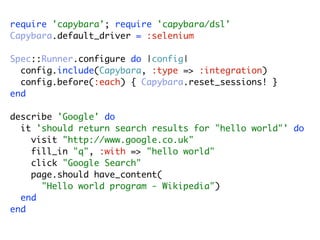
require 'capybara'; require 'capybara/dsl'
Capybara.default_driver = :selenium

Spec::Runner.configure do |config|
  config.include(Capybara, :type => :integration)
  config.before(:each) { Capybara.reset_sessions! }
end

describe 'Google' do
  it 'should return search results for "hello world"' do
    visit "http://www.google.co.uk"
    fill_in "q", :with => "hello world"
    click "Google Search"
    page.should have_content(
      "Hello world program - Wikipedia")
  end
end
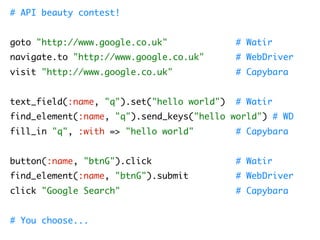
# API beauty contest!


goto "http://www.google.co.uk"              # Watir
navigate.to "http://www.google.co.uk"       # WebDriver
visit "http://www.google.co.uk"             # Capybara


text_field(:name, "q").set("hello world")   # Watir
find_element(:name, "q").send_keys("hello world") # WD
fill_in "q", :with => "hello world"         # Capybara


button(:name, "btnG").click                 # Watir
find_element(:name, "btnG").submit          # WebDriver
click "Google Search"                       # Capybara


# You choose...
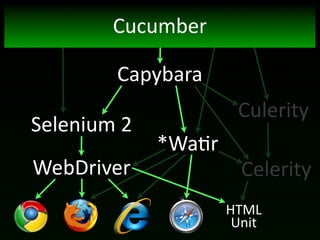
Cucumber

           Capybara
                         Culerity
Selenium	
  2
                *Wa(r
WebDriver                 Celerity
                        HTML
                         Unit
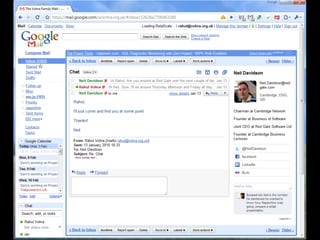
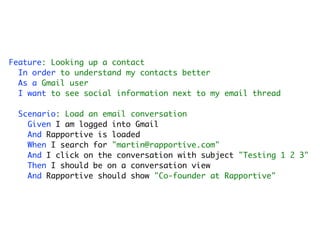
Feature: Looking up a contact
  In order to understand my contacts better
  As a Gmail user
  I want to see social information next to my email thread

 Scenario: Load an email conversation
   Given I am logged into Gmail
   And Rapportive is loaded
   When I search for "martin@rapportive.com"
   And I click on the conversation with subject "Testing 1 2 3"
   Then I should be on a conversation view
   And Rapportive should show "Co-founder at Rapportive"
Given /^I am logged into Gmail$/ do
  visit 'https://mail.google.com/a/rapportive.com'
  fill_in 'Email', :with => 'test'
  fill_in 'Passwd', :with => GMAIL_TEST_ACCOUNT_PASSWORD
  click 'Sign in'
end


Then /^Rapportive should show "([^"]*)"$/ do |text_to_show|
  page.within_frame('canvas_frame') do
    page.within(:css, '#rapportive-sidebar') do
      page.should have_content(text_to_show)
    end
  end
end
Ok.
FEI
    (Frequently	
  
Encountered	
  Issues)
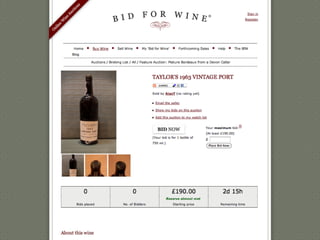
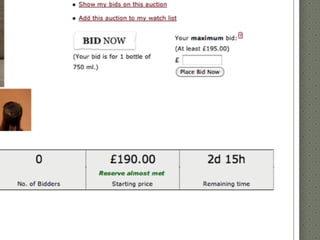
10.	
  Time	
  dependence
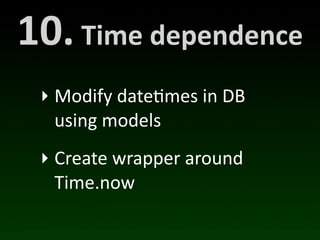
10.	
  Time	
  dependence
  ‣ Modify	
  date(mes	
  in	
  DB	
  
    using	
  models
  ‣ Create	
  wrapper	
  around	
  
    Time.now
9.	
  Real-­‐*me	
  comms
8.	
  Managing	
  test	
  VMs
8.	
  Managing	
  test	
  VMs
  ‣ Very	
  tedious	
  (updates	
  etc.)
  ‣ Test	
  management	
  
    infrastructure
  ‣ Commercial	
  services	
  (e.g.	
  
    Sauce	
  Labs,	
  BrowserMob)
7.	
  Random	
  DOM	
  IDs
7.	
  Random	
  DOM	
  IDs
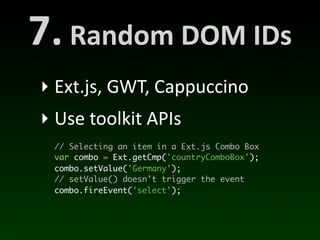
 ‣ Ext.js,	
  GWT,	
  Cappuccino
 ‣ Use	
  toolkit	
  APIs
   // Selecting an item in a Ext.js Combo Box
   var combo = Ext.getCmp('countryComboBox');
   combo.setValue('Germany');
   // setValue() doesn't trigger the event
   combo.fireEvent('select');
6.	
  Tes*ng	
  layout
6.	
  Tes*ng	
  layout
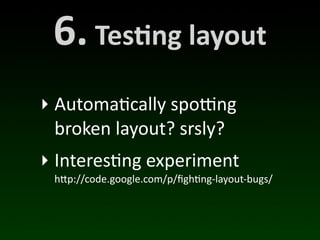
‣ Automa(cally	
  spoWng	
  
  broken	
  layout?	
  srsly?
‣ Interes(ng	
  experiment
  h"p://code.google.com/p/figh/ng-­‐layout-­‐bugs/
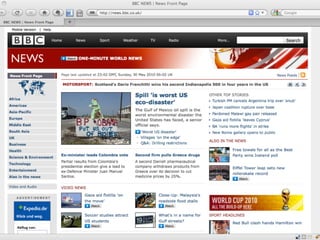
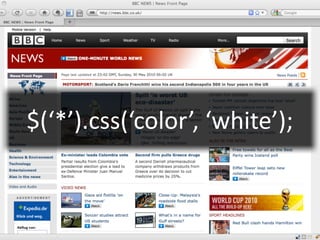
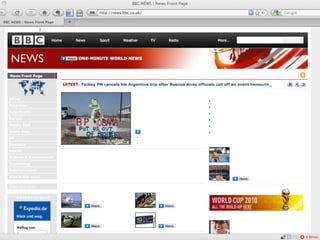
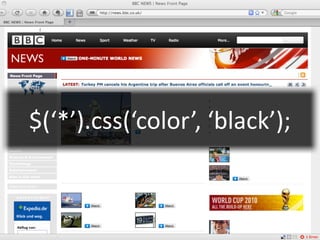
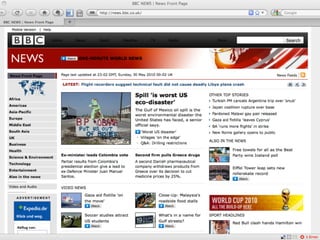
$(‘*’).css(‘color’,	
  ‘white’);
$(‘*’).css(‘color’,	
  ‘black’);
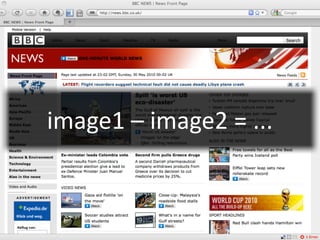
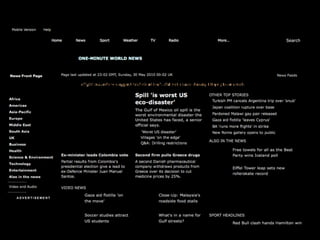
image1	
  –	
  image2	
  =	
  ...
5.	
  Unit	
  tes*ng	
  JS
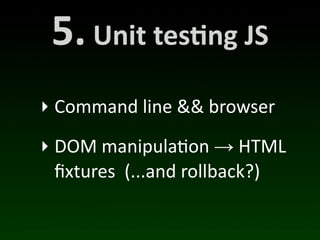
5.	
  Unit	
  tes*ng	
  JS
‣ Command	
  line	
  &&	
  browser
‣ DOM	
  manipula(on	
  →	
  HTML	
  
  fixtures	
  	
  (...and	
  rollback?)
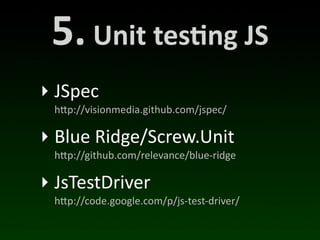
5.	
  Unit	
  tes*ng	
  JS
‣ JSpec
 h"p://visionmedia.github.com/jspec/

‣ Blue	
  Ridge/Screw.Unit
 h"p://github.com/relevance/blue-­‐ridge

‣ JsTestDriver
 h"p://code.google.com/p/js-­‐test-­‐driver/
4.	
  Model	
  layer	
  access
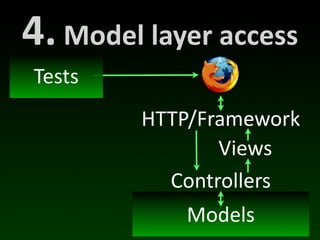
4.	
  Model	
  layer	
  access
 Tests
            HTTP/Framework
                   Views
              Controllers
                 Models
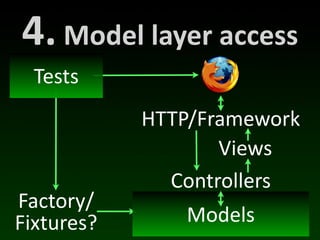
4.	
  Model	
  layer	
  access
  Tests
            HTTP/Framework
                   Views
              Controllers
Factory/
Fixtures?        Models
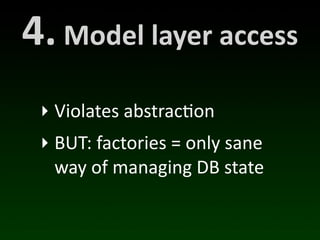
4.	
  Model	
  layer	
  access
  ‣ Violates	
  abstrac(on
  ‣ BUT:	
  factories	
  =	
  only	
  sane	
  
    way	
  of	
  managing	
  DB	
  state
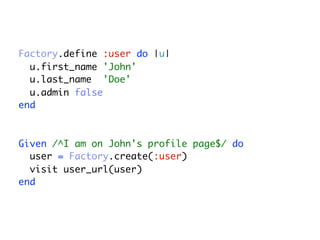
Factory.define :user do |u|
  u.first_name 'John'
  u.last_name 'Doe'
  u.admin false
end


Given /^I am on John's profile page$/ do
  user = Factory.create(:user)
  visit user_url(user)
end
3.	
  Star*ng	
  state
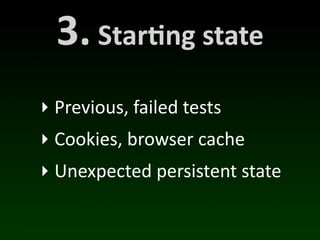
3.	
  Star*ng	
  state
‣ Previous,	
  failed	
  tests
‣ Cookies,	
  browser	
  cache
‣ Unexpected	
  persistent	
  state
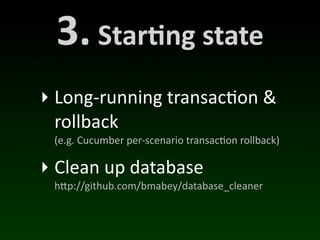
3.	
  Star*ng	
  state
‣ Long-­‐running	
  transac(on	
  &	
  
  rollback
  (e.g.	
  Cucumber	
  per-­‐scenario	
  transac/on	
  rollback)

‣ Clean	
  up	
  database
  h"p://github.com/bmabey/database_cleaner
2.	
  Parallel	
  test	
  runs
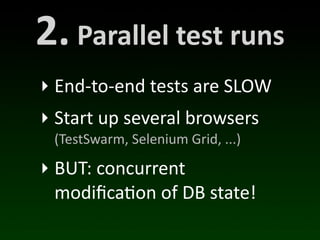
2.	
  Parallel	
  test	
  runs
‣ End-­‐to-­‐end	
  tests	
  are	
  SLOW
‣ Start	
  up	
  several	
  browsers
  (TestSwarm,	
  Selenium	
  Grid,	
  ...)

‣ BUT:	
  concurrent	
  
  modifica(on	
  of	
  DB	
  state!
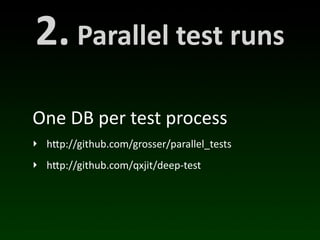
2.	
  Parallel	
  test	
  runs
One	
  DB	
  per	
  test	
  process
‣ h"p://github.com/grosser/parallel_tests
‣ h"p://github.com/qxjit/deep-­‐test
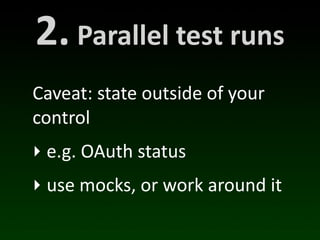
2.	
  Parallel	
  test	
  runs
Caveat:	
  state	
  outside	
  of	
  your	
  
control
‣ e.g.	
  OAuth	
  status
‣ use	
  mocks,	
  or	
  work	
  around	
  it
1.
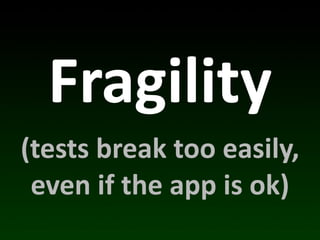
Fragility
Fragility
(tests	
  break	
  too	
  easily,	
  
 even	
  if	
  the	
  app	
  is	
  ok)
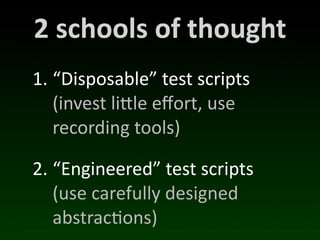
2	
  schools	
  of	
  thought
1. “Disposable”	
  test	
  scripts
   (invest	
  licle	
  effort,	
  use	
  
   recording	
  tools)

2. “Engineered”	
  test	
  scripts
   (use	
  carefully	
  designed	
  
   abstrac(ons)
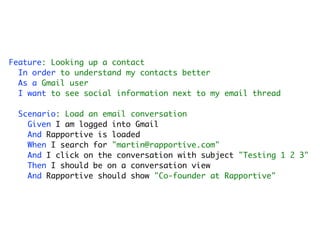
Feature: Looking up a contact
  In order to understand my contacts better
  As a Gmail user
  I want to see social information next to my email thread

 Scenario: Load an email conversation
   Given I am logged into Gmail
   And Rapportive is loaded
   When I search for "martin@rapportive.com"
   And I click on the conversation with subject "Testing 1 2 3"
   Then I should be on a conversation view
   And Rapportive should show "Co-founder at Rapportive"
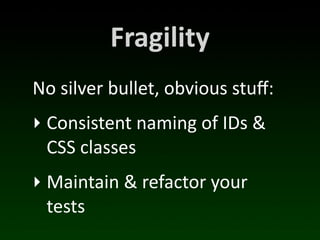
Fragility
No	
  silver	
  bullet,	
  obvious	
  stuff:
‣ Consistent	
  naming	
  of	
  IDs	
  &	
  
  CSS	
  classes
‣ Maintain	
  &	
  refactor	
  your	
  
  tests
kthxbai


Mar*n	
  Kleppmann
mar*n@rappor*ve.com
@mar*nkl              rapportive

Cross-browser testing in the real world