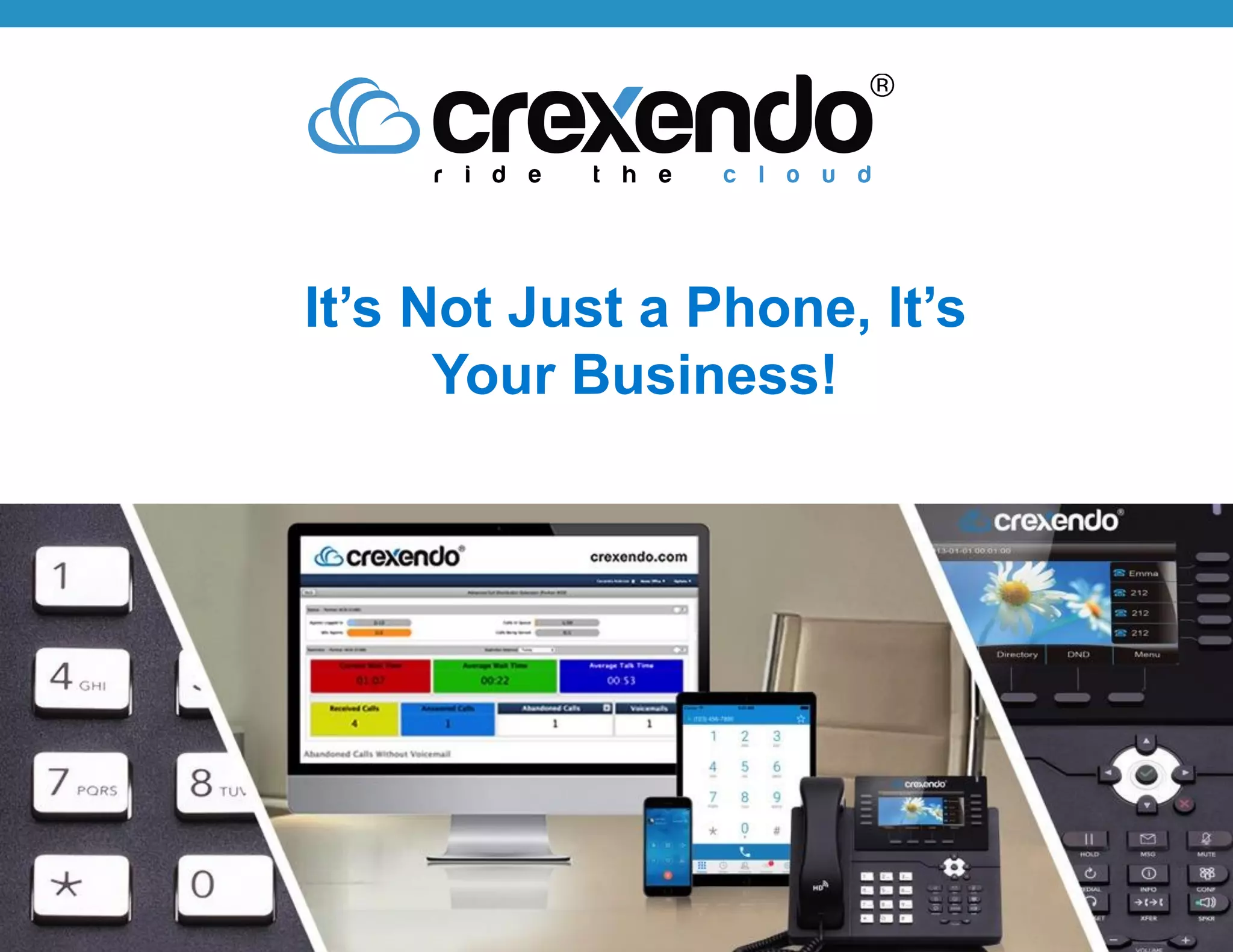
It’s Not Just a Phone, It’s
Your Business!
Life Is Better In The Cloud
Everything You Need | Affordable Monthly Price
The Right Features
Standard: (transfer, forward, intercom, paging, etc.)
Advanced: (find/follow me, ring groups, etc.)
System: (auto attendant, voicemail, conferencing, etc.)
Powerful Call Center Software
Supervisor Controls (barge/monitor/whisper, etc.)
Agent Controls (login, monitoring, etc.)
Hunt Groups, Queues & ACD
Call Status, Real Time Dashboard, Recording, Reporting
State of the Art Phones & Apps
Multiple Phone Options (displays, buttons, etc.)
Desktop Applications (users, receptionists, agents, etc.)
Mobility (phone & tablet apps, wireless phones, etc.)
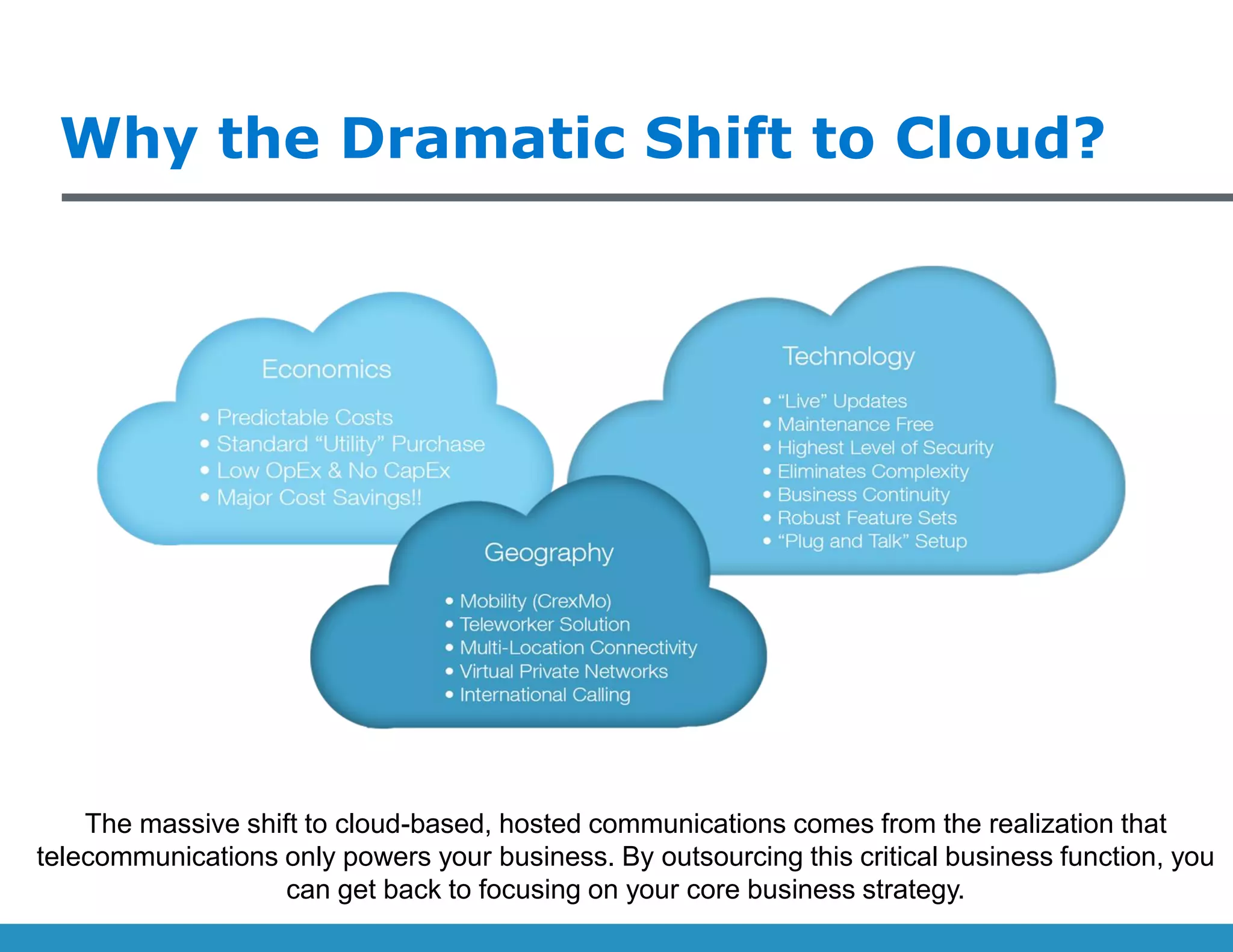
Why the Dramatic Shift to Cloud?
The massive shift to cloud-based, hosted communications comes from the realization that
telecommunications only powers your business. By outsourcing this critical business function, you
can get back to focusing on your core business strategy.
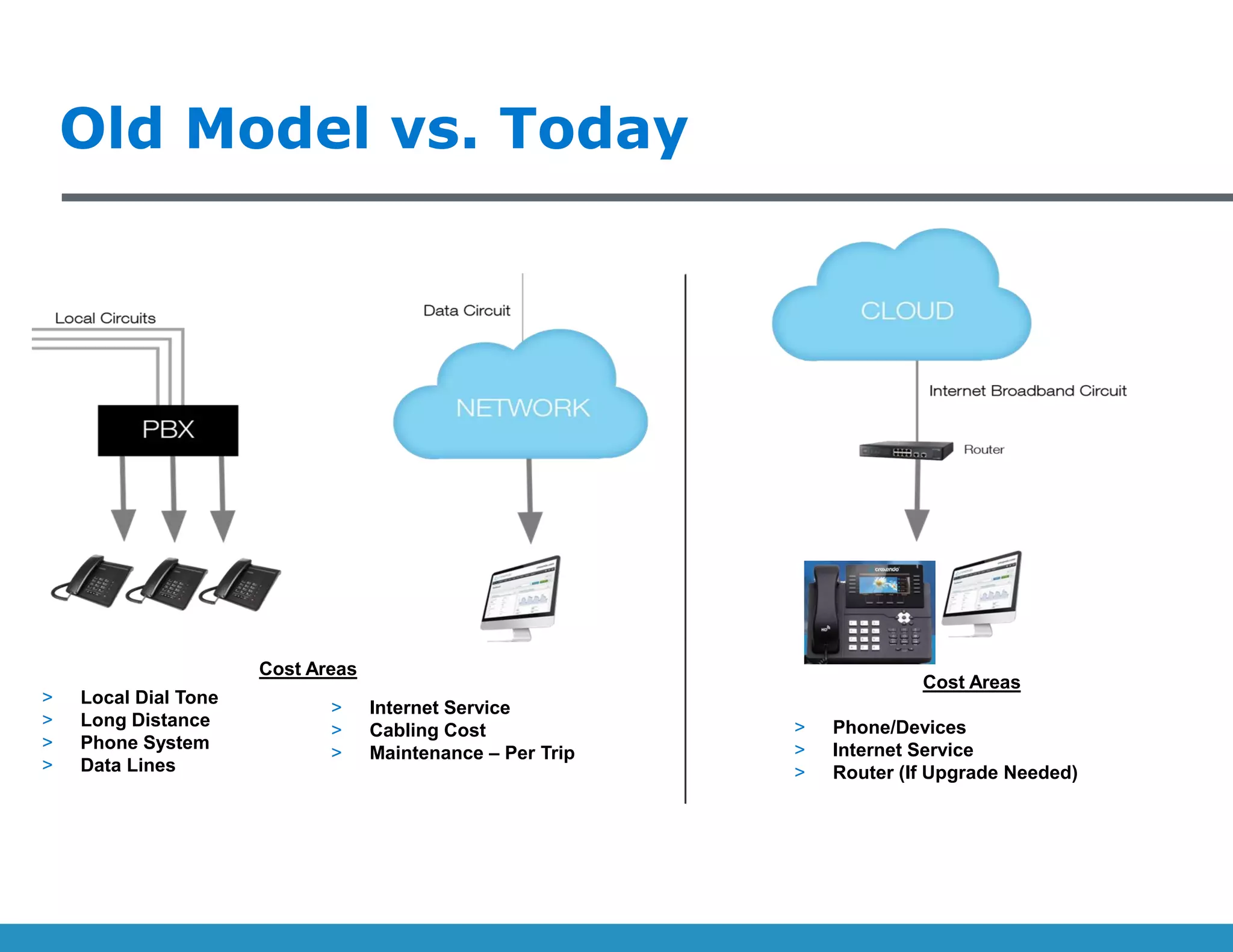
> Local Dial Tone
> Long Distance
> Phone System
> Data Lines
> Internet Service
> Cabling Cost
> Maintenance – Per Trip
Cost Areas
> Phone/Devices
> Internet Service
> Router (If Upgrade Needed)
Old Model vs. Today
Cost Areas
(4 years running)
Demonstrating Success
Crexendo Phones
Crexendo T-48G SIP Phone
7” Color Touch Screen (800 x 480 pixels)
29 Customizable Feature Buttons
Full HD Audio; Integrated Headset Support
Advanced Echo Cancellation
Gigabit Ethernet PC Port
Crexendo CX430
4.3” Color Display with Backlight (480 x 272 pixels)
31 Customizable Feature Buttons
9 Dedicated Features Buttons; 4 Context-Sensitive Buttons
Full HD Audio; Integrated Headset Support
Gigabit Ethernet PC Port
Crexendo CX350
3.5” Color Display with Backlight (480 x 320 pixels)
21 Customizable Feature Buttons
9 Dedicated Features Buttons; 4 Context-Sensitive Buttons
Full HD Audio; Integrated Headset Support
Gigabit Ethernet PC Port
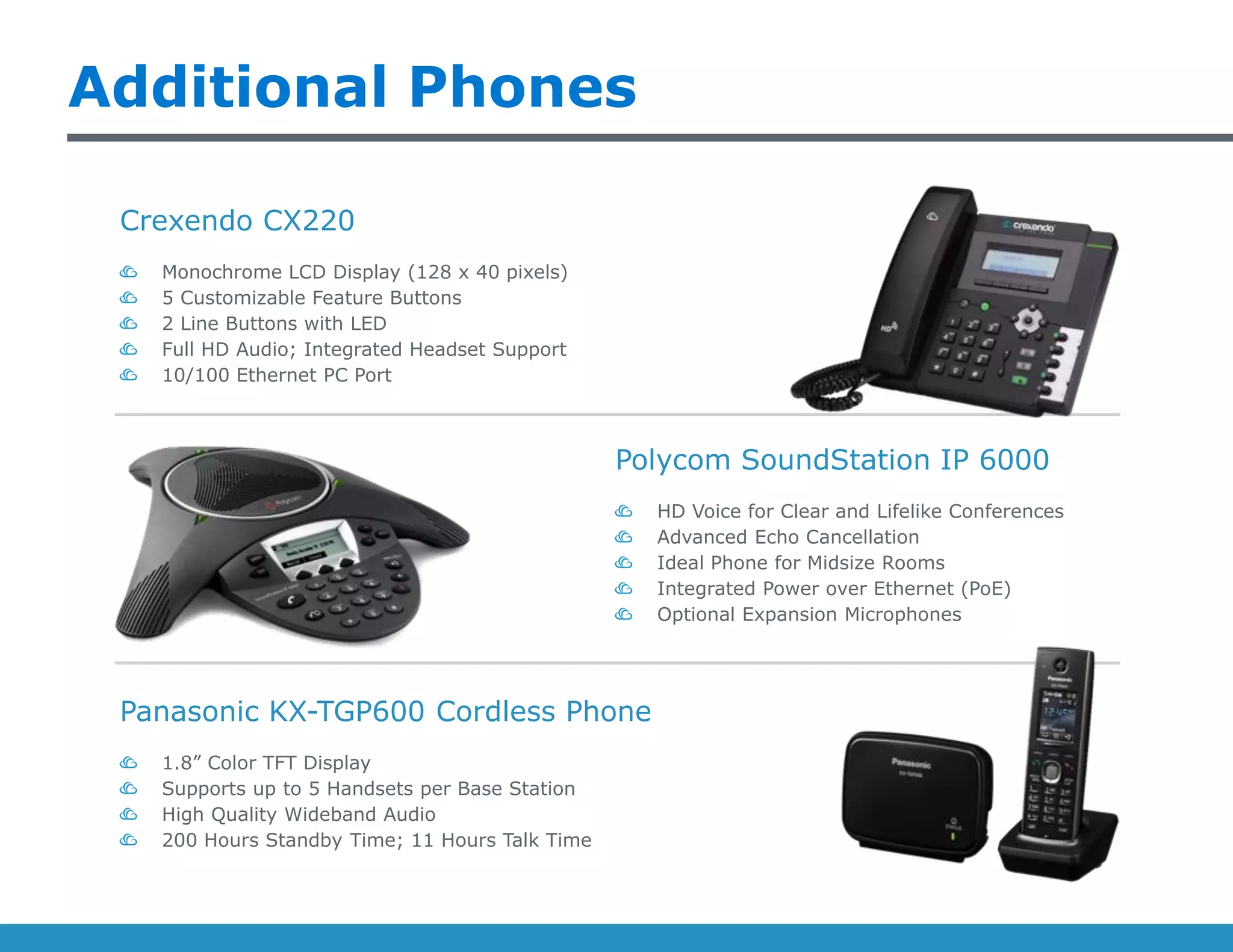
Additional Phones
Polycom SoundStation IP 6000
HD Voice for Clear and Lifelike Conferences
Advanced Echo Cancellation
Ideal Phone for Midsize Rooms
Integrated Power over Ethernet (PoE)
Optional Expansion Microphones
Crexendo CX220
Monochrome LCD Display (128 x 40 pixels)
5 Customizable Feature Buttons
2 Line Buttons with LED
Full HD Audio; Integrated Headset Support
10/100 Ethernet PC Port
Panasonic KX-TGP600 Cordless Phone
1.8” Color TFT Display
Supports up to 5 Handsets per Base Station
High Quality Wideband Audio
200 Hours Standby Time; 11 Hours Talk Time
Standard Phone Features
Call Hold & Mute
Do Not Disturb
One-Touch Speed Dial
Call Forward
Call Transfer
Call Waiting
Call Park, Call Pickup
Redial, Call Return
Auto Answer
Caller-ID with Name & Number
Call History
3-way Conferencing
Group Listening
Emergency Calling
Anonymous Call Rejection
Menu Driven User Interface
Ring Tone
Selection/Provisioning
Set Date & Time Auto or
Manual
Action URL/URI
National Language Selection
XML Browser *
Software Features
Busy Lamp Field (BLF)
Message Waiting Indication
Intuitive User Interface with
Icons and Soft Buttons *
Screen Sleep *
Physical Features
Phonebook
Call History (dialed, received,
missed, forwarded)
Black List
XML/LDAP Remote Phonebook
Directory
Power over Ethernet (PoE)
Handset Port
Headset Port
Adjustable Desk Stand
Wall Mountable
Configuration (browser, LCD
menu, auto-provision)
Auto Provision via HTTP
Dual-port Gigabit Ethernet *
Interfaces
High Definition (HD) Handset
High Definition (HD) Speaker
Full-Duplex Hands-Free
Speakerphone w/AEC
Acoustic Echo Cancellation
(AEC)
Voice Activity Detection (VAD)
Acoustic Gain Control (AGC)
Comfort Noise Generation
(CNG)
G.711, G.722, iLBC
DTMF (In-band, RFC 2833, SIP
INFO)
Audio Features
Note: Feature list applies to Crexendo phones used with Crexendo phone services * Not available on CX220
System Features
Auto-Attendant (single, multiple, multi-level)
Corporate Directory (name or number)
Automatic Call Routing (find me/follow me, status-
based)
20-Party Meet Me Conferencing (unlimited rooms)
Forward (always, busy, no answer)
Transfer (blind, attended, direct to voicemail)
Unknown Caller Rejection
Call Park/Pickup
System Hold
Phone Book
Mute
Redial
Call Waiting
Music on Hold
Click to Call
Caller-ID
Do Not Disturb
3-Way Calling
Auto-Answer
Voicemail (for individuals & groups)
Unified Messaging (VM, transcription, recordings, fax)
Call Recording (manual & automatic)
Call History
Inbound (email or portal)
Rules-Based Routing
Outbound (email or
portal)
Send Status
Permissions
Access Codes
Company Directory
Paging
(phones/overhead)
Intercom
Hotline
Auto Pilot…
Manual Control…
At Your Desk…
History & Messages…
Reaching Coworkers…
Cloud Fax…
Administration Features
Cloud-Based System Administration
Quick Access to Frequently Used Features
Logical Grouping of Elements
Easy to Use Wizards
Roles-Based Permissions
Minimal Learning Curve
Consolidated View of All Devices
Detailed Status of Each Device
Easily Move Devices Across Locations
Upgrade, Configure, and Fix Remotely
Easy Point & Click Graphical Configuration
Users Can Assign Features to Buttons Themselves
Advanced Options – Codecs, Network Parameters, Etc.
Associate Extensions With Users & Direct Dial Numbers
Chain Extensions for Advanced Call Routing Needs
Company Directory
Forward Messages & Calls During Employee Absence
Upload or Live Record Any Prompts
Male/Female Voice for Text-To-Speech
Intuitive Scheduling for Applications
Day Mode, Night Mode, Holiday Schedule
Call Routing Based on Scheduling
Ease of Use…
Remote Device
Management…
Device Configuration…
Advanced Business
Applications…
Scheduling…
Custom Prompts/MOH…
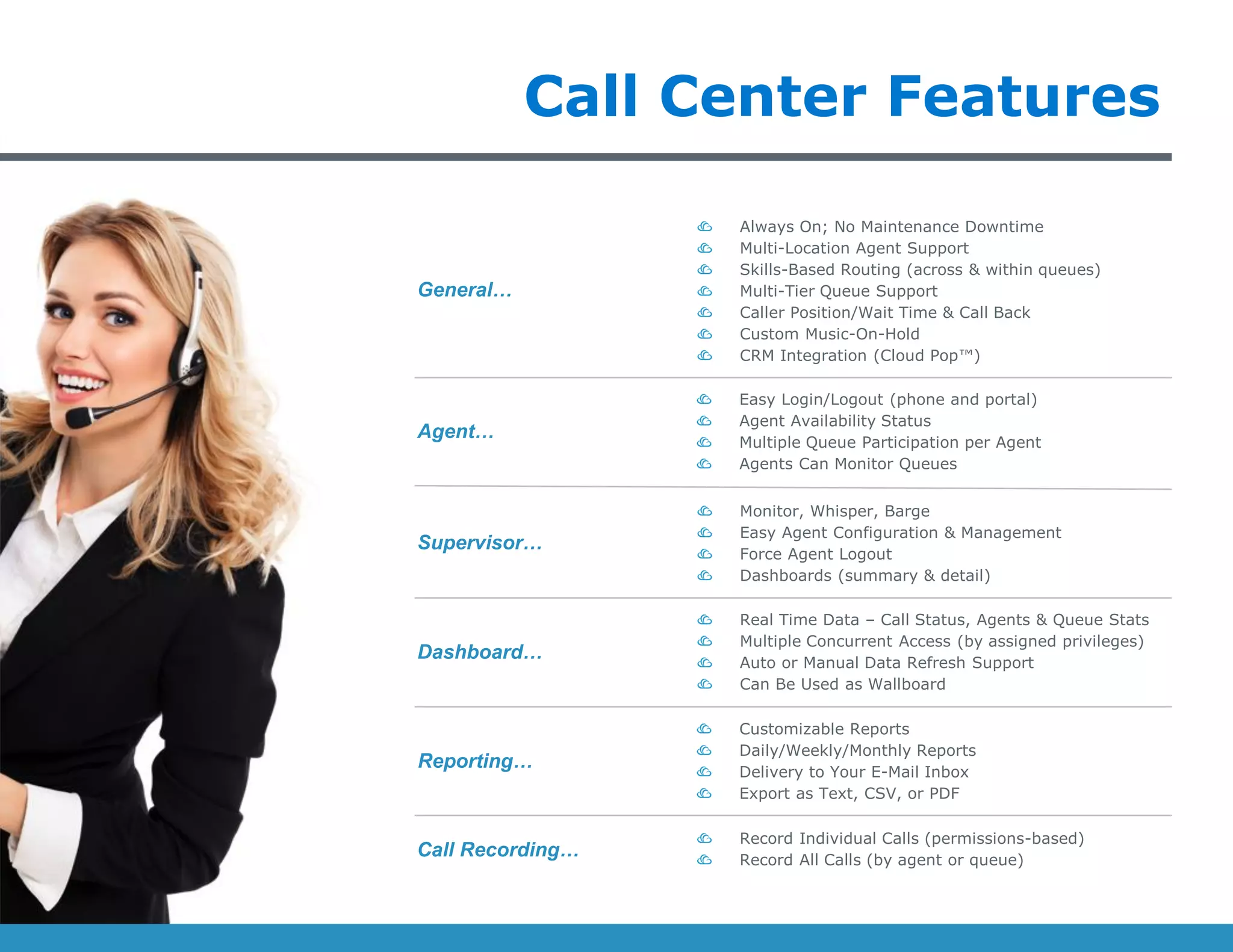
Call Center Features
Always On; No Maintenance Downtime
Multi-Location Agent Support
Skills-Based Routing (across & within queues)
Multi-Tier Queue Support
Caller Position/Wait Time & Call Back
Custom Music-On-Hold
CRM Integration (Cloud Pop™)
Easy Login/Logout (phone and portal)
Agent Availability Status
Multiple Queue Participation per Agent
Agents Can Monitor Queues
Monitor, Whisper, Barge
Easy Agent Configuration & Management
Force Agent Logout
Dashboards (summary & detail)
Real Time Data – Call Status, Agents & Queue Stats
Multiple Concurrent Access (by assigned privileges)
Auto or Manual Data Refresh Support
Can Be Used as Wallboard
Customizable Reports
Daily/Weekly/Monthly Reports
Delivery to Your E-Mail Inbox
Export as Text, CSV, or PDF
Record Individual Calls (permissions-based)
Record All Calls (by agent or queue)
General…
Agent…
Supervisor…
Dashboard…
Call Recording…
Reporting…
Management Essentials
Business Dashboard
Manage Key Metrics to Improve Customer
Satisfaction
Dashboard Comes Standard on All
Systems
Real-time Stats & Reports for Managers
and Employees
Scales Effortlessly as Your Teams Grow
Management Essentials
Administration Portal
Dashboards (voicemail, fax, ACD)
Visually Manage Phone Settings & Call
Routing
Manage Your Teams
Update Status, See Call Logs, and More
Management Essentials
Call Recording
Record Individuals and/or Groups
Record Call Center Queues
Flexible Storage Options
Permissions-Based
Efficiency At The Office
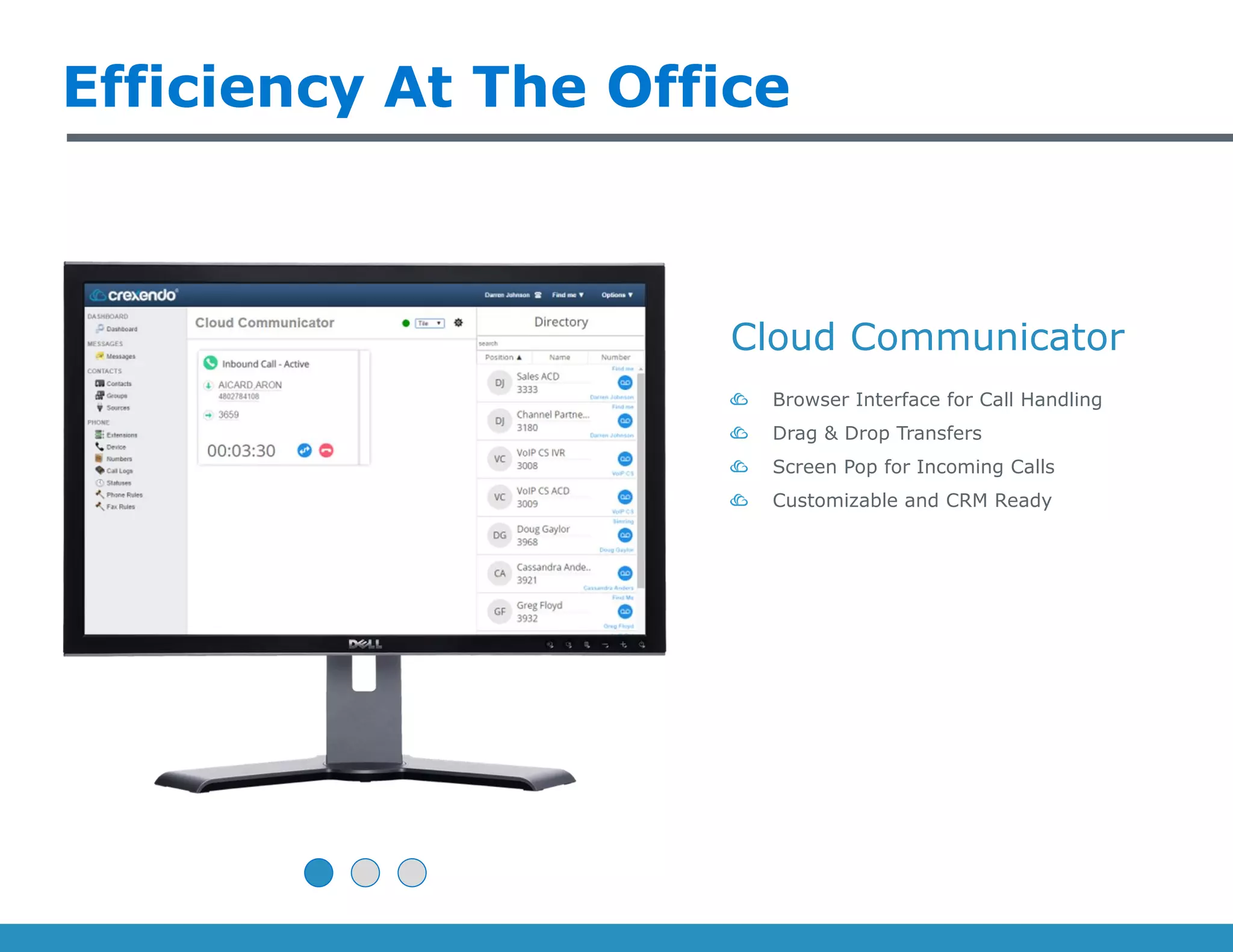
Cloud Communicator
Browser Interface for Call Handling
Drag & Drop Transfers
Screen Pop for Incoming Calls
Customizable and CRM Ready
Efficiency At The Office
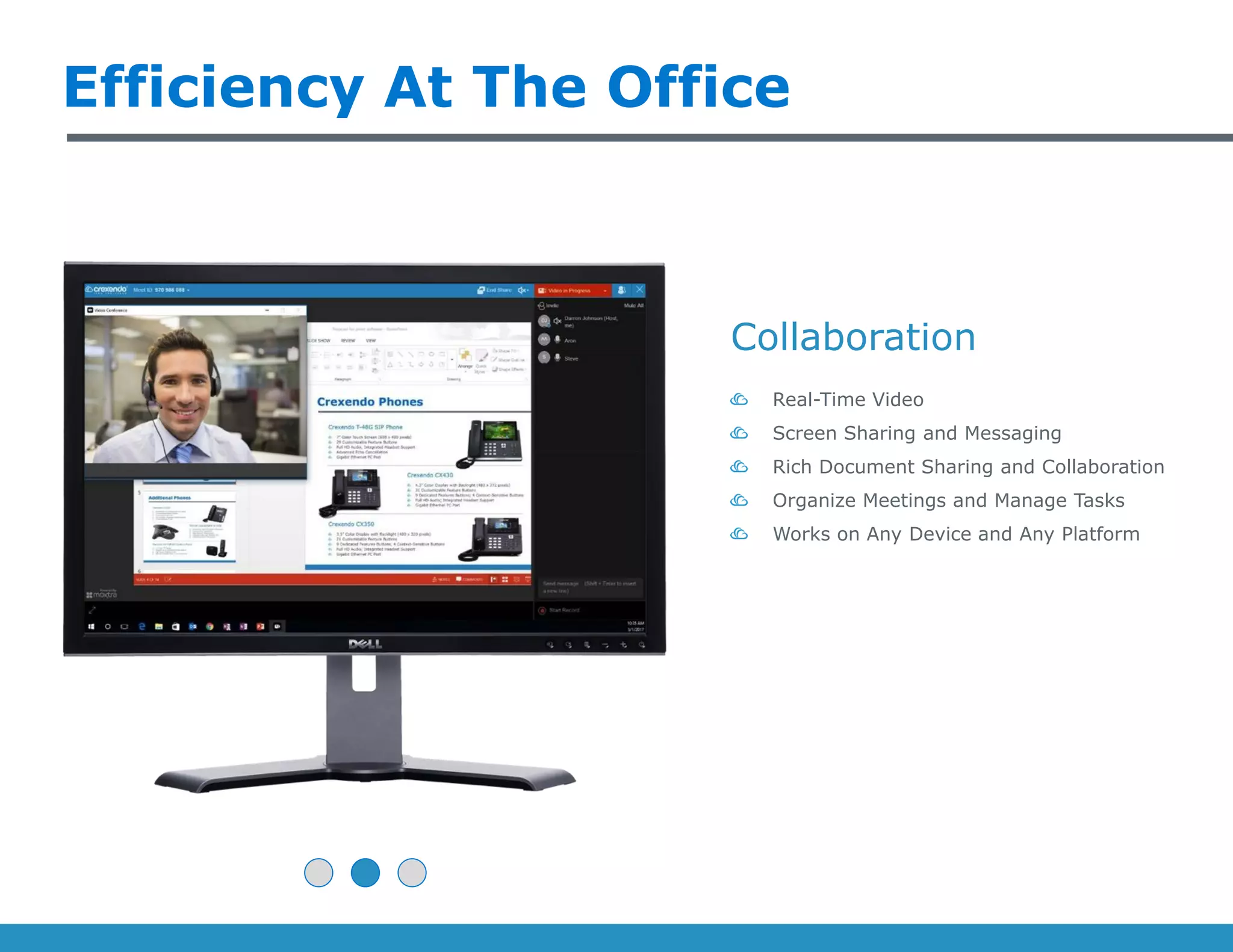
Collaboration
Real-Time Video
Screen Sharing and Messaging
Rich Document Sharing and Collaboration
Organize Meetings and Manage Tasks
Works on Any Device and Any Platform
Efficiency At The Office
Cloud Fax
Paperless Fax for Email, Mobile & Browser
Inbound & Outbound Faxing
(permissions-based)
Status Updates (queued, delivered,
errors)
Multiple File Types (pdf, tif, doc, xls, txt,
jpg)
On-The-Go Favorites
Unified Messaging
Voicemails Delivered to your Inbox
Listen to Messages Anywhere
Accessible From Any Location or Device
Perfect for Multi-Tasking and Time Saving
On-The-Go Favorites
Voicemail Transcription
Voicemails are Converted to Text
Delivered to Your Email Inbox
Accessible From Any Location or Device
Perfect for Multi-Tasking and Time Saving
On-The-Go Favorites
Mobile App
Seamlessly Move Calls Between Desk and
Mobile Phones
Mobile App Available for Advanced
Features
Free Calling Over 4G, LTE, WiFi
Advanced Call Routing &
FindMe/FollowMe Control
Twinning
• Seamlessly and Transparently Move Calls
From Desk Phone to Mobile Device and Back!
Twinning
Crexendo’s Carrier Grade Data Center
• Fully Redundant
• Highest security levels
• Highest Levels of continuous uptime
• PCI compliant
• Nightly site backups and offsite tape rotation
• High performance bandwidth
• 9-level network redundancy
• 24x7 interior and exterior surveillance
• N+1 redundant UPS power backup
• On site diesel generators
• Advanced fire suppression systems
• Redundant fiber entry points
• Multiple Tier 1 Providers
• Certified engineers and security professionals
• Backed Up By Amazon Web Services
Trusted Partners:
Built For Business
Saves Money Every Month
Improves Business Processes
Adapts to Business Growth
Survives Through Disasters
Trusted By IT
Stays Up To Date
Improves Security & Reliability
Optimizes IT Resources
Simplifies Self-Serve Admin
Preferred By Users
Features Are Easy
Personalization Is Simple
Mobility Is Seamless
Saving Time Is Effortless
www.crexendo.com
Thank You!

Crexendo's Cloud Communications Platform

  • 1.
    It’s Not Justa Phone, It’s Your Business!
  • 2.
    Life Is BetterIn The Cloud Everything You Need | Affordable Monthly Price The Right Features Standard: (transfer, forward, intercom, paging, etc.) Advanced: (find/follow me, ring groups, etc.) System: (auto attendant, voicemail, conferencing, etc.) Powerful Call Center Software Supervisor Controls (barge/monitor/whisper, etc.) Agent Controls (login, monitoring, etc.) Hunt Groups, Queues & ACD Call Status, Real Time Dashboard, Recording, Reporting State of the Art Phones & Apps Multiple Phone Options (displays, buttons, etc.) Desktop Applications (users, receptionists, agents, etc.) Mobility (phone & tablet apps, wireless phones, etc.)
  • 3.
    Why the DramaticShift to Cloud? The massive shift to cloud-based, hosted communications comes from the realization that telecommunications only powers your business. By outsourcing this critical business function, you can get back to focusing on your core business strategy.
  • 4.
    > Local DialTone > Long Distance > Phone System > Data Lines > Internet Service > Cabling Cost > Maintenance – Per Trip Cost Areas > Phone/Devices > Internet Service > Router (If Upgrade Needed) Old Model vs. Today Cost Areas
  • 5.
  • 6.
    Crexendo Phones Crexendo T-48GSIP Phone 7” Color Touch Screen (800 x 480 pixels) 29 Customizable Feature Buttons Full HD Audio; Integrated Headset Support Advanced Echo Cancellation Gigabit Ethernet PC Port Crexendo CX430 4.3” Color Display with Backlight (480 x 272 pixels) 31 Customizable Feature Buttons 9 Dedicated Features Buttons; 4 Context-Sensitive Buttons Full HD Audio; Integrated Headset Support Gigabit Ethernet PC Port Crexendo CX350 3.5” Color Display with Backlight (480 x 320 pixels) 21 Customizable Feature Buttons 9 Dedicated Features Buttons; 4 Context-Sensitive Buttons Full HD Audio; Integrated Headset Support Gigabit Ethernet PC Port
  • 7.
    Additional Phones Polycom SoundStationIP 6000 HD Voice for Clear and Lifelike Conferences Advanced Echo Cancellation Ideal Phone for Midsize Rooms Integrated Power over Ethernet (PoE) Optional Expansion Microphones Crexendo CX220 Monochrome LCD Display (128 x 40 pixels) 5 Customizable Feature Buttons 2 Line Buttons with LED Full HD Audio; Integrated Headset Support 10/100 Ethernet PC Port Panasonic KX-TGP600 Cordless Phone 1.8” Color TFT Display Supports up to 5 Handsets per Base Station High Quality Wideband Audio 200 Hours Standby Time; 11 Hours Talk Time
  • 8.
    Standard Phone Features CallHold & Mute Do Not Disturb One-Touch Speed Dial Call Forward Call Transfer Call Waiting Call Park, Call Pickup Redial, Call Return Auto Answer Caller-ID with Name & Number Call History 3-way Conferencing Group Listening Emergency Calling Anonymous Call Rejection Menu Driven User Interface Ring Tone Selection/Provisioning Set Date & Time Auto or Manual Action URL/URI National Language Selection XML Browser * Software Features Busy Lamp Field (BLF) Message Waiting Indication Intuitive User Interface with Icons and Soft Buttons * Screen Sleep * Physical Features Phonebook Call History (dialed, received, missed, forwarded) Black List XML/LDAP Remote Phonebook Directory Power over Ethernet (PoE) Handset Port Headset Port Adjustable Desk Stand Wall Mountable Configuration (browser, LCD menu, auto-provision) Auto Provision via HTTP Dual-port Gigabit Ethernet * Interfaces High Definition (HD) Handset High Definition (HD) Speaker Full-Duplex Hands-Free Speakerphone w/AEC Acoustic Echo Cancellation (AEC) Voice Activity Detection (VAD) Acoustic Gain Control (AGC) Comfort Noise Generation (CNG) G.711, G.722, iLBC DTMF (In-band, RFC 2833, SIP INFO) Audio Features Note: Feature list applies to Crexendo phones used with Crexendo phone services * Not available on CX220
  • 9.
    System Features Auto-Attendant (single,multiple, multi-level) Corporate Directory (name or number) Automatic Call Routing (find me/follow me, status- based) 20-Party Meet Me Conferencing (unlimited rooms) Forward (always, busy, no answer) Transfer (blind, attended, direct to voicemail) Unknown Caller Rejection Call Park/Pickup System Hold Phone Book Mute Redial Call Waiting Music on Hold Click to Call Caller-ID Do Not Disturb 3-Way Calling Auto-Answer Voicemail (for individuals & groups) Unified Messaging (VM, transcription, recordings, fax) Call Recording (manual & automatic) Call History Inbound (email or portal) Rules-Based Routing Outbound (email or portal) Send Status Permissions Access Codes Company Directory Paging (phones/overhead) Intercom Hotline Auto Pilot… Manual Control… At Your Desk… History & Messages… Reaching Coworkers… Cloud Fax…
  • 10.
    Administration Features Cloud-Based SystemAdministration Quick Access to Frequently Used Features Logical Grouping of Elements Easy to Use Wizards Roles-Based Permissions Minimal Learning Curve Consolidated View of All Devices Detailed Status of Each Device Easily Move Devices Across Locations Upgrade, Configure, and Fix Remotely Easy Point & Click Graphical Configuration Users Can Assign Features to Buttons Themselves Advanced Options – Codecs, Network Parameters, Etc. Associate Extensions With Users & Direct Dial Numbers Chain Extensions for Advanced Call Routing Needs Company Directory Forward Messages & Calls During Employee Absence Upload or Live Record Any Prompts Male/Female Voice for Text-To-Speech Intuitive Scheduling for Applications Day Mode, Night Mode, Holiday Schedule Call Routing Based on Scheduling Ease of Use… Remote Device Management… Device Configuration… Advanced Business Applications… Scheduling… Custom Prompts/MOH…
  • 11.
    Call Center Features AlwaysOn; No Maintenance Downtime Multi-Location Agent Support Skills-Based Routing (across & within queues) Multi-Tier Queue Support Caller Position/Wait Time & Call Back Custom Music-On-Hold CRM Integration (Cloud Pop™) Easy Login/Logout (phone and portal) Agent Availability Status Multiple Queue Participation per Agent Agents Can Monitor Queues Monitor, Whisper, Barge Easy Agent Configuration & Management Force Agent Logout Dashboards (summary & detail) Real Time Data – Call Status, Agents & Queue Stats Multiple Concurrent Access (by assigned privileges) Auto or Manual Data Refresh Support Can Be Used as Wallboard Customizable Reports Daily/Weekly/Monthly Reports Delivery to Your E-Mail Inbox Export as Text, CSV, or PDF Record Individual Calls (permissions-based) Record All Calls (by agent or queue) General… Agent… Supervisor… Dashboard… Call Recording… Reporting…
  • 12.
    Management Essentials Business Dashboard ManageKey Metrics to Improve Customer Satisfaction Dashboard Comes Standard on All Systems Real-time Stats & Reports for Managers and Employees Scales Effortlessly as Your Teams Grow
  • 13.
    Management Essentials Administration Portal Dashboards(voicemail, fax, ACD) Visually Manage Phone Settings & Call Routing Manage Your Teams Update Status, See Call Logs, and More
  • 14.
    Management Essentials Call Recording RecordIndividuals and/or Groups Record Call Center Queues Flexible Storage Options Permissions-Based
  • 15.
    Efficiency At TheOffice Cloud Communicator Browser Interface for Call Handling Drag & Drop Transfers Screen Pop for Incoming Calls Customizable and CRM Ready
  • 16.
    Efficiency At TheOffice Collaboration Real-Time Video Screen Sharing and Messaging Rich Document Sharing and Collaboration Organize Meetings and Manage Tasks Works on Any Device and Any Platform
  • 17.
    Efficiency At TheOffice Cloud Fax Paperless Fax for Email, Mobile & Browser Inbound & Outbound Faxing (permissions-based) Status Updates (queued, delivered, errors) Multiple File Types (pdf, tif, doc, xls, txt, jpg)
  • 18.
    On-The-Go Favorites Unified Messaging VoicemailsDelivered to your Inbox Listen to Messages Anywhere Accessible From Any Location or Device Perfect for Multi-Tasking and Time Saving
  • 19.
    On-The-Go Favorites Voicemail Transcription Voicemailsare Converted to Text Delivered to Your Email Inbox Accessible From Any Location or Device Perfect for Multi-Tasking and Time Saving
  • 20.
    On-The-Go Favorites Mobile App SeamlesslyMove Calls Between Desk and Mobile Phones Mobile App Available for Advanced Features Free Calling Over 4G, LTE, WiFi Advanced Call Routing & FindMe/FollowMe Control
  • 21.
    Twinning • Seamlessly andTransparently Move Calls From Desk Phone to Mobile Device and Back! Twinning
  • 22.
    Crexendo’s Carrier GradeData Center • Fully Redundant • Highest security levels • Highest Levels of continuous uptime • PCI compliant • Nightly site backups and offsite tape rotation • High performance bandwidth • 9-level network redundancy • 24x7 interior and exterior surveillance • N+1 redundant UPS power backup • On site diesel generators • Advanced fire suppression systems • Redundant fiber entry points • Multiple Tier 1 Providers • Certified engineers and security professionals • Backed Up By Amazon Web Services Trusted Partners:
  • 23.
    Built For Business SavesMoney Every Month Improves Business Processes Adapts to Business Growth Survives Through Disasters Trusted By IT Stays Up To Date Improves Security & Reliability Optimizes IT Resources Simplifies Self-Serve Admin Preferred By Users Features Are Easy Personalization Is Simple Mobility Is Seamless Saving Time Is Effortless www.crexendo.com Thank You!