Creating and Managing Tables  http://ecomputernotes.com
Objectives  After completing this lesson, you should be able to  do the following:  "  Describe the main database objects  "  Create tables  "  Describe the data types that can be used when  specifying column definition  "  Alter table definitions  "  Drop, rename, and truncate tables  http://ecomputernotes.com
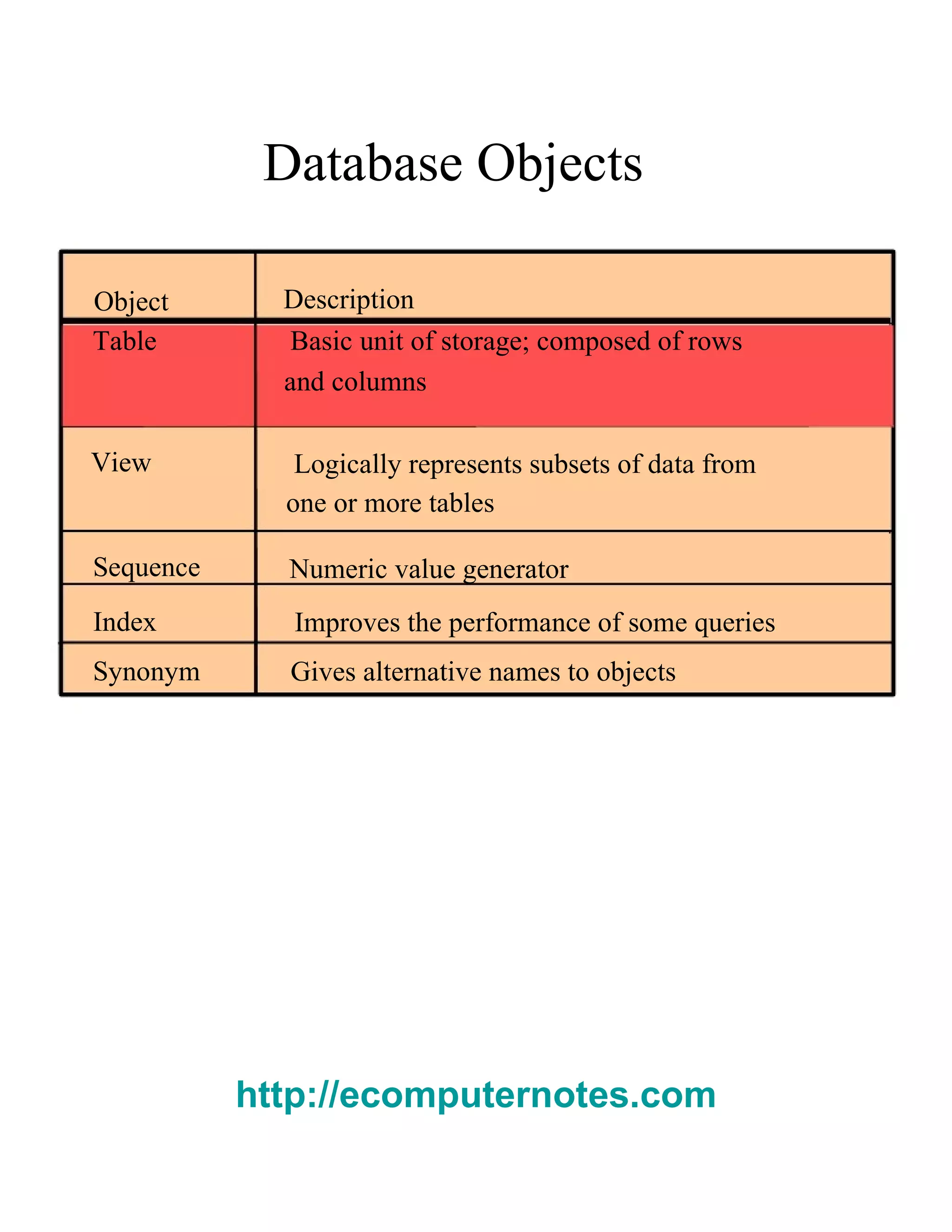
Database Objects  Object  Description  Table  Basic unit of storage; composed of rows  and columns  View  Logically represents subsets of data from  one or more tables  Sequence  Numeric value generator  Index  Improves the performance of some queries  Synonym  Gives alternative names to objects  http://ecomputernotes.com
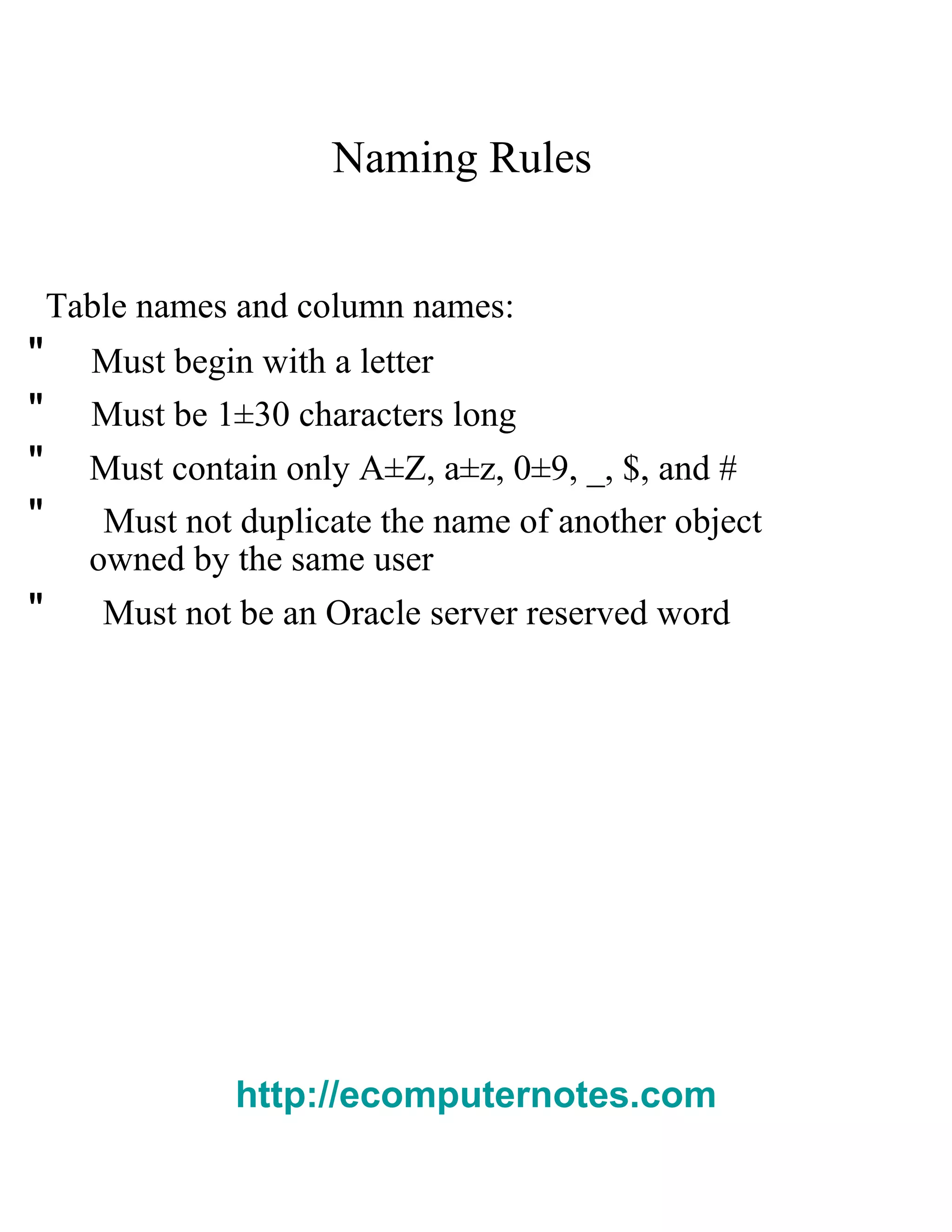
Naming Rules  Table names and column names:  "  Must begin with a letter  "  Must be 1±30 characters long  "  Must contain only A±Z, a±z, 0±9, _, $, and #  "  Must not duplicate the name of another object  owned by the same user  "  Must not be an Oracle server reserved word  http://ecomputernotes.com
The   CREATE TABLE   Statement  "  You must have:  ±  CREATE TABLE   privilege  A storage area  CREATE TABLE [ schema .] table  ( column datatype  [DEFAULT   expr ][, ...]);  "  You specify:  Table name  Column name, column data type, and column size  http://ecomputernotes.com
Referencing Another User¶s Tables  "T ables belonging to other users are not in the  user¶s schema.  "Y ou should use the owner¶s name as a prefix to  those tables.  http://ecomputernotes.com
The   DEFAULT   Option  "S pecify a default value for a column during an  insert.  ... hire_date DATE DEFAULT SYSDATE, ...  "L iteral values, expressions, or SQL functions are  legal values.  "A nother column¶s name or a pseudocolumn are  illegal values.  "T he default data type must match the column data  type.  http://ecomputernotes.com
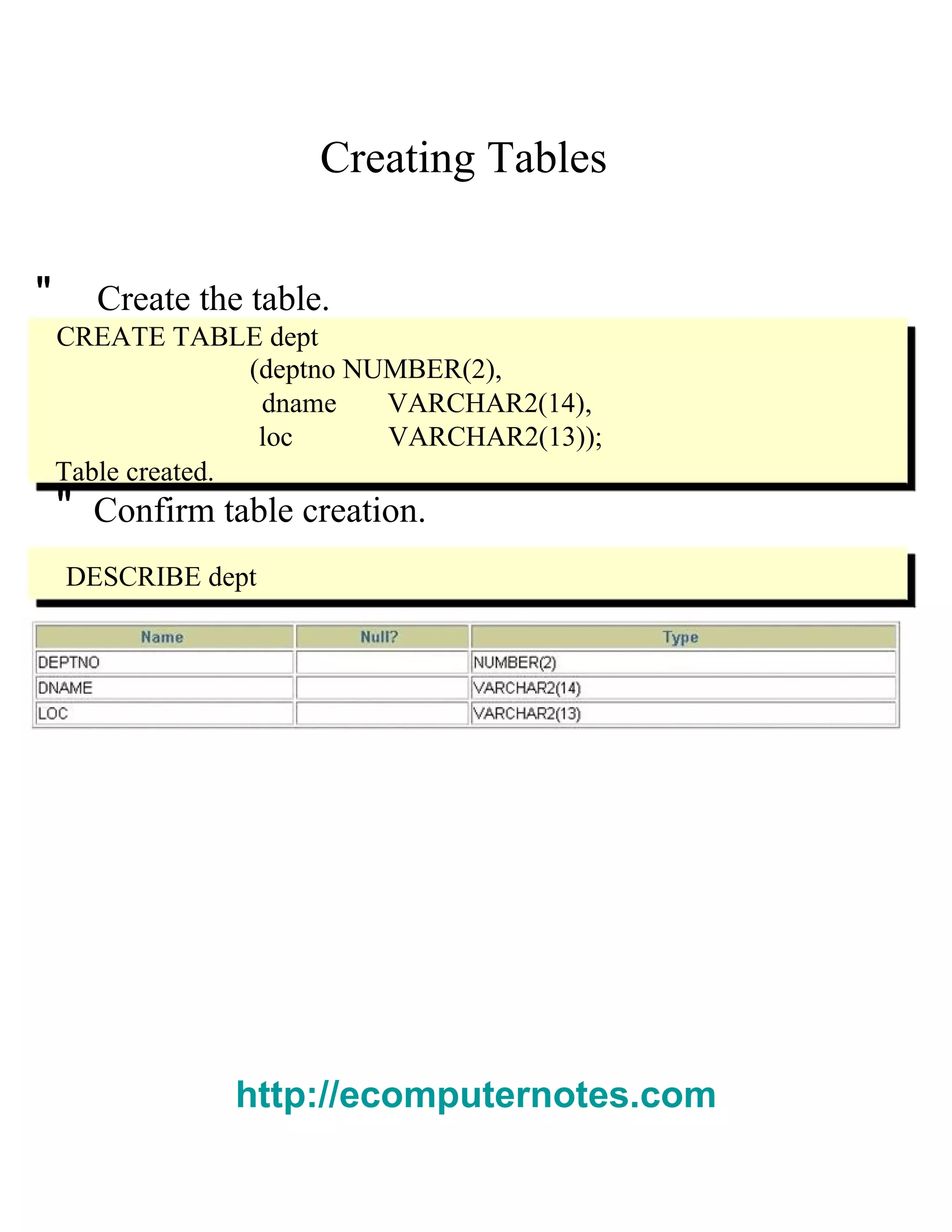
Creating Tables  "  Create the table.  CREATE TABLE dept  (deptno NUMBER(2),  dname  VARCHAR2(14),  loc  VARCHAR2(13));  Table created.  "  Confirm table creation.  DESCRIBE dept  http://ecomputernotes.com
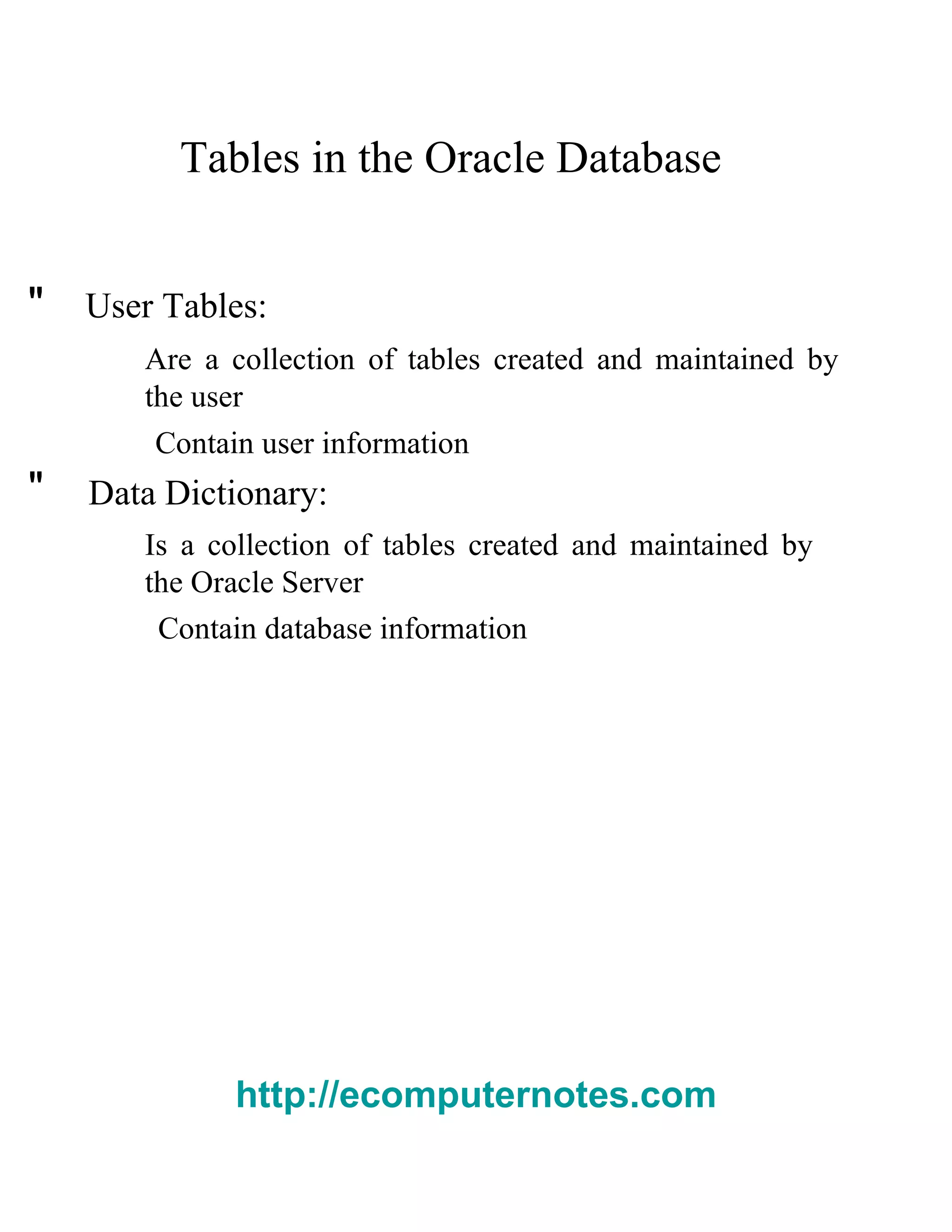
Tables in the Oracle Database  "  User Tables:  Are a collection of tables created and maintained by the user  Contain user information  "  Data Dictionary:  Is a collection of tables created and maintained by the Oracle Server  Contain database information  http://ecomputernotes.com
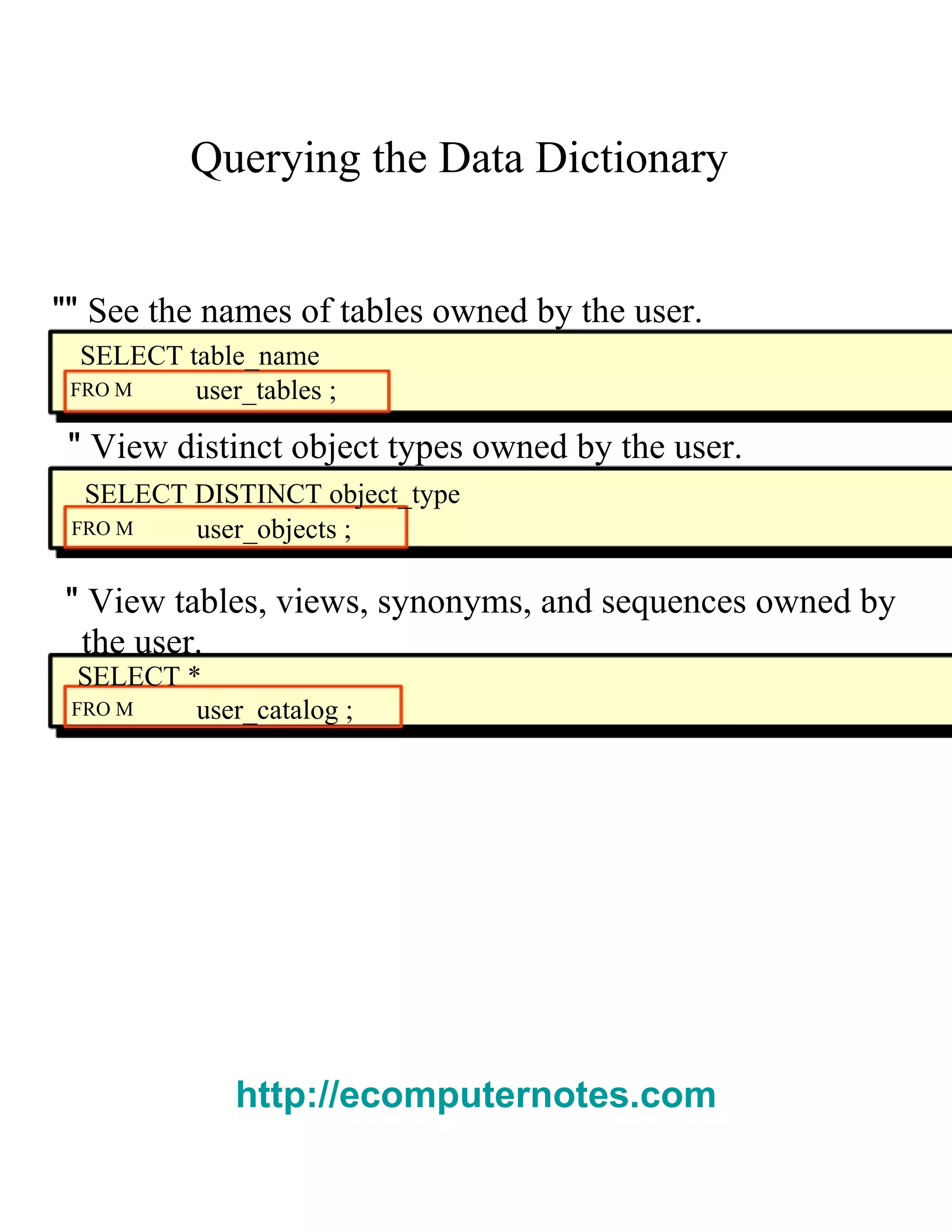
Querying the Data Dictionary  ""  See the names of tables owned by the user.  SELECT table_name  FRO M  user_tables ;  "  View distinct object types owned by the user.  SELECT DISTINCT object_type  FRO M  user_objects ;  "  View tables, views, synonyms, and sequences owned by  the user.  SELECT *  FRO M  user_catalog ;  http://ecomputernotes.com
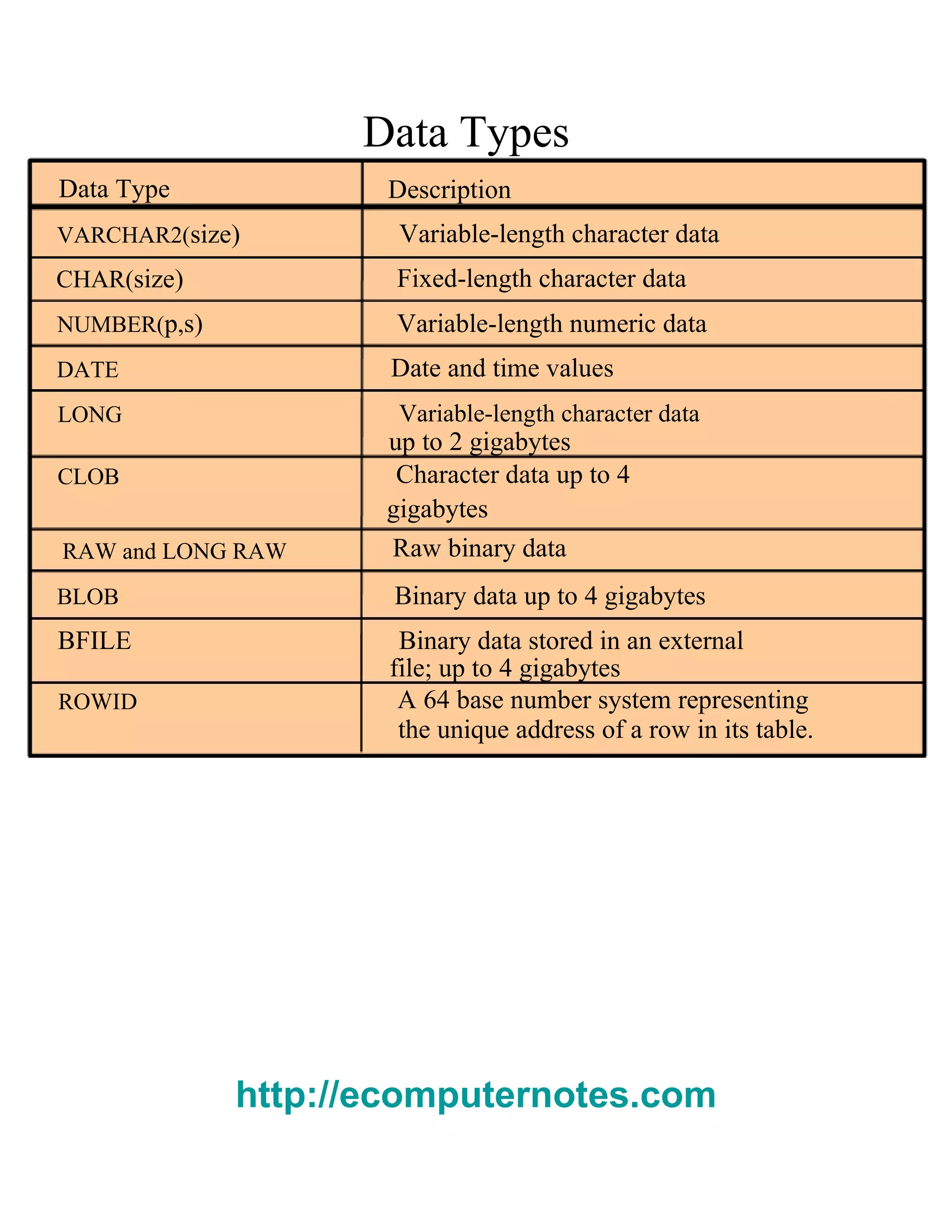
Data Types  Data Type  Description  VARCHAR2( size )  Variable-length character data  CHAR( size )  Fixed-length character data  NUMBER( p , s)  Variable-length numeric data  DATE  Date and time values  LONG  Variable-length character data  up to 2 gigabytes  CLOB  Character data up to 4  gigabytes  RAW and LONG RAW  Raw binary data  BLOB  Binary data up to 4 gigabytes  BFILE  Binary data stored in an external  file; up to 4 gigabytes  ROWID  A 64 base number system representing  the unique address of a row in its table.  http://ecomputernotes.com
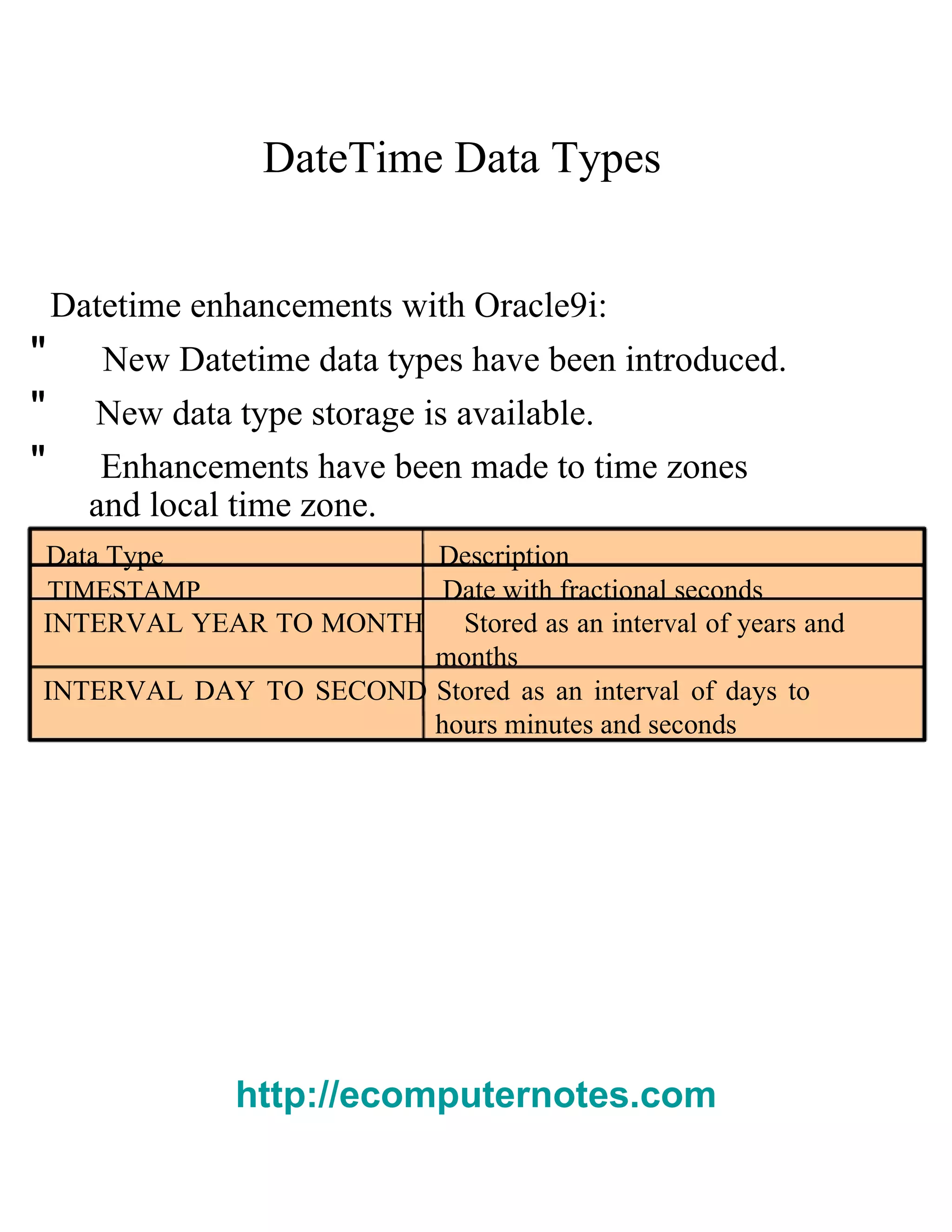
DateTime Data Types  Datetime enhancements with Oracle9 i :  "  New Datetime data types have been introduced.  "  New data type storage is available.  "  Enhancements have been made to time zones  and local time zone.  Data Type  Description  TIMESTAMP  Date with fractional seconds  INTERVAL YEAR TO MONTH   Stored as an interval of years and months  INTERVAL DAY TO SECOND   Stored as an interval of days to hours minutes and seconds  http://ecomputernotes.com
DateTime Data Types  "  The   TIMESTAMP   data type is an extension of the  DATE   data type.  "I t stores the year, month, and day of the  D ATE  data type, plus hour, minute, and second values as  well as the fractional second value.  "  The   TIMESTAMP   data type is specified as follows:  TIMESTAMP[(fractional_seconds_precision)]  http://ecomputernotes.com
TIMESTAMP WITH TIME ZONE   Data Type  "T IMESTAMP WITH TIME ZONE  i s a variant of  TIMESTAMP   that includes a time zone displacement in its value.  "T he time zone displacement is the difference, in  hours and minutes, between local time and UTC.  TIMESTAMP[(fractional_seconds_precision)]  WITH TIME ZONE
TIMESTAMP WITH LOCAL TIME   Data Type  "T IMESTAMP WITH LOCAL TIME ZONE  i s another  variant of   TIMESTAMP   that includes a time zone displacement in its value.  "D ata stored in the database is normalized to the  database time zone.  "T he time zone displacement is not stored as part  of the column data; Oracle returns the data in the  users' local session time zone.  "T IMESTAMP WITH LOCAL TIME ZONE  d ata type is  specified as follows:  TIMESTAMP[(fractional_seconds_precision)]  WITH LOCAL TIME ZONE
INTERVAL YEAR TO MONTH   Data Type  "I NTERVAL YEAR TO MONTH  s tores a period of time  using the   YEAR   and   MONTH   datetime fields.  INTERVAL YEAR [(year_precision)] TO MONTH  INTERVAL '123- 2' YEAR (3) TO M   ONTH Indicates an interval of 123 years, 2 months.  INTERVAL '123' YEAR(3)  Indicates an interval of 123 years 0 months.  INTERVAL '300' MONTH(3)  Indicates an interval of 300 months.  INTERVAL '123' YEAR  Returns an error, because the default precision is 2, and '123' has 3 digits.
INTERVAL DAY TO SECOND   Data Type  "I NTERVAL DAY TO SECOND  s tores a period of time  in terms of days, hours, minutes, and seconds.  INTERVAL DAY [(day_precision)]  TO SECOND [(fractional_seconds_precision)]  INTERVAL '4 5:12:10.222' DAY TO SECOND(3)  Indicates 4 days, 5 hours, 12 minutes, 10 seconds,  and 222 thousandths of a second.INTERVAL '123' YEAR(3).  INTERVAL '7' DAY  Indicates 7 days.  INTERVAL '180' DAY(3) Indicates 180 days.
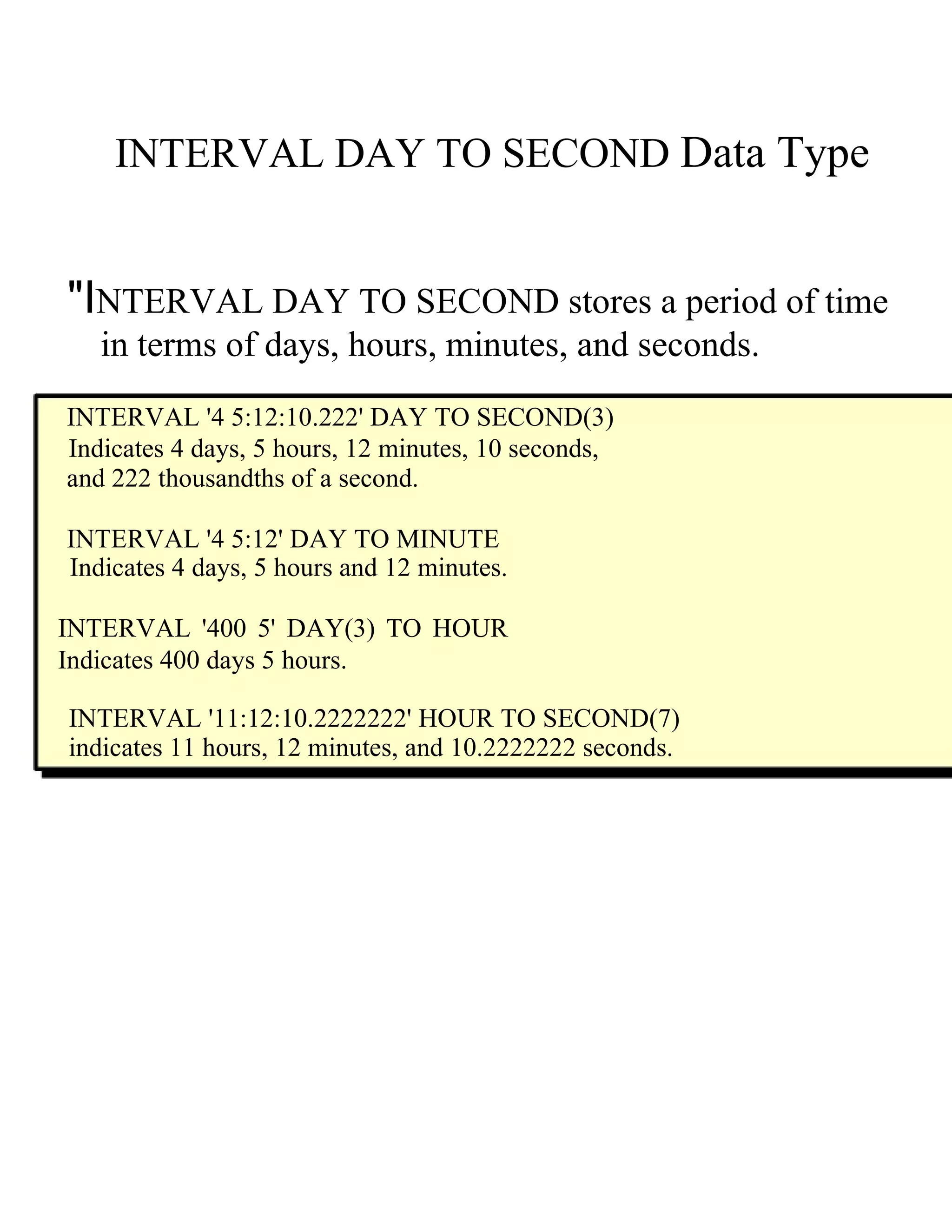
INTERVAL DAY TO SECOND   Data Type  "I NTERVAL DAY TO SECOND  s tores a period of time  in terms of days, hours, minutes, and seconds.  INTERVAL '4 5:12:10.222' DAY TO SECOND(3)  Indicates 4 days, 5 hours, 12 minutes, 10 seconds,  and 222 thousandths of a second.  INTERVAL '4 5:12' DAY TO MINUTE  Indicates 4 days, 5 hours and 12 minutes.  INTERVAL '400 5' DAY(3) TO HOUR Indicates 400 days 5 hours.  INTERVAL '11:12:10.2222222' HOUR TO SECOND(7)  indicates 11 hours, 12 minutes, and 10.2222222 seconds.
Creating a Table  by Using a Subquery Syntax  "C reate a table and insert rows by combining the  CREATE TABLE   statement and the   AS   subquery  option.  CREATE TABLE   table  [( column ,  column ...)]  AS   subquery;  "M atch the number of specified columns to the  number of subquery columns.  "D efine columns with column names and  default values.
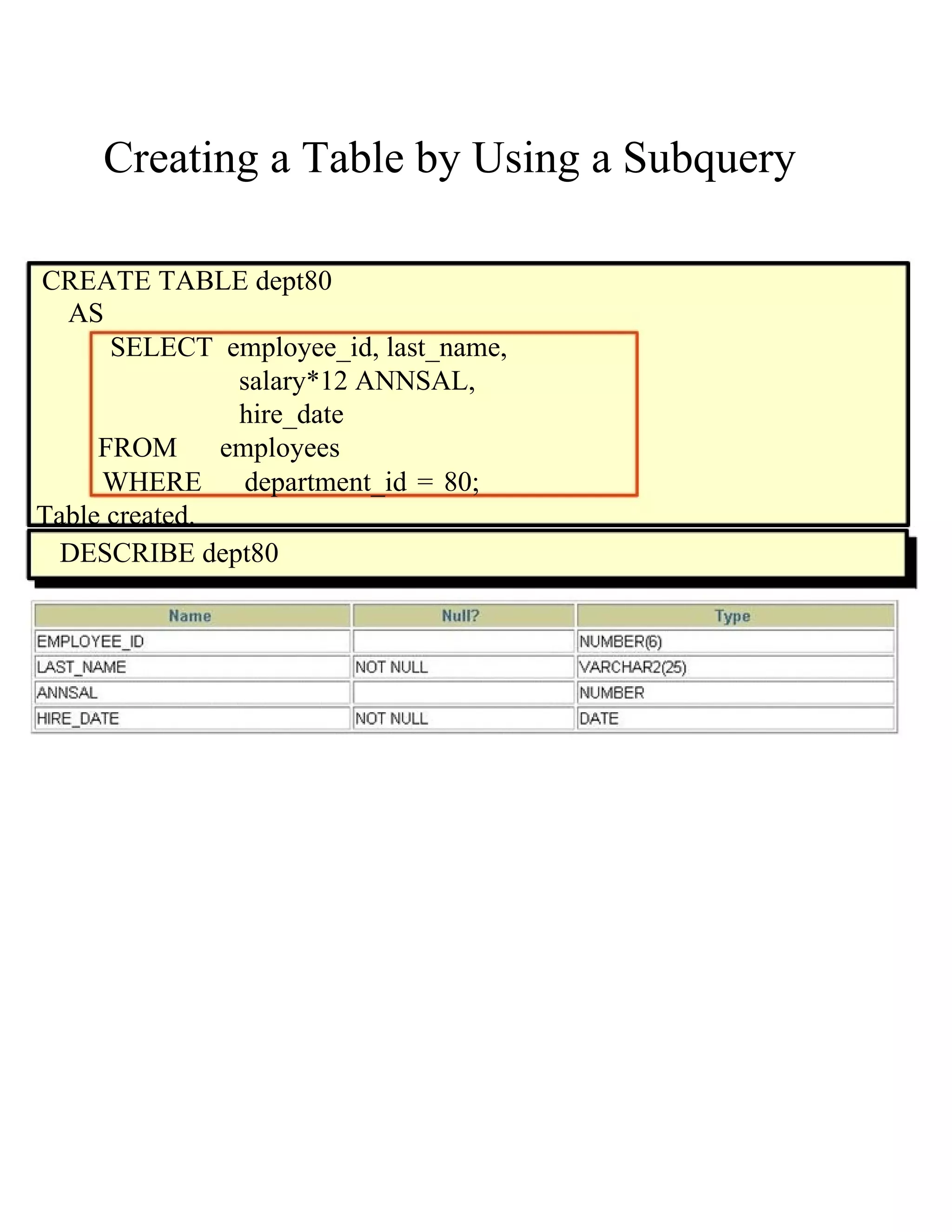
Creating a Table by Using a Subquery  CREATE TABLE dept80  AS  SELECT  employee_id, last_name,  salary*12 ANNSAL,  hire_date  FROM  employees  WHERE  department_id = 80; Table created.  DESCRIBE dept80
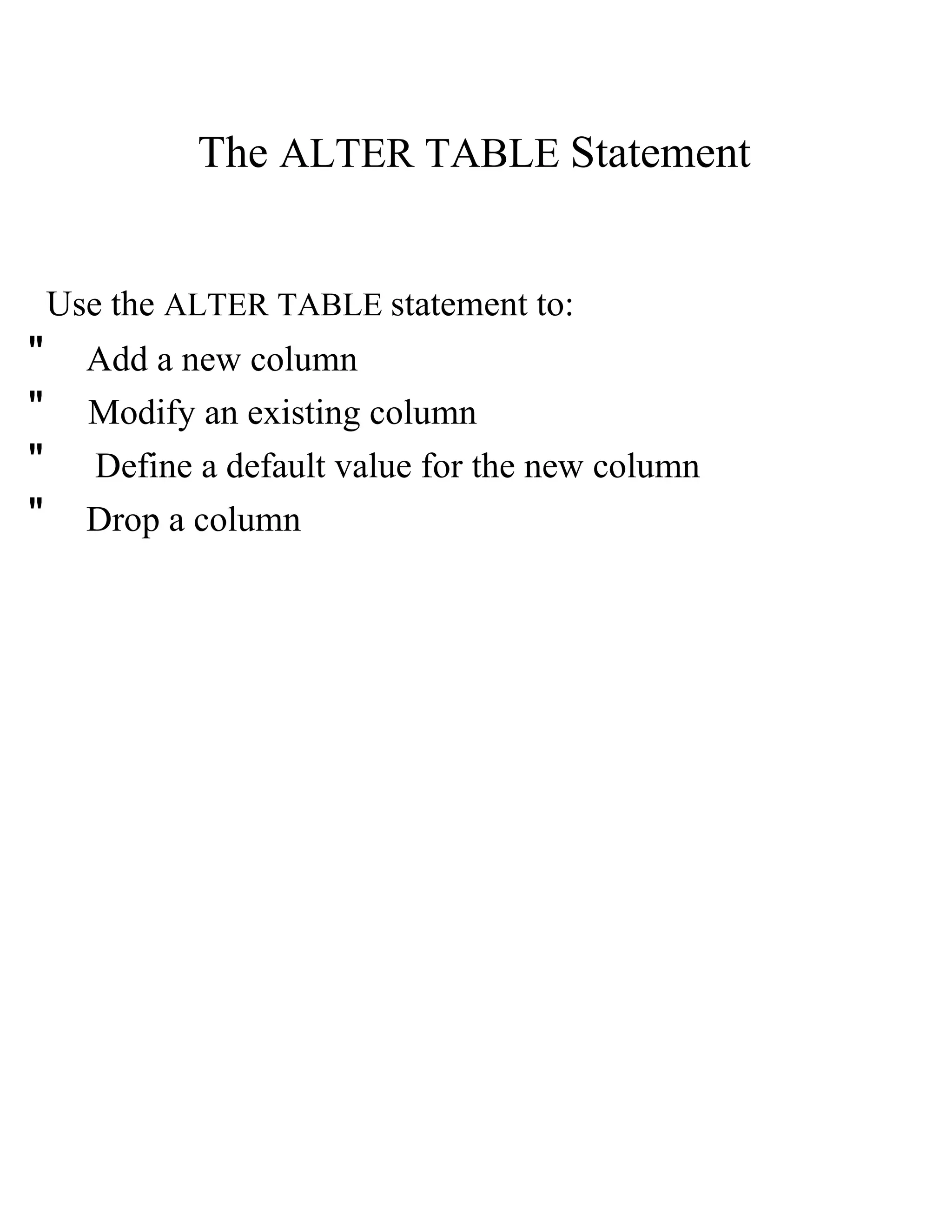
The   ALTER TABLE   Statement  Use the   ALTER TABLE   statement to:  "  Add a new column  "  Modify an existing column  "  Define a default value for the new column  "  Drop a column
The   ALTER TABLE   Statement  Use the   ALTER TABLE   statement to add, modify, or drop columns.  ALTER TABLE   table  ADD  ( column datatype  [DEFAULT   expr ]  [,  column datatype ]...);  ALTER TABLE   table  MODIFY  ( column datatype  [DEFAULT   expr ]  [,  column datatype ]...);  ALTER TABLE   table  DROP  ( column );
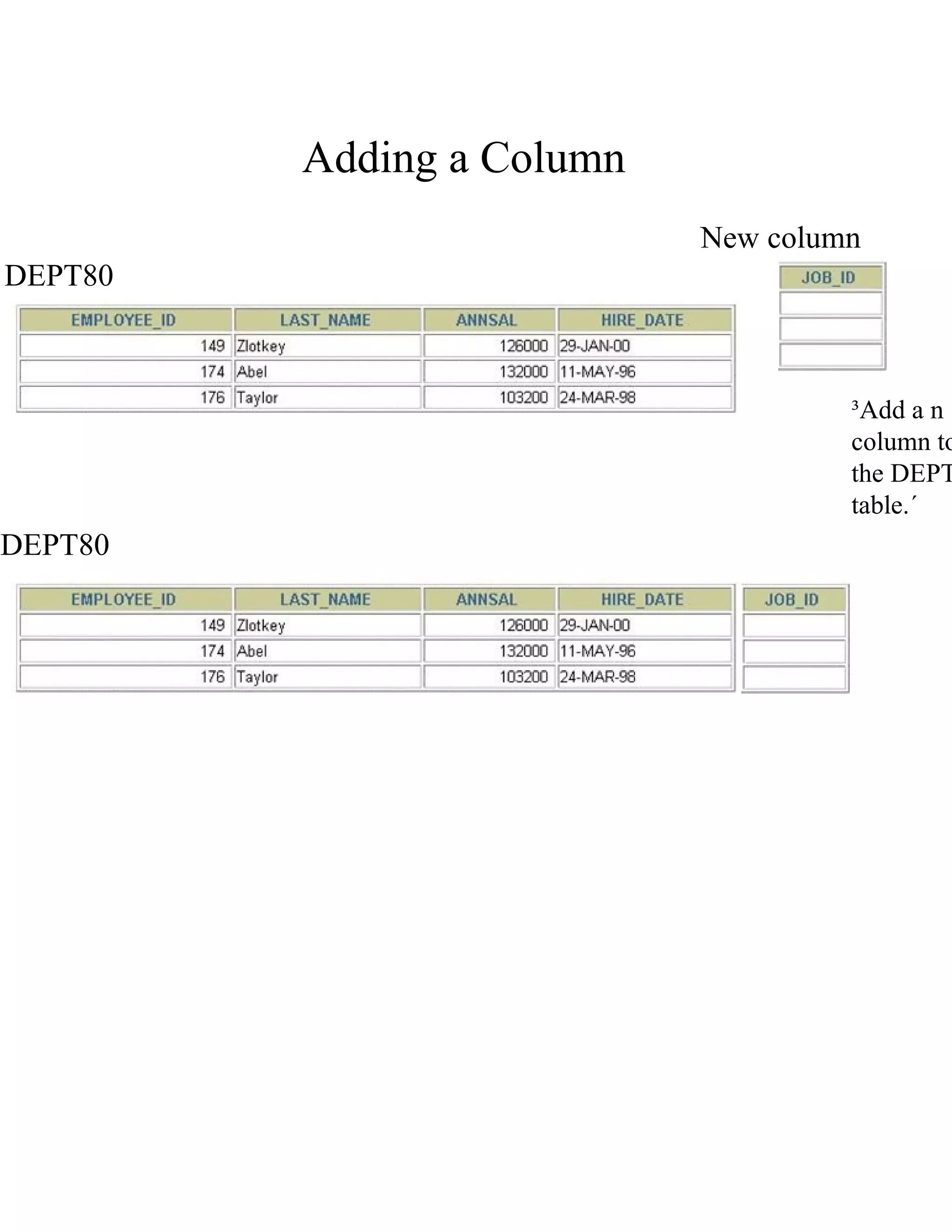
Adding a Column  New column  DEPT80  ³Add a n column to the   DEPT table.´  DEPT80
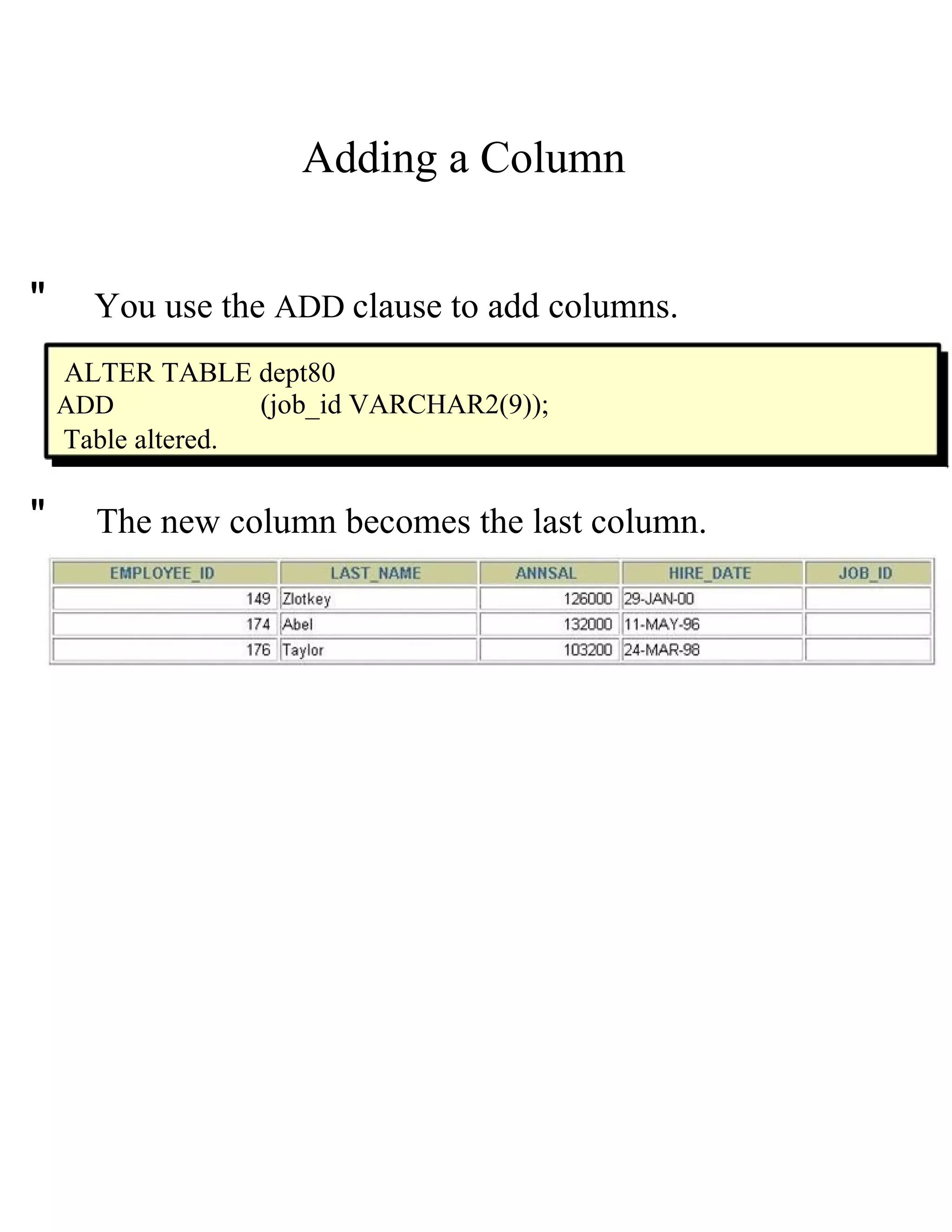
Adding a Column  "  You use the   ADD   clause to add columns.  ALTER TABLE dept80  ADD  (job_id VARCHAR2(9));  Table altered.  "  The new column becomes the last column.
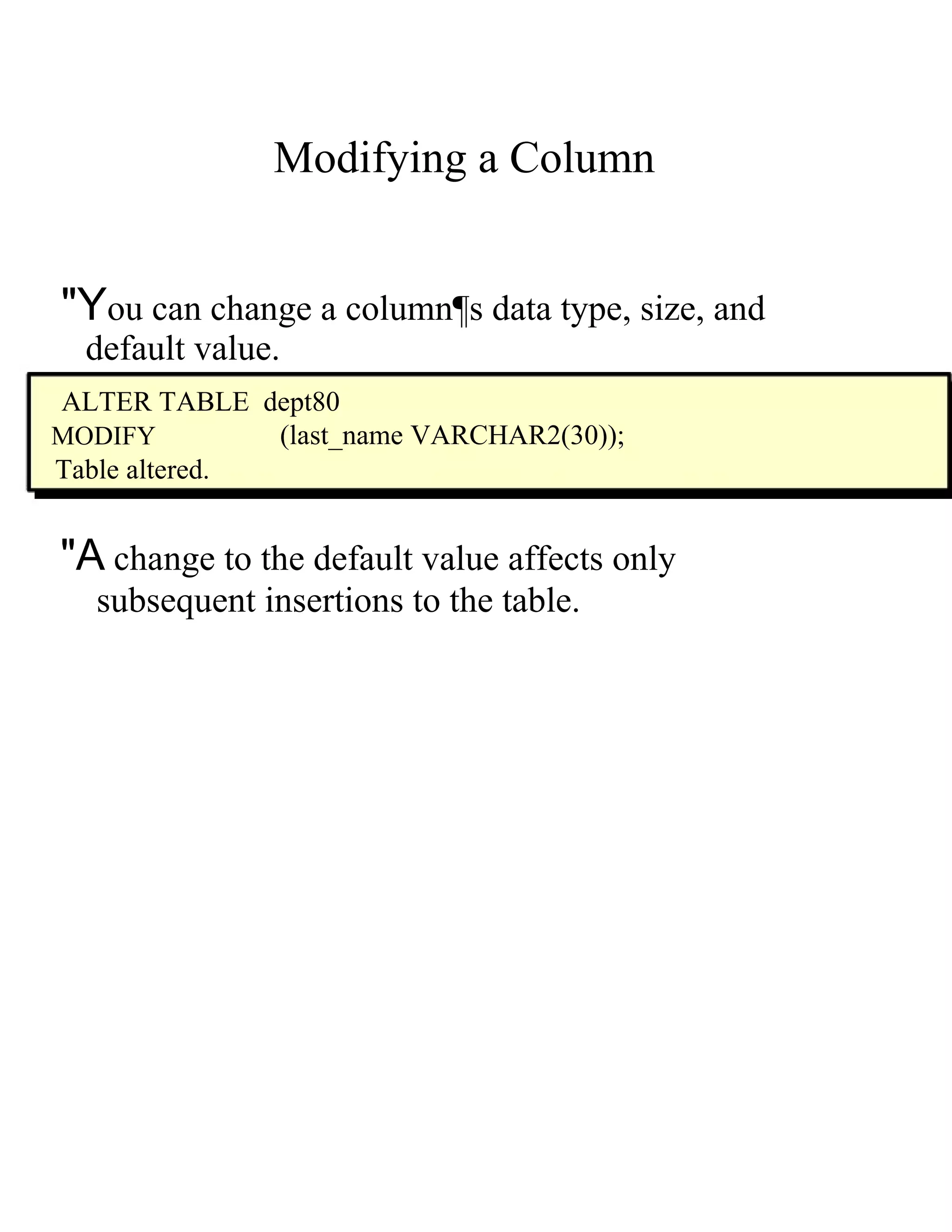
Modifying a Column  "Y ou can change a column¶s data type, size, and  default value.  ALTER TABLE  dept80  MODIFY  (last_name VARCHAR2(30));  Table altered.  "A  change to the default value affects only  subsequent insertions to the table.
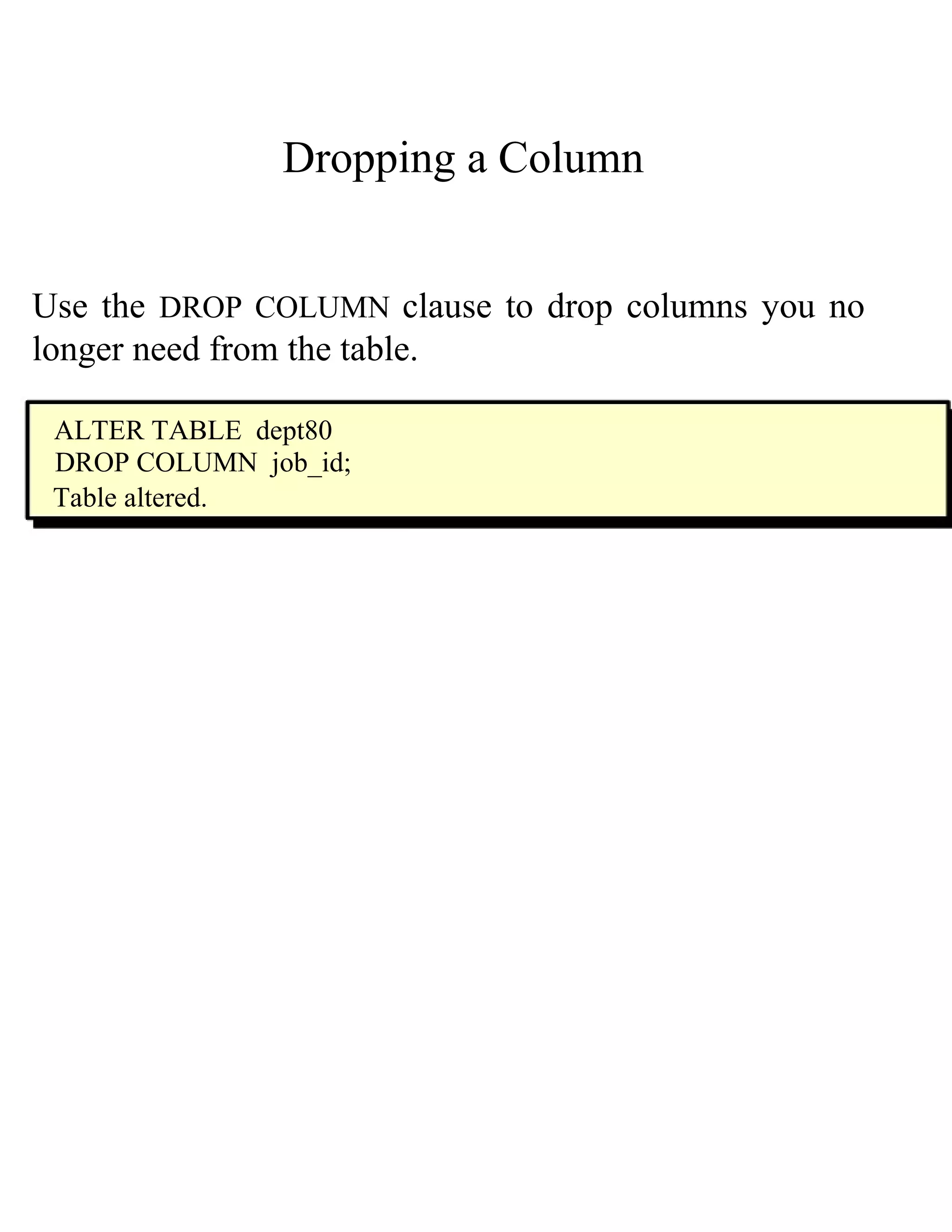
Dropping a Column  Use the   DROP COLUMN   clause to drop columns you no longer need from the table.  ALTER TABLE  dept80  DROP COLUMN  job_id;  Table altered.
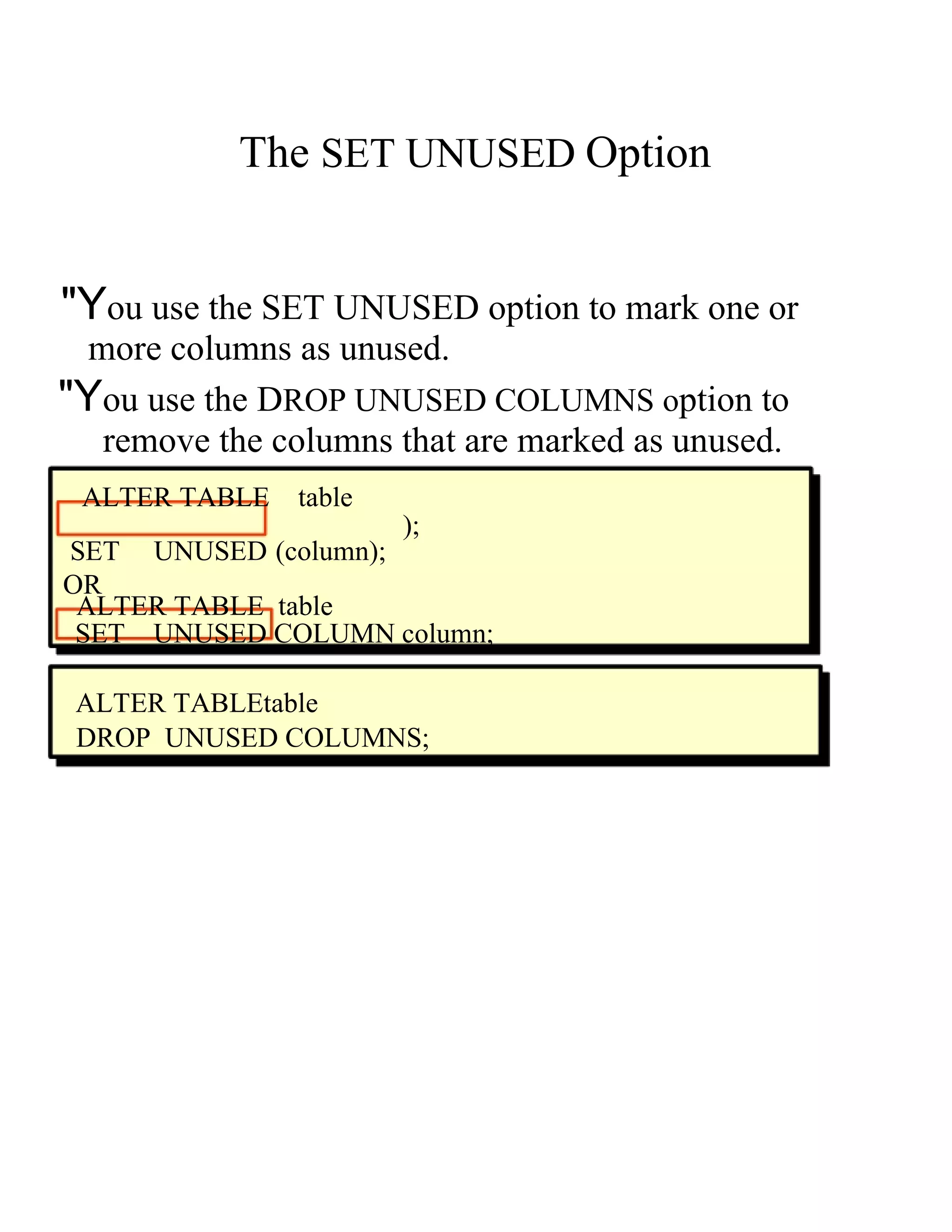
The   SET UNUSED   Option  "Y ou use the  S ET UNUSED  o ption to mark one or  more columns as unused.  "Y ou use the  D ROP UNUSED COLUMNS  o ption to  remove the columns that are marked as unused.  ALTER TABLE   table  );  SET  UNUSED ( column ); OR  ALTER TABLE  table  SET  UNUSED COLUMN   column;  ALTER TABLEt able  DROP  UNUSED COLUMNS;
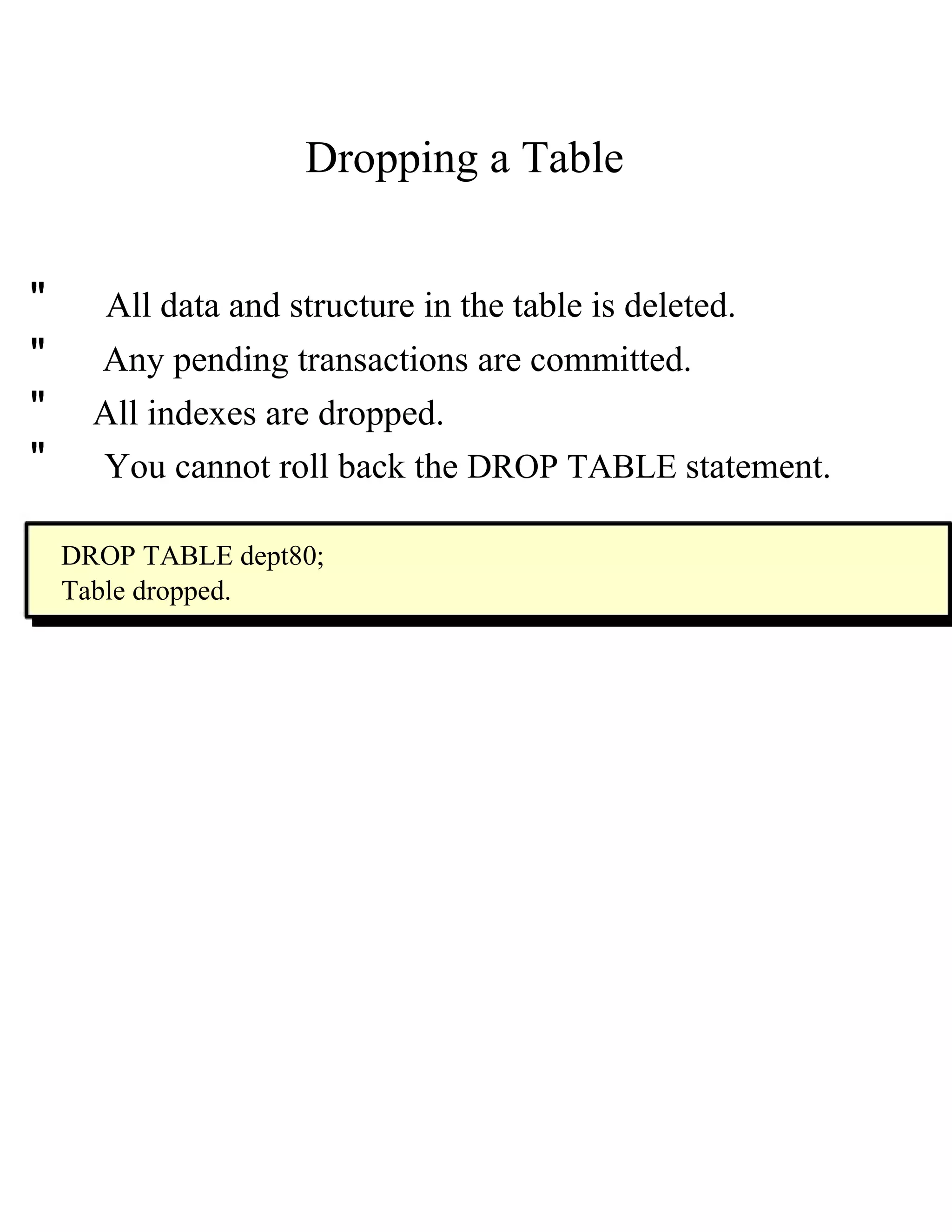
Dropping a Table  "  All data and structure in the table is deleted.  "  Any pending transactions are committed.  "  All indexes are dropped.  "  You   cannot   roll back the   DROP TABLE   statement.  DROP TABLE dept80;  Table dropped.
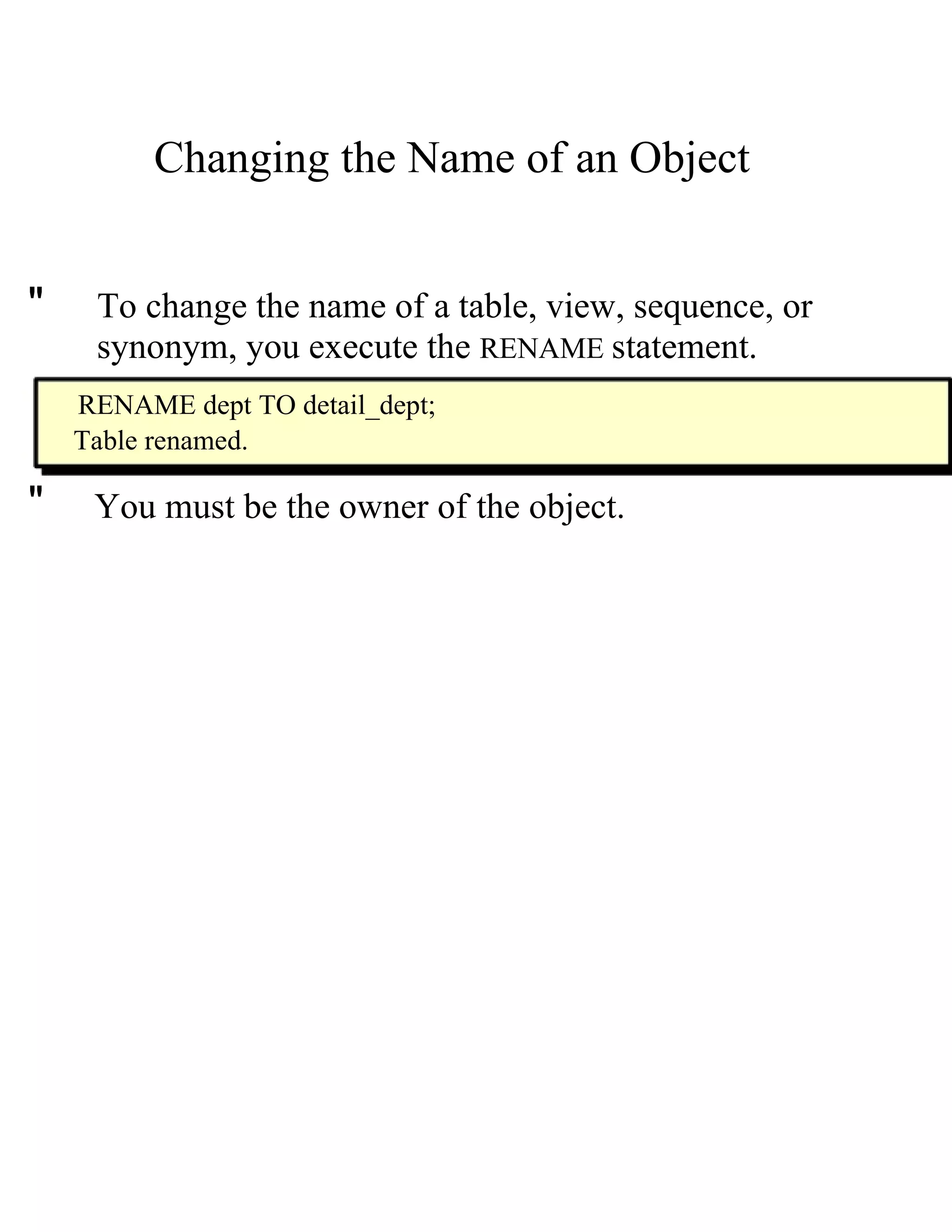
Changing the Name of an Object  "  To change the name of a table, view, sequence, or  synonym, you execute the   RENAME   statement.  RENAME dept TO detail_dept;  Table renamed.  "  You must be the owner of the object.
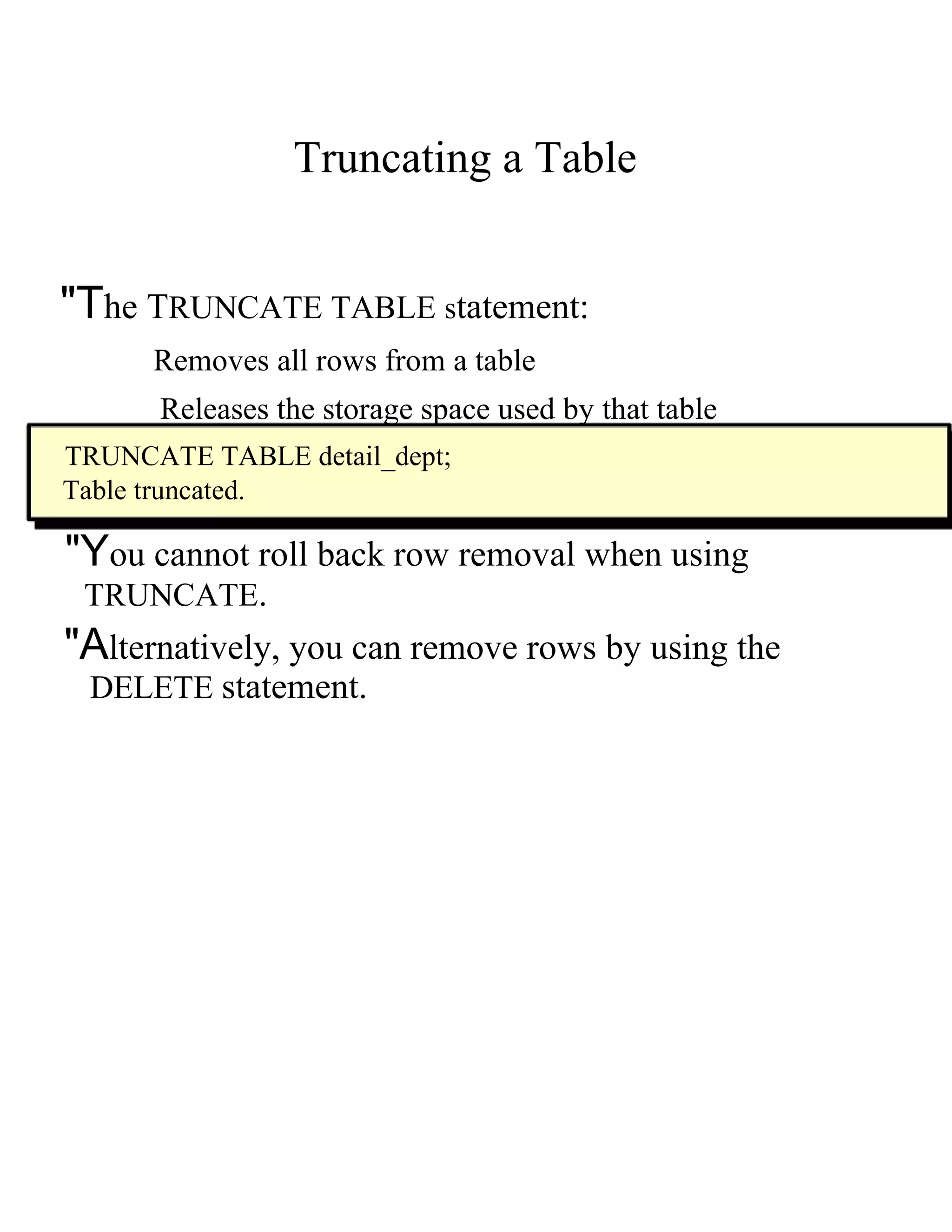
Truncating a Table  "T he  T RUNCATE TABLE  s tatement:  Removes all rows from a table  Releases the storage space used by that table  TRUNCATE TABLE detail_dept;  Table truncated.  "Y ou cannot roll back row removal when using  TRUNCATE .  "A lternatively, you can remove rows by using the  DELETE   statement.
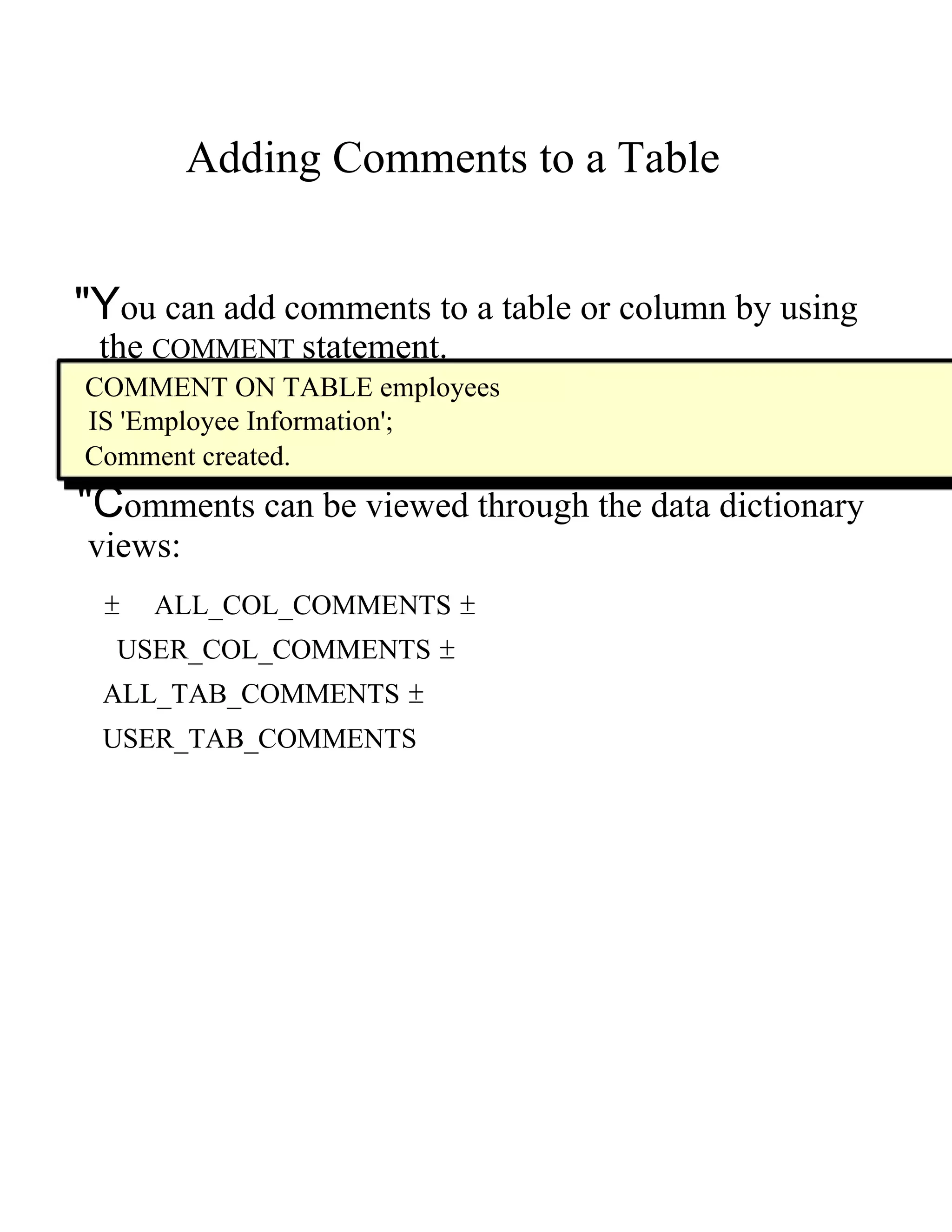
Adding Comments to a Table  "Y ou can add comments to a table or column by using  the   COMMENT   statement.  COMMENT ON TABLE employees  IS 'Employee Information';  Comment created.  "C omments can be viewed through the data dictionary  views:  ±  ALL_COL_COMMENTS  ±  USER_COL_COMMENTS  ±  ALL_TAB_COMMENTS  ±  USER_TAB_COMMENTS

e computer notes - Creating and managing tables

  • 1.
    Creating and ManagingTables http://ecomputernotes.com
  • 2.
    Objectives Aftercompleting this lesson, you should be able to do the following: " Describe the main database objects " Create tables " Describe the data types that can be used when specifying column definition " Alter table definitions " Drop, rename, and truncate tables http://ecomputernotes.com
  • 3.
    Database Objects Object Description Table Basic unit of storage; composed of rows and columns View Logically represents subsets of data from one or more tables Sequence Numeric value generator Index Improves the performance of some queries Synonym Gives alternative names to objects http://ecomputernotes.com
  • 4.
    Naming Rules Table names and column names: " Must begin with a letter " Must be 1±30 characters long " Must contain only A±Z, a±z, 0±9, _, $, and # " Must not duplicate the name of another object owned by the same user " Must not be an Oracle server reserved word http://ecomputernotes.com
  • 5.
    The CREATE TABLE Statement " You must have: ± CREATE TABLE privilege A storage area CREATE TABLE [ schema .] table ( column datatype [DEFAULT expr ][, ...]); " You specify: Table name Column name, column data type, and column size http://ecomputernotes.com
  • 6.
    Referencing Another User¶sTables "T ables belonging to other users are not in the user¶s schema. "Y ou should use the owner¶s name as a prefix to those tables. http://ecomputernotes.com
  • 7.
    The DEFAULT Option "S pecify a default value for a column during an insert. ... hire_date DATE DEFAULT SYSDATE, ... "L iteral values, expressions, or SQL functions are legal values. "A nother column¶s name or a pseudocolumn are illegal values. "T he default data type must match the column data type. http://ecomputernotes.com
  • 8.
    Creating Tables " Create the table. CREATE TABLE dept (deptno NUMBER(2), dname VARCHAR2(14), loc VARCHAR2(13)); Table created. " Confirm table creation. DESCRIBE dept http://ecomputernotes.com
  • 9.
    Tables in theOracle Database " User Tables: Are a collection of tables created and maintained by the user Contain user information " Data Dictionary: Is a collection of tables created and maintained by the Oracle Server Contain database information http://ecomputernotes.com
  • 10.
    Querying the DataDictionary "" See the names of tables owned by the user. SELECT table_name FRO M user_tables ; " View distinct object types owned by the user. SELECT DISTINCT object_type FRO M user_objects ; " View tables, views, synonyms, and sequences owned by the user. SELECT * FRO M user_catalog ; http://ecomputernotes.com
  • 11.
    Data Types Data Type Description VARCHAR2( size ) Variable-length character data CHAR( size ) Fixed-length character data NUMBER( p , s) Variable-length numeric data DATE Date and time values LONG Variable-length character data up to 2 gigabytes CLOB Character data up to 4 gigabytes RAW and LONG RAW Raw binary data BLOB Binary data up to 4 gigabytes BFILE Binary data stored in an external file; up to 4 gigabytes ROWID A 64 base number system representing the unique address of a row in its table. http://ecomputernotes.com
  • 12.
    DateTime Data Types Datetime enhancements with Oracle9 i : " New Datetime data types have been introduced. " New data type storage is available. " Enhancements have been made to time zones and local time zone. Data Type Description TIMESTAMP Date with fractional seconds INTERVAL YEAR TO MONTH Stored as an interval of years and months INTERVAL DAY TO SECOND Stored as an interval of days to hours minutes and seconds http://ecomputernotes.com
  • 13.
    DateTime Data Types " The TIMESTAMP data type is an extension of the DATE data type. "I t stores the year, month, and day of the D ATE data type, plus hour, minute, and second values as well as the fractional second value. " The TIMESTAMP data type is specified as follows: TIMESTAMP[(fractional_seconds_precision)] http://ecomputernotes.com
  • 14.
    TIMESTAMP WITH TIMEZONE Data Type "T IMESTAMP WITH TIME ZONE i s a variant of TIMESTAMP that includes a time zone displacement in its value. "T he time zone displacement is the difference, in hours and minutes, between local time and UTC. TIMESTAMP[(fractional_seconds_precision)] WITH TIME ZONE
  • 15.
    TIMESTAMP WITH LOCALTIME Data Type "T IMESTAMP WITH LOCAL TIME ZONE i s another variant of TIMESTAMP that includes a time zone displacement in its value. "D ata stored in the database is normalized to the database time zone. "T he time zone displacement is not stored as part of the column data; Oracle returns the data in the users' local session time zone. "T IMESTAMP WITH LOCAL TIME ZONE d ata type is specified as follows: TIMESTAMP[(fractional_seconds_precision)] WITH LOCAL TIME ZONE
  • 16.
    INTERVAL YEAR TOMONTH Data Type "I NTERVAL YEAR TO MONTH s tores a period of time using the YEAR and MONTH datetime fields. INTERVAL YEAR [(year_precision)] TO MONTH INTERVAL '123- 2' YEAR (3) TO M ONTH Indicates an interval of 123 years, 2 months. INTERVAL '123' YEAR(3) Indicates an interval of 123 years 0 months. INTERVAL '300' MONTH(3) Indicates an interval of 300 months. INTERVAL '123' YEAR Returns an error, because the default precision is 2, and '123' has 3 digits.
  • 17.
    INTERVAL DAY TOSECOND Data Type "I NTERVAL DAY TO SECOND s tores a period of time in terms of days, hours, minutes, and seconds. INTERVAL DAY [(day_precision)] TO SECOND [(fractional_seconds_precision)] INTERVAL '4 5:12:10.222' DAY TO SECOND(3) Indicates 4 days, 5 hours, 12 minutes, 10 seconds, and 222 thousandths of a second.INTERVAL '123' YEAR(3). INTERVAL '7' DAY Indicates 7 days. INTERVAL '180' DAY(3) Indicates 180 days.
  • 18.
    INTERVAL DAY TOSECOND Data Type "I NTERVAL DAY TO SECOND s tores a period of time in terms of days, hours, minutes, and seconds. INTERVAL '4 5:12:10.222' DAY TO SECOND(3) Indicates 4 days, 5 hours, 12 minutes, 10 seconds, and 222 thousandths of a second. INTERVAL '4 5:12' DAY TO MINUTE Indicates 4 days, 5 hours and 12 minutes. INTERVAL '400 5' DAY(3) TO HOUR Indicates 400 days 5 hours. INTERVAL '11:12:10.2222222' HOUR TO SECOND(7) indicates 11 hours, 12 minutes, and 10.2222222 seconds.
  • 19.
    Creating a Table by Using a Subquery Syntax "C reate a table and insert rows by combining the CREATE TABLE statement and the AS subquery option. CREATE TABLE table [( column , column ...)] AS subquery; "M atch the number of specified columns to the number of subquery columns. "D efine columns with column names and default values.
  • 20.
    Creating a Tableby Using a Subquery CREATE TABLE dept80 AS SELECT employee_id, last_name, salary*12 ANNSAL, hire_date FROM employees WHERE department_id = 80; Table created. DESCRIBE dept80
  • 21.
    The ALTER TABLE Statement Use the ALTER TABLE statement to: " Add a new column " Modify an existing column " Define a default value for the new column " Drop a column
  • 22.
    The ALTER TABLE Statement Use the ALTER TABLE statement to add, modify, or drop columns. ALTER TABLE table ADD ( column datatype [DEFAULT expr ] [, column datatype ]...); ALTER TABLE table MODIFY ( column datatype [DEFAULT expr ] [, column datatype ]...); ALTER TABLE table DROP ( column );
  • 23.
    Adding a Column New column DEPT80 ³Add a n column to the DEPT table.´ DEPT80
  • 24.
    Adding a Column " You use the ADD clause to add columns. ALTER TABLE dept80 ADD (job_id VARCHAR2(9)); Table altered. " The new column becomes the last column.
  • 25.
    Modifying a Column "Y ou can change a column¶s data type, size, and default value. ALTER TABLE dept80 MODIFY (last_name VARCHAR2(30)); Table altered. "A change to the default value affects only subsequent insertions to the table.
  • 26.
    Dropping a Column Use the DROP COLUMN clause to drop columns you no longer need from the table. ALTER TABLE dept80 DROP COLUMN job_id; Table altered.
  • 27.
    The SET UNUSED Option "Y ou use the S ET UNUSED o ption to mark one or more columns as unused. "Y ou use the D ROP UNUSED COLUMNS o ption to remove the columns that are marked as unused. ALTER TABLE table ); SET UNUSED ( column ); OR ALTER TABLE table SET UNUSED COLUMN column; ALTER TABLEt able DROP UNUSED COLUMNS;
  • 28.
    Dropping a Table " All data and structure in the table is deleted. " Any pending transactions are committed. " All indexes are dropped. " You cannot roll back the DROP TABLE statement. DROP TABLE dept80; Table dropped.
  • 29.
    Changing the Nameof an Object " To change the name of a table, view, sequence, or synonym, you execute the RENAME statement. RENAME dept TO detail_dept; Table renamed. " You must be the owner of the object.
  • 30.
    Truncating a Table "T he T RUNCATE TABLE s tatement: Removes all rows from a table Releases the storage space used by that table TRUNCATE TABLE detail_dept; Table truncated. "Y ou cannot roll back row removal when using TRUNCATE . "A lternatively, you can remove rows by using the DELETE statement.
  • 31.
    Adding Comments toa Table "Y ou can add comments to a table or column by using the COMMENT statement. COMMENT ON TABLE employees IS 'Employee Information'; Comment created. "C omments can be viewed through the data dictionary views: ± ALL_COL_COMMENTS ± USER_COL_COMMENTS ± ALL_TAB_COMMENTS ± USER_TAB_COMMENTS