Creating a more intuitive site experience for users Tim Pullen Department of  Environment,  Climate Change and Water  NSW
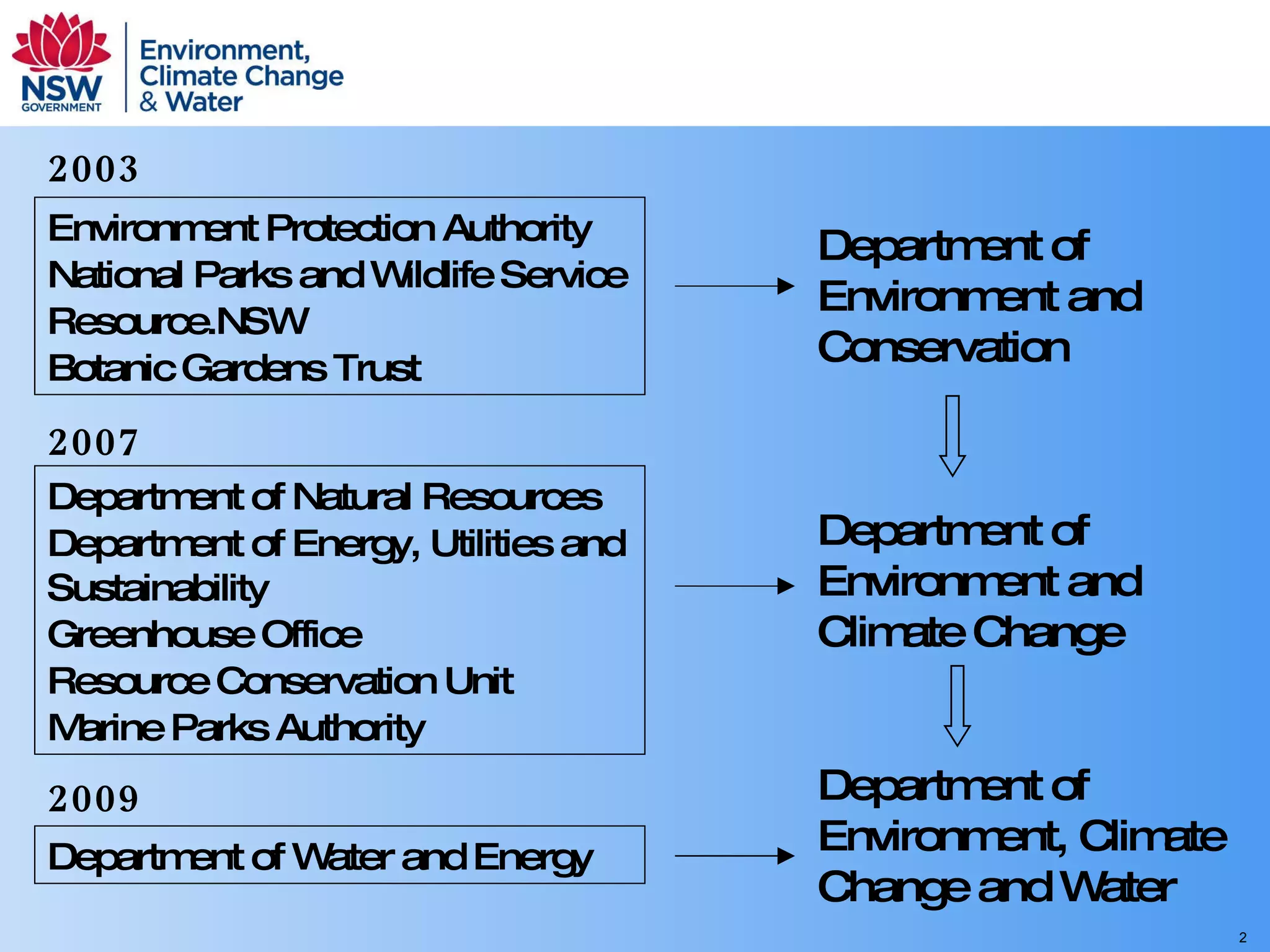
Environment Protection Authority National Parks and Wildlife Service Resource.NSW Botanic Gardens Trust Department of Environment and Conservation 2003 Department of Environment and Climate Change Department of Natural Resources Department of Energy, Utilities and Sustainability Greenhouse Office Resource Conservation Unit Marine Parks Authority 2007 Department of Environment, Climate Change and Water Department of Water and Energy 2009
Presentation   summary Overview of the DEC intranet integration project User centred design approach Challenges in moving from a producer perspective to a user oriented structure Application user interfaces
Business strategy and information design Expert review of existing intranets Management interviews and workshops Staff workshops Content owners and communications specialists
A word from our sponsors Keep to the agreed scope “On time, on budget” Make everyone happy!
Communication within the department Regularly updated home page Keeping staff informed Distributed content creation and approval Summary pages for each functional area Personalisation (coming)
Create the sense of a single organisation Avoid information silos Integrated separate intranets Access for all Topic based site structure Staff directory
Provide a workbench and support collaboration Intranet as a one stop shop Staff directory and employee self service Access to business applications Access to resources – tagging and filters Communication and knowledge sharing Collaboration and project management
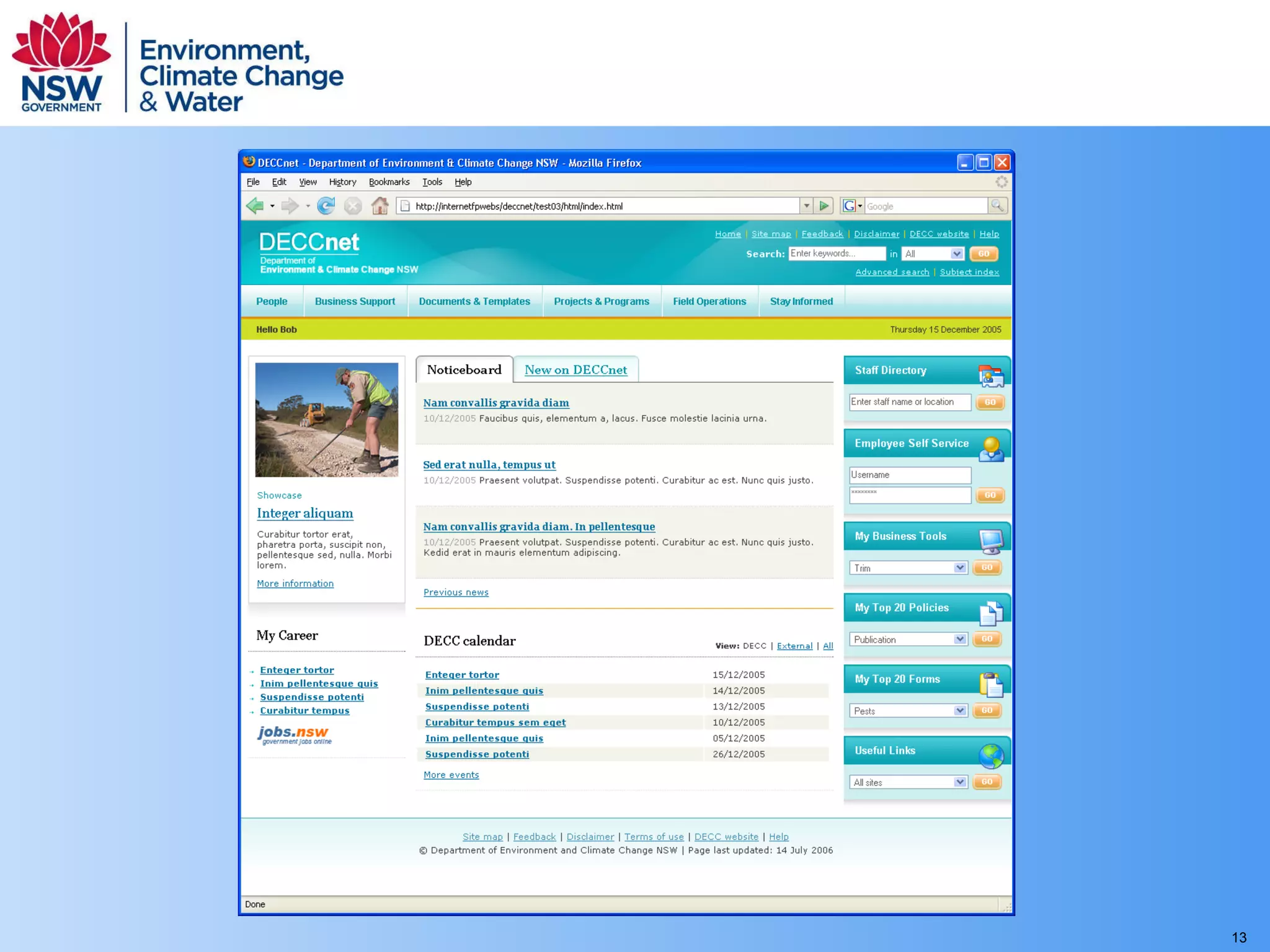
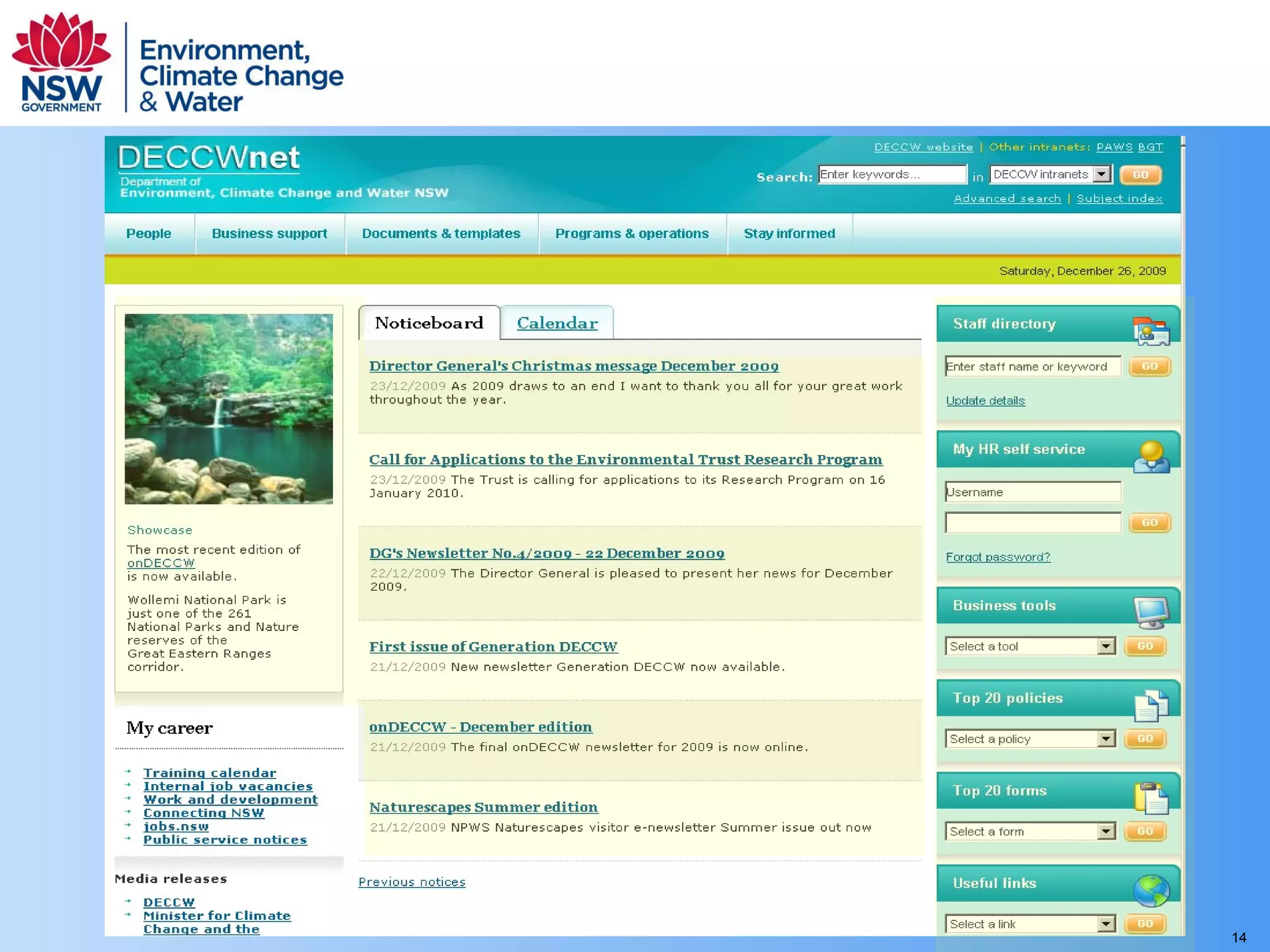
Development of the user interface:   putting users at the centre of the design process


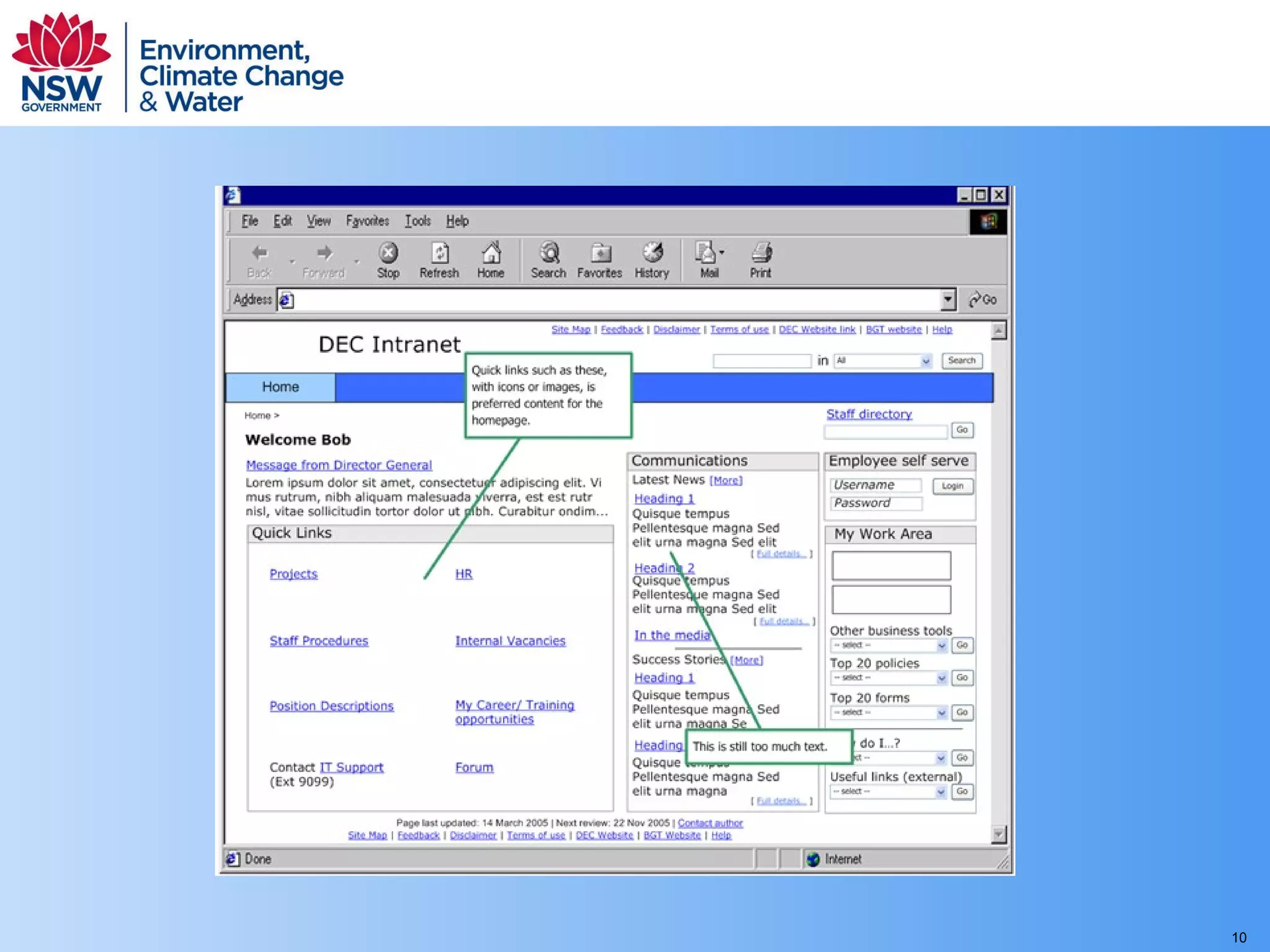
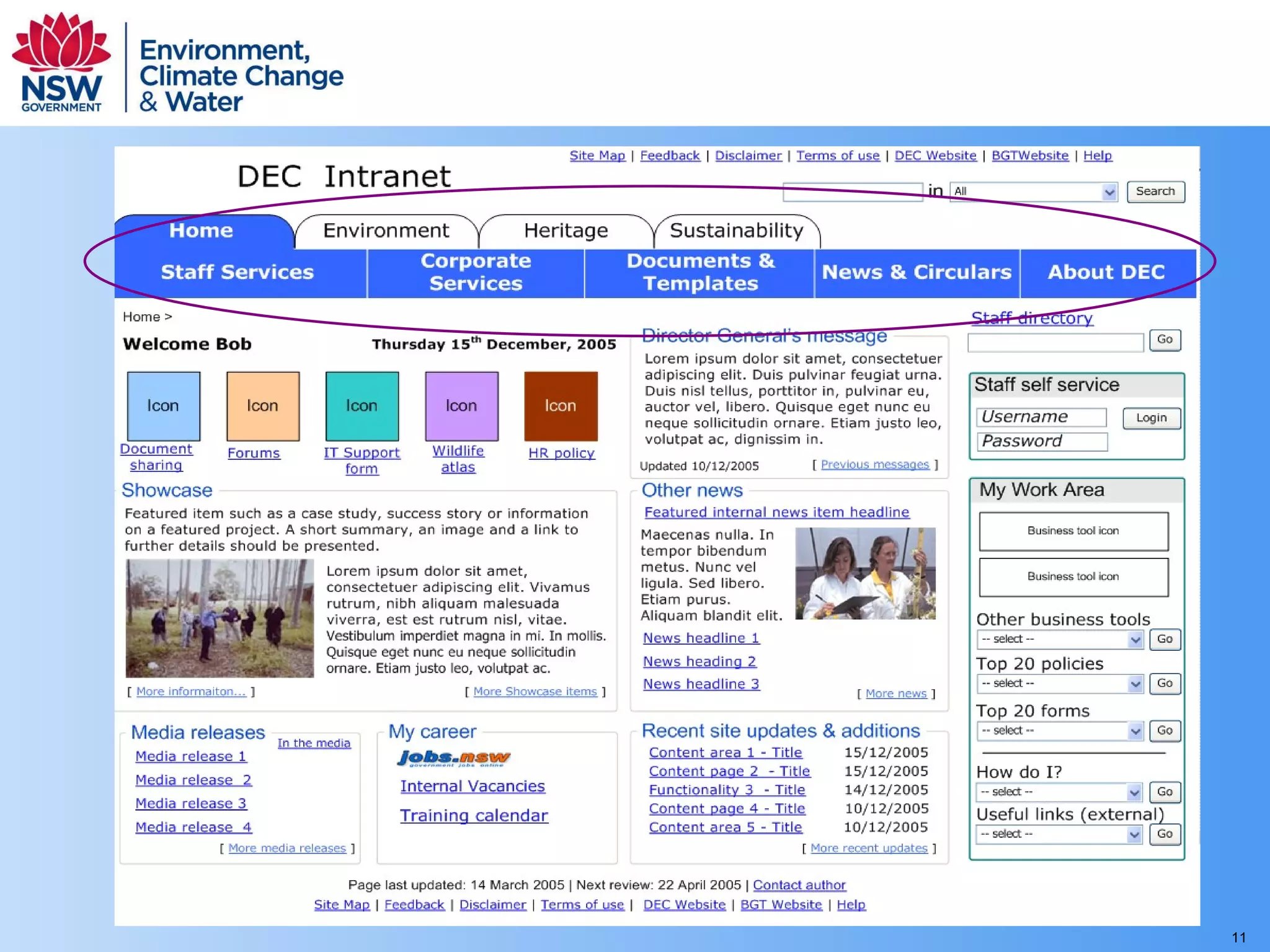
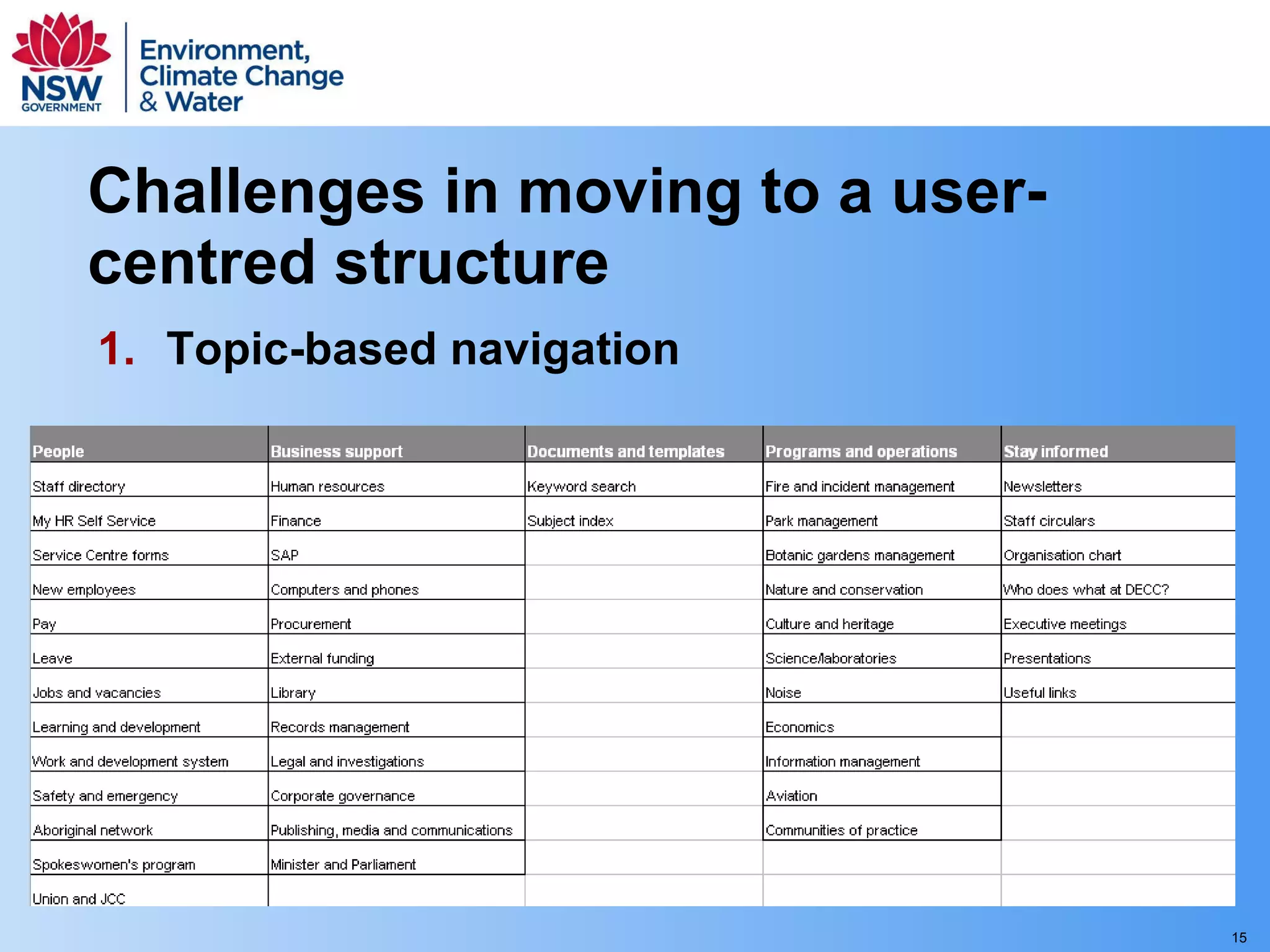
Challenges in moving to a user-centred structure Topic-based navigation
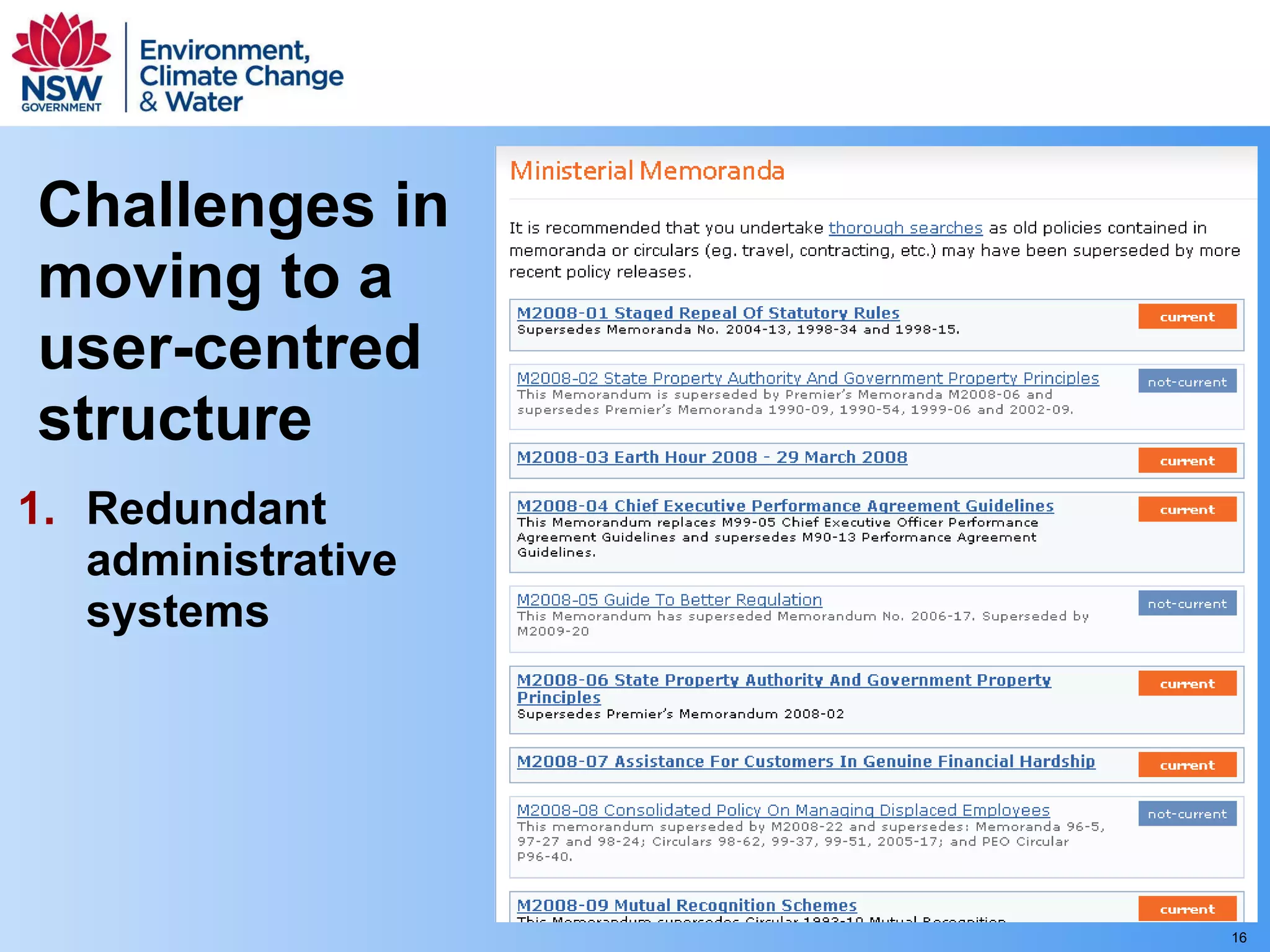
Challenges in moving to a user-centred structure Redundant administrative systems


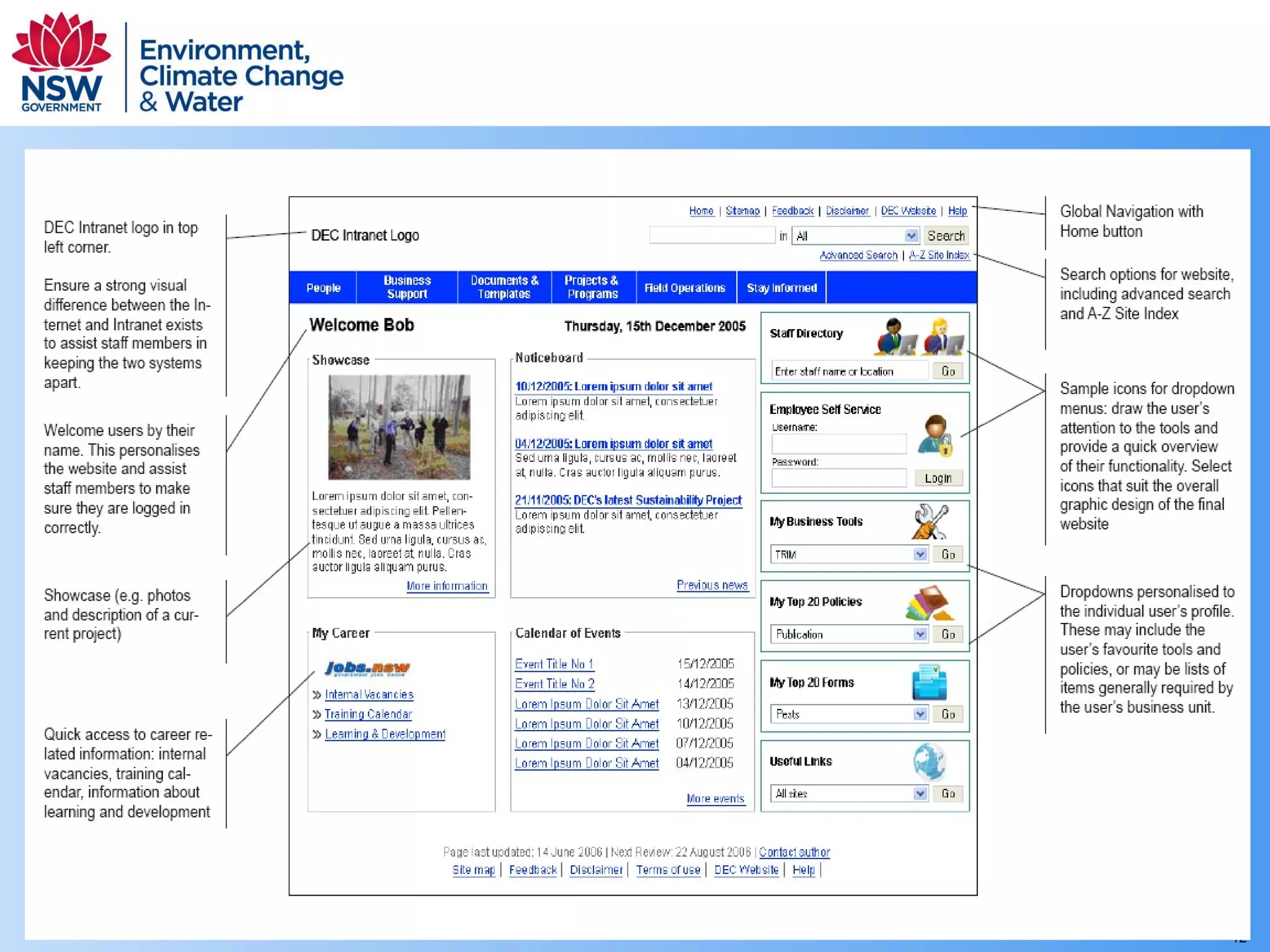
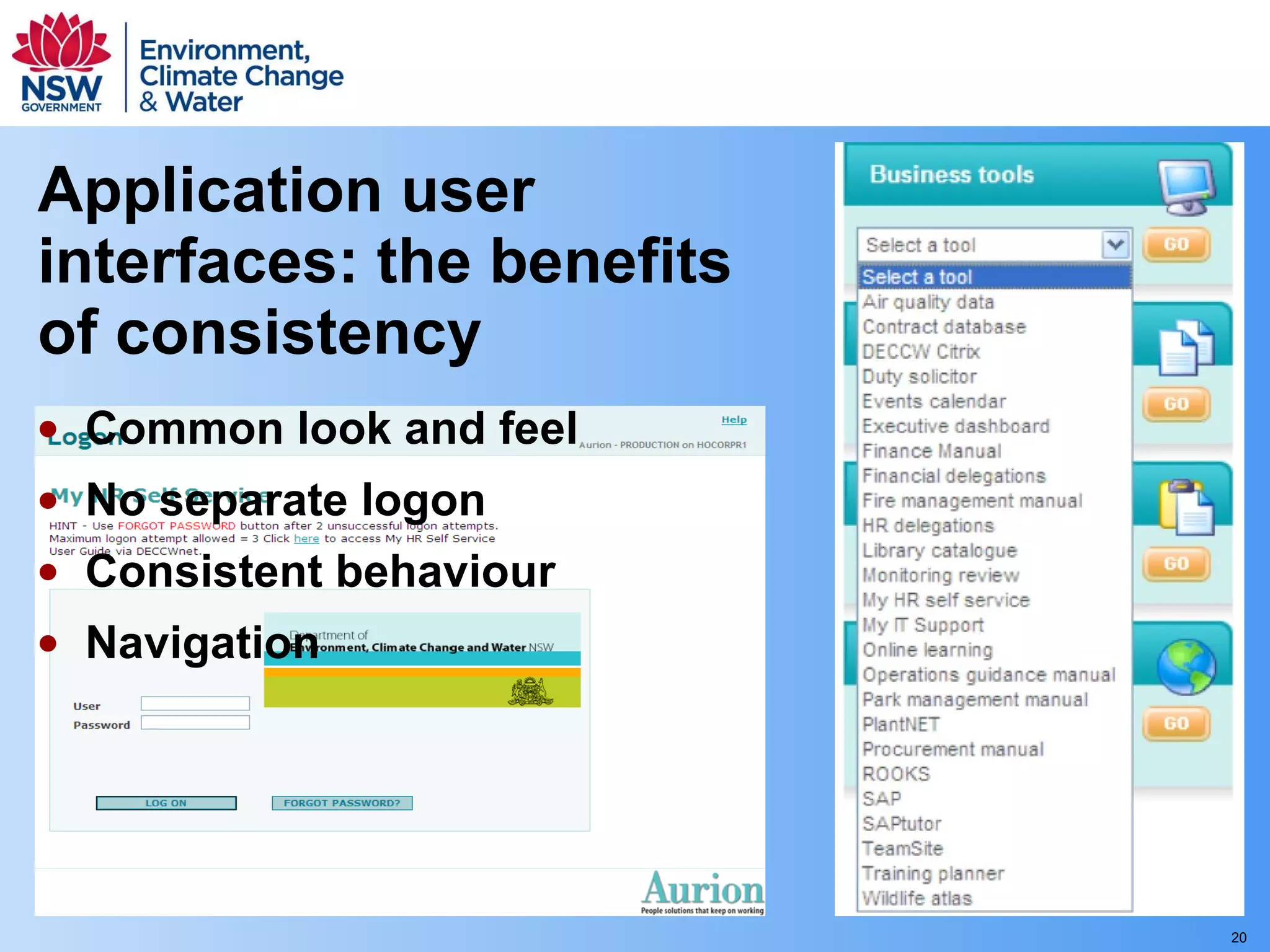
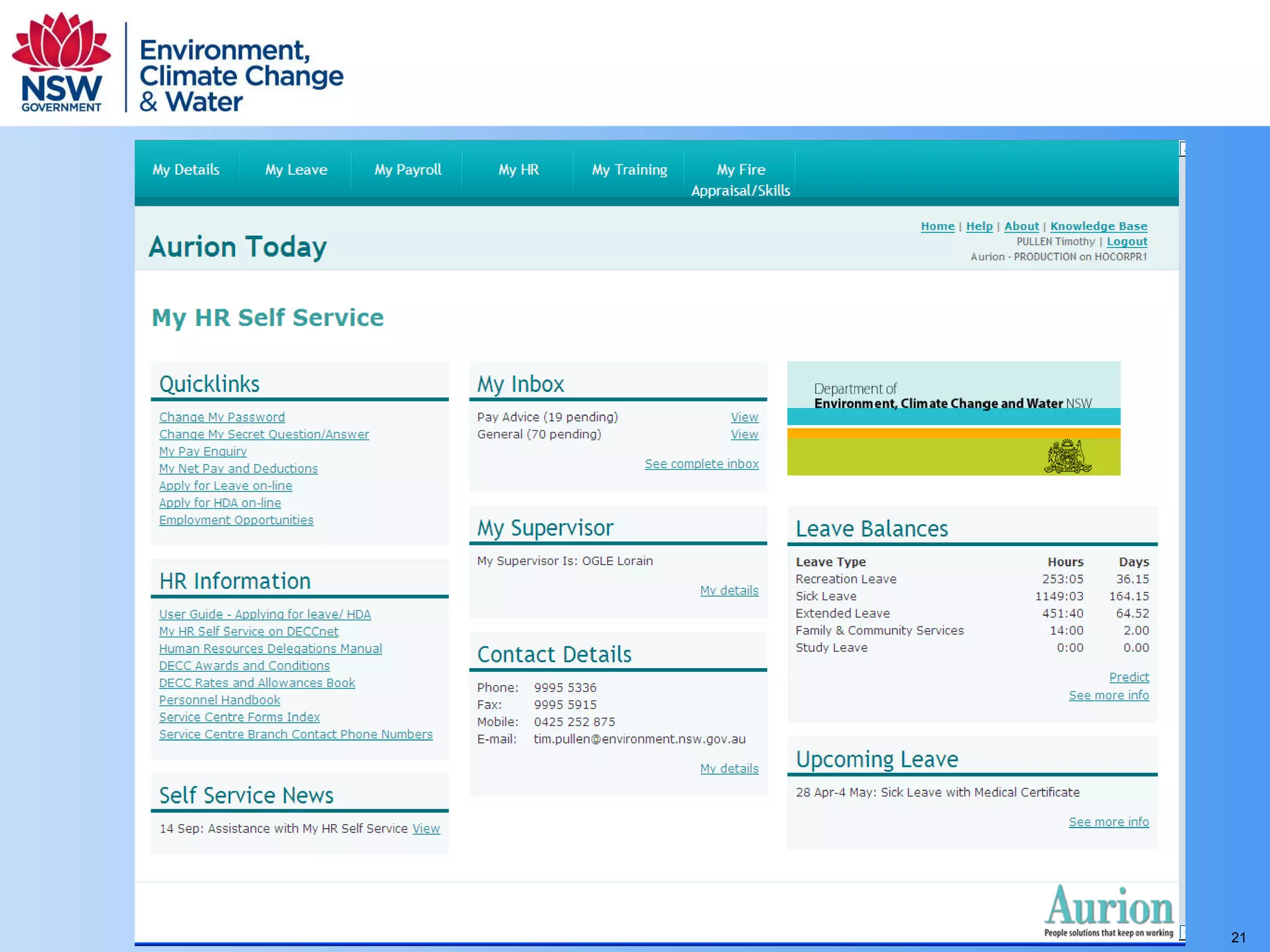
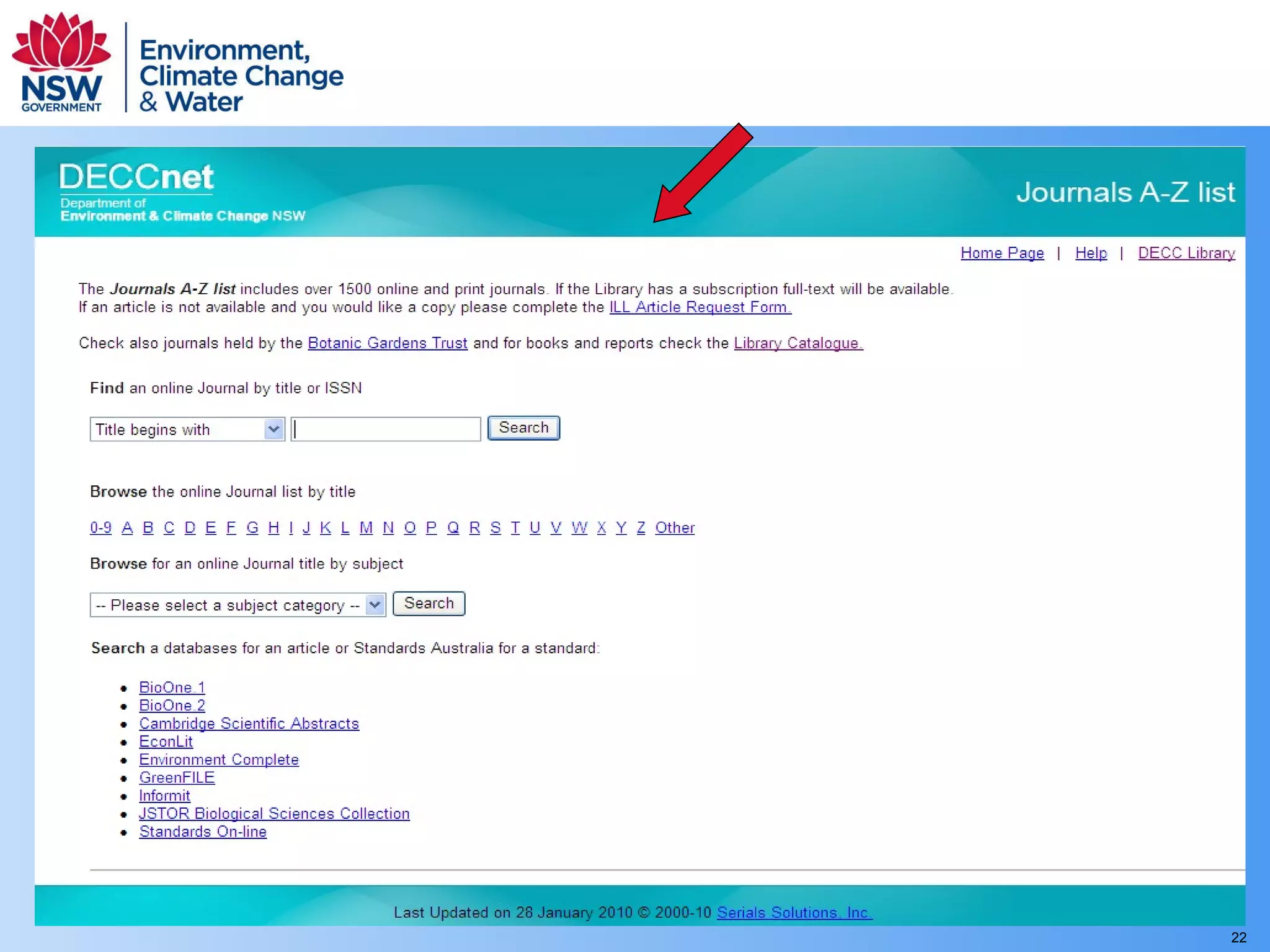
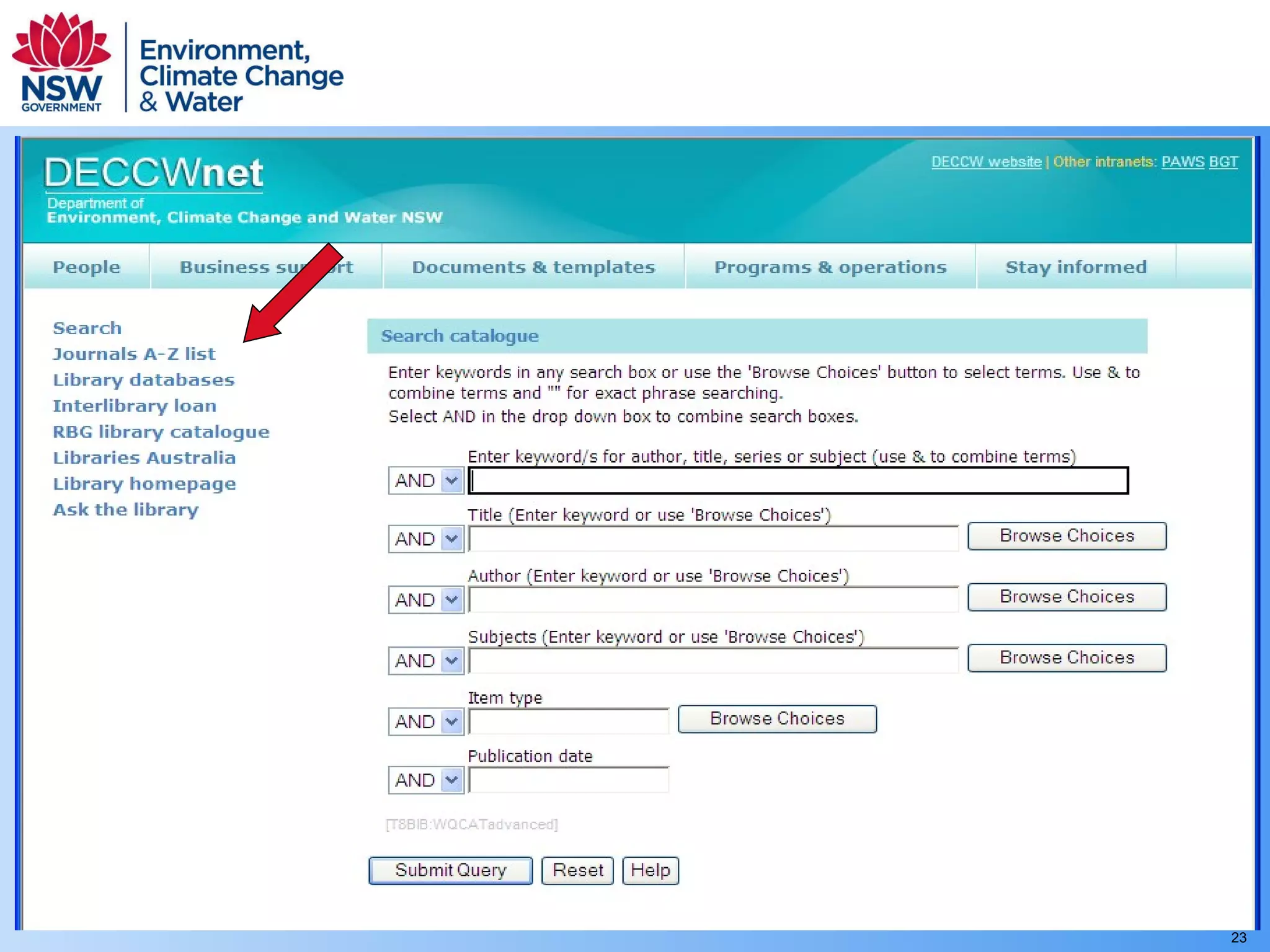
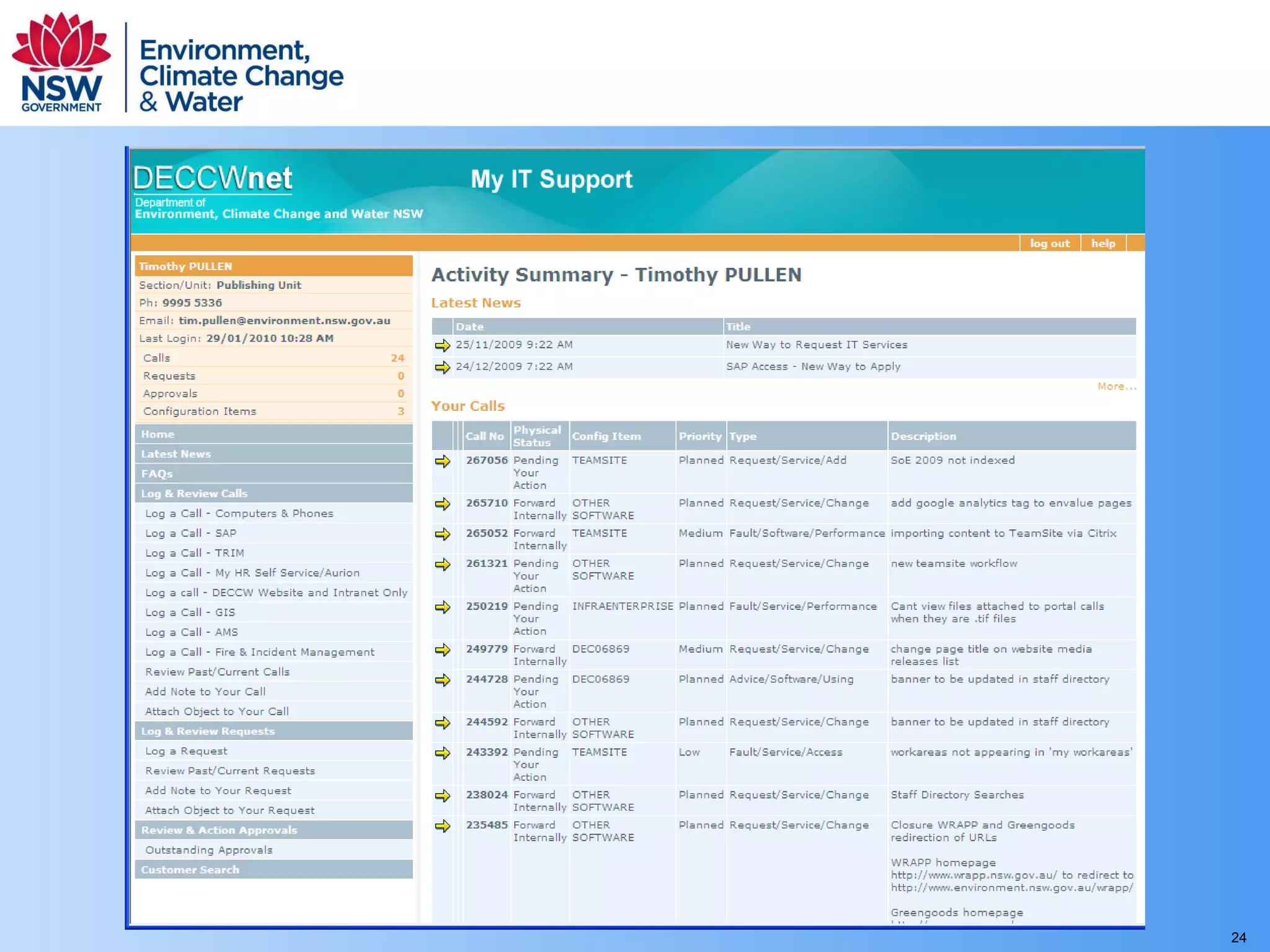
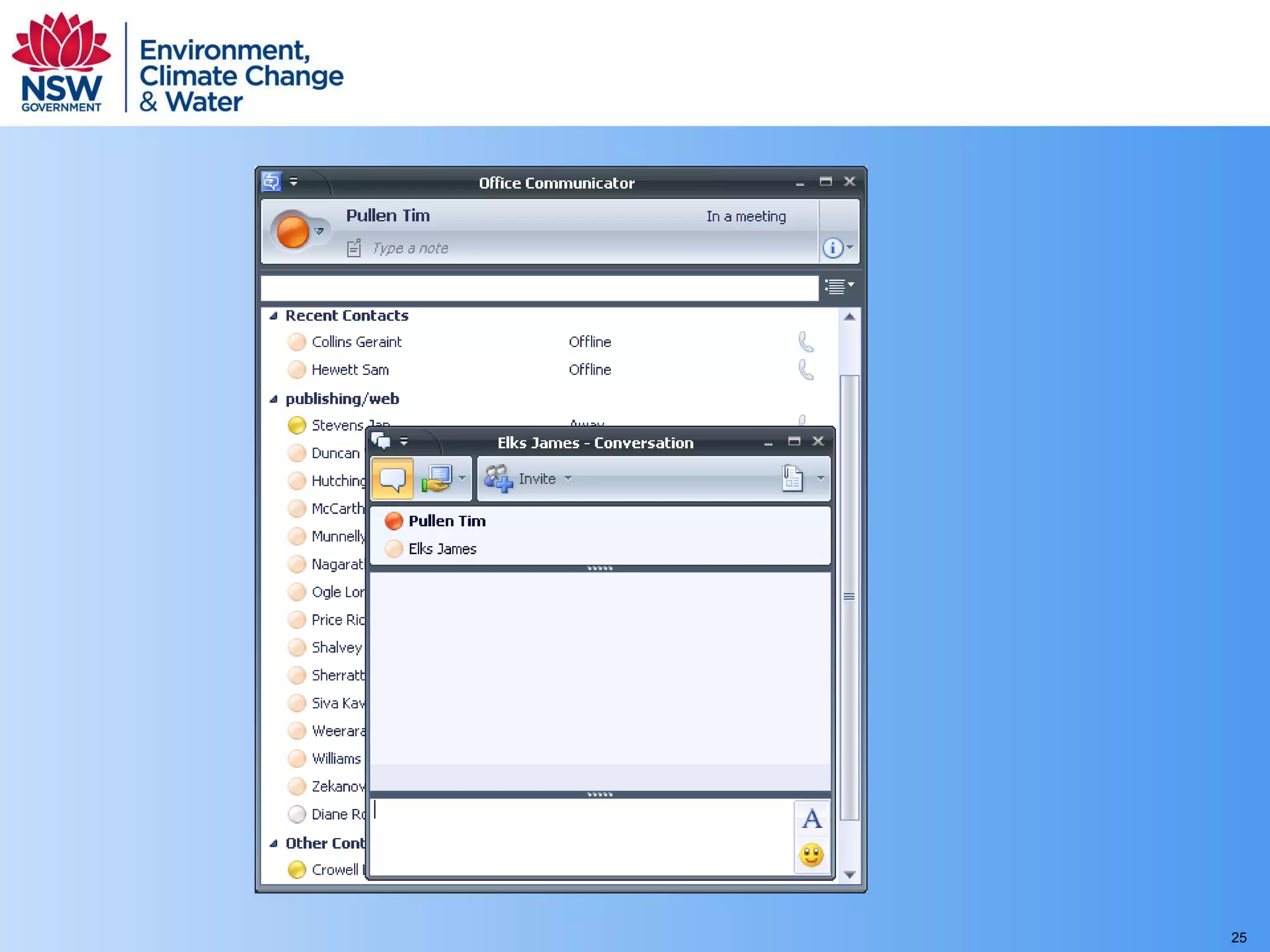
Application user interfaces: the benefits of consistency Common look and feel No separate logon Consistent behaviour Navigation


Application user interfaces should be familiar, consistent and easy to learn Users more productive, less training required Less development and testing required Easier to upgrade sitewide resources But not always worth the effort
How to achieve consistency Be an advocate/champion Strong governance framework Define interface standards  Provide a standard template  Make it easy to use
ANY QUESTIONS? Tim Pullen Department of  Environment,  Climate Change and Water  NSW

Creating an intuitive site experience for users

  • 1.
    Creating a moreintuitive site experience for users Tim Pullen Department of Environment, Climate Change and Water NSW
  • 2.
    Environment Protection AuthorityNational Parks and Wildlife Service Resource.NSW Botanic Gardens Trust Department of Environment and Conservation 2003 Department of Environment and Climate Change Department of Natural Resources Department of Energy, Utilities and Sustainability Greenhouse Office Resource Conservation Unit Marine Parks Authority 2007 Department of Environment, Climate Change and Water Department of Water and Energy 2009
  • 3.
    Presentation summary Overview of the DEC intranet integration project User centred design approach Challenges in moving from a producer perspective to a user oriented structure Application user interfaces
  • 4.
    Business strategy andinformation design Expert review of existing intranets Management interviews and workshops Staff workshops Content owners and communications specialists
  • 5.
    A word fromour sponsors Keep to the agreed scope “On time, on budget” Make everyone happy!
  • 6.
    Communication within thedepartment Regularly updated home page Keeping staff informed Distributed content creation and approval Summary pages for each functional area Personalisation (coming)
  • 7.
    Create the senseof a single organisation Avoid information silos Integrated separate intranets Access for all Topic based site structure Staff directory
  • 8.
    Provide a workbenchand support collaboration Intranet as a one stop shop Staff directory and employee self service Access to business applications Access to resources – tagging and filters Communication and knowledge sharing Collaboration and project management
  • 9.
    Development of theuser interface: putting users at the centre of the design process
  • 10.
  • 11.
  • 12.
  • 13.
  • 14.
  • 15.
    Challenges in movingto a user-centred structure Topic-based navigation
  • 16.
    Challenges in movingto a user-centred structure Redundant administrative systems
  • 17.
  • 18.
  • 19.
  • 20.
    Application user interfaces:the benefits of consistency Common look and feel No separate logon Consistent behaviour Navigation
  • 21.
  • 22.
  • 23.
  • 24.
  • 25.
  • 26.
    Application user interfacesshould be familiar, consistent and easy to learn Users more productive, less training required Less development and testing required Easier to upgrade sitewide resources But not always worth the effort
  • 27.
    How to achieveconsistency Be an advocate/champion Strong governance framework Define interface standards Provide a standard template Make it easy to use
  • 28.
    ANY QUESTIONS? TimPullen Department of Environment, Climate Change and Water NSW

Editor's Notes

  • #2 This is a case study.about my experience living through a period of significant organisational change and using a corporate intranet to support staff through that change. It’s about managing the transition from one system to another, designing for change and how to take advantage of the process of change to deliver better service. It’s also an action plan (or wish list). Because we weren’t able to do everything we wanted to. And because intranets are continually evolving to meet organisational needs. This part is forward looking and speculative in some areas. It’s about how to maintain a focus on development, how to identify needs and opportunities, prioritise initiatives and achieve change when the original momentum for change has perhaps evaporated.