Thanks
• People Whose Ideas and Work that Contributed to
  this Presentation
  – Dan Brubaker-Horst, Project Applications Developer
    (dan.brubaker.horst@nd.edu)
  – Robert Fox Sr Systems Administrator
           Fox,
    (rfox2@nd.edu)
  – Tim Jones, Interface / Graphic Designer
    (Timothy.Jones.378@nd.edu)
    (Timothy Jones 378@nd edu)
  – Tom Lehman, Digital Access Librarian
    (tlehman@nd.edu)
  – A
    Aaron Bales, Systems Librarian
          B l    S t       Lib i
    (abales@nd.edu)
  – Andre Murniek’s Design Class
Overview
•   Motivations for Change
•   Cycle of Planning and Implementation
•   Tools for Web Development
                         p
•   People and Managing Change
•   Personnel Needs
•   Continuous Integration
•   Next Steps
What Precipitated Change
• Website
  – Sense of overwhelm (particularly novice users)
  – Need for better marketing space
  – Enhance the visual character
• Catalog
  – Meet our user’s search/retrieval expectations
                          /            p
  – Reduce the amount of work and expertise needed to
    get from query to research material
  – Improve service
  – Needed and extendable platform
  – Plurality of metadata
            y
Outcomes
• Provide access to a large number of
  dissimilar resources in a simple clean
                            simple,
  interface that doesn’t overwhelm users
• Meet needs of advanced/power users
• Provide both search and browse access
  to resources and services to
  accommodate different information
  interaction styles
• Enhance visual look of site
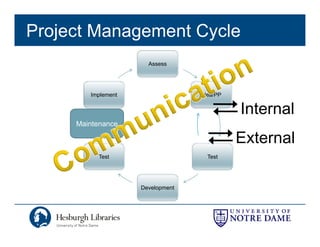
Project Management Cycle
                      Assess


        Implement                 Idea/PP


                                            Internal
     Maintenance

                                            External
          Test                      Test


                    Development
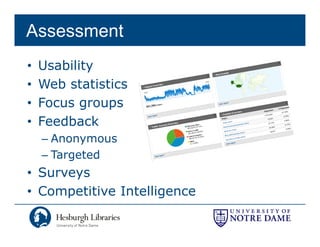
Assessment
•   Usability
•   Web statistics
•   Focus groups
           g   p
•   Feedback
    – Anonymous
    – Targeted
• Surveys
• Competitive Intelligence
Testing
• Internal
• Usability
  – Designed around a series of tasks
• Release to stakeholders
  – What to keep in mind
  – Why formalize?
Usability
• Undergrads
• Graduates & Faculty
• Sample:
      p
  1. Find three books discussing American department stores.
  2. Find three journal articles on AIDS in Africa.
  3. Does the library have access to the article "Reflections on the End
                                                  Reflections
     of History, Five Years Later," by Francis Fukuyama, published in
     History and Theory 1995 34(2): 27-43?
  4. What time does the Main Library close on Friday?
  5. Find the page that tells how to renew books you have checked
     out online.
Usability Cntd.
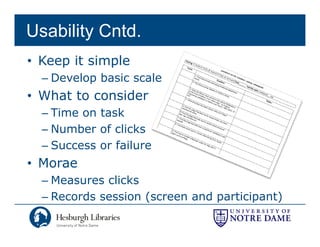
• Keep it simple
  – Develop basic scale
• What to consider
  – Time on task
  – Number of clicks
  – Success or failure
• Morae
  – Measures clicks
  – Records session (
                    (screen and p      p   )
                                participant)
Idea

• Define problems
• Brainstorm added
  features
• Sketch wireframe and
  paper prototype

               <Test>
               <T t>
Develop
• Rapid development around prototype
  – Integrate basic design elements
• Experiment with tools, decision
• Formalize the design – IA
• Construct Templates
              <Test>
• Fi issues
  Fix i
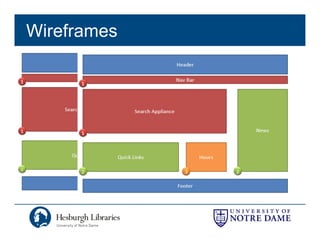
Wireframes
Implement
• Migrate site, prepare project for
  production
      d ti
• Flip to production
• Collect feedback
  – (Clear your calendar for 6 weeks)
  – Mitigate Problems
  – Fix issues
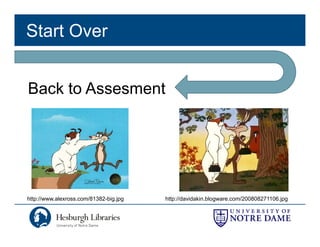
Start Over


Back to Assesment


http://www.alexross.com/81382-big.jpg
   p                            g jpg   http://davidakin.blogware.com/200808271106.jpg
                                           p                g                      jpg
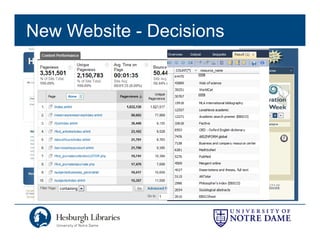
New Website - Decisions
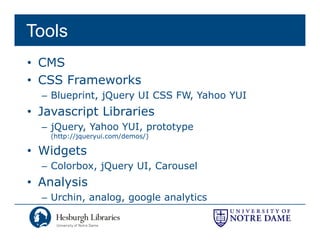
Tools
• CMS
• CSS F
      Frameworks
              k
  – Blueprint, jQuery UI CSS FW, Yahoo YUI
• J
  Javascript Lib i
         i t Libraries
  – jQuery, Yahoo YUI, prototype
    ( p //jq
    (http://jqueryui.com/demos/)
                 y      /     /)

• Widgets
  – Colorbox, jQuery UI, Carousel
            , jQ   y   ,
• Analysis
  – Urchin, analog, google analytics
          ,      g, g g        y
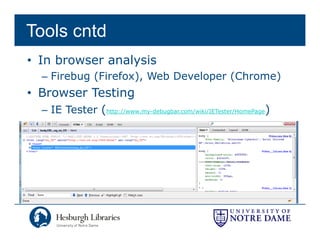
Tools cntd
• In browser analysis
  – Firebug (Firefox) Web Developer (Chrome)
            (Firefox),
• Browser Testing
  – IE Tester (http://www.my-debugbar.com/wiki/IETester/HomePage)
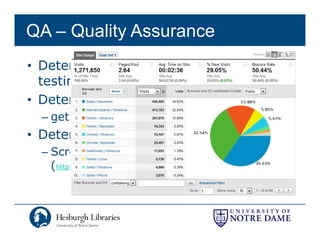
QA – Quality Assurance
• Determine representative pages for
  testing
  t ti
• Determine browsers and OSs
  – get from log analysis
• Determine environments
   ete    ee     o  e ts
  – Screen Resolution, W3C
    (http://www.w3schools.com/browsers/browsers_display.asp)
        p                                          p y p
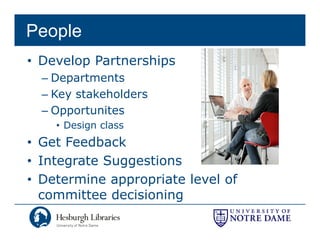
People
• Develop Partnerships
  – Departments
  – Key stakeholders
  –OOpportunites
          t it
    • Design class
• G t F db k
  Get Feedback
• Integrate Suggestions
• Determine appropriate level of
  committee decisioning
                      g
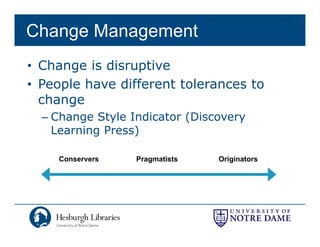
Change Management
• Change is disruptive
• People have different tolerances to
  change
  – Change Style Indicator (Discovery
    Learning Press)

    Conservers    Pragmatists   Originators
Kotter’s 8-Step Change Model
•   Create Urgency
•   Form a Powerful Coalition
•   Create a Vision for Change
•   Communicate the Vision
•   Remove Obstacels
•   Create Short-term Wins
•   Build on the Change
•   Anchor Changes in Culture
Source – MindTools - http://www.mindtools.com/pages/article/newPPM_82.htm
                        p //                 /p g /        /
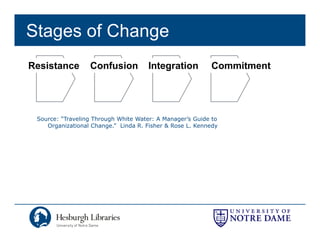
Stages of Change
Resistance        Confusion           Integration         Commitment


 Source: “Traveling Through White Water: A Manager’s Guide to
    Organizational Change.” Linda R. Fisher & Rose L. Kennedy
Preparing the Organization
•   Garnering organizational support
•   Focus Groupsp
•   College Visits
•   Targeted Email
       g
•   Campus Newsletter
•   Story in Campus Paper
•   News Channel in Campus Portal
•   Online Feedback
    – incentives
    – 350+ responses
               p
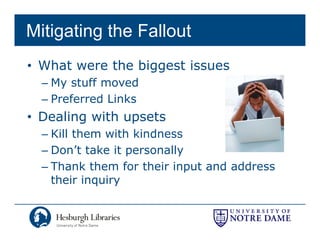
Mitigating the Fallout
• What were the biggest issues
  – My stuff moved
  – Preferred Links
• Dealing with upsets
  – Kill them with kindness
  – Don’t take it personally
  – Thank them for their input and address
    their inquiry
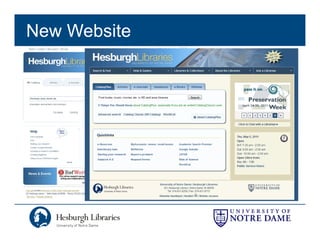
New Website
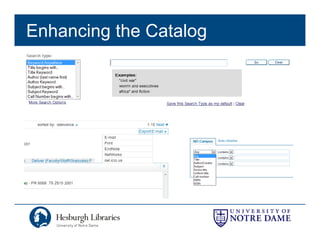
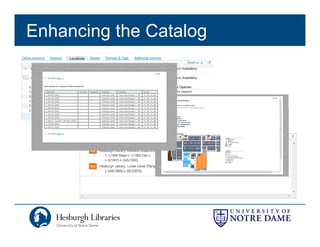
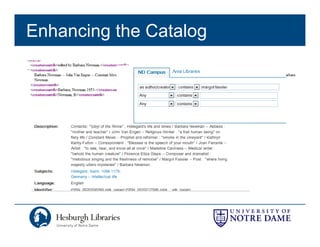
Enhancing the Catalog
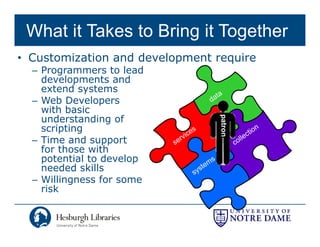
What it Takes to Bring it Together
• Customization and development require
  – Programmers to lead
    developments and
    d    l       t    d
    extend systems
  – Web Developers
    with basic
    understanding of


                                 patron
    scripting
  – Time and support
    for those with
    potential to develop
    needed skills
  – Willingness for some
    risk
Learning Technologies
• Learn through doing
  – Ti practical goal t
    Tie     ti l    l to
     learning technology
• Choose “gateway”
          gateway
    technology
  – php
                                http://activerain.com/image_store/uploads/
  – Perl                        1/2/0/5/0/ar120996349105021.jpg


• Graduate to more sophisticated technology
  – procedural code vs object oriented code
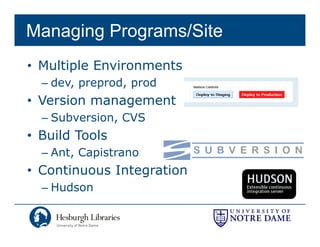
Managing Programs/Site
• Multiple Environments
  – dev, preprod, prod
• Version management
  – Subversion, CVS
• Build Tools
  – Ant, Capistrano
• Continuous Integration
  – Hudson
Deployment

                         Subversion


             Hudson
             H d
 PPrd


              oh crap!
              rollback


 Prd                         Dev
Next Steps
• Post-mortem
• Reorganizing
• Communication
• Implementing
  Recommendations
• Future Planning
• St t
  Strategy
Post-mortem
• How it went
  – First two weeks insane
• What we missed
  – More communication, earlier
  – Education about CatalogPlus
                           g
  – More testing of CatalogPlus
Reorganization
• Creating Teams
  – Advisory group
  – System Architecture /
    UI team
• Leveraging existing
  teams
  – ELK – Library Communications Committee
Communication
• Move WPIT to WAG (formal input)
• Annual meetings with key
  departments
• Education / Outreach
• Visit satellite sites
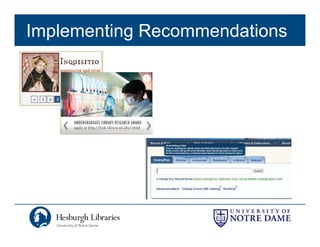
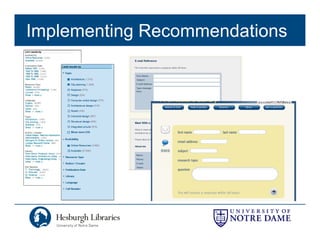
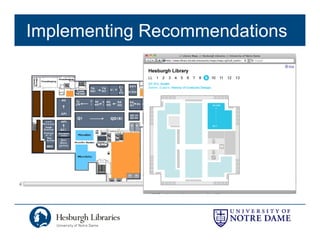
Implementing Recommendations
Future Planning
• Primo Central – aggregated index
• Content Management System
  – Integrated database driven data
• Holistic Discovery / Services Approach
  – Integrated request queue
• Developing technologies
• Single sign on
• Explore Portalization
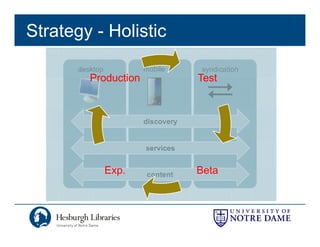
Strategy - Holistic
       desktop          mobile      syndication
          Production                Test


                        discovery


                        services


                 Exp.
                 Exp    content     Beta
Resources
• Organizational HR trainings
• O’Reilly Books (Safari)
• Websites
  –   37signals Signal vs. Noise - http://37signals.com/svn/
  –   A List Apart - http://www.alistapart.com/
  –   Smashing Magazine - http://www.smashingmagazine.com/
  –   UX Magazine - http://uxmag.com/
  –   Fast Co. Design - http://www.fastcodesign.com/
  –   Dribbble - http://dribbble.com/
  –   User Interface Engineering: http://www uie com/articles/
                                   http://www.uie.com/articles/
  –   Jakob Nielsen's Website: http://www.useit.com/
      Source: Tom Lehman and Tim Jones
Thank You


            Mark Dehmlow
            Digital Initiatives Librarian
            574-631-3092
            mdehmlow@nd.edu

Implimenting and Mitigating Change with all of this Newfangled Technology

  • 2.
    Thanks • People WhoseIdeas and Work that Contributed to this Presentation – Dan Brubaker-Horst, Project Applications Developer (dan.brubaker.horst@nd.edu) – Robert Fox Sr Systems Administrator Fox, (rfox2@nd.edu) – Tim Jones, Interface / Graphic Designer (Timothy.Jones.378@nd.edu) (Timothy Jones 378@nd edu) – Tom Lehman, Digital Access Librarian (tlehman@nd.edu) – A Aaron Bales, Systems Librarian B l S t Lib i (abales@nd.edu) – Andre Murniek’s Design Class
  • 3.
    Overview • Motivations for Change • Cycle of Planning and Implementation • Tools for Web Development p • People and Managing Change • Personnel Needs • Continuous Integration • Next Steps
  • 4.
    What Precipitated Change •Website – Sense of overwhelm (particularly novice users) – Need for better marketing space – Enhance the visual character • Catalog – Meet our user’s search/retrieval expectations / p – Reduce the amount of work and expertise needed to get from query to research material – Improve service – Needed and extendable platform – Plurality of metadata y
  • 5.
    Outcomes • Provide accessto a large number of dissimilar resources in a simple clean simple, interface that doesn’t overwhelm users • Meet needs of advanced/power users • Provide both search and browse access to resources and services to accommodate different information interaction styles • Enhance visual look of site
  • 6.
    Project Management Cycle Assess Implement Idea/PP Internal Maintenance External Test Test Development
  • 7.
    Assessment • Usability • Web statistics • Focus groups g p • Feedback – Anonymous – Targeted • Surveys • Competitive Intelligence
  • 8.
    Testing • Internal • Usability – Designed around a series of tasks • Release to stakeholders – What to keep in mind – Why formalize?
  • 9.
    Usability • Undergrads • Graduates& Faculty • Sample: p 1. Find three books discussing American department stores. 2. Find three journal articles on AIDS in Africa. 3. Does the library have access to the article "Reflections on the End Reflections of History, Five Years Later," by Francis Fukuyama, published in History and Theory 1995 34(2): 27-43? 4. What time does the Main Library close on Friday? 5. Find the page that tells how to renew books you have checked out online.
  • 10.
    Usability Cntd. • Keepit simple – Develop basic scale • What to consider – Time on task – Number of clicks – Success or failure • Morae – Measures clicks – Records session ( (screen and p p ) participant)
  • 11.
    Idea • Define problems •Brainstorm added features • Sketch wireframe and paper prototype <Test> <T t>
  • 12.
    Develop • Rapid developmentaround prototype – Integrate basic design elements • Experiment with tools, decision • Formalize the design – IA • Construct Templates <Test> • Fi issues Fix i
  • 13.
  • 14.
    Implement • Migrate site,prepare project for production d ti • Flip to production • Collect feedback – (Clear your calendar for 6 weeks) – Mitigate Problems – Fix issues
  • 15.
    Start Over Back toAssesment http://www.alexross.com/81382-big.jpg p g jpg http://davidakin.blogware.com/200808271106.jpg p g jpg
  • 16.
    New Website -Decisions
  • 17.
    Tools • CMS • CSSF Frameworks k – Blueprint, jQuery UI CSS FW, Yahoo YUI • J Javascript Lib i i t Libraries – jQuery, Yahoo YUI, prototype ( p //jq (http://jqueryui.com/demos/) y / /) • Widgets – Colorbox, jQuery UI, Carousel , jQ y , • Analysis – Urchin, analog, google analytics , g, g g y
  • 18.
    Tools cntd • Inbrowser analysis – Firebug (Firefox) Web Developer (Chrome) (Firefox), • Browser Testing – IE Tester (http://www.my-debugbar.com/wiki/IETester/HomePage)
  • 19.
    QA – QualityAssurance • Determine representative pages for testing t ti • Determine browsers and OSs – get from log analysis • Determine environments ete ee o e ts – Screen Resolution, W3C (http://www.w3schools.com/browsers/browsers_display.asp) p p y p
  • 20.
    People • Develop Partnerships – Departments – Key stakeholders –OOpportunites t it • Design class • G t F db k Get Feedback • Integrate Suggestions • Determine appropriate level of committee decisioning g
  • 21.
    Change Management • Changeis disruptive • People have different tolerances to change – Change Style Indicator (Discovery Learning Press) Conservers Pragmatists Originators
  • 22.
    Kotter’s 8-Step ChangeModel • Create Urgency • Form a Powerful Coalition • Create a Vision for Change • Communicate the Vision • Remove Obstacels • Create Short-term Wins • Build on the Change • Anchor Changes in Culture Source – MindTools - http://www.mindtools.com/pages/article/newPPM_82.htm p // /p g / /
  • 23.
    Stages of Change Resistance Confusion Integration Commitment Source: “Traveling Through White Water: A Manager’s Guide to Organizational Change.” Linda R. Fisher & Rose L. Kennedy
  • 24.
    Preparing the Organization • Garnering organizational support • Focus Groupsp • College Visits • Targeted Email g • Campus Newsletter • Story in Campus Paper • News Channel in Campus Portal • Online Feedback – incentives – 350+ responses p
  • 25.
    Mitigating the Fallout •What were the biggest issues – My stuff moved – Preferred Links • Dealing with upsets – Kill them with kindness – Don’t take it personally – Thank them for their input and address their inquiry
  • 26.
  • 27.
  • 28.
  • 29.
  • 30.
    What it Takesto Bring it Together • Customization and development require – Programmers to lead developments and d l t d extend systems – Web Developers with basic understanding of patron scripting – Time and support for those with potential to develop needed skills – Willingness for some risk
  • 31.
    Learning Technologies • Learnthrough doing – Ti practical goal t Tie ti l l to learning technology • Choose “gateway” gateway technology – php http://activerain.com/image_store/uploads/ – Perl 1/2/0/5/0/ar120996349105021.jpg • Graduate to more sophisticated technology – procedural code vs object oriented code
  • 32.
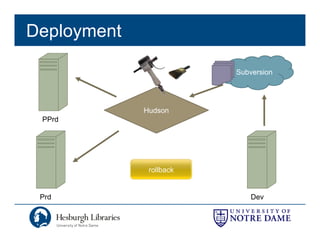
    Managing Programs/Site • MultipleEnvironments – dev, preprod, prod • Version management – Subversion, CVS • Build Tools – Ant, Capistrano • Continuous Integration – Hudson
  • 33.
    Deployment Subversion Hudson H d PPrd oh crap! rollback Prd Dev
  • 34.
    Next Steps • Post-mortem •Reorganizing • Communication • Implementing Recommendations • Future Planning • St t Strategy
  • 35.
    Post-mortem • How itwent – First two weeks insane • What we missed – More communication, earlier – Education about CatalogPlus g – More testing of CatalogPlus
  • 36.
    Reorganization • Creating Teams – Advisory group – System Architecture / UI team • Leveraging existing teams – ELK – Library Communications Committee
  • 37.
    Communication • Move WPITto WAG (formal input) • Annual meetings with key departments • Education / Outreach • Visit satellite sites
  • 38.
  • 39.
  • 40.
  • 41.
    Future Planning • PrimoCentral – aggregated index • Content Management System – Integrated database driven data • Holistic Discovery / Services Approach – Integrated request queue • Developing technologies • Single sign on • Explore Portalization
  • 42.
    Strategy - Holistic desktop mobile syndication Production Test discovery services Exp. Exp content Beta
  • 43.
    Resources • Organizational HRtrainings • O’Reilly Books (Safari) • Websites – 37signals Signal vs. Noise - http://37signals.com/svn/ – A List Apart - http://www.alistapart.com/ – Smashing Magazine - http://www.smashingmagazine.com/ – UX Magazine - http://uxmag.com/ – Fast Co. Design - http://www.fastcodesign.com/ – Dribbble - http://dribbble.com/ – User Interface Engineering: http://www uie com/articles/ http://www.uie.com/articles/ – Jakob Nielsen's Website: http://www.useit.com/ Source: Tom Lehman and Tim Jones
  • 45.
    Thank You Mark Dehmlow Digital Initiatives Librarian 574-631-3092 mdehmlow@nd.edu