
An Informational Session For the
Summer Undergraduate
Research Scholars Program
at the
Qualcomm Institute,
the University of California, San Diego branch of the
California Institute of Telecommunications and Information
Technology
Ashley M. Richter
Center of Interdisciplinary Science
for Art, Architecture, and
Archaeology
•Whatis a Research Poster?
•Planninga Research Poster
•Buildinga Research Poster
•Printinga Research Poster
•EXAMPLES OF RESEARCH POSTERS
•Presentinga Research Poster
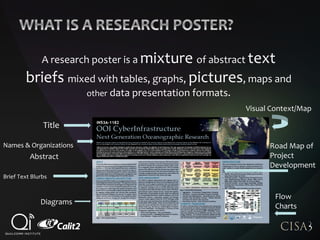
A research poster is a mixture of abstract text
briefs mixed with tables, graphs, pictures, maps and
other data presentation formats.
Title
Abstract
Flow
Charts
Visual Context/Map
Road Map of
Project
Development
Diagrams
Names & Organizations
Brief Text Blurbs
Research posters are presented by the
researcher(s) standing by their poster display
while other participants come by and interact
brieflywith the author
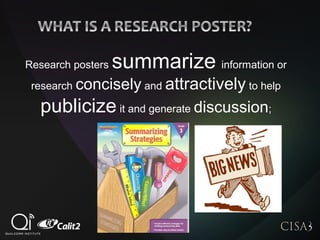
Research posters summarize information or
research concisely and attractively to help
publicize it and generate discussion;
Research posters are widely used throughout ALL
branchesof the academic and scientific community and
are a common vehicle for rapid research dissemination at
ALL tiers of work: from student presentations through to
professional conferences
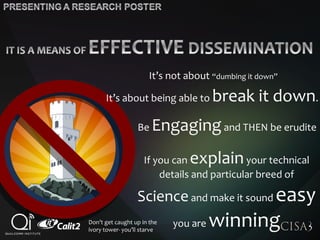
It’s not about “dumbing it down”
It’s about being able to break it down.
Be Engagingand THEN be erudite
If you can explainyour technical
details and particular breed of
Scienceand make it sound easy
you are winningDon’t get caught up in the
ivory tower- you’ll starve
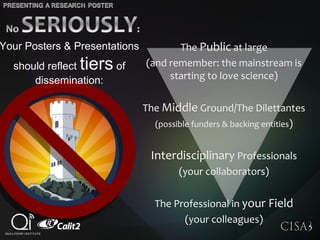
The Public at large
(and remember: the mainstream is
starting to love science)
The Middle Ground/The Dilettantes
(possible funders & backing entities)
Interdisciplinary Professionals
(your collaborators)
The Professional in your Field
(your colleagues)
Your Posters & Presentations
should reflect tiers of
dissemination:
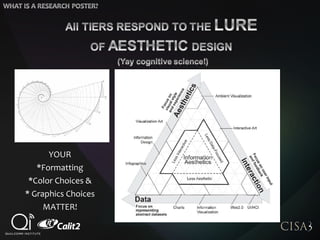
YOUR
*Formatting
*Color Choices &
* Graphics Choices
MATTER!
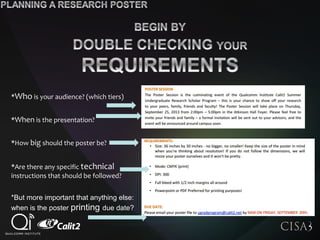
*Who is your audience? (which tiers)
*When is the presentation?
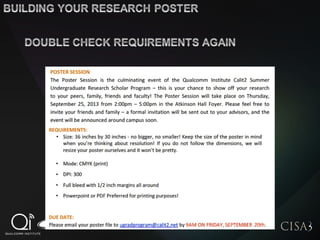
*How big should the poster be?
*Are there any specific technical
instructions that should be followed?
*But more important that anything else:
when is the poster printing due date?
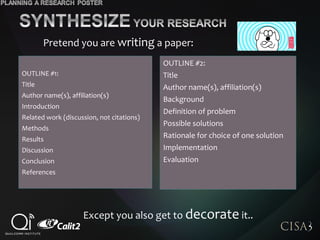
OUTLINE #1:
Title
Author name(s), affiliation(s)
Introduction
Related work (discussion, not citations)
Methods
Results
Discussion
Conclusion
References
OUTLINE #2:
Title
Author name(s), affiliation(s)
Background
Definition of problem
Possible solutions
Rationale for choice of one solution
Implementation
Evaluation
Pretend you are writing a paper:
Except you also get to decorate it..
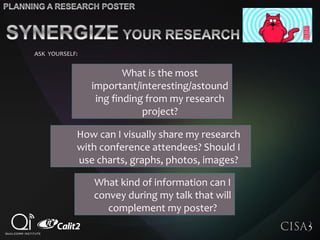
What kind of information can I
convey during my talk that will
complement my poster?
What is the most
important/interesting/astound
ing finding from my research
project?
How can I visually share my research
with conference attendees? Should I
use charts, graphs, photos, images?
ASK YOURSELF:
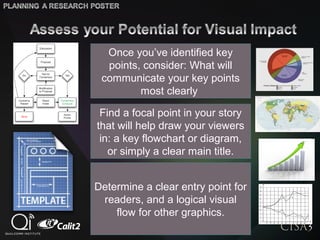
Determine a clear entry point for
readers, and a logical visual
flow for other graphics.
Once you’ve identified key
points, consider: What will
communicate your key points
most clearly
Find a focal point in your story
that will help draw your viewers
in: a key flowchart or diagram,
or simply a clear main title.
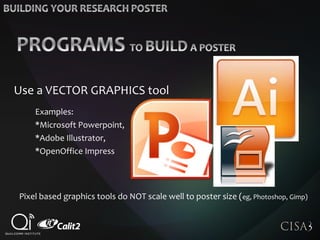
Use a VECTOR GRAPHICS tool
Examples:
*Microsoft Powerpoint,
*Adobe Illustrator,
*OpenOffice Impress
Pixel based graphics tools do NOT scale well to poster size (eg, Photoshop, Gimp)
* Group related information.
*Use numbering or arrows if
linked content should be read in a
particular order.
*Avoid either oversimplifying (too
little useful information) or
overcomplicating (too much
information).
*Make sure important
graphics or information
stand out clearlyin
your design.
*Use margins to give
your content room to
breathe
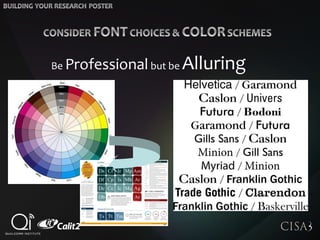
Be Professional but be Alluring
Before sending to printer, save poster as PDF (eg, CutePDF) and
verify poster size and resolution of text and images.
As you place your text and media
content: keep zooming in & out to
evaluate their visual impact and
any crowding issues
It’s much easier to build if you have
everything ready so you only have
to build a collage of text & images
Don’t forget your logos!
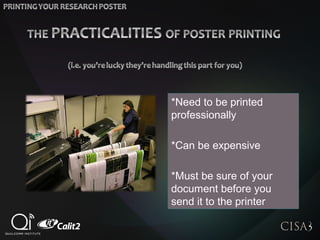
*Need to be printed
professionally
*Can be expensive
*Must be sure of your
document before you
send it to the printer
It’s not about “dumbing it down”
It’s about being able to break it down.
Be Engagingand THEN be erudite
If you can explainyour technical
details and particular breed of
Scienceand make it sound easy
you are winningDon’t get caught up in the
ivory tower- you’ll starve
The Public at large
(and remember: the mainstream is
starting to love science)
The Middle Ground/The Dilettantes
(possible funders & backing entities)
Interdisciplinary Professionals
(your collaborators)
The Professional in your Field
(your colleagues)
Your Posters & Presentations
should reflect tiers of
dissemination:
37

Creating A Research Poster

  • 1.
    An Informational SessionFor the Summer Undergraduate Research Scholars Program at the Qualcomm Institute, the University of California, San Diego branch of the California Institute of Telecommunications and Information Technology Ashley M. Richter Center of Interdisciplinary Science for Art, Architecture, and Archaeology
  • 2.
    •Whatis a ResearchPoster? •Planninga Research Poster •Buildinga Research Poster •Printinga Research Poster •EXAMPLES OF RESEARCH POSTERS •Presentinga Research Poster
  • 4.
    A research posteris a mixture of abstract text briefs mixed with tables, graphs, pictures, maps and other data presentation formats. Title Abstract Flow Charts Visual Context/Map Road Map of Project Development Diagrams Names & Organizations Brief Text Blurbs
  • 5.
    Research posters arepresented by the researcher(s) standing by their poster display while other participants come by and interact brieflywith the author
  • 6.
    Research posters summarizeinformation or research concisely and attractively to help publicize it and generate discussion;
  • 7.
    Research posters arewidely used throughout ALL branchesof the academic and scientific community and are a common vehicle for rapid research dissemination at ALL tiers of work: from student presentations through to professional conferences
  • 8.
    It’s not about“dumbing it down” It’s about being able to break it down. Be Engagingand THEN be erudite If you can explainyour technical details and particular breed of Scienceand make it sound easy you are winningDon’t get caught up in the ivory tower- you’ll starve
  • 9.
    The Public atlarge (and remember: the mainstream is starting to love science) The Middle Ground/The Dilettantes (possible funders & backing entities) Interdisciplinary Professionals (your collaborators) The Professional in your Field (your colleagues) Your Posters & Presentations should reflect tiers of dissemination:
  • 10.
    YOUR *Formatting *Color Choices & *Graphics Choices MATTER!
  • 12.
    *Who is youraudience? (which tiers) *When is the presentation? *How big should the poster be? *Are there any specific technical instructions that should be followed? *But more important that anything else: when is the poster printing due date?
  • 13.
    OUTLINE #1: Title Author name(s),affiliation(s) Introduction Related work (discussion, not citations) Methods Results Discussion Conclusion References OUTLINE #2: Title Author name(s), affiliation(s) Background Definition of problem Possible solutions Rationale for choice of one solution Implementation Evaluation Pretend you are writing a paper: Except you also get to decorate it..
  • 14.
    What kind ofinformation can I convey during my talk that will complement my poster? What is the most important/interesting/astound ing finding from my research project? How can I visually share my research with conference attendees? Should I use charts, graphs, photos, images? ASK YOURSELF:
  • 15.
    Determine a clearentry point for readers, and a logical visual flow for other graphics. Once you’ve identified key points, consider: What will communicate your key points most clearly Find a focal point in your story that will help draw your viewers in: a key flowchart or diagram, or simply a clear main title.
  • 18.
    Use a VECTORGRAPHICS tool Examples: *Microsoft Powerpoint, *Adobe Illustrator, *OpenOffice Impress Pixel based graphics tools do NOT scale well to poster size (eg, Photoshop, Gimp)
  • 20.
    * Group relatedinformation. *Use numbering or arrows if linked content should be read in a particular order. *Avoid either oversimplifying (too little useful information) or overcomplicating (too much information). *Make sure important graphics or information stand out clearlyin your design. *Use margins to give your content room to breathe
  • 21.
  • 22.
    Before sending toprinter, save poster as PDF (eg, CutePDF) and verify poster size and resolution of text and images. As you place your text and media content: keep zooming in & out to evaluate their visual impact and any crowding issues It’s much easier to build if you have everything ready so you only have to build a collage of text & images Don’t forget your logos!
  • 24.
    *Need to beprinted professionally *Can be expensive *Must be sure of your document before you send it to the printer
  • 34.
    It’s not about“dumbing it down” It’s about being able to break it down. Be Engagingand THEN be erudite If you can explainyour technical details and particular breed of Scienceand make it sound easy you are winningDon’t get caught up in the ivory tower- you’ll starve
  • 35.
    The Public atlarge (and remember: the mainstream is starting to love science) The Middle Ground/The Dilettantes (possible funders & backing entities) Interdisciplinary Professionals (your collaborators) The Professional in your Field (your colleagues) Your Posters & Presentations should reflect tiers of dissemination:
  • 37.