Onboarding New Clients
The onboarding
misunderstanding
Onboarding deals with
paying clients
It begins with a signed
contract and paid deposit
Client onboarding is the process
of welcoming new clients to
your business and getting them
up to speed so you can work
together effectively, get all of the
information you need, and have
a great relationship
During the onboarding process:
•	 New clients acquire the necessary
knowledge, understanding, and tools
needed to be a good client
•	 You acquire the necessary knowledge,
understanding, and tools needed to be a
good service provider
Onboarding is a fancy
name for the process of
getting started with
a new client
An onboarding process is designed to:
•	Welcome clients and set the tone for a strong
relationship and successful project
•	Educate clients so they feel confident in answering
your questions and making decisions along the way
•	Equip clients to feel empowered in their
communication and feel comfortable asking for
help when they need it
An onboarding process is designed to:
•	Provide clients extra value through bonuses and
tools designed to help them be a better client and
get the most from their time with you
•	Remind clients of the expectations and boundaries
that exist
•	Share what will happen next and what you need
clients to do
A step-by-step onboarding system will:
•	 Increase confidence and satisfaction
•	 Improve productivity and performance
•	 Reduce stress and confusion
A step-by-step onboarding system will:
•	 Solidify confidence in you
•	 Confirm hiring you was smart
•	 Prepare the client to be a great client
EXERCISE 01:
Review Existing Onboarding
Make a list of everything that happens when
a new client project begins
Things to consider:
•	 What are you communicating to your clients?
•	 What is working great right now?
•	 Where are things getting stuck or hitting a hurdle?
•	 What tasks are you repeating for every project?
•	 What type of experience are clients having now and
how/where can you improve it?
There are two types of onboarding:
•	 Internal Onboarding: What you need to
provide an end product that delivers the
results desired and a memorable experience
•	 External Onboarding: What the client needs
to set the project up for success
Internal onboarding is
the part of the process
only you see and
experience
Internal onboarding tasks:
•	 CRM documentation and tagging
•	 Reminder to welcome client
•	 Project kick-off call scheduling automation
•	 Project management software setup
•	 Project list addition
•	 Development environment set up
External onboarding
is the part of the process
your clients see and
experience
External onboarding tasks:
•	 Send welcome note
•	 Schedule project kick-off call
•	 Set expectations and boundaries
•	 Review your process
•	 Provide extra/bonus training
•	 Deliver the client questionnaire (this is last!)
EXERCISE 02:
Evaluate Existing Onboarding
Update your list of what happens during
onboarding to include items missing
External onboarding:
•	 Send welcome note
•	 Schedule project kick-off call
•	 Set expectations and boundaries
•	 Review your process
•	 Provide extra/bonus training
•	 Deliver the client questionnaire
Internal onboarding:
•	 CRM documentation and tagging
•	 Reminder to welcome client
•	 Kick-off call scheduling automation
•	 Project management software setup
•	 Project list addition
•	 Development environment set up
Client onboarding is the process
of welcoming new clients to
your business and getting them
up to speed so you can work
together effectively, get all of the
information you need, and have
a great relationship
Create Onboarding Tools
Things to consider:
•	 Expectations and boundaries
•	 What new clients need to know and learn
•	 What you need to do AND what clients need to do
•	 What new clients need from you
•	 The potential hurdles that can be overcome now
•	 Ways you can create a remarkable experience
EXERCISE 03:
Create Your Welcome Note Message
Write a welcome message to show
new clients they are appreciated
Thank you so much for choosing [COMPANY NAME] to create
your new WordPress website.
We are so excited to be working with you and can’t wait to get
started. I know that we’re going to create an amazing website
together — one you can be proud of, one that will be easy to
use, and one that will support all of your marketing efforts.
Again, we’re thrilled to have the opportunity to work with you!
If you ever have any questions, feel stuck, need anything, or just
want to run something by us, please reach out. We’re always
available to help any way we can at XXX-XXX-XXXX.
EXERCISE 04:
Write Your Thank You Email
Write an email to thank clients for their business,
provide some info, and share next steps
Welcome to your partnership with [COMPANY NAME]!
We are so excited to get started and work with you on your new
WordPress website! But before we do so, I want to share a few
quick things with you:
•	 This process will be interactive. We need you to participate
in the process, be open to new ideas and information, and
be honest with all of your feedback and input.
•	 Remember, design is subjective. We need to know what you
think, what you love, what you hate, and what you wish for
when it comes to your website.
•	 We need you to be responsive throughout the process,
responding to emails, communications, and requests in a
timely manner.
•	 We’ll be communicating primarily by email and it is critical
that you read each email we send you to stay on track.
•	 We want you to bug us. If you need help or have questions,
let us know. You can reach out and get help when you need
it by [EMAIL ADDRESS] or by phone at XXX-XXX-XXXX.
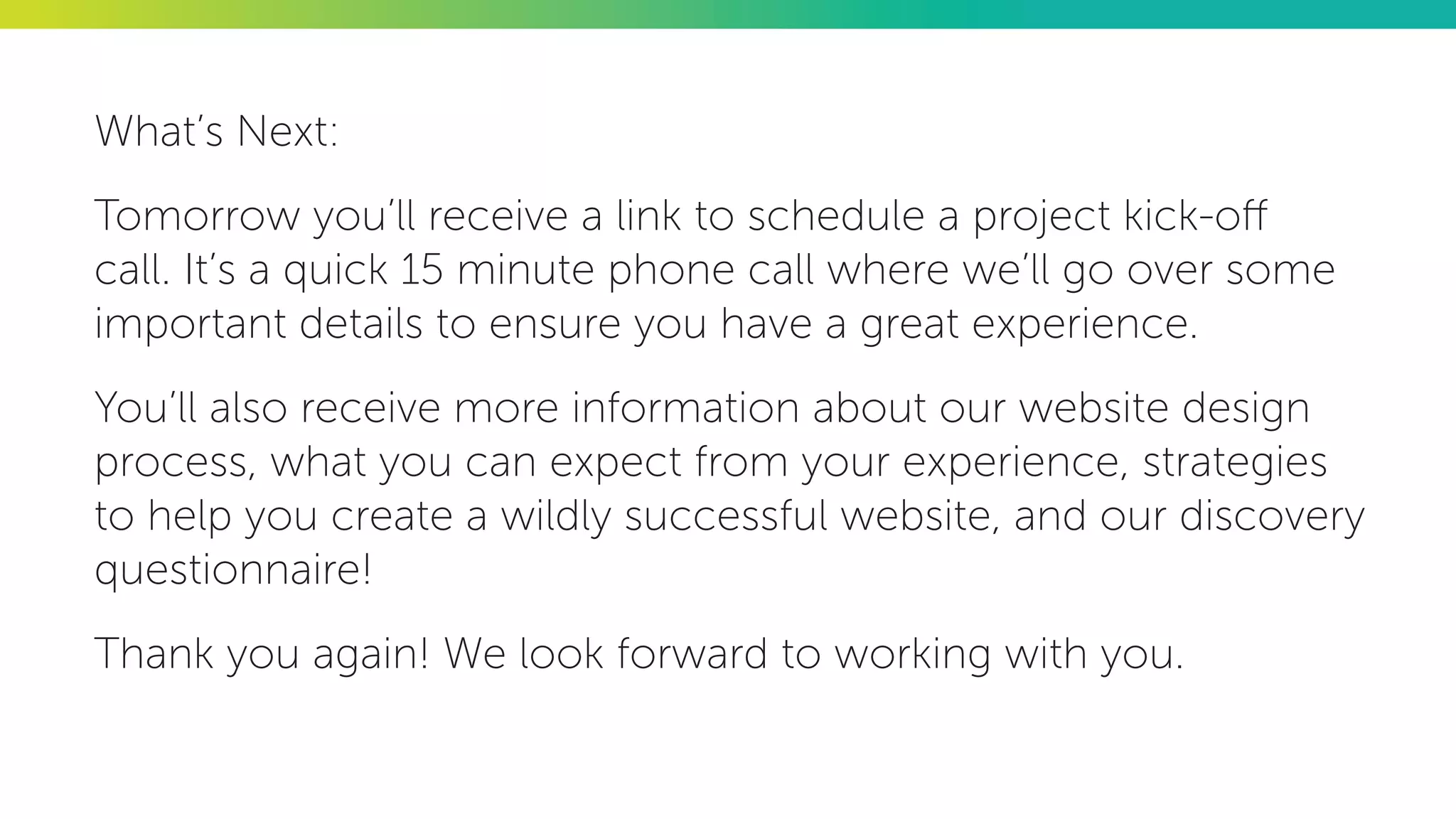
What’s Next:
Tomorrow you’ll receive a link to schedule a project kick-off
call. It’s a quick 15 minute phone call where we’ll go over some
important details to ensure you have a great experience.
You’ll also receive more information about our website design
process, what you can expect from your experience, strategies
to help you create a wildly successful website, and our discovery
questionnaire!
Thank you again! We look forward to working with you.
EXERCISE 05:
Write Your Kick-Off Call Invitation
Write an email to invite your client to
schedule a project kick-off call
Let’s get started!
The first thing we need to do is schedule your project kick-off
call. It’s just a quick 15 minute call, so hopefully you’re available in
the next couple of days.
On the call, we’ll go over some important details to ensure you
know exactly what’s happening next and what we need from
you, and you can ask any questions you may have.
Here’s a link to schedule your project kick-off call: [INSERT LINK]
I look forward to speaking with you!
EXERCISE 06:
Set Expectations And Boundaries
Write an email to set clear expectations and
establish firm boundaries
My goal is that you not only end up with a website that delivers
the results you want, but that you have an extraordinary
experience along the way. I want you to enjoy the process
and know that a big part of your experience is tied to clear
expectations we both can meet.
Here’s what you can expect during our time working together:
•	 We will be responsive and timely with our communications
between Monday and Friday from 9:00 am to 5:00 pm.
•	 We will be available by phone and email. Please do not use
social media to communicate about your project.
•	 We will respect you, your expertise, and your time.
•	 We will share our expertise and knowledge and make
recommendations as appropriate.
•	 We will be up front about what’s included and what’s not
and will consult with you before taking any action that
requires an additional investment.
•	 We will answer all of your questions and support you as
much as we can.
And here’s what we expect in return:
•	 Be responsive and timely in your communications.
•	 Be committed to the project and respectful of us, our
expertise, and our time.
•	 Participate in the process, engage fully, and answer
questions to the best of your ability.
•	 Be upfront about your deadlines and needs — no surprises.
•	 Be proactive in your communication if anything changes
during our work together.
•	 Be honest in your feedback, comments, ideas, and
suggestions.
•	 Be nice and courteous — I think you’ll agree that it just isn’t
fun to work with mean, demanding, ungrateful people.
If at any time you have questions, feel stuck, or would like help,
please reach out! You can call us at XXX-XXX-XXXX or email us
at [EMAIL ADDRESS].
EXERCISE 07:
Provide A Process Overview
Write an email that outlines your entire process
to remind them how the project will go
Before we get started, I want to review our WordPress website
design process so you’ll know exactly what’s going to happen
and what’s coming up with your project.
Here is a brief outline of the process:
•	 Discovery
•	 Design
•	 Development
•	 Launch
•	 Training
•	 Support
Remember:
While we will do our very best to create a site design that fits you,
your business, and your needs perfectly, it is a creative process.
When you receive your first draft website or blog design proofs,
this is your opportunity to offer input. Speak up if you don’t like
or want to change something. We are here to help you create a
website you love and want to hear what you have to say.
EXERCISE 08:
Brainstorm Bonuses To Add Value
What could you provide to the client upfront
to add value and reduce questions?
The goal of a bonus or extra:
•	 Reduce confusion and uncertainty
•	 Reduce the number of questions asked
•	 Reduce the number of revisions requested so you
can get to design approval faster
•	 Avoid second-guessing and “opinion shopping”
•	 Get better answers in the client questionnaire
Things to consider:
•	 Glossary of terms or jargon they may hear
•	 Education about opt-ins and email marketing
•	 List of website best practices
•	 Tips to get their website content done
•	 Strategies and tactics to get better conversions
•	 Website design considerations
Get bonuses created with less work:
•	 Have you written blog posts on the topic?
•	 Have you spoken at an event on the topic?
•	 Is there a resource that already exists that you can
repurpose and use?
•	 Is there someone you can partner with to get the
resource created?
EXERCISE 09:
Discovery Questionnaire
Create a list or update your existing list of
questions to ask new clients upfront
What to ask about their brand:
•	 Explain your business. What do you do?
•	 Why did you start your business? How did you get to
where you are today? What is your story?
•	 What is your purpose and mission?
•	 Who do you serve? Describe your ideal client. What
are they like? What are they passionate about? What
do they dream of or what to achieve?
What to ask about their brand:
•	 What are the top three pain points, challenges,
frustrations, or struggles your ideal client has?
•	 What do you offer that addresses/solves those pain
points, challenges, frustrations, or struggles?
•	 How are you different from anyone else who does
what you do? What is unique about you, your
business, your services, products, and programs,
your background, or even the way you work?
What to ask about their brand:
•	 What is the one thing you want to be known for?
What reputation (brand equity) are you building?
•	 What are your top five core values? And the top
values of your ideal clients?
•	 What type of experience do you want people to
have when they interact with your brand? What
do you want others to say about your brand when
telling friends about you?
What to ask about their brand:
•	 Who are your main competitors?
•	 Are there existing brand materials that we must
match or coordinate with? Do you have any
requirements (colors or typefaces) or guidelines for
your visual brand?
•	 Are there any sensitivities we should be aware of
about your brand, industry, market, or audience?
What to ask about their brand:
•	 Is there anything specific you’re looking for in terms
of how your brand is presented visually?
•	 Is there anything you dislike, can’t stand, or definitely
don’t want in terms of the design?
What to ask about their website:
•	 What is the overall goal of your website? What do
you want to see happen as a result of creating your
new website?
•	 If you have a current website, what do you like
about it, what’s working?
•	 If you have a current website, what do you NOT
LIKE about it, What’s NOT working?
What to ask about their website:
•	 How do you want visitors to feel when they
discover/visit your site for the first time?
•	 Are there specific pages that you already know must
be included in the site’s navigation menu?
•	 What actions do you want visitors to take on your
site? Subscribe? Register? Signup? Buy? Is there
more than one? Which is the most important?
What to ask about their website:
•	 Are you including an email marketing opt-in?
If so, will you be providing a free offer or download?
Do you know what the free gift will be?
•	 How will you be using the site for your business and
marketing? Will you be blogging on the site?
•	 Is there anything specific that must be included in
your website?
What to ask about their website:
•	 What forms do you need set up on your website
(contact, booking, etc.)? What fields must be
included in each form?
•	 Think about your business in 3-5 years. What will
your website need to do to support your business?
•	 Please provide links to websites that you love and/or
have similar features to what you want. They do not
have to be in your industry or for similar businesses.
What to ask about their website:
•	 Is there anything else you’d like us to know?
•	 Do you have any questions about your website,
WordPress, our process, or anything else?
This may be the client’s first
time hiring a designer or
building a website and they’re
more than likely a bit nervous
An onboarding system with clear, simple
communication will:
•	 Establish common ground
•	 Provide extra education to help the
client feel comfortable, empowered,
and excited about the project
•	 Recap the scope of work, the process,
and what comes next
An onboarding system
can be automate or
delegated to save time,
reduce distractions, and
increase profitability
Automation isn’t meant
to replace or eliminate
personal interactions with
clients but supplement
and enhance them
Onboarding welcomes
the client, gets them up
to speed, and prepares
them for the rest of your
work together
THANK YOU!
jenniferbourn.com
bourncreative.com
@jenniferbourn
inspiredimperfection.com
@abitinspired
THANK YOU!
jenniferbourn.com
bourncreative.com
@jenniferbourn
Provide feedback:
https://joind.in/talk/75c86
Get the slides:

Creating A New Client Onboarding System

  • 1.
  • 2.
  • 3.
    Onboarding deals with payingclients It begins with a signed contract and paid deposit
  • 4.
    Client onboarding isthe process of welcoming new clients to your business and getting them up to speed so you can work together effectively, get all of the information you need, and have a great relationship
  • 5.
    During the onboardingprocess: • New clients acquire the necessary knowledge, understanding, and tools needed to be a good client • You acquire the necessary knowledge, understanding, and tools needed to be a good service provider
  • 6.
    Onboarding is afancy name for the process of getting started with a new client
  • 7.
    An onboarding processis designed to: • Welcome clients and set the tone for a strong relationship and successful project • Educate clients so they feel confident in answering your questions and making decisions along the way • Equip clients to feel empowered in their communication and feel comfortable asking for help when they need it
  • 8.
    An onboarding processis designed to: • Provide clients extra value through bonuses and tools designed to help them be a better client and get the most from their time with you • Remind clients of the expectations and boundaries that exist • Share what will happen next and what you need clients to do
  • 9.
    A step-by-step onboardingsystem will: • Increase confidence and satisfaction • Improve productivity and performance • Reduce stress and confusion
  • 10.
    A step-by-step onboardingsystem will: • Solidify confidence in you • Confirm hiring you was smart • Prepare the client to be a great client
  • 11.
    EXERCISE 01: Review ExistingOnboarding Make a list of everything that happens when a new client project begins
  • 12.
    Things to consider: • What are you communicating to your clients? • What is working great right now? • Where are things getting stuck or hitting a hurdle? • What tasks are you repeating for every project? • What type of experience are clients having now and how/where can you improve it?
  • 13.
    There are twotypes of onboarding: • Internal Onboarding: What you need to provide an end product that delivers the results desired and a memorable experience • External Onboarding: What the client needs to set the project up for success
  • 14.
    Internal onboarding is thepart of the process only you see and experience
  • 15.
    Internal onboarding tasks: • CRM documentation and tagging • Reminder to welcome client • Project kick-off call scheduling automation • Project management software setup • Project list addition • Development environment set up
  • 16.
    External onboarding is thepart of the process your clients see and experience
  • 17.
    External onboarding tasks: • Send welcome note • Schedule project kick-off call • Set expectations and boundaries • Review your process • Provide extra/bonus training • Deliver the client questionnaire (this is last!)
  • 18.
    EXERCISE 02: Evaluate ExistingOnboarding Update your list of what happens during onboarding to include items missing
  • 19.
    External onboarding: • Sendwelcome note • Schedule project kick-off call • Set expectations and boundaries • Review your process • Provide extra/bonus training • Deliver the client questionnaire Internal onboarding: • CRM documentation and tagging • Reminder to welcome client • Kick-off call scheduling automation • Project management software setup • Project list addition • Development environment set up
  • 20.
    Client onboarding isthe process of welcoming new clients to your business and getting them up to speed so you can work together effectively, get all of the information you need, and have a great relationship
  • 21.
  • 22.
    Things to consider: • Expectations and boundaries • What new clients need to know and learn • What you need to do AND what clients need to do • What new clients need from you • The potential hurdles that can be overcome now • Ways you can create a remarkable experience
  • 23.
    EXERCISE 03: Create YourWelcome Note Message Write a welcome message to show new clients they are appreciated
  • 24.
    Thank you somuch for choosing [COMPANY NAME] to create your new WordPress website. We are so excited to be working with you and can’t wait to get started. I know that we’re going to create an amazing website together — one you can be proud of, one that will be easy to use, and one that will support all of your marketing efforts. Again, we’re thrilled to have the opportunity to work with you! If you ever have any questions, feel stuck, need anything, or just want to run something by us, please reach out. We’re always available to help any way we can at XXX-XXX-XXXX.
  • 25.
    EXERCISE 04: Write YourThank You Email Write an email to thank clients for their business, provide some info, and share next steps
  • 26.
    Welcome to yourpartnership with [COMPANY NAME]! We are so excited to get started and work with you on your new WordPress website! But before we do so, I want to share a few quick things with you: • This process will be interactive. We need you to participate in the process, be open to new ideas and information, and be honest with all of your feedback and input. • Remember, design is subjective. We need to know what you think, what you love, what you hate, and what you wish for when it comes to your website.
  • 27.
    • We needyou to be responsive throughout the process, responding to emails, communications, and requests in a timely manner. • We’ll be communicating primarily by email and it is critical that you read each email we send you to stay on track. • We want you to bug us. If you need help or have questions, let us know. You can reach out and get help when you need it by [EMAIL ADDRESS] or by phone at XXX-XXX-XXXX.
  • 28.
    What’s Next: Tomorrow you’llreceive a link to schedule a project kick-off call. It’s a quick 15 minute phone call where we’ll go over some important details to ensure you have a great experience. You’ll also receive more information about our website design process, what you can expect from your experience, strategies to help you create a wildly successful website, and our discovery questionnaire! Thank you again! We look forward to working with you.
  • 29.
    EXERCISE 05: Write YourKick-Off Call Invitation Write an email to invite your client to schedule a project kick-off call
  • 30.
    Let’s get started! Thefirst thing we need to do is schedule your project kick-off call. It’s just a quick 15 minute call, so hopefully you’re available in the next couple of days. On the call, we’ll go over some important details to ensure you know exactly what’s happening next and what we need from you, and you can ask any questions you may have. Here’s a link to schedule your project kick-off call: [INSERT LINK] I look forward to speaking with you!
  • 31.
    EXERCISE 06: Set ExpectationsAnd Boundaries Write an email to set clear expectations and establish firm boundaries
  • 32.
    My goal isthat you not only end up with a website that delivers the results you want, but that you have an extraordinary experience along the way. I want you to enjoy the process and know that a big part of your experience is tied to clear expectations we both can meet. Here’s what you can expect during our time working together: • We will be responsive and timely with our communications between Monday and Friday from 9:00 am to 5:00 pm. • We will be available by phone and email. Please do not use social media to communicate about your project.
  • 33.
    • We willrespect you, your expertise, and your time. • We will share our expertise and knowledge and make recommendations as appropriate. • We will be up front about what’s included and what’s not and will consult with you before taking any action that requires an additional investment. • We will answer all of your questions and support you as much as we can.
  • 34.
    And here’s whatwe expect in return: • Be responsive and timely in your communications. • Be committed to the project and respectful of us, our expertise, and our time. • Participate in the process, engage fully, and answer questions to the best of your ability. • Be upfront about your deadlines and needs — no surprises. • Be proactive in your communication if anything changes during our work together.
  • 35.
    • Be honestin your feedback, comments, ideas, and suggestions. • Be nice and courteous — I think you’ll agree that it just isn’t fun to work with mean, demanding, ungrateful people. If at any time you have questions, feel stuck, or would like help, please reach out! You can call us at XXX-XXX-XXXX or email us at [EMAIL ADDRESS].
  • 36.
    EXERCISE 07: Provide AProcess Overview Write an email that outlines your entire process to remind them how the project will go
  • 37.
    Before we getstarted, I want to review our WordPress website design process so you’ll know exactly what’s going to happen and what’s coming up with your project. Here is a brief outline of the process: • Discovery • Design • Development • Launch
  • 38.
    • Training • Support Remember: Whilewe will do our very best to create a site design that fits you, your business, and your needs perfectly, it is a creative process. When you receive your first draft website or blog design proofs, this is your opportunity to offer input. Speak up if you don’t like or want to change something. We are here to help you create a website you love and want to hear what you have to say.
  • 39.
    EXERCISE 08: Brainstorm BonusesTo Add Value What could you provide to the client upfront to add value and reduce questions?
  • 40.
    The goal ofa bonus or extra: • Reduce confusion and uncertainty • Reduce the number of questions asked • Reduce the number of revisions requested so you can get to design approval faster • Avoid second-guessing and “opinion shopping” • Get better answers in the client questionnaire
  • 41.
    Things to consider: • Glossary of terms or jargon they may hear • Education about opt-ins and email marketing • List of website best practices • Tips to get their website content done • Strategies and tactics to get better conversions • Website design considerations
  • 42.
    Get bonuses createdwith less work: • Have you written blog posts on the topic? • Have you spoken at an event on the topic? • Is there a resource that already exists that you can repurpose and use? • Is there someone you can partner with to get the resource created?
  • 43.
    EXERCISE 09: Discovery Questionnaire Createa list or update your existing list of questions to ask new clients upfront
  • 44.
    What to askabout their brand: • Explain your business. What do you do? • Why did you start your business? How did you get to where you are today? What is your story? • What is your purpose and mission? • Who do you serve? Describe your ideal client. What are they like? What are they passionate about? What do they dream of or what to achieve?
  • 45.
    What to askabout their brand: • What are the top three pain points, challenges, frustrations, or struggles your ideal client has? • What do you offer that addresses/solves those pain points, challenges, frustrations, or struggles? • How are you different from anyone else who does what you do? What is unique about you, your business, your services, products, and programs, your background, or even the way you work?
  • 46.
    What to askabout their brand: • What is the one thing you want to be known for? What reputation (brand equity) are you building? • What are your top five core values? And the top values of your ideal clients? • What type of experience do you want people to have when they interact with your brand? What do you want others to say about your brand when telling friends about you?
  • 47.
    What to askabout their brand: • Who are your main competitors? • Are there existing brand materials that we must match or coordinate with? Do you have any requirements (colors or typefaces) or guidelines for your visual brand? • Are there any sensitivities we should be aware of about your brand, industry, market, or audience?
  • 48.
    What to askabout their brand: • Is there anything specific you’re looking for in terms of how your brand is presented visually? • Is there anything you dislike, can’t stand, or definitely don’t want in terms of the design?
  • 49.
    What to askabout their website: • What is the overall goal of your website? What do you want to see happen as a result of creating your new website? • If you have a current website, what do you like about it, what’s working? • If you have a current website, what do you NOT LIKE about it, What’s NOT working?
  • 50.
    What to askabout their website: • How do you want visitors to feel when they discover/visit your site for the first time? • Are there specific pages that you already know must be included in the site’s navigation menu? • What actions do you want visitors to take on your site? Subscribe? Register? Signup? Buy? Is there more than one? Which is the most important?
  • 51.
    What to askabout their website: • Are you including an email marketing opt-in? If so, will you be providing a free offer or download? Do you know what the free gift will be? • How will you be using the site for your business and marketing? Will you be blogging on the site? • Is there anything specific that must be included in your website?
  • 52.
    What to askabout their website: • What forms do you need set up on your website (contact, booking, etc.)? What fields must be included in each form? • Think about your business in 3-5 years. What will your website need to do to support your business? • Please provide links to websites that you love and/or have similar features to what you want. They do not have to be in your industry or for similar businesses.
  • 53.
    What to askabout their website: • Is there anything else you’d like us to know? • Do you have any questions about your website, WordPress, our process, or anything else?
  • 54.
    This may bethe client’s first time hiring a designer or building a website and they’re more than likely a bit nervous
  • 55.
    An onboarding systemwith clear, simple communication will: • Establish common ground • Provide extra education to help the client feel comfortable, empowered, and excited about the project • Recap the scope of work, the process, and what comes next
  • 56.
    An onboarding system canbe automate or delegated to save time, reduce distractions, and increase profitability
  • 57.
    Automation isn’t meant toreplace or eliminate personal interactions with clients but supplement and enhance them
  • 58.
    Onboarding welcomes the client,gets them up to speed, and prepares them for the rest of your work together
  • 59.
  • 60.