





Creating a GDPR Action
Plan; Not Freakout Plan
Webinar slide deck: May 22nd, 2018
| 2
Watch the recorded webinar
http://bit.ly/2MVhON9
| 3
Mediacurrent is a full-service digital agency that
implements world class open source software
development, strategy and design to achieve defined
goals for enterprise organizations seeking a better
return on investment.
Who We Are
| 4
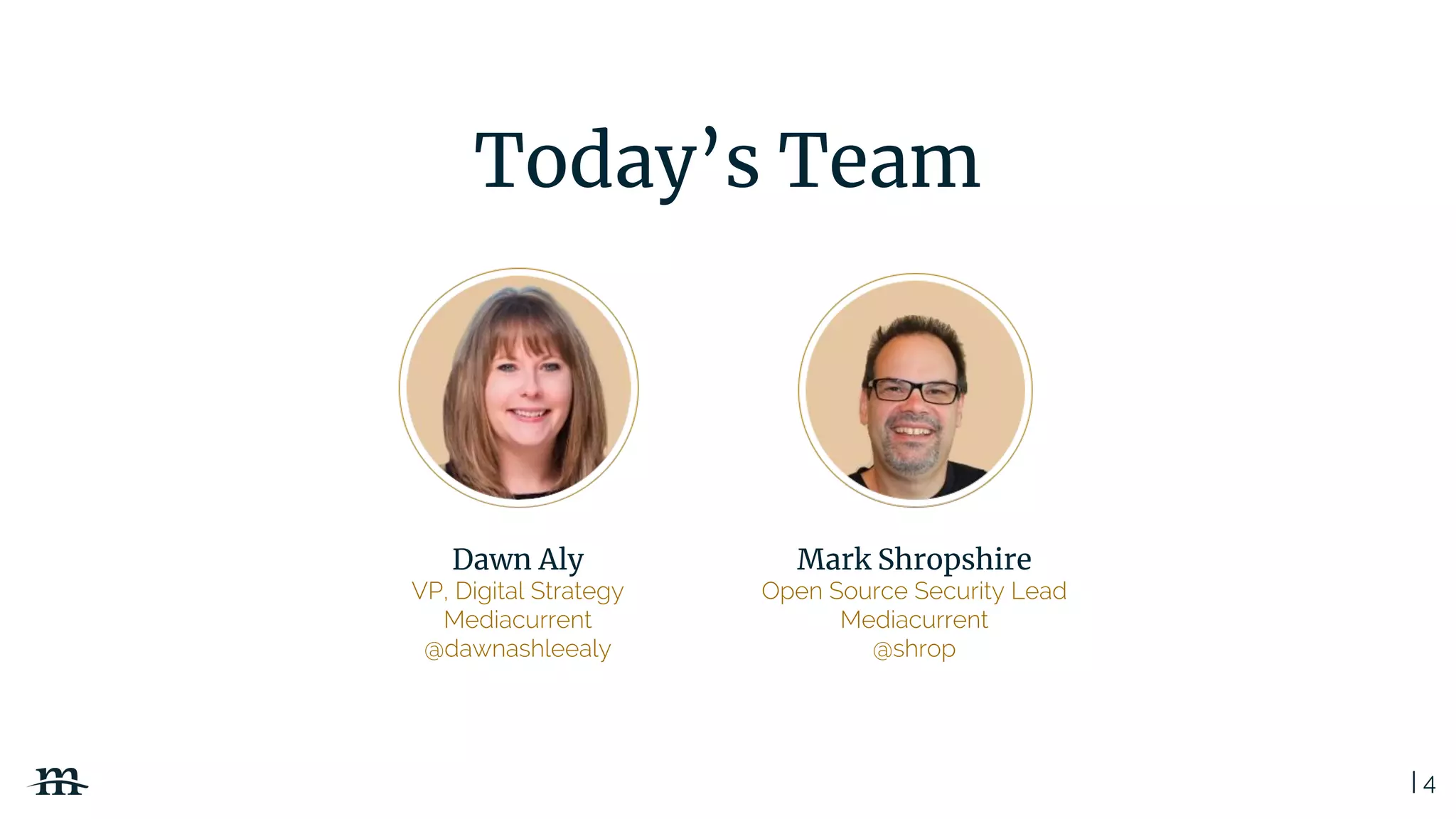
Today’s Team
Dawn Aly
VP, Digital Strategy
Mediacurrent
@dawnashleealy
Mark Shropshire
Open Source Security Lead
Mediacurrent
@shrop
| 5
Disclaimers
1. We are not lawyers.
2. This session is not a replacement for
legal council.
3. The scope of this talk is on the website
and not overall compliance.
| 6
Today’s Agenda
I. Guiding Principles of the GDPR
II. Creating a Positive PX
III. Security by Design
IV. Advanced Marketing Strategies
in a Post GDPR World
V. Creating an Action Plan
(not a Freak-Out Plan)
| 7
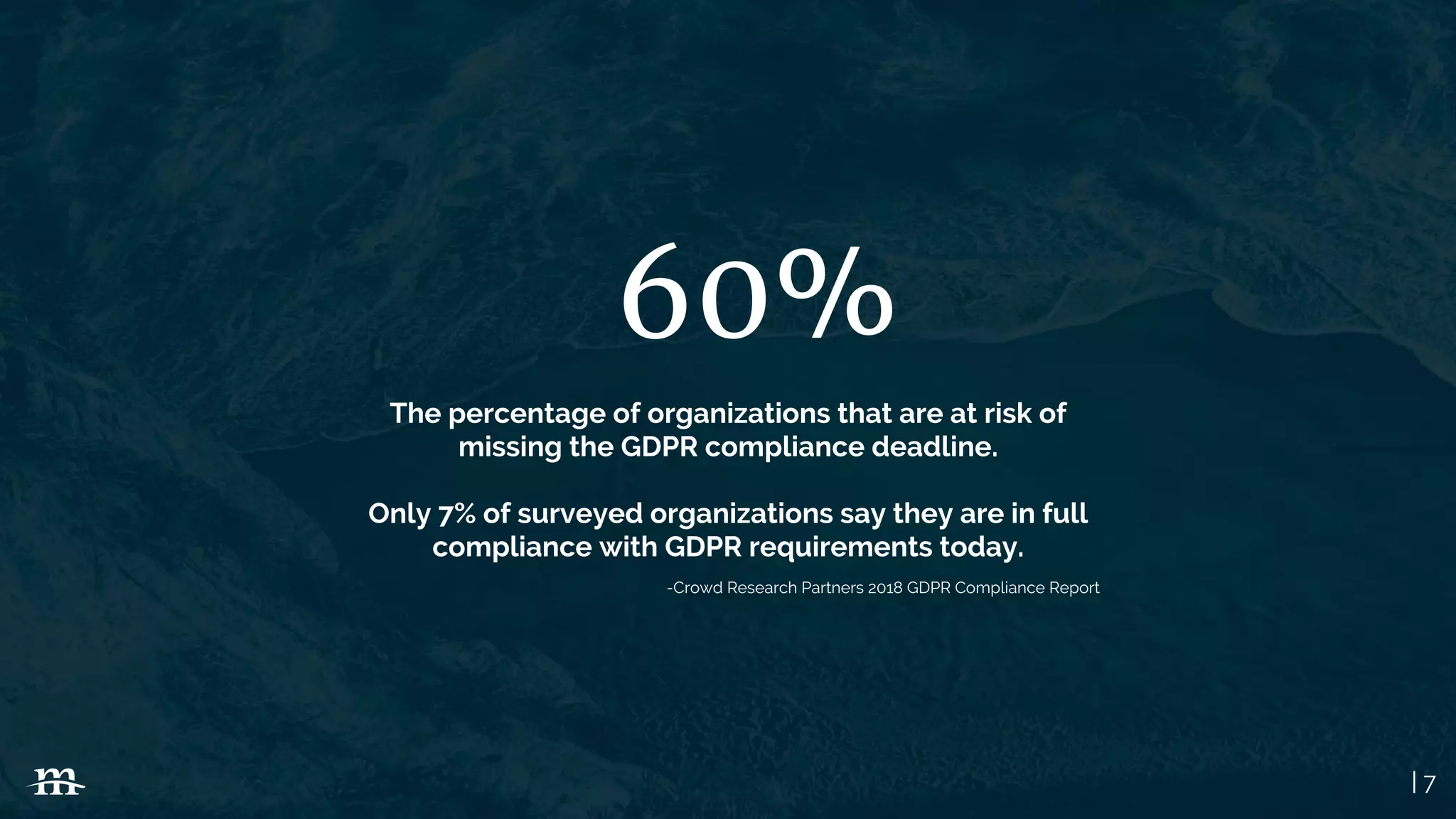
60%
The percentage of organizations that are at risk of
missing the GDPR compliance deadline.
Only 7% of surveyed organizations say they are in full
compliance with GDPR requirements today.
-Crowd Research Partners 2018 GDPR Compliance Report
| 8
Guiding Principles of the GDPR
GDPR (General Data Protection Regulation)
| 9
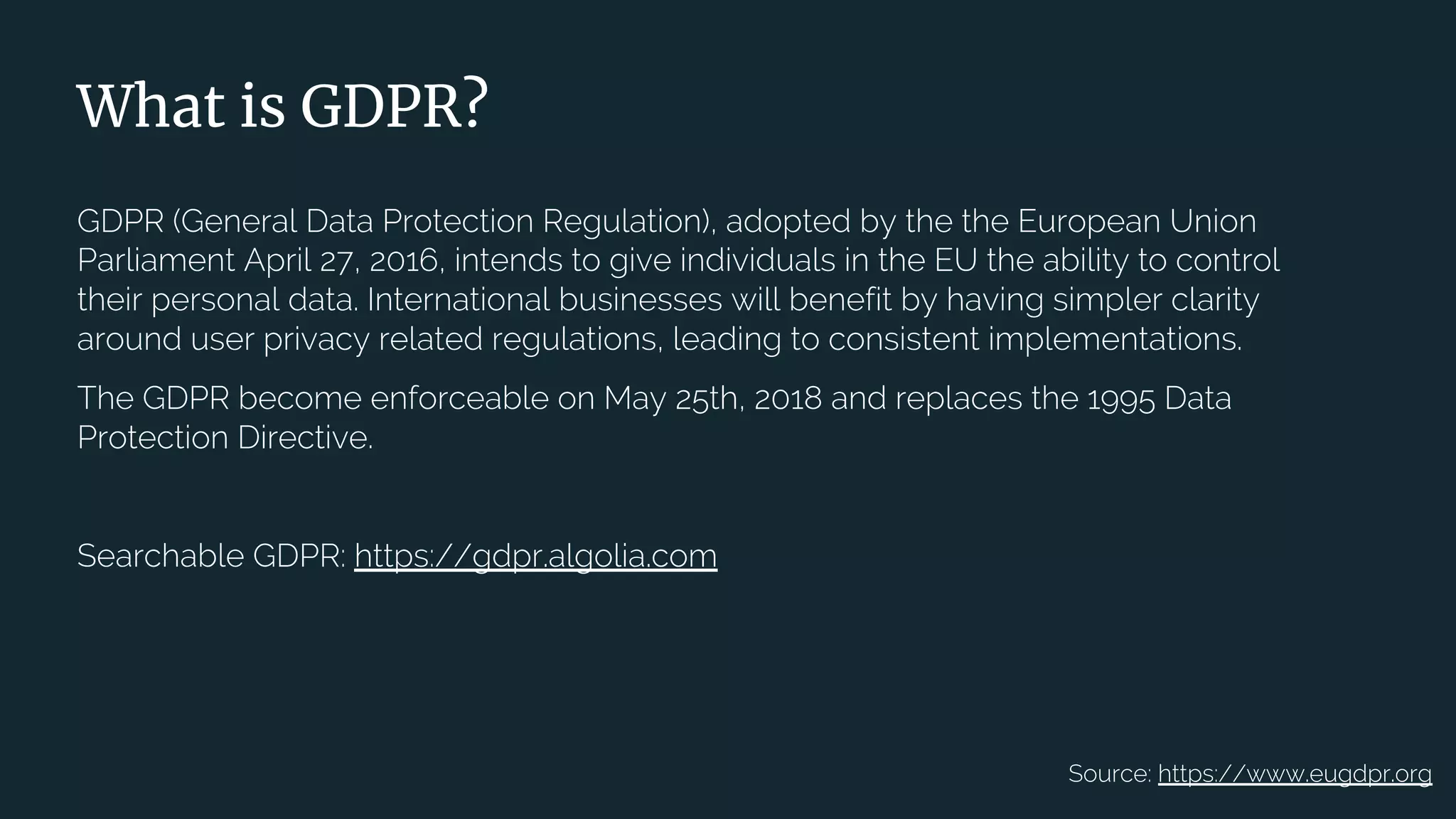
What is GDPR?
GDPR (General Data Protection Regulation), adopted by the the European Union
Parliament April 27, 2016, intends to give individuals in the EU the ability to control
their personal data. International businesses will benefit by having simpler clarity
around user privacy related regulations, leading to consistent implementations.
The GDPR become enforceable on May 25th, 2018 and replaces the 1995 Data
Protection Directive.
Searchable GDPR: https://gdpr.algolia.com
Source: https://www.eugdpr.org
| 10
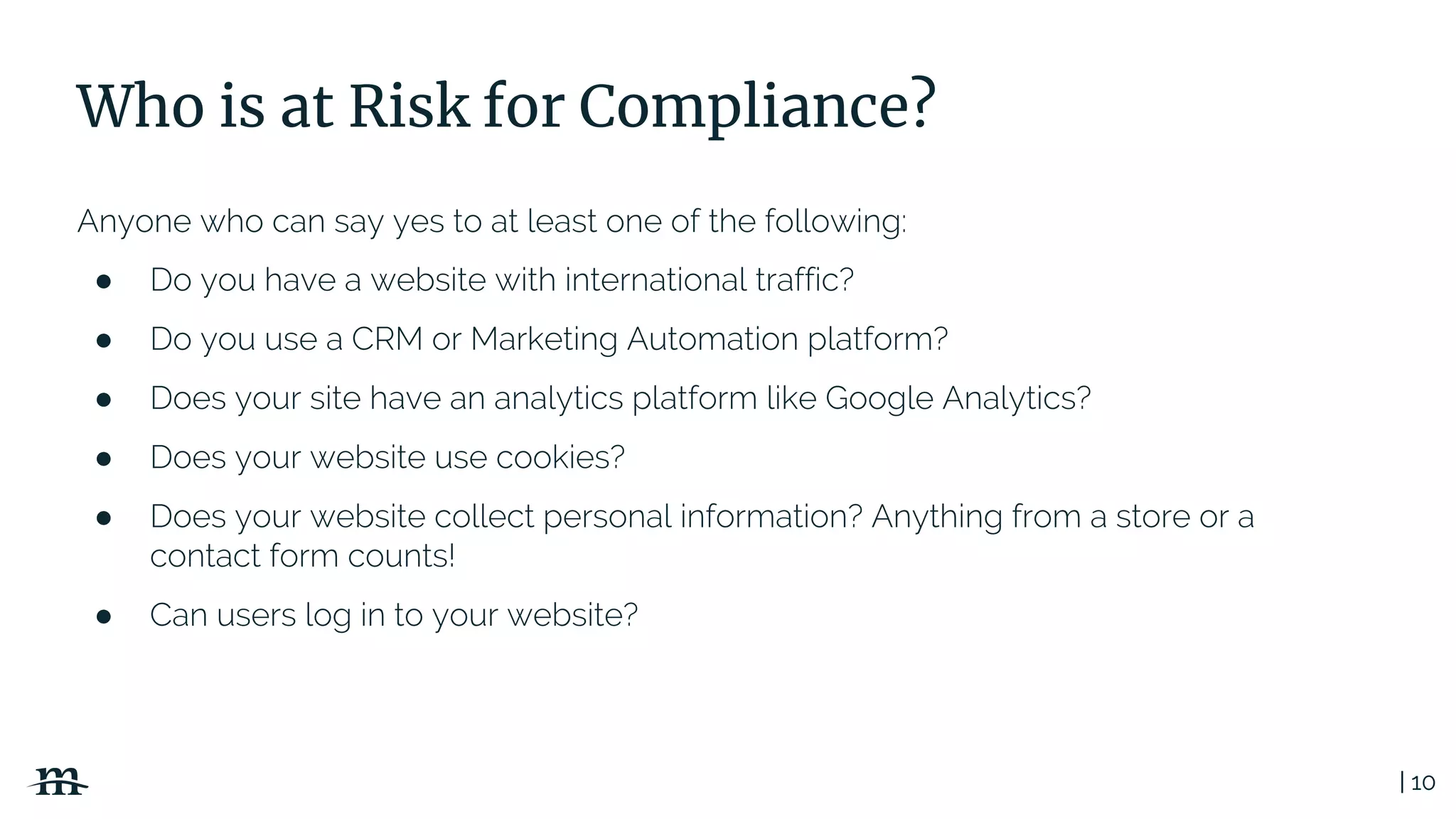
Who is at Risk for Compliance?
Anyone who can say yes to at least one of the following:
● Do you have a website with international traffic?
● Do you use a CRM or Marketing Automation platform?
● Does your site have an analytics platform like Google Analytics?
● Does your website use cookies?
● Does your website collect personal information? Anything from a store or a
contact form counts!
● Can users log in to your website?
| 11
Yep. Pretty much
everyone.
| 12
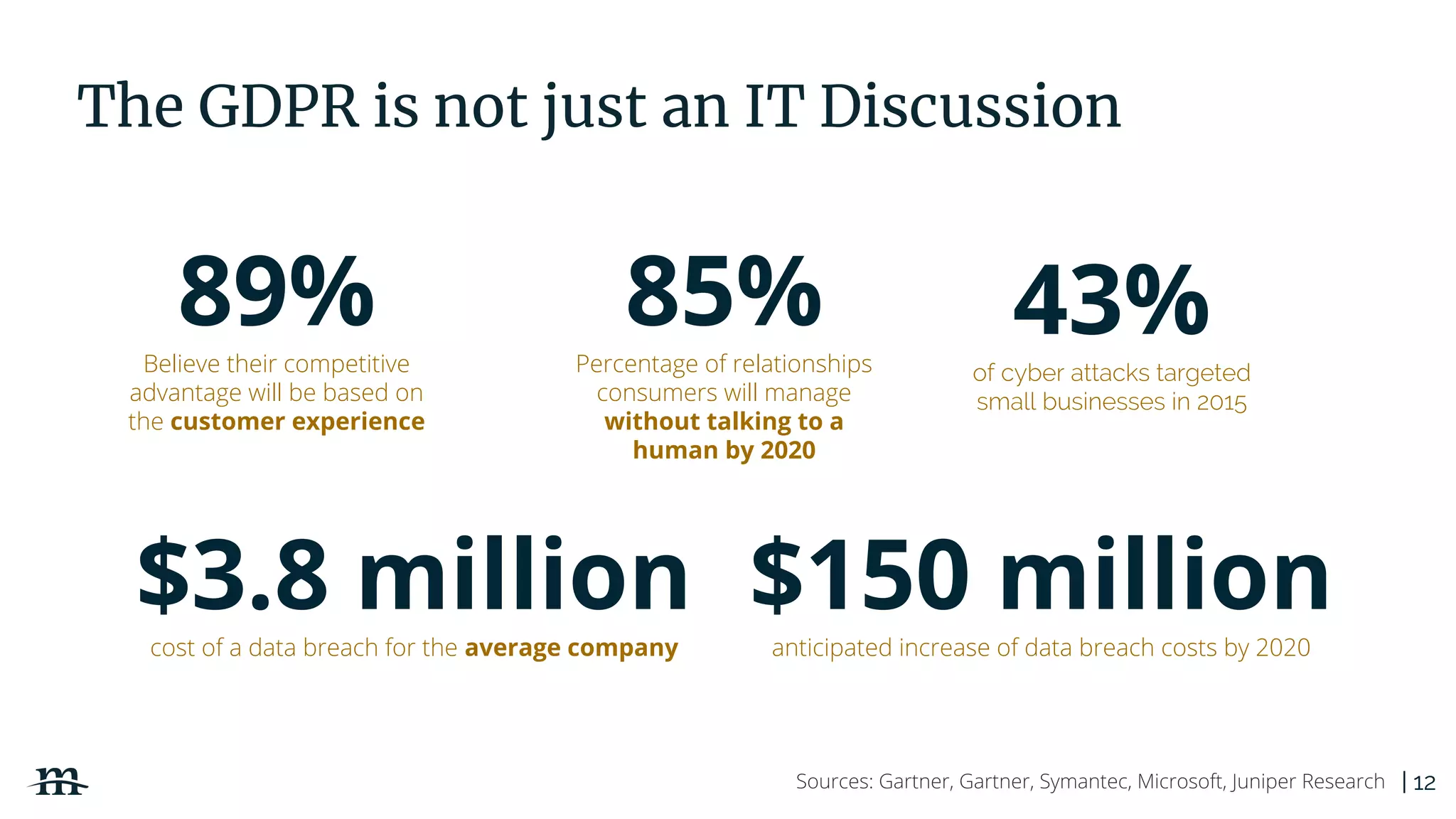
The GDPR is not just an IT Discussion
43%of cyber attacks targeted
small businesses in 2015
$150 millionanticipated increase of data breach costs by 2020
89%Believe their competitive
advantage will be based on
the customer experience
85%Percentage of relationships
consumers will manage
without talking to a
human by 2020
Sources: Gartner, Gartner, Symantec, Microsoft, Juniper Research
$3.8 millioncost of a data breach for the average company
| 13
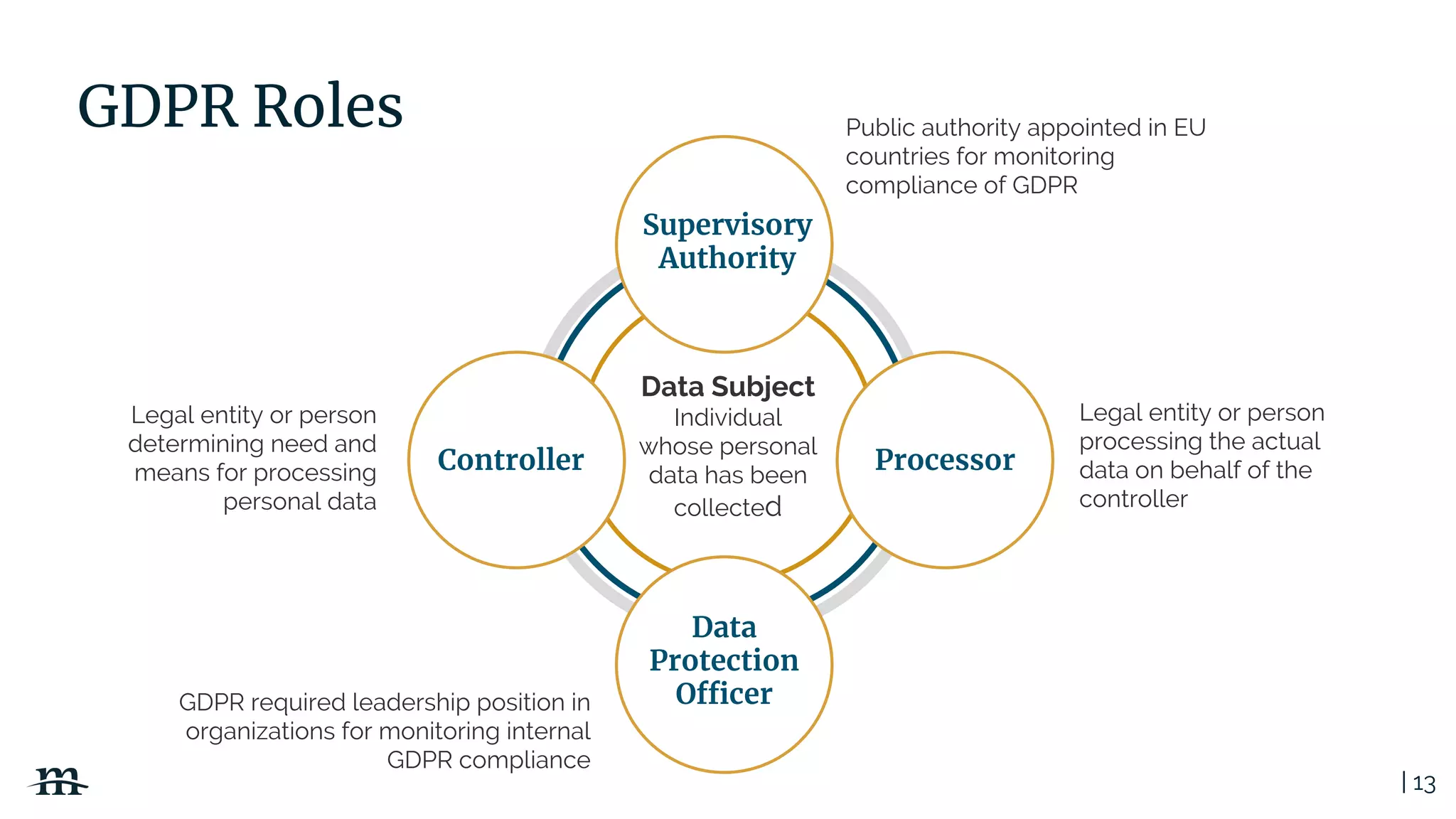
GDPR Roles
Legal entity or person
processing the actual
data on behalf of the
controller
GDPR required leadership position in
organizations for monitoring internal
GDPR compliance
Legal entity or person
determining need and
means for processing
personal data
Data Subject
Individual
whose personal
data has been
collected
Public authority appointed in EU
countries for monitoring
compliance of GDPR
Supervisory
Authority
Controller Processor
Data
Protection
Officer
| 14
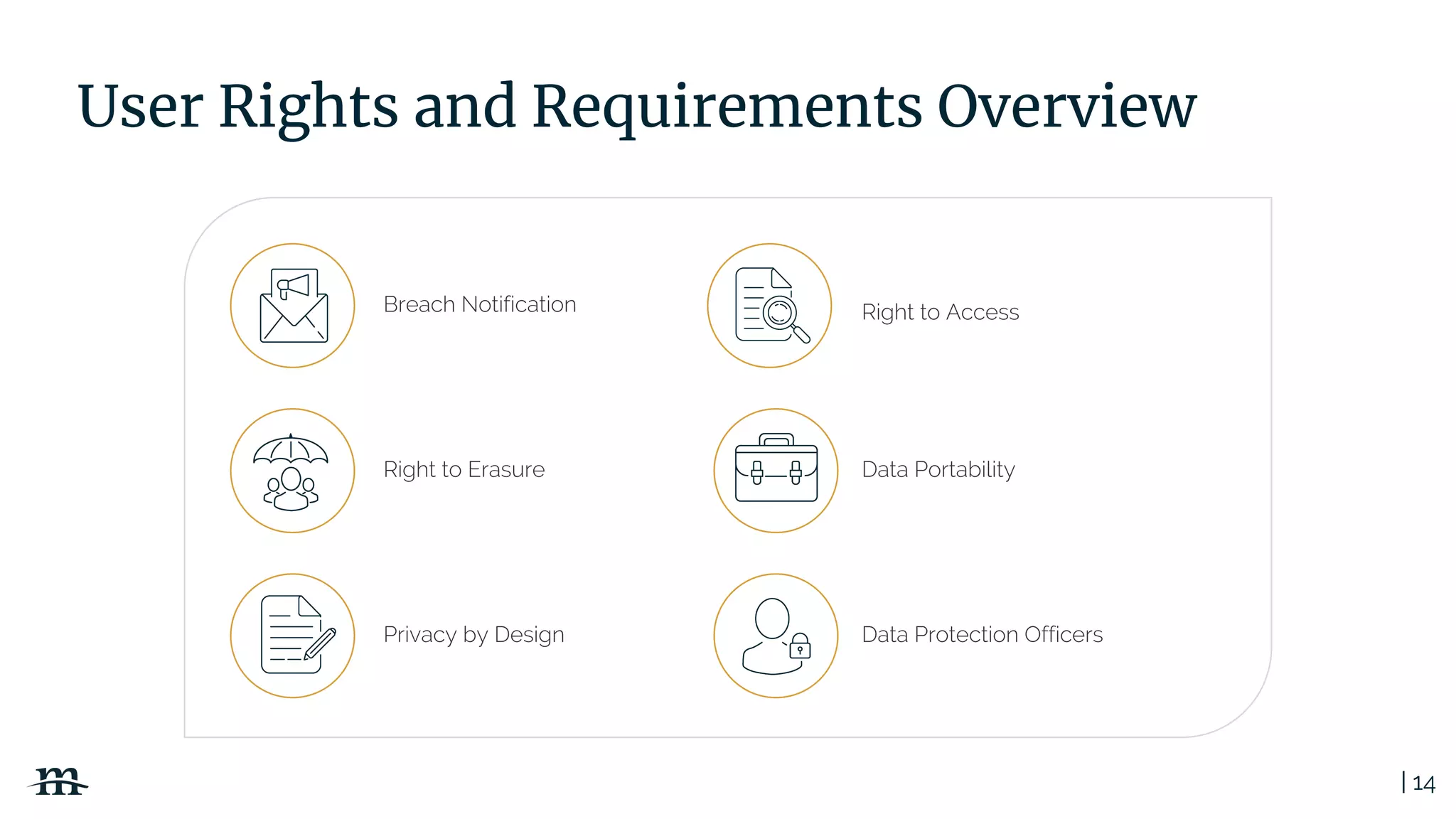
User Rights and Requirements Overview
Right to Erasure
Breach Notification
Data Portability
Right to Access
Data Protection OfficersPrivacy by Design
| 15
Key Challenges Ahead
● Implementation requirements
are vague and often require
interpretation
● Compliance and continued
process improvements will come
at a cost to organizations
Fines up to 20 million
EUR or 4% or annual
global turnover for
noncompliance
| 16
Creating a Positive PX
PX (Privacy Experience)
| 17
Data + Privacy
doesn’t have to
be scary.
| 18
Universal PX Principles
● Always be transparent with users
● Use easy to understand language / no “lawyer speak”
● Consent must be given and not assumed
● Protect user data
● Don’t collect more than absolutely necessary
● User must have the right to be forgotten
● Follow security and privacy by design methodologies
| 19PX Do’s and Don’ts
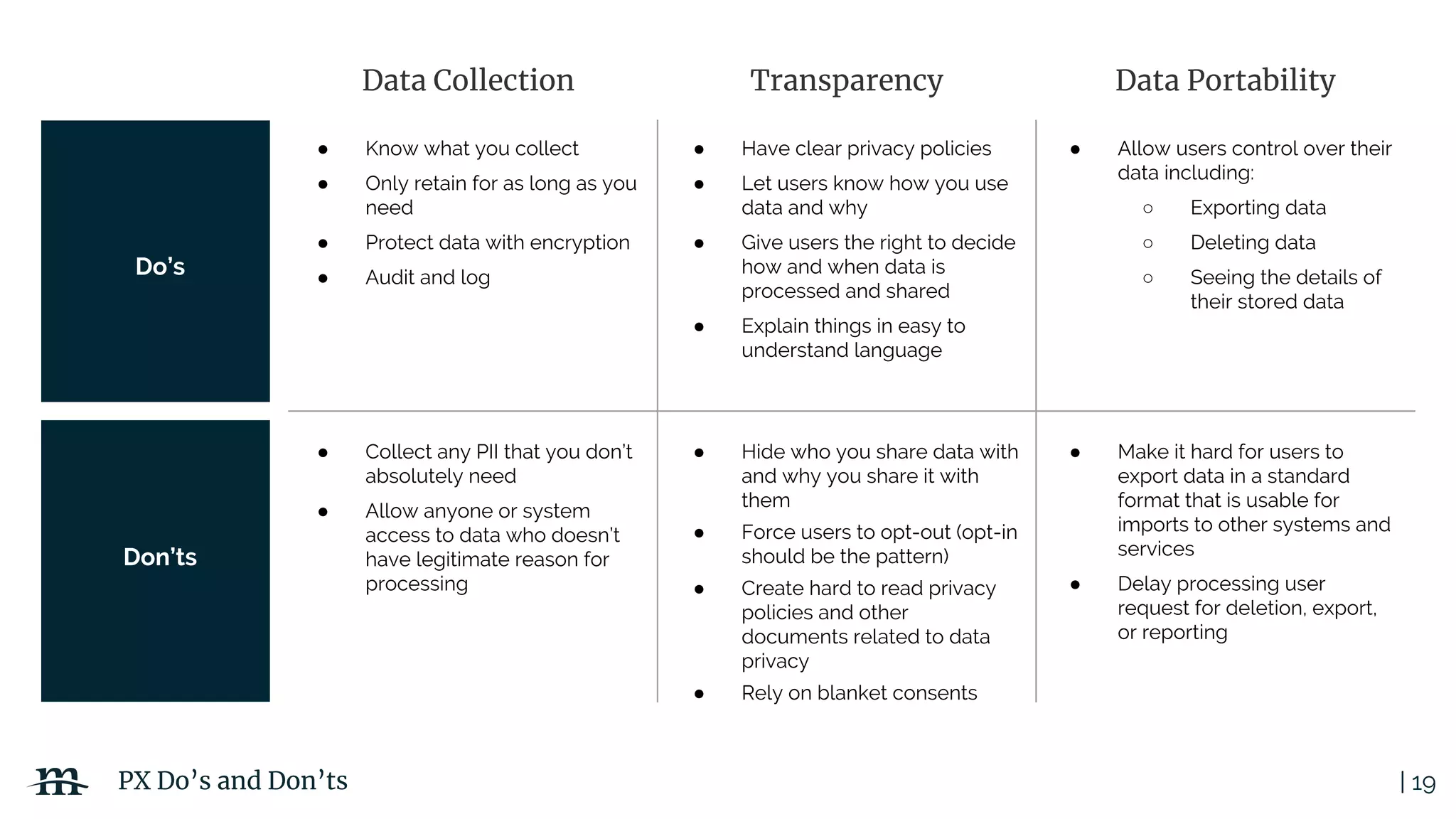
Data Collection Transparency Data Portability
Do’s
Don’ts
● Know what you collect
● Only retain for as long as you
need
● Protect data with encryption
● Audit and log
● Have clear privacy policies
● Let users know how you use
data and why
● Give users the right to decide
how and when data is
processed and shared
● Explain things in easy to
understand language
● Allow users control over their
data including:
○ Exporting data
○ Deleting data
○ Seeing the details of
their stored data
● Collect any PII that you don’t
absolutely need
● Allow anyone or system
access to data who doesn’t
have legitimate reason for
processing
● Hide who you share data with
and why you share it with
them
● Force users to opt-out (opt-in
should be the pattern)
● Create hard to read privacy
policies and other
documents related to data
privacy
● Rely on blanket consents
● Make it hard for users to
export data in a standard
format that is usable for
imports to other systems and
services
● Delay processing user
request for deletion, export,
or reporting
| 20
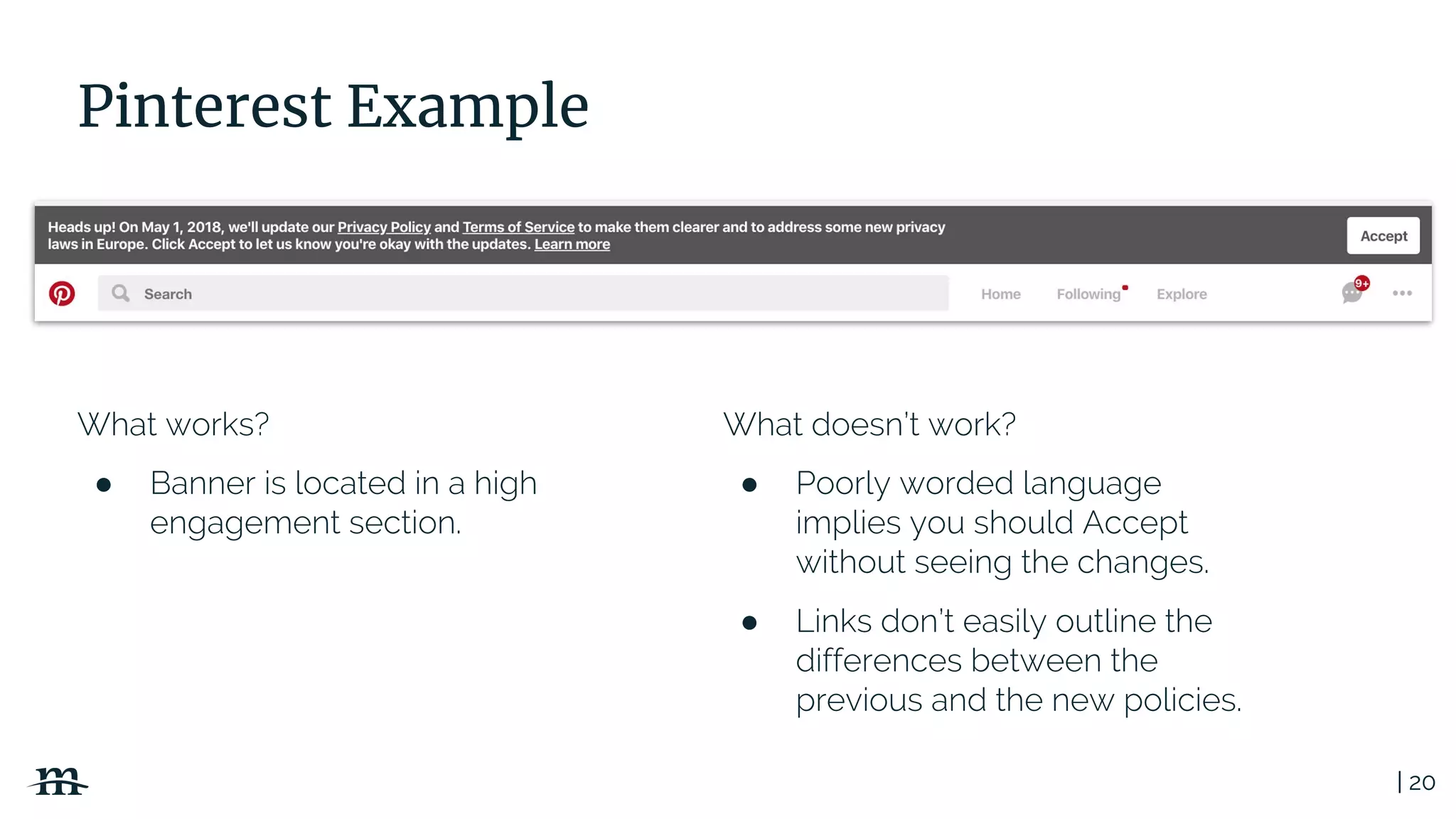
Pinterest Example
What works?
● Banner is located in a high
engagement section.
What doesn’t work?
● Poorly worded language
implies you should Accept
without seeing the changes.
● Links don’t easily outline the
differences between the
previous and the new policies.
| 21
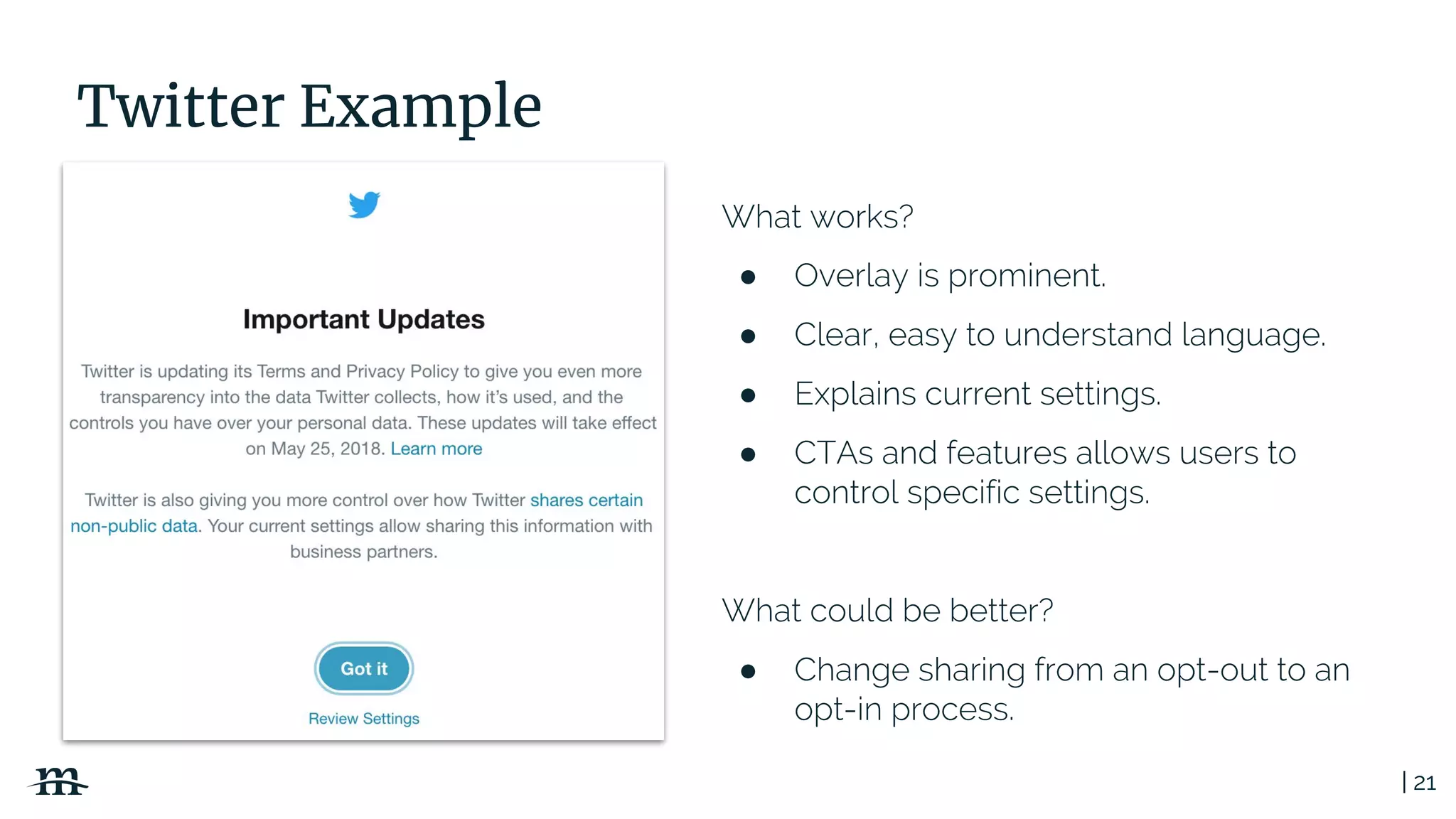
Twitter Example
What works?
● Overlay is prominent.
● Clear, easy to understand language.
● Explains current settings.
● CTAs and features allows users to
control specific settings.
What could be better?
● Change sharing from an opt-out to an
opt-in process.
| 22
Security by Design
No waiting till launch time!
| 23
Secure by Design
Secure by design, in software engineering, means that
the software has been designed from the ground up to
be secure. Malicious practices are taken for granted and
care is taken to minimize impact when a security
vulnerability is discovered or on invalid user input.
https://en.wikipedia.org/wiki/Secure_by_design
| 24
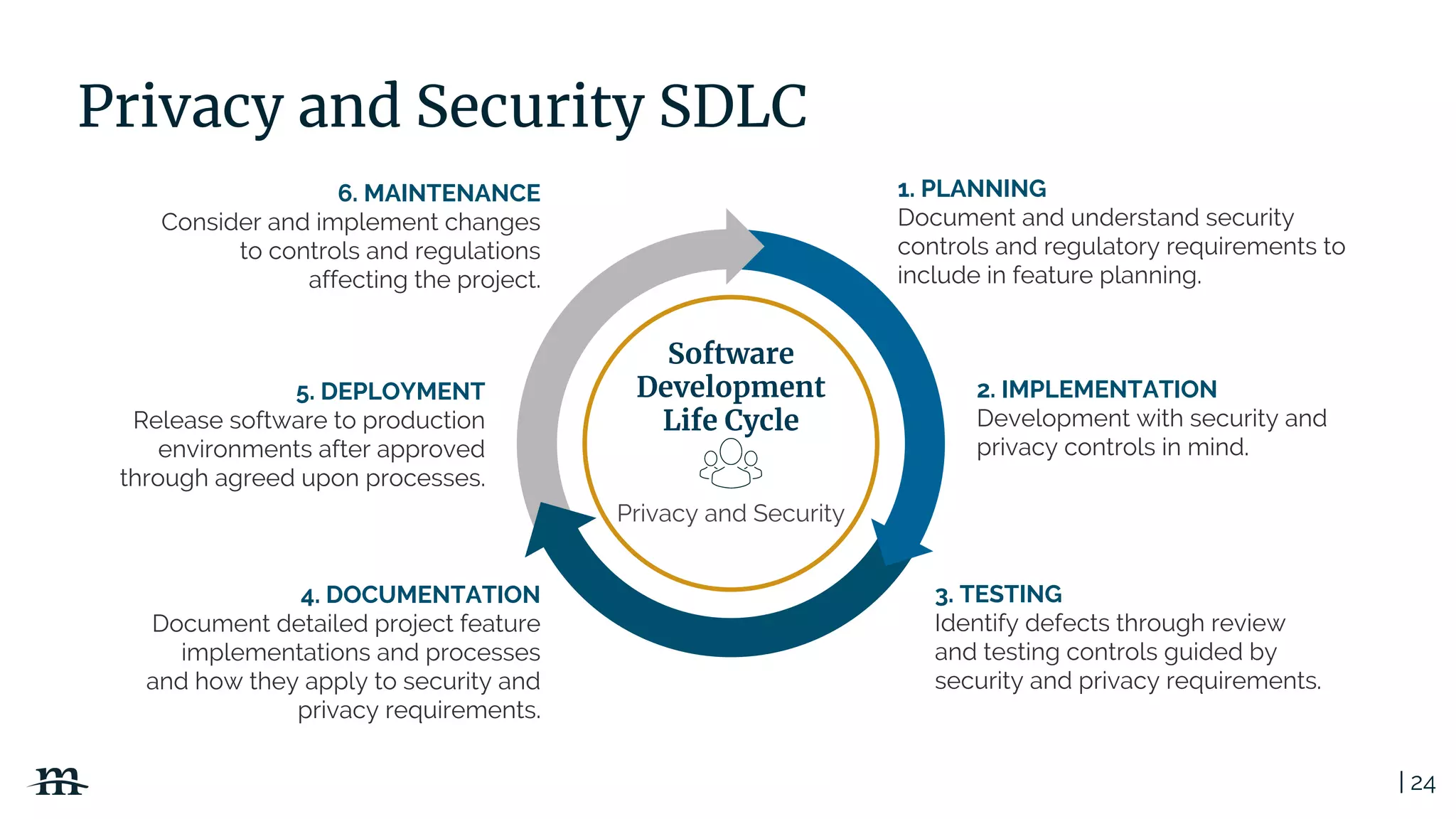
Privacy and Security SDLC
1. PLANNING
Document and understand security
controls and regulatory requirements to
include in feature planning.
Software
Development
Life Cycle
3. TESTING
Identify defects through review
and testing controls guided by
security and privacy requirements.
4. DOCUMENTATION
Document detailed project feature
implementations and processes
and how they apply to security and
privacy requirements.
5. DEPLOYMENT
Release software to production
environments after approved
through agreed upon processes.
6. MAINTENANCE
Consider and implement changes
to controls and regulations
affecting the project.
2. IMPLEMENTATION
Development with security and
privacy controls in mind.
Privacy and Security
| 25
Security and Privacy Principles
● Limit attack surface
● Keep solutions simple
● Encrypt PII (Personally Identifiable Information)
● Know your regulatory requirements: FERPA, GDPR,
HIPAA, PCI DSS, CAN SPAM etc.
● Write policies and procedures and then follow them
● Automate auditing and compliance processes
● Log events and transactions
| 26
Notorious PII (Personally Identifiable Information) Locations
● User profiles and accounts
● Web personalization data
● Webform data
● Data import and export files and database tables
● Geolocation data
● Server log files
● Database backups
| 27
Data encryption is a high-value GDPR
compliance implementation technique
| 28
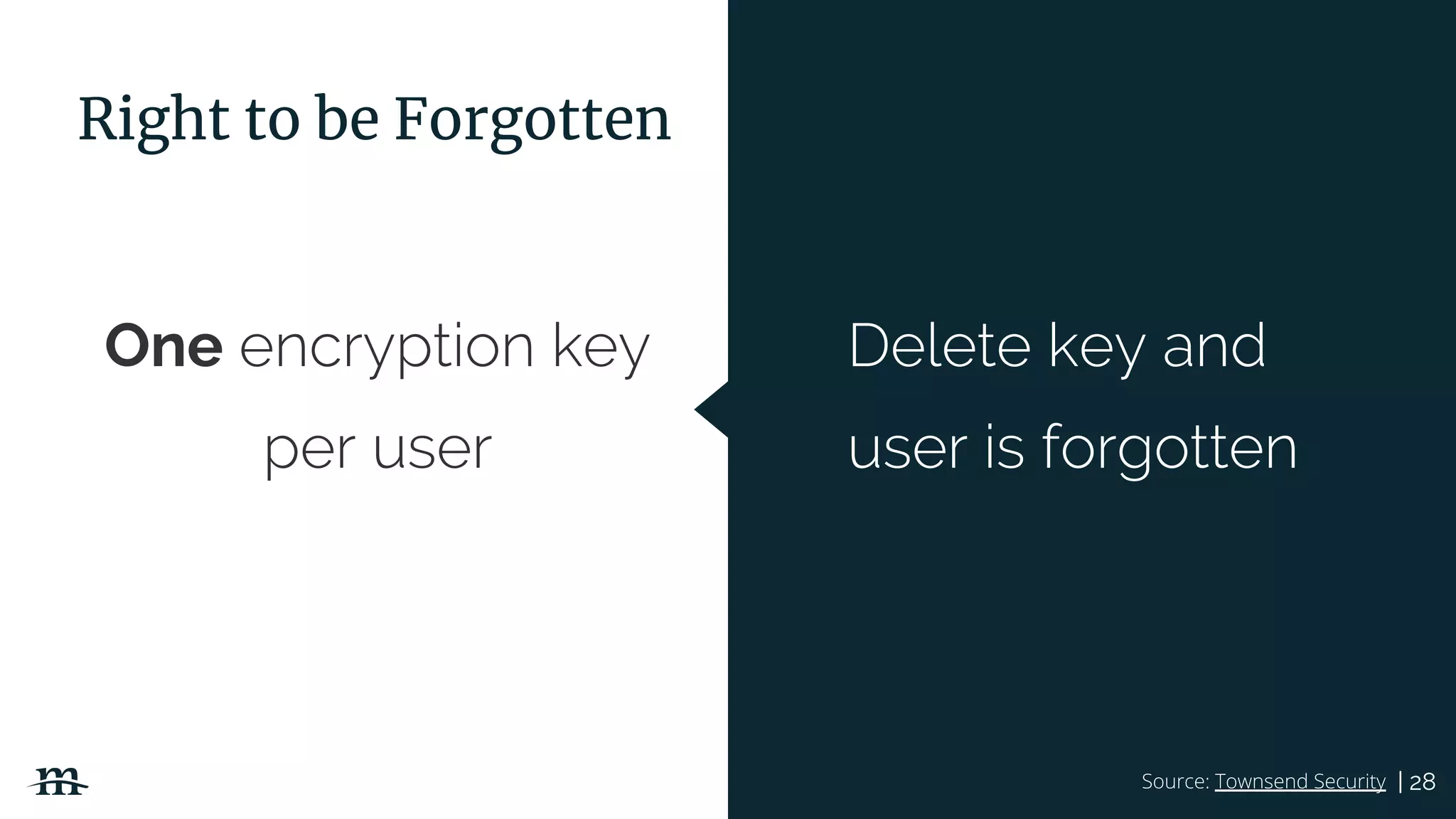
One encryption key
per user
Source: Townsend Security
Delete key and
user is forgotten
Right to be Forgotten
| 29
● User data erasure
● User data reporting and export
○ Data portability
● Log and database backup retention
Automate Processes
| 30
Advanced Marketing Strategies
In a Post GDPR World
| 31
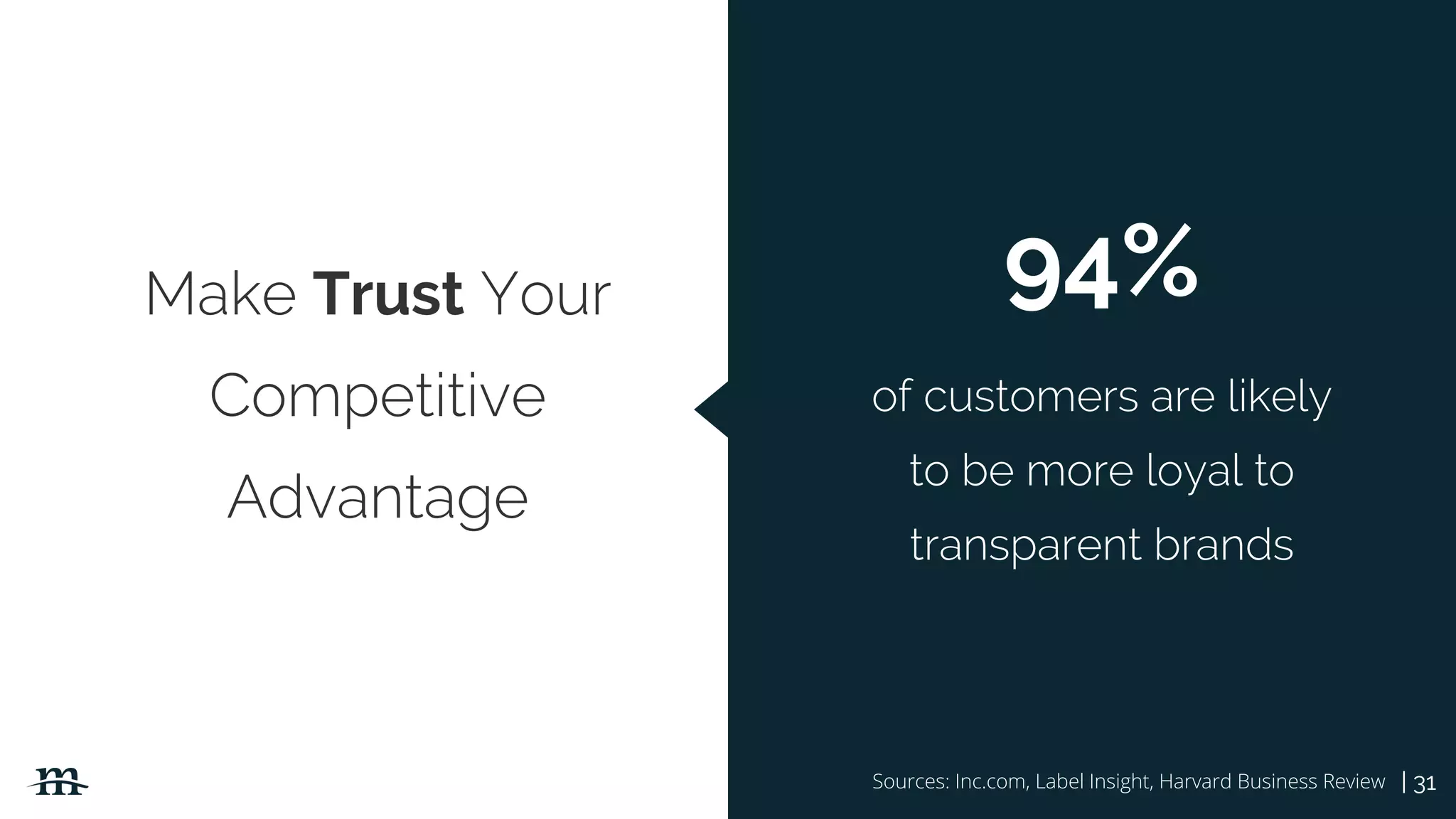
Make Trust Your
Competitive
Advantage
Sources: Inc.com, Label Insight, Harvard Business Review
94%
of customers are likely
to be more loyal to
transparent brands
| 32
Big Data May Not Be So Big
and definitely comes with
bigger responsibility
| 33
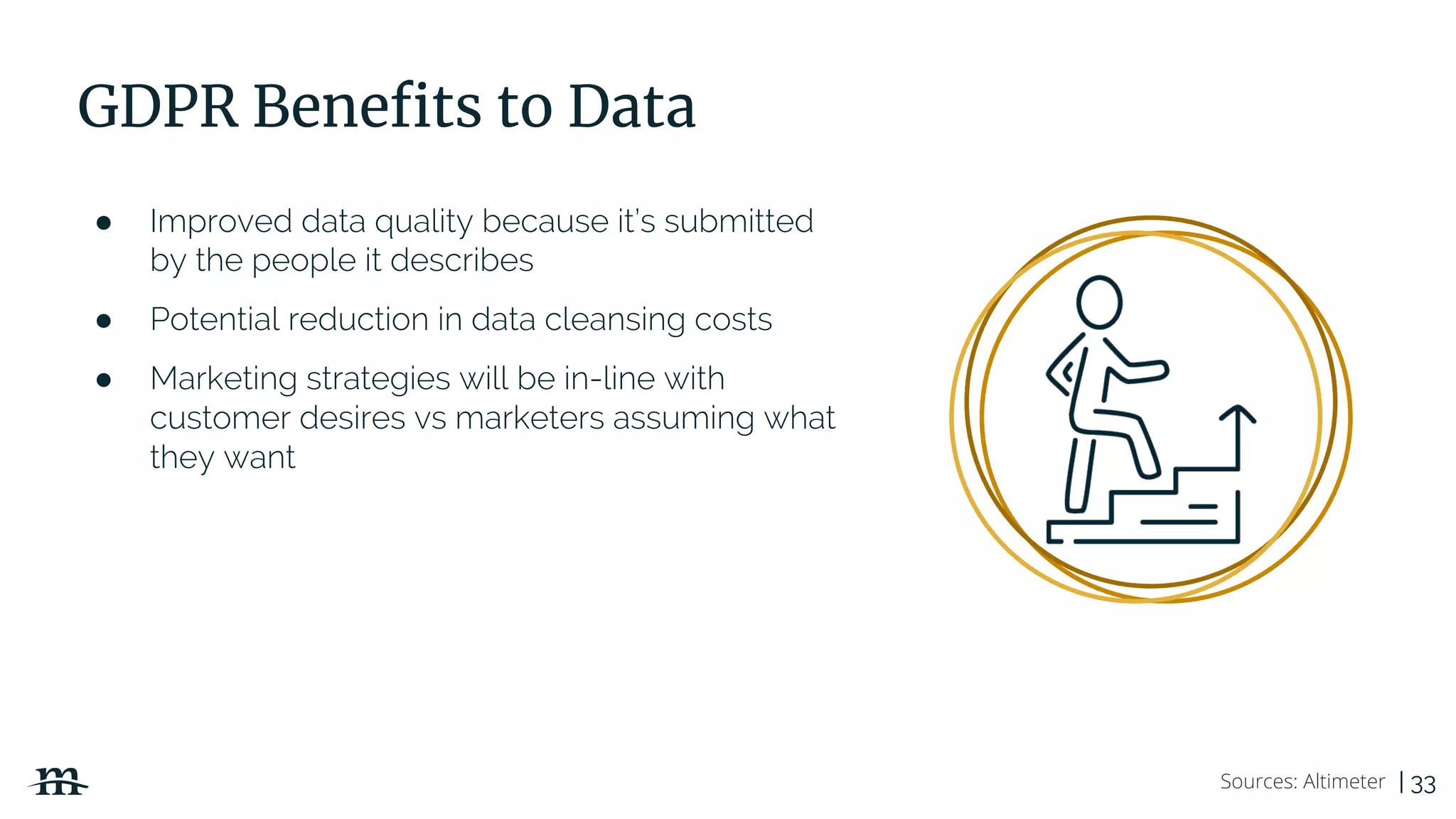
GDPR Benefits to Data
● Improved data quality because it’s submitted
by the people it describes
● Potential reduction in data cleansing costs
● Marketing strategies will be in-line with
customer desires vs marketers assuming what
they want
Sources: Altimeter
| 34
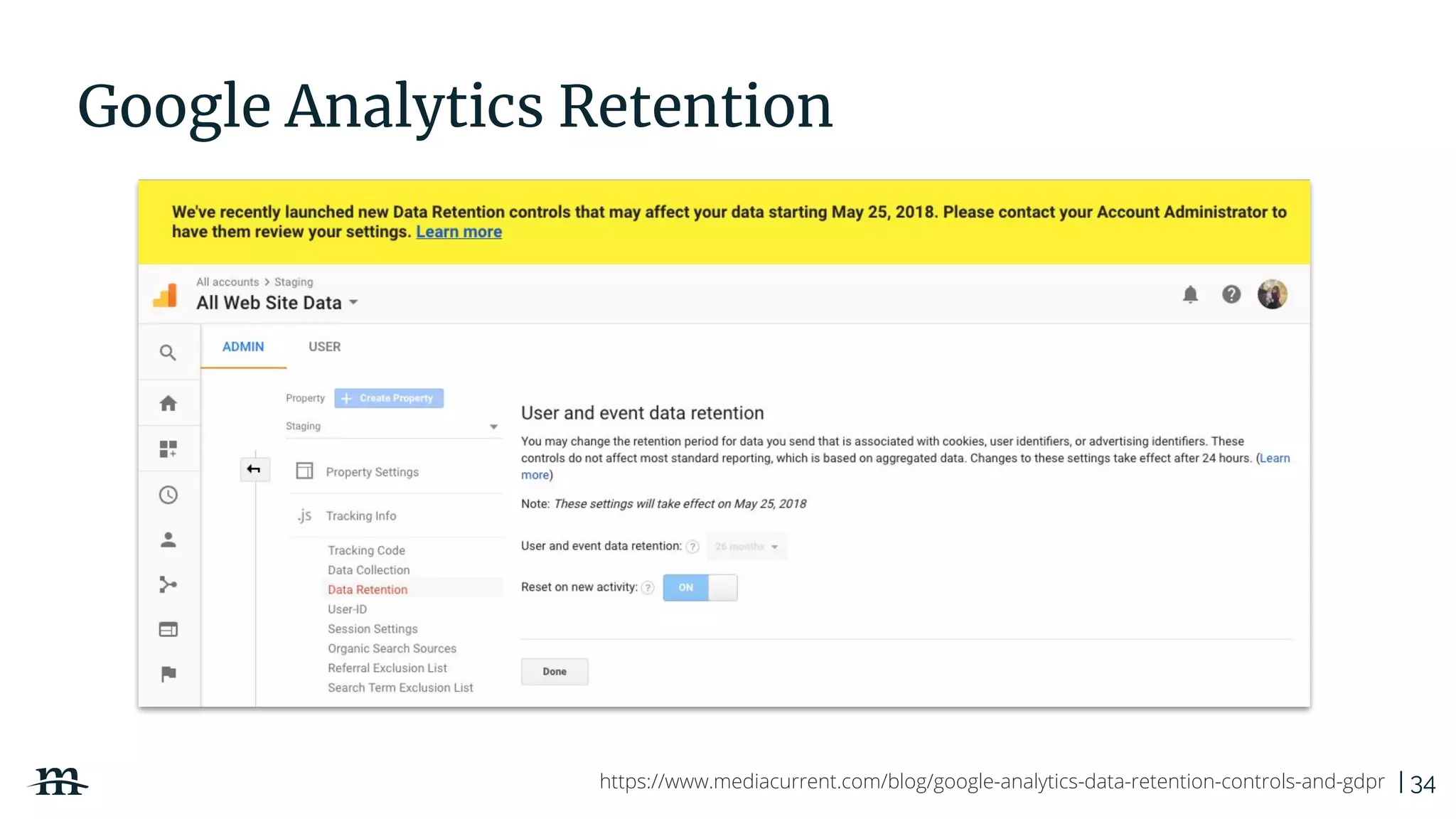
Google Analytics Retention
https://www.mediacurrent.com/blog/google-analytics-data-retention-controls-and-gdpr
| 35
Marketing Automation and CRM
● Be able to prove you have consent- even on
past opt-ins
● Consent for one campaign doesn’t mean
consent for all
● Talk with your Marketing Automation and CRM
platforms to see if they offer tools.
○ Just because they say they are
compliant, does not mean by default you
are too
| 36
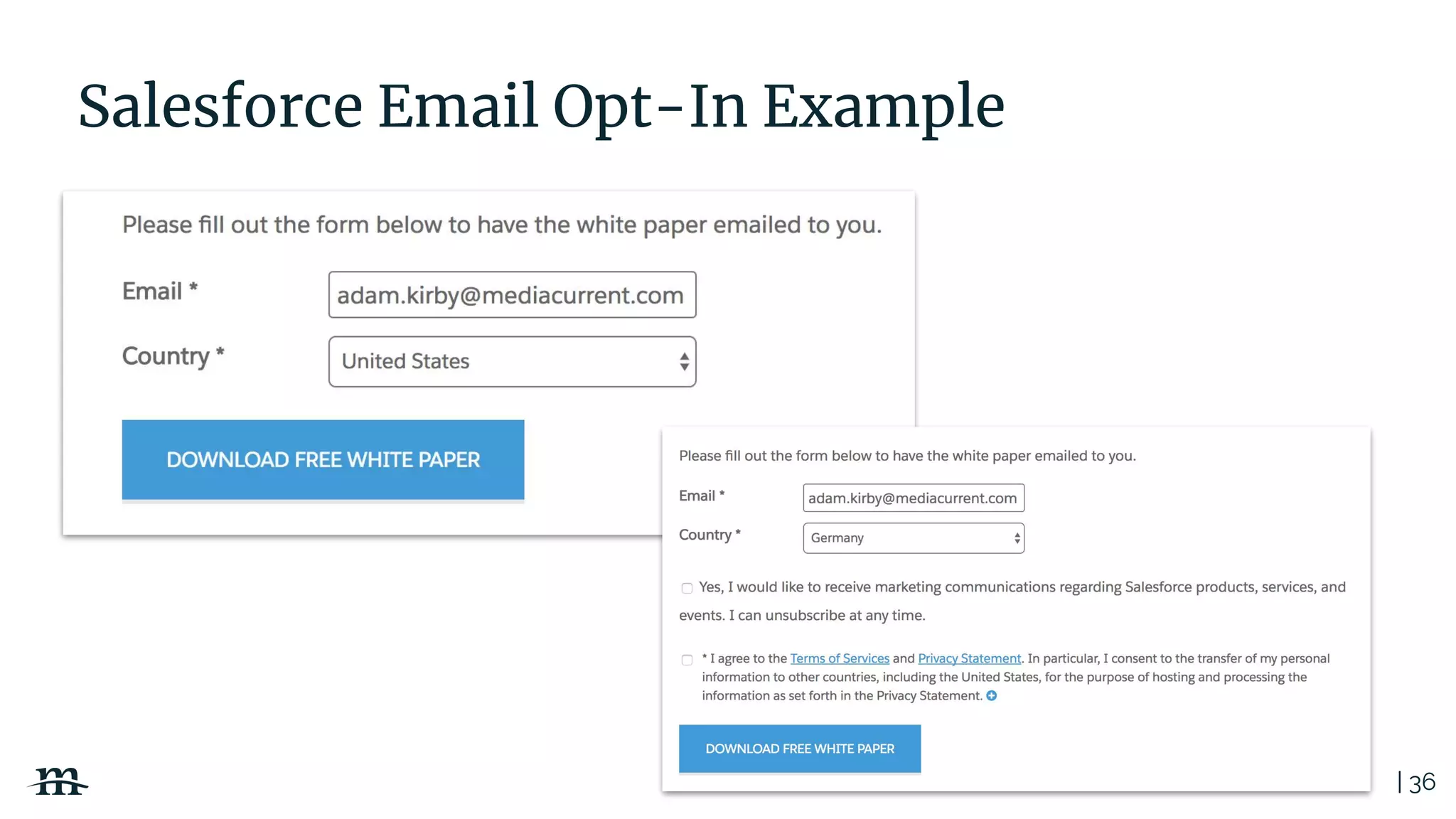
Salesforce Email Opt-In Example
| 37
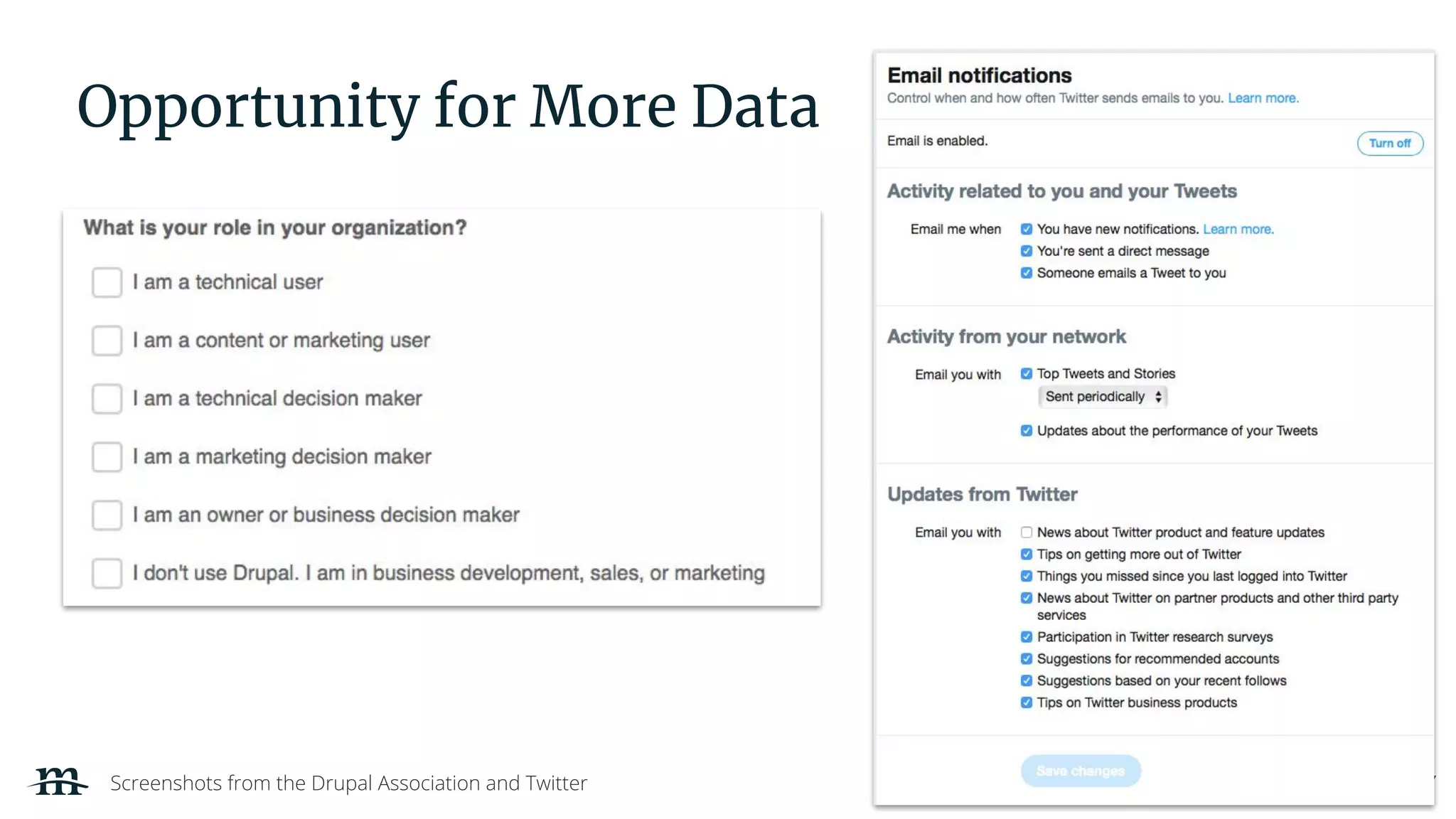
Opportunity for More Data
Screenshots from the Drupal Association and Twitter
| 38
Creating an Action Plan
Not a Freak-Out Plan
| 39
Enforcement begins May 25, 2018
| 40
PX takes a team.
| 41
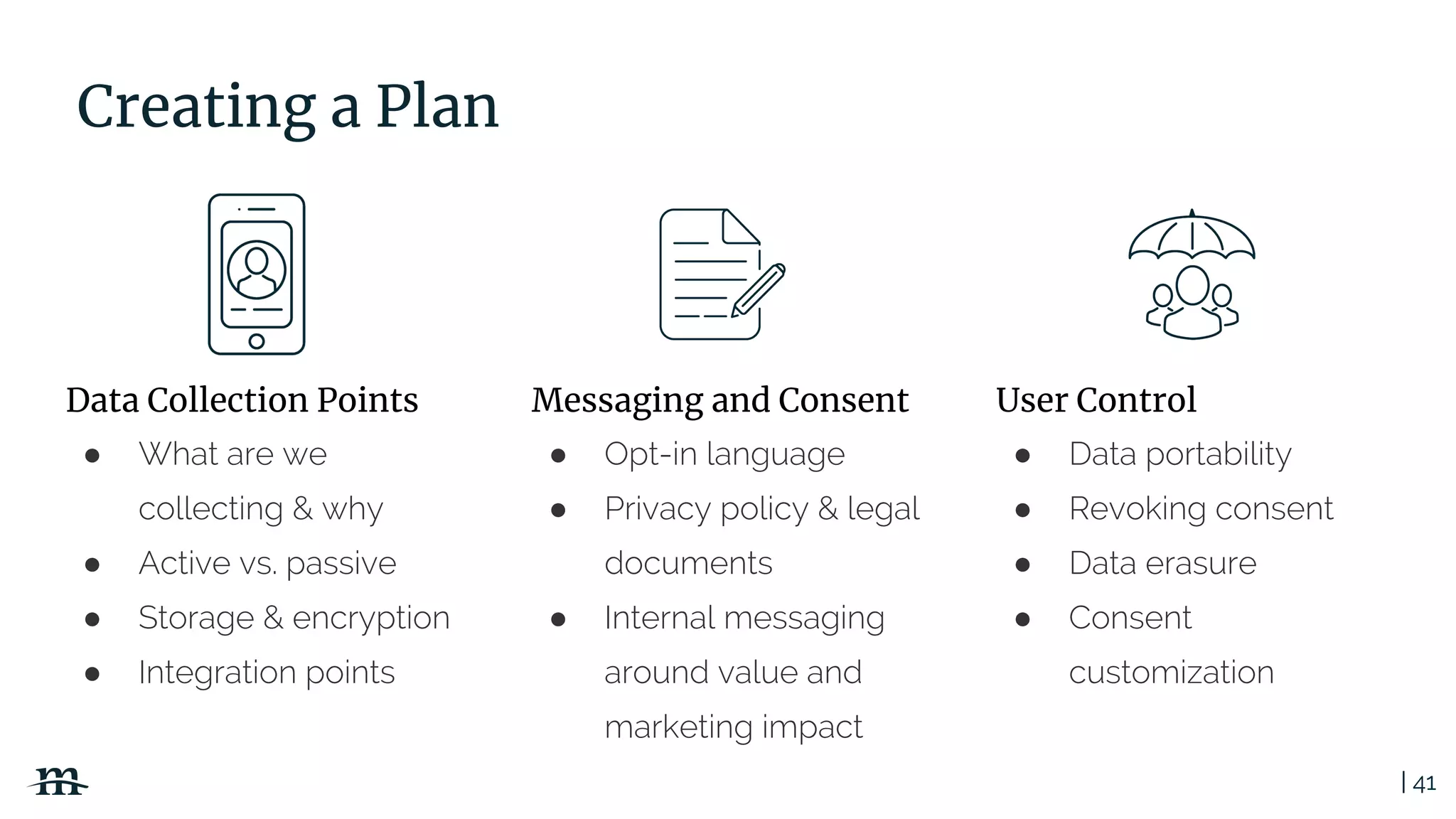
● Opt-in language
● Privacy policy & legal
documents
● Internal messaging
around value and
marketing impact
Creating a Plan
● Data portability
● Revoking consent
● Data erasure
● Consent
customization
● What are we
collecting & why
● Active vs. passive
● Storage & encryption
● Integration points
Data Collection Points Messaging and Consent User Control
| 42
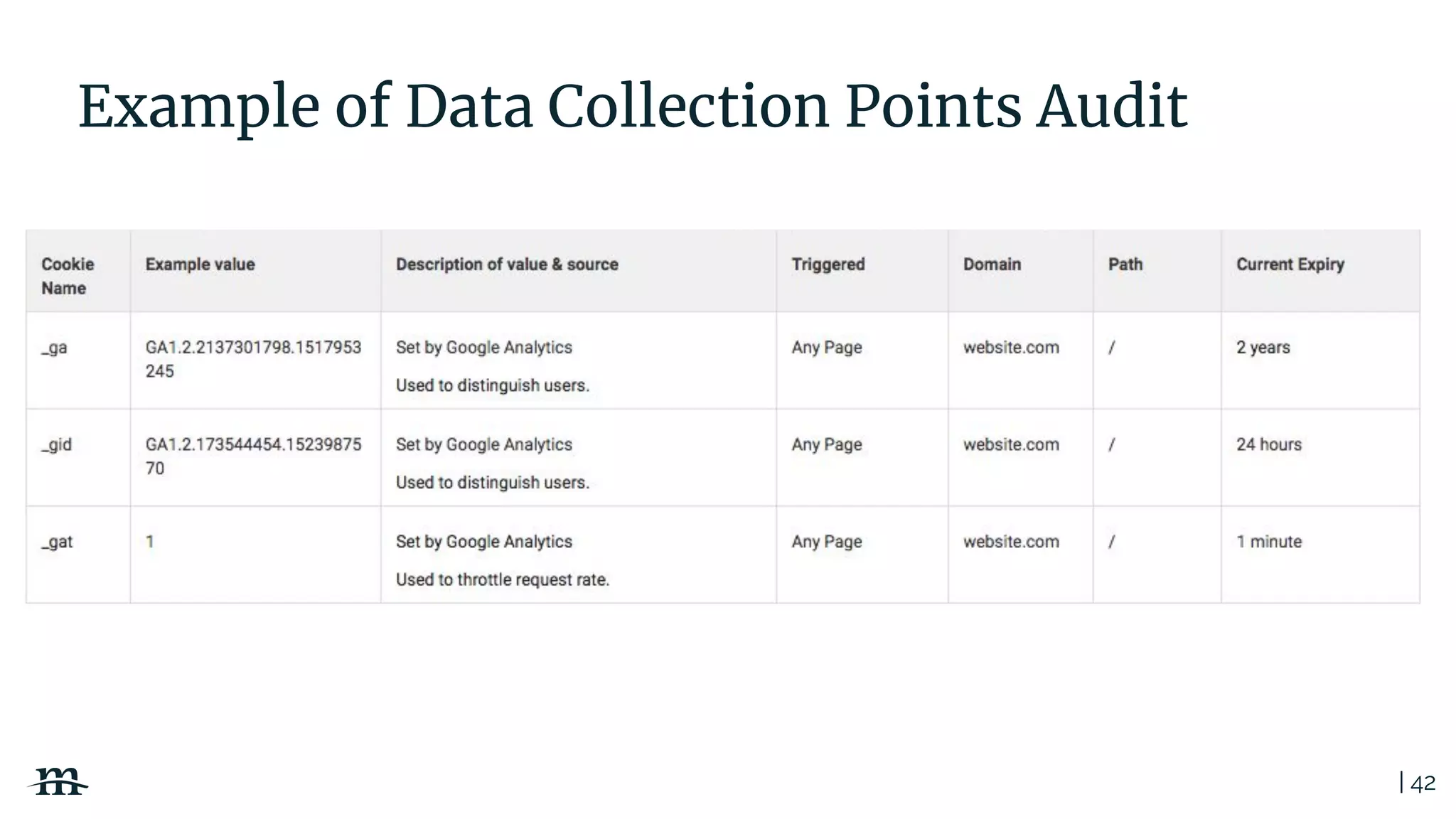
Example of Data Collection Points Audit
| 43
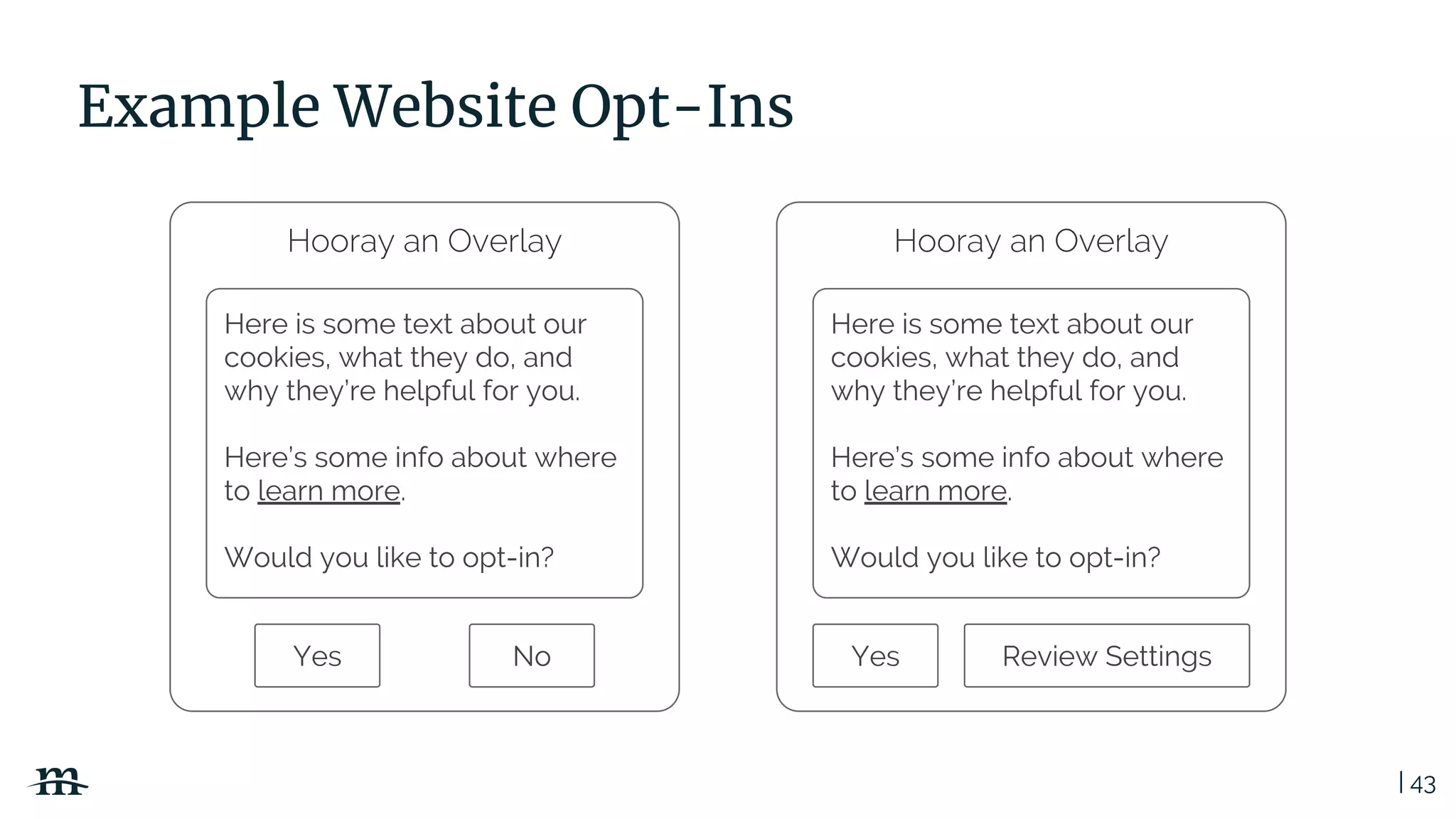
Example Website Opt-Ins
Hooray an Overlay
Here is some text about our
cookies, what they do, and
why they’re helpful for you.
Here’s some info about where
to learn more.
Would you like to opt-in?
Yes No
Hooray an Overlay
Here is some text about our
cookies, what they do, and
why they’re helpful for you.
Here’s some info about where
to learn more.
Would you like to opt-in?
Yes Review Settings
| 44
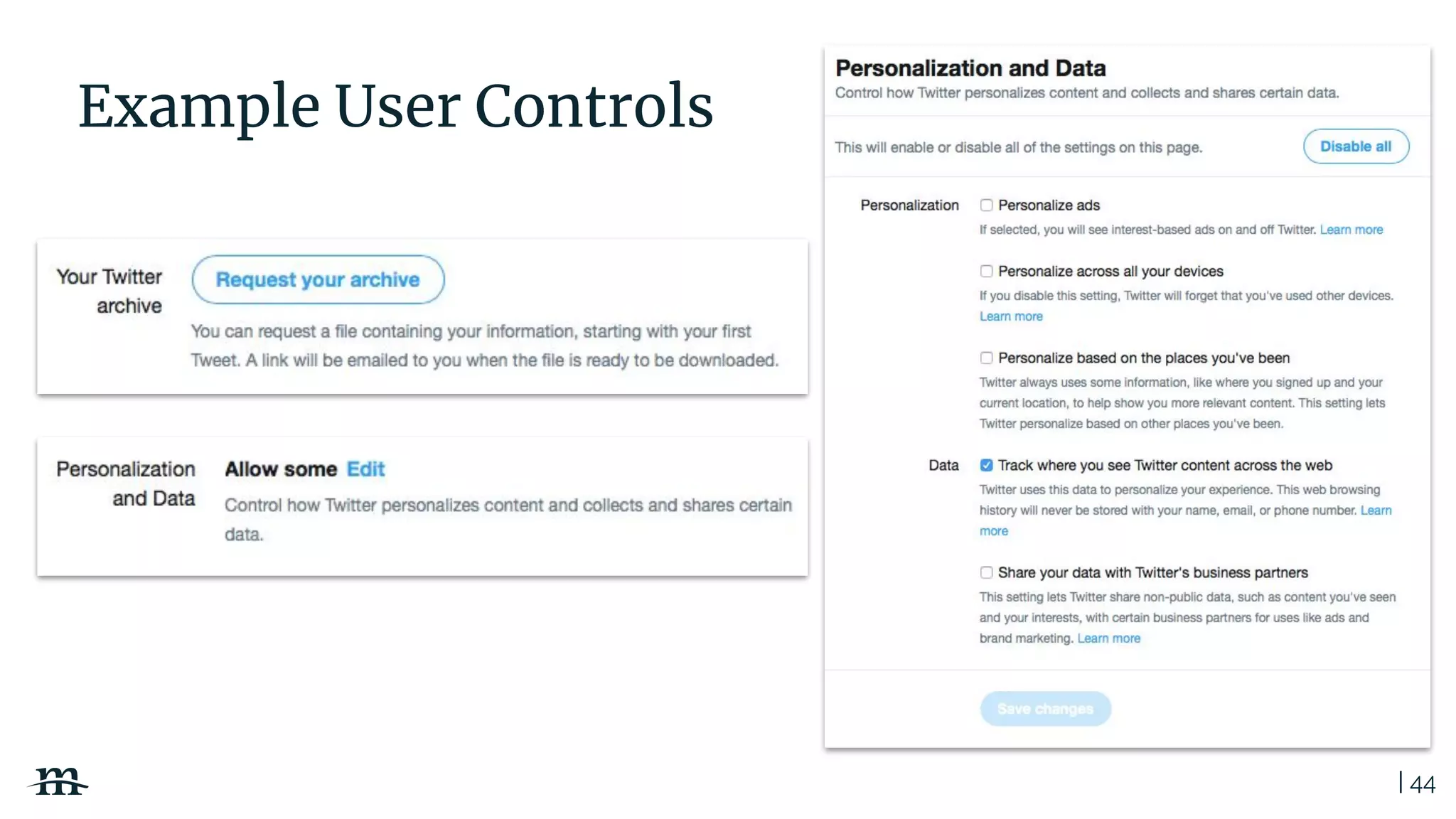
Example User Controls
| 45
Next Steps
● Legal should assess risk
● Create/update security and privacy policies
● Technology teams prioritize remediations
● Implement remediations
● Document plans, remediations and next steps
● Automate processes
● Rinse and repeat
| 46
Let’s Talk Worst Case Scenario
| 47
Absolute Minimums
Planning
● Write out your GDPR plan
including any audits you may
need to conduct
● Document all compliance efforts
● Include your rationale in all
documents
● Set aside untouchable time for
maintenance and improvements
on a regular basis
Execution
● Appoint a Data Protection Officer
● Apply any patches or security
updates available to your system
● Improve the clarity of your
Privacy Policy
● Seek consent from users
(newsletter, cookies, etc)
● Give users an easy way to
contact you about their data
● Update Google Analytics
| 48
PX is the new
Golden Rule
Want to keep the conversation going?
Mediacurrent
Feel free to message Dawn or Mark with any questions you have
on getting your site GDPR compliant!
Dawn - dawn.aly@mediacurrent.com
shrop - mark.shropshire@mediacurrent.com
Have a GDPR project to discuss for your
organization? We can help!
@Mediacurrent Mediacurrent.comfacebook.com/mediacurrent
Thank you!

Creating a GDPR Action Plan; Not a Freakout Plan

  • 1.
    Creating a GDPRAction Plan; Not Freakout Plan Webinar slide deck: May 22nd, 2018
  • 2.
    | 2 Watch therecorded webinar http://bit.ly/2MVhON9
  • 3.
    | 3 Mediacurrent isa full-service digital agency that implements world class open source software development, strategy and design to achieve defined goals for enterprise organizations seeking a better return on investment. Who We Are
  • 4.
    | 4 Today’s Team DawnAly VP, Digital Strategy Mediacurrent @dawnashleealy Mark Shropshire Open Source Security Lead Mediacurrent @shrop
  • 5.
    | 5 Disclaimers 1. Weare not lawyers. 2. This session is not a replacement for legal council. 3. The scope of this talk is on the website and not overall compliance.
  • 6.
    | 6 Today’s Agenda I.Guiding Principles of the GDPR II. Creating a Positive PX III. Security by Design IV. Advanced Marketing Strategies in a Post GDPR World V. Creating an Action Plan (not a Freak-Out Plan)
  • 7.
    | 7 60% The percentageof organizations that are at risk of missing the GDPR compliance deadline. Only 7% of surveyed organizations say they are in full compliance with GDPR requirements today. -Crowd Research Partners 2018 GDPR Compliance Report
  • 8.
    | 8 Guiding Principlesof the GDPR GDPR (General Data Protection Regulation)
  • 9.
    | 9 What isGDPR? GDPR (General Data Protection Regulation), adopted by the the European Union Parliament April 27, 2016, intends to give individuals in the EU the ability to control their personal data. International businesses will benefit by having simpler clarity around user privacy related regulations, leading to consistent implementations. The GDPR become enforceable on May 25th, 2018 and replaces the 1995 Data Protection Directive. Searchable GDPR: https://gdpr.algolia.com Source: https://www.eugdpr.org
  • 10.
    | 10 Who isat Risk for Compliance? Anyone who can say yes to at least one of the following: ● Do you have a website with international traffic? ● Do you use a CRM or Marketing Automation platform? ● Does your site have an analytics platform like Google Analytics? ● Does your website use cookies? ● Does your website collect personal information? Anything from a store or a contact form counts! ● Can users log in to your website?
  • 11.
    | 11 Yep. Prettymuch everyone.
  • 12.
    | 12 The GDPRis not just an IT Discussion 43%of cyber attacks targeted small businesses in 2015 $150 millionanticipated increase of data breach costs by 2020 89%Believe their competitive advantage will be based on the customer experience 85%Percentage of relationships consumers will manage without talking to a human by 2020 Sources: Gartner, Gartner, Symantec, Microsoft, Juniper Research $3.8 millioncost of a data breach for the average company
  • 13.
    | 13 GDPR Roles Legalentity or person processing the actual data on behalf of the controller GDPR required leadership position in organizations for monitoring internal GDPR compliance Legal entity or person determining need and means for processing personal data Data Subject Individual whose personal data has been collected Public authority appointed in EU countries for monitoring compliance of GDPR Supervisory Authority Controller Processor Data Protection Officer
  • 14.
    | 14 User Rightsand Requirements Overview Right to Erasure Breach Notification Data Portability Right to Access Data Protection OfficersPrivacy by Design
  • 15.
    | 15 Key ChallengesAhead ● Implementation requirements are vague and often require interpretation ● Compliance and continued process improvements will come at a cost to organizations Fines up to 20 million EUR or 4% or annual global turnover for noncompliance
  • 16.
    | 16 Creating aPositive PX PX (Privacy Experience)
  • 17.
    | 17 Data +Privacy doesn’t have to be scary.
  • 18.
    | 18 Universal PXPrinciples ● Always be transparent with users ● Use easy to understand language / no “lawyer speak” ● Consent must be given and not assumed ● Protect user data ● Don’t collect more than absolutely necessary ● User must have the right to be forgotten ● Follow security and privacy by design methodologies
  • 19.
    | 19PX Do’sand Don’ts Data Collection Transparency Data Portability Do’s Don’ts ● Know what you collect ● Only retain for as long as you need ● Protect data with encryption ● Audit and log ● Have clear privacy policies ● Let users know how you use data and why ● Give users the right to decide how and when data is processed and shared ● Explain things in easy to understand language ● Allow users control over their data including: ○ Exporting data ○ Deleting data ○ Seeing the details of their stored data ● Collect any PII that you don’t absolutely need ● Allow anyone or system access to data who doesn’t have legitimate reason for processing ● Hide who you share data with and why you share it with them ● Force users to opt-out (opt-in should be the pattern) ● Create hard to read privacy policies and other documents related to data privacy ● Rely on blanket consents ● Make it hard for users to export data in a standard format that is usable for imports to other systems and services ● Delay processing user request for deletion, export, or reporting
  • 20.
    | 20 Pinterest Example Whatworks? ● Banner is located in a high engagement section. What doesn’t work? ● Poorly worded language implies you should Accept without seeing the changes. ● Links don’t easily outline the differences between the previous and the new policies.
  • 21.
    | 21 Twitter Example Whatworks? ● Overlay is prominent. ● Clear, easy to understand language. ● Explains current settings. ● CTAs and features allows users to control specific settings. What could be better? ● Change sharing from an opt-out to an opt-in process.
  • 22.
    | 22 Security byDesign No waiting till launch time!
  • 23.
    | 23 Secure byDesign Secure by design, in software engineering, means that the software has been designed from the ground up to be secure. Malicious practices are taken for granted and care is taken to minimize impact when a security vulnerability is discovered or on invalid user input. https://en.wikipedia.org/wiki/Secure_by_design
  • 24.
    | 24 Privacy andSecurity SDLC 1. PLANNING Document and understand security controls and regulatory requirements to include in feature planning. Software Development Life Cycle 3. TESTING Identify defects through review and testing controls guided by security and privacy requirements. 4. DOCUMENTATION Document detailed project feature implementations and processes and how they apply to security and privacy requirements. 5. DEPLOYMENT Release software to production environments after approved through agreed upon processes. 6. MAINTENANCE Consider and implement changes to controls and regulations affecting the project. 2. IMPLEMENTATION Development with security and privacy controls in mind. Privacy and Security
  • 25.
    | 25 Security andPrivacy Principles ● Limit attack surface ● Keep solutions simple ● Encrypt PII (Personally Identifiable Information) ● Know your regulatory requirements: FERPA, GDPR, HIPAA, PCI DSS, CAN SPAM etc. ● Write policies and procedures and then follow them ● Automate auditing and compliance processes ● Log events and transactions
  • 26.
    | 26 Notorious PII(Personally Identifiable Information) Locations ● User profiles and accounts ● Web personalization data ● Webform data ● Data import and export files and database tables ● Geolocation data ● Server log files ● Database backups
  • 27.
    | 27 Data encryptionis a high-value GDPR compliance implementation technique
  • 28.
    | 28 One encryptionkey per user Source: Townsend Security Delete key and user is forgotten Right to be Forgotten
  • 29.
    | 29 ● Userdata erasure ● User data reporting and export ○ Data portability ● Log and database backup retention Automate Processes
  • 30.
    | 30 Advanced MarketingStrategies In a Post GDPR World
  • 31.
    | 31 Make TrustYour Competitive Advantage Sources: Inc.com, Label Insight, Harvard Business Review 94% of customers are likely to be more loyal to transparent brands
  • 32.
    | 32 Big DataMay Not Be So Big and definitely comes with bigger responsibility
  • 33.
    | 33 GDPR Benefitsto Data ● Improved data quality because it’s submitted by the people it describes ● Potential reduction in data cleansing costs ● Marketing strategies will be in-line with customer desires vs marketers assuming what they want Sources: Altimeter
  • 34.
    | 34 Google AnalyticsRetention https://www.mediacurrent.com/blog/google-analytics-data-retention-controls-and-gdpr
  • 35.
    | 35 Marketing Automationand CRM ● Be able to prove you have consent- even on past opt-ins ● Consent for one campaign doesn’t mean consent for all ● Talk with your Marketing Automation and CRM platforms to see if they offer tools. ○ Just because they say they are compliant, does not mean by default you are too
  • 36.
    | 36 Salesforce EmailOpt-In Example
  • 37.
    | 37 Opportunity forMore Data Screenshots from the Drupal Association and Twitter
  • 38.
    | 38 Creating anAction Plan Not a Freak-Out Plan
  • 39.
  • 40.
  • 41.
    | 41 ● Opt-inlanguage ● Privacy policy & legal documents ● Internal messaging around value and marketing impact Creating a Plan ● Data portability ● Revoking consent ● Data erasure ● Consent customization ● What are we collecting & why ● Active vs. passive ● Storage & encryption ● Integration points Data Collection Points Messaging and Consent User Control
  • 42.
    | 42 Example ofData Collection Points Audit
  • 43.
    | 43 Example WebsiteOpt-Ins Hooray an Overlay Here is some text about our cookies, what they do, and why they’re helpful for you. Here’s some info about where to learn more. Would you like to opt-in? Yes No Hooray an Overlay Here is some text about our cookies, what they do, and why they’re helpful for you. Here’s some info about where to learn more. Would you like to opt-in? Yes Review Settings
  • 44.
  • 45.
    | 45 Next Steps ●Legal should assess risk ● Create/update security and privacy policies ● Technology teams prioritize remediations ● Implement remediations ● Document plans, remediations and next steps ● Automate processes ● Rinse and repeat
  • 46.
    | 46 Let’s TalkWorst Case Scenario
  • 47.
    | 47 Absolute Minimums Planning ●Write out your GDPR plan including any audits you may need to conduct ● Document all compliance efforts ● Include your rationale in all documents ● Set aside untouchable time for maintenance and improvements on a regular basis Execution ● Appoint a Data Protection Officer ● Apply any patches or security updates available to your system ● Improve the clarity of your Privacy Policy ● Seek consent from users (newsletter, cookies, etc) ● Give users an easy way to contact you about their data ● Update Google Analytics
  • 48.
    | 48 PX isthe new Golden Rule
  • 49.
    Want to keepthe conversation going? Mediacurrent Feel free to message Dawn or Mark with any questions you have on getting your site GDPR compliant! Dawn - dawn.aly@mediacurrent.com shrop - mark.shropshire@mediacurrent.com Have a GDPR project to discuss for your organization? We can help!
  • 50.