Create an e-
learning slide
Grade 8
Research your
content
Before you do any research on the web, write down
what you already know about the lesson topic.
2
Make a list of short points that you already know about the
lesson topic.
Add them under the lesson title you wrote down in the last
activity.
Once you have written down what you know, it is time to do
some research. There may be other facts that you want to
include in the lesson.
3 Presentation title 20XX
Search the web
4 Presentation title 20XX
• Before deciding what you will include in your lesson, search the web. Look for: new facts. Your search may find facts you had
forgotten to include in your list and some facts you weren't aware of.
• an image to illustrate your lesson. The image currently used in this lesson (a computer keyboard) isn't
very helpful. In this case, it may have been more useful to include an image where the main parts of the
keyboard are labelled
Activity
Search the web for facts about your lesson topic. Choose two
or three facts. Add them to the list of points you created in the
earlier activity.
5
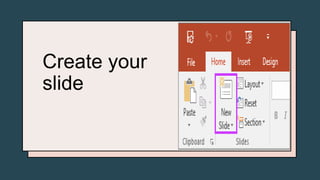
Create your
slide

Create an e-learning slide.pptx

  • 1.
    Create an e- learningslide Grade 8
  • 2.
    Research your content Before youdo any research on the web, write down what you already know about the lesson topic. 2
  • 3.
    Make a listof short points that you already know about the lesson topic. Add them under the lesson title you wrote down in the last activity. Once you have written down what you know, it is time to do some research. There may be other facts that you want to include in the lesson. 3 Presentation title 20XX
  • 4.
    Search the web 4Presentation title 20XX • Before deciding what you will include in your lesson, search the web. Look for: new facts. Your search may find facts you had forgotten to include in your list and some facts you weren't aware of. • an image to illustrate your lesson. The image currently used in this lesson (a computer keyboard) isn't very helpful. In this case, it may have been more useful to include an image where the main parts of the keyboard are labelled
  • 5.
    Activity Search the webfor facts about your lesson topic. Choose two or three facts. Add them to the list of points you created in the earlier activity. 5
  • 6.