CPHIMS


STUDY GUIDE
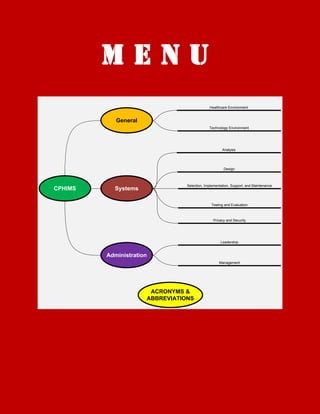
MENU
                                              Healthcare Environment


            General
                                              Technology Environment


                                                      Analysis


                                                      Design


                                 Selection, Implementation, Support, and Maintenance
CPHIMS     Systems

                                               Testing and Evaluation


                                                Privacy and Security


                                                     Leadership


         Administration
                                                    Management


                       ACRONYMS &
                      ABBREVIATIONS
General
The Healthcare Environment
LEARNING OBJECTIVES:
    1. Articulate characteristics of different types of healthcare organizations.
    2. Articulate characteristics of the interrelationships within and across healthcare organizations.
    3. Describe the roles of healthcare professionals and the organizational structure where they work.
    4. Understand the role of government in healthcare delivery.
HEALTHCARE DELIVERY PROVIDERS
    1. HOSPITALS
           a. Levels of care: primary, secondary, tertiary
           b. Ownership: for-profit (taxed), non-profit (tax-exempt)
           c. Geographic location: urban (MSAs and community hospitals), rural
           d. Payor mix: based on weighted mix of revenue sources
           e. Teaching facilities or academic medical centers: teaching facilities are affiliated with a medical
               school, academic medical centers include a medical school, and non-teaching hospitals do not
               formally train physicians or other providers
    2. AMBULATORY CENTERS OR CLINICS: preventive, diagnostic, and treatment services
    3. LONG-TERM CARE (LTC) SERVICES: 30-days or more
    4. PUBLIC HEALTH AGENCIES AND PROGRAMS: may be predominant way that medical care is delivered
    5. COMMUNITY HEALTH PROGRAMS: primary care safety net, access to basic services for medically
       underserved and/or uninsured
    6. PHYSICIAN PRACTICES: solo and group practices
    7. PHARMACIES: prepare and dispense pharmaceuticals
    8. INTEGRATED DELIVERY NETWORK (IDN): composite healthcare organizations and services; merger and
       acquisition formation (integrates assets), joint venture (pools resources), alliance (joint agreement),
       network (alliance of several providers), virtual (contractual arrangement, independent practice
       association [IPA])
PAYMENT SYSTEMS
Financing of healthcare services: National Health Insurance (NHI, Canada) public finance, private providers;
national Health System (NHS, Britain) government managed infrastructure; public/private (US, including
Medicare and Medicaid)
HEALTHCARE WORKFOCE
    1. Physicians
    2. Mid-Level Practioners: physician assistants, advanced practice nurses
    3. Nurses: largest category, mostly in hospitals
    4. Information and management systems professionals: operations, development, process, admin, etc.
ROLE OF GOVERNMENT, REGULATION, PROFESSIONAL AND ACCREDITATION AGENICES IN HEALTHCARE
DELIVERY
Provider of services (VA, NHS); Payor of services (NHI); regulator of services (Health Insurance Portability and
Accountability Act, HIPAA; Emergency Medical Treatment and Active Labor Act, EMTALA; European union Data
Protection Directive, EUDPD)
    1. ACCREDITATION
           a. Joint Commission and Joint Commission International (JCI)
           b. ICD-10 Standardization
                                                                           GENERAL: HEALTHCARE ENVIRONMENT
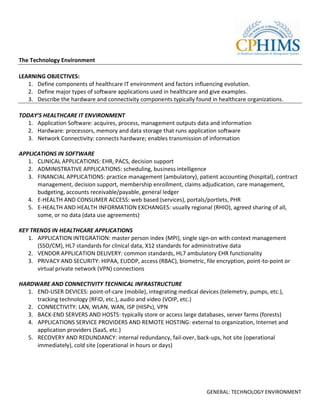
The Technology Environment

LEARNING OBJECTIVES:
   1. Define components of healthcare IT environment and factors influencing evolution.
   2. Define major types of software applications used in healthcare and give examples.
   3. Describe the hardware and connectivity components typically found in healthcare organizations.

TODAY’S HEALTHCARE IT ENVIRONMENT
   1. Application Software: acquires, process, management outputs data and information
   2. Hardware: processors, memory and data storage that runs application software
   3. Network Connectivity: connects hardware; enables transmission of information

APPLICATIONS IN SOFTWARE
   1. CLINICAL APPLICATIONS: EHR, PACS, decision support
   2. ADMINISTRATIVE APPLICATIONS: scheduling, business intelligence
   3. FINANCIAL APPLICATIONS: practice management (ambulatory), patient accounting (hospital), contract
      management, decision support, membership enrollment, claims adjudication, care management,
      budgeting, accounts receivable/payable, general ledger
   4. E-HEALTH AND CONSUMER ACCESS: web based (services), portals/portlets, PHR
   5. E-HEALTH AND HEALTH INFORMATION EXCHANGES: usually regional (RHIO), agreed sharing of all,
      some, or no data (data use agreements)

KEY TRENDS IN HEALTHCARE APPLICATIONS
   1. APPLICATION INTEGRATION: master person index (MPI), single sign-on with context management
      (SSO/CM), HL7 standards for clinical data, X12 standards for administrative data
   2. VENDOR APPLICATION DELIVERY: common standards, HL7 ambulatory EHR functionality
   3. PRIVACY AND SECURITY: HIPAA, EUDDP, access (RBAC), biometric, file encryption, point-to-point or
      virtual private network (VPN) connections

HARDWARE AND CONNECTIVITY TECHNICAL INFRASTRUCTURE
  1. END-USER DEVICES: point-of-care (mobile), integrating medical devices (telemetry, pumps, etc.),
     tracking technology (RFID, etc.), audio and video (VOIP, etc.)
  2. CONNECTIVITY: LAN, WLAN, WAN, ISP (HISPs), VPN
  3. BACK-END SERVERS AND HOSTS: typically store or access large databases, server farms (forests)
  4. APPLICATIONS SERVICE PROVIDERS AND REMOTE HOSTING: external to organization, Internet and
     application providers (SaaS, etc.)
  5. RECOVERY AND REDUNDANCY: internal redundancy, fail-over, back-ups, hot site (operational
     immediately), cold site (operational in hours or days)


                                                                      GENERAL: TECHNOLOGY ENVIRONMENT
APPLICATION TECHNICAL ENVIRONMENT
            CLINICAL                     ADMINISTRATIVE                      FINANCIAL                 E-HEALTH/E-BUSINESS/HIE
Electronic Health Record          Scheduling                       Provider                     Informational
   Physician Practice                Physician Practice / Facility   Practice Management           Searchable access to symptoms,
   Hospital/Facility                                                 Patient Accounting            disease information, interactive
                                                                     Contract Management and       assessments, comparison of provider
                                                                     Decision Support              organizations for quality and cost
Picture Archiving and Capture     Managing and Tracking            Payer                        Interactive Portals
System (PACS)                        Rooms and Beds, Equipment,      Enrollment                    Provider: Schedule appointments,
                                     Medical Records, Supplies       Claims Adjudication           view test results, e-Visits
                                                                     Care Management               Payer: Research and choose health
                                                                                                   plan, reorder medications, find a
                                                                                                   physician
Departmental Systems              Business Intelligence             Common Financial            Personal Health Records (PHR)
  Lab, Radiology, Pharmacy,         End-User Analysis, Data           Budgeting                    Maintain an electronic record of
  Dietary                           Marts, Executive Dashboards       Accounts Receivable /        their health history, medications, lab
                                                                      Accounts Payable             results, encounters, and the like
                                                                      General Ledger
Care Setting Niche Systems        Common Business
  Emergency Department,             Human Resources, Document
  Operating Room, Oncology,         Management, Facility Access,
  Labor & Delivery                  e-Mail
Knowledge-Based
  Drug Interaction, Protocol

                                                               Integration
                              Master Person Index           Product Suite                      HL7 Standard
                              Interface                     Single Sign-On                     X12 Standard
                                                              [2]                                   GENERAL: TECHNOLOGY ENVIRONMENT
Figure 1 - Hardware and Connectivity

                                          Internal                                 External


                END-USER                                   Medical
                DEVICES                                    Devices

                                                                                    External
                                                                                    Web User
                                   Wireless

                CONNECTIVITY              Network
                                                                     Firewall


                SERVERS AND
                STORAGE

                                                                                          Trading
                                                                                          Partner


                                                                Redundant
                                                                 Servers

                RECOVERY AND
                REDUNDANCY
                                                                                    Cold/Hot Site


                                                     [3]                        GENERAL: TECHNOLOGY ENVIRONMENT
SYSTEMS
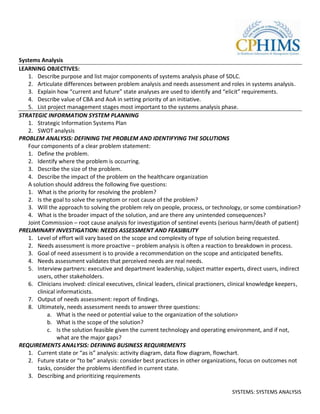
Systems Analysis
LEARNING OBJECTIVES:
   1. Describe purpose and list major components of systems analysis phase of SDLC.
   2. Articulate differences between problem analysis and needs assessment and roles in systems analysis.
   3. Explain how “current and future” state analyses are used to identify and “elicit” requirements.
   4. Describe value of CBA and AoA in setting priority of an initiative.
   5. List project management stages most important to the systems analysis phase.
STRATEGIC INFORMATION SYSTEM PLANNING
   1. Strategic Information Systems Plan
   2. SWOT analysis
PROBLEM ANALYSIS: DEFINING THE PROBLEM AND IDENTIFYING THE SOLUTIONS
   Four components of a clear problem statement:
   1. Define the problem.
   2. Identify where the problem is occurring.
   3. Describe the size of the problem.
   4. Describe the impact of the problem on the healthcare organization
   A solution should address the following five questions:
   1. What is the priority for resolving the problem?
   2. Is the goal to solve the symptom or root cause of the problem?
   3. Will the approach to solving the problem rely on people, process, or technology, or some combination?
   4. What is the broader impact of the solution, and are there any unintended consequences?
   Joint Commission – root cause analysis for investigation of sentinel events (serious harm/death of patient)
PRELIMINARY INVESTIGATION: NEEDS ASSESSMENT AND FEASIBILITY
   1. Level of effort will vary based on the scope and complexity of type of solution being requested.
   2. Needs assessment is more proactive – problem analysis is often a reaction to breakdown in process.
   3. Goal of need assessment is to provide a recommendation on the scope and anticipated benefits.
   4. Needs assessment validates that perceived needs are real needs.
   5. Interview partners: executive and department leadership, subject matter experts, direct users, indirect
       users, other stakeholders.
   6. Clinicians involved: clinical executives, clinical leaders, clinical practioners, clinical knowledge keepers,
       clinical informaticists.
   7. Output of needs assessment: report of findings.
   8. Ultimately, needs assessment needs to answer three questions:
           a. What is the need or potential value to the organization of the solution>
           b. What is the scope of the solution?
           c. Is the solution feasible given the current technology and operating environment, and if not,
                what are the major gaps?
REQUIREMENTS ANALYSIS: DEFINING BUSINESS REQUIREMENTS
   1. Current state or “as is” analysis: activity diagram, data flow diagram, flowchart.
   2. Future state or “to be” analysis: consider best practices in other organizations, focus on outcomes not
       tasks, consider the problems identified in current state.
   3. Describing and prioritizing requirements

                                                                                       SYSTEMS: SYSTEMS ANALYSIS
ANALYSIS OF ALTERNATIVES AND COST-BENEFIT ANALYSIS
   1. Choices (alternatives analysis); bottom-line impact (cost-benefit analysis).
   2. Do nothing alternative.
   3. Enhance the existing solution.
   4. Partially implement the proposed solution.
   5. Tangible benefits are those with which a dollar value can be assigned.
   6. Intangible benefits are those that are more difficult with which to associate a dollar value.
OBTAINING ORGANIZATIONAL COMMITMENT: PRESENTATION OF THE PROPOSAL AND APPROVAL
   1. Obtaining approval has at least two components: (1) it assumes that there is a firm understanding of
      what the solution is and organizational impact: and (2) it obtains a formal, specific commitment to the
      proposed solution from the stakeholders and decision makers.
PROJECT MANAGEMENT
   1. PMBOK® (PMI®) project stages – initiating, planning, executing, monitoring/controlling, closing.
   2. Initiating Stage: project charter, scope.
   3. Planning Stage: create work breakdown structure, activity definitions, activity sequencing, activity
      resource estimating, schedule development, cost/budget estimating, human resource planning,
      communication planning, risk management planning, quality management.


Figure 1 - Six Blind Men Describing an Elephant


                                                  [2]                              SYSTEMS: SYSTEMS ANALYSIS
Figure 2 - System Development Life Cycle (SDLC)


                                                  System Analysis


                      Systems
                                                                    Systems Design
                     Operation


                                                     Systems
                                                  Implementation

                                                              [3]                    SYSTEMS: SYSTEMS ANALYSIS
Table 1 - Overview of the Systems Analysis Process in Healthcare

                                                        STRATEGIC INFORMATION SYSTEMS PLAN
Problem Analysis             Preliminary                 Requirements     Analysis of      Proposal /                               Project
                             Investigation               Analysis         Alternatives     Approval                                 Management
Definition                   Needs Assessment             Current State          Alternatives             Proposal                  Project Management
   Describe                    Leadership                  “Elicit” requirements   Do nothing               Executive summary       Body of Knowledge
   Identify where              sponsored                   Modeling techniques     Implement all            Detailed                  Project stages:
   Measure                     Involves broad range        Uses array of tools     requirements             documentation             initiating, planning,
   Identify impact             of participants          Future State               Partially implement    Executive                   executing,
Cause                          (physicians, clinicians,    Process changes         requirements           Presentation                monitoring, closing
   Symptomatic                 leadership, users,          Standards and         Cost-Benefit Analysis      Made by sponsor         Initiating
                               etc.)                       information exchange                             Non-technical             Project charter
   Root cause
                               Uses array of tools         Document                                       Enthusiastic                Project scope
Solution
                               (interviews, surveys,       requirements                                   Endorsement Enables       Planning
   People, process,
                               observations, review Prioritize                                                                        Project plan: work
   and/or technology                                                                                        Process change
                               of policies, etc.)          Needs                                                                      breakdown resource,
   Temporary                                                                                                Change management
                             Feasibility Analysis          Wants                                                                      schedule,
   (addresses symptom)                                                                                      Benefit realization
                               Readiness                Stakeholder Sign-Off                                                          communication, risk,
   Permanent
                               assessment                                                                                             quality
   (addresses root
                             Report of Findings
   cause)

Table 2 - Problem Analysis - Cause and Solution

                                                       Symptomatic Cause                                              Root Cause
Work-around Solution                        Stopgap solution to a problem that is not fully              Advisable when resources are not available to
                                    1.      understood.                                          2.      implement optimal solution.
Permanent Solution                          Potential waste of resources since root cause is
                                    3.      unaddressed.                                         4.      Ideal solution.


                                                                           [4]                                                  SYSTEMS: SYSTEMS ANALYSIS
Table 3 - Fact-Finding Methods Used in Needs Assessment and Requirements Gathering

Method                              Description
Interviews                          The interviews should be conducted with a questionnaire or interview protocol that relies mostly on open-ended
                                    questions. Since the goal of the assessment is to uncover what the respondents need and want, it is important not
                                    to bias them with heavily preformatted questions that may steer them to a particular response or solution.
Review of                           Review of existing documentation should supplement the interviews. Among the documentation that should be
                                    considered:
Documentation                       Organization charts
                                    Policies, procedures, practice guidelines, training materials
                                    Performance metrics, problem logs, incident and adverse event reports
                                    User manuals and other system documentation
Observation                         Observing and documenting the existing operational processes is also valuable in the needs assessment. Detailed
                                    analysis and diagramming of process flows is more appropriate once the initiative has been approved and
                                    requirements are being defined. But for the needs assessment, a high level examination of existing processes is
                                    useful for understanding the needs and discovering integration touch points that might be overlooked by
                                    interviewees.
Surveys                             While interviews are useful in identifying the types of needs and problems that concern the stakeholders, a survey
                                    can validate the extent of the problem or need within a broader audience. For example, an investigation into a
                                    nursing incident reporting system might start with interviews with key stakeholders on obstacles to current
                                    reporting and then be expanded to an online survey for all nurses to complete to better quantify the problem.
Data Analysis                       Analysis of data from existing sources can be valuable in validating perceptions of the size of the problem when
                                    such sources exist.


                                                                           [5]                                             SYSTEMS: SYSTEMS ANALYSIS
Figure 3 - Activity Diagram: High Level Flow of Practice Visit


                  High-Level Flow of Practice Visit


                                   Patient Appears at
                    Receptionist


                                                           New Patient   No
                                       Front Desk
                                                                                                                    Schedules Follow-
                                                                                                                        Up Visit
                                                                                History Form
                                                              Yes                Completed


                                                          History Form
                                                           Completed


                                                                                Documents
                                                                                Complaint
                    Nurse


                                                                                                 Educates Patient


                                                                               Takes Ht, Wt,
                                                                                  Vitals
                                                                                                       Yes
                                                                                                                           No


                                                                                                    Education
                                                                               Reviews Chart         Ordered
                    Physician


                                                                              Examines Patient    Writes Orders


                                                                              [6]                                     SYSTEMS: SYSTEMS ANALYSIS
Figure 4 - Sample Data Flow Diagram


                                                                                       Practice Management
                                                                                              (Office)
                             Patient


                                                                        Examine
                                                                                     Physician
                                            Give                         Order
                                           History


                                Nurse


                                                     Clinical Information (Office)
                   Key
                                         ORDERS               RESULTS
                             Process


                             External      Lab (External)
                              Entity


                            Data Store


                                                        [7]                                         SYSTEMS: SYSTEMS ANALYSIS
Table 4 - Costs to Be Considered in Healthcare CBAs

             Cost                                                 Example
             Hardware                                                Computers
             Initial purchase and ongoing maintenance                Handheld devices
                                                                     Service contracts
             Software                                                Vendor supplied software
             Initial purchase and ongoing maintenance                Support agreements
             Network and Communications                              Communication lines
                                                                     Network costs including wireless costs
             Training and Support                                    Training staff
                                                                     Cost of removing staff from their normal work duties to attend
                                                                     training
                                                                     Initial and additional costs for ongoing support staff
             Personnel                                               Project management
                                                                     Systems analysts
                                                                     Programmers, testers, etc.
             Induced costs                                           Loss of productivity of staff when initially using the system


Table 5 - Examples of Tangible and Intangible Benefits

                                  Tangible Benefits                   Examples
                                  Increased revenue                   Improved bill capture
                                  Increased productivity              Reduced time to document
                                  Decreased costs                     Reduction in transcription costs
                                                                      Reduction in film costs
                                  Intangible Benefits                 Examples
                                  Improved patient safety             Reduction in adverse drug events
                                  Improved patient satisfaction       Increased scores on patient satisfaction surveys

                                                                      [8]                                                SYSTEMS: SYSTEMS ANALYSIS
Table 6 - Components of the Proposal

Component                                    Items
Background                                     Summary of needs
                                               Readiness assessment
                                               Objectives
                                               Scope
Proposed Solution                              Overview of solution
                                               Use case
                                               Detailed requirements
                                               Process changes
                                               Assumptions and risks
Business Case                                  Alignment with business goals
                                               Alignment with systems strategy plan
                                               Summary of benefits
Recommendation                                 Alternatives considered
                                               Cost-benefit analysis
                                               Recommendation
Implementation                                 Initial budget
                                               Initial schedule
                                               Initial project organization
Appendices                                     Current state activity flow
                                               Future state
                                               Detailed requirements description


                                       [9]                                            SYSTEMS: SYSTEMS ANALYSIS
Systems Design
LEARNING OBJECTIVES:
   1. Describe how systems design fits within the systems development life cycle.
   2. List the members and responsibilities of the systems design team.
   3. Explain why the role of systems design changes when selecting a pre-developed vendor system.
   4. Describe how business processes and needs are accommodated during the design stage.
   5. Define and describe the differences between RFP and RFI.
   6. Discuss the regulatory and environmental forces that affect healthcare information systems.
PURPOSE AND GOALS OF SYSTEMS DESIGN
   1. Build (internal development) vs. Buy (vendor solutions) decision making.
   2. System design goals: creating accurate technological specifications; choosing correct development
      approach; supporting business needs; minimizing compatibility/compliance issues; developing RFI/RFP;
      identifying dependent sub-systems; designing data management practices; ensuring user acceptance.
BACKGROUND: SYSTEM THEORY
   The environment in which the information system resides is a complex system.
   1. Collection of information systems within the organization = enterprise system or clinical information
      system.
   2. When describing the group of systems related to patient care = EMR, PACS, CDSS, CPOE.
   3. Open systems – policies must be designed into the system; procedures enforced by the stakeholders.
   4. Any open system will reach a balance between internal and external environments.
   5. Tight integration is now the major success factor for information systems projects.
   6. Traditional tenets of application design: ease of use; intuitive interfaces; and accessibility.
SYSTEMS DESIGN FOR BOTH INTERNAL DEVELOPMENT AND VENDORS
   1. Initial design task will define the system’s actual characteristics.
   2. Preliminary design review creates the baseline specifications.
SYSTEMS DESIGN TEAM
   1. Domain expertise and past experience designing a similar system are preferred.
   2. Design team roles: design team leader; system analysts; systems end-users; systems developers; RFP
      committee; trainers; legal; purchasing; project management office; domain experts and consultants.
   3. Avoid extremes and ensure the system corresponds to the technical proficiency of the end-users.
   4. Experienced system trainers who participate in the design process can ensure user acceptance.
DESIGN DELIVERABLES AND TOOLS
   1. Technical specifications document: translate functional requirements into technical specifications.
   2. Systems design document: input/output, data specifications, programming specifications, and flow
      diagrams.
   3. Security risk assessment: hardening, disaster recovery, security vulnerability analysis.
   4. Conversion and integration plan: software, hardware, and network compatibility findings.
   5. Training plans: tailored to address initial and ongoing user education needs.
   6. Prototypes and mock-ups: a model of how the application will display data to the users.
   7. Tools: Unified Modeling Language (UML), modeling/diagramming tools (including Visio).
TECHNOLOGY EVALUATION PROCESS
   Technology evaluation must answer the following questions:
      (a) What technology is the vendor offering?
                                                                                  SYSTEMS: SYSTEMS DESIGN
(b) What technology will the vendor offer in the future?
       (c) What technology do we currently have?
       (d) What technology do we plan on having in the future?
   1. Evaluating existing technologies: survey of the current marketplace.
   2. Evaluating emerging technologies: should be considered but not overemphasized.
   3. Supporting the organizational strategy: how does the IS support the organization’s mission?
SELECTING A DESIGN APPROACH: BUILD OR BUY
   1. Not to be confused with the system selection stage; design stage emphasizes “who” and “how.”
   2. Outsourcing is not a common practice for healthcare organizations.
   3. Most common design approach is to acquire a commercial system.
ACCOMMODATING BUSINESS PROCESSES
   1. A business process is simply a series of tasks performed to solve a single problem.
   2. The design of the new system should not interfere with operational processes (revenue sources).
   3. Review current and existing practices and processes to identify areas affected by the new system or
       eliminated.
   4. Vendors should be able to provide detailed system and workflow diagrams.
   5. The organization’s cost allocation methods should be addressed during this time, especially for activity-
       based costing.
SUPPORTING BUSINESS NEEDS
   1. What are the business needs of the organization?
   2. Where are they documented?
   3. How do we prioritize them?
   4. Anticipated business needs: if not documented, discuss.
SYSTEM INTEGRATION AND COMPATIBILITY
   1. Software compatibility: conform to the organization’s data management practices.
   2. Hardware compatibility: legacy and proprietary hardware issues.
   3. Network infrastructure compatibility: wireless, bandwidth, off-site connectivity (VPN) issues.
   4. Data and protocol standardization: vendors provide conformance documentation to healthcare
       protocols and standards (DICOM, etc.).
   5. Systems interfacing: data compatibility, EMR/EHR, EPR, PHR, PACS, RHIO, CPOE; Integrating the
       Healthcare Enterprise (IHE) profiles.
SYSTEM COMPLIANCE
   1. Healthcare industry compliance: published compliance standards from vendors; local and federal
       guidelines.
   2. Regulatory compliance: HIPAA, EUDPD.
   3. Organizational compliance: local policies and procedures.
DEVELOPMENT OF REQUEST FOR INFORMATION (RFI)
   1. RFI is a planning document that seeks information from prospective vendors to be used for comparison
       purposes.
   2. Components of the RFI include: instructions for response; statement of scope; functional requirements
       document; business information.
   3. Unreleased or beta products; FDA clearance; particularly important for healthcare systems requiring
       governmental approval.
                                                                     [2]
DEVELOPMENT OF REQUEST FOR PROPOSAL (RFP)
   1. RFP is an invitation to prospective vendors or service providers to submit a proposal to provide a
      commodity.
   2. RFP will eventually transition to a legally binding contract.
   3. Vendor questionnaire: corporate size/structure; duration in industry; financial data; beta and alpha
      development products; install base and client references; project completion rates and results; legal,
      health, and regulatory compliance status..
   4. Scope
   5. Limitations: shifts control of the selling process to the organization (buyer).
ENVIRONMENTAL TRENDS
   1. Industry trends: what’s happening in the world of vendors and developments in the field?
   2. Technology trends: selecting the newest, fastest, and sleekest technology must logically follow the
      functional requirements.
   3. Infrastructure trends: wireless technology, network security, and remote connectivity.
   4. Legal and regulatory trends: review new and upcoming regulations and recent legal findings that are
      applicable to the system.
DATA MANAGEMENT PRACTICES
   1. Describes the methods by which system data is accessed, secured, retained, exchanged, and stored.
   2. Data access controls; data storage and retention practices; disaster recovery plans (DRP).

Table 1 - Systems Design Tasks

         Design Tasks                                    Sub-Tasks
         Design the system
                                                         Output Specifications
                                                         Input Specifications
                                                         Data Specifications
                                                         Code and Programming Specifications
                                                         Flow Diagrams and Use Cases
                                                         Development Cost-Benefit Analysis
         Preliminary Design Review
         Design User Support and Training
         Conversion and Migration Strategies
         Security Risk Assessment and Mitigation
         Conduct Critical Design Review
         Present Deliverables for Approval


                                                                     [3]
Table 2 – Sample RFP Timeline

          Activity                                             Duration
          1. Determine business needs and project scope        1 week
          2. Systems analysis                                  2 months
          3. Systems design and planning                       1 month
          4. Select design approach: RFP                       1 week
          5. Technology and industry evaluation                2 weeks
          6. Develop RFP                                       1-2 weeks
          7. Submit RFP to prospective vendors                 1-2 weeks
          8. Collect vendor responses                          1 month
          9. Review, weight, and score responses               2 weeks
          10. Rank vendors and narrow selection to 2 vendors   2 weeks
          11. Select primary and secondary vendor              <1 week
          12. Develop, negotiate, and finalize contract        3 weeks


                                                               [4]
Systems Selection, Implementation, Support, and Maintenance
LEARNING OBJECTIVES:
   1. Identify the needs of the organization.
   2. Select the appropriate software solution to meet the needs of the organization.
   3. Negotiate with vendor and acquire the software application in the best interest of the organization.
   4. Successfully implement the new software application.
   5. Manage and monitor the performance of the new software application.
   6. Prepare a disaster recovery plan.
   7. Maintain operations in the event the information system experiences downtime.
SELECTION PROCESS
   1. Start with clear, concise goals and objectives; selection team needs to include representation and
       participation of the individuals within the organization who will be most affected by the new system.
   2. End-user; high level executive “champion;” clinical, operations, IT, business managers; right size.
   3. Reviewing Operations: gap analysis of current operations:
           a. What is good about the current system?
           b. Where can it be improved?
           c. What is missing from the current system that must be part of the new application?
   4. Review of infrastructure: hardware, networking, physical plant resources (electricity, equipment
       locations, and security needs).
ACQUISITION PROCESS
   1. Role of RFIs and RFPs
           a. RFI: less formal, to gain more detailed information about products and meets requirements.
           b. RFP: formal, solicit responses to evaluate vendors’ proposal criteria.
   2. Demonstrations of Applications: top two or three vendors; look under the hood and kick the tires;
       scheduled close together; prepare specific scenarios; required outputs and format demonstrated;
       scoring sheet for vendors/applications.
   3. On-site Visits: to existing vendor client(s); scoring sheet for vendor/application.
   4. Client References: request positive and less positive client references.
   5. Negotiations: cost proposal – software licenses, interfaces, conversions, third party software licenses,
       training costs, implementation services, hardware purchases.
   6. Standards of Performance Components: definition of severity of support issues, types of support issues
       (hard/software, interfaces, networking), response time frames, remote/on-site support, downtime,
       and patches/fixes.
CHANGE MANAGEMENT
   1. Areas most likely to experience change: strategy, operations, culture, and office politics.
   2. Techniques: compose team of people from all levels of the organization; strategic plan developed by
       the team; candidly assess organization’s culture/politics.
   3. Solid training plan; proactively addressing potential issues; having a strong support for the end-user.
THE IMPLEMENTATION PROCESS
   Complete implementation plan includes: milestones, timeframes, clearly defined actions, responsibilities,
   testing, and sign-off (acceptance).
   1. Implementation Strategies: phase-in; departmental; single department; parallel; system-wide.

                                  SYSTEMS: SYSTEMS SELECTION, IMPLEMENTATION, SUPPORT, AND MAINTENANCE
2. Testing and Implementing a New System within an Existing Framework: all new hardware should be set
      up, tested, and deployed before relying on it to support the application in the actual implementation.
   3. Enough bandwidth and speed over the network (performance, capacity, latency, etc.).
   4. While infrastructure deployed: clinical team should adapt and create daily operational processes and
      procedures to maximize efficiencies, effectiveness, and productivity.
   5. Master Files: common files or data elements shared across applications/systems.
   6. Data Conversion: historical, mapping historical elements to new system data fields, representative
      sampling, larger representative sampling, final backup; interfaces (HL7, etc.).
   7. User Training: super user; key user; go-live; training and operational manuals; training sessions.
   8. Training is an ongoing endeavor and needs to be planned and continually addressed.
MANAGING HEALTHCARE INFORMATION SYSTEMS
   1. Help Desk: passive/active network monitoring; help desk logs knowledge base; triage/evaluate and
      assigning priority or severity level (update knowledge base).
DISASTER RECOVERY PLANS
   1. Comprehensive disaster recovery plan: critical functions of the organization, how to recover the
      operations of the organization, how to function without the electronic IT systems functioning, who is
      responsible for what activities of the recovery process, a plan for notifying personnel regarding issues
      related to the disaster, protocols for testing the recovery plan, procedure for updating the disaster
      recovery plan.
   2. Developing a Plan: needs assessment; identify critical operations and functions by each department;
      necessary data requirements and equipment; identify non-essential departments/functions.
   3. Procedures and Protocols: detail step-by-step procedures for preparing for impending disaster,
      maintaining the plan in case of unforeseen disasters, operating during the disaster, and returning to
      normal operations after the disaster.
DOWNTIME PROCEDURE
   1. To continue to provide patient care and maintain medical records in the event of a system outage.
   2. Written procedures should define the operating processes to be followed during the downtime.
   3. Defines procedures for communicating with other departments and external agencies that are not
      experiencing downtime.
   4. Assign the responsibility for the downtime activities to positions within the department.


                                                [2]
                                  SYSTEMS: SYSTEMS SELECTION, IMPLEMENTATION, SUPPORT, AND MAINTENANCE
Table 1 – Review of Current Operations
       Operational              Regulatory Agency   Management            Support Services    Other Requirements
       Requirements             Requirements        Information Needs     Requirements
                                                    Requirements
       Hardware                 Regulatory          Operational           Interfaces
                                Requirements        Processes
       Networking                                   Documentation         Maintenance
                                                                          and Support
                                                                          Issues
       Internet Capabilities                        Reporting
                                                    Capabilities
                                                    Decision Support
                                                    Functionality

Table 2 – RFP Basic Format
   Section                                            Description
   Title Page                                         Identifies the organization, the project, and the date of the RFP.
   Cover Letter                                       Basic introduction to the organization and the project.
   Table of Contents                                  Listing of the sections, subsections, and page numbers.
   Schedule of Events                                 Dates for the RFP, response due date, evaluation timeframe,
                                                      demonstration dates, conference dates, and award dates.
   Description/Background of the Organization         Provides a detailed structure of the organization.
   Description of the purpose/intent of the RFP       Details the goals and objectives of the project.
   Definitions                                        Ensures understanding of any terms that can be interpreted in
                                                      multiple ways.
   Standard and/or Special Terms and Conditions       Identifies any situations that need to be addressed for the
                                                      successful completion of this process.
   Technical Specifications                           List of Requirements Developed by the Team – vendor capabilities.
                                                      Scope of Work – what service the vendor will provide.
                                                      Sample Implementation Plan – basic strategy during
                                                      implementation.
                                                      Project Management – how the vendor will oversee the
                                                      implementation process.
                                                      Deliverables – items given to the organization.
                                                      Measurable Standards Schedule – dates of the implementation
                                                      milestones.
                                                      Support – details the level and timeframes for support activities.
                                                      Training – detailed description of training methods/strategies.
                                                      Maintenance – detailed description and schedule of normal
                                                      maintenance activities.
   Vendor Requirements                                Mandatory Requirements – minimum list of objectives,
                                                      deliverables, activities, and requirements vendor must meet.
                                                      Background of the Vendor – history of the vendor and current
                                                      operations.
                                                      Vendor Qualifications/Experience – explanation of vendor’s
                                                      abilities to meet the project requirements.
                                                      References – current/past vendor clients.
                                                      Financials – vendor’s financial strength and survivability.
                                                      Resumes – owner/CEO, project personnel.

                                                     [3]
                                       SYSTEMS: SYSTEMS SELECTION, IMPLEMENTATION, SUPPORT, AND MAINTENANCE
Section                                                    Description
   Proposal Response Format                                   Standard configuration for vendor response.
   Cost Proposal                                              Standard components of the total cost (hardware, licensing,
                                                              training, travel, conversions, interfaces, maintenance, etc.).
   Method of Evaluation and Award                             Description of how responses will be evaluated.
   Attachments                                                Include plans or charts, as well as any additional information the
                                                              vendor wants to submit. *Be aware of page limitations or file size*

Table 3 - RFP Evaluation Process Issues (sample matrix)
   RFP Evaluation Issues                                                                             Compliance     Status
   Does the evaluation meet the organization’s goals and objectives?
   Does the application technology fit the organization’s current infrastructure and future
   strategic vision?
   Does the application have the necessary functionalities?
   Does the application handle key requirements and specific scenarios?
   Does the application have the necessary interfaces?
   Is there a comparable organization successfully using the application?
   Is the vendor strong enough to succeed in this demanding environment?
   Can the vendor support the organization?
   Is the product within the budget established by the organization?
   What are the potential additional or unforeseen costs?

Table 4 - Major Elements of the Purchase and Sales Agreement
          Purchase and Sales Agreement
          Payment schedule based on milestones within the implementation process
          Responsibilities of the vendor and the client
          Delivery schedule of the hardware and software
          Completion of interfaces
          Data conversion process
          Training methods and schedules
          Implementation plan and schedules
          Deliverables (e.g., training materials, user manuals)
          Penalties for not meeting deadlines
          Termination and remedies
          Purchase of additional and future licenses
          Assignment of licenses
          Upgrades and updates


                                                       [4]
                                         SYSTEMS: SYSTEMS SELECTION, IMPLEMENTATION, SUPPORT, AND MAINTENANCE
Table 5 - Change Management Actors
                      Actor                 Description
                      Initiator             Sees problem, conceptualizes the change.
                      Approver              Provides funds.
                      Champion              Enthusiastically advocates for change.
                      Facilitator           Assists in smoothing the change process.
                      Developer             Oversees technical aspects of the change.
                      Installer             Handles implementation, training, and support.
                      Doer                  Serves as the end-user.
                      Obstructionist        Guards the status quo.
                      Customer              Serves as end beneficiary.
                      Observer              Is not immediately effected by change.
                      Ignorer               Perceives no personal implications or is unaware of change.

Table 6 - Implementing Updates and Upgrades (IT Department)
           Update/Upgrade Issue                                                           Compliance      Status
           Review the documentation that came with the upgrade or update.
           Identify if there are any issues with the current infrastructure or security
           settings.
           Load the upgrade/update into a test environment with current data.
           Process scenarios and data that is representative of the daily operations in
           the test environment.
           Audit the outcomes of the scenarios and data for accuracy and integrity.
           Run tests against interfaces and exports to dependent systems.
           Educate the end-user on the upgrade/update.
           Schedule the implementation of the upgrade/update, particularly if the
           organization will experience downtime.
           Implement the upgrade/update.
           Review the daily operation and live outcomes from the upgrade/update.

Table 7 - Sample Help Desk Log
            HELP DESK LOG                                              RESPONSE
            Caller
            Department
            Time of Call
            Length of Call
            Type of Issue
            Severity of Issue
            Whether the issue is software or hardware related
            The system or application to which the issue is related
            Resolution of the issue
            Length of time to implement resolution


                                                        [5]
                                          SYSTEMS: SYSTEMS SELECTION, IMPLEMENTATION, SUPPORT, AND MAINTENANCE
Table 8 - Disaster Recovery Plan
        Disaster Recovery Plan Component                          Description    Status
        Critical functions of the organization.
        How to recover the operations of the
        organization.
        How to function without the electronic IT systems
        functioning.
        Who is responsible for what activities of the
        recovery process?
        A plan for notifying personnel regarding issues
        related to the disaster.
        Protocols for testing the disaster recovery plan.
        Procedure for updating the disaster recovery
        plan.


Table 9 - Disaster Recovery Plan Needs Assessment
            Critical Function                                        Response
            Hardware inventory
            Software applications used by different departments
            Vendor information for each department
            Insurance information
            Personnel lists with job responsibilities, disaster
            recovery duties, and contact information
            Backup list for those positions where the primary
            responsible person cannot be reached
            Notification call tree
            Interdepartmental dependencies related to each
            department
            Any other information specific to each department’s
            needs or operations (e.g., a backup location to
            maintain operations of an outpatient clinic)
            Data backup information (e.g., location, access)
            Agreements for alternative IT processing sites
            Security levels and roles


                                                      [6]
                                        SYSTEMS: SYSTEMS SELECTION, IMPLEMENTATION, SUPPORT, AND MAINTENANCE
Table 10 - Sample Hurricane Procedures and Protocols
            Critical Function                                                                            Compliance
            As the storm approaches, review your plans with employees and outline their tasks.
            Print flyers for the patients with your pertinent recovery information and hotline numbers
            so they know where to call or go if they need care or medication.
            Update information on your hotline.
            Print the appointment schedules for the next five days and distribute copies to
            appropriate staff.
            Be sure to run at least one final pre-hurricane backup.
            Alert your alternative sites of possible need to activate their operations.
            Prepare your physical office, move equipment away from windows, file as much
            paperwork as possible and store the rest of the paperwork in a safe location.
            If possible, turn off and unplug all electronic equipment including computers, monitors,
            copiers, etc.
            Move all equipment and exposed medical records with plastic in case windows break.
            Clear desktops and countertops.
            Secure the physical location.

Table 11 - Additional Functions and Issues for the Disaster Recovery Plan
            Other Functions                                                                              Compliance
            Administrative functions (e.g., payroll)
            Maintaining facilities (e.g., clearing debris)
            Logistics (e.g., providing the personnel on-site with food, water, shelter)
            User support, especially in the case of intermittent connectivity
            Continuity and updates of the electronic data
            Restoration of the facilities and services after the disaster
            Test Factors                                                                                 Compliance
            Ability to execute the plan
            Success of interaction with vendors
            Timeframes for recovering both critical and non-critical functions
            Effectiveness of the training of personnel
            Success of the procedures for maintaining and updating the plan

Table 12 - Downtime Activities (Developing Department Processes and Procedures)
   Downtime Activities                                                    Description          Responsible Position   Status
   How might the operational process change when the system
   is down?
   How can the clinicians continue to document care?
   How is the electronic medical record updated when the
   system comes online again?
   How does the organization communicate to other
   departments and external agencies during the downtime?
   How is the downtime procedure communicated to the staff?
   What needs to happen when the system becomes available
   again?


                                                         [7]
                                           SYSTEMS: SYSTEMS SELECTION, IMPLEMENTATION, SUPPORT, AND MAINTENANCE
Systems Testing and Evaluation
LEARNING OBJECTIVES:
   1. Define the purpose of information systems testing.
   2. Identify five (5) key components of a testing methodology.
   3. Understand the major levels of testing and their intended use.
   4. List five (5) testing controls used to maintain the integrity of a testing process.
   5. Identify the key elements of a post-implementation review.
   6. Articulate and define a systems testing methodology.
PURPOSE OF TESTING
   1. To formally challenge the functioning of a program, application, or system – under controlled
      conditions – specifically to detect errors or unexpected system responses.
   2. Prior to implementing a system in production, testing provides stakeholders with the highest level of
      confidence that the system will operate relatively error free, meet end-user requirements, and provide
      consistent outcomes.
COMPONENTS OF A TESTING METHODOLOGY
   1. “Black Box” – without full knowledge of underlying code and relational database structure.
   2. “Grey Box” – no knowledge of underlying code, but some knowledge of database structure.
   3. ITIL, PMBOK, COBIT/IASCA, Deming’s PDCA/PDSA (quality cycle).
   4. 5 Components of a Testing Methodology: planning, development, execution, reporting, evaluation.
PLANNING AND DEVELOPMENT
   1. Testing Strategy: formal description of how the organization plans to approach testing in terms of
      resources, infrastructure, functional relationships, and practice standards.
           a. Software Release Levels: ITIL (package release, full release, delta release).
           b. System Configuration: IT infrastructure and system configuration (hard/software); testing
               environment, training environment, production environment.
           c. Testing Tools: various instruments used to improve the efficiency and effectiveness of testing
               process, e.g., templates, flowcharts, automated test scripts, data scrambling, code/release
               management.
           d. Testing Roles and Responsibilities: all testing requires clear leadership; establishing buy-in from
               business end-users and time commitments for testing activities.
           e. Levels of Testing: Unit Testing, Functional Testing, Integration and Interoperability Testing,
               System Testing, Performance Testing, Regression Testing, Acceptance Testing.
           f. Control Requirements: (ITIL) describe the functional interactions within configuration, change
               and release management processes, as well as general retesting requirements and system
               access guidelines; Configuration Management, Change Management, and Release
               Management.
           g. Limitations and Assumptions: to determine testing priorities; personnel, technical resources,
               timeframe, etc.
   2. Test Plan: formal testing plan; (1) how will testing be done, (2) what will be tested, (3) when can it
      begin, (4) who will do it, and (5) how long will it take?
           a. A test plan is tactical in nature and provides the functional details necessary to implement your
               testing strategy. It defines the objectives, scope, schedule, test case requirements, risks, and
               release criteria.
                                                                     SYSTEMS: SYSTEMS TESTING AND EVALUATION
b. Test development is the process of translating system requirements into specific testable
          activities through the development of test cases and scenarios.
      c. Functional tests cover these functional types:
               i. Normal case: expected valid inputs.
              ii. Output forcing: all system inputs selected to force all outputs.
             iii. Robustness: unexpected/invalid inputs to demonstrate system behavior.
             iv. Combination of inputs: multiple functions assembled into a scenario that fully executes
                   business rules.
      d. Test Cases and Scenarios:
               i. Test Case: minimally execute a business event and includes input, action, output,
                   expected result, and actual result.
              ii. Testing Scenario: a collection of test cases arranged in a specific sequence; the goal
                   would be to cover all possible business process outcomes, paths, and data flows.
      e. Scheduling: allow sufficient time for error resolution and retesting.
      f. Automation: best use of automation is in regression testing.
3. Execution: resource/time intensive; risk analysis can help with prioritization; change management
   processes important.
      a. Controls:
               i. Versioning Control
              ii. Change Control
             iii. Quality Control Tools
             iv. Pre- and Post-Testing Audits
              v. System Access and User Security Profiles
4. Test Reporting: all test results should be documented, with all defects (or bugs) reported and
   evaluated for corrective action.
5. Evaluation / Post-Implementation Review: initiated to evaluate how the system is doing; how is it
   performing, what opportunities exist for improvement? Can be the basis for periodic system reviews,
   and should be completed after a period of live use.
      a. Key Outcomes:
               i. Did the release meet its objectives?
              ii. Did it deliver planned benefits and are the stakeholders satisfied?
             iii. Did it address contractual and design specifications?
             iv. Can we improve the implementation process (including testing)?
              v. What are the lessons learned for further releases?
      b. Post-implementation should result in specific action items communicated to stakeholders.


                                              [2]
                                                              SYSTEMS: SYSTEMS TESTING AND EVALUATION
Figure 1 - Software Development Life Cycle Process Model (including testing)
    CUSTOMER


                                                                                                               USER
                   Business
                               DOC          APP                DOC       APP                                  ACCEPT             DELIV
                    Needs
                                                                                                               TEST
    ANALYST


                    REQ                     DOC                          DOC
    ARCHITECT


                                                         DES
    DEVELOPER


                                                                                                    UNIT
                                                                                        CODE
                                                                                                    TEST
    TESTER


                                                                                                     FUNC
                                                                                                    INTEG
                                                                                                     TEST
 CONFIGURATION
   MANAGER


                                REQ                            ARCH            CODE                            APP
                                                                                       RESULTS     RESULTS
                               STORE                           STORE           STORE                           REL
 MANAGER
 PROJECT


                 MONITOR, CONTROL, AND MANAGE WORKFLOW


                                                                       [3]
                                                                                                 SYSTEMS: SYSTEMS TESTING AND EVALUATION
Systems Privacy and Security
LEARNING OBJECTIVES:
    1. Identify responsibilities implementing privacy and security requirements.
    2. Understand how to identify compliance gaps and how to use this to implement requirements.
    3. Understand types of physical environment controls to safeguard PHI.
    4. Define data integrity and how to achieve it.
    5. Define how to implement technical access controls.
    6. Explain risks in electronic transmission of health information.
    7. Understand how to handle privacy and security violations or breaches.
    8. Understand importance of sanctions program for non-compliance.
    9. Identify key components of a contingency plan.
    10. Define key processes in maintenance of privacy/security compliance program.
    11. Explain why “maintenance” is an important part of the compliance plan.
INTRODUCTION
ISO, FISMA/FIPS, HIPAA, GLB, UK Data Protection Act of 1998, EUDPD
Privacy: what information/data is to be held confidential and allowed to be disclosed (need to know).
Security: how information/data is to be protected (physical and technical).
    1. General Rules of Privacy: how to protect data and general understanding of data use.
    2. Individual Rights: rule relating to sharing information as required by state or governmental law.
    3. Privacy Administrative Requirements: covered organizations.
           a. Compliance responsibilities include:
                      i. Developing policies and procedures.
                     ii. Processing related claims.
                    iii. Monitoring ongoing compliance.
                    iv. Training workforce, monitoring compliance, and subject to disciplinary
                         actions/sanctions.
           b. Variations in methods of safeguarding and protecting information may be the result of:
                      i. Organization structure/size.
                     ii. Business operations or external partners/agreements.
                    iii. Financial and workforce resources.
                    iv. Technical foundation.
    4. General Security: successful security balances controls or limitations on the data; controls on
        workforce; controls regarding physical environment.
    5. The Privacy and Security Compliance Process
           a. Awareness: first step is to appoint a team of accountable people. Impacted areas include:
                compliance area, workforce understands operations and development of current policy,
                workforce understands current systems, workforce handles ongoing disciplinary issues and
                training, and workforce handles controls for the physical environment.
           b. Assessment: Identifying how current practices differ from requirements; risk analysis.
           c. Remediation: closing the gaps from assessment. Two stages: close gaps on paper via policy; and
                close gaps via practice. The people who actually do the work must be trained.
           d. Maintenance: surveillance; updates; periodic review of requirements.

                                                 [1]                 SYSTEMS: SYSTEMS PRIVACY AND SECURITY
THE ASSESSMENT PHASE
   1. Document Gathering: consolidate all necessary documentation.
   2. Identification of Gap Areas: compare regulatory requirements with organization’s current baseline.
   3. Consider what the organization needs to protect: its assets
           a. Information: documented data or intellectual property.
           b. Systems: combination of information, software, and hardware that process and store.
           c. Services and Applications: that process and store information.
           d. People: unique skills, knowledge, and experience.
   4. Facility Walkthrough: physical walkthrough of the facility.
   5. Technical Baseline: snapshot of the organization’s current technical status.
   6. Identification of Threats and Vulnerabilities
       Risk: a function of the likelihood of a given threat-source’s exercising a particular potential vulnerability
       and the resulting impact of that adverse event on the organization or an individual.
           a. Threat Source: person, circumstance, or event with potential to cause harm to an IT system.
           b. Threat: potential for a threat-source to exercise.
           c. Vulnerability: flaws or weakness in system security.
   7. Common Vulnerability Sources: previous risk assessment documentation; audit reports, system
       anomaly reports, security review reports, and system test and evaluation reports; common
       vulnerabilities lists; security advisories; vendor advisories; commercial computer incident/emergency
       response teams and post lists; and system software security analyses.
   8. Common Threat Sources
           a. Natural: floods, earthquakes, tornadoes, landslides, avalanches, electrical storms, etc.
           b. Human: unintentional (inadvertent data entry) and intentional (sabotage).
           c. Environmental: long-term power failure, pollution, chemicals, and liquid leakage.
   9. Threat Motivation: assess motivation, resources, and capabilities to carry out a successful attack.
   10. Likelihood Determination threat-source motivation, nature of the vulnerability, and existence and
       effectiveness of current controls.
   11. Impact Analysis
           a. Loss of Integrity: the requirement that information be protected from improper modification.
           b. Loss of Availability: loss of system functionality and operational effectiveness.
           c. Loss of Confidentiality: protection of information from unauthorized disclosure.
   12. Risk Determination: the likelihood of a given threat-source’s attempt to exercise a given vulnerability;
       the magnitude of the impact should a threat-source successfully exercise the vulnerability; and the
       adequacy of planned or existing security controls for reducing or eliminating risk.
REMEDIATION
   1. Developing Policies and Procedures: definition of responsibility; background; policy; procedure;
       rationale; reference; and definitions.
           a. Cross-referencing existing documents: collect current policies and procedures; identify business
                partners; interview supervisors and front-line workers; contact trade associations, state bar
                associations, and other sources.
   2. Protection of Physical Environment to Safeguard Protected Health Information (PHI): cleaning
       personnel; computer screens; conversations; copying health information; desks and countertops;
       disposal of paper with health information; home office; information carried from one building to
                                                    [2]                   SYSTEMS: SYSTEMS PRIVACY AND SECURITY
another; key policy; personal digital assistants (PDAs); printers and fax machines; record storage;
      workforce vigilance; and visitors.
  3. Technical Access Controls: access profiles used to limit access to PHI; incorporated into job descriptions
      and training materials; special access profile; review of access profiles and workforce annually, upon
      management request, new or changes job or class of jobs, and as part of the termination process.
  4. Data Management Controls
          a. To balance confidentiality of health information with its integrity and availability.
          b. Device and Media Controls: policies and procedures to cover the receipts, disposal, storage, and
              reuse of all electronic media (laptops, desktops, PDAs, diskettes, CDs, DVDs, etc.).
  5. Electronic Transmission of Health Information: EHI in transit is subject to risk of interception and
      unauthorized access; encryption and decryption.
  6. Integrity: organization’s ability to assure EHI in its possession is kept consistent with its source and
      protected from unauthorized modification, deletion, or destruction.
  7. Data Authentication Controls
          a. Database Integrity: check sums, hashes, data duplication, transaction logging, and error-
              correcting memory.
          b. Message Integrity: transport-level data integrity protocols, as well as higher-level mechanisms
              such as digital signatures.
          c. Procedure Integrity: RAID, duplicate power systems, appropriate power conditioning, and
              cooling systems.
  8. Controls for Data While in Transit: technical solutions that assist in preserving data while in transit may
      include the use of firewalls, cryptography, or other authentication devices.
  9. Password Security: Controls for Data while at Rest
  10. Software Controls: systems that do not have adequate authentication mechanisms should not be used
      to store or transmit EHI.
  11. Authentication of Person or Entity
MAINTENANCE
  1. Methods of training: direct review of policies/procedures; slides; live lecturing; online or automated.
  2. Training Content
          a. Awareness Training: vigilance.
          b. Protection from Malicious Software: report suspected or detected via security procedures.
          c. Login Attempt Monitoring: monitor and report suspicious login attempts.
          d. Password Management: procedures for creating, changing, and safeguarding passwords.
                   i. Prohibit sharing of passwords.
                  ii. Changing passwords on the different IS.
                 iii. Reviewing password policies.
                 iv. Logging-off work stations when not in use.
                  v. Reviewing automatic suspension of user accounts.
                 vi. Reporting violations of password policy and procedure.
          e. Details of Applicable Policies and Procedures: how privacy and security policies affect jobs.
          f. Periodic Reminders: pamphlets, posters, etc. (awareness).
          g. Policy and Procedure Change: communicating changes in a timely manner.

                                                   [3]                 SYSTEMS: SYSTEMS PRIVACY AND SECURITY
h. Information about Disciplinary Measures or Sanctions: distributing compliance/non-compliance
             implications (including federal, state, or international law).
         i. Testing: to measure comprehension and retention.
3.   Training Delivery Controls: initial and routine/periodic training; “User Confidentiality Statements;”
     “Acceptable Use Agreements.”
4.   Maintaining Privacy and Security Compliance: performance of ongoing risk management activities;
     routine review or evaluation of privacy and security policies and controls; reviews of system
     activity/audit trail usage; and ongoing testing and revision of contingency/disaster recovery planning.
5.   Ongoing Risk Management Activities
         a. Initial Risk Assessment: the process to determine initial level of risk.
         b. Risk Mitigation: the process to decrease the determined level of risk.
                  i. No action.
                 ii. Reduce or mitigate.
                iii. Transfer the risk.
         c. Ongoing Monitoring and Risk Assessment: routinely review output of policies and procedures to
             stay on the compliance “track.”
6.   Auditing/Monitoring Tools: self-audit (assurance); walk-through (physical); person-to-person
     interviews (gauge compliance); checklists or scorecards (consistent methodology); rating scale
     (quantitative risk values).
         a. Key areas to audit:
              Review of reported policy violations and subsequent evidence of mitigation
              Review of authorization forms
              Training records
         b. Sample privacy and security areas to evaluate:
              Evaluating risk analysis findings
              Periodic audit or review of procedures
              Review or testing access controls
         c. Technical areas may include:
              Network and systems penetration testing
              Social engineering of current workforce
7.   Report of Findings: formal results reported to senior level management.
8.   Handling Privacy and Security Policy and Procedure Violations and/or Data Breaches: all workforce
     members should be trained to report any violation of organizational privacy and security policies.
9.   Audit Trails / System Activity Reports: an audit trail is a record of each time data is accessed, altered,
     how it was altered, and by whom.
         a. A mechanism to monitor user activity.
         b. A mechanism to identify suspicious activity and/or breaches.
         c. Provides necessary data to reconstruct any past events where integrity of data may be
             questioned.
         d. Provides a monitoring mechanism.
         e. Audit log should answer:
              Who saw what information (user identification and data source)?

                                                 [4]                 SYSTEMS: SYSTEMS PRIVACY AND SECURITY
   How was the event initiated (command, program)?
              What was the type of event and its result (what data was compromised)?
              At what time and on what date did the breach occur?
              On which individual did the breach occur and what was the reason for access? This is the
               nature of activity which may be changed, reviewed, updated, or deleted.
            On which systems did the event take place (include hardware, software, and/or procedural
               mechanism)?
10. Contingency Planning: Response to Unexpected Negative Events
       a. Development of disaster recovery and business continuity processes.
       b. Contingency plan provides a mechanism for an organization to accomplish the protection of
           assets in response to negative and unexpected occurrences:
                i. Protect lives and personal safety
               ii. Protect sensitive data and allow for information safety and recovery
              iii. Protect the equipment, limit damage, and allow for recovery
              iv. Protect the facility, limit damage, and allow for recovery
               v. Provide a mechanism to:
                    Avoid interruptions to critical functions
                    Minimize impact on total business operations and interruptions to critical functions
                    Address complications and consequences of normal lost processing time, operations
                       degradation, lost equipment replacement processes, insurance funds, and the need
                       for alternative processing sites, temporary office space, equipment, key personnel,
                       telephones, and other business equipment
       c. Contingency plan:
                i. Data Backup Plan: provide creation, maintenance, and retrievability of information.
               ii. Disaster Recovery Plan: procedures to restore loss of data and equipment.
              iii. Emergency Mode Operation Plan: allow for continuation of critical business processes.
              iv. Testing and Revision: routine testing and exercising of contingency plans.
               v. Applications and Data Criticality Analysis: prioritization of system and data types.


                                              [5]                 SYSTEMS: SYSTEMS PRIVACY AND SECURITY
Table 1 - Suggested List for Document Gathering
Suggested List for Document Gathering
General – for all lines of business:
     Organization charts (all levels)
     New employee training materials (departmental level, employee manual)
     Results from previous internal or external audits
     Results from previous continuous process improvement projects
     Results from accreditation efforts
     Project charter documents for privacy and security compliance and other related efforts
     Information flow diagrams, data flow diagrams, interface diagrams (logical level)
     Work flows for the electronic standard transactions
     Routine correspondence and functional reports
     Charters, policies, and procedures by functional area
Workforce Information – examples may be:
     Security/confidentiality statements
     Employee handbook
     Privacy and security training materials
     Disciplinary/sanctions policies
     System use auditing or reporting activities
     Emergency workforce contact information
     Business partner agreements
     Current disaster recovery plans
     Current safety policies and procedures
     Current emergency resource contract lists or other emergency mode documentation
Physical Safeguards or Measures Designed to Protect Buildings and Equipment Where Information Systems are Housed –
examples may include:
     Blueprint or layout of physical buildings, support structures, wall, door, and ceiling construction
     Related workforce clearance/access ability to physical structures
     Lists of keys, codes, or swipe card access to building
     Fire prevention and protection system documentation
     Inventory of all hardware, software, portable devices, media, and software
     Policies and procedures governing work station location and security
     Disposal, reuse, and accountability procedures for devices and other media
Technical Safeguards – examples may include:
     Network diagrams including location and configuration of firewalls, servers, dial-up connections and routers
     Vendor contact information, documentation of software and hardware
     Policies and procedures defining electronic access privileges including initial authorization, establishment, and termination
     Audit and integrity controls
     Authentication of person or entity
     Controls for transmission security


                                                            [6]                     SYSTEMS: SYSTEMS PRIVACY AND SECURITY
Table 2 - Sample Matrix Use to Compare Requirements of HIPAA Security with Current Organizational Status
   Standard/Sanctions              Implementation               Reality Today          HIPAA Compliant?    Degree of Gap             Next Step
                                     Specification                                         Y/N/Partial       (H/M/L)             Recommendations
HIPAA Security               Standard: Implement
Management Process           policies and procedures to
164.308(a)(1)(i)             prevent, detect, contain,
                             and correct security
                             violations.
Security Management          Risk Analysis (required) –  The organization is just               N               H            Begin the gap analysis
Process                      conduct an accurate and     beginning operations and                                            process to assure an
164.308(a)(1)(ii)(A)         thorough assessment of      has not yet developed a                                             accurate assessment of the
                             the potential risks and     technical baseline                                                  administrative, physical,
                             vulnerabilities to the      assessment or considered                                            and technical safeguards
                             confidentiality, integrity, potential risks and                                                 the organization will use to
                             and availability of         vulnerabilities to the                                              protect electronic health
                             electronic protected health health information it will                                          information is conducted
                             information held by the     handle.                                                             and plans are put in place
                             covered entity.                                                                                 to assure implementation
                                                                                                                             with the chosen technical
                                                                                                                             processes and workforce
                                                                                                                             policies which will result.
Security Management        Risk Management              Given that the                        N                 H            Once the initial risk
Process                    (required) – implement       organization is in “start-                                           analysis is completed and
164.308(a)(1)(ii)(B)       security measures            up” mode, there are no                                               solutions (technical and
                           sufficient to reduce risks   current security measures                                            policy) are implemented,
                           and vulnerabilities to a     to monitor on an ongoing                                             begin the ongoing risk
                           response and appropriate     basis.                                                               management process to
                           level.                                                                                            monitor the security
                                                                                                                             posture of the organization
                                                                                                                             by implementing policies
                                                                                                                             and procedures designed
                                                                                                                             to reduce risks and
                                                                                                                             vulnerabilities on an
                                                                                                                             ongoing basis.
Y= Yes      H = High
N = No      M = Medium
            L = Low
                                                                              [7]                            SYSTEMS: SYSTEMS PRIVACY AND SECURITY
Table 3 - NIST 800-12, An Introduction to Computer Security: the NIST Handbook, Common Threats to IT Systems
Threat                                       Description
Errors and Omissions                         Caused by all types of users who create and edit data.
Fraud and Theft                              Systems that control access to any data asset are targets.
Employee Sabotage                            Mischief or other actions that might cause the most damage or sabotage.
Loss of Physical and Infrastructure Support Power failures, loss of communications, water outages and leaks, sewer problems, lack
                                             of transportation services, fire, flood, civil unrest, and strikes.
Malicious Hackers                            Those who intentionally break into computers without authorization.
Industrial Espionage                         The act of gathering proprietary or sensitive data from private companies or the
                                             government for aiding another company or companies.
Malicious Code                               “Uninvited” software (viruses, worms, Trojan Horses, logic bombs, etc.).
Foreign Government Espionage                 Threats posed by foreign governments.
Threats to Personal Privacy                  Access to and distribution of personal information.


Table 4 - Risk Scale and Necessary Actions (adapted from NIST 800-30, Risk Management Guide for Information Technology Systems)
                Risk Level                   Necessary Actions
                High                         Existing system may continue to operate but a strong corrective
                                             action plan must be put in place as soon as possible.
                Medium                       Plan must be developed to incorporate necessary corrective
                                             actions within a reasonable period.
                Low                          System’s authorizing official must determine whether corrective
                                             actions are still required or decide to accept risk.


Table 5 - Controls for Data while at Rest
                         Current Minimally Accepted Practices
                          Contain 8 characters
                          Contain both uppercase and lowercase characters
                          Include numbers, digits, punctuation characters, and letters
                          Not contain single words in any language, slang, dialect, or jargon
                          Not be based on personal information such as names of family, places, etc.


Table 6 - Authentication of Person or Entity
Authentication/Corroboration Sources                          Additional Criteria
 Something a workforce member/entity has (card,
    token, key)
 Something a workforce member/entity knows
    (password, personal identification number)
 Something related to who the workforce
    member/entity is (signature, iris, fingerprint)


                                                               [8]                      SYSTEMS: SYSTEMS PRIVACY AND SECURITY
Table 7 - Authentication Methods or Mechanisms
Authentication Method                                    Additional Criteria
 Password configuration and Usage Controls                 Configuration of system for password encryption
                                                            Configuration of system for automatic password changes on a frequent
                                                            and routine basis (every 30-days or 60-days)
                                                            Password deactivation controls
                                                            Single session passwords
                                                            Configuration of user identification numbers consistent across
                                                            organizations
   Other Safeguard Controls Related to Authentication      Access controls (establishment, modification, and termination)
                                                            Audit trails
                                                            Biometric authentication – physical features, hand, fingerprint, voice
                                                            Digital systems, digital signatures
                                                            Encrypted authentication protocols, encryption technologies (secret or
                                                            public key)
                                                            Magnetic swipe cards with personal identification number (PIN)
                                                            Smart tokens, soft tokens
                                                            Token-based authentication systems
                                                            Workforce incentives to reduce sharing of information
                                                            Workforce sanctions to reduce sharing of information
                                                            Workforce training about creation of passwords (not easy to guess, use
                                                            of alpha and numeric when possible)
                                                            Technical controls for workforce members needing access to EHI
                                                            including:
                                                            - Which workforce members have access (access profiles)
                                                            - Why access to EHI is permitted
                                                            - When access to EHI is permitted
                                                            - When access to EHI is expired
                                                            - Where access to EHI is permitted
                                                            - What EHI an individual is permitted access to
                                                            - How workforce members gain access


                                                         [9]                    SYSTEMS: SYSTEMS PRIVACY AND SECURITY
ADMINISTRATION
Administration Leadership
LEARNING OBJECTIVES:
    1. Understand the series of skills need to guide and facilitate development of IT organizations.
    2. Effectively communication – written and oral.
    3. Assess the current systems status and effectively monitor performance indicators.
    4. Develop strategic analyses to better align IT with the company’s mission, vision, goals, and strategies.
    5. Learn to balance the necessary relationships with vendors – business ethics.
INTRODUCTION
Leadership is a critical skill; begin with a self-assessment.
PARTICIPATION IN ORGANIZATIONAL STRATEGIC PLANNING
Strategy is a formal or informal plan of action to achieve a goal; to outline these strategies, an organization will
use one or more “expressions:” mission, vision, values, and goals.
    1. Mission: a statement of why the organization exists; purpose statement; the best mission statements
       can be easily understood and remembered. Epic Systems: “do good, have fun, make money.”
    2. Vision: the company statement that defines where it wants to go or what it wants to be.
    3. Values: a list of values allows for individuals to understand what the company supports and
       appreciates most.
    4. Goals: measures set to accomplish the vision; brief, understandable, and measurable.
FORECASTING TECHNICAL AND INFORMATION NEEDS OF AN ORGANIZATION
    1. IS leaders need to be keenly aware of the organizational goals and be ready to recommend appropriate
       systems and technologies in support of these goals.
    2. Requestors will need support in the discipline of defining project scope, determining objectives, and
       creating vendor relationships.
    3. All organizational leaders need to know how to access the tactical steps that are in place to support the
       organizational goals.
    4. Be aware of the personnel resources that are available in your divisional sphere of authority and the
       timeline of their availability having a contingency plan for addressing resource needs.
    5. Methodology to support the organization’s ability to measure against stated goals and objectives
       internal benchmarking, local and national benchmarks be careful with benchmarked data.
DEVELOPMENT OF DEPARTMENTAL OBJECTIVES TO ALIGN WITH ORGANIZATIONAL STRATEGIES AND GOALS
    1. Formalized and complexity of strategic plan based on size of organization and IT department.
    2. Maintaining a project crosswalk provides a visual summary of the initiative being handled by your area
       of service.
GOAL AND PERFORMANCE INDICATORS – MONITORING AND ASSESSING ONGOING PERFORMANCE
    1. Gantt chart to visually display project tracking.
    2. Quality of Service (QOS) is a measure typically used for network performance but can be extended to
       other quality commitments; dashboard or other visualization tools; “stretch goals.”
    3. Typical dashboard includes a series of control charts; variation in healthcare can be a signal for changes
       in the quality of care to patients, warranting immediate attention and understanding.
ENSURING STAKEHOLDER UNDERSTANDING OF OPPORTUNITIES AND LIMITATIONS
    1. Ability to temper enthusiasm by explaining any limitation that must be understood.
    2. SBARC: Situation, Background, Assessment, Recommendation, Communication.

                                                    [1]                              ADMINISTRATION: LEADERSHIP
3. Scope creep: undisciplined addition of new goals, objectives, and milestones that have a negative
      effect on a project’s cost or timeline; an effective way of eliminating scope creep is to anticipate it and
      to have a method of reviewing scope change recommendations with the project’s leadership team on a
      regular basis.

ASSESSMENT OF ORGANIZATIONAL PERCEPTION OF SYSTEMS AND DEPARTMENTAL EFFECTIVENESS
   1. Regular department and systems assessments prevent isolation and enhance communication.
   2. Start with a baseline analysis; gather data about systems being used by stakeholders and how the
      systems are being used; a baseline can be accomplished in many ways, including:
          Face-to-face interviews
          Unit rounding
   3. Commit to regular process to follow up analyses.
   4. Immediately accessible feedback provides customers with an efficient opportunity; the worst feedback
      is none at all; understanding how the personnel respond and relate to other within the organization.
   5. Additional features to consider evaluating include:
          Does your staff empathize with the concerns and frustrations of the customer?
          Does your staff communicate regularly with the customer while resolving problems/issues?
MEASURING QUANTITATIVE DIMENSIONS OF SYSTEM EFFECTIVENESS
   1. Defining the benefits of expected outcomes:
          Measure pre-implementation efficiencies as the baseline system or process.
          Measure the results immediately following the implementation, and then again following stabilization.
          Enlist customers and project sponsors in defining each of the quantitative dimensions to be measured.
POLICIES AND PROCEDURES FOR INFORMATION SYSTEMS
   1. Consider why you are developing the policy.
   2. A reason for NOT adopting a particular policy or procedure is the inability to audit and report on the
       effectiveness of the policy/procedure.
   3. Do what is measurable, measure what you do, review what you have measured, and act on the results
       of that information.
ADHERENCE TO LEGAL AND REGULATORY STANDARDS
   1. Centers for Medicare and Medicaid (CMS)
           a. Conditions for Coverage and Conditions of Participation:
               http://www.cms.hhs.gov/CFCsAndCoPs/.
   2. Federal Register
   3. Joint Commission: http://www.jointcommission.org.
   4. Joint Commission International (JCI).
ADHERENCE TO ETHICAL BUSINESS PRINCIPLES
   1. Corporate compliance programs are made up of a set of basic elements:
           Senior management must be made aware of and involved in the process of compliance.
           P&Ps must reflect the organization’s procedures for achieving compliance.
           Education must occur for both management and employees of the organization.

                                                    [2]                               ADMINISTRATION: LEADERSHIP
Programs must be monitored to access disciplinary procedures to act upon non-compliance.
ASSESSMENT OF ORGANIZATIONAL ENVIRONMENT
   1. Business ethics and corporate compliance approach are two examples of the organizational culture
       and organizational environment.
   2. Develop relationships with other leaders; always mentor those under you; serve as a listener.
   3. Work processes and culture will be impacted by the introduction of automation and technology into
       the environment.
EMPLOYING COMPARATIVE ANALYSIS STRATEGIES
   1. Understand the overall financial and budgetary reports of the organizations; comparative benchmarks;
       and overall system performance.
   2. Budget: able to read a budget spreadsheet; variances; revenues and expenses; notations explaining
       timing events.
   3. Financial and Non-Financial Indicators: Days in Accounts Receivable (DAR); Discharged Not Final Billed
       (DNFB); cash available – days cash on hand; to a point, the larger the numbers the better.
   4. Benchmarks: internal benchmarks are likely set by the organization’s operations or board of directors;
       often a reflection of the financial indicators; external benchmarks may be financial indicators but more
       likely to include quality, safety, regulatory, or accreditation measures.
   5. Quality Indicators: from governmental organizations or payers, these are measures outside the
       organization’s control and serve as goals to be met.
PREPARING AND DELIVERING BUSINESS COMMUNICATIONS
   1. Well prepared documents serve as an outline of the topics and time to be spent on the given issues.
   2. Presentation skills: use a visual aid only if it will contribute to the message you have to deliver.
   3. Dress appropriately for the audience.
   4. Business report: an alternate method of delivering content; useful resource/reference in preparing
       written communications: http://owl.english.purdue.edu/owl/resource/651/1/.
   5. Project communication plans and status reports: initial brief summary with necessary documentation
       following.
FACILITATION OF GROUP DISCUSSIONS AND MEETINGS
   1. First, organize the meeting content; know the issues, controversies, and positions of meeting
       attendees; construct your meeting agendas with foresight on the time it will take to resolve issues –
       keep controversial decisions at the beginning or end.
   2. Complex decisions and controversial topics can make meeting management a challenge! Become
       familiar with Robert’s Rules of Order; ideally decisions are arrived at by consensus.
FUNCTIONING AS AN IN-HOUSE CONSULTANT
   1. Project Management Office (PMO) – or Program Management Office (PMO).
RELATIONSHIPS WITH VENDORS
   1. You are expected to know about systems, services, consultants, and the entire continuum between.
   2. “When you have a hammer, everything begins to look like a nail.”
   3. Know the content of your contract with vendors – and the obligations of all parties; make sure there is
       a well defined escalation process.
   4. A strong interpersonal relationship (with vendors) will facilitate problem solving on both sides.


                                                  [3]                             ADMINISTRATION: LEADERSHIP
MANAGEMENT OF VENDOR CONTRACTS
   1. How you and the vendor choose to manage processes will differ; you have several areas of negotiation,
       including overall cost, payment schedule, milestone definitions, performance measures, and
       remediation processes.
   2. Total contract cost includes software payments and maintenance over time; payments should be
       linked to delivered and functioning tools (or services) – payments tied to milestones are important;
       define milestones clearly and in detail.
   3. Remediation is unlikely to be in cash; services, future deliverables are more common.
   4. Be wary of “discontinuation of service” and “renewal procedures” in contracts.
   5. Do not allow for an automatic renewal unless it is for a critical service.
MARKETING HEALTHCARE INFORMATION SERVICES TO STAKEHOLDERS
   1. Membership organizations (e.g., HIMSS).
CRITICAL THINKING AND DECISION MAKING
   1. Decision making is a process not an event.
CONFLICT RESOLUTION
   1. Personality assessment tools: Insight® and Myers-Briggs Type Indicator (DISC, etc.).
   2. Teach the conflicting parties to resolve conflicts amicably – avoid win-lose scenarios.
EDUCATIONAL STRATEGIES FOR IT FUNCTION
   1. Commit to the time and cost to complete added education.
   2. Succession planning: a well educated organization has the bench strength to maintain business
       continuity in the same way as system redundancy to maintain continuity.
ACQUIRING INFORMATION AND SKILLS FROM A VARIETY OF SOURCES TO STAY CURRENT WITH MARKET
AND INDUSTRY TRENDS
   1. Team members need to stay connected to a variety of disciplines that circle around their particular
       sphere(s) of expertise (i.e., leaders are readers).
DEVELOPMENT OF IT STRATEGIC PLANS
   1. Begin with a copy of the current (IT) plan and the organization strategic plan.
   2. At a minimum, an IT strategic plan needs to:
           Include the organization’s mission, vision, goals, and strategies – IT supports the business.
           Define the current state of systems and processes.
           Define the gaps between current functions and those that need to be developed or procured.
           Determine the timeline for staff to manage development versus costs for external sourcing.
           Identify who will take responsibility for the initiatives to be addressed.
   3. IT only serves as a component within the bigger initiative (i.e., enabler, force multiplier, etc.).
   4. The plan needs to outline some of the more “pure” IT initiatives (e.g., VOIP).
   5. Execute and monitor implementation of IT strategic plan: it is a living document.
   6. Risk assessment and mitigation: two axes – magnitude and likelihood; consider risk tolerance
       (threshold); contingency plan is an alternate path in the event the primary path is disrupted; business
       continuity planning is a comprehensive contingency plan in the event of a catastrophic loss of business
       function through any kind of disaster.


                                                  [4]                            ADMINISTRATION: LEADERSHIP
Figure 1 - Service Performance Control Chart
                     10
                     9.5
                      9                                                                            UCL
           Measure


                     8.5                                                                           STRETCH

                      8                                                                            GOAL

                     7.5                                                                           METRIC
                                                                                                   LCL
                      7
                           JAN   FEB   MAR APR   MAY JUN     JUL   AUG   SEP   OCT NOV   DEC
                                                      Month


                                                       [5]                               ADMINISTRATION: LEADERSHIP
Figure 2 - Meeting Agenda Template
Meeting Information
Meeting Name                            November ITSC      Meeting Date:
Time:                                                      Location:

Attendees
Names:           □ Chairperson                             □ Attendee 2                        □ Attendee 3
                 □ Attendee 1                              □                                   □
November Guests:
□ Guest 1 and reason for attendance
□ Guest 2 and reason for attendance

Agenda
Discussion Point                        Expected Outcome                   Responsible Party   Time
                                                                                               (Min)
Agenda Review                           Agree to meeting goals                                 5
Prior Meeting Review                    Approve prior meeting minutes.                         5
                                        Review/Update action items.
                                        Review/Update issues status.
Item 1                                  Discussion vs. Decision                                10
Item 2                                  Discussion vs. Decision                                10
Item n                                  Discussion vs. Decision                                30

Committee Action Items
                                                           Responsible      Completion Date
Action Item        Comments/Progress Made                                                   Status
                                                           Party           Original Revised
2011 IS Budget       Send 2011 budget                                      10/31/10
                     communication to ITSC
                     committee members
Data Center           Send Data Center summary                             11/02/10
Approval              information to ITSC committee
Request –             members
November
Board
Tactical Plan          Listing of all current and                          12/20/10
for all IS             requested service requests for IS                   Awaiting
initiatives            Tool will become part of                            System
                       decision making process                             Capital
                       Draft to be presented at October                    Project
                       ITSC for approval                                   Approval
                                                                           Process


                                                    [6]                           ADMINISTRATION: LEADERSHIP
Committee Action Register – Pending Items
                                                         Responsible        Completion Date
Action Item       Comments/Progress Made                                                       Status
                                                         Party             Original Revised
Complete IS 5        Expand 5 year incremental                             TBD
year                 costing grid to include expense /
assessment /         capital impacts related to
estimate of          replacement equipment /
infrastructural      upgrades, etc. (known costs of
requirements         doing business)
and associated
cost
Develop ITSC      Define metrics – situational /         Team              TBD
Dashboard         operational

Open Issues (from previous meetings)
Issue                               Action Taken                           Assigned To         Status


New Issues Raised
Issue                                  Action Taken                        Assigned To         Status


Tentative Future Meeting Agenda
Discussion Point                       Planned Outcome                     Responsible Party   Time
                                                                                               (Min)
Single Sign On / CCOW / Biometric      Establish strategy for technology   Team
Access Technology                      access:
                                         Educate committee on
                                         capabilities, pros/cons,
                                         complexity, and
                                         implementation impacts.
                                         Decide how to perform
                                         exploration – funding
                                         Potential to neutral/external
                                         party with industry expertise
                                                   [7]                            ADMINISTRATION: LEADERSHIP
define scope


Key Decisions Made


Meeting Minutes
Discussion Point                            Discussion Notes                                                 Time
                                                                                                             (Min)
Agenda Review                               Meeting began at 0700
Prior meeting review
Item 1
Item 2
Item n
Adjourn                                     Meeting adjourned at 0900


Figure 3 - Project Milestone Completion Status
Deliverable/Work Product / Milestone             Status                                                Current Plan
Change Readiness Wave 1                          Yellow – 64% done                                     09/29/10
    Change readiness planning                    Green – complete                                      09/02/09
    Initial assessment (survey/focus group)      Green – complete                                      09/23/10
    6 month readiness assessment                 Green – complete                                      12/02/09
    3 month readiness check                      Green – complete (determined not to do)               03/03/11
    Post-training readiness assessment           Didn’t happen                                         04/28/11
    Post-Go-Live readiness assessment            Not started                                           09/28/10
    Analysis & evaluation of change readiness    Yellow – 50% done (data aggregated, summarized)       09/15/11
Change Readiness Wave 2                          Yellow – 20% done                                     11/01/10
    Change readiness planning                    Red – 20%                                             09/02/10
    Initial assessment (survey/focus group)      Green – Complete (determined not to do)               10/14/11
    6 month readiness assessment                 Green – Complete (replaced with 3 month assessment)   12/02/11
    3 month readiness check                      Red – 0% HFA determined not to do                     03/03/10
    Post-training readiness assessment           Not started                                           06/23/10


                                                           [8]                                ADMINISTRATION: LEADERSHIP
Figure 4 - Project Milestone History
Area           Topic           Apr-11    May-11   Jun-11   Jul-11         Aug-11   Sep-11   Oct-11      Nov-11   Dec-11       Jan-12

               Staffing and
                                                                                                                        
               Certification
               Workflows                                                                                                  
               Reporting
                                                                                                                      
Resolute       Needs
Hospital       System
                                                                                                                           
Billing        Build
Claims         Testing                                                                                                          
               End User
               Training
               Post-Live
               Activities

               Staffing and
                                                                                                                       
               Certification
               Managers
                                                                                                                            
               Certification
               Workflows                                                                                                 
               Reporting
Resolute                                                                                                                  
               Needs
Professional
               System
Billing                                                                                                                 
               Build
               Testing                                                                                                          
               End User
                                                                                                                               
               Training
               Post-Live
               Activities


Figure 5 - Risk Matrix (Risk = Magnitude X Likelihood)
                                                                                    MAGNITUDE OF RISK
                                                                    LOW                 MEDIUM                       HIGH
                                                                     1                     2                           3
                                         LOW
                                                                     1                       2                            3
                                           1
LIKELIHOOD OF RISK                      MEDIUM
                                                                     2                       4                            6
OCCURRING                                  2
                                         HIGH
                                                                     3                       6                            9
                                           3


                                                             [9]                                     ADMINISTRATION: LEADERSHIP
Administration Management
LEARNING OBJECTIVES:
    1. Identify ways that an IT executive manages peers.
    2. Understand the basics of managing departmental personnel resources.
    3. List the five phases of a project and the five steps required to create a project plan.
    4. Recognize the essentials for team participation.
    5. Understand the key approachs to customer service.
INTRODUCTION
“Managers ensure we do things right; leaders ensure we do the right thing.”
DEFINITION OF MANAGEMENT
The process of achieving organizational goals by planning, organizing, leading, and controlling organizational
resources.
STAFFING
    1. Major element of the department’s budget; conduct of department’s work is highly dependent on the
       quality of the staff: IT knowledge, interpersonal skills, teamwork, work ethic, and “fit” in the culture of
       the department and the organization.
    2. Job Analysis: addresses the training, skills, experience, and qualifications that are needed to perform
       the functions of the job; completed using observation, questionnaires, and interviews; the result of job
       analysis is the job description used in rescruitment and ongoing personnel management; job
       descriptions often state minimal education, license or other qualifications, reporting relationship, areas
       of responsibility, and the definition of measurable standards to which the employee will be held
       accountable; the job description is the document that guides most other staffing functions:
       recruitment, performance review, and compensation, for example.
    3. Recruitment: the organization searches for and attracts qualified people to fill positions; horizontal or
       vertical transfers may be included; in some areas, the human resources department may hold primary
       responsibility for recruitment.
    4. Selection and Hiring: experience, qualifications, education, interpersonal and communication skills, fit
       for the department; fair employment practices and qual employment opportunity requirements define
       certain pre-employment and interview practices as discriminatory: marital status, sexual preference,
       ethnic origin, health status, family plans, race or color, national origin or ancestry, creed or religion,
       height and weight (may be occupational requirements), financial status.
    5. Employee Retention: the ongoing process of assuring that qualified empoyees stay with the
       organization; retention is influenced by several factors: compensation and benefits, scope of work,
       opportunity for advancement, and a work environment that values employees as professionals; some
       tools used: job performance reviews, compensation adjustments, competitive benefits, training
       opportunities, and a work environment that is managed to assure a positive and safe working
       experience for the employee.
    6. Employee Development: provides the employee with the proficiencies and qualifications needed for
       advancement in the organization, and helps staff form attitudes and interpersonal skills to work
       effectively; training programs may originate from: human resources (organization-wide requirements,
       e.g., HIPAA), department (in-services), and supervisory, management, and leadership development
       within the organization or human resources.

                                                    [1]                          ADMINISTRATION: MANAGEMENT
7. Performance Evaluation: ongoing process where employees’ work, outcomes, attitudes and
     interpersonal skills, professional growth, and adherence to organizational values are assessed and
     feedback is given to the employee; rating scale method; 360 method; employee self-assessment; it is
     important that the manager provides feedback at regular intervals throughout the year; when
     disciplinary action is needed, it must be taken based on clear facts and with documented justification
         at all steps it is advisable to communicate with and seek the advise of human resources.
MANAGING PROJECTS
  1. PMI – PMBOK defines project management as “the application of knowledge, skills, tools, and
     techniques to project activities in order to meet or exceed stakeholder needs and expectations from a
     project.”
  2. It is a carefuly planned and organized effort to accomplish a specific – and usually one-time –
     endeavor.
          a. Integration Management: creating the project plan.
          b. Scope Management: defining what work will (and won’t) be performed as part of the project.
          c. Time Management: overseeing project resources and schedules.
          d. Cost Management: staying within budget.
          e. Quality Management: creating and measuring quality standards for a project.
          f. Human Resource Management: allocating and managing people assigned to a project.
          g. Communication Management: creating and managing a project’s communication plan.
          h. Risk Management: predicting potential risks and developing mitigation plans if they occur.
          i. Project Procurement Management: selecting and purchasing systems.
  3. PMBOK defines a project has having these qualities: a beginning and end; a lasting outcome; a final
     product that is produced, quanitifiable, and can be an end itself or a component item in another
     project; the ability to develop in steps and continue in increments (i.e., progressive elaboration).
  4. The Project Manager (PM) is responsible for: working with project sponsors, project team, and other
     involved in a project to meet project goals; delivering specific project objectives within budget and on
     schedule; controlling assigned resources to meet project objectives; managing the “triple constraints”
     of scope, schedule, and cost that ultimately affect quality; reporting on project progress; facilitating
     and resolving issues, conflicts, risks, and other items detrimental to a project.
  5. Key Project Management Activities:
          a. Initiate: project is formally authorized and a PM appointed; the project charter includes:
              product description, strategic plan, historical information, projected start and end dates,
              budget information, project manager and sponsor, project objectives, approach, identificaiton
              of roles and responsibilities with components, constraints, assumptions, and preliminary scope
              statement.
          b. Plan: the project plan is developed; five-step process:
                    i. Work with the customers to construct their desires into high-level project objectives.
                   ii. Break the objectives down into deliverables required to meet those objectives.
                  iii. Create schedules to meet the deliverables, including resource requirements and
                       expected costs.
                  iv. Develop supporting plans for personnel needs, roles, and responsibilities.
                   v. Define risks, estimate likelihood of occurrence, and plan responses (e.g., mitigation) if
                       they occur.
                                                   [2]                          ADMINISTRATION: MANAGEMENT
c. Execute: running a project and obtaining resources to complete it; milestones and an
           established means of communication.
        d. Control: monitoring and measuring progress, communicating status, and taking corrective
           action as needed.
        e. Close: obtain customer acceptance and document lessons learned.
6. Reports Used in Project Management:
        a. Project Charter: the project charter sets out these elements: project overview and objectives,
           application features and capabilities, project scope and limitations, metrics for determining
           project success, budget and overall timetable, project organization, and project management
           strategies.
        b. Project Plan: details “the tasks, phases, and resources needed, by task and phase and timeline.”
           The timeline includes: project name, sponsor, project manager, reporting period, task list with
           start and planned end dates, narrative, issue list, budget status, corrective actions to be taken,
           scope changes, and activities for the next reporting period.
7. Project Team: short term (project); project steering committee ensure the PM is managing the project
    properly; communication is key to team management.
8. Vendor Management: working with vendor; vendor project plans are a good start, but not a subsitute
    for preparing one from scratch – and for your organization.
9. Project Change Control: the critical aspect of project change management is to identify, evaluate, and
    adopt changes so that projects are enhanced.
        a. Reactive Change: to respond to project problems.
        b. Requested Change: changes in project requirements, scope, deliverables, or related
           management plans from end-users or other project participants.
        c. Change Control Process: five basic elements of change management:
                 i. What types of changes will be allowed? Change boundaries; value priority, timing, cost,
                    impat.
                ii. How will changes in procedured and formats be requested, who will be authorized to
                    request changes, and how will requests be handled?
               iii. How will changes be reviewed, who is responsible, and how will decisions be made and
                    documented?
               iv. How will changes be incorporated into project plans and deliverables?
        d. Change control procedures should be used to assess, track, and manage inevitable changes, but
           procedures and standards are only part of the picture – PM needs to sharpen communication
           and negotiation skills.
10. To Conclude Project Management: wise system decisions are made after analyzing current state and
    formulating desired future states.
        a. Team Management and Participation: since TQM, team involvement in decision making and
           project implementation has proliferated; a team may be “standing” or ad hoc.
        b. Documentation: if it’s not in the record, it never happened.
11. System Documentation: includes documents to support analysis, decision-making, acquisition, and
    implementation processes; also addresses system features, functionalities, and technical
    requirements.
        a. Systems Analysis Documentation.
                                               [3]                           ADMINISTRATION: MANAGEMENT
b. Functional requirements, design specifications, RFIs, RFPs, and vendor responses.
           c. Procedures, manuals, computer programs, and machine operating manuals.
           d. Standards compliance.
           e. Initial system testing process and results.
   12. Operational Documentation: those that relate to the ongoing systems operations and maintenance.
           a. Ongoing testing of systems and results.
           b. Audit processes.
           c. Training manuals.
           d. Database management.
           e. Implementation time frame, flow charts, and progress reports.
           f. Data backup and recovery procedures.
   13. Department Documentation: policies and procedures (P&P) help to guide the processes and actions
       that employees use to perform their work; a procedure document describes how the outcome is to be
       accomplished; P&Ps set a performance requirements that can be used to motivate or discipline
       employees; in developing P&Ps:
           a. Identify the need.
           b. Create a draft of the policy or procedure.
           c. Get management approval.
           d. Distribute the document to employees and educate them on the contents.
           e. Revise, replace, or withdraw policy or procedure as needed.
           f. Coordinate with human resources, corporate compliance, or other enforcement areas when
               applicable.
           g. Departmental P&Ps will address:
                     i. Security (access control, authentication, audit trails, data encryption, fire wall, virus
                        checking).
                    ii. Privacy protection.
                  iii. Information retention and availability of medical information.
                   iv. Communication of medical information.
                    v. Management of licensed software.
                   vi. Change management.
                  vii. Development methods and standards.
                 viii. Copyrights and ownership.
                   ix. Handling of service requests.
                    x. IT strategic plan.
                   xi. IT budget.
CUSTOMER SERVICE
   1. Healthcare is primarily a “people business;” HIMSS defines customer-centric as “placing the customer
       at the center of focus of design or service.”
   2. Service Level Management: service level (SL) functions need to be defined formally in order to be
       administered in an SL manner.
           a. Resources Provided: what level of assistance can be provided? How are problems escalated?
           b. Reporting Mechanism: how will performance be monitored? Communicated? Can trouble ticket
               software track performance?
                                                   [4]                          ADMINISTRATION: MANAGEMENT
c. Help Desk Triage: each reported problem assigned a priority level and worked accordingly.
         d. Issue Tracking: ongoing monitoring of open, new, and closed help desk requests; may be a
             trigger for additional resources based on SL agreements (SLAs).
         e. User Satisfaction Surveys: upon completion of service; objective; good coaching material.
  3. Most measured area of IT is help desk; a key measure of effectiveness is first-call resolution higher if
     service technicians are well trained, and the material for reference and troubleshooting is readily
     available; call abdandonment rate: percentage of time callers hang up without speaking to a technician
        look for longer/higher wait times; other metrics include system performance rates related to
     uptime and response time. High availability and response times are important.
  4. Problem Resolution: does the policy make sense of is the customer possibly right?
SUMMARY
  1. An IT department is only as successful as its customers perceive it to be.


                                                 [5]                          ADMINISTRATION: MANAGEMENT
ACRONYMS &
ABBREVIATIONS
ACRONYM / ABBREVIATION   TERM
ANA                      American Nurses Association
ANSI                     American National Standards Institute
API                      Application Programming Interface
ASP                      Application Service Provider
CAD                      Computer Aided Design
                         Computer Aided Detection
CBA                      Cost Benefit Analysis
CCD                      Clinical Care Document
CCR                      Continuity of Care Record
CDA                      Clinical Document Architecture
CDC                      Centers for Disease Control and Prevention
CDSS                     Clinical Decision Support System
CEO                      Chief Executive Officer
CIO                      Chief Information Officer
CITL                     Center for Information Technology Leadership
CMIO                     Chief Medical Information Officer
CMS                      Centers for Medicare and Medicaid Services
CPHIMS                   Certified Professional in Health Information and Management Systems
CPOE                     Computerized Practioner Order entry
CRNA                     Certified Registered Nurse Anesthetist
CSO                      Chief Security Officer
CTO                      Chief Technology Officer
DAR                      Days in Accounts Receivable
DNFB                     Discharged Not Final Billed
DRG                      Diagnostic Resource Group
DRP                      Disaster Recovery Plan
EHI                      Electronic Health Information
EHR                      Electronic Health Record
EMR                      Electronic Medical Record
EMTALA                   Emergency Medical Treatment and Active Labor Act (US)
EPR                      Electronic Patient Record
EU                       European Union
EUDPD                    European Union Data Protection Directive (EU)
FDA                      Food and Drug Administration (US)
GLB                      Gramm-Leach-Bliley Act (US)
GUI                      Graphical User Interface
HHS                      US Department of Health and Human Services (US)
HIE                      Health Information Exchange
HIX                      Health Information Exchange
HIMSS                    Healthcare Information and Management Systems Society
HIPAA                    Health Insurance Portability and Accountability Act (US)
HISP                     Health Information Service Provider
HITSP                    Health Information Technology Standards Panel (US)
HL7                      Health Level Seven
ICD                      International Classification of Diseases


                                          [1]                 ACRONYMS and ABBREVIATIONS
ACRONYM / ABBREVIATION   TERM
ICD-9                    International Classification of Diseases and Related Health Problems,
                         9th revision
ICD-10                   International Classification of Diseases and Related Health Problems,
                         10th revision
ICF                      Intermediate Care Facility
ICU                      Intensive Care Unit
IDN                      Integrated Delivery Network
IDS                      Integrated Delivery System
IHE                      Integrating the Healthcare Enterprise
IPSEC                    Internet Protocol Security
IS                       Information System
ISO                      International Organization for Standardization
ISP                      Internet Service Provider
IT                       Information Technology
ITIL                     Information Technology Infrastructure Library
JCI                      Joint Commission International
LAN                      Local Area Network
LTC                      Long-Term Care
MIS                      Management Information System
MPI                      Master Patient Index
                         Master Provider Index
MSA                      Metropolitan Statistical Area (US)
NHI                      National Health Insurance
NHS                      National Health Service
                         National Health System
NI                       Nursing Informatics
NICU                     Neonatal Intensive Care Unit
OHIP                     Ontario Health Insurance Plan (Canada)
ONC                      Office of the National Coordinator for Health Information Technology
                         (US)
PA                       Physician Assistant
PACS                     Picture Archiving and Communication System
PC                       Personal Computer
PCI                      Payment Card Industry
PCP                      Primary Care Physician
PDA                      Personal Digital Assistant
PHI                      Personal Health Information
                         Protected Health Information
PHR                      Personal Health Record
PM                       Project Manager
                         Program Manager (PMI prefers PgM)
PMBOK                    Project Management Body of Knowledge
PMI                      Project Management Institute
PMO                      Project Management Office
                         Program Management Office


                                           [2]                  ACRONYMS and ABBREVIATIONS
ACRONYM / ABBREVIATION   TERM
P&P                      Policies & Procedures
QOS                      Quality of Service
RAID                     Redundant Array of Independent Disks
RFI                      Request for Information
RFID                     Radio Frequency Identification
RFP                      Request for Proposal
RFQ                      Request for Quotation
REC                      Regional Extension Center (US)
RHIO                     Regional Health Information Organization (US)
RN                       Registered Nurse
RSNA                     Radiological Society of North America
SAMHSA                   Substance Abuse and Mental Health Services Administration (US)
SAN                      Storage Area Network
SBAR                     Situation, Background, Assessment, Recommendation
SBARC                    Situation, Background, Assessment, Recommendation, Communication
SDLC                     System Development Life Cycle
                         Software Development Life Cycle
SIG                      Special Interest Group
SL                       Service Level
SLA                      Service Level Agreement
SNF                      Skilled Nursing Facility
SSL                      Secure Socket Layer
ST&E                     Security Test and Evaluation
SWOT                     Strengths, Weaknesses, Opportunities, Threats
TCO                      Total Cost of Ownership
TQM                      Total Quality Management
UML                      Unified Modeling Language
VOIP                     Voice Over Internet Protocol
VPN                      Virtual Private Network
WAN                      Wide Area Network
WHO                      World Health Organization (UN)
WLAN                     Wireless Local Area Network


                                         [3]                ACRONYMS and ABBREVIATIONS

CPHIMS Study Guide 2011

  • 1.
  • 2.
    MENU Healthcare Environment General Technology Environment Analysis Design Selection, Implementation, Support, and Maintenance CPHIMS Systems Testing and Evaluation Privacy and Security Leadership Administration Management ACRONYMS & ABBREVIATIONS
  • 3.
  • 4.
    The Healthcare Environment LEARNINGOBJECTIVES: 1. Articulate characteristics of different types of healthcare organizations. 2. Articulate characteristics of the interrelationships within and across healthcare organizations. 3. Describe the roles of healthcare professionals and the organizational structure where they work. 4. Understand the role of government in healthcare delivery. HEALTHCARE DELIVERY PROVIDERS 1. HOSPITALS a. Levels of care: primary, secondary, tertiary b. Ownership: for-profit (taxed), non-profit (tax-exempt) c. Geographic location: urban (MSAs and community hospitals), rural d. Payor mix: based on weighted mix of revenue sources e. Teaching facilities or academic medical centers: teaching facilities are affiliated with a medical school, academic medical centers include a medical school, and non-teaching hospitals do not formally train physicians or other providers 2. AMBULATORY CENTERS OR CLINICS: preventive, diagnostic, and treatment services 3. LONG-TERM CARE (LTC) SERVICES: 30-days or more 4. PUBLIC HEALTH AGENCIES AND PROGRAMS: may be predominant way that medical care is delivered 5. COMMUNITY HEALTH PROGRAMS: primary care safety net, access to basic services for medically underserved and/or uninsured 6. PHYSICIAN PRACTICES: solo and group practices 7. PHARMACIES: prepare and dispense pharmaceuticals 8. INTEGRATED DELIVERY NETWORK (IDN): composite healthcare organizations and services; merger and acquisition formation (integrates assets), joint venture (pools resources), alliance (joint agreement), network (alliance of several providers), virtual (contractual arrangement, independent practice association [IPA]) PAYMENT SYSTEMS Financing of healthcare services: National Health Insurance (NHI, Canada) public finance, private providers; national Health System (NHS, Britain) government managed infrastructure; public/private (US, including Medicare and Medicaid) HEALTHCARE WORKFOCE 1. Physicians 2. Mid-Level Practioners: physician assistants, advanced practice nurses 3. Nurses: largest category, mostly in hospitals 4. Information and management systems professionals: operations, development, process, admin, etc. ROLE OF GOVERNMENT, REGULATION, PROFESSIONAL AND ACCREDITATION AGENICES IN HEALTHCARE DELIVERY Provider of services (VA, NHS); Payor of services (NHI); regulator of services (Health Insurance Portability and Accountability Act, HIPAA; Emergency Medical Treatment and Active Labor Act, EMTALA; European union Data Protection Directive, EUDPD) 1. ACCREDITATION a. Joint Commission and Joint Commission International (JCI) b. ICD-10 Standardization GENERAL: HEALTHCARE ENVIRONMENT
  • 5.
    The Technology Environment LEARNINGOBJECTIVES: 1. Define components of healthcare IT environment and factors influencing evolution. 2. Define major types of software applications used in healthcare and give examples. 3. Describe the hardware and connectivity components typically found in healthcare organizations. TODAY’S HEALTHCARE IT ENVIRONMENT 1. Application Software: acquires, process, management outputs data and information 2. Hardware: processors, memory and data storage that runs application software 3. Network Connectivity: connects hardware; enables transmission of information APPLICATIONS IN SOFTWARE 1. CLINICAL APPLICATIONS: EHR, PACS, decision support 2. ADMINISTRATIVE APPLICATIONS: scheduling, business intelligence 3. FINANCIAL APPLICATIONS: practice management (ambulatory), patient accounting (hospital), contract management, decision support, membership enrollment, claims adjudication, care management, budgeting, accounts receivable/payable, general ledger 4. E-HEALTH AND CONSUMER ACCESS: web based (services), portals/portlets, PHR 5. E-HEALTH AND HEALTH INFORMATION EXCHANGES: usually regional (RHIO), agreed sharing of all, some, or no data (data use agreements) KEY TRENDS IN HEALTHCARE APPLICATIONS 1. APPLICATION INTEGRATION: master person index (MPI), single sign-on with context management (SSO/CM), HL7 standards for clinical data, X12 standards for administrative data 2. VENDOR APPLICATION DELIVERY: common standards, HL7 ambulatory EHR functionality 3. PRIVACY AND SECURITY: HIPAA, EUDDP, access (RBAC), biometric, file encryption, point-to-point or virtual private network (VPN) connections HARDWARE AND CONNECTIVITY TECHNICAL INFRASTRUCTURE 1. END-USER DEVICES: point-of-care (mobile), integrating medical devices (telemetry, pumps, etc.), tracking technology (RFID, etc.), audio and video (VOIP, etc.) 2. CONNECTIVITY: LAN, WLAN, WAN, ISP (HISPs), VPN 3. BACK-END SERVERS AND HOSTS: typically store or access large databases, server farms (forests) 4. APPLICATIONS SERVICE PROVIDERS AND REMOTE HOSTING: external to organization, Internet and application providers (SaaS, etc.) 5. RECOVERY AND REDUNDANCY: internal redundancy, fail-over, back-ups, hot site (operational immediately), cold site (operational in hours or days) GENERAL: TECHNOLOGY ENVIRONMENT
  • 6.
    APPLICATION TECHNICAL ENVIRONMENT CLINICAL ADMINISTRATIVE FINANCIAL E-HEALTH/E-BUSINESS/HIE Electronic Health Record Scheduling Provider Informational Physician Practice Physician Practice / Facility Practice Management Searchable access to symptoms, Hospital/Facility Patient Accounting disease information, interactive Contract Management and assessments, comparison of provider Decision Support organizations for quality and cost Picture Archiving and Capture Managing and Tracking Payer Interactive Portals System (PACS) Rooms and Beds, Equipment, Enrollment Provider: Schedule appointments, Medical Records, Supplies Claims Adjudication view test results, e-Visits Care Management Payer: Research and choose health plan, reorder medications, find a physician Departmental Systems Business Intelligence Common Financial Personal Health Records (PHR) Lab, Radiology, Pharmacy, End-User Analysis, Data Budgeting Maintain an electronic record of Dietary Marts, Executive Dashboards Accounts Receivable / their health history, medications, lab Accounts Payable results, encounters, and the like General Ledger Care Setting Niche Systems Common Business Emergency Department, Human Resources, Document Operating Room, Oncology, Management, Facility Access, Labor & Delivery e-Mail Knowledge-Based Drug Interaction, Protocol Integration Master Person Index Product Suite HL7 Standard Interface Single Sign-On X12 Standard [2] GENERAL: TECHNOLOGY ENVIRONMENT
  • 7.
    Figure 1 -Hardware and Connectivity Internal External END-USER Medical DEVICES Devices External Web User Wireless CONNECTIVITY Network Firewall SERVERS AND STORAGE Trading Partner Redundant Servers RECOVERY AND REDUNDANCY Cold/Hot Site [3] GENERAL: TECHNOLOGY ENVIRONMENT
  • 8.
  • 9.
    Systems Analysis LEARNING OBJECTIVES: 1. Describe purpose and list major components of systems analysis phase of SDLC. 2. Articulate differences between problem analysis and needs assessment and roles in systems analysis. 3. Explain how “current and future” state analyses are used to identify and “elicit” requirements. 4. Describe value of CBA and AoA in setting priority of an initiative. 5. List project management stages most important to the systems analysis phase. STRATEGIC INFORMATION SYSTEM PLANNING 1. Strategic Information Systems Plan 2. SWOT analysis PROBLEM ANALYSIS: DEFINING THE PROBLEM AND IDENTIFYING THE SOLUTIONS Four components of a clear problem statement: 1. Define the problem. 2. Identify where the problem is occurring. 3. Describe the size of the problem. 4. Describe the impact of the problem on the healthcare organization A solution should address the following five questions: 1. What is the priority for resolving the problem? 2. Is the goal to solve the symptom or root cause of the problem? 3. Will the approach to solving the problem rely on people, process, or technology, or some combination? 4. What is the broader impact of the solution, and are there any unintended consequences? Joint Commission – root cause analysis for investigation of sentinel events (serious harm/death of patient) PRELIMINARY INVESTIGATION: NEEDS ASSESSMENT AND FEASIBILITY 1. Level of effort will vary based on the scope and complexity of type of solution being requested. 2. Needs assessment is more proactive – problem analysis is often a reaction to breakdown in process. 3. Goal of need assessment is to provide a recommendation on the scope and anticipated benefits. 4. Needs assessment validates that perceived needs are real needs. 5. Interview partners: executive and department leadership, subject matter experts, direct users, indirect users, other stakeholders. 6. Clinicians involved: clinical executives, clinical leaders, clinical practioners, clinical knowledge keepers, clinical informaticists. 7. Output of needs assessment: report of findings. 8. Ultimately, needs assessment needs to answer three questions: a. What is the need or potential value to the organization of the solution> b. What is the scope of the solution? c. Is the solution feasible given the current technology and operating environment, and if not, what are the major gaps? REQUIREMENTS ANALYSIS: DEFINING BUSINESS REQUIREMENTS 1. Current state or “as is” analysis: activity diagram, data flow diagram, flowchart. 2. Future state or “to be” analysis: consider best practices in other organizations, focus on outcomes not tasks, consider the problems identified in current state. 3. Describing and prioritizing requirements SYSTEMS: SYSTEMS ANALYSIS
  • 10.
    ANALYSIS OF ALTERNATIVESAND COST-BENEFIT ANALYSIS 1. Choices (alternatives analysis); bottom-line impact (cost-benefit analysis). 2. Do nothing alternative. 3. Enhance the existing solution. 4. Partially implement the proposed solution. 5. Tangible benefits are those with which a dollar value can be assigned. 6. Intangible benefits are those that are more difficult with which to associate a dollar value. OBTAINING ORGANIZATIONAL COMMITMENT: PRESENTATION OF THE PROPOSAL AND APPROVAL 1. Obtaining approval has at least two components: (1) it assumes that there is a firm understanding of what the solution is and organizational impact: and (2) it obtains a formal, specific commitment to the proposed solution from the stakeholders and decision makers. PROJECT MANAGEMENT 1. PMBOK® (PMI®) project stages – initiating, planning, executing, monitoring/controlling, closing. 2. Initiating Stage: project charter, scope. 3. Planning Stage: create work breakdown structure, activity definitions, activity sequencing, activity resource estimating, schedule development, cost/budget estimating, human resource planning, communication planning, risk management planning, quality management. Figure 1 - Six Blind Men Describing an Elephant [2] SYSTEMS: SYSTEMS ANALYSIS
  • 11.
    Figure 2 -System Development Life Cycle (SDLC) System Analysis Systems Systems Design Operation Systems Implementation [3] SYSTEMS: SYSTEMS ANALYSIS
  • 12.
    Table 1 -Overview of the Systems Analysis Process in Healthcare STRATEGIC INFORMATION SYSTEMS PLAN Problem Analysis Preliminary Requirements Analysis of Proposal / Project Investigation Analysis Alternatives Approval Management Definition Needs Assessment Current State Alternatives Proposal Project Management Describe Leadership “Elicit” requirements Do nothing Executive summary Body of Knowledge Identify where sponsored Modeling techniques Implement all Detailed Project stages: Measure Involves broad range Uses array of tools requirements documentation initiating, planning, Identify impact of participants Future State Partially implement Executive executing, Cause (physicians, clinicians, Process changes requirements Presentation monitoring, closing Symptomatic leadership, users, Standards and Cost-Benefit Analysis Made by sponsor Initiating etc.) information exchange Non-technical Project charter Root cause Uses array of tools Document Enthusiastic Project scope Solution (interviews, surveys, requirements Endorsement Enables Planning People, process, observations, review Prioritize Project plan: work and/or technology Process change of policies, etc.) Needs breakdown resource, Temporary Change management Feasibility Analysis Wants schedule, (addresses symptom) Benefit realization Readiness Stakeholder Sign-Off communication, risk, Permanent assessment quality (addresses root Report of Findings cause) Table 2 - Problem Analysis - Cause and Solution Symptomatic Cause Root Cause Work-around Solution Stopgap solution to a problem that is not fully Advisable when resources are not available to 1. understood. 2. implement optimal solution. Permanent Solution Potential waste of resources since root cause is 3. unaddressed. 4. Ideal solution. [4] SYSTEMS: SYSTEMS ANALYSIS
  • 13.
    Table 3 -Fact-Finding Methods Used in Needs Assessment and Requirements Gathering Method Description Interviews The interviews should be conducted with a questionnaire or interview protocol that relies mostly on open-ended questions. Since the goal of the assessment is to uncover what the respondents need and want, it is important not to bias them with heavily preformatted questions that may steer them to a particular response or solution. Review of Review of existing documentation should supplement the interviews. Among the documentation that should be considered: Documentation Organization charts Policies, procedures, practice guidelines, training materials Performance metrics, problem logs, incident and adverse event reports User manuals and other system documentation Observation Observing and documenting the existing operational processes is also valuable in the needs assessment. Detailed analysis and diagramming of process flows is more appropriate once the initiative has been approved and requirements are being defined. But for the needs assessment, a high level examination of existing processes is useful for understanding the needs and discovering integration touch points that might be overlooked by interviewees. Surveys While interviews are useful in identifying the types of needs and problems that concern the stakeholders, a survey can validate the extent of the problem or need within a broader audience. For example, an investigation into a nursing incident reporting system might start with interviews with key stakeholders on obstacles to current reporting and then be expanded to an online survey for all nurses to complete to better quantify the problem. Data Analysis Analysis of data from existing sources can be valuable in validating perceptions of the size of the problem when such sources exist. [5] SYSTEMS: SYSTEMS ANALYSIS
  • 14.
    Figure 3 -Activity Diagram: High Level Flow of Practice Visit High-Level Flow of Practice Visit Patient Appears at Receptionist New Patient No Front Desk Schedules Follow- Up Visit History Form Yes Completed History Form Completed Documents Complaint Nurse Educates Patient Takes Ht, Wt, Vitals Yes No Education Reviews Chart Ordered Physician Examines Patient Writes Orders [6] SYSTEMS: SYSTEMS ANALYSIS
  • 15.
    Figure 4 -Sample Data Flow Diagram Practice Management (Office) Patient Examine Physician Give Order History Nurse Clinical Information (Office) Key ORDERS RESULTS Process External Lab (External) Entity Data Store [7] SYSTEMS: SYSTEMS ANALYSIS
  • 16.
    Table 4 -Costs to Be Considered in Healthcare CBAs Cost Example Hardware Computers Initial purchase and ongoing maintenance Handheld devices Service contracts Software Vendor supplied software Initial purchase and ongoing maintenance Support agreements Network and Communications Communication lines Network costs including wireless costs Training and Support Training staff Cost of removing staff from their normal work duties to attend training Initial and additional costs for ongoing support staff Personnel Project management Systems analysts Programmers, testers, etc. Induced costs Loss of productivity of staff when initially using the system Table 5 - Examples of Tangible and Intangible Benefits Tangible Benefits Examples Increased revenue Improved bill capture Increased productivity Reduced time to document Decreased costs Reduction in transcription costs Reduction in film costs Intangible Benefits Examples Improved patient safety Reduction in adverse drug events Improved patient satisfaction Increased scores on patient satisfaction surveys [8] SYSTEMS: SYSTEMS ANALYSIS
  • 17.
    Table 6 -Components of the Proposal Component Items Background Summary of needs Readiness assessment Objectives Scope Proposed Solution Overview of solution Use case Detailed requirements Process changes Assumptions and risks Business Case Alignment with business goals Alignment with systems strategy plan Summary of benefits Recommendation Alternatives considered Cost-benefit analysis Recommendation Implementation Initial budget Initial schedule Initial project organization Appendices Current state activity flow Future state Detailed requirements description [9] SYSTEMS: SYSTEMS ANALYSIS
  • 18.
    Systems Design LEARNING OBJECTIVES: 1. Describe how systems design fits within the systems development life cycle. 2. List the members and responsibilities of the systems design team. 3. Explain why the role of systems design changes when selecting a pre-developed vendor system. 4. Describe how business processes and needs are accommodated during the design stage. 5. Define and describe the differences between RFP and RFI. 6. Discuss the regulatory and environmental forces that affect healthcare information systems. PURPOSE AND GOALS OF SYSTEMS DESIGN 1. Build (internal development) vs. Buy (vendor solutions) decision making. 2. System design goals: creating accurate technological specifications; choosing correct development approach; supporting business needs; minimizing compatibility/compliance issues; developing RFI/RFP; identifying dependent sub-systems; designing data management practices; ensuring user acceptance. BACKGROUND: SYSTEM THEORY The environment in which the information system resides is a complex system. 1. Collection of information systems within the organization = enterprise system or clinical information system. 2. When describing the group of systems related to patient care = EMR, PACS, CDSS, CPOE. 3. Open systems – policies must be designed into the system; procedures enforced by the stakeholders. 4. Any open system will reach a balance between internal and external environments. 5. Tight integration is now the major success factor for information systems projects. 6. Traditional tenets of application design: ease of use; intuitive interfaces; and accessibility. SYSTEMS DESIGN FOR BOTH INTERNAL DEVELOPMENT AND VENDORS 1. Initial design task will define the system’s actual characteristics. 2. Preliminary design review creates the baseline specifications. SYSTEMS DESIGN TEAM 1. Domain expertise and past experience designing a similar system are preferred. 2. Design team roles: design team leader; system analysts; systems end-users; systems developers; RFP committee; trainers; legal; purchasing; project management office; domain experts and consultants. 3. Avoid extremes and ensure the system corresponds to the technical proficiency of the end-users. 4. Experienced system trainers who participate in the design process can ensure user acceptance. DESIGN DELIVERABLES AND TOOLS 1. Technical specifications document: translate functional requirements into technical specifications. 2. Systems design document: input/output, data specifications, programming specifications, and flow diagrams. 3. Security risk assessment: hardening, disaster recovery, security vulnerability analysis. 4. Conversion and integration plan: software, hardware, and network compatibility findings. 5. Training plans: tailored to address initial and ongoing user education needs. 6. Prototypes and mock-ups: a model of how the application will display data to the users. 7. Tools: Unified Modeling Language (UML), modeling/diagramming tools (including Visio). TECHNOLOGY EVALUATION PROCESS Technology evaluation must answer the following questions: (a) What technology is the vendor offering? SYSTEMS: SYSTEMS DESIGN
  • 19.
    (b) What technologywill the vendor offer in the future? (c) What technology do we currently have? (d) What technology do we plan on having in the future? 1. Evaluating existing technologies: survey of the current marketplace. 2. Evaluating emerging technologies: should be considered but not overemphasized. 3. Supporting the organizational strategy: how does the IS support the organization’s mission? SELECTING A DESIGN APPROACH: BUILD OR BUY 1. Not to be confused with the system selection stage; design stage emphasizes “who” and “how.” 2. Outsourcing is not a common practice for healthcare organizations. 3. Most common design approach is to acquire a commercial system. ACCOMMODATING BUSINESS PROCESSES 1. A business process is simply a series of tasks performed to solve a single problem. 2. The design of the new system should not interfere with operational processes (revenue sources). 3. Review current and existing practices and processes to identify areas affected by the new system or eliminated. 4. Vendors should be able to provide detailed system and workflow diagrams. 5. The organization’s cost allocation methods should be addressed during this time, especially for activity- based costing. SUPPORTING BUSINESS NEEDS 1. What are the business needs of the organization? 2. Where are they documented? 3. How do we prioritize them? 4. Anticipated business needs: if not documented, discuss. SYSTEM INTEGRATION AND COMPATIBILITY 1. Software compatibility: conform to the organization’s data management practices. 2. Hardware compatibility: legacy and proprietary hardware issues. 3. Network infrastructure compatibility: wireless, bandwidth, off-site connectivity (VPN) issues. 4. Data and protocol standardization: vendors provide conformance documentation to healthcare protocols and standards (DICOM, etc.). 5. Systems interfacing: data compatibility, EMR/EHR, EPR, PHR, PACS, RHIO, CPOE; Integrating the Healthcare Enterprise (IHE) profiles. SYSTEM COMPLIANCE 1. Healthcare industry compliance: published compliance standards from vendors; local and federal guidelines. 2. Regulatory compliance: HIPAA, EUDPD. 3. Organizational compliance: local policies and procedures. DEVELOPMENT OF REQUEST FOR INFORMATION (RFI) 1. RFI is a planning document that seeks information from prospective vendors to be used for comparison purposes. 2. Components of the RFI include: instructions for response; statement of scope; functional requirements document; business information. 3. Unreleased or beta products; FDA clearance; particularly important for healthcare systems requiring governmental approval. [2]
  • 20.
    DEVELOPMENT OF REQUESTFOR PROPOSAL (RFP) 1. RFP is an invitation to prospective vendors or service providers to submit a proposal to provide a commodity. 2. RFP will eventually transition to a legally binding contract. 3. Vendor questionnaire: corporate size/structure; duration in industry; financial data; beta and alpha development products; install base and client references; project completion rates and results; legal, health, and regulatory compliance status.. 4. Scope 5. Limitations: shifts control of the selling process to the organization (buyer). ENVIRONMENTAL TRENDS 1. Industry trends: what’s happening in the world of vendors and developments in the field? 2. Technology trends: selecting the newest, fastest, and sleekest technology must logically follow the functional requirements. 3. Infrastructure trends: wireless technology, network security, and remote connectivity. 4. Legal and regulatory trends: review new and upcoming regulations and recent legal findings that are applicable to the system. DATA MANAGEMENT PRACTICES 1. Describes the methods by which system data is accessed, secured, retained, exchanged, and stored. 2. Data access controls; data storage and retention practices; disaster recovery plans (DRP). Table 1 - Systems Design Tasks Design Tasks Sub-Tasks Design the system Output Specifications Input Specifications Data Specifications Code and Programming Specifications Flow Diagrams and Use Cases Development Cost-Benefit Analysis Preliminary Design Review Design User Support and Training Conversion and Migration Strategies Security Risk Assessment and Mitigation Conduct Critical Design Review Present Deliverables for Approval [3]
  • 21.
    Table 2 –Sample RFP Timeline Activity Duration 1. Determine business needs and project scope 1 week 2. Systems analysis 2 months 3. Systems design and planning 1 month 4. Select design approach: RFP 1 week 5. Technology and industry evaluation 2 weeks 6. Develop RFP 1-2 weeks 7. Submit RFP to prospective vendors 1-2 weeks 8. Collect vendor responses 1 month 9. Review, weight, and score responses 2 weeks 10. Rank vendors and narrow selection to 2 vendors 2 weeks 11. Select primary and secondary vendor <1 week 12. Develop, negotiate, and finalize contract 3 weeks [4]
  • 22.
    Systems Selection, Implementation,Support, and Maintenance LEARNING OBJECTIVES: 1. Identify the needs of the organization. 2. Select the appropriate software solution to meet the needs of the organization. 3. Negotiate with vendor and acquire the software application in the best interest of the organization. 4. Successfully implement the new software application. 5. Manage and monitor the performance of the new software application. 6. Prepare a disaster recovery plan. 7. Maintain operations in the event the information system experiences downtime. SELECTION PROCESS 1. Start with clear, concise goals and objectives; selection team needs to include representation and participation of the individuals within the organization who will be most affected by the new system. 2. End-user; high level executive “champion;” clinical, operations, IT, business managers; right size. 3. Reviewing Operations: gap analysis of current operations: a. What is good about the current system? b. Where can it be improved? c. What is missing from the current system that must be part of the new application? 4. Review of infrastructure: hardware, networking, physical plant resources (electricity, equipment locations, and security needs). ACQUISITION PROCESS 1. Role of RFIs and RFPs a. RFI: less formal, to gain more detailed information about products and meets requirements. b. RFP: formal, solicit responses to evaluate vendors’ proposal criteria. 2. Demonstrations of Applications: top two or three vendors; look under the hood and kick the tires; scheduled close together; prepare specific scenarios; required outputs and format demonstrated; scoring sheet for vendors/applications. 3. On-site Visits: to existing vendor client(s); scoring sheet for vendor/application. 4. Client References: request positive and less positive client references. 5. Negotiations: cost proposal – software licenses, interfaces, conversions, third party software licenses, training costs, implementation services, hardware purchases. 6. Standards of Performance Components: definition of severity of support issues, types of support issues (hard/software, interfaces, networking), response time frames, remote/on-site support, downtime, and patches/fixes. CHANGE MANAGEMENT 1. Areas most likely to experience change: strategy, operations, culture, and office politics. 2. Techniques: compose team of people from all levels of the organization; strategic plan developed by the team; candidly assess organization’s culture/politics. 3. Solid training plan; proactively addressing potential issues; having a strong support for the end-user. THE IMPLEMENTATION PROCESS Complete implementation plan includes: milestones, timeframes, clearly defined actions, responsibilities, testing, and sign-off (acceptance). 1. Implementation Strategies: phase-in; departmental; single department; parallel; system-wide. SYSTEMS: SYSTEMS SELECTION, IMPLEMENTATION, SUPPORT, AND MAINTENANCE
  • 23.
    2. Testing andImplementing a New System within an Existing Framework: all new hardware should be set up, tested, and deployed before relying on it to support the application in the actual implementation. 3. Enough bandwidth and speed over the network (performance, capacity, latency, etc.). 4. While infrastructure deployed: clinical team should adapt and create daily operational processes and procedures to maximize efficiencies, effectiveness, and productivity. 5. Master Files: common files or data elements shared across applications/systems. 6. Data Conversion: historical, mapping historical elements to new system data fields, representative sampling, larger representative sampling, final backup; interfaces (HL7, etc.). 7. User Training: super user; key user; go-live; training and operational manuals; training sessions. 8. Training is an ongoing endeavor and needs to be planned and continually addressed. MANAGING HEALTHCARE INFORMATION SYSTEMS 1. Help Desk: passive/active network monitoring; help desk logs knowledge base; triage/evaluate and assigning priority or severity level (update knowledge base). DISASTER RECOVERY PLANS 1. Comprehensive disaster recovery plan: critical functions of the organization, how to recover the operations of the organization, how to function without the electronic IT systems functioning, who is responsible for what activities of the recovery process, a plan for notifying personnel regarding issues related to the disaster, protocols for testing the recovery plan, procedure for updating the disaster recovery plan. 2. Developing a Plan: needs assessment; identify critical operations and functions by each department; necessary data requirements and equipment; identify non-essential departments/functions. 3. Procedures and Protocols: detail step-by-step procedures for preparing for impending disaster, maintaining the plan in case of unforeseen disasters, operating during the disaster, and returning to normal operations after the disaster. DOWNTIME PROCEDURE 1. To continue to provide patient care and maintain medical records in the event of a system outage. 2. Written procedures should define the operating processes to be followed during the downtime. 3. Defines procedures for communicating with other departments and external agencies that are not experiencing downtime. 4. Assign the responsibility for the downtime activities to positions within the department. [2] SYSTEMS: SYSTEMS SELECTION, IMPLEMENTATION, SUPPORT, AND MAINTENANCE
  • 24.
    Table 1 –Review of Current Operations Operational Regulatory Agency Management Support Services Other Requirements Requirements Requirements Information Needs Requirements Requirements Hardware Regulatory Operational Interfaces Requirements Processes Networking Documentation Maintenance and Support Issues Internet Capabilities Reporting Capabilities Decision Support Functionality Table 2 – RFP Basic Format Section Description Title Page Identifies the organization, the project, and the date of the RFP. Cover Letter Basic introduction to the organization and the project. Table of Contents Listing of the sections, subsections, and page numbers. Schedule of Events Dates for the RFP, response due date, evaluation timeframe, demonstration dates, conference dates, and award dates. Description/Background of the Organization Provides a detailed structure of the organization. Description of the purpose/intent of the RFP Details the goals and objectives of the project. Definitions Ensures understanding of any terms that can be interpreted in multiple ways. Standard and/or Special Terms and Conditions Identifies any situations that need to be addressed for the successful completion of this process. Technical Specifications List of Requirements Developed by the Team – vendor capabilities. Scope of Work – what service the vendor will provide. Sample Implementation Plan – basic strategy during implementation. Project Management – how the vendor will oversee the implementation process. Deliverables – items given to the organization. Measurable Standards Schedule – dates of the implementation milestones. Support – details the level and timeframes for support activities. Training – detailed description of training methods/strategies. Maintenance – detailed description and schedule of normal maintenance activities. Vendor Requirements Mandatory Requirements – minimum list of objectives, deliverables, activities, and requirements vendor must meet. Background of the Vendor – history of the vendor and current operations. Vendor Qualifications/Experience – explanation of vendor’s abilities to meet the project requirements. References – current/past vendor clients. Financials – vendor’s financial strength and survivability. Resumes – owner/CEO, project personnel. [3] SYSTEMS: SYSTEMS SELECTION, IMPLEMENTATION, SUPPORT, AND MAINTENANCE
  • 25.
    Section Description Proposal Response Format Standard configuration for vendor response. Cost Proposal Standard components of the total cost (hardware, licensing, training, travel, conversions, interfaces, maintenance, etc.). Method of Evaluation and Award Description of how responses will be evaluated. Attachments Include plans or charts, as well as any additional information the vendor wants to submit. *Be aware of page limitations or file size* Table 3 - RFP Evaluation Process Issues (sample matrix) RFP Evaluation Issues Compliance Status Does the evaluation meet the organization’s goals and objectives? Does the application technology fit the organization’s current infrastructure and future strategic vision? Does the application have the necessary functionalities? Does the application handle key requirements and specific scenarios? Does the application have the necessary interfaces? Is there a comparable organization successfully using the application? Is the vendor strong enough to succeed in this demanding environment? Can the vendor support the organization? Is the product within the budget established by the organization? What are the potential additional or unforeseen costs? Table 4 - Major Elements of the Purchase and Sales Agreement Purchase and Sales Agreement Payment schedule based on milestones within the implementation process Responsibilities of the vendor and the client Delivery schedule of the hardware and software Completion of interfaces Data conversion process Training methods and schedules Implementation plan and schedules Deliverables (e.g., training materials, user manuals) Penalties for not meeting deadlines Termination and remedies Purchase of additional and future licenses Assignment of licenses Upgrades and updates [4] SYSTEMS: SYSTEMS SELECTION, IMPLEMENTATION, SUPPORT, AND MAINTENANCE
  • 26.
    Table 5 -Change Management Actors Actor Description Initiator Sees problem, conceptualizes the change. Approver Provides funds. Champion Enthusiastically advocates for change. Facilitator Assists in smoothing the change process. Developer Oversees technical aspects of the change. Installer Handles implementation, training, and support. Doer Serves as the end-user. Obstructionist Guards the status quo. Customer Serves as end beneficiary. Observer Is not immediately effected by change. Ignorer Perceives no personal implications or is unaware of change. Table 6 - Implementing Updates and Upgrades (IT Department) Update/Upgrade Issue Compliance Status Review the documentation that came with the upgrade or update. Identify if there are any issues with the current infrastructure or security settings. Load the upgrade/update into a test environment with current data. Process scenarios and data that is representative of the daily operations in the test environment. Audit the outcomes of the scenarios and data for accuracy and integrity. Run tests against interfaces and exports to dependent systems. Educate the end-user on the upgrade/update. Schedule the implementation of the upgrade/update, particularly if the organization will experience downtime. Implement the upgrade/update. Review the daily operation and live outcomes from the upgrade/update. Table 7 - Sample Help Desk Log HELP DESK LOG RESPONSE Caller Department Time of Call Length of Call Type of Issue Severity of Issue Whether the issue is software or hardware related The system or application to which the issue is related Resolution of the issue Length of time to implement resolution [5] SYSTEMS: SYSTEMS SELECTION, IMPLEMENTATION, SUPPORT, AND MAINTENANCE
  • 27.
    Table 8 -Disaster Recovery Plan Disaster Recovery Plan Component Description Status Critical functions of the organization. How to recover the operations of the organization. How to function without the electronic IT systems functioning. Who is responsible for what activities of the recovery process? A plan for notifying personnel regarding issues related to the disaster. Protocols for testing the disaster recovery plan. Procedure for updating the disaster recovery plan. Table 9 - Disaster Recovery Plan Needs Assessment Critical Function Response Hardware inventory Software applications used by different departments Vendor information for each department Insurance information Personnel lists with job responsibilities, disaster recovery duties, and contact information Backup list for those positions where the primary responsible person cannot be reached Notification call tree Interdepartmental dependencies related to each department Any other information specific to each department’s needs or operations (e.g., a backup location to maintain operations of an outpatient clinic) Data backup information (e.g., location, access) Agreements for alternative IT processing sites Security levels and roles [6] SYSTEMS: SYSTEMS SELECTION, IMPLEMENTATION, SUPPORT, AND MAINTENANCE
  • 28.
    Table 10 -Sample Hurricane Procedures and Protocols Critical Function Compliance As the storm approaches, review your plans with employees and outline their tasks. Print flyers for the patients with your pertinent recovery information and hotline numbers so they know where to call or go if they need care or medication. Update information on your hotline. Print the appointment schedules for the next five days and distribute copies to appropriate staff. Be sure to run at least one final pre-hurricane backup. Alert your alternative sites of possible need to activate their operations. Prepare your physical office, move equipment away from windows, file as much paperwork as possible and store the rest of the paperwork in a safe location. If possible, turn off and unplug all electronic equipment including computers, monitors, copiers, etc. Move all equipment and exposed medical records with plastic in case windows break. Clear desktops and countertops. Secure the physical location. Table 11 - Additional Functions and Issues for the Disaster Recovery Plan Other Functions Compliance Administrative functions (e.g., payroll) Maintaining facilities (e.g., clearing debris) Logistics (e.g., providing the personnel on-site with food, water, shelter) User support, especially in the case of intermittent connectivity Continuity and updates of the electronic data Restoration of the facilities and services after the disaster Test Factors Compliance Ability to execute the plan Success of interaction with vendors Timeframes for recovering both critical and non-critical functions Effectiveness of the training of personnel Success of the procedures for maintaining and updating the plan Table 12 - Downtime Activities (Developing Department Processes and Procedures) Downtime Activities Description Responsible Position Status How might the operational process change when the system is down? How can the clinicians continue to document care? How is the electronic medical record updated when the system comes online again? How does the organization communicate to other departments and external agencies during the downtime? How is the downtime procedure communicated to the staff? What needs to happen when the system becomes available again? [7] SYSTEMS: SYSTEMS SELECTION, IMPLEMENTATION, SUPPORT, AND MAINTENANCE
  • 29.
    Systems Testing andEvaluation LEARNING OBJECTIVES: 1. Define the purpose of information systems testing. 2. Identify five (5) key components of a testing methodology. 3. Understand the major levels of testing and their intended use. 4. List five (5) testing controls used to maintain the integrity of a testing process. 5. Identify the key elements of a post-implementation review. 6. Articulate and define a systems testing methodology. PURPOSE OF TESTING 1. To formally challenge the functioning of a program, application, or system – under controlled conditions – specifically to detect errors or unexpected system responses. 2. Prior to implementing a system in production, testing provides stakeholders with the highest level of confidence that the system will operate relatively error free, meet end-user requirements, and provide consistent outcomes. COMPONENTS OF A TESTING METHODOLOGY 1. “Black Box” – without full knowledge of underlying code and relational database structure. 2. “Grey Box” – no knowledge of underlying code, but some knowledge of database structure. 3. ITIL, PMBOK, COBIT/IASCA, Deming’s PDCA/PDSA (quality cycle). 4. 5 Components of a Testing Methodology: planning, development, execution, reporting, evaluation. PLANNING AND DEVELOPMENT 1. Testing Strategy: formal description of how the organization plans to approach testing in terms of resources, infrastructure, functional relationships, and practice standards. a. Software Release Levels: ITIL (package release, full release, delta release). b. System Configuration: IT infrastructure and system configuration (hard/software); testing environment, training environment, production environment. c. Testing Tools: various instruments used to improve the efficiency and effectiveness of testing process, e.g., templates, flowcharts, automated test scripts, data scrambling, code/release management. d. Testing Roles and Responsibilities: all testing requires clear leadership; establishing buy-in from business end-users and time commitments for testing activities. e. Levels of Testing: Unit Testing, Functional Testing, Integration and Interoperability Testing, System Testing, Performance Testing, Regression Testing, Acceptance Testing. f. Control Requirements: (ITIL) describe the functional interactions within configuration, change and release management processes, as well as general retesting requirements and system access guidelines; Configuration Management, Change Management, and Release Management. g. Limitations and Assumptions: to determine testing priorities; personnel, technical resources, timeframe, etc. 2. Test Plan: formal testing plan; (1) how will testing be done, (2) what will be tested, (3) when can it begin, (4) who will do it, and (5) how long will it take? a. A test plan is tactical in nature and provides the functional details necessary to implement your testing strategy. It defines the objectives, scope, schedule, test case requirements, risks, and release criteria. SYSTEMS: SYSTEMS TESTING AND EVALUATION
  • 30.
    b. Test developmentis the process of translating system requirements into specific testable activities through the development of test cases and scenarios. c. Functional tests cover these functional types: i. Normal case: expected valid inputs. ii. Output forcing: all system inputs selected to force all outputs. iii. Robustness: unexpected/invalid inputs to demonstrate system behavior. iv. Combination of inputs: multiple functions assembled into a scenario that fully executes business rules. d. Test Cases and Scenarios: i. Test Case: minimally execute a business event and includes input, action, output, expected result, and actual result. ii. Testing Scenario: a collection of test cases arranged in a specific sequence; the goal would be to cover all possible business process outcomes, paths, and data flows. e. Scheduling: allow sufficient time for error resolution and retesting. f. Automation: best use of automation is in regression testing. 3. Execution: resource/time intensive; risk analysis can help with prioritization; change management processes important. a. Controls: i. Versioning Control ii. Change Control iii. Quality Control Tools iv. Pre- and Post-Testing Audits v. System Access and User Security Profiles 4. Test Reporting: all test results should be documented, with all defects (or bugs) reported and evaluated for corrective action. 5. Evaluation / Post-Implementation Review: initiated to evaluate how the system is doing; how is it performing, what opportunities exist for improvement? Can be the basis for periodic system reviews, and should be completed after a period of live use. a. Key Outcomes: i. Did the release meet its objectives? ii. Did it deliver planned benefits and are the stakeholders satisfied? iii. Did it address contractual and design specifications? iv. Can we improve the implementation process (including testing)? v. What are the lessons learned for further releases? b. Post-implementation should result in specific action items communicated to stakeholders. [2] SYSTEMS: SYSTEMS TESTING AND EVALUATION
  • 31.
    Figure 1 -Software Development Life Cycle Process Model (including testing) CUSTOMER USER Business DOC APP DOC APP ACCEPT DELIV Needs TEST ANALYST REQ DOC DOC ARCHITECT DES DEVELOPER UNIT CODE TEST TESTER FUNC INTEG TEST CONFIGURATION MANAGER REQ ARCH CODE APP RESULTS RESULTS STORE STORE STORE REL MANAGER PROJECT MONITOR, CONTROL, AND MANAGE WORKFLOW [3] SYSTEMS: SYSTEMS TESTING AND EVALUATION
  • 32.
    Systems Privacy andSecurity LEARNING OBJECTIVES: 1. Identify responsibilities implementing privacy and security requirements. 2. Understand how to identify compliance gaps and how to use this to implement requirements. 3. Understand types of physical environment controls to safeguard PHI. 4. Define data integrity and how to achieve it. 5. Define how to implement technical access controls. 6. Explain risks in electronic transmission of health information. 7. Understand how to handle privacy and security violations or breaches. 8. Understand importance of sanctions program for non-compliance. 9. Identify key components of a contingency plan. 10. Define key processes in maintenance of privacy/security compliance program. 11. Explain why “maintenance” is an important part of the compliance plan. INTRODUCTION ISO, FISMA/FIPS, HIPAA, GLB, UK Data Protection Act of 1998, EUDPD Privacy: what information/data is to be held confidential and allowed to be disclosed (need to know). Security: how information/data is to be protected (physical and technical). 1. General Rules of Privacy: how to protect data and general understanding of data use. 2. Individual Rights: rule relating to sharing information as required by state or governmental law. 3. Privacy Administrative Requirements: covered organizations. a. Compliance responsibilities include: i. Developing policies and procedures. ii. Processing related claims. iii. Monitoring ongoing compliance. iv. Training workforce, monitoring compliance, and subject to disciplinary actions/sanctions. b. Variations in methods of safeguarding and protecting information may be the result of: i. Organization structure/size. ii. Business operations or external partners/agreements. iii. Financial and workforce resources. iv. Technical foundation. 4. General Security: successful security balances controls or limitations on the data; controls on workforce; controls regarding physical environment. 5. The Privacy and Security Compliance Process a. Awareness: first step is to appoint a team of accountable people. Impacted areas include: compliance area, workforce understands operations and development of current policy, workforce understands current systems, workforce handles ongoing disciplinary issues and training, and workforce handles controls for the physical environment. b. Assessment: Identifying how current practices differ from requirements; risk analysis. c. Remediation: closing the gaps from assessment. Two stages: close gaps on paper via policy; and close gaps via practice. The people who actually do the work must be trained. d. Maintenance: surveillance; updates; periodic review of requirements. [1] SYSTEMS: SYSTEMS PRIVACY AND SECURITY
  • 33.
    THE ASSESSMENT PHASE 1. Document Gathering: consolidate all necessary documentation. 2. Identification of Gap Areas: compare regulatory requirements with organization’s current baseline. 3. Consider what the organization needs to protect: its assets a. Information: documented data or intellectual property. b. Systems: combination of information, software, and hardware that process and store. c. Services and Applications: that process and store information. d. People: unique skills, knowledge, and experience. 4. Facility Walkthrough: physical walkthrough of the facility. 5. Technical Baseline: snapshot of the organization’s current technical status. 6. Identification of Threats and Vulnerabilities Risk: a function of the likelihood of a given threat-source’s exercising a particular potential vulnerability and the resulting impact of that adverse event on the organization or an individual. a. Threat Source: person, circumstance, or event with potential to cause harm to an IT system. b. Threat: potential for a threat-source to exercise. c. Vulnerability: flaws or weakness in system security. 7. Common Vulnerability Sources: previous risk assessment documentation; audit reports, system anomaly reports, security review reports, and system test and evaluation reports; common vulnerabilities lists; security advisories; vendor advisories; commercial computer incident/emergency response teams and post lists; and system software security analyses. 8. Common Threat Sources a. Natural: floods, earthquakes, tornadoes, landslides, avalanches, electrical storms, etc. b. Human: unintentional (inadvertent data entry) and intentional (sabotage). c. Environmental: long-term power failure, pollution, chemicals, and liquid leakage. 9. Threat Motivation: assess motivation, resources, and capabilities to carry out a successful attack. 10. Likelihood Determination threat-source motivation, nature of the vulnerability, and existence and effectiveness of current controls. 11. Impact Analysis a. Loss of Integrity: the requirement that information be protected from improper modification. b. Loss of Availability: loss of system functionality and operational effectiveness. c. Loss of Confidentiality: protection of information from unauthorized disclosure. 12. Risk Determination: the likelihood of a given threat-source’s attempt to exercise a given vulnerability; the magnitude of the impact should a threat-source successfully exercise the vulnerability; and the adequacy of planned or existing security controls for reducing or eliminating risk. REMEDIATION 1. Developing Policies and Procedures: definition of responsibility; background; policy; procedure; rationale; reference; and definitions. a. Cross-referencing existing documents: collect current policies and procedures; identify business partners; interview supervisors and front-line workers; contact trade associations, state bar associations, and other sources. 2. Protection of Physical Environment to Safeguard Protected Health Information (PHI): cleaning personnel; computer screens; conversations; copying health information; desks and countertops; disposal of paper with health information; home office; information carried from one building to [2] SYSTEMS: SYSTEMS PRIVACY AND SECURITY
  • 34.
    another; key policy;personal digital assistants (PDAs); printers and fax machines; record storage; workforce vigilance; and visitors. 3. Technical Access Controls: access profiles used to limit access to PHI; incorporated into job descriptions and training materials; special access profile; review of access profiles and workforce annually, upon management request, new or changes job or class of jobs, and as part of the termination process. 4. Data Management Controls a. To balance confidentiality of health information with its integrity and availability. b. Device and Media Controls: policies and procedures to cover the receipts, disposal, storage, and reuse of all electronic media (laptops, desktops, PDAs, diskettes, CDs, DVDs, etc.). 5. Electronic Transmission of Health Information: EHI in transit is subject to risk of interception and unauthorized access; encryption and decryption. 6. Integrity: organization’s ability to assure EHI in its possession is kept consistent with its source and protected from unauthorized modification, deletion, or destruction. 7. Data Authentication Controls a. Database Integrity: check sums, hashes, data duplication, transaction logging, and error- correcting memory. b. Message Integrity: transport-level data integrity protocols, as well as higher-level mechanisms such as digital signatures. c. Procedure Integrity: RAID, duplicate power systems, appropriate power conditioning, and cooling systems. 8. Controls for Data While in Transit: technical solutions that assist in preserving data while in transit may include the use of firewalls, cryptography, or other authentication devices. 9. Password Security: Controls for Data while at Rest 10. Software Controls: systems that do not have adequate authentication mechanisms should not be used to store or transmit EHI. 11. Authentication of Person or Entity MAINTENANCE 1. Methods of training: direct review of policies/procedures; slides; live lecturing; online or automated. 2. Training Content a. Awareness Training: vigilance. b. Protection from Malicious Software: report suspected or detected via security procedures. c. Login Attempt Monitoring: monitor and report suspicious login attempts. d. Password Management: procedures for creating, changing, and safeguarding passwords. i. Prohibit sharing of passwords. ii. Changing passwords on the different IS. iii. Reviewing password policies. iv. Logging-off work stations when not in use. v. Reviewing automatic suspension of user accounts. vi. Reporting violations of password policy and procedure. e. Details of Applicable Policies and Procedures: how privacy and security policies affect jobs. f. Periodic Reminders: pamphlets, posters, etc. (awareness). g. Policy and Procedure Change: communicating changes in a timely manner. [3] SYSTEMS: SYSTEMS PRIVACY AND SECURITY
  • 35.
    h. Information aboutDisciplinary Measures or Sanctions: distributing compliance/non-compliance implications (including federal, state, or international law). i. Testing: to measure comprehension and retention. 3. Training Delivery Controls: initial and routine/periodic training; “User Confidentiality Statements;” “Acceptable Use Agreements.” 4. Maintaining Privacy and Security Compliance: performance of ongoing risk management activities; routine review or evaluation of privacy and security policies and controls; reviews of system activity/audit trail usage; and ongoing testing and revision of contingency/disaster recovery planning. 5. Ongoing Risk Management Activities a. Initial Risk Assessment: the process to determine initial level of risk. b. Risk Mitigation: the process to decrease the determined level of risk. i. No action. ii. Reduce or mitigate. iii. Transfer the risk. c. Ongoing Monitoring and Risk Assessment: routinely review output of policies and procedures to stay on the compliance “track.” 6. Auditing/Monitoring Tools: self-audit (assurance); walk-through (physical); person-to-person interviews (gauge compliance); checklists or scorecards (consistent methodology); rating scale (quantitative risk values). a. Key areas to audit:  Review of reported policy violations and subsequent evidence of mitigation  Review of authorization forms  Training records b. Sample privacy and security areas to evaluate:  Evaluating risk analysis findings  Periodic audit or review of procedures  Review or testing access controls c. Technical areas may include:  Network and systems penetration testing  Social engineering of current workforce 7. Report of Findings: formal results reported to senior level management. 8. Handling Privacy and Security Policy and Procedure Violations and/or Data Breaches: all workforce members should be trained to report any violation of organizational privacy and security policies. 9. Audit Trails / System Activity Reports: an audit trail is a record of each time data is accessed, altered, how it was altered, and by whom. a. A mechanism to monitor user activity. b. A mechanism to identify suspicious activity and/or breaches. c. Provides necessary data to reconstruct any past events where integrity of data may be questioned. d. Provides a monitoring mechanism. e. Audit log should answer:  Who saw what information (user identification and data source)? [4] SYSTEMS: SYSTEMS PRIVACY AND SECURITY
  • 36.
    How was the event initiated (command, program)?  What was the type of event and its result (what data was compromised)?  At what time and on what date did the breach occur?  On which individual did the breach occur and what was the reason for access? This is the nature of activity which may be changed, reviewed, updated, or deleted.  On which systems did the event take place (include hardware, software, and/or procedural mechanism)? 10. Contingency Planning: Response to Unexpected Negative Events a. Development of disaster recovery and business continuity processes. b. Contingency plan provides a mechanism for an organization to accomplish the protection of assets in response to negative and unexpected occurrences: i. Protect lives and personal safety ii. Protect sensitive data and allow for information safety and recovery iii. Protect the equipment, limit damage, and allow for recovery iv. Protect the facility, limit damage, and allow for recovery v. Provide a mechanism to:  Avoid interruptions to critical functions  Minimize impact on total business operations and interruptions to critical functions  Address complications and consequences of normal lost processing time, operations degradation, lost equipment replacement processes, insurance funds, and the need for alternative processing sites, temporary office space, equipment, key personnel, telephones, and other business equipment c. Contingency plan: i. Data Backup Plan: provide creation, maintenance, and retrievability of information. ii. Disaster Recovery Plan: procedures to restore loss of data and equipment. iii. Emergency Mode Operation Plan: allow for continuation of critical business processes. iv. Testing and Revision: routine testing and exercising of contingency plans. v. Applications and Data Criticality Analysis: prioritization of system and data types. [5] SYSTEMS: SYSTEMS PRIVACY AND SECURITY
  • 37.
    Table 1 -Suggested List for Document Gathering Suggested List for Document Gathering General – for all lines of business:  Organization charts (all levels)  New employee training materials (departmental level, employee manual)  Results from previous internal or external audits  Results from previous continuous process improvement projects  Results from accreditation efforts  Project charter documents for privacy and security compliance and other related efforts  Information flow diagrams, data flow diagrams, interface diagrams (logical level)  Work flows for the electronic standard transactions  Routine correspondence and functional reports  Charters, policies, and procedures by functional area Workforce Information – examples may be:  Security/confidentiality statements  Employee handbook  Privacy and security training materials  Disciplinary/sanctions policies  System use auditing or reporting activities  Emergency workforce contact information  Business partner agreements  Current disaster recovery plans  Current safety policies and procedures  Current emergency resource contract lists or other emergency mode documentation Physical Safeguards or Measures Designed to Protect Buildings and Equipment Where Information Systems are Housed – examples may include:  Blueprint or layout of physical buildings, support structures, wall, door, and ceiling construction  Related workforce clearance/access ability to physical structures  Lists of keys, codes, or swipe card access to building  Fire prevention and protection system documentation  Inventory of all hardware, software, portable devices, media, and software  Policies and procedures governing work station location and security  Disposal, reuse, and accountability procedures for devices and other media Technical Safeguards – examples may include:  Network diagrams including location and configuration of firewalls, servers, dial-up connections and routers  Vendor contact information, documentation of software and hardware  Policies and procedures defining electronic access privileges including initial authorization, establishment, and termination  Audit and integrity controls  Authentication of person or entity  Controls for transmission security [6] SYSTEMS: SYSTEMS PRIVACY AND SECURITY
  • 38.
    Table 2 -Sample Matrix Use to Compare Requirements of HIPAA Security with Current Organizational Status Standard/Sanctions Implementation Reality Today HIPAA Compliant? Degree of Gap Next Step Specification Y/N/Partial (H/M/L) Recommendations HIPAA Security Standard: Implement Management Process policies and procedures to 164.308(a)(1)(i) prevent, detect, contain, and correct security violations. Security Management Risk Analysis (required) – The organization is just N H Begin the gap analysis Process conduct an accurate and beginning operations and process to assure an 164.308(a)(1)(ii)(A) thorough assessment of has not yet developed a accurate assessment of the the potential risks and technical baseline administrative, physical, vulnerabilities to the assessment or considered and technical safeguards confidentiality, integrity, potential risks and the organization will use to and availability of vulnerabilities to the protect electronic health electronic protected health health information it will information is conducted information held by the handle. and plans are put in place covered entity. to assure implementation with the chosen technical processes and workforce policies which will result. Security Management Risk Management Given that the N H Once the initial risk Process (required) – implement organization is in “start- analysis is completed and 164.308(a)(1)(ii)(B) security measures up” mode, there are no solutions (technical and sufficient to reduce risks current security measures policy) are implemented, and vulnerabilities to a to monitor on an ongoing begin the ongoing risk response and appropriate basis. management process to level. monitor the security posture of the organization by implementing policies and procedures designed to reduce risks and vulnerabilities on an ongoing basis. Y= Yes H = High N = No M = Medium L = Low [7] SYSTEMS: SYSTEMS PRIVACY AND SECURITY
  • 39.
    Table 3 -NIST 800-12, An Introduction to Computer Security: the NIST Handbook, Common Threats to IT Systems Threat Description Errors and Omissions Caused by all types of users who create and edit data. Fraud and Theft Systems that control access to any data asset are targets. Employee Sabotage Mischief or other actions that might cause the most damage or sabotage. Loss of Physical and Infrastructure Support Power failures, loss of communications, water outages and leaks, sewer problems, lack of transportation services, fire, flood, civil unrest, and strikes. Malicious Hackers Those who intentionally break into computers without authorization. Industrial Espionage The act of gathering proprietary or sensitive data from private companies or the government for aiding another company or companies. Malicious Code “Uninvited” software (viruses, worms, Trojan Horses, logic bombs, etc.). Foreign Government Espionage Threats posed by foreign governments. Threats to Personal Privacy Access to and distribution of personal information. Table 4 - Risk Scale and Necessary Actions (adapted from NIST 800-30, Risk Management Guide for Information Technology Systems) Risk Level Necessary Actions High Existing system may continue to operate but a strong corrective action plan must be put in place as soon as possible. Medium Plan must be developed to incorporate necessary corrective actions within a reasonable period. Low System’s authorizing official must determine whether corrective actions are still required or decide to accept risk. Table 5 - Controls for Data while at Rest Current Minimally Accepted Practices  Contain 8 characters  Contain both uppercase and lowercase characters  Include numbers, digits, punctuation characters, and letters  Not contain single words in any language, slang, dialect, or jargon  Not be based on personal information such as names of family, places, etc. Table 6 - Authentication of Person or Entity Authentication/Corroboration Sources Additional Criteria  Something a workforce member/entity has (card, token, key)  Something a workforce member/entity knows (password, personal identification number)  Something related to who the workforce member/entity is (signature, iris, fingerprint) [8] SYSTEMS: SYSTEMS PRIVACY AND SECURITY
  • 40.
    Table 7 -Authentication Methods or Mechanisms Authentication Method Additional Criteria  Password configuration and Usage Controls Configuration of system for password encryption Configuration of system for automatic password changes on a frequent and routine basis (every 30-days or 60-days) Password deactivation controls Single session passwords Configuration of user identification numbers consistent across organizations  Other Safeguard Controls Related to Authentication Access controls (establishment, modification, and termination) Audit trails Biometric authentication – physical features, hand, fingerprint, voice Digital systems, digital signatures Encrypted authentication protocols, encryption technologies (secret or public key) Magnetic swipe cards with personal identification number (PIN) Smart tokens, soft tokens Token-based authentication systems Workforce incentives to reduce sharing of information Workforce sanctions to reduce sharing of information Workforce training about creation of passwords (not easy to guess, use of alpha and numeric when possible) Technical controls for workforce members needing access to EHI including: - Which workforce members have access (access profiles) - Why access to EHI is permitted - When access to EHI is permitted - When access to EHI is expired - Where access to EHI is permitted - What EHI an individual is permitted access to - How workforce members gain access [9] SYSTEMS: SYSTEMS PRIVACY AND SECURITY
  • 41.
  • 42.
    Administration Leadership LEARNING OBJECTIVES: 1. Understand the series of skills need to guide and facilitate development of IT organizations. 2. Effectively communication – written and oral. 3. Assess the current systems status and effectively monitor performance indicators. 4. Develop strategic analyses to better align IT with the company’s mission, vision, goals, and strategies. 5. Learn to balance the necessary relationships with vendors – business ethics. INTRODUCTION Leadership is a critical skill; begin with a self-assessment. PARTICIPATION IN ORGANIZATIONAL STRATEGIC PLANNING Strategy is a formal or informal plan of action to achieve a goal; to outline these strategies, an organization will use one or more “expressions:” mission, vision, values, and goals. 1. Mission: a statement of why the organization exists; purpose statement; the best mission statements can be easily understood and remembered. Epic Systems: “do good, have fun, make money.” 2. Vision: the company statement that defines where it wants to go or what it wants to be. 3. Values: a list of values allows for individuals to understand what the company supports and appreciates most. 4. Goals: measures set to accomplish the vision; brief, understandable, and measurable. FORECASTING TECHNICAL AND INFORMATION NEEDS OF AN ORGANIZATION 1. IS leaders need to be keenly aware of the organizational goals and be ready to recommend appropriate systems and technologies in support of these goals. 2. Requestors will need support in the discipline of defining project scope, determining objectives, and creating vendor relationships. 3. All organizational leaders need to know how to access the tactical steps that are in place to support the organizational goals. 4. Be aware of the personnel resources that are available in your divisional sphere of authority and the timeline of their availability having a contingency plan for addressing resource needs. 5. Methodology to support the organization’s ability to measure against stated goals and objectives internal benchmarking, local and national benchmarks be careful with benchmarked data. DEVELOPMENT OF DEPARTMENTAL OBJECTIVES TO ALIGN WITH ORGANIZATIONAL STRATEGIES AND GOALS 1. Formalized and complexity of strategic plan based on size of organization and IT department. 2. Maintaining a project crosswalk provides a visual summary of the initiative being handled by your area of service. GOAL AND PERFORMANCE INDICATORS – MONITORING AND ASSESSING ONGOING PERFORMANCE 1. Gantt chart to visually display project tracking. 2. Quality of Service (QOS) is a measure typically used for network performance but can be extended to other quality commitments; dashboard or other visualization tools; “stretch goals.” 3. Typical dashboard includes a series of control charts; variation in healthcare can be a signal for changes in the quality of care to patients, warranting immediate attention and understanding. ENSURING STAKEHOLDER UNDERSTANDING OF OPPORTUNITIES AND LIMITATIONS 1. Ability to temper enthusiasm by explaining any limitation that must be understood. 2. SBARC: Situation, Background, Assessment, Recommendation, Communication. [1] ADMINISTRATION: LEADERSHIP
  • 43.
    3. Scope creep:undisciplined addition of new goals, objectives, and milestones that have a negative effect on a project’s cost or timeline; an effective way of eliminating scope creep is to anticipate it and to have a method of reviewing scope change recommendations with the project’s leadership team on a regular basis. ASSESSMENT OF ORGANIZATIONAL PERCEPTION OF SYSTEMS AND DEPARTMENTAL EFFECTIVENESS 1. Regular department and systems assessments prevent isolation and enhance communication. 2. Start with a baseline analysis; gather data about systems being used by stakeholders and how the systems are being used; a baseline can be accomplished in many ways, including: Face-to-face interviews Unit rounding 3. Commit to regular process to follow up analyses. 4. Immediately accessible feedback provides customers with an efficient opportunity; the worst feedback is none at all; understanding how the personnel respond and relate to other within the organization. 5. Additional features to consider evaluating include: Does your staff empathize with the concerns and frustrations of the customer? Does your staff communicate regularly with the customer while resolving problems/issues? MEASURING QUANTITATIVE DIMENSIONS OF SYSTEM EFFECTIVENESS 1. Defining the benefits of expected outcomes: Measure pre-implementation efficiencies as the baseline system or process. Measure the results immediately following the implementation, and then again following stabilization. Enlist customers and project sponsors in defining each of the quantitative dimensions to be measured. POLICIES AND PROCEDURES FOR INFORMATION SYSTEMS 1. Consider why you are developing the policy. 2. A reason for NOT adopting a particular policy or procedure is the inability to audit and report on the effectiveness of the policy/procedure. 3. Do what is measurable, measure what you do, review what you have measured, and act on the results of that information. ADHERENCE TO LEGAL AND REGULATORY STANDARDS 1. Centers for Medicare and Medicaid (CMS) a. Conditions for Coverage and Conditions of Participation: http://www.cms.hhs.gov/CFCsAndCoPs/. 2. Federal Register 3. Joint Commission: http://www.jointcommission.org. 4. Joint Commission International (JCI). ADHERENCE TO ETHICAL BUSINESS PRINCIPLES 1. Corporate compliance programs are made up of a set of basic elements: Senior management must be made aware of and involved in the process of compliance. P&Ps must reflect the organization’s procedures for achieving compliance. Education must occur for both management and employees of the organization. [2] ADMINISTRATION: LEADERSHIP
  • 44.
    Programs must bemonitored to access disciplinary procedures to act upon non-compliance. ASSESSMENT OF ORGANIZATIONAL ENVIRONMENT 1. Business ethics and corporate compliance approach are two examples of the organizational culture and organizational environment. 2. Develop relationships with other leaders; always mentor those under you; serve as a listener. 3. Work processes and culture will be impacted by the introduction of automation and technology into the environment. EMPLOYING COMPARATIVE ANALYSIS STRATEGIES 1. Understand the overall financial and budgetary reports of the organizations; comparative benchmarks; and overall system performance. 2. Budget: able to read a budget spreadsheet; variances; revenues and expenses; notations explaining timing events. 3. Financial and Non-Financial Indicators: Days in Accounts Receivable (DAR); Discharged Not Final Billed (DNFB); cash available – days cash on hand; to a point, the larger the numbers the better. 4. Benchmarks: internal benchmarks are likely set by the organization’s operations or board of directors; often a reflection of the financial indicators; external benchmarks may be financial indicators but more likely to include quality, safety, regulatory, or accreditation measures. 5. Quality Indicators: from governmental organizations or payers, these are measures outside the organization’s control and serve as goals to be met. PREPARING AND DELIVERING BUSINESS COMMUNICATIONS 1. Well prepared documents serve as an outline of the topics and time to be spent on the given issues. 2. Presentation skills: use a visual aid only if it will contribute to the message you have to deliver. 3. Dress appropriately for the audience. 4. Business report: an alternate method of delivering content; useful resource/reference in preparing written communications: http://owl.english.purdue.edu/owl/resource/651/1/. 5. Project communication plans and status reports: initial brief summary with necessary documentation following. FACILITATION OF GROUP DISCUSSIONS AND MEETINGS 1. First, organize the meeting content; know the issues, controversies, and positions of meeting attendees; construct your meeting agendas with foresight on the time it will take to resolve issues – keep controversial decisions at the beginning or end. 2. Complex decisions and controversial topics can make meeting management a challenge! Become familiar with Robert’s Rules of Order; ideally decisions are arrived at by consensus. FUNCTIONING AS AN IN-HOUSE CONSULTANT 1. Project Management Office (PMO) – or Program Management Office (PMO). RELATIONSHIPS WITH VENDORS 1. You are expected to know about systems, services, consultants, and the entire continuum between. 2. “When you have a hammer, everything begins to look like a nail.” 3. Know the content of your contract with vendors – and the obligations of all parties; make sure there is a well defined escalation process. 4. A strong interpersonal relationship (with vendors) will facilitate problem solving on both sides. [3] ADMINISTRATION: LEADERSHIP
  • 45.
    MANAGEMENT OF VENDORCONTRACTS 1. How you and the vendor choose to manage processes will differ; you have several areas of negotiation, including overall cost, payment schedule, milestone definitions, performance measures, and remediation processes. 2. Total contract cost includes software payments and maintenance over time; payments should be linked to delivered and functioning tools (or services) – payments tied to milestones are important; define milestones clearly and in detail. 3. Remediation is unlikely to be in cash; services, future deliverables are more common. 4. Be wary of “discontinuation of service” and “renewal procedures” in contracts. 5. Do not allow for an automatic renewal unless it is for a critical service. MARKETING HEALTHCARE INFORMATION SERVICES TO STAKEHOLDERS 1. Membership organizations (e.g., HIMSS). CRITICAL THINKING AND DECISION MAKING 1. Decision making is a process not an event. CONFLICT RESOLUTION 1. Personality assessment tools: Insight® and Myers-Briggs Type Indicator (DISC, etc.). 2. Teach the conflicting parties to resolve conflicts amicably – avoid win-lose scenarios. EDUCATIONAL STRATEGIES FOR IT FUNCTION 1. Commit to the time and cost to complete added education. 2. Succession planning: a well educated organization has the bench strength to maintain business continuity in the same way as system redundancy to maintain continuity. ACQUIRING INFORMATION AND SKILLS FROM A VARIETY OF SOURCES TO STAY CURRENT WITH MARKET AND INDUSTRY TRENDS 1. Team members need to stay connected to a variety of disciplines that circle around their particular sphere(s) of expertise (i.e., leaders are readers). DEVELOPMENT OF IT STRATEGIC PLANS 1. Begin with a copy of the current (IT) plan and the organization strategic plan. 2. At a minimum, an IT strategic plan needs to: Include the organization’s mission, vision, goals, and strategies – IT supports the business. Define the current state of systems and processes. Define the gaps between current functions and those that need to be developed or procured. Determine the timeline for staff to manage development versus costs for external sourcing. Identify who will take responsibility for the initiatives to be addressed. 3. IT only serves as a component within the bigger initiative (i.e., enabler, force multiplier, etc.). 4. The plan needs to outline some of the more “pure” IT initiatives (e.g., VOIP). 5. Execute and monitor implementation of IT strategic plan: it is a living document. 6. Risk assessment and mitigation: two axes – magnitude and likelihood; consider risk tolerance (threshold); contingency plan is an alternate path in the event the primary path is disrupted; business continuity planning is a comprehensive contingency plan in the event of a catastrophic loss of business function through any kind of disaster. [4] ADMINISTRATION: LEADERSHIP
  • 46.
    Figure 1 -Service Performance Control Chart 10 9.5 9 UCL Measure 8.5 STRETCH 8 GOAL 7.5 METRIC LCL 7 JAN FEB MAR APR MAY JUN JUL AUG SEP OCT NOV DEC Month [5] ADMINISTRATION: LEADERSHIP
  • 47.
    Figure 2 -Meeting Agenda Template Meeting Information Meeting Name November ITSC Meeting Date: Time: Location: Attendees Names: □ Chairperson □ Attendee 2 □ Attendee 3 □ Attendee 1 □ □ November Guests: □ Guest 1 and reason for attendance □ Guest 2 and reason for attendance Agenda Discussion Point Expected Outcome Responsible Party Time (Min) Agenda Review Agree to meeting goals 5 Prior Meeting Review Approve prior meeting minutes. 5 Review/Update action items. Review/Update issues status. Item 1 Discussion vs. Decision 10 Item 2 Discussion vs. Decision 10 Item n Discussion vs. Decision 30 Committee Action Items Responsible Completion Date Action Item Comments/Progress Made Status Party Original Revised 2011 IS Budget Send 2011 budget 10/31/10 communication to ITSC committee members Data Center Send Data Center summary 11/02/10 Approval information to ITSC committee Request – members November Board Tactical Plan Listing of all current and 12/20/10 for all IS requested service requests for IS Awaiting initiatives Tool will become part of System decision making process Capital Draft to be presented at October Project ITSC for approval Approval Process [6] ADMINISTRATION: LEADERSHIP
  • 48.
    Committee Action Register– Pending Items Responsible Completion Date Action Item Comments/Progress Made Status Party Original Revised Complete IS 5 Expand 5 year incremental TBD year costing grid to include expense / assessment / capital impacts related to estimate of replacement equipment / infrastructural upgrades, etc. (known costs of requirements doing business) and associated cost Develop ITSC Define metrics – situational / Team TBD Dashboard operational Open Issues (from previous meetings) Issue Action Taken Assigned To Status New Issues Raised Issue Action Taken Assigned To Status Tentative Future Meeting Agenda Discussion Point Planned Outcome Responsible Party Time (Min) Single Sign On / CCOW / Biometric Establish strategy for technology Team Access Technology access: Educate committee on capabilities, pros/cons, complexity, and implementation impacts. Decide how to perform exploration – funding Potential to neutral/external party with industry expertise [7] ADMINISTRATION: LEADERSHIP
  • 49.
    define scope Key DecisionsMade Meeting Minutes Discussion Point Discussion Notes Time (Min) Agenda Review Meeting began at 0700 Prior meeting review Item 1 Item 2 Item n Adjourn Meeting adjourned at 0900 Figure 3 - Project Milestone Completion Status Deliverable/Work Product / Milestone Status Current Plan Change Readiness Wave 1 Yellow – 64% done 09/29/10 Change readiness planning Green – complete 09/02/09 Initial assessment (survey/focus group) Green – complete 09/23/10 6 month readiness assessment Green – complete 12/02/09 3 month readiness check Green – complete (determined not to do) 03/03/11 Post-training readiness assessment Didn’t happen 04/28/11 Post-Go-Live readiness assessment Not started 09/28/10 Analysis & evaluation of change readiness Yellow – 50% done (data aggregated, summarized) 09/15/11 Change Readiness Wave 2 Yellow – 20% done 11/01/10 Change readiness planning Red – 20% 09/02/10 Initial assessment (survey/focus group) Green – Complete (determined not to do) 10/14/11 6 month readiness assessment Green – Complete (replaced with 3 month assessment) 12/02/11 3 month readiness check Red – 0% HFA determined not to do 03/03/10 Post-training readiness assessment Not started 06/23/10 [8] ADMINISTRATION: LEADERSHIP
  • 50.
    Figure 4 -Project Milestone History Area Topic Apr-11 May-11 Jun-11 Jul-11 Aug-11 Sep-11 Oct-11 Nov-11 Dec-11 Jan-12 Staffing and         Certification Workflows        Reporting         Resolute Needs Hospital System        Billing Build Claims Testing   End User Training Post-Live Activities Staffing and         Certification Managers      Certification Workflows         Reporting Resolute         Needs Professional System Billing        Build Testing   End User   Training Post-Live Activities Figure 5 - Risk Matrix (Risk = Magnitude X Likelihood) MAGNITUDE OF RISK LOW MEDIUM HIGH 1 2 3 LOW 1 2 3 1 LIKELIHOOD OF RISK MEDIUM 2 4 6 OCCURRING 2 HIGH 3 6 9 3 [9] ADMINISTRATION: LEADERSHIP
  • 51.
    Administration Management LEARNING OBJECTIVES: 1. Identify ways that an IT executive manages peers. 2. Understand the basics of managing departmental personnel resources. 3. List the five phases of a project and the five steps required to create a project plan. 4. Recognize the essentials for team participation. 5. Understand the key approachs to customer service. INTRODUCTION “Managers ensure we do things right; leaders ensure we do the right thing.” DEFINITION OF MANAGEMENT The process of achieving organizational goals by planning, organizing, leading, and controlling organizational resources. STAFFING 1. Major element of the department’s budget; conduct of department’s work is highly dependent on the quality of the staff: IT knowledge, interpersonal skills, teamwork, work ethic, and “fit” in the culture of the department and the organization. 2. Job Analysis: addresses the training, skills, experience, and qualifications that are needed to perform the functions of the job; completed using observation, questionnaires, and interviews; the result of job analysis is the job description used in rescruitment and ongoing personnel management; job descriptions often state minimal education, license or other qualifications, reporting relationship, areas of responsibility, and the definition of measurable standards to which the employee will be held accountable; the job description is the document that guides most other staffing functions: recruitment, performance review, and compensation, for example. 3. Recruitment: the organization searches for and attracts qualified people to fill positions; horizontal or vertical transfers may be included; in some areas, the human resources department may hold primary responsibility for recruitment. 4. Selection and Hiring: experience, qualifications, education, interpersonal and communication skills, fit for the department; fair employment practices and qual employment opportunity requirements define certain pre-employment and interview practices as discriminatory: marital status, sexual preference, ethnic origin, health status, family plans, race or color, national origin or ancestry, creed or religion, height and weight (may be occupational requirements), financial status. 5. Employee Retention: the ongoing process of assuring that qualified empoyees stay with the organization; retention is influenced by several factors: compensation and benefits, scope of work, opportunity for advancement, and a work environment that values employees as professionals; some tools used: job performance reviews, compensation adjustments, competitive benefits, training opportunities, and a work environment that is managed to assure a positive and safe working experience for the employee. 6. Employee Development: provides the employee with the proficiencies and qualifications needed for advancement in the organization, and helps staff form attitudes and interpersonal skills to work effectively; training programs may originate from: human resources (organization-wide requirements, e.g., HIPAA), department (in-services), and supervisory, management, and leadership development within the organization or human resources. [1] ADMINISTRATION: MANAGEMENT
  • 52.
    7. Performance Evaluation:ongoing process where employees’ work, outcomes, attitudes and interpersonal skills, professional growth, and adherence to organizational values are assessed and feedback is given to the employee; rating scale method; 360 method; employee self-assessment; it is important that the manager provides feedback at regular intervals throughout the year; when disciplinary action is needed, it must be taken based on clear facts and with documented justification at all steps it is advisable to communicate with and seek the advise of human resources. MANAGING PROJECTS 1. PMI – PMBOK defines project management as “the application of knowledge, skills, tools, and techniques to project activities in order to meet or exceed stakeholder needs and expectations from a project.” 2. It is a carefuly planned and organized effort to accomplish a specific – and usually one-time – endeavor. a. Integration Management: creating the project plan. b. Scope Management: defining what work will (and won’t) be performed as part of the project. c. Time Management: overseeing project resources and schedules. d. Cost Management: staying within budget. e. Quality Management: creating and measuring quality standards for a project. f. Human Resource Management: allocating and managing people assigned to a project. g. Communication Management: creating and managing a project’s communication plan. h. Risk Management: predicting potential risks and developing mitigation plans if they occur. i. Project Procurement Management: selecting and purchasing systems. 3. PMBOK defines a project has having these qualities: a beginning and end; a lasting outcome; a final product that is produced, quanitifiable, and can be an end itself or a component item in another project; the ability to develop in steps and continue in increments (i.e., progressive elaboration). 4. The Project Manager (PM) is responsible for: working with project sponsors, project team, and other involved in a project to meet project goals; delivering specific project objectives within budget and on schedule; controlling assigned resources to meet project objectives; managing the “triple constraints” of scope, schedule, and cost that ultimately affect quality; reporting on project progress; facilitating and resolving issues, conflicts, risks, and other items detrimental to a project. 5. Key Project Management Activities: a. Initiate: project is formally authorized and a PM appointed; the project charter includes: product description, strategic plan, historical information, projected start and end dates, budget information, project manager and sponsor, project objectives, approach, identificaiton of roles and responsibilities with components, constraints, assumptions, and preliminary scope statement. b. Plan: the project plan is developed; five-step process: i. Work with the customers to construct their desires into high-level project objectives. ii. Break the objectives down into deliverables required to meet those objectives. iii. Create schedules to meet the deliverables, including resource requirements and expected costs. iv. Develop supporting plans for personnel needs, roles, and responsibilities. v. Define risks, estimate likelihood of occurrence, and plan responses (e.g., mitigation) if they occur. [2] ADMINISTRATION: MANAGEMENT
  • 53.
    c. Execute: runninga project and obtaining resources to complete it; milestones and an established means of communication. d. Control: monitoring and measuring progress, communicating status, and taking corrective action as needed. e. Close: obtain customer acceptance and document lessons learned. 6. Reports Used in Project Management: a. Project Charter: the project charter sets out these elements: project overview and objectives, application features and capabilities, project scope and limitations, metrics for determining project success, budget and overall timetable, project organization, and project management strategies. b. Project Plan: details “the tasks, phases, and resources needed, by task and phase and timeline.” The timeline includes: project name, sponsor, project manager, reporting period, task list with start and planned end dates, narrative, issue list, budget status, corrective actions to be taken, scope changes, and activities for the next reporting period. 7. Project Team: short term (project); project steering committee ensure the PM is managing the project properly; communication is key to team management. 8. Vendor Management: working with vendor; vendor project plans are a good start, but not a subsitute for preparing one from scratch – and for your organization. 9. Project Change Control: the critical aspect of project change management is to identify, evaluate, and adopt changes so that projects are enhanced. a. Reactive Change: to respond to project problems. b. Requested Change: changes in project requirements, scope, deliverables, or related management plans from end-users or other project participants. c. Change Control Process: five basic elements of change management: i. What types of changes will be allowed? Change boundaries; value priority, timing, cost, impat. ii. How will changes in procedured and formats be requested, who will be authorized to request changes, and how will requests be handled? iii. How will changes be reviewed, who is responsible, and how will decisions be made and documented? iv. How will changes be incorporated into project plans and deliverables? d. Change control procedures should be used to assess, track, and manage inevitable changes, but procedures and standards are only part of the picture – PM needs to sharpen communication and negotiation skills. 10. To Conclude Project Management: wise system decisions are made after analyzing current state and formulating desired future states. a. Team Management and Participation: since TQM, team involvement in decision making and project implementation has proliferated; a team may be “standing” or ad hoc. b. Documentation: if it’s not in the record, it never happened. 11. System Documentation: includes documents to support analysis, decision-making, acquisition, and implementation processes; also addresses system features, functionalities, and technical requirements. a. Systems Analysis Documentation. [3] ADMINISTRATION: MANAGEMENT
  • 54.
    b. Functional requirements,design specifications, RFIs, RFPs, and vendor responses. c. Procedures, manuals, computer programs, and machine operating manuals. d. Standards compliance. e. Initial system testing process and results. 12. Operational Documentation: those that relate to the ongoing systems operations and maintenance. a. Ongoing testing of systems and results. b. Audit processes. c. Training manuals. d. Database management. e. Implementation time frame, flow charts, and progress reports. f. Data backup and recovery procedures. 13. Department Documentation: policies and procedures (P&P) help to guide the processes and actions that employees use to perform their work; a procedure document describes how the outcome is to be accomplished; P&Ps set a performance requirements that can be used to motivate or discipline employees; in developing P&Ps: a. Identify the need. b. Create a draft of the policy or procedure. c. Get management approval. d. Distribute the document to employees and educate them on the contents. e. Revise, replace, or withdraw policy or procedure as needed. f. Coordinate with human resources, corporate compliance, or other enforcement areas when applicable. g. Departmental P&Ps will address: i. Security (access control, authentication, audit trails, data encryption, fire wall, virus checking). ii. Privacy protection. iii. Information retention and availability of medical information. iv. Communication of medical information. v. Management of licensed software. vi. Change management. vii. Development methods and standards. viii. Copyrights and ownership. ix. Handling of service requests. x. IT strategic plan. xi. IT budget. CUSTOMER SERVICE 1. Healthcare is primarily a “people business;” HIMSS defines customer-centric as “placing the customer at the center of focus of design or service.” 2. Service Level Management: service level (SL) functions need to be defined formally in order to be administered in an SL manner. a. Resources Provided: what level of assistance can be provided? How are problems escalated? b. Reporting Mechanism: how will performance be monitored? Communicated? Can trouble ticket software track performance? [4] ADMINISTRATION: MANAGEMENT
  • 55.
    c. Help DeskTriage: each reported problem assigned a priority level and worked accordingly. d. Issue Tracking: ongoing monitoring of open, new, and closed help desk requests; may be a trigger for additional resources based on SL agreements (SLAs). e. User Satisfaction Surveys: upon completion of service; objective; good coaching material. 3. Most measured area of IT is help desk; a key measure of effectiveness is first-call resolution higher if service technicians are well trained, and the material for reference and troubleshooting is readily available; call abdandonment rate: percentage of time callers hang up without speaking to a technician look for longer/higher wait times; other metrics include system performance rates related to uptime and response time. High availability and response times are important. 4. Problem Resolution: does the policy make sense of is the customer possibly right? SUMMARY 1. An IT department is only as successful as its customers perceive it to be. [5] ADMINISTRATION: MANAGEMENT
  • 56.
  • 57.
    ACRONYM / ABBREVIATION TERM ANA American Nurses Association ANSI American National Standards Institute API Application Programming Interface ASP Application Service Provider CAD Computer Aided Design Computer Aided Detection CBA Cost Benefit Analysis CCD Clinical Care Document CCR Continuity of Care Record CDA Clinical Document Architecture CDC Centers for Disease Control and Prevention CDSS Clinical Decision Support System CEO Chief Executive Officer CIO Chief Information Officer CITL Center for Information Technology Leadership CMIO Chief Medical Information Officer CMS Centers for Medicare and Medicaid Services CPHIMS Certified Professional in Health Information and Management Systems CPOE Computerized Practioner Order entry CRNA Certified Registered Nurse Anesthetist CSO Chief Security Officer CTO Chief Technology Officer DAR Days in Accounts Receivable DNFB Discharged Not Final Billed DRG Diagnostic Resource Group DRP Disaster Recovery Plan EHI Electronic Health Information EHR Electronic Health Record EMR Electronic Medical Record EMTALA Emergency Medical Treatment and Active Labor Act (US) EPR Electronic Patient Record EU European Union EUDPD European Union Data Protection Directive (EU) FDA Food and Drug Administration (US) GLB Gramm-Leach-Bliley Act (US) GUI Graphical User Interface HHS US Department of Health and Human Services (US) HIE Health Information Exchange HIX Health Information Exchange HIMSS Healthcare Information and Management Systems Society HIPAA Health Insurance Portability and Accountability Act (US) HISP Health Information Service Provider HITSP Health Information Technology Standards Panel (US) HL7 Health Level Seven ICD International Classification of Diseases [1] ACRONYMS and ABBREVIATIONS
  • 58.
    ACRONYM / ABBREVIATION TERM ICD-9 International Classification of Diseases and Related Health Problems, 9th revision ICD-10 International Classification of Diseases and Related Health Problems, 10th revision ICF Intermediate Care Facility ICU Intensive Care Unit IDN Integrated Delivery Network IDS Integrated Delivery System IHE Integrating the Healthcare Enterprise IPSEC Internet Protocol Security IS Information System ISO International Organization for Standardization ISP Internet Service Provider IT Information Technology ITIL Information Technology Infrastructure Library JCI Joint Commission International LAN Local Area Network LTC Long-Term Care MIS Management Information System MPI Master Patient Index Master Provider Index MSA Metropolitan Statistical Area (US) NHI National Health Insurance NHS National Health Service National Health System NI Nursing Informatics NICU Neonatal Intensive Care Unit OHIP Ontario Health Insurance Plan (Canada) ONC Office of the National Coordinator for Health Information Technology (US) PA Physician Assistant PACS Picture Archiving and Communication System PC Personal Computer PCI Payment Card Industry PCP Primary Care Physician PDA Personal Digital Assistant PHI Personal Health Information Protected Health Information PHR Personal Health Record PM Project Manager Program Manager (PMI prefers PgM) PMBOK Project Management Body of Knowledge PMI Project Management Institute PMO Project Management Office Program Management Office [2] ACRONYMS and ABBREVIATIONS
  • 59.
    ACRONYM / ABBREVIATION TERM P&P Policies & Procedures QOS Quality of Service RAID Redundant Array of Independent Disks RFI Request for Information RFID Radio Frequency Identification RFP Request for Proposal RFQ Request for Quotation REC Regional Extension Center (US) RHIO Regional Health Information Organization (US) RN Registered Nurse RSNA Radiological Society of North America SAMHSA Substance Abuse and Mental Health Services Administration (US) SAN Storage Area Network SBAR Situation, Background, Assessment, Recommendation SBARC Situation, Background, Assessment, Recommendation, Communication SDLC System Development Life Cycle Software Development Life Cycle SIG Special Interest Group SL Service Level SLA Service Level Agreement SNF Skilled Nursing Facility SSL Secure Socket Layer ST&E Security Test and Evaluation SWOT Strengths, Weaknesses, Opportunities, Threats TCO Total Cost of Ownership TQM Total Quality Management UML Unified Modeling Language VOIP Voice Over Internet Protocol VPN Virtual Private Network WAN Wide Area Network WHO World Health Organization (UN) WLAN Wireless Local Area Network [3] ACRONYMS and ABBREVIATIONS