Core Java


Presenting overview of core java


     Presented by
     Uday Sharma                   1
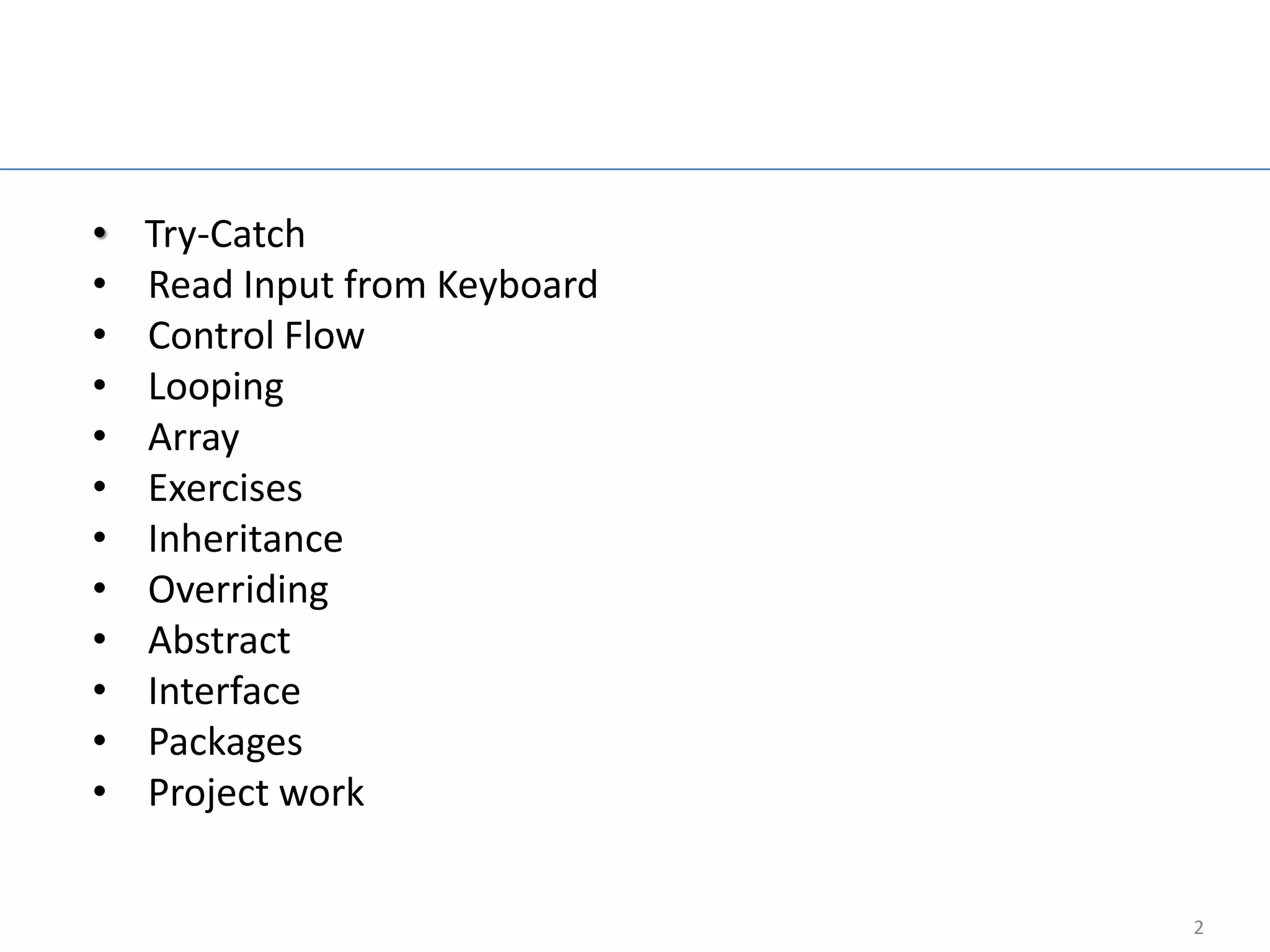
Agenda

•   Try-Catch
•   Read Input from Keyboard
•   Control Flow
•   Looping
•   Array
•   Exercises
•   Inheritance
•   Overriding
•   Abstract
•   Interface
•   Packages
•   Project work


                                  2
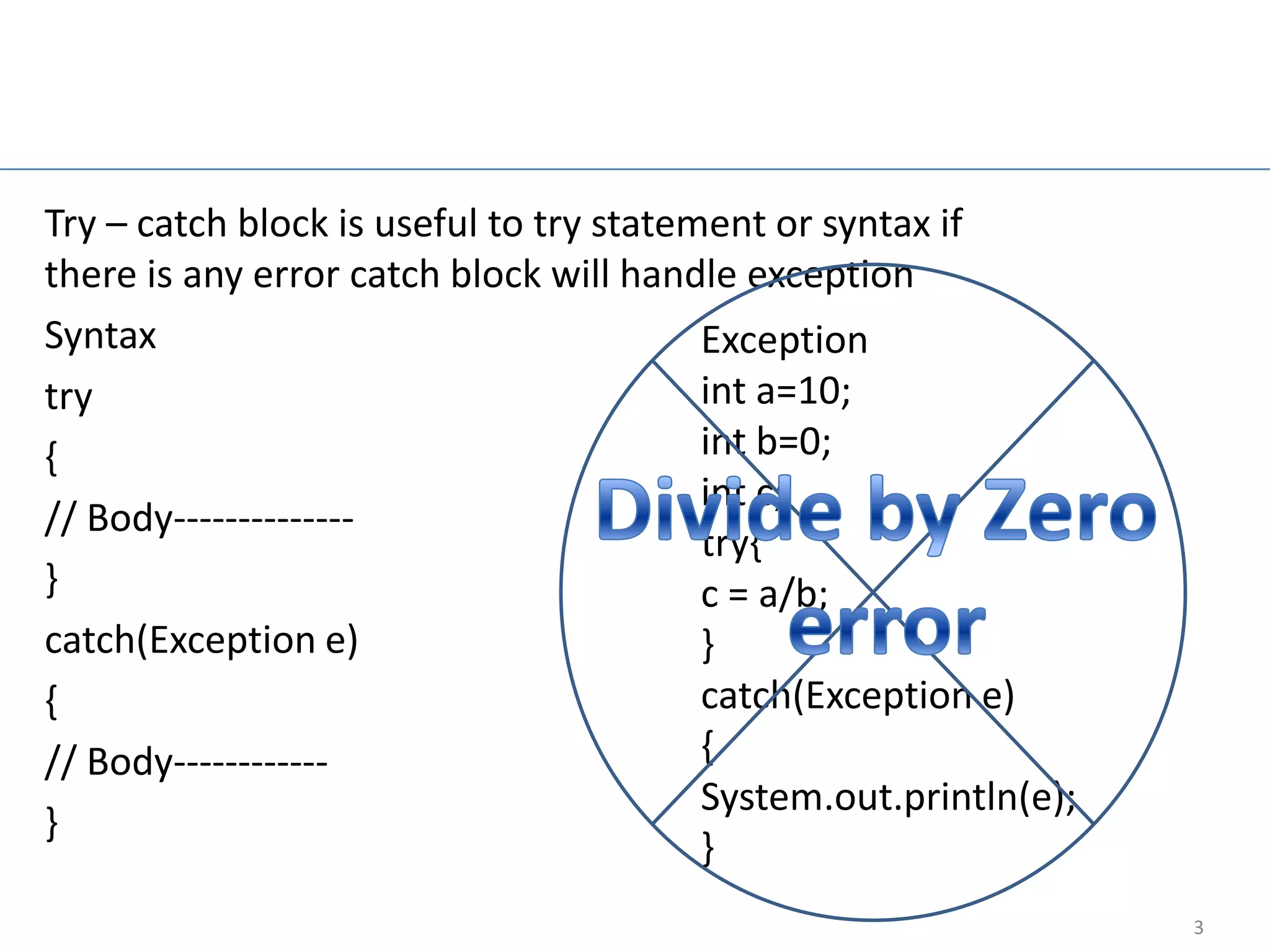
Try-catch block

Try – catch block is useful to try statement or syntax if
there is any error catch block will handle exception
Syntax                                   Exception
try                                      int a=10;
{                                        int b=0;
                                         int c;
// Body--------------
                                         try{
}                                        c = a/b;
catch(Exception e)                       }
{                                        catch(Exception e)
// Body------------                      {
                                         System.out.println(e);
}
                                         }
                                                                  3
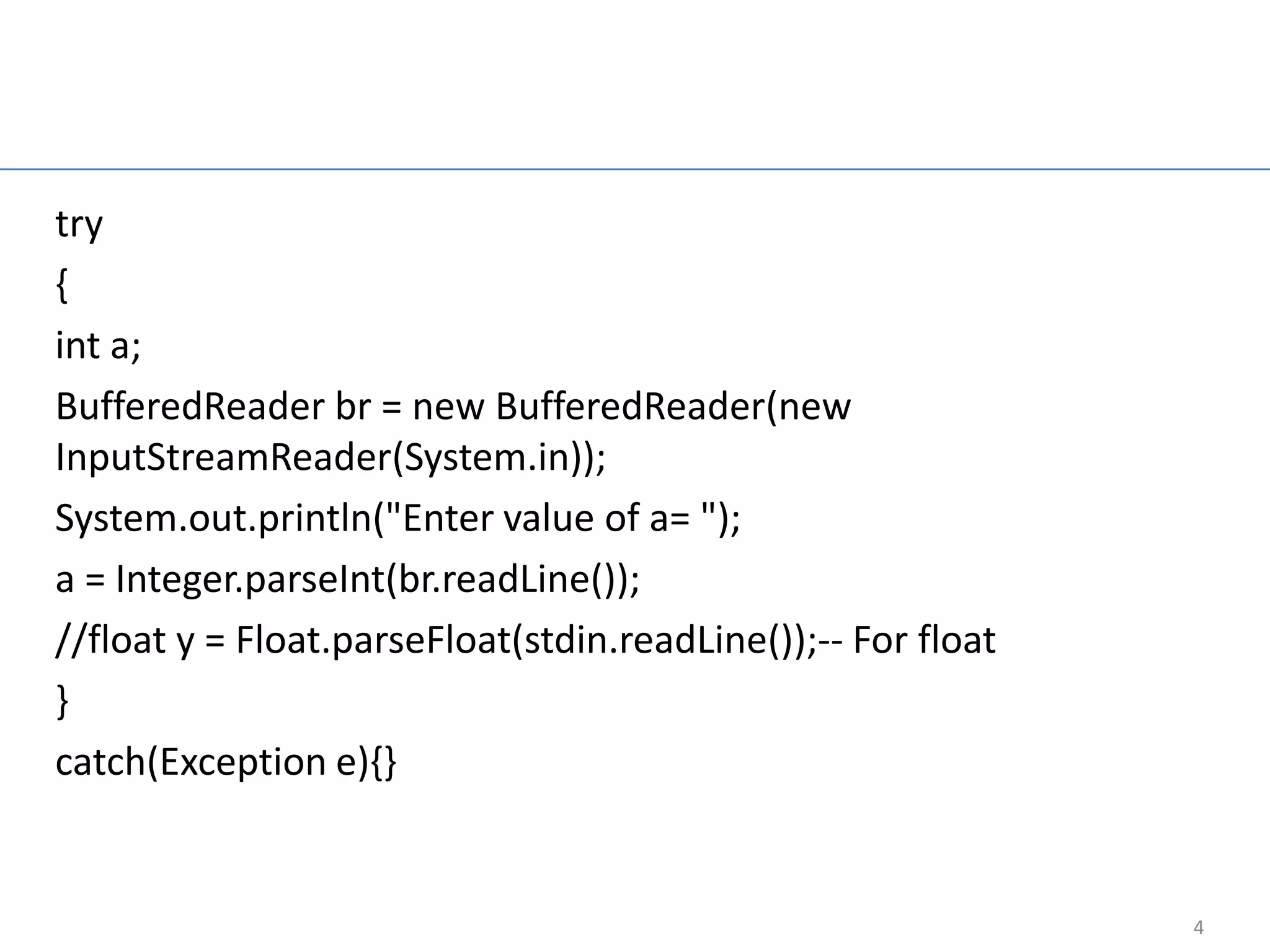
Read Integer Input
                     From Keyboard
try
{
int a;
BufferedReader br = new BufferedReader(new
InputStreamReader(System.in));
System.out.println("Enter value of a= ");
a = Integer.parseInt(br.readLine());
//float y = Float.parseFloat(stdin.readLine());-- For float
}
catch(Exception e){}


                                                              4
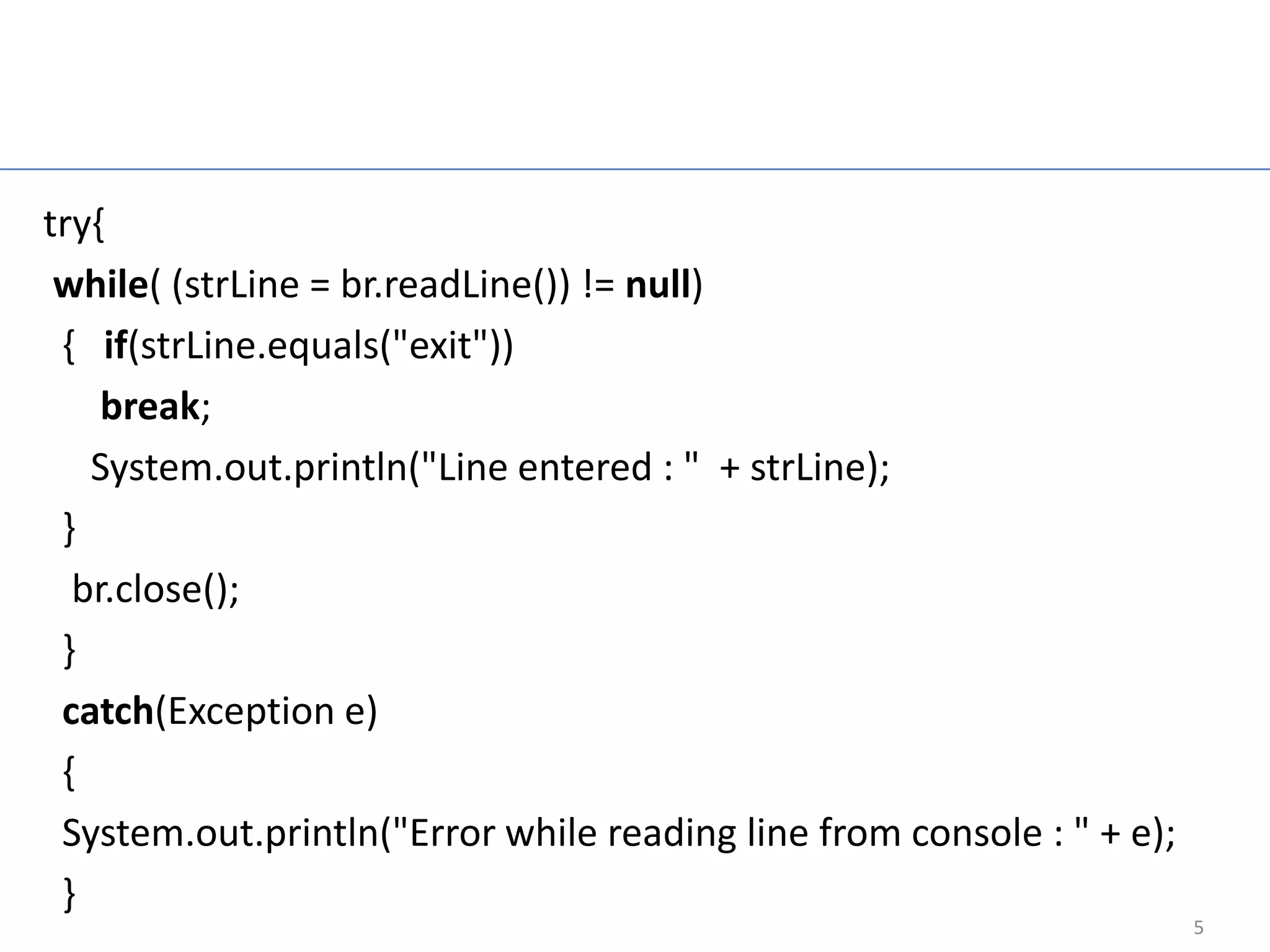
Read String Input
                      From Keyboard
try{
 while( (strLine = br.readLine()) != null)
 { if(strLine.equals("exit"))
    break;
   System.out.println("Line entered : " + strLine);
 }
  br.close();
 }
 catch(Exception e)
 {
 System.out.println("Error while reading line from console : " + e);
 }
                                                                       5
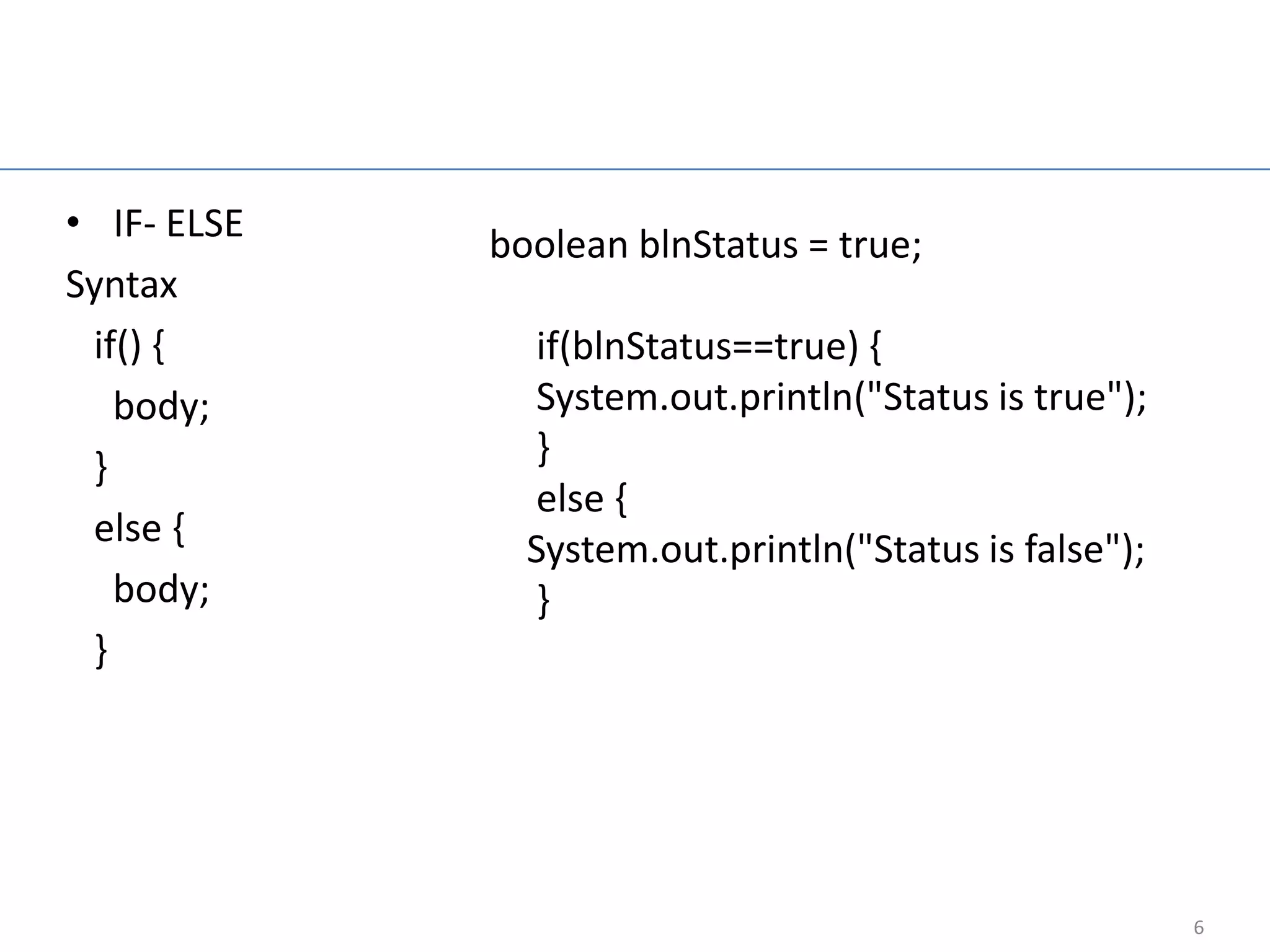
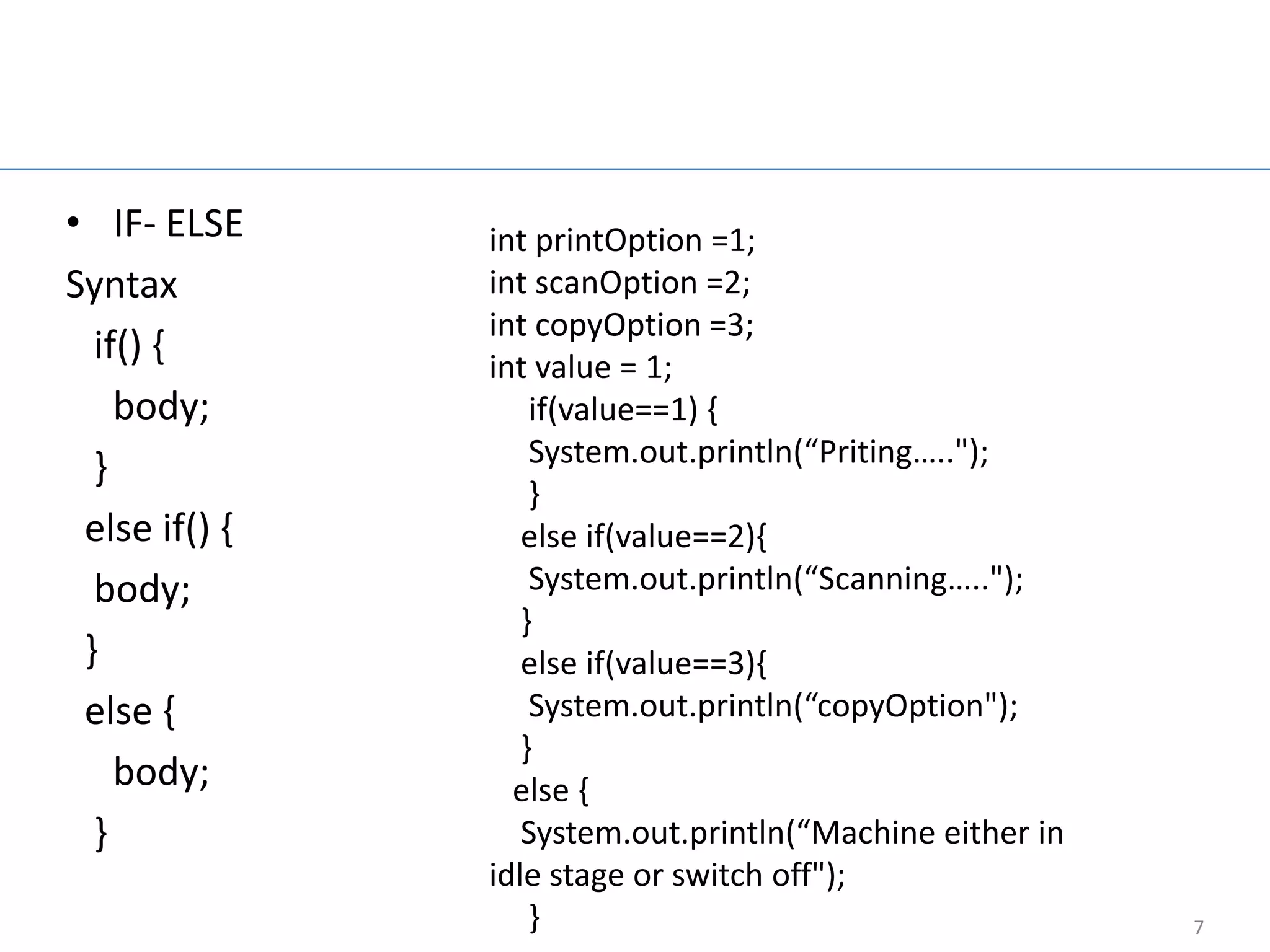
Control flow statement

• IF- ELSE        boolean blnStatus = true;
Syntax
 if() {             if(blnStatus==true) {
   body;            System.out.println("Status is true");
 }                  }
                    else {
 else {
                    System.out.println("Status is false");
   body;            }
 }


                                                             6
Nested if else

• IF- ELSE       int printOption =1;
Syntax           int scanOption =2;
                 int copyOption =3;
  if() {         int value = 1;
    body;            if(value==1) {
  }                  System.out.println(“Priting…..");
                     }
 else if() {        else if(value==2){
  body;              System.out.println(“Scanning…..");
                    }
 }                  else if(value==3){
 else {              System.out.println(“copyOption");
                    }
    body;          else {
  }                 System.out.println(“Machine either in
                 idle stage or switch off");
                     }                                      7
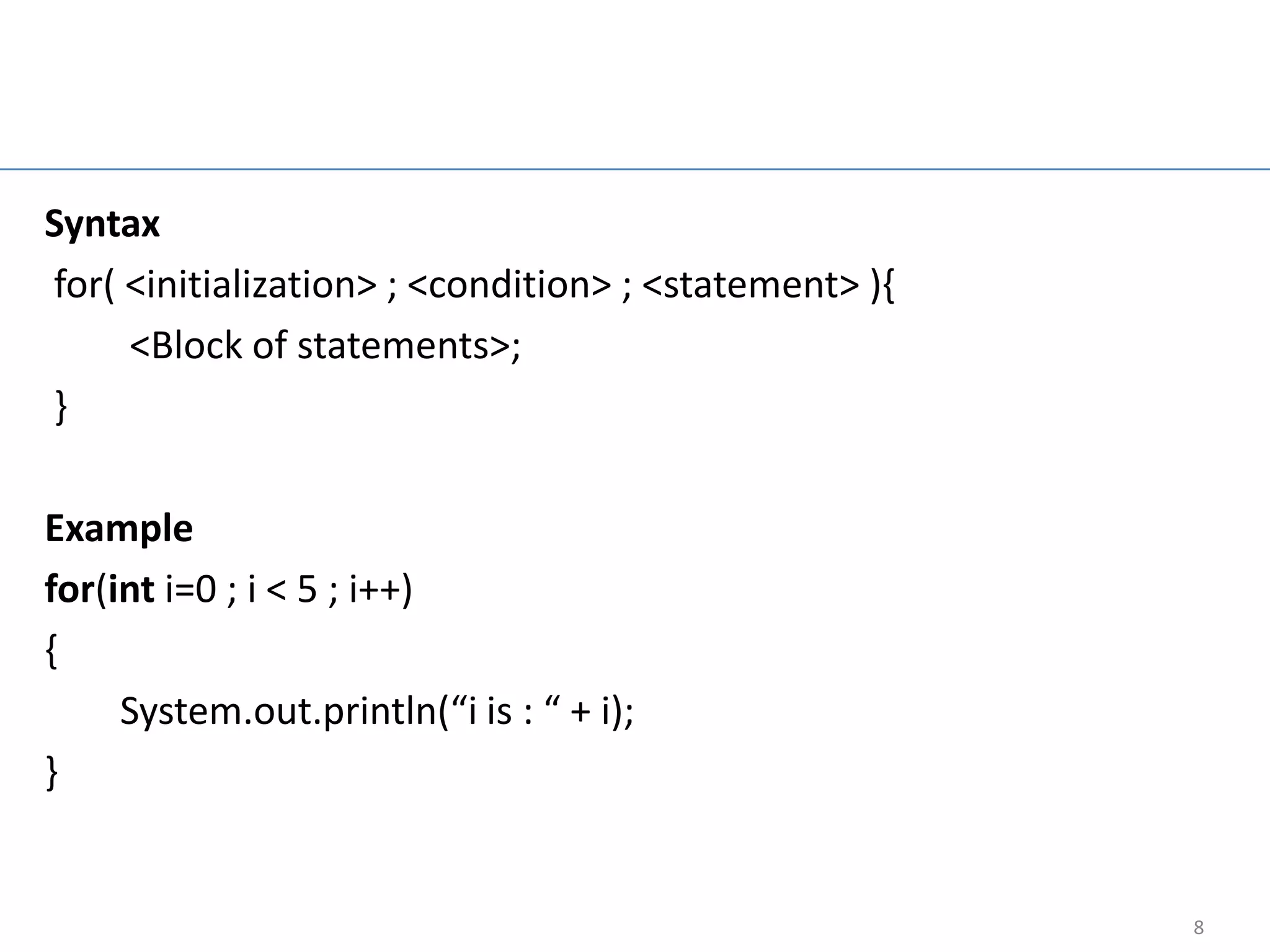
For Loop

Syntax
for( <initialization> ; <condition> ; <statement> ){
     <Block of statements>;
}

Example
for(int i=0 ; i < 5 ; i++)
{
     System.out.println(“i is : “ + i);
}


                                                       8
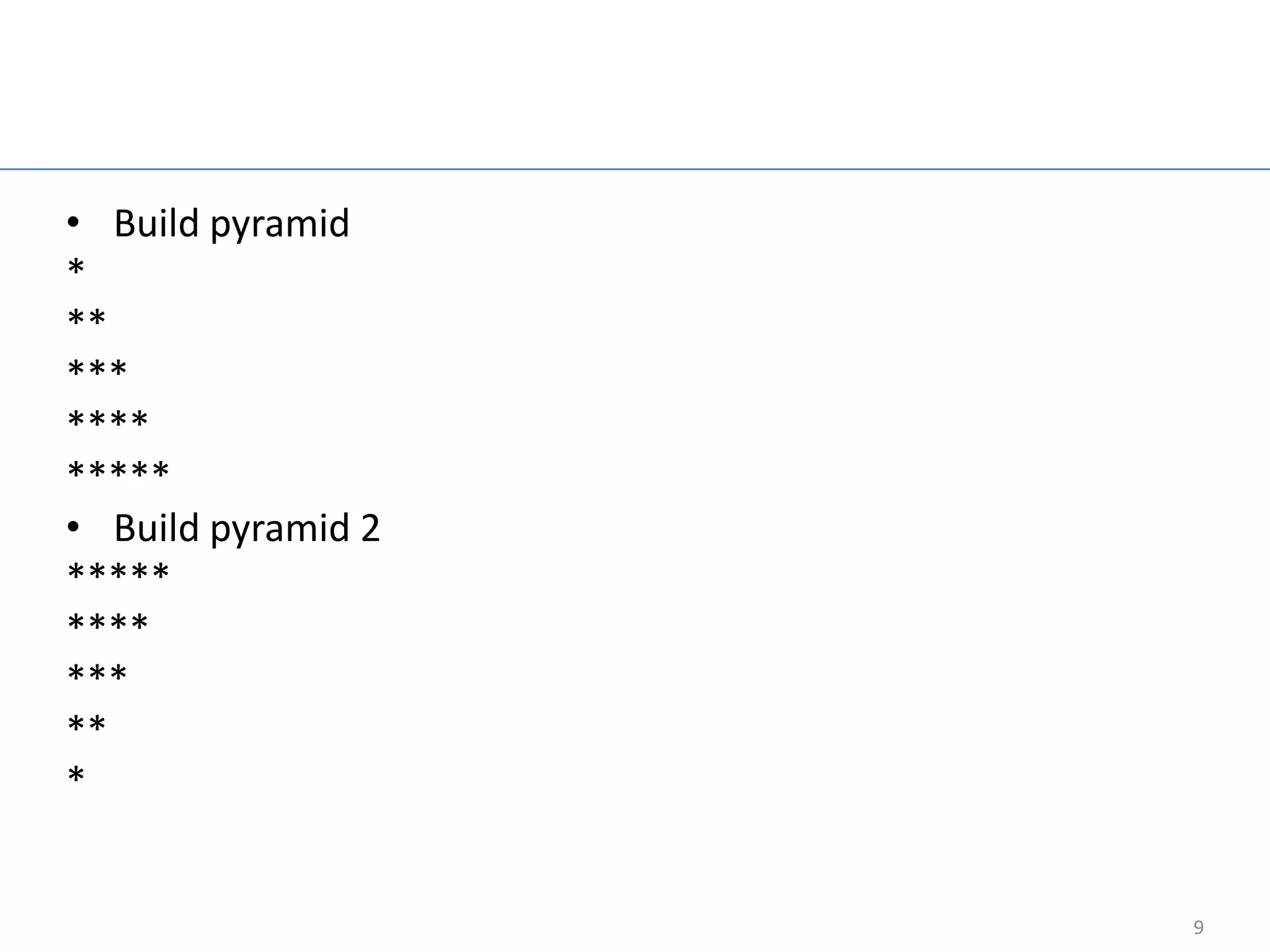
For loop example

• Build pyramid
*
**
***
****
*****
• Build pyramid 2
*****
****
***
**
*


                                       9
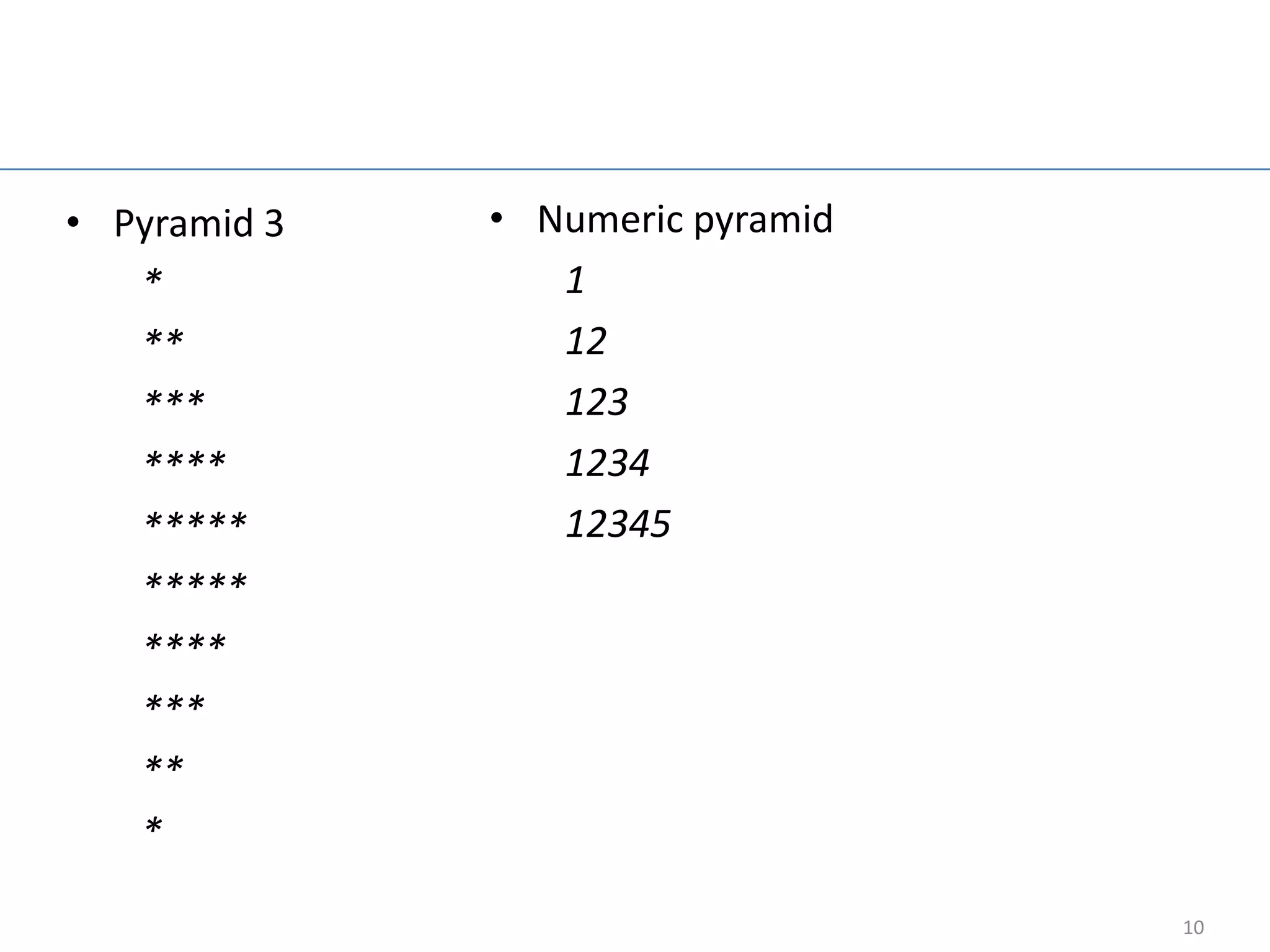
Group work

• Pyramid 3   • Numeric pyramid
   *             1
   **            12
   ***           123
   ****          1234
   *****         12345
   *****
   ****
   ***
   **
   *

                                  10
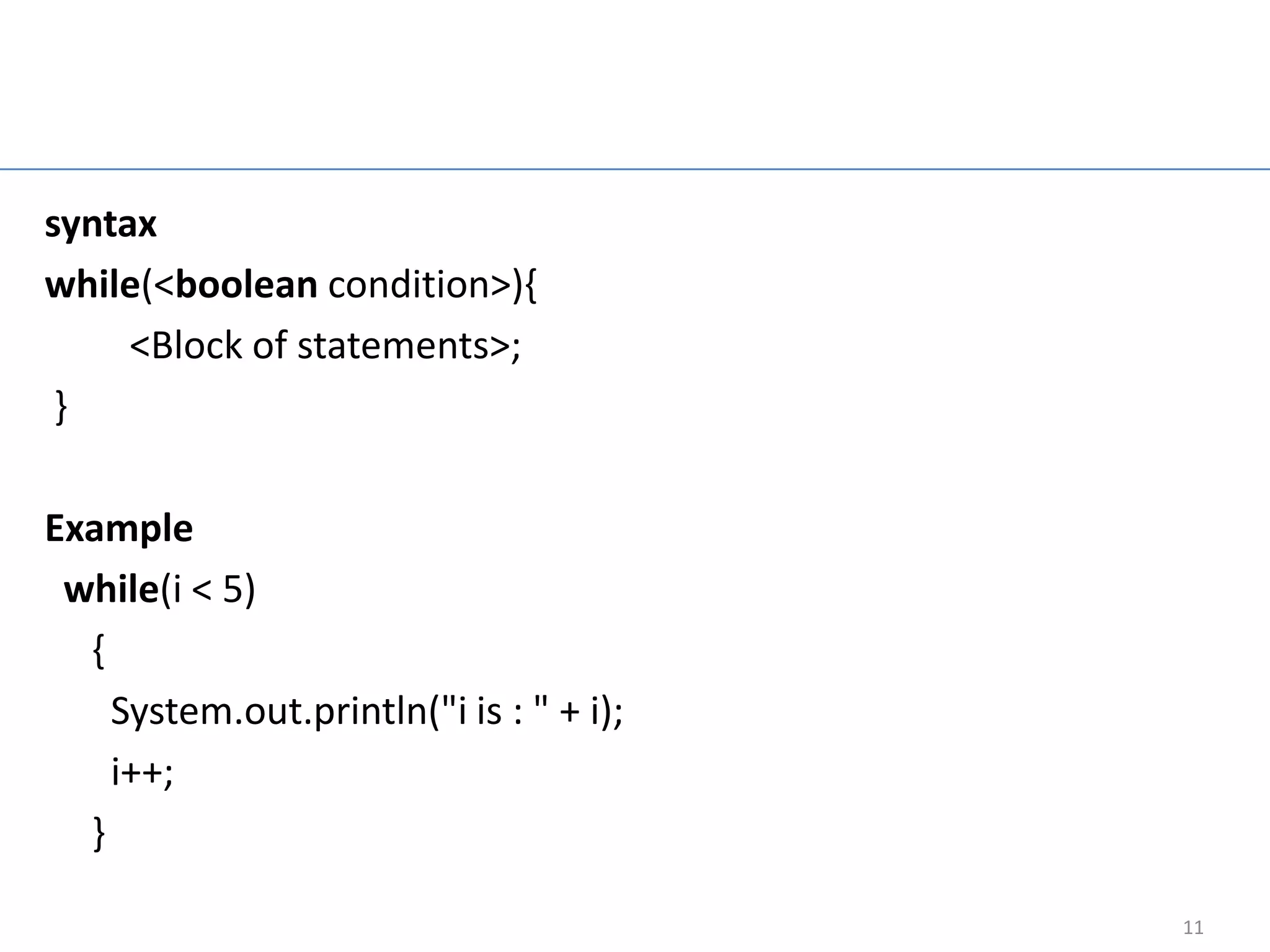
While loop

syntax
while(<boolean condition>){
     <Block of statements>;
 }

Example
 while(i < 5)
  {
    System.out.println("i is : " + i);
    i++;
  }

                                           11
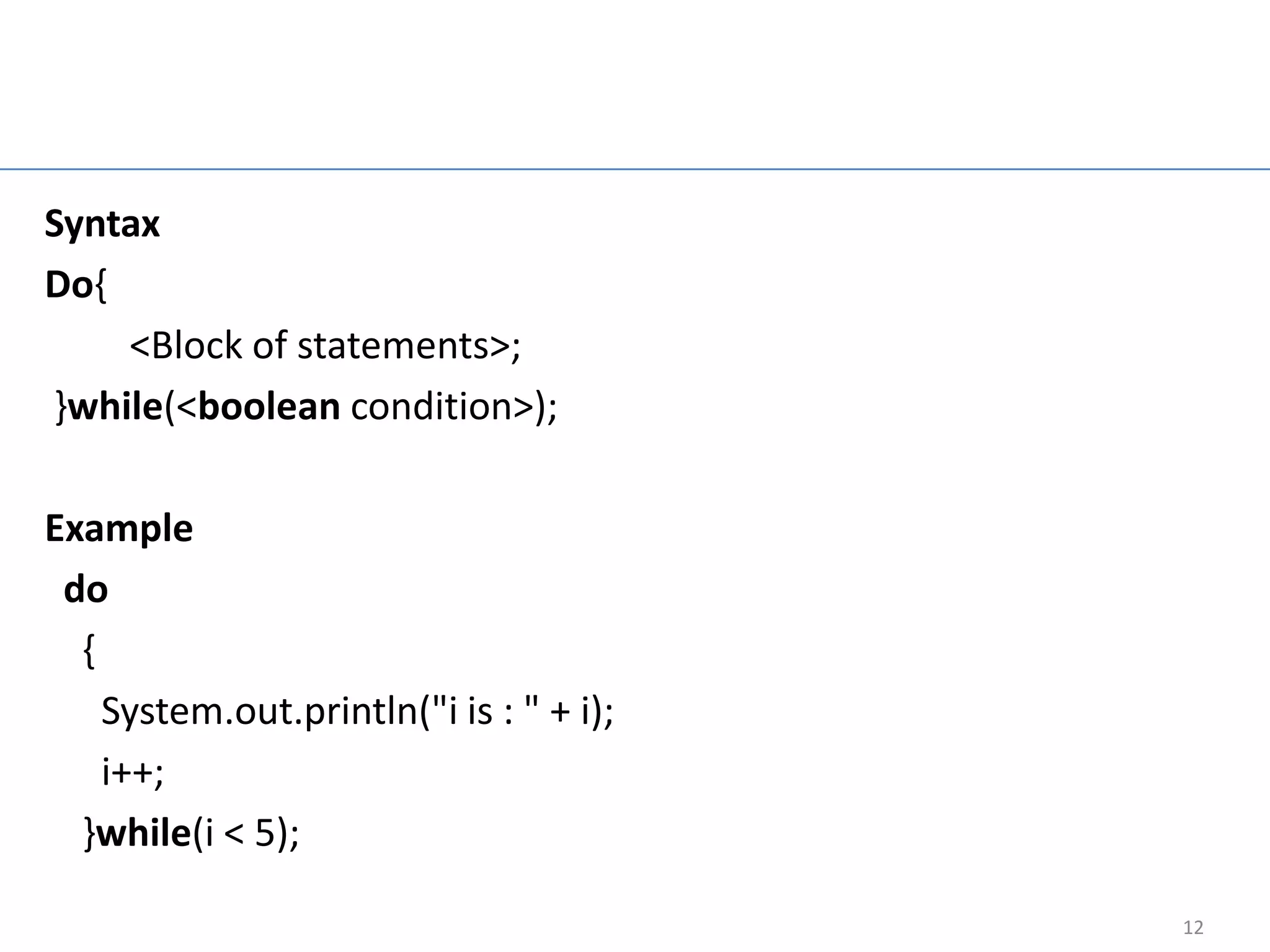
Do while loop

Syntax
Do{
    <Block of statements>;
}while(<boolean condition>);

Example
 do
  {
    System.out.println("i is : " + i);
    i++;
  }while(i < 5);

                                              12
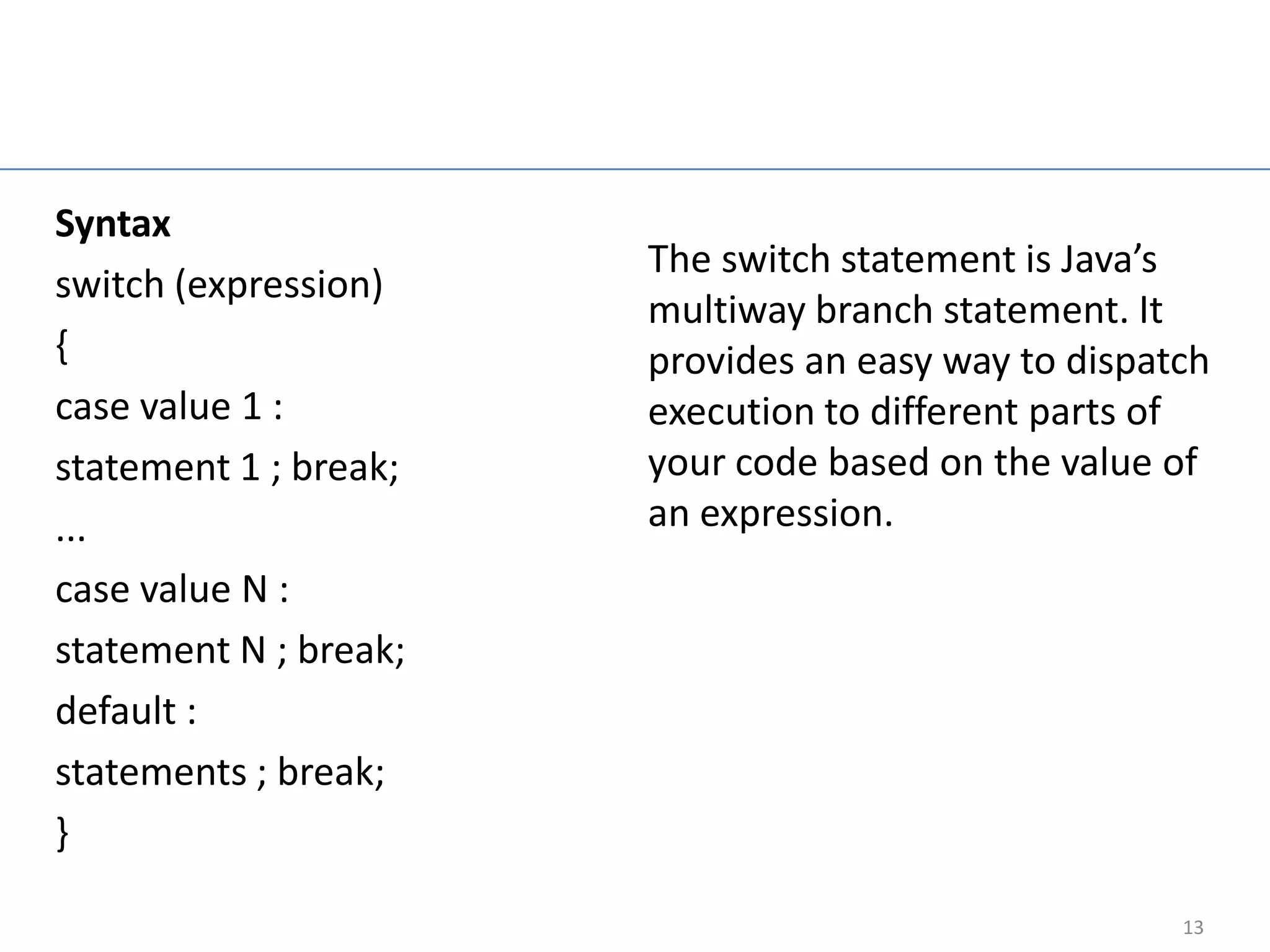
Switch Statement

Syntax
                            The switch statement is Java’s
switch (expression)
                            multiway branch statement. It
{                           provides an easy way to dispatch
case value 1 :              execution to different parts of
statement 1 ; break;        your code based on the value of
...                         an expression.
case value N :
statement N ; break;
default :
statements ; break;
}

                                                          13
Array in Java

Syntax
dataType[] arrayRefVar = new dataType[arraySize];
dataType[] arrayRefVar = {value0, value1, ..., valuek};
Example
Double[] myList = new double[10];


                                                          14
Design car

• Design car parts 4 tyre (1- 2 front tyre and 3-4 back
  tyre), 4 doors (1- 2 front doors and 3-4 back doors), 4
  headlight (2 front light and 2 break light), 1 body, 2
  Glass (front and rear glass), 1 Mirror, 4 seat (2 front
  seat (Left is driver seat), and 2 back seat) .


                                                            15
Java Exampe

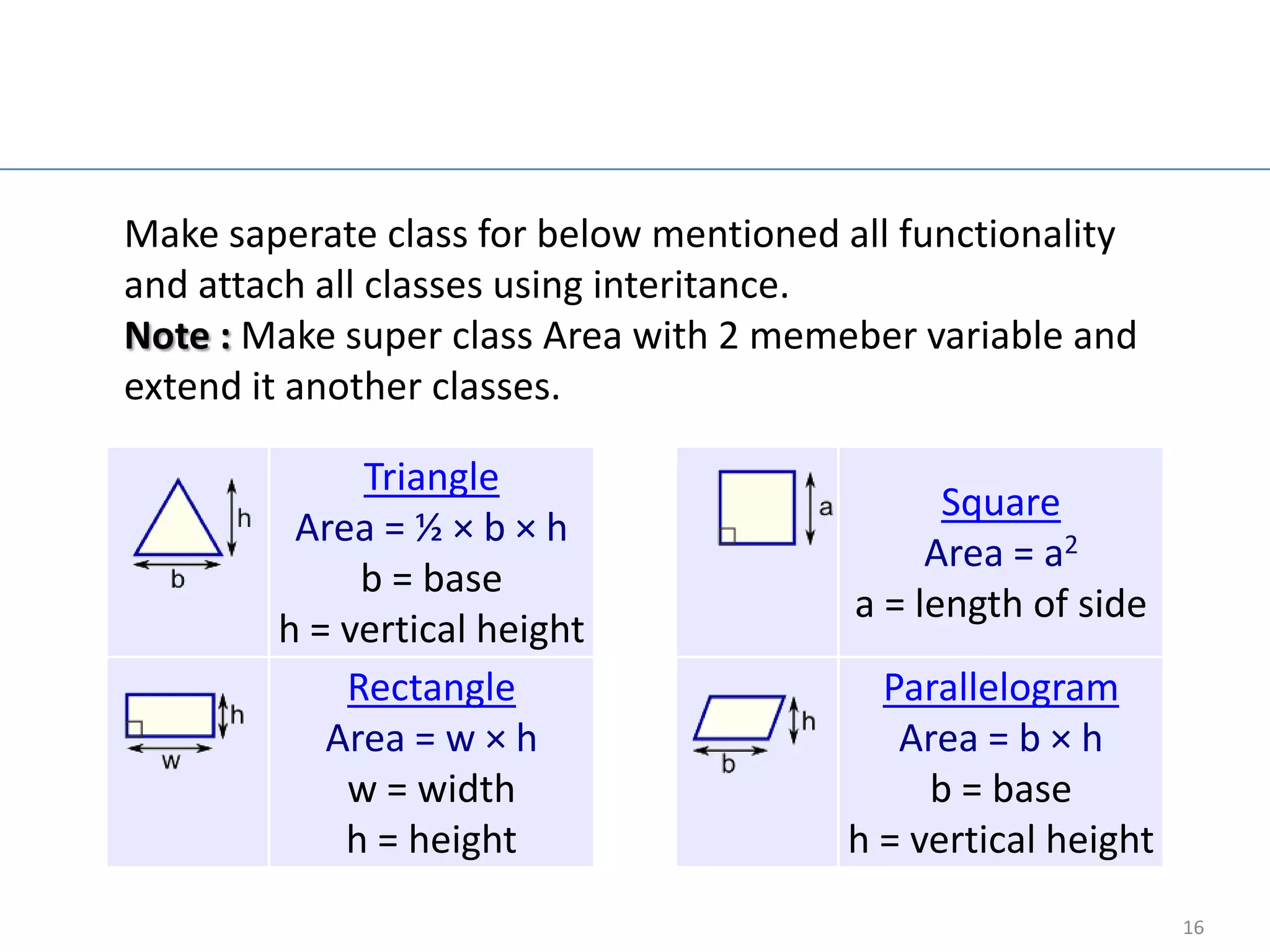
Make saperate class for below mentioned all functionality
and attach all classes using interitance.
Note : Make super class Area with 2 memeber variable and
extend it another classes.

             Triangle
                                               Square
         Area = ½ × b × h
                                              Area = a2
             b = base
                                         a = length of side
        h = vertical height
            Rectangle                     Parallelogram
           Area = w × h                    Area = b × h
            w = width                        b = base
            h = height                  h = vertical height
                                                              16
Java Overriding

• The benefit of overriding is: ability to define a
  behavior that's specific to the sub class type. Which
  means a subclass can implement a parent calss
  method based on its requirement.
• In object oriented terms, overriding means to
  override the functionality of any existing method.


                                                          17
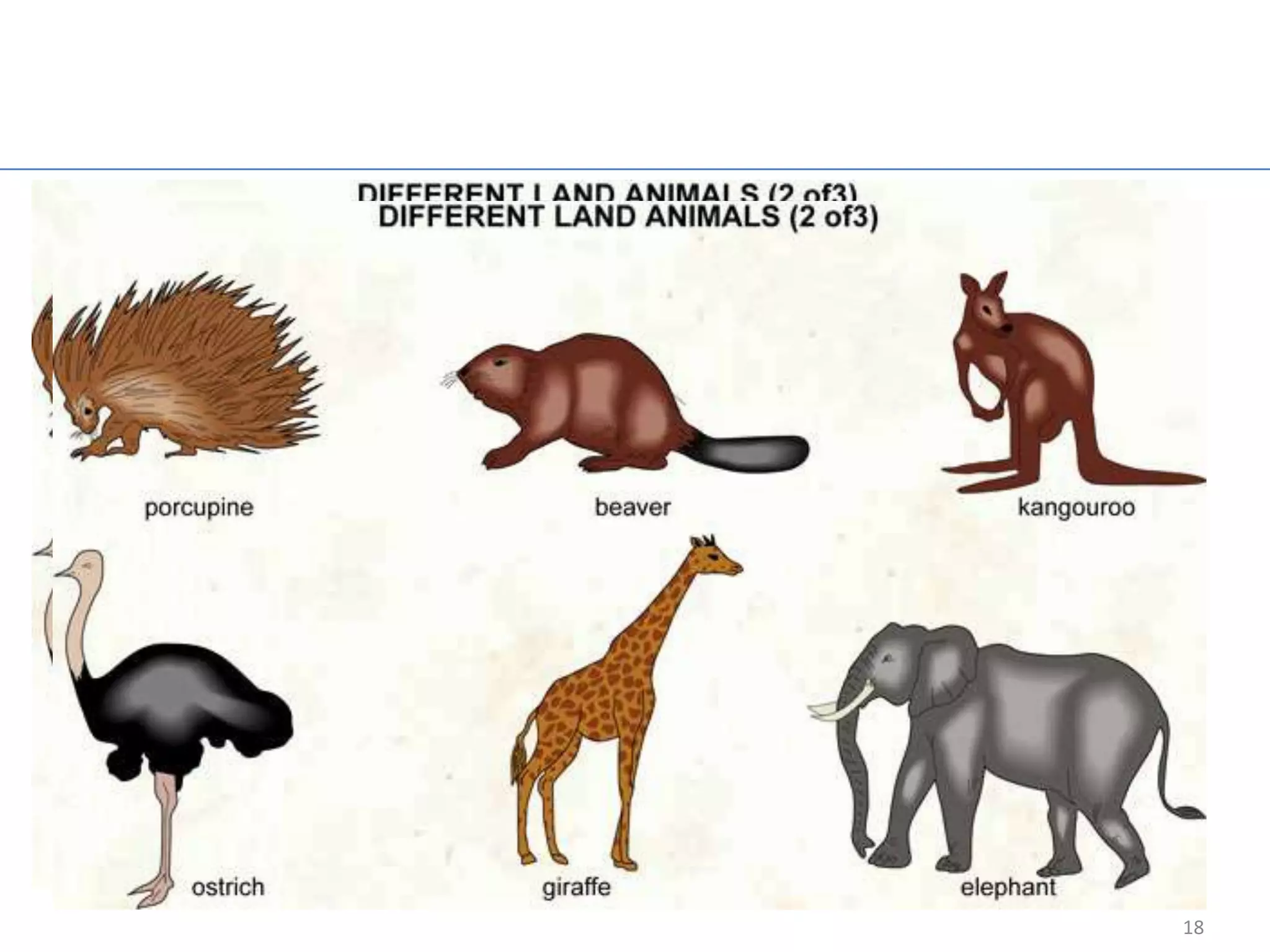
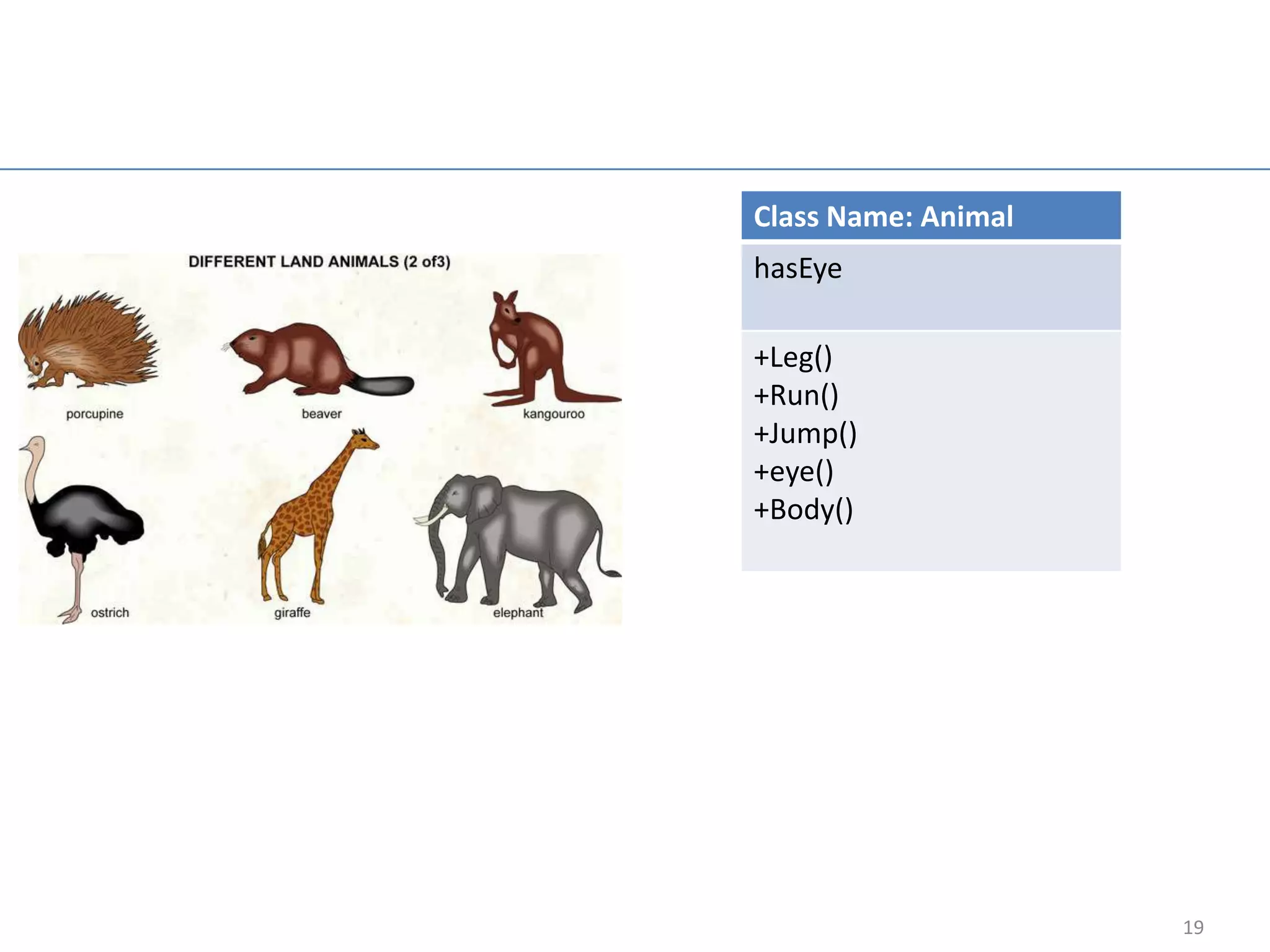
Animal Example


                 18
Class Name: Animal
hasEye

+Leg()
+Run()
+Jump()
+eye()
+Body()


                     19
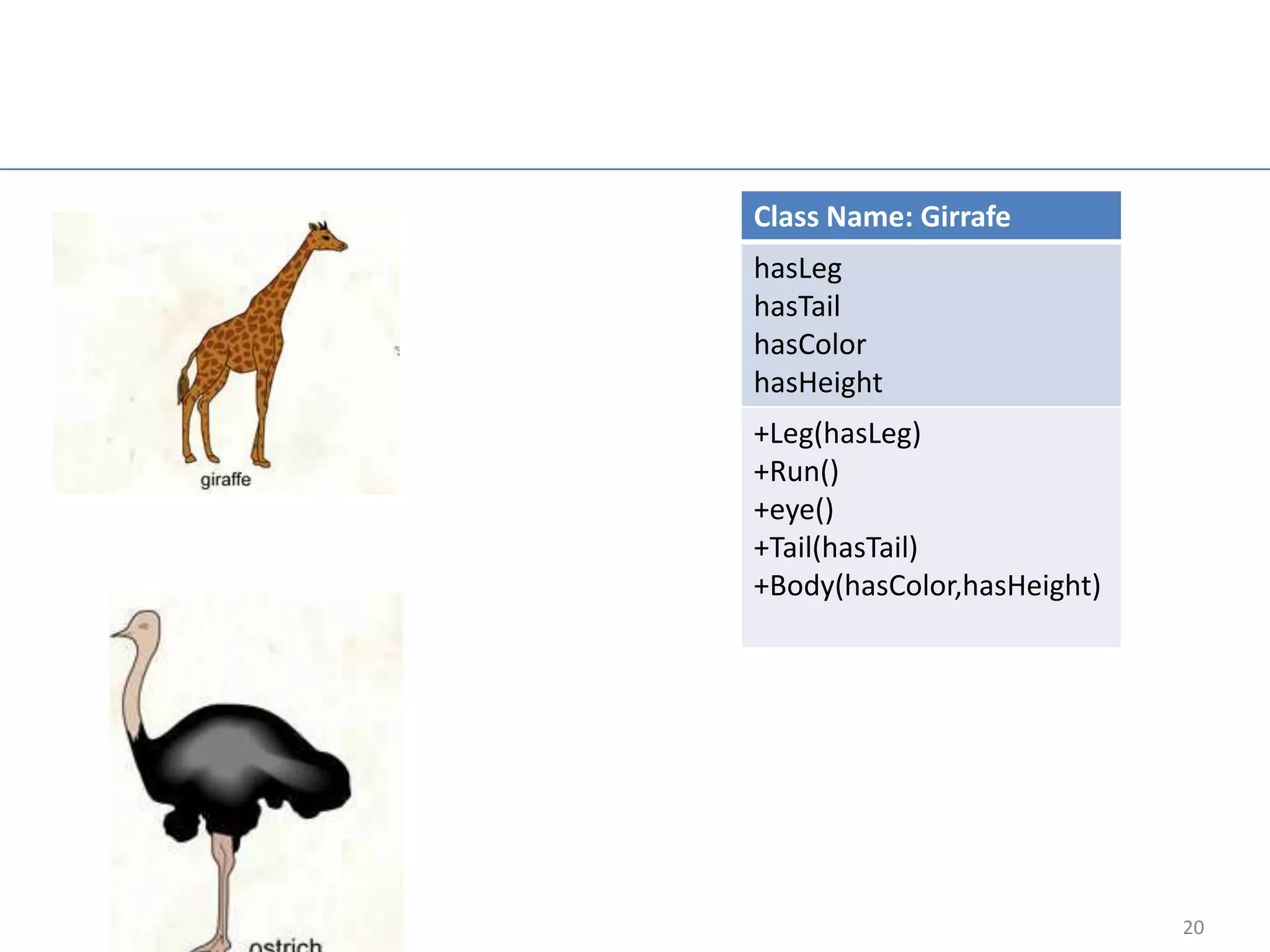
Class Name: Girrafe
hasLeg
hasTail
hasColor
hasHeight
+Leg(hasLeg)
+Run()
+eye()
+Tail(hasTail)
+Body(hasColor,hasHeight)


                            20

Core java

  • 1.
    Core Java Presenting overviewof core java Presented by Uday Sharma 1
  • 2.
    Agenda • Try-Catch • Read Input from Keyboard • Control Flow • Looping • Array • Exercises • Inheritance • Overriding • Abstract • Interface • Packages • Project work 2
  • 3.
    Try-catch block Try –catch block is useful to try statement or syntax if there is any error catch block will handle exception Syntax Exception try int a=10; { int b=0; int c; // Body-------------- try{ } c = a/b; catch(Exception e) } { catch(Exception e) // Body------------ { System.out.println(e); } } 3
  • 4.
    Read Integer Input From Keyboard try { int a; BufferedReader br = new BufferedReader(new InputStreamReader(System.in)); System.out.println("Enter value of a= "); a = Integer.parseInt(br.readLine()); //float y = Float.parseFloat(stdin.readLine());-- For float } catch(Exception e){} 4
  • 5.
    Read String Input From Keyboard try{ while( (strLine = br.readLine()) != null) { if(strLine.equals("exit")) break; System.out.println("Line entered : " + strLine); } br.close(); } catch(Exception e) { System.out.println("Error while reading line from console : " + e); } 5
  • 6.
    Control flow statement •IF- ELSE boolean blnStatus = true; Syntax if() { if(blnStatus==true) { body; System.out.println("Status is true"); } } else { else { System.out.println("Status is false"); body; } } 6
  • 7.
    Nested if else •IF- ELSE int printOption =1; Syntax int scanOption =2; int copyOption =3; if() { int value = 1; body; if(value==1) { } System.out.println(“Priting….."); } else if() { else if(value==2){ body; System.out.println(“Scanning….."); } } else if(value==3){ else { System.out.println(“copyOption"); } body; else { } System.out.println(“Machine either in idle stage or switch off"); } 7
  • 8.
    For Loop Syntax for( <initialization>; <condition> ; <statement> ){ <Block of statements>; } Example for(int i=0 ; i < 5 ; i++) { System.out.println(“i is : “ + i); } 8
  • 9.
    For loop example •Build pyramid * ** *** **** ***** • Build pyramid 2 ***** **** *** ** * 9
  • 10.
    Group work • Pyramid3 • Numeric pyramid * 1 ** 12 *** 123 **** 1234 ***** 12345 ***** **** *** ** * 10
  • 11.
    While loop syntax while(<boolean condition>){ <Block of statements>; } Example while(i < 5) { System.out.println("i is : " + i); i++; } 11
  • 12.
    Do while loop Syntax Do{ <Block of statements>; }while(<boolean condition>); Example do { System.out.println("i is : " + i); i++; }while(i < 5); 12
  • 13.
    Switch Statement Syntax The switch statement is Java’s switch (expression) multiway branch statement. It { provides an easy way to dispatch case value 1 : execution to different parts of statement 1 ; break; your code based on the value of ... an expression. case value N : statement N ; break; default : statements ; break; } 13
  • 14.
    Array in Java Syntax dataType[]arrayRefVar = new dataType[arraySize]; dataType[] arrayRefVar = {value0, value1, ..., valuek}; Example Double[] myList = new double[10]; 14
  • 15.
    Design car • Designcar parts 4 tyre (1- 2 front tyre and 3-4 back tyre), 4 doors (1- 2 front doors and 3-4 back doors), 4 headlight (2 front light and 2 break light), 1 body, 2 Glass (front and rear glass), 1 Mirror, 4 seat (2 front seat (Left is driver seat), and 2 back seat) . 15
  • 16.
    Java Exampe Make saperateclass for below mentioned all functionality and attach all classes using interitance. Note : Make super class Area with 2 memeber variable and extend it another classes. Triangle Square Area = ½ × b × h Area = a2 b = base a = length of side h = vertical height Rectangle Parallelogram Area = w × h Area = b × h w = width b = base h = height h = vertical height 16
  • 17.
    Java Overriding • Thebenefit of overriding is: ability to define a behavior that's specific to the sub class type. Which means a subclass can implement a parent calss method based on its requirement. • In object oriented terms, overriding means to override the functionality of any existing method. 17
  • 18.
  • 19.
  • 20.