Cookies & Session
Subject:
Web Engineering
Presented by :
Umer Farooq
Bs-IT- (3049)
Evening -5th
University of Education Okara, Renala
Campus1
An HTTP cookie (also called web cookie, Internet cookie, browser cookie or
simply cookie), isa small piece of data sent from a website and stored in the
user'sweb browser while the user isbrowsing it.
•Every time the user loads the website, the browser sends the cookie back to the
server to notify the user'spreviousactivity
•Cookies were designed to be a reliable mechanism for websites to remember
stateful information (such as items added in the shopping cart in an online store)
or to record the user's browsing activity (including clicking particular buttons,
logging in, or recording which pageswere visited in the past).
•Cookies can also store passwords and form content a user has previously
entered, such asa credit card number or an address.
Cookies
University of Education Okara, Renala Campus
2
HTTP Cookies
• In internet programming, a cookie is a packet of information sent from
the server to client, and then sent back to the server each time it is
accessed by the client.
• Introduces state into HTTP (remember: HTTP is stateless)
• Cookies are transferred between server and client according to http.
• PHP supports http cookies
• Cookies can also be thought of as tickets used to identify clients and
their orders
University of Education Okara, Renala Campus
3
How Cookies are implemented

Cookies are sent from the server to the client
via “Set-Cookie” headers
Set-Cookie: NAME=VALUE; expires=DATE; path=PATH; domain=DOMAIN_NAME; secure

The NAME value is a URL-encoded name that
identifies the cookie.

The PATH and DOMAIN specify where the
cookie applies
University of Education Okara, Renala Campus
4
Cookies from HTTPCookies from HTTP
GET /*.html HTTP/1.1
Host: it026954.domain
GET /*.html HTTP/1.1
Host: it026945.domain
Cookie: name=value
Accept: */*
HTTP/1.1 200 OK
Content-type:
text/html
Set-Cookie:
name=value
(content of page)
Client (e.g. Firefox) it026945
University of Education Okara, Renala Campus
5
Creating PHP cookiesCreating PHP cookies
Cookies can be set by directly manipulating the HTTP
header using the PHP header() function
<?php
header(“Set-Cookie: mycookie=myvalue; path=/;
domain=.coggeshall.org”);
?>
University of Education Okara, Renala Campus
6
Creating cookies with setcookie()

Name: name of the file

Value: data stored in the file

Expire: data string defining the life time

Path: subset of URLs in a domain where it is valid

Domain: domain for which the cookie is valid

Secure: set to '1' to transmit in HTTPS
Use the PHP setcookie() function:
Setcookie (name,value,expire, path, domain, secure)Setcookie (name,value,expire, path, domain, secure)
e.g.
<?php
setcookie("MyCookie", $value, time()+3600*24);
setcookie("AnotherCookie", $value, time()+3600);
?>
University of Education Okara, Renala Campus
7
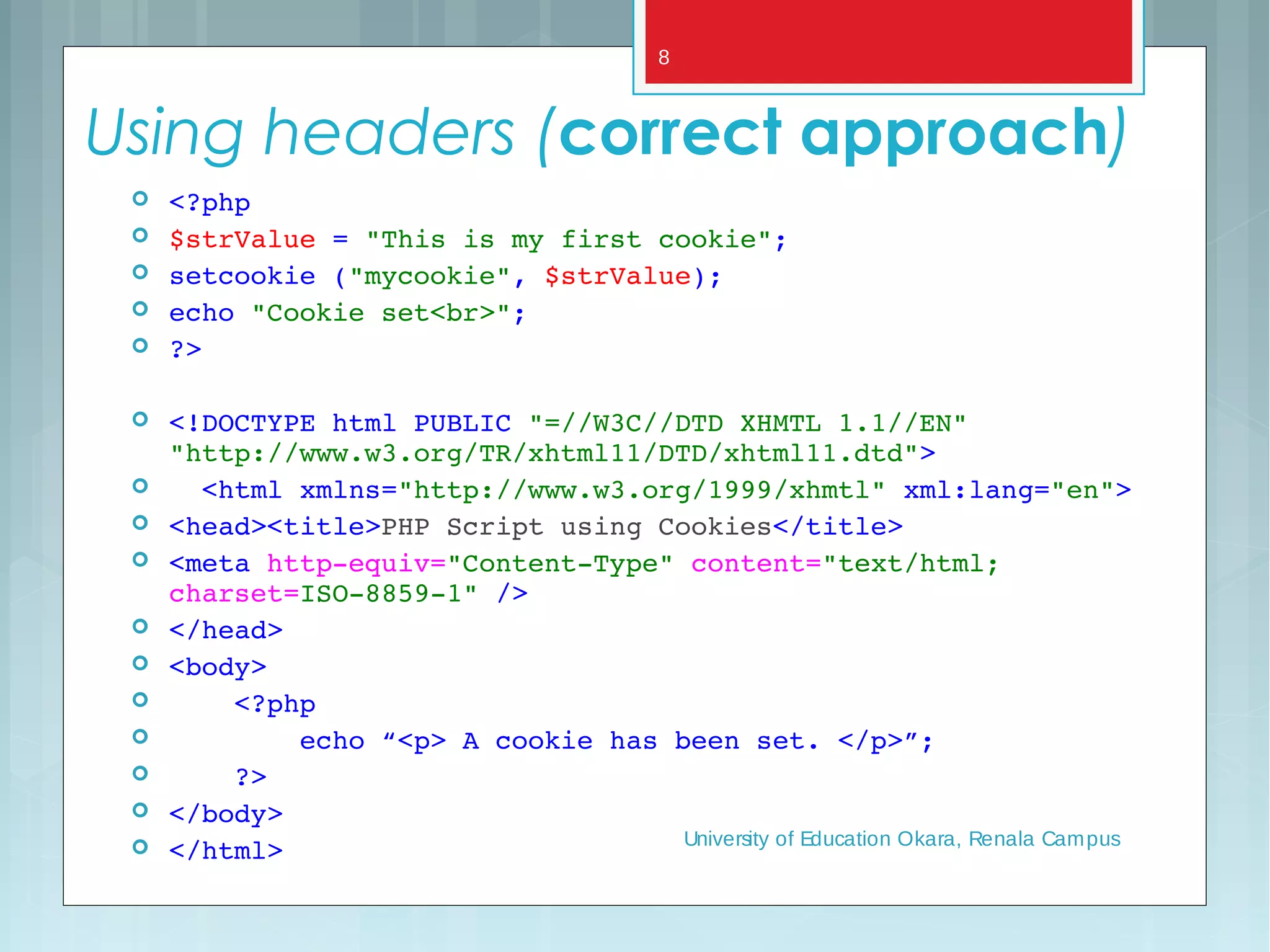
Using headers (correct approach)
 <?php
 $strValue = "This is my first cookie";
 setcookie ("mycookie", $strValue);
 echo "Cookie set<br>";
 ?>
 <!DOCTYPE html PUBLIC "=//W3C//DTD XHMTL 1.1//EN" 
"http://www.w3.org/TR/xhtml11/DTD/xhtml11.dtd">
   <html xmlns="http://www.w3.org/1999/xhmtl" xml:lang="en">
 <head><title>PHP Script using Cookies</title>
 <meta http­equiv="Content­Type" content="text/html; 
charset=ISO­8859­1" />
 </head>  
 <body>
     <?php
         echo “<p> A cookie has been set. </p>”;
     ?>
 </body>  
 </html> University of Education Okara, Renala Campus
8
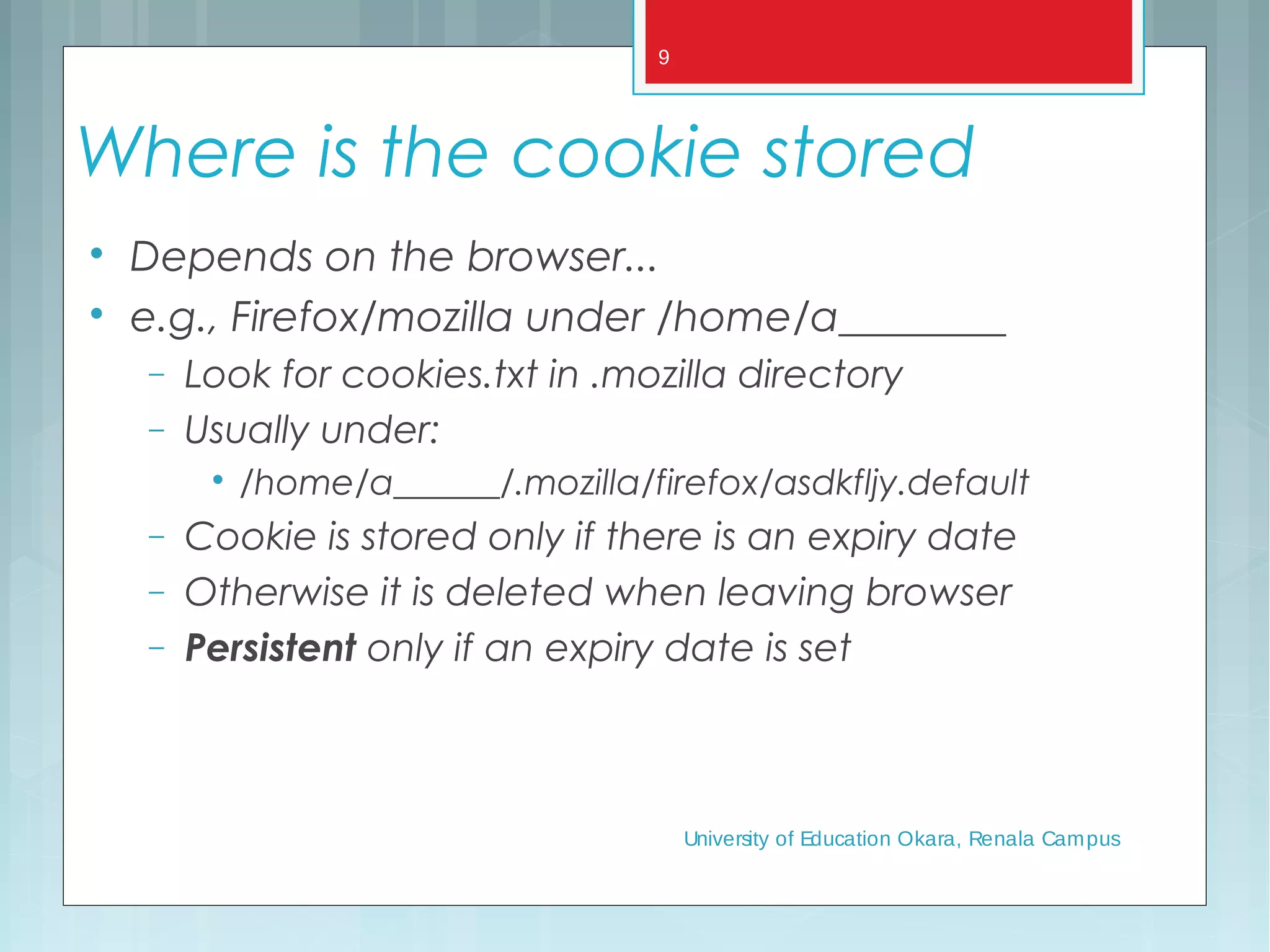
Where is the cookie stored

Depends on the browser...

e.g., Firefox/mozilla under /home/a________
− Look for cookies.txt in .mozilla directory
− Usually under:

/home/a______/.mozilla/firefox/asdkfljy.default
− Cookie is stored only if there is an expiry date
− Otherwise it is deleted when leaving browser
− Persistent only if an expiry date is set
University of Education Okara, Renala Campus
9
University of Education Okara, Renala Campus
10
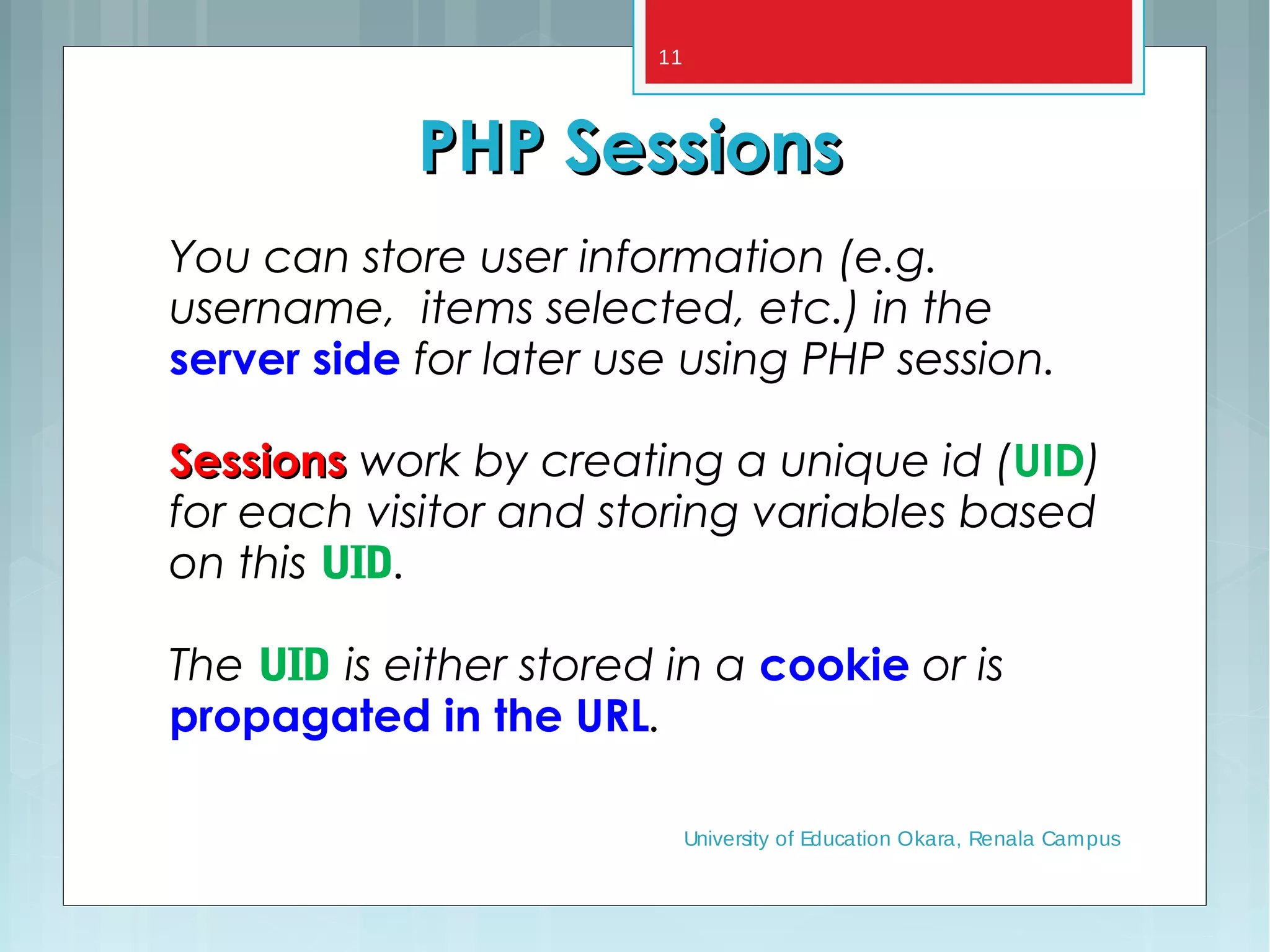
You can store user information (e.g.
username, items selected, etc.) in the
server side for later use using PHP session.
SessionsSessions work by creating a unique id (UID)
for each visitor and storing variables based
on this UID.
The UID is either stored in a cookie or is
propagated in the URL.
PHP SessionsPHP Sessions
University of Education Okara, Renala Campus
11
When should you use sessions?When should you use sessions?

Need for data to stored on the server

Unique session information for each user

Transient data, only relevant for short time

Data does not contain secret information

Similar to Cookies, but it is stored on the server

More secure, once established, no data is sent
back and forth between the machines

Works even if cookies are disabled

Example: we want to count the number of “hits”
on our web page.
University of Education Okara, Renala Campus
12
<?php session_start(); ?>
<html>
<body>
</body>
</html>
session_start() function must appear BEFORE the <html> tag.
Before you can store user information in your PHP session,
you must first start up the session.
University of Education Okara, Renala Campus
13
PHP SessionsPHP Sessions
 Starting a PHP session:
<?php
session_start();
?>
• This tells PHP that a session is requested.
• A session ID is then allocated at the server end.
• session ID looks like:
sess_f1234781237468123768asjkhfa7891234g
University of Education Okara, Renala Campus
14
Make your own session variablesMake your own session variables

With session_start()session_start() a default session variable is
created - the name extracted from the page
name

To create your own session variable just add a
new key to the $_SESSION$_SESSION superglobal
$_SESSION$_SESSION[‘dug’] = “a talking dog.”;
University of Education Okara, Renala Campus
15
Session Example 1
 <?php
session_start();
if (!isset($_SESSION["intVar"]) ){
 $_SESSION["intVar"] = 1;
} else {
 $_SESSION["intVar"]++;
}
echo "<p>In this session you have accessed
this page " . $_SESSION["intVar"] .
"times.</p>";
 ?>
University of Education Okara, Renala Campus
16
Ending sessions
unset($_SESSION[‘name’])
–Remove a session variable
session_destroy()
– Destroys all data registered to a session
– does not unset session global variables and cookies
associated with the session
–Not normally done - leave to timeout
University of Education Okara, Renala Campus
17
Summary
PHP sessions and cookies are mechanisms
for introducing state into HTTP
transactions.
University of Education Okara, Renala Campus
18

Cookies & Session

  • 1.
    Cookies & Session Subject: WebEngineering Presented by : Umer Farooq Bs-IT- (3049) Evening -5th University of Education Okara, Renala Campus1
  • 2.
    An HTTP cookie(also called web cookie, Internet cookie, browser cookie or simply cookie), isa small piece of data sent from a website and stored in the user'sweb browser while the user isbrowsing it. •Every time the user loads the website, the browser sends the cookie back to the server to notify the user'spreviousactivity •Cookies were designed to be a reliable mechanism for websites to remember stateful information (such as items added in the shopping cart in an online store) or to record the user's browsing activity (including clicking particular buttons, logging in, or recording which pageswere visited in the past). •Cookies can also store passwords and form content a user has previously entered, such asa credit card number or an address. Cookies University of Education Okara, Renala Campus 2
  • 3.
    HTTP Cookies • Ininternet programming, a cookie is a packet of information sent from the server to client, and then sent back to the server each time it is accessed by the client. • Introduces state into HTTP (remember: HTTP is stateless) • Cookies are transferred between server and client according to http. • PHP supports http cookies • Cookies can also be thought of as tickets used to identify clients and their orders University of Education Okara, Renala Campus 3
  • 4.
    How Cookies areimplemented  Cookies are sent from the server to the client via “Set-Cookie” headers Set-Cookie: NAME=VALUE; expires=DATE; path=PATH; domain=DOMAIN_NAME; secure  The NAME value is a URL-encoded name that identifies the cookie.  The PATH and DOMAIN specify where the cookie applies University of Education Okara, Renala Campus 4
  • 5.
    Cookies from HTTPCookiesfrom HTTP GET /*.html HTTP/1.1 Host: it026954.domain GET /*.html HTTP/1.1 Host: it026945.domain Cookie: name=value Accept: */* HTTP/1.1 200 OK Content-type: text/html Set-Cookie: name=value (content of page) Client (e.g. Firefox) it026945 University of Education Okara, Renala Campus 5
  • 6.
    Creating PHP cookiesCreatingPHP cookies Cookies can be set by directly manipulating the HTTP header using the PHP header() function <?php header(“Set-Cookie: mycookie=myvalue; path=/; domain=.coggeshall.org”); ?> University of Education Okara, Renala Campus 6
  • 7.
    Creating cookies withsetcookie()  Name: name of the file  Value: data stored in the file  Expire: data string defining the life time  Path: subset of URLs in a domain where it is valid  Domain: domain for which the cookie is valid  Secure: set to '1' to transmit in HTTPS Use the PHP setcookie() function: Setcookie (name,value,expire, path, domain, secure)Setcookie (name,value,expire, path, domain, secure) e.g. <?php setcookie("MyCookie", $value, time()+3600*24); setcookie("AnotherCookie", $value, time()+3600); ?> University of Education Okara, Renala Campus 7
  • 8.
    Using headers (correctapproach)  <?php  $strValue = "This is my first cookie";  setcookie ("mycookie", $strValue);  echo "Cookie set<br>";  ?>  <!DOCTYPE html PUBLIC "=//W3C//DTD XHMTL 1.1//EN"  "http://www.w3.org/TR/xhtml11/DTD/xhtml11.dtd">    <html xmlns="http://www.w3.org/1999/xhmtl" xml:lang="en">  <head><title>PHP Script using Cookies</title>  <meta http­equiv="Content­Type" content="text/html;  charset=ISO­8859­1" />  </head>    <body>      <?php          echo “<p> A cookie has been set. </p>”;      ?>  </body>    </html> University of Education Okara, Renala Campus 8
  • 9.
    Where is thecookie stored  Depends on the browser...  e.g., Firefox/mozilla under /home/a________ − Look for cookies.txt in .mozilla directory − Usually under:  /home/a______/.mozilla/firefox/asdkfljy.default − Cookie is stored only if there is an expiry date − Otherwise it is deleted when leaving browser − Persistent only if an expiry date is set University of Education Okara, Renala Campus 9
  • 10.
    University of EducationOkara, Renala Campus 10
  • 11.
    You can storeuser information (e.g. username, items selected, etc.) in the server side for later use using PHP session. SessionsSessions work by creating a unique id (UID) for each visitor and storing variables based on this UID. The UID is either stored in a cookie or is propagated in the URL. PHP SessionsPHP Sessions University of Education Okara, Renala Campus 11
  • 12.
    When should youuse sessions?When should you use sessions?  Need for data to stored on the server  Unique session information for each user  Transient data, only relevant for short time  Data does not contain secret information  Similar to Cookies, but it is stored on the server  More secure, once established, no data is sent back and forth between the machines  Works even if cookies are disabled  Example: we want to count the number of “hits” on our web page. University of Education Okara, Renala Campus 12
  • 13.
    <?php session_start(); ?> <html> <body> </body> </html> session_start()function must appear BEFORE the <html> tag. Before you can store user information in your PHP session, you must first start up the session. University of Education Okara, Renala Campus 13
  • 14.
    PHP SessionsPHP Sessions Starting a PHP session: <?php session_start(); ?> • This tells PHP that a session is requested. • A session ID is then allocated at the server end. • session ID looks like: sess_f1234781237468123768asjkhfa7891234g University of Education Okara, Renala Campus 14
  • 15.
    Make your ownsession variablesMake your own session variables  With session_start()session_start() a default session variable is created - the name extracted from the page name  To create your own session variable just add a new key to the $_SESSION$_SESSION superglobal $_SESSION$_SESSION[‘dug’] = “a talking dog.”; University of Education Okara, Renala Campus 15
  • 16.
    Session Example 1 <?php session_start(); if (!isset($_SESSION["intVar"]) ){  $_SESSION["intVar"] = 1; } else {  $_SESSION["intVar"]++; } echo "<p>In this session you have accessed this page " . $_SESSION["intVar"] . "times.</p>";  ?> University of Education Okara, Renala Campus 16
  • 17.
    Ending sessions unset($_SESSION[‘name’]) –Remove asession variable session_destroy() – Destroys all data registered to a session – does not unset session global variables and cookies associated with the session –Not normally done - leave to timeout University of Education Okara, Renala Campus 17
  • 18.
    Summary PHP sessions andcookies are mechanisms for introducing state into HTTP transactions. University of Education Okara, Renala Campus 18