Cookiesand Sessions
Dr. Charles Severance
www.wa4e.com
http://www.wa4e.com/code/sessions.zip
HTTP Cookies
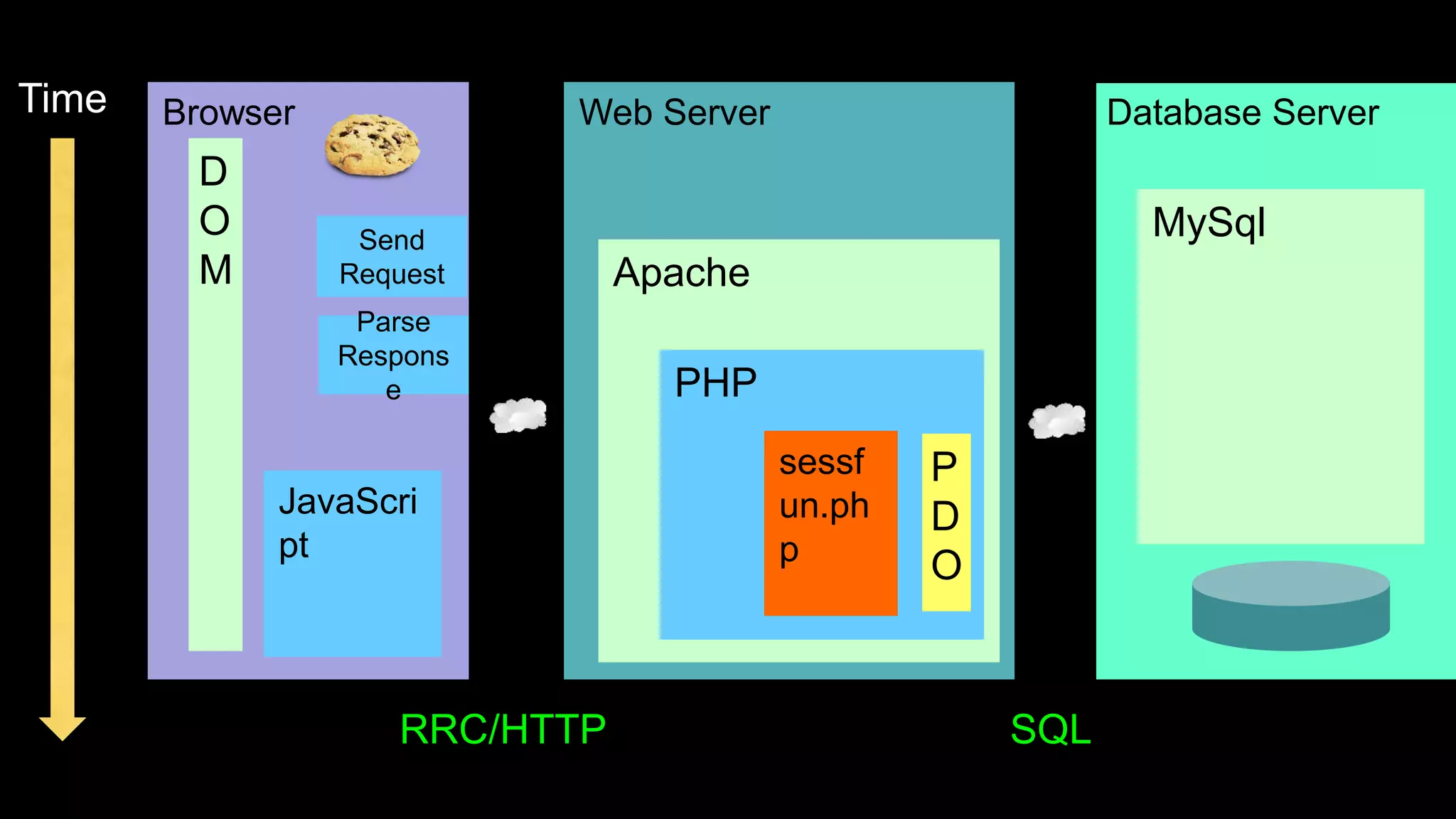
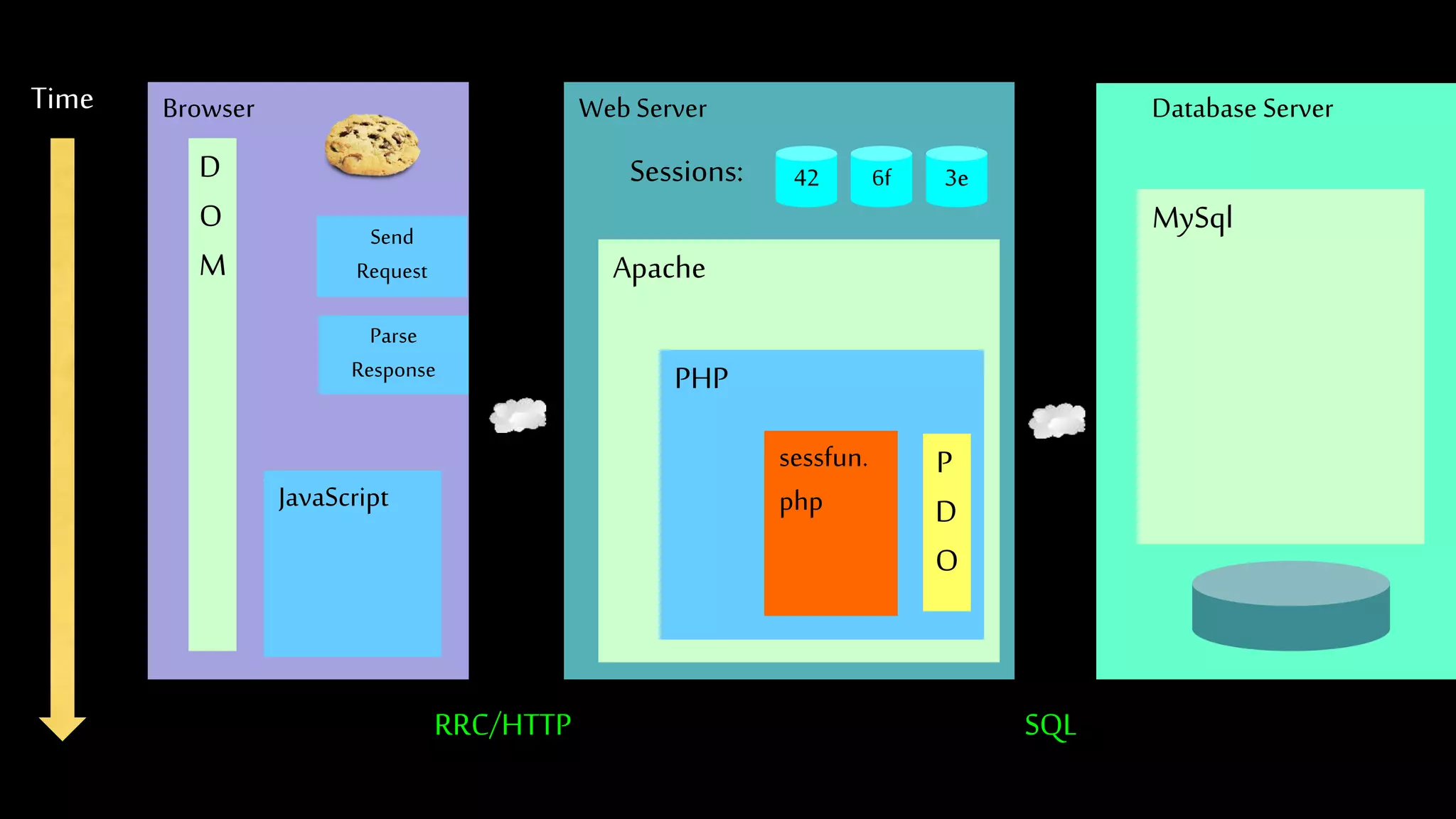
Web Server Database ServerTime
Apache
PHP
MySql
Browser
JavaScri
pt
D
O
M
RRC/HTTP SQL
Parse
Respons
e
sessf
un.ph
p
P
D
O
Send
Request
Multi-User / Multi-Browser
• When a server is interacting with many different browsers at the same time, the server
needs to know *which* browser a particular request came from.
• Request / Response initially was stateless - all browsers looked identical . This was
really bad and did not last very long at all.
Web Cookies to the Rescue
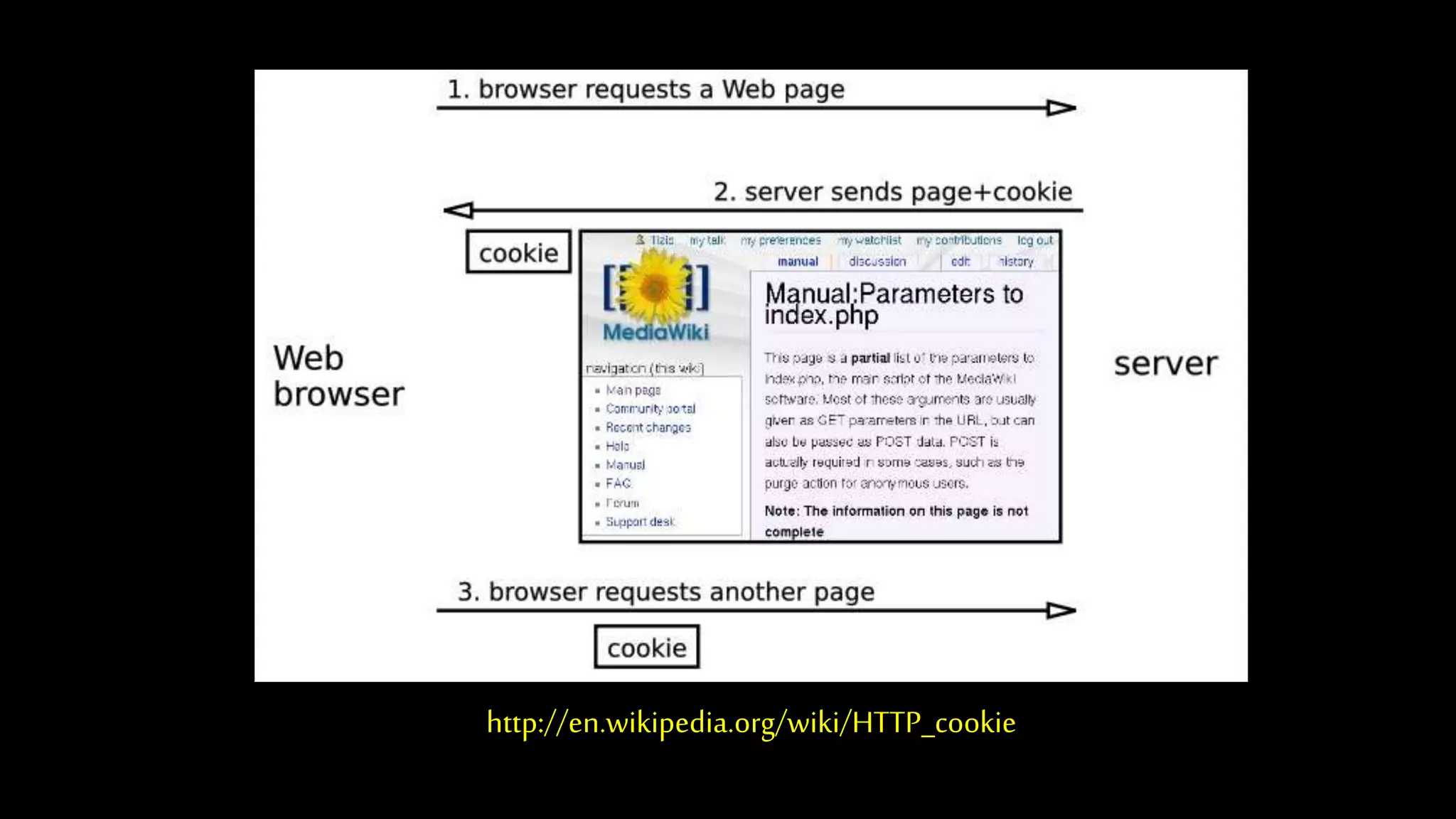
http://en.wikipedia.org/wiki/HTTP_cookie
Technically,cookiesarearbitrarypiecesofdatachosenbytheWebserverandsenttothe
browser. Thebrowserreturnsthemunchangedtotheserver,introducingastate(memoryof
previousevents)intootherwisestatelessHTTPtransactions. Withoutcookies,eachretrieval
ofaWebpageorcomponentofaWebpageisanisolatedevent,mostlyunrelatedtoallother
viewsofthepagesofthesamesite.
http://en.wikipedia.org/wiki/HTTP_cookie
Cookies In the Browser
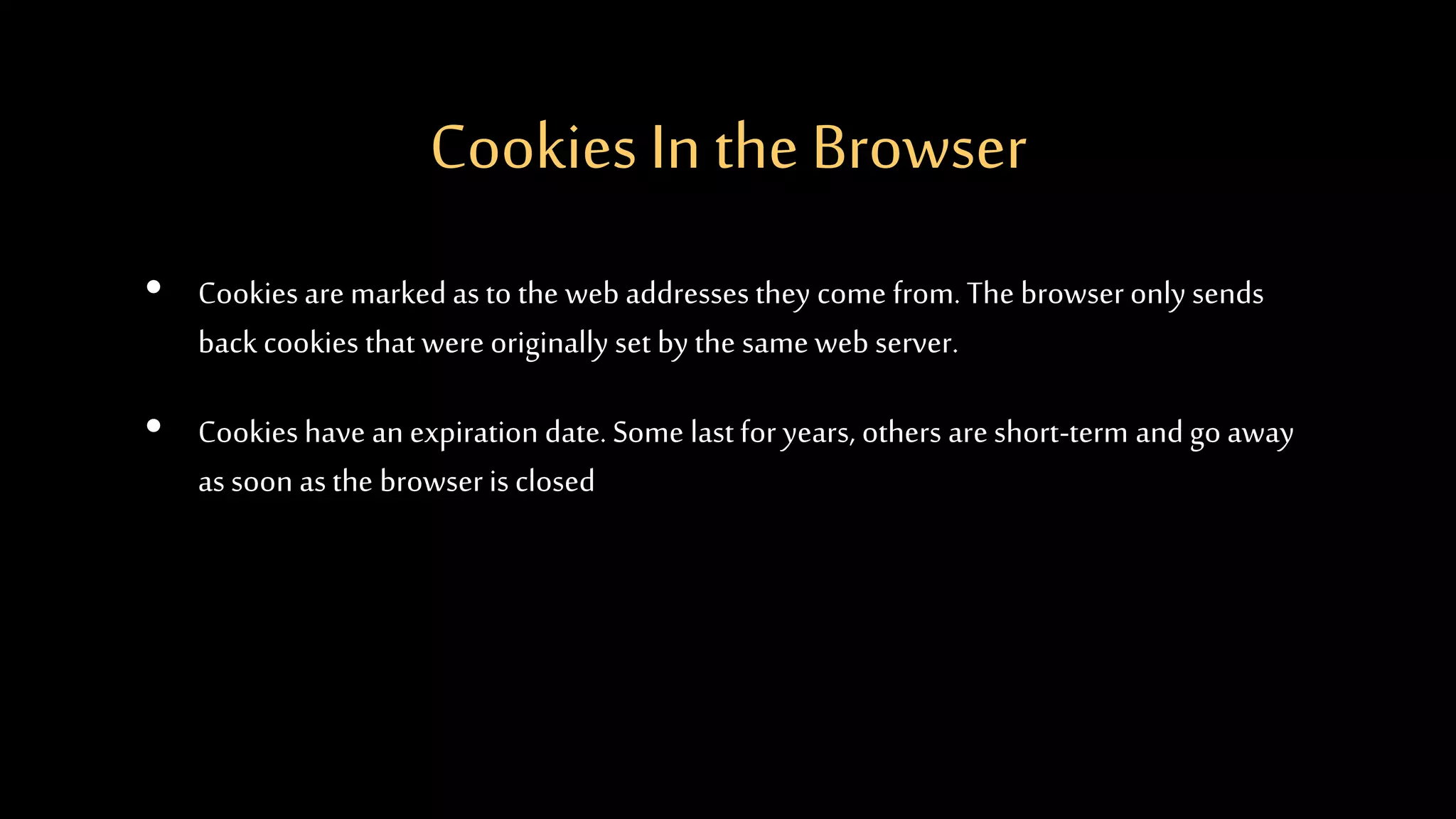
• Cookies are marked as to the web addresses they come from. The browser only sends
back cookies that were originally set by the same web server.
• Cookies have an expiration date. Some last for years, others areshort-term and go away
as soon as the browser is closed
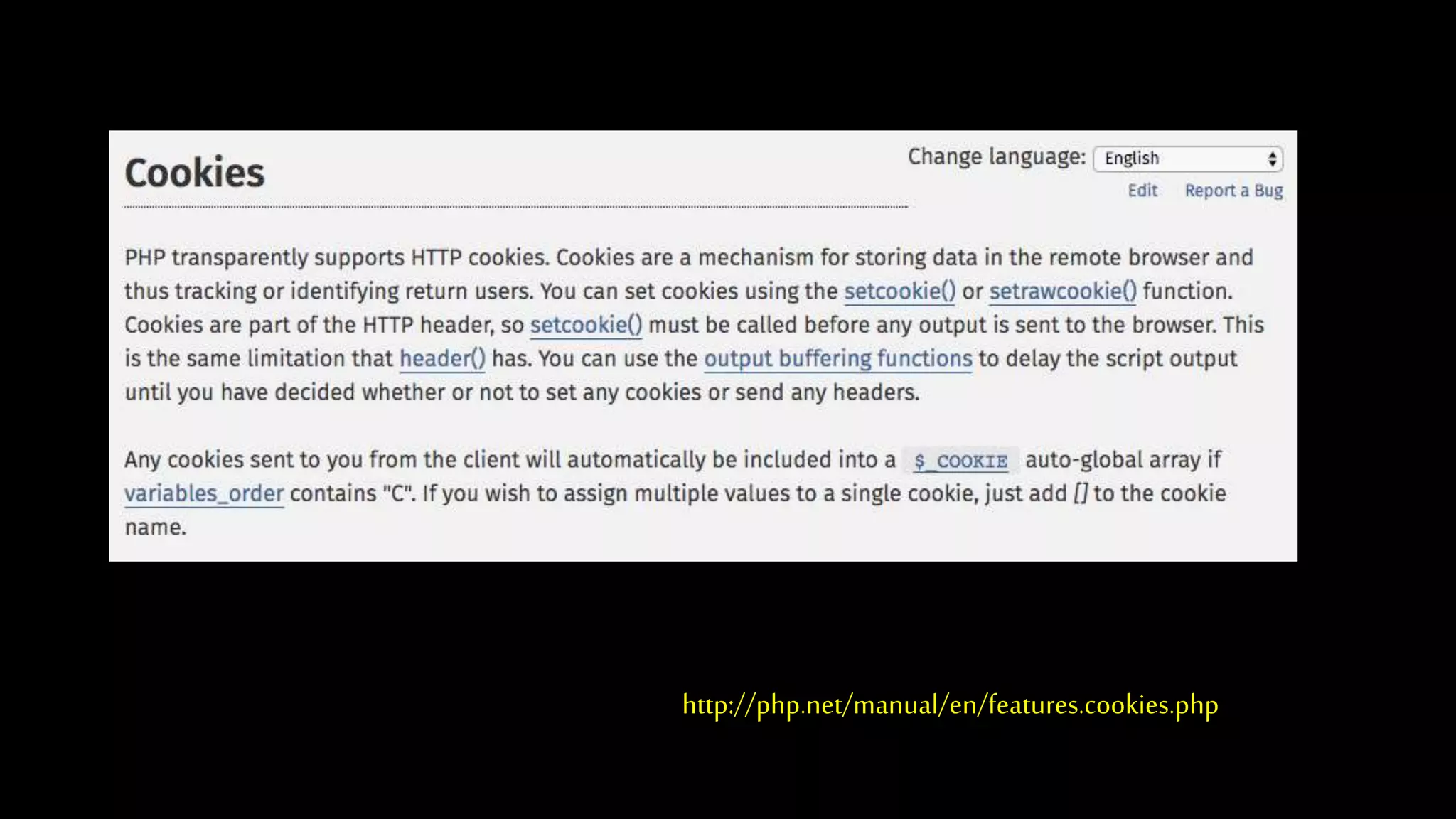
http://php.net/manual/en/features.cookies.php
<?php
// Note - cannot have any output before setcookie
if ( ! isset($_COOKIE['zap']) ) {
setcookie('zap', '42', time()+3600);
}
?>
<pre>
<?php print_r($_COOKIE); ?>
</pre>
<p><a href="cookie.php">Click Me!</a> or press Refresh</p>
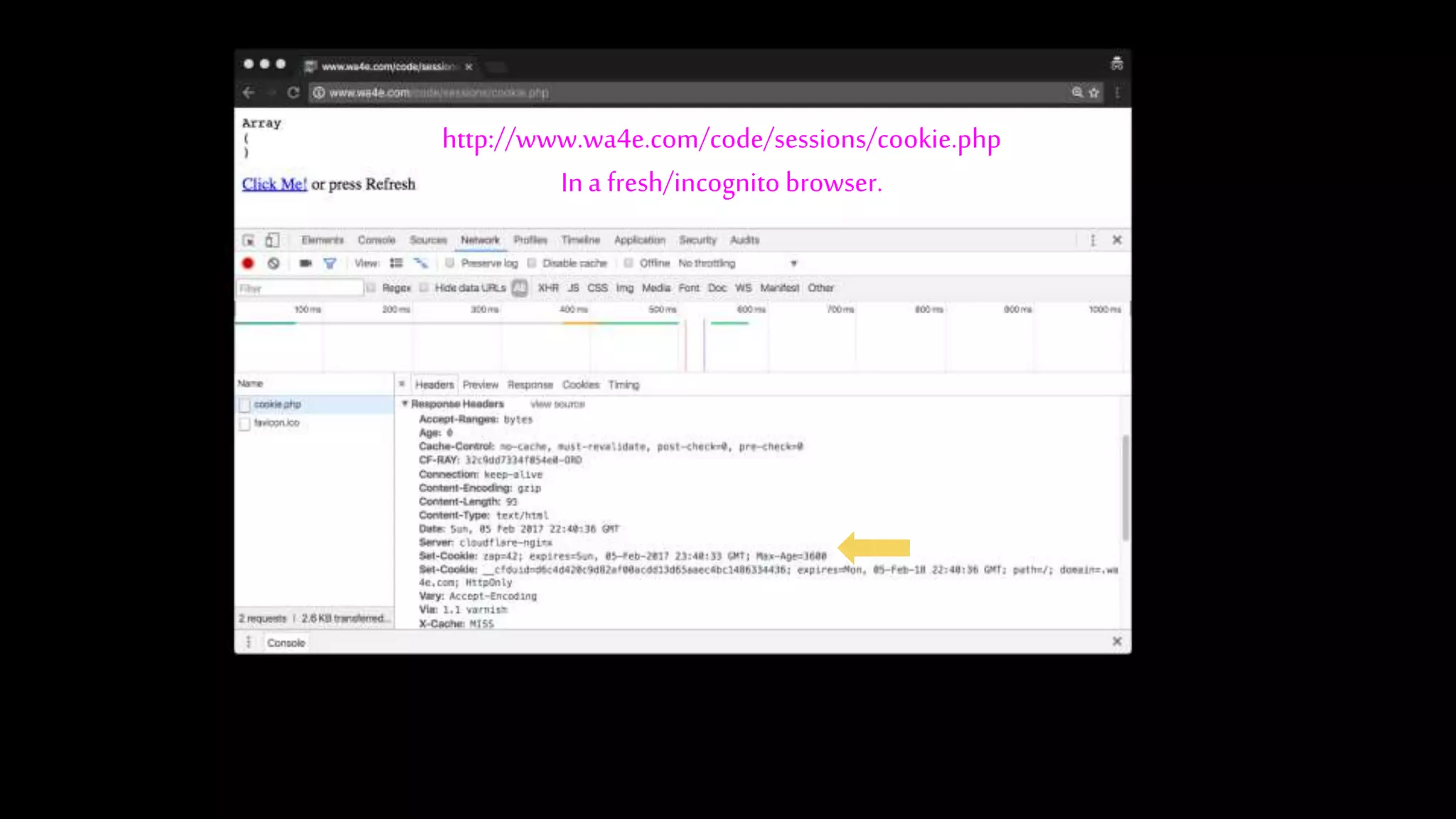
http://www.wa4e.com/code/sessions/cookie.php
Ina fresh/incognito browser.
http://www.wa4e.com/code/sessions/cookie.php
Ina fresh/incognito browser.
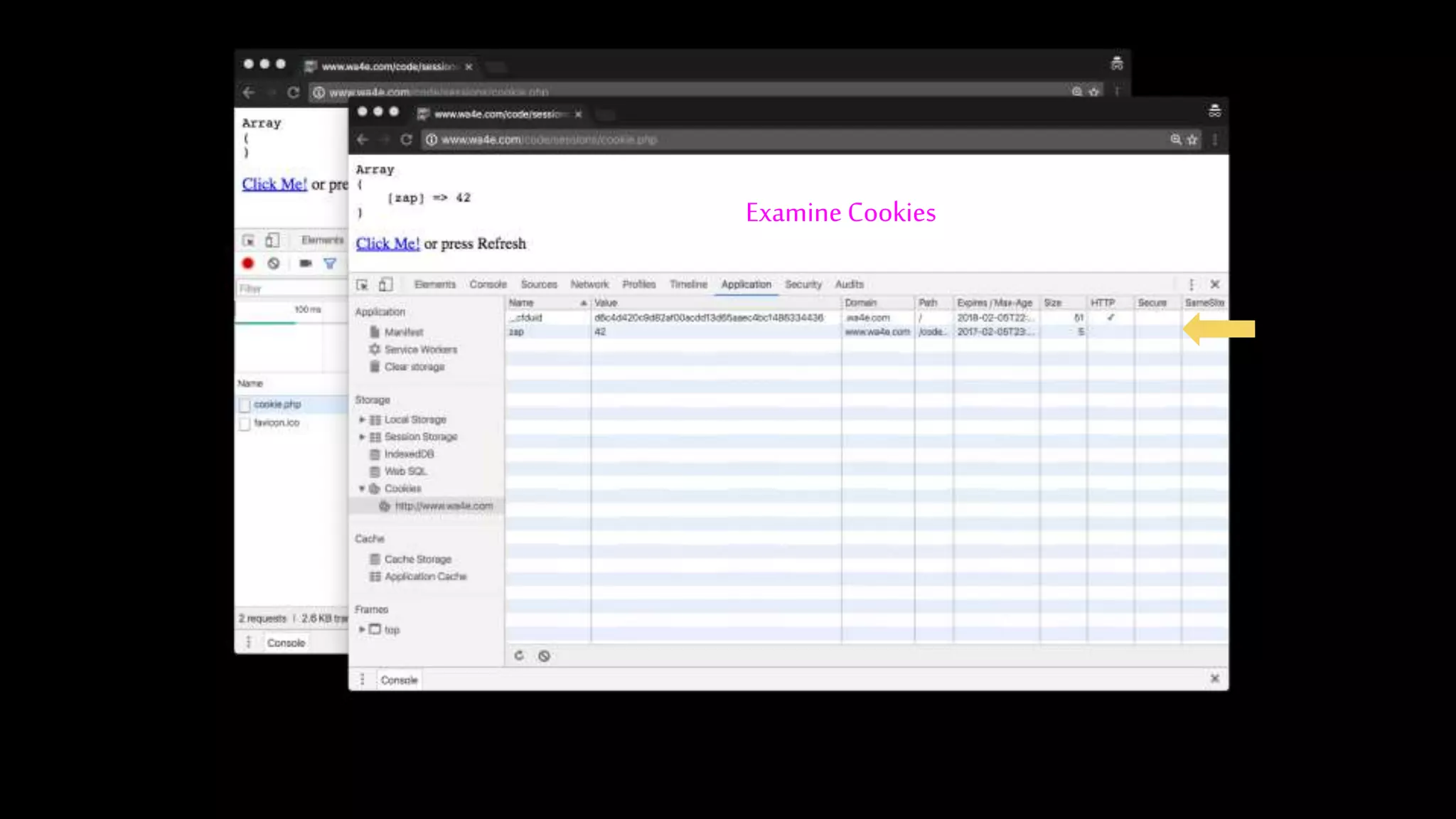
Examine Cookies
http://www.wa4e.com/code/sessions/cookie.php
Ina fresh/incognito browser.
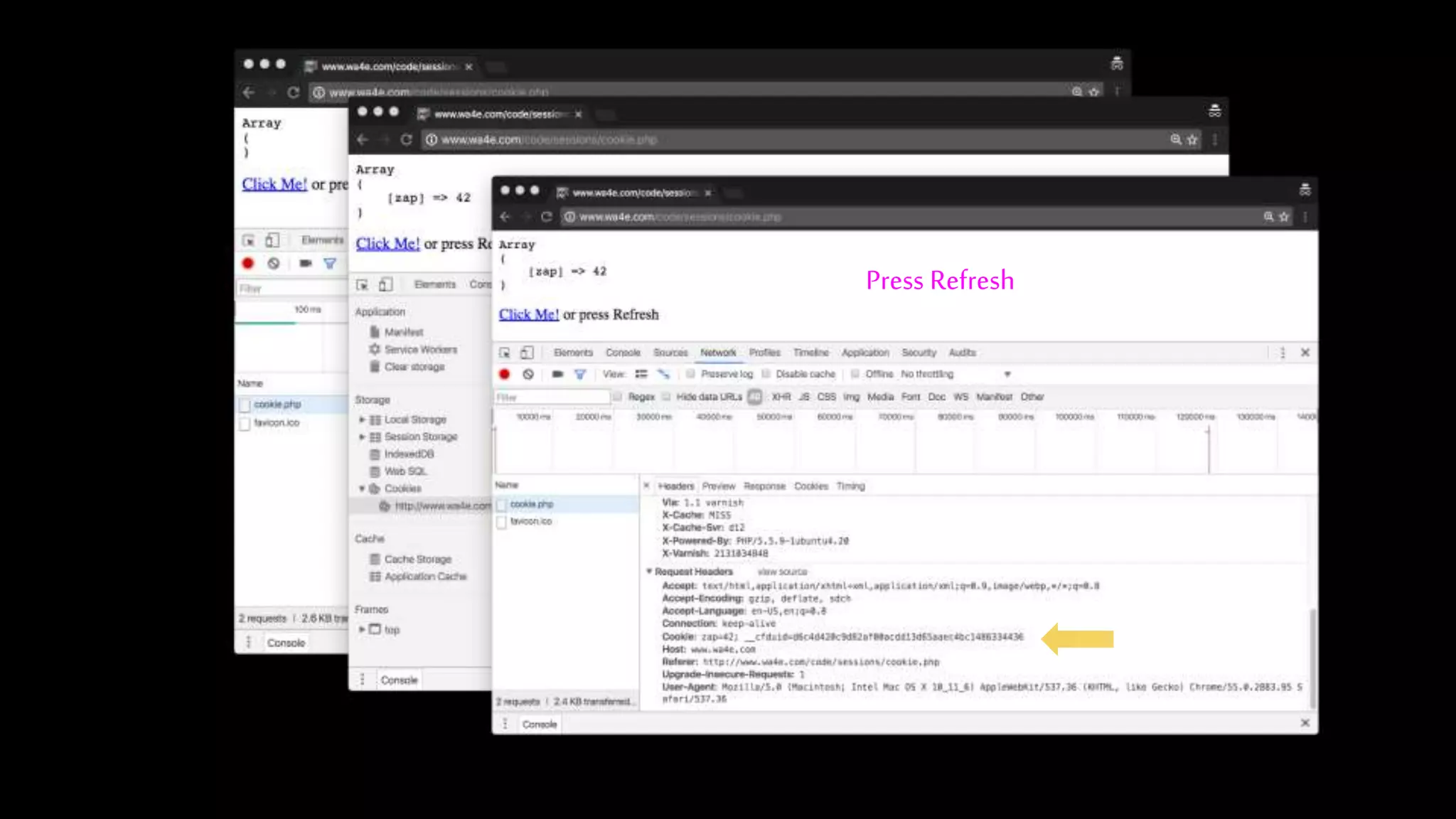
Press Refresh
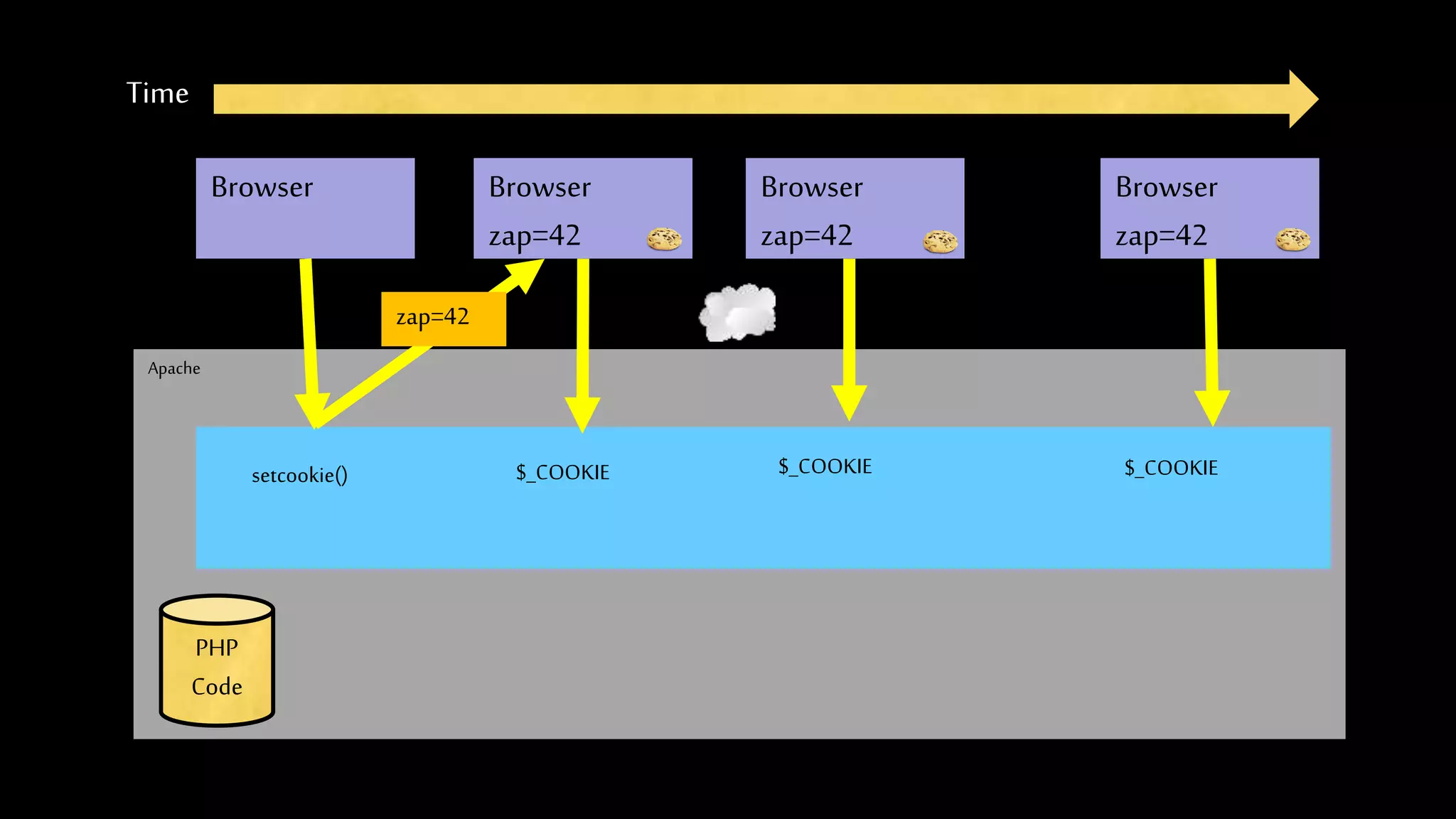
Apache
Time
Browser
PHP
Code
Browser
zap=42
Browser
zap=42
Browser
zap=42
zap=42
setcookie() $_COOKIE $_COOKIE $_COOKIE
PHP Sessions
http://www.wa4e.com/code/sessions.zip
Web Server Database ServerTime
Apache
PHP
MySql
Browser
JavaScript
D
O
M
RRC/HTTP SQL
Parse
Response
sessfun.
php
P
D
O
42 6f 3eSessions:
Send
Request
In the Server - Sessions
• In mostserver applications,assoonaswemeet anew (unmarked)browserwecreate a
session.
• Weset asession cookie tobestoredin thebrowser,which indicatesthesession id in use
–gives thisbrowseraunique “mark”.
• Thecreationanddestructionof sessionsis handledbyawebframeworkor someutility
codethatweusein ourapplications.
Session Identifier
• A large, random number that we place in a browser cookie the first time we encounter a
browser
• This number is used to pickfrom the many sessions that the server has active at any one
time.
• Server software stores data in the session that it wants to have from one request to
another from the same browser.
• Shopping cart or login information is stored in the session in the server.
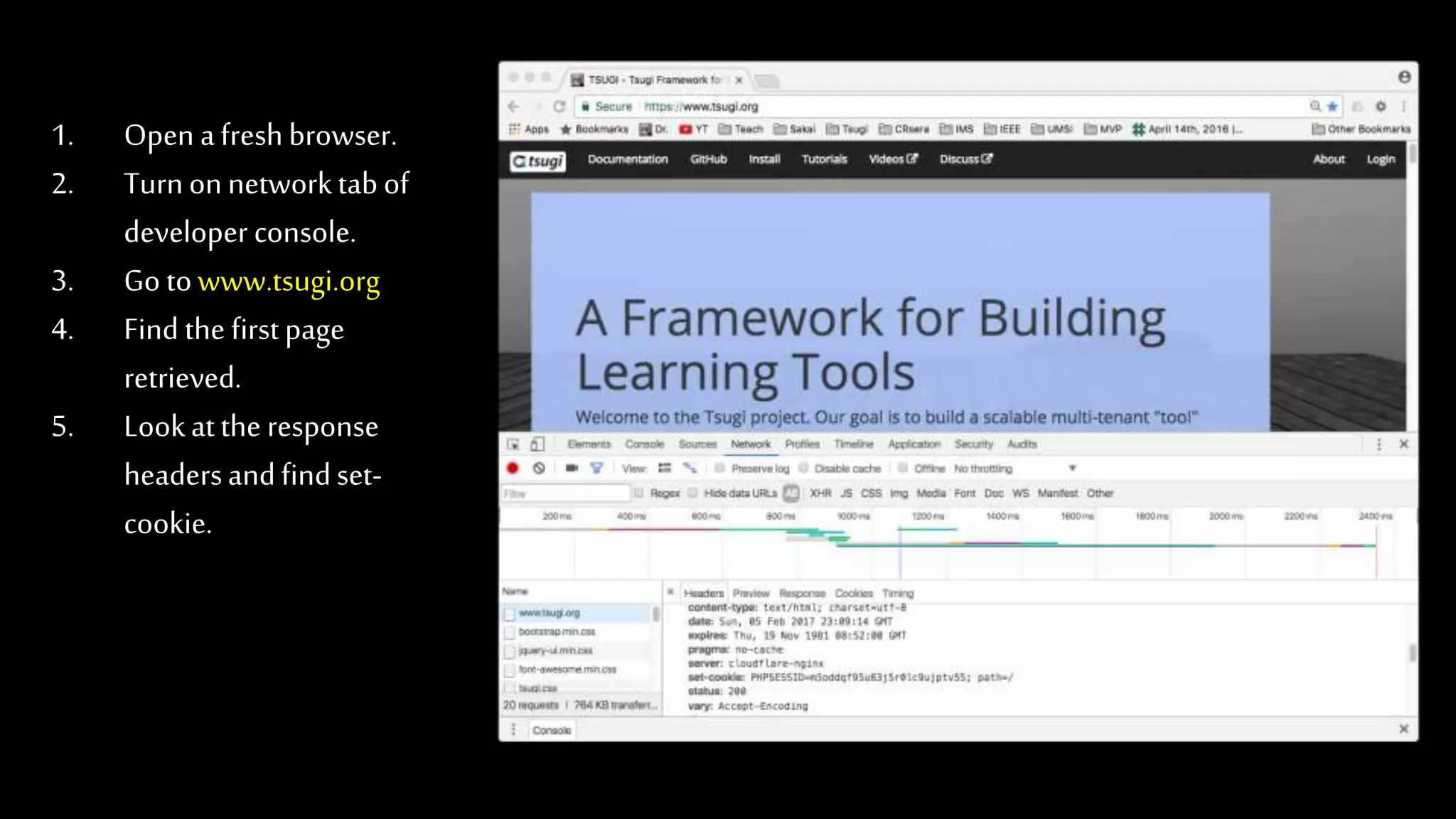
1. Open afreshbrowser.
2. Turnonnetworktabof
developer console.
3. Go towww.tsugi.org
4. Find the firstpage
retrieved.
5. Lookatthe response
headersandfindset-
cookie.
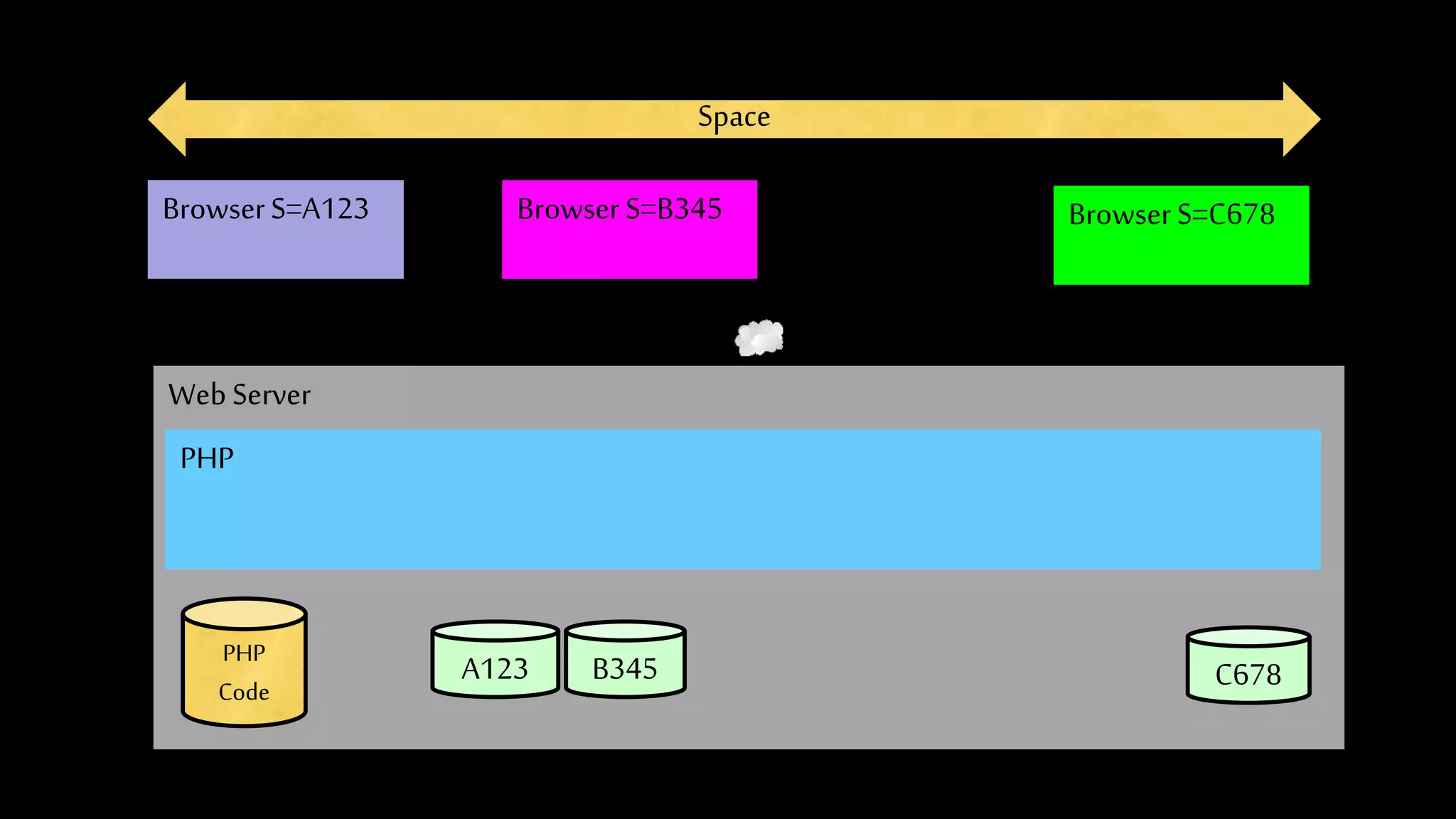
Space
WebServer
PHP
BrowserS=A123
PHP
Code
A123 B345 C678
BrowserS=B345 BrowserS=C678
PHP Sessions
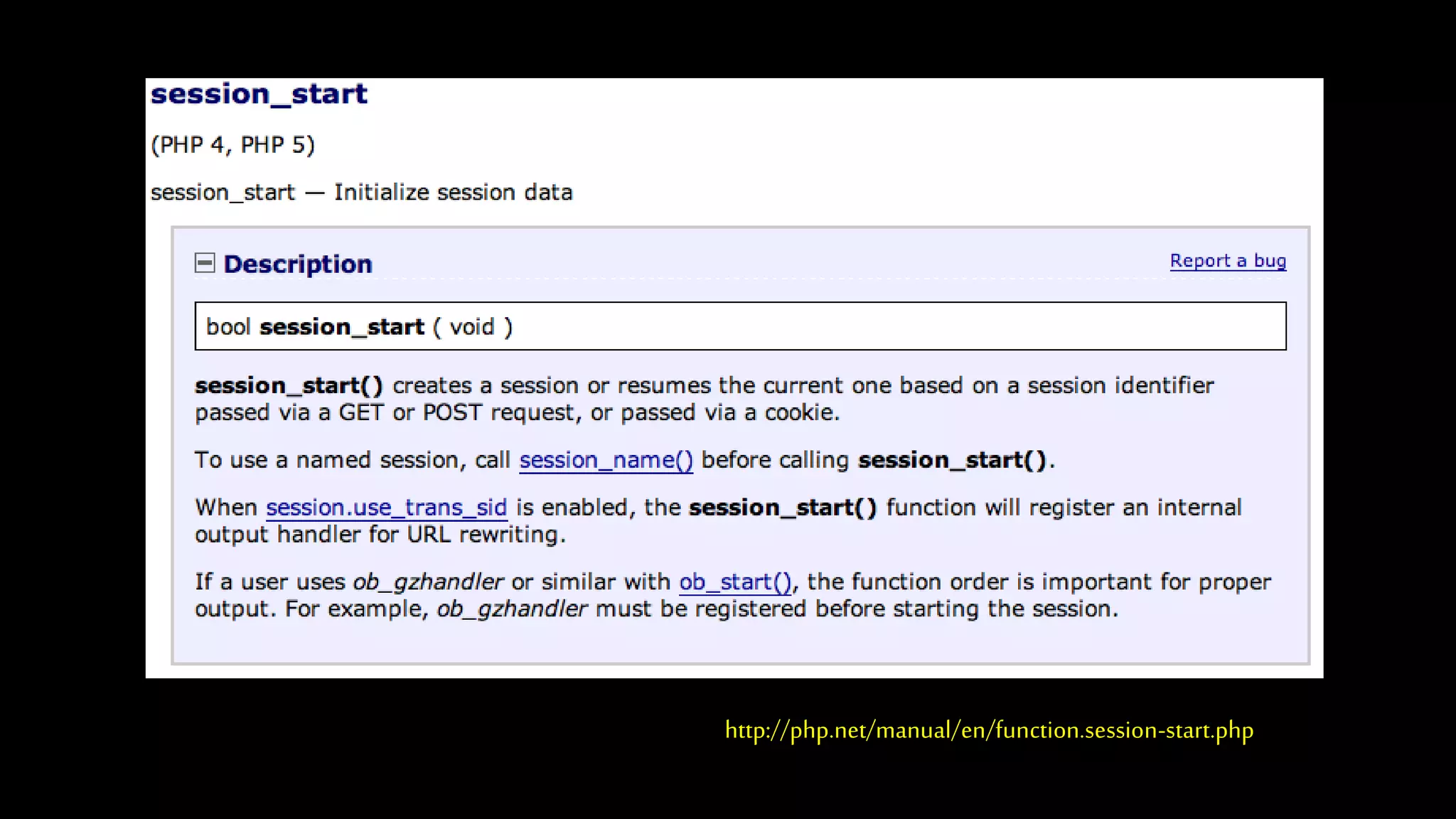
• We can establish / initialize aPHP session by calling session_start() before any
output has come out.
• If the user has cookies set, wecan use the array $_SESSIONto store data from
one request to the nextwith a particular browser.
• We have a bit of data that persists from one request to the next.
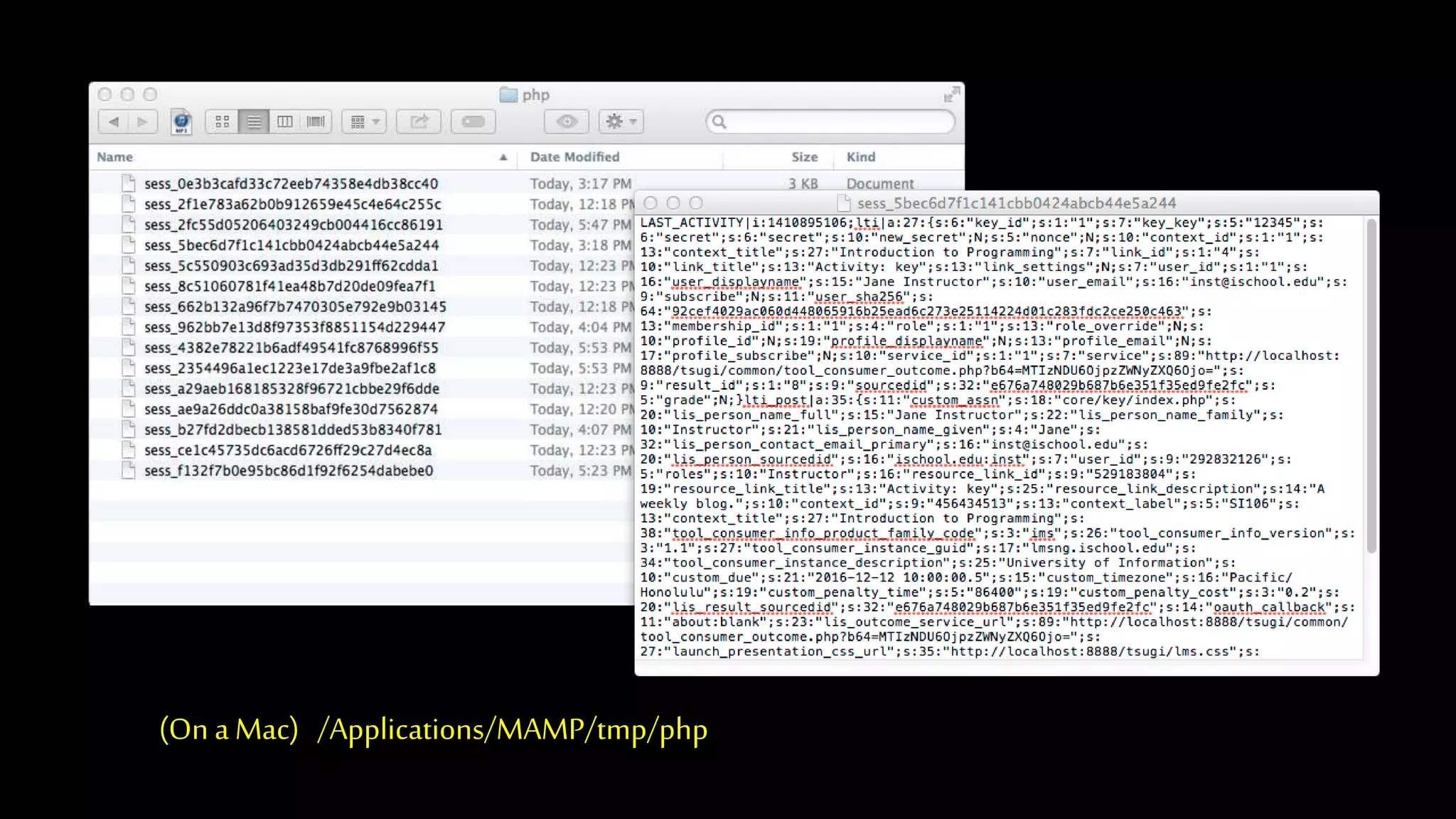
• By default, these are stored in a temporary folder on disk.
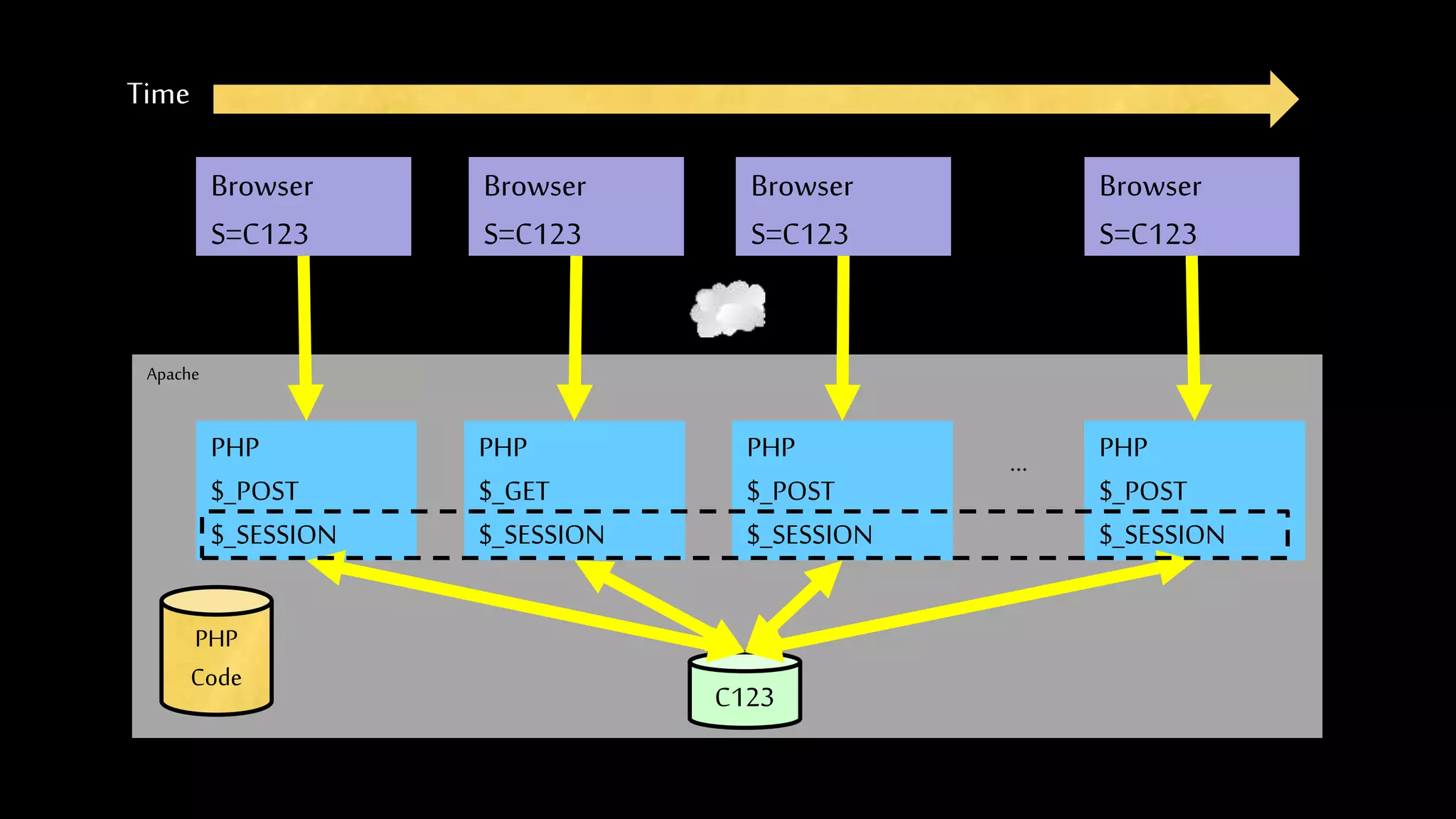
Apache
Time
PHP
$_POST
$_SESSION
Browser
S=C123
PHP
Code
C123
PHP
$_GET
$_SESSION
PHP
$_POST
$_SESSION
PHP
$_POST
$_SESSION
...
Browser
S=C123
Browser
S=C123
Browser
S=C123
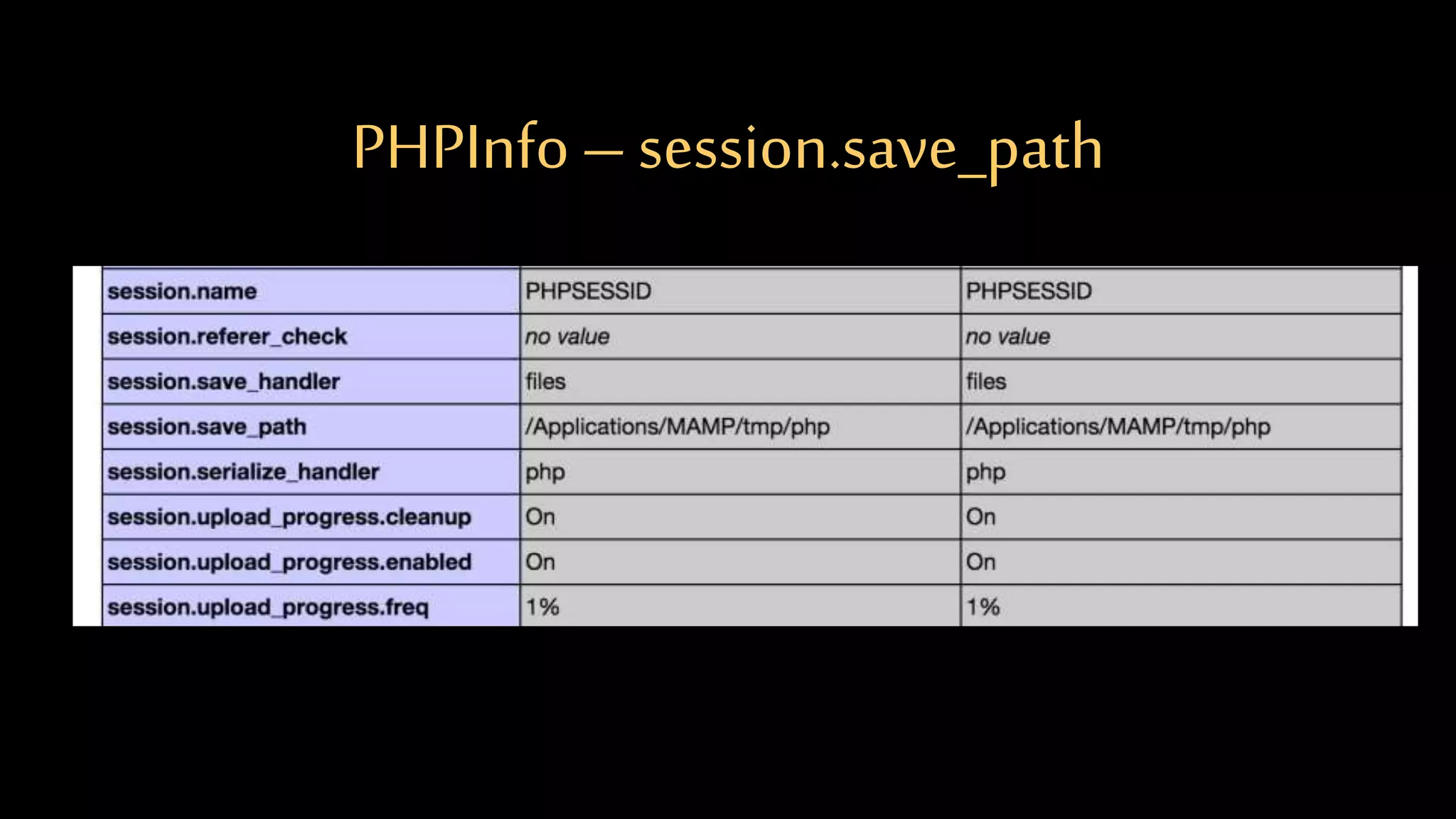
PHPInfo –session.save_path
(On a Mac) /Applications/MAMP/tmp/php
http://php.net/manual/en/function.session-start.php
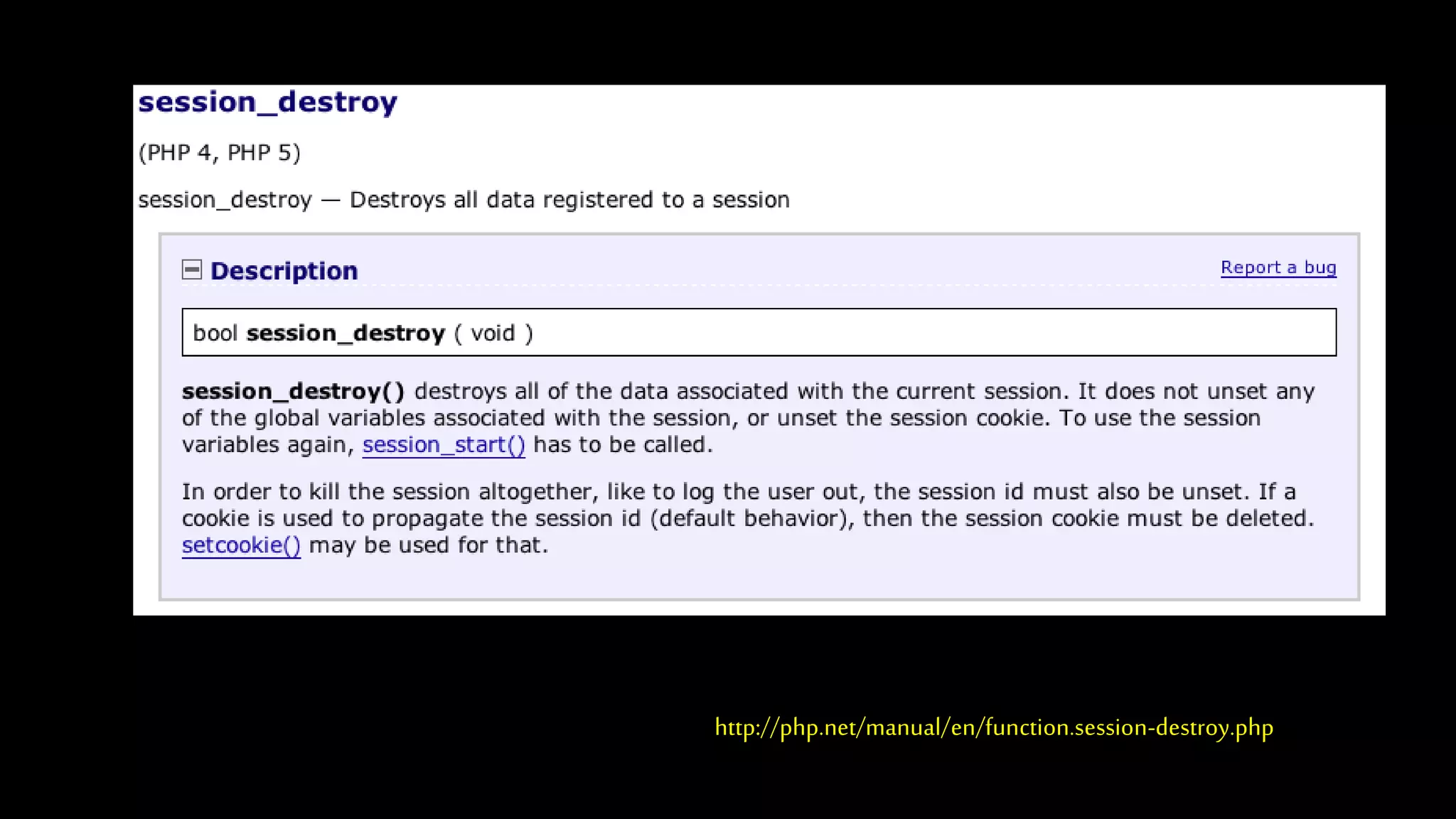
http://php.net/manual/en/function.session-destroy.php
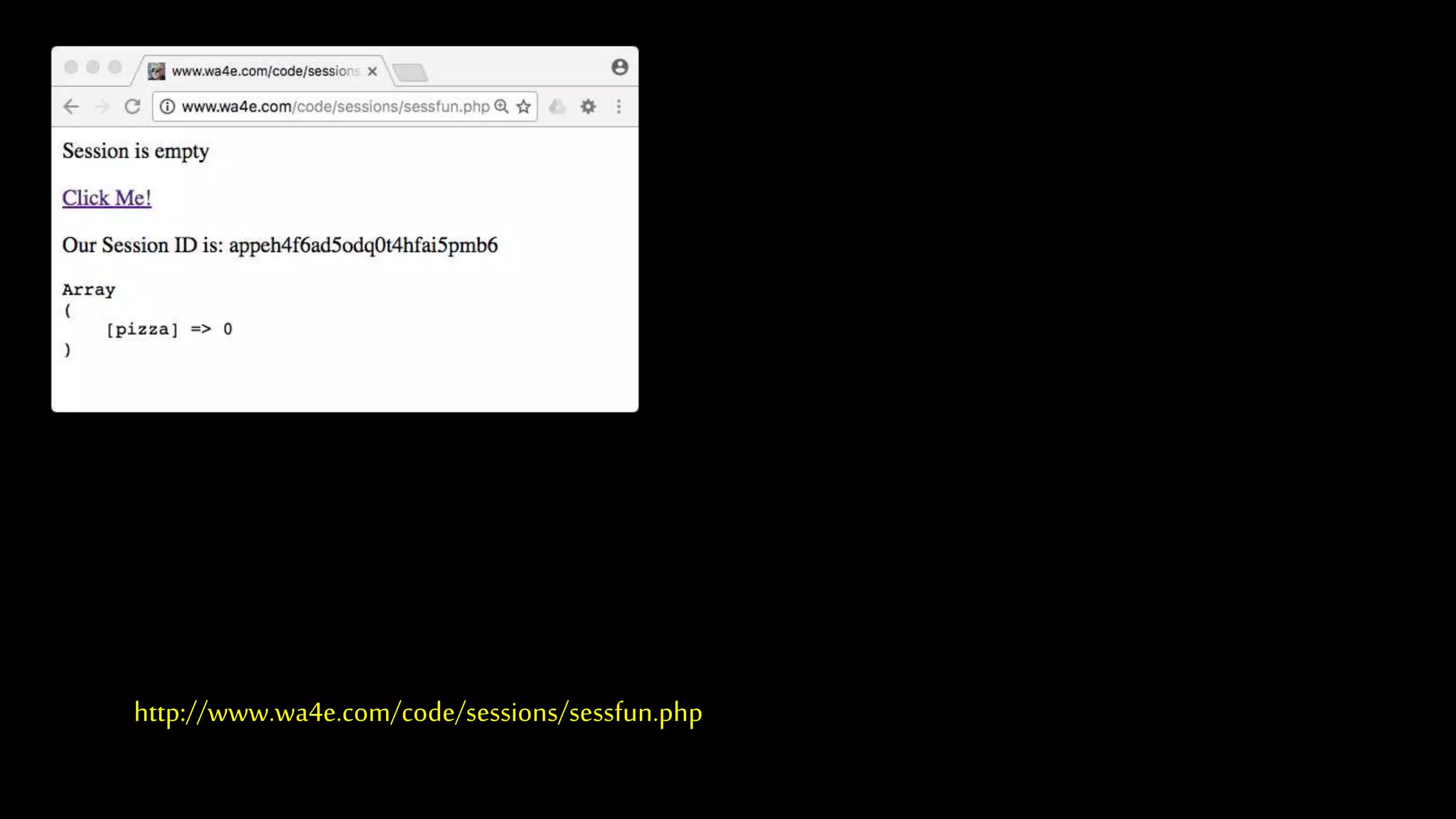
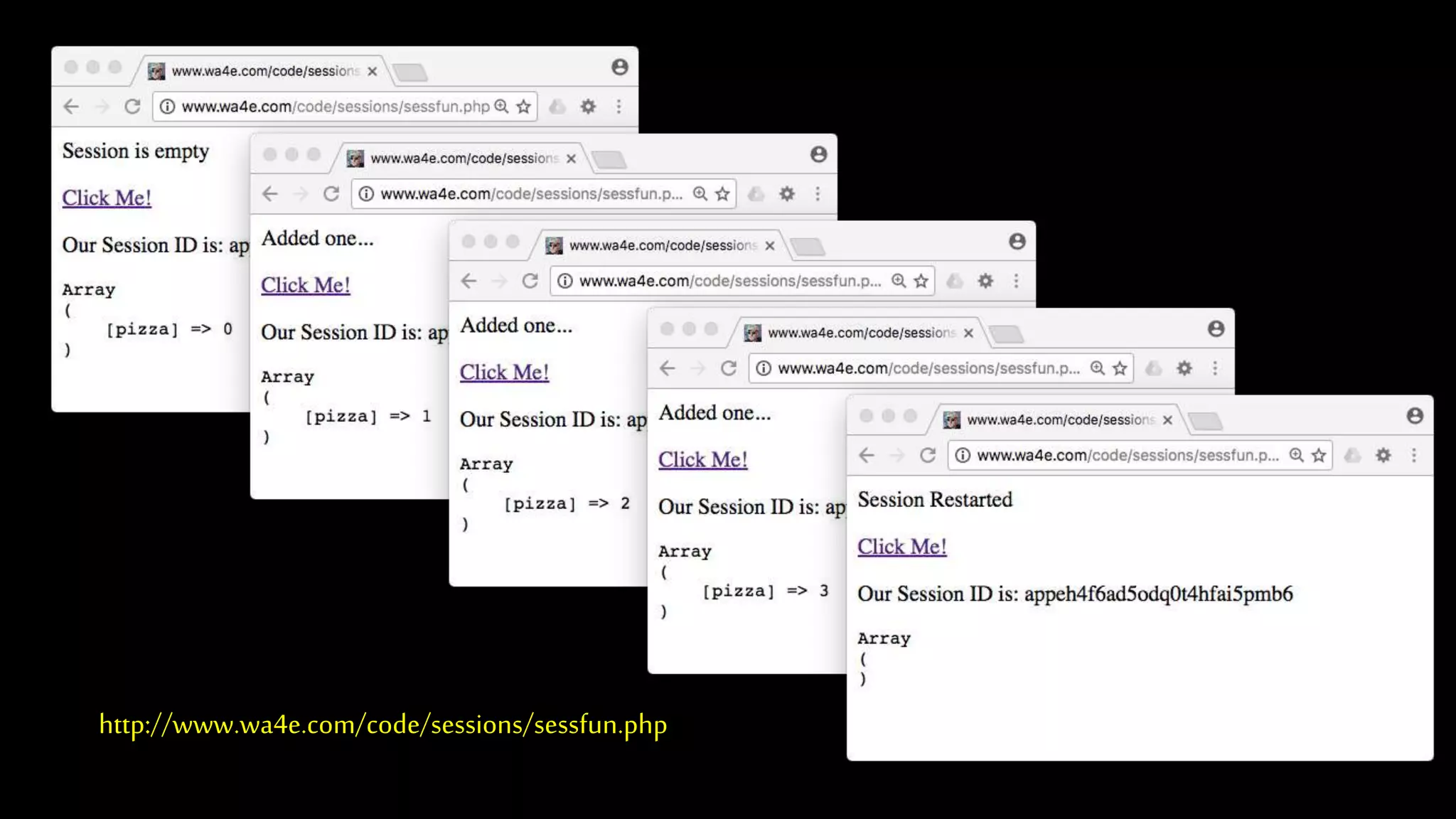
<?php
// Note - cannot have any output before this
session_start();
if ( ! isset($_SESSION['pizza']) ) {
echo("<p>Session is empty</p>n");
$_SESSION['pizza'] = 0;
} else if ( $_SESSION['pizza'] < 3 ) {
$_SESSION['pizza'] = $_SESSION['pizza'] + 1;
echo("<p>Added one...</p>n");
} else {
session_destroy();
session_start();
echo("<p>Session Restarted</p>n");
}
?>
<p><a href="sessfun.php">Click Me!</a></p>
<p>Our Session ID is: <?php echo(session_id()); ?></p>
<pre>
<?php print_r($_SESSION); ?>
</pre> http://www.wa4e.com/code/sessions/sessfun.php
http://www.wa4e.com/code/sessions/sessfun.php
SessionsWithout Cookies
PHP Sessions WithoutCookies
• For a simple application handling login, logout, and shopping cart-like
information, cookie sessions are sufficient.
• But if anapplication needs to function within an iframe, or have more than one
session active (i.e., multiple tabs to the samesite), we cannot use session cookies.
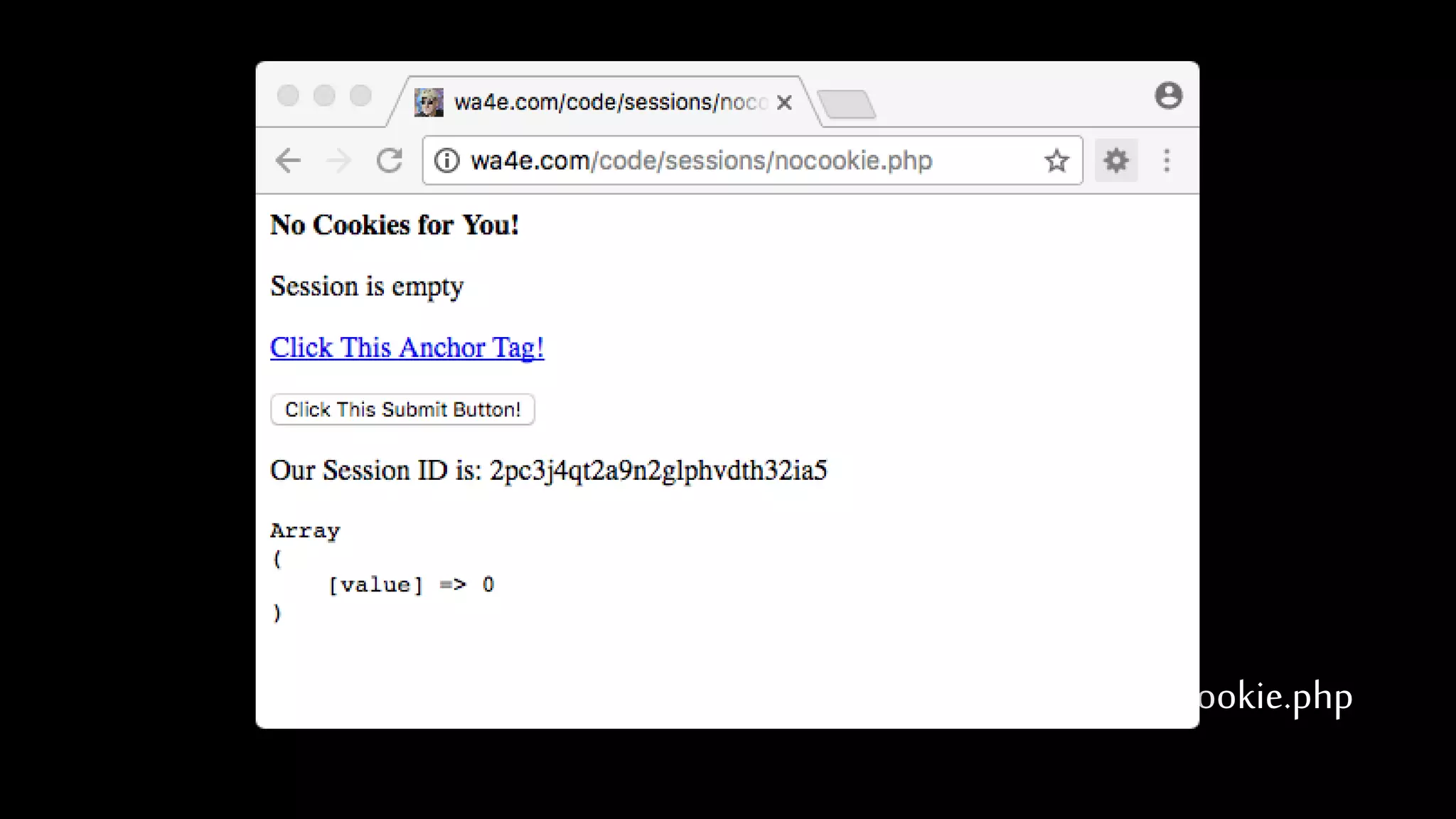
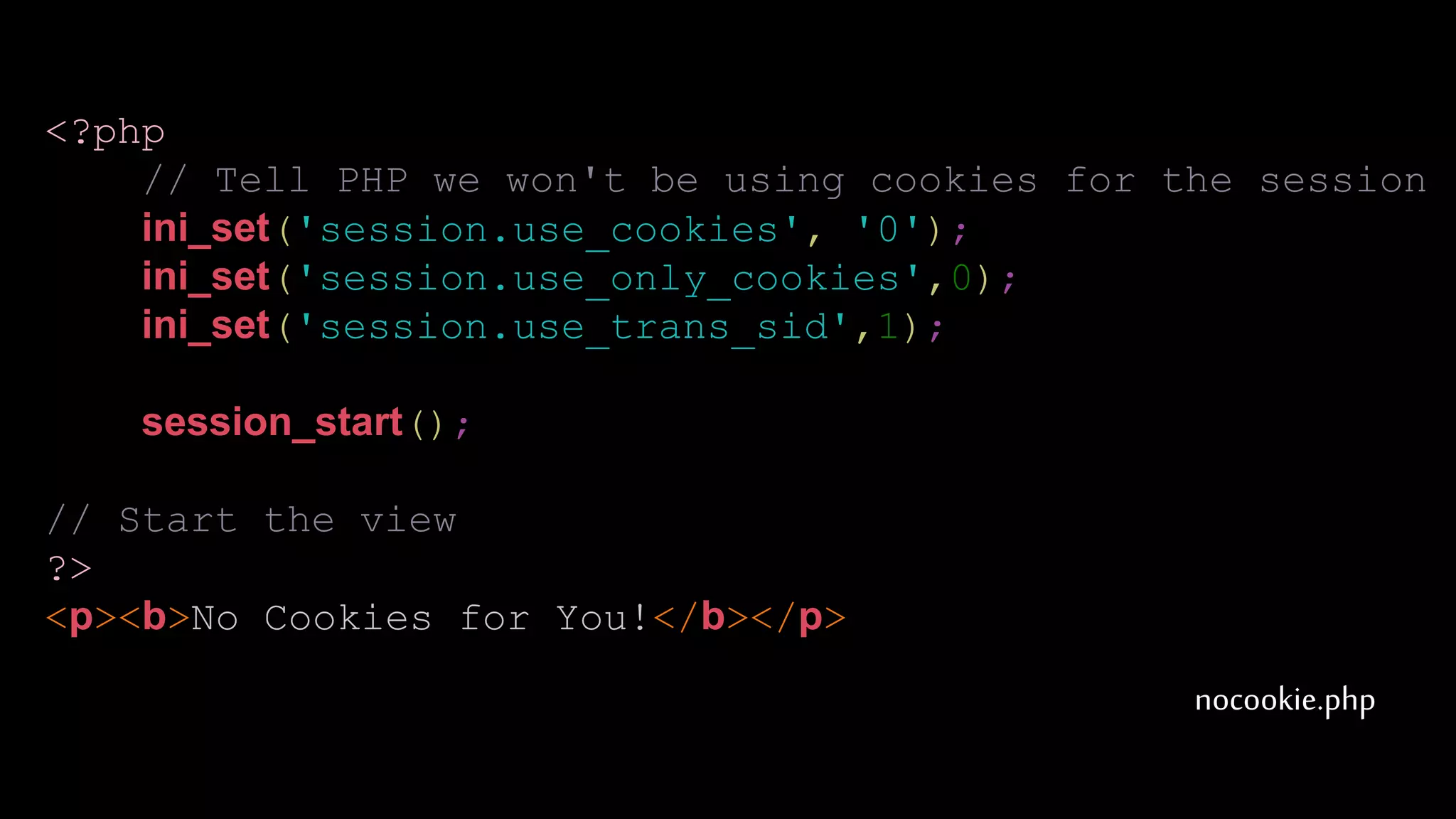
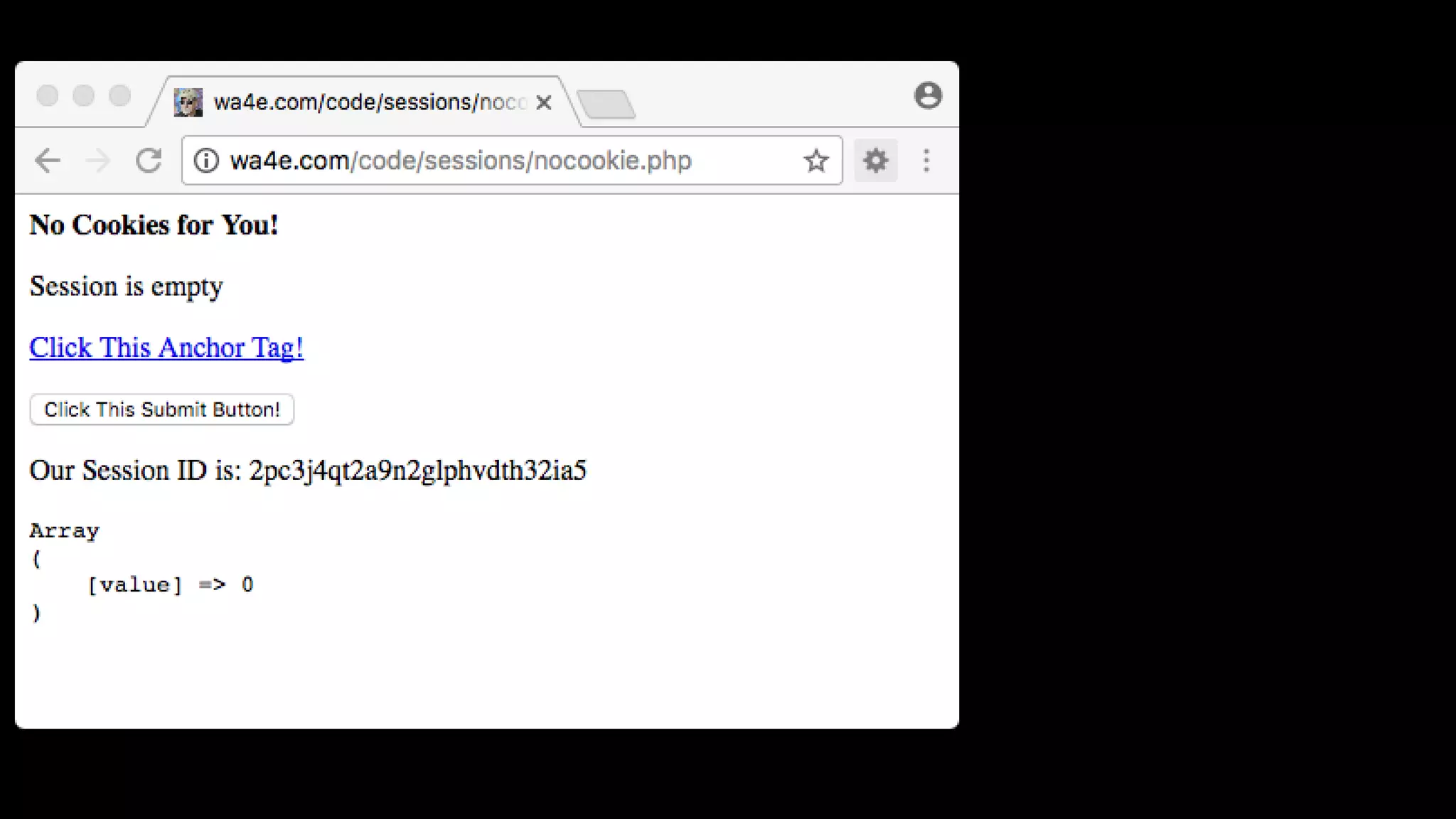
• PHP has nice support for maintaining a session without acookie.
nocookie.php
nocookie.php
<?php
// Tell PHP we won't be using cookies for the session
ini_set('session.use_cookies', '0');
ini_set('session.use_only_cookies',0);
ini_set('session.use_trans_sid',1);
session_start();
// Start the view
?>
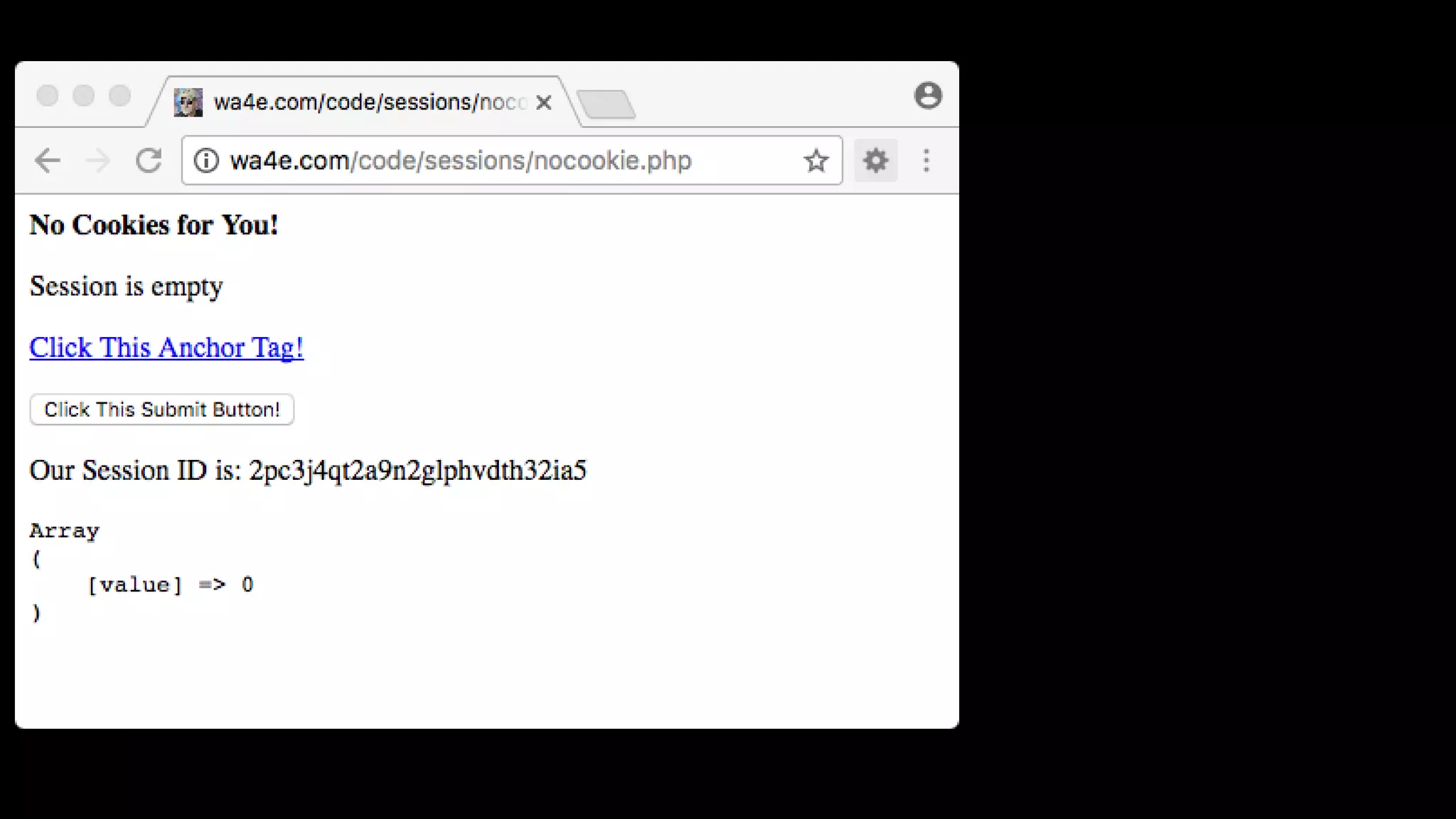
<p><b>No Cookies for You!</b></p>
nocookie.php<p><b>No Cookies for You!</b></p>
<?php
if ( ! isset($_SESSION['value']) ) {
echo("<p>Session is empty</p>n");
$_SESSION['value'] = 0;
} else if ( $_SESSION['value'] < 3 ) {
$_SESSION['value'] = $_SESSION['value'] + 1;
echo("<p>Added one $_SESSION['value']=".$_SESSION['value'].
"</p>n");
} else {
session_destroy();
session_start();
echo("<p>Session Restarted</p>n");
}
?>
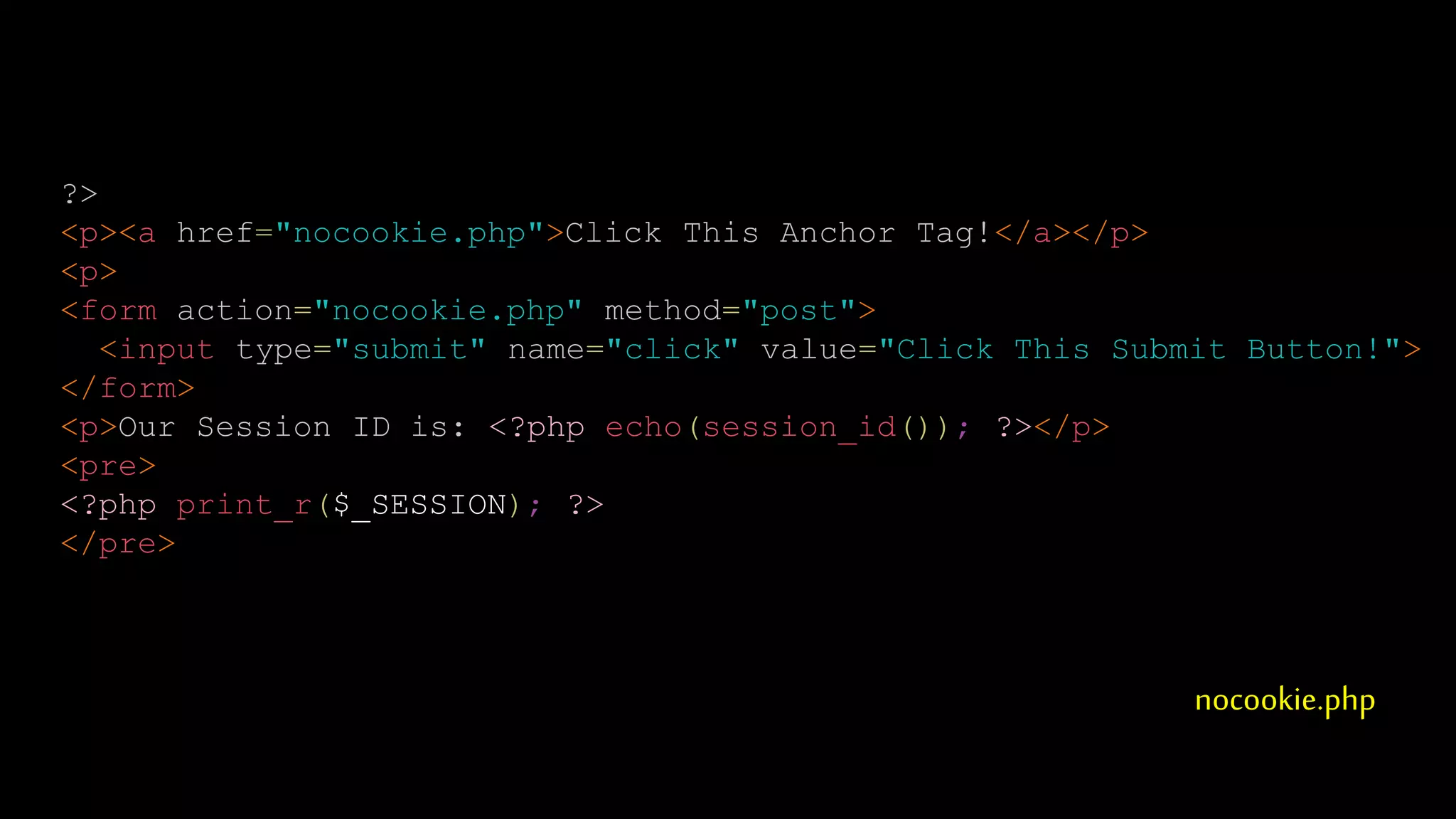
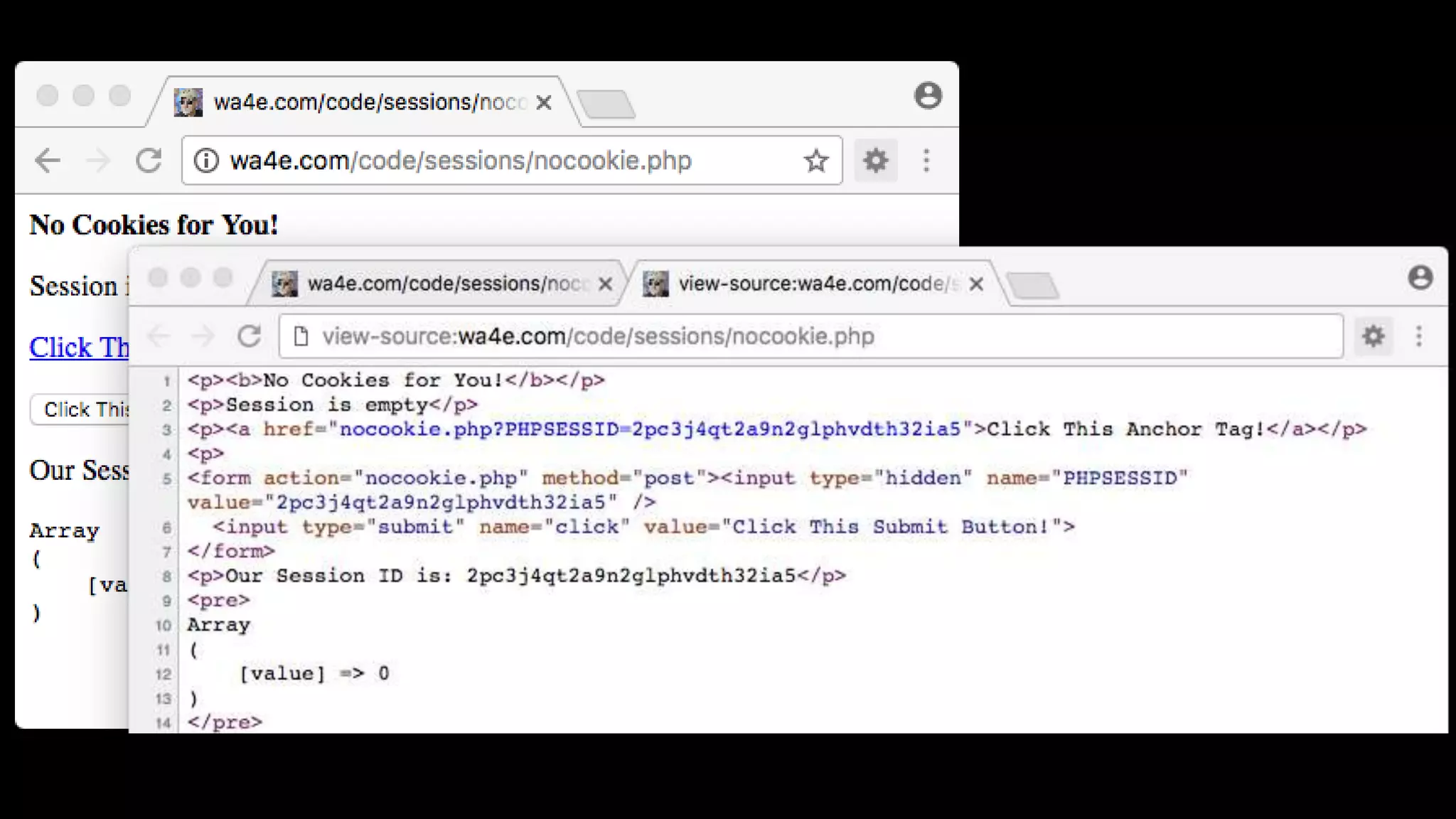
<p><a href="nocookie.php">Click This Anchor Tag!</a></p>
nocookie.php
?>
<p><a href="nocookie.php">Click This Anchor Tag!</a></p>
<p>
<form action="nocookie.php" method="post">
<input type="submit" name="click" value="Click This Submit Button!">
</form>
<p>Our Session ID is: <?php echo(session_id()); ?></p>
<pre>
<?php print_r($_SESSION); ?>
</pre>
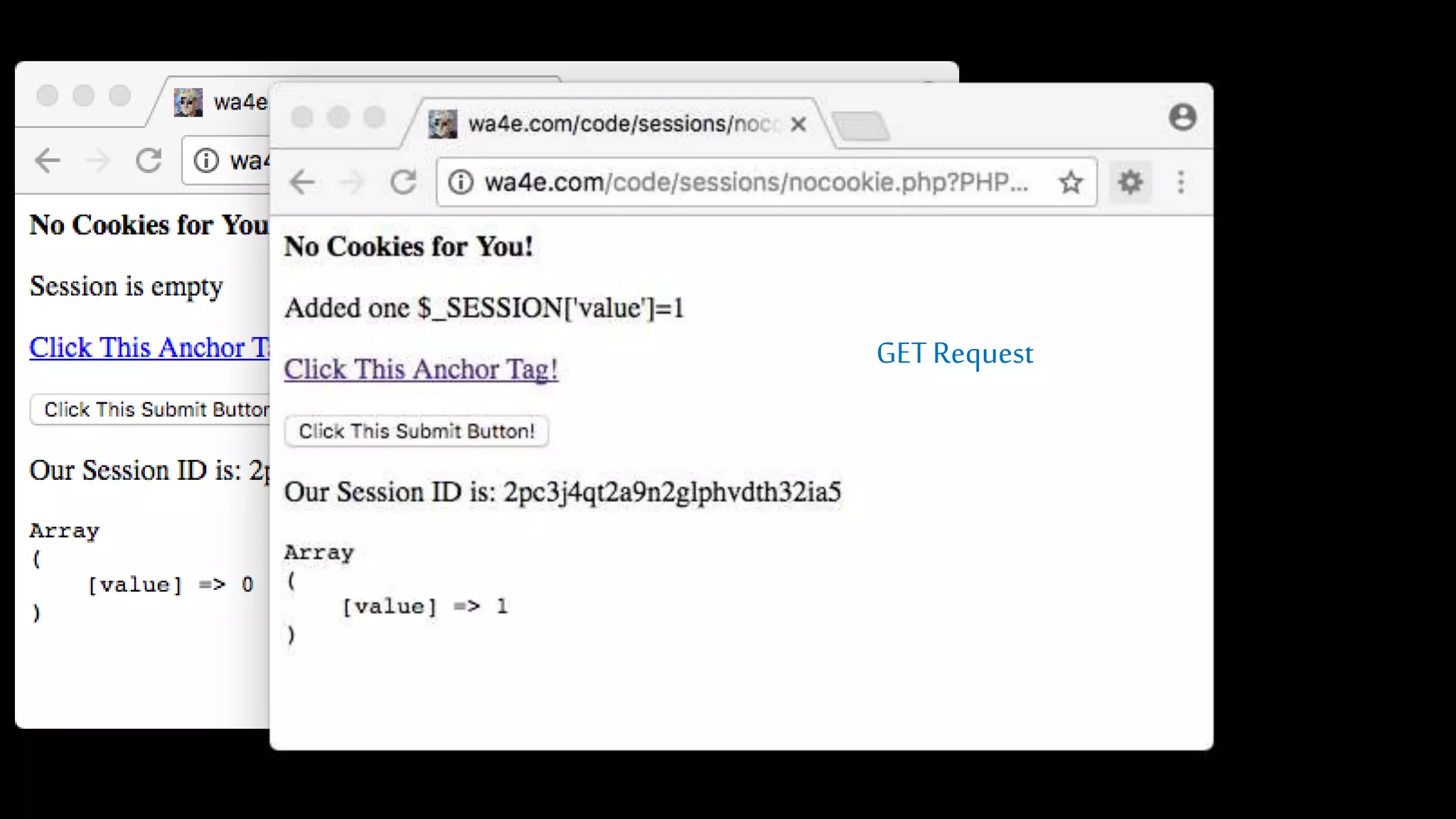
GETRequest
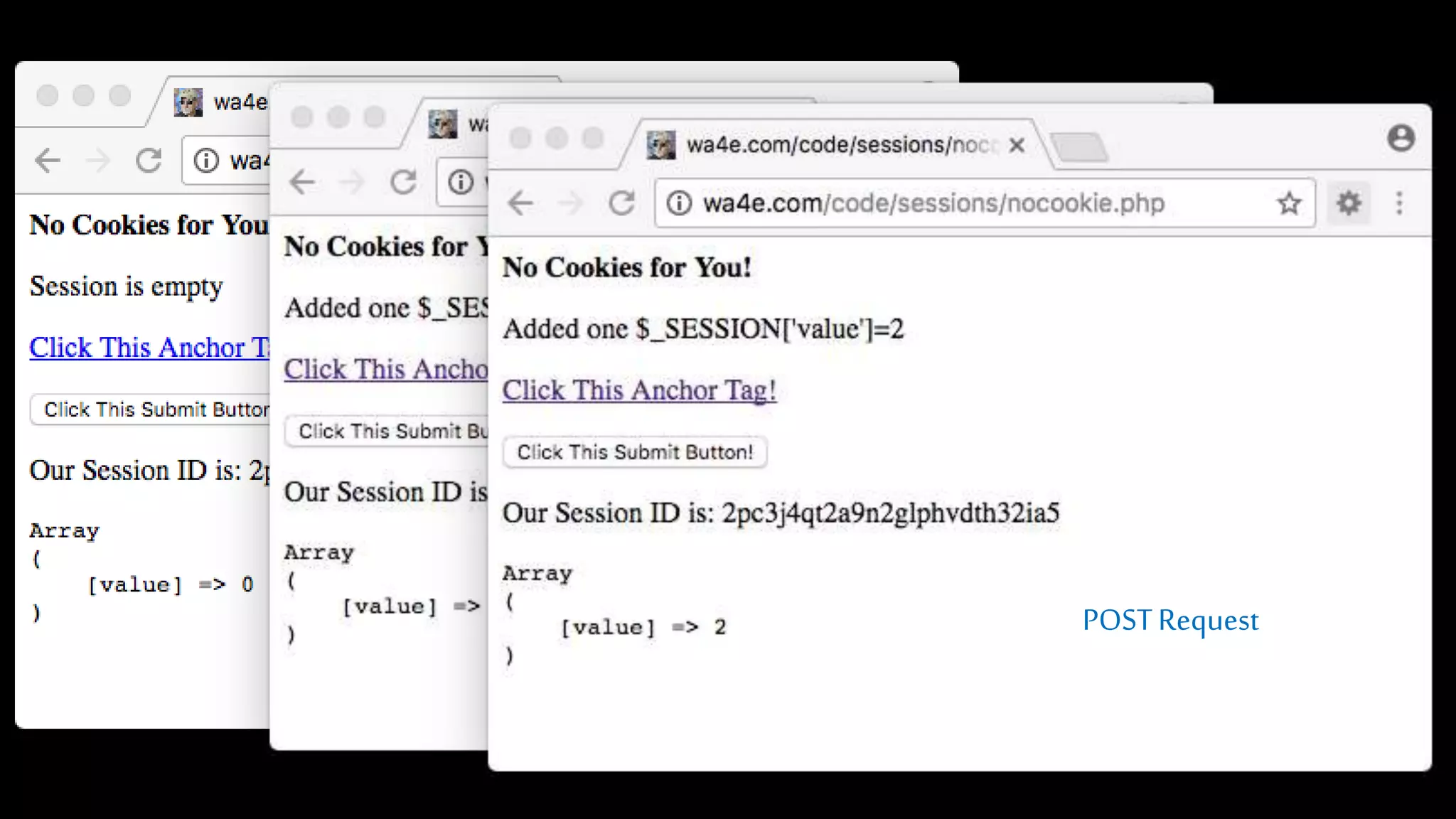
POSTRequest
Many More Details...
• Session id is not automatically added in JavaScript, Ajax, Redirect, or other
elements of HTML.
• With the session id on the URL, folks canemail URLsor even bookmark them and
be logged in.
• We will come back to these...
Summary
• HTTP Cookies
• Sessions
• Using Sessions in PHP
Acknowledgements / Contributions
TheseslidesareCopyright2010- CharlesR.Severance(www.dr-chuck.com)as partof
www.wa4e.comandmadeavailableundera CreativeCommonsAttribution4.0 License.
Pleasemaintainthisslideinall copiesofthedocumenttocomplywiththeattribution
requirementsofthelicense. Ifyoumake achange,feelfreetoaddyournameand
organizationtothelistofcontributorsonthispageas yourepublishthematerials.
InitialDevelopment:CharlesSeverance,UniversityofMichiganSchoolofInformation
InsertnewContributorsandTranslatorshereincludingnamesanddates
ContinuenewContributorsandTranslatorshere
Copyright Attribution
• CookieImage:Bybrainloconsxc.hu (Bob Smith)(stock.xchng)[CCBY2.5(http://creativecommons.org/licenses/by/2.5)],
viaWikimediaCommons

Php 07-cookies-sessions

Editor's Notes

  • #2 Add cookie-less sessions...
  • #31 As an aside...
  • #43 Note from Chuck. Please retain and maintain this page as you remix and republish these materials. Please add any of your own improvements or contributions.