© Copyright 2012 Hidaya Trust (Pakistan) ● A Non-Profit Organization ● www.hidayatrust.org / www,histpk.org
Hidaya Institute of
Science &
Technology
www.histpk.org
A Division of Hidaya Trust, Pakistan
© Copyright 2012 Hidaya Trust (Pakistan) ● A Non-Profit Organization ● www.hidayatrust.org / www,histpk.org
COOKIES
© Copyright 2012 Hidaya Trust (Pakistan) ● A Non-Profit Organization ● www.hidayatrust.org / www,histpk.org
Did you know?
“ Cookies were invented by Netscape, which
wanted to use them for creating a shopping cart for
an online shop. Thanks to cookies people were
able to keep items in their cart, even after
disconnecting from the shop. ”
© Copyright 2012 Hidaya Trust (Pakistan) ● A Non-Profit Organization ● www.hidayatrust.org / www,histpk.org
• What are Cookies?
• What information Cookies Store?
• Why Cookies are Needed?
• How to Enable Cookies?
• How Cookies Work?
• Where Cookies Reside?
• Types of Cookies
• Malicious Cookie Usage
Topics To be Covered
© Copyright 2012 Hidaya Trust (Pakistan) ● A Non-Profit Organization ● www.hidayatrust.org / www,histpk.org
Lecture# 1
© Copyright 2012 Hidaya Trust (Pakistan) ● A Non-Profit Organization ● www.hidayatrust.org / www,histpk.org
• A little piece of data that is stored in a file (format
depends on browser) on the user / client machine.
• On the request of a webserver, your browser creates
such a file (cookie).
• Each time the user goes to a webpage this (cookie)
information can be requested by the webpage.
• The webserver can read and write content from and to
this file.
What are Cookies?
© Copyright 2012 Hidaya Trust (Pakistan) ● A Non-Profit Organization ● www.hidayatrust.org / www,histpk.org
Cookie can hold any information, but usually
applications use cookies to store user's specific
information (login, encrypted password, last visited date,
etc).
What information Cookies Store?
© Copyright 2012 Hidaya Trust (Pakistan) ● A Non-Profit Organization ● www.hidayatrust.org / www,histpk.org
When dealing with cookies, you should be aware of some
ground rules:
• Cookies are used to record information about your activities
on a particular domain, therefore they can only be read / write
by the domain that created them and their subdomains.
• According to the HTTP protocol, cookies can’t be larger than
4096 Bytes (4KB) each.
• Usually, A maximum of 20 cookies can be stored on a user’s
PC / Client per domain, but may differ on different browser.
• Usually total number of cookies on the client’s harddrive is
limited to around 300 cookies. This may also differ per
browser.
© Copyright 2012 Hidaya Trust (Pakistan) ● A Non-Profit Organization ● www.hidayatrust.org / www,histpk.org
• Cookies are typically needed to bypass the stateless
nature of the HTTP protocol, by using the client’s
disk as a storage area for permanent data.
• However, they’re dependent on the client browser
being configured to accept cookies.
Why Cookies are Needed?
© Copyright 2012 Hidaya Trust (Pakistan) ● A Non-Profit Organization ● www.hidayatrust.org / www,histpk.org
To enable cookies in Chrome:
•Click the wrench icon.
•Select Settings.
•Click Show advanced settings.
•Click Content settings in the "Privacy" section.
•Select Allow local data to be set to allow both first-party and third-
party cookies. If you only want to accept first-party cookies, check the
box next to "Block all third-party cookies without exception."
How to Enable Cookies?
© Copyright 2012 Hidaya Trust (Pakistan) ● A Non-Profit Organization ● www.hidayatrust.org / www,histpk.org
To enable cookies in Mozilla Firefox 3.x for Windows:
• Click Tools > Options.
• Click Privacy in the top panel.
• Set "Firefox will:" to Use custom settings for history.
• Check the box next to "Accept cookies from sites" to enable
cookies.
• Click OK.
How to Enable Cookies? (contd…)
© Copyright 2012 Hidaya Trust (Pakistan) ● A Non-Profit Organization ● www.hidayatrust.org / www,histpk.org
To enable cookies in Mozilla Firefox 2.x for Windows:
• Click Tools > Options.
• Click Privacy in the top panel.
• Select the checkbox labeled "Accept cookies from sites."
• Click OK.
How to Enable Cookies? (contd…)
© Copyright 2012 Hidaya Trust (Pakistan) ● A Non-Profit Organization ● www.hidayatrust.org / www,histpk.org
To enable cookies in Internet Explorer 7 or 8:
• Click Start > Control Panel. (With Windows XP Classic View, click
the Windows Start button >Settings > Control Panel).
• Double-click the Internet Options icon.
• Select the Privacy tab and Click Advanced.
• Select "Override automatic cookie handling" under the "Cookies"
section in the Advanced Privacy Settings window.
• Select the "Accept" or "Prompt" option under "First-party Cookies."
• Select the "Accept" or "Prompt" option under "Third-party Cookies."
(If you select the "Prompt" option, you'll be asked for approval every
time a website attempts to send you a cookie.)
• In the Internet Options window, click OK to exit.
How to Enable Cookies? (contd…)
© Copyright 2012 Hidaya Trust (Pakistan) ● A Non-Profit Organization ● www.hidayatrust.org / www,histpk.org
To enable cookies in Internet Explorer 6:
• Click Start > Control Panel. (With Windows XP Classic View, click
the Windows Start button >Settings > Control Panel).
• Click Advanced.
• Select "Override Automatic Cookie Handling."
• Select the "Accept" or "Prompt" option under "First-party Cookies."
• Select the "Accept" or "Prompt" option under "Third-party Cookies."
(If you select the "Prompt" option, you'll be asked for approval every
time a website attempts to send you a cookie.)
• In the Internet Options window, click OK to exit.
How to Enable Cookies? (contd…)
© Copyright 2012 Hidaya Trust (Pakistan) ● A Non-Profit Organization ● www.hidayatrust.org / www,histpk.org
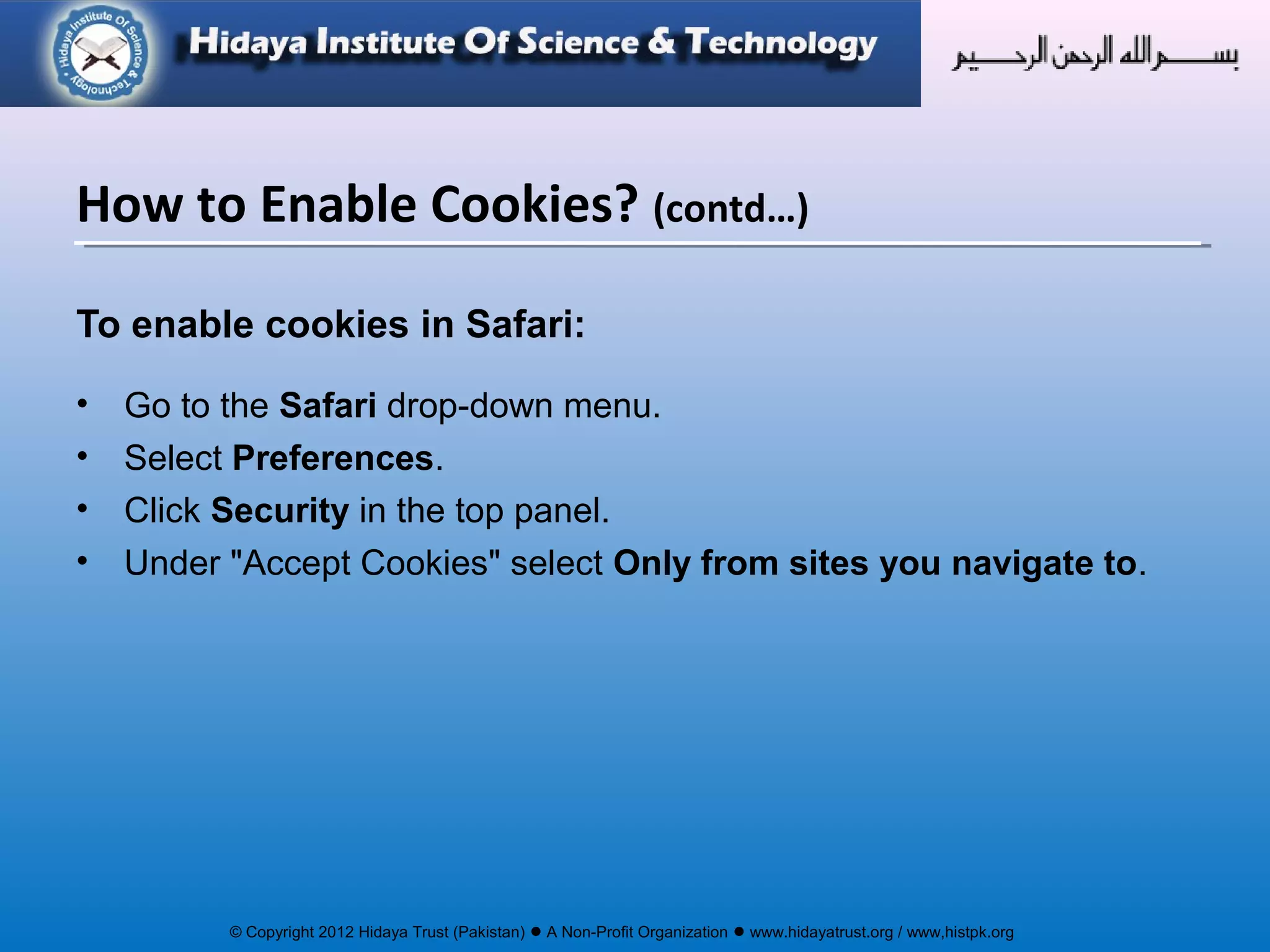
To enable cookies in Safari:
• Go to the Safari drop-down menu.
• Select Preferences.
• Click Security in the top panel.
• Under "Accept Cookies" select Only from sites you navigate to.
How to Enable Cookies? (contd…)
© Copyright 2012 Hidaya Trust (Pakistan) ● A Non-Profit Organization ● www.hidayatrust.org / www,histpk.org
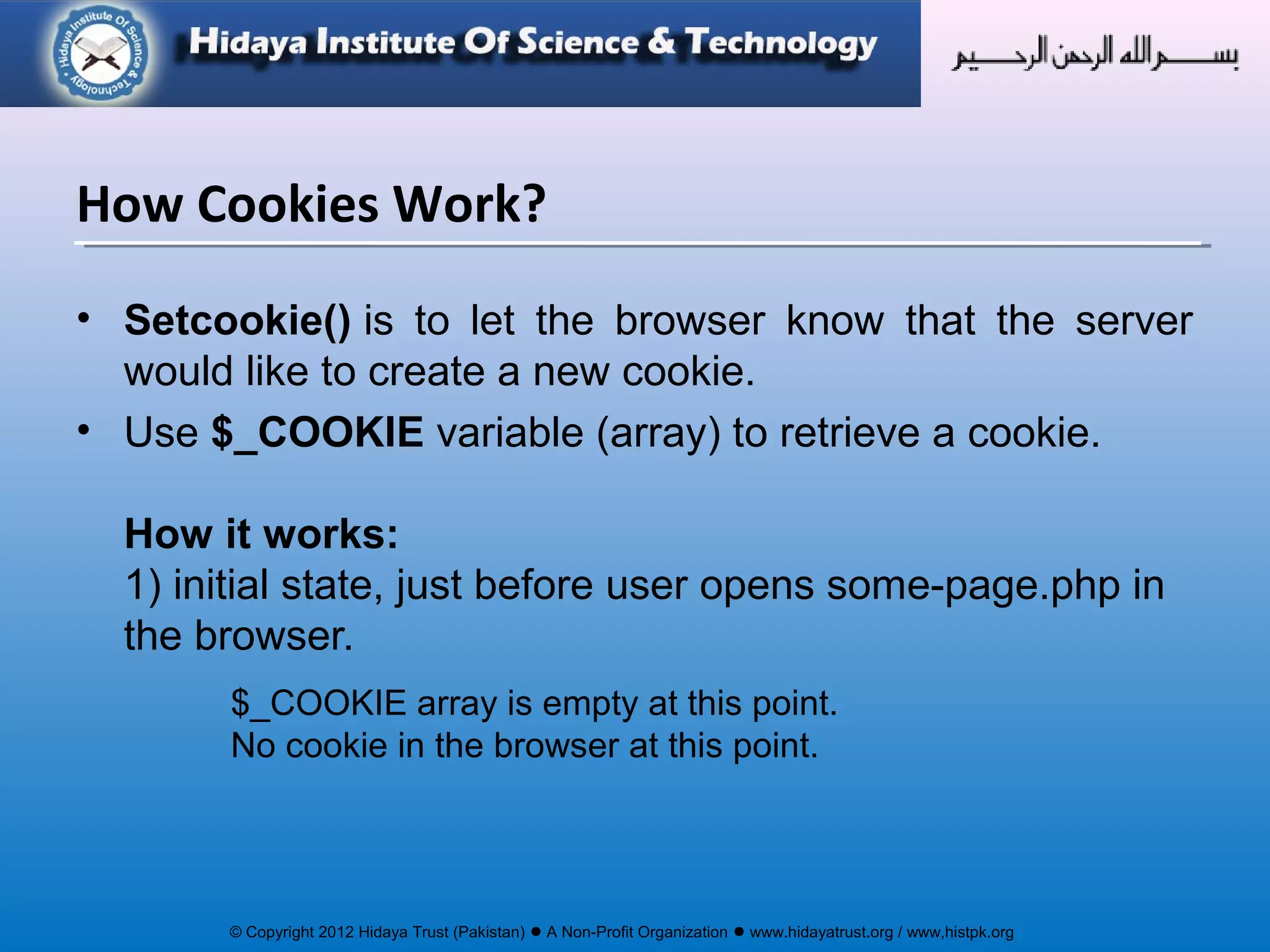
• Setcookie() is to let the browser know that the server
would like to create a new cookie.
• Use $_COOKIE variable (array) to retrieve a cookie.
How it works:
1) initial state, just before user opens some-page.php in
the browser.
$_COOKIE array is empty at this point.
No cookie in the browser at this point.
How Cookies Work?
© Copyright 2012 Hidaya Trust (Pakistan) ● A Non-Profit Organization ● www.hidayatrust.org / www,histpk.org
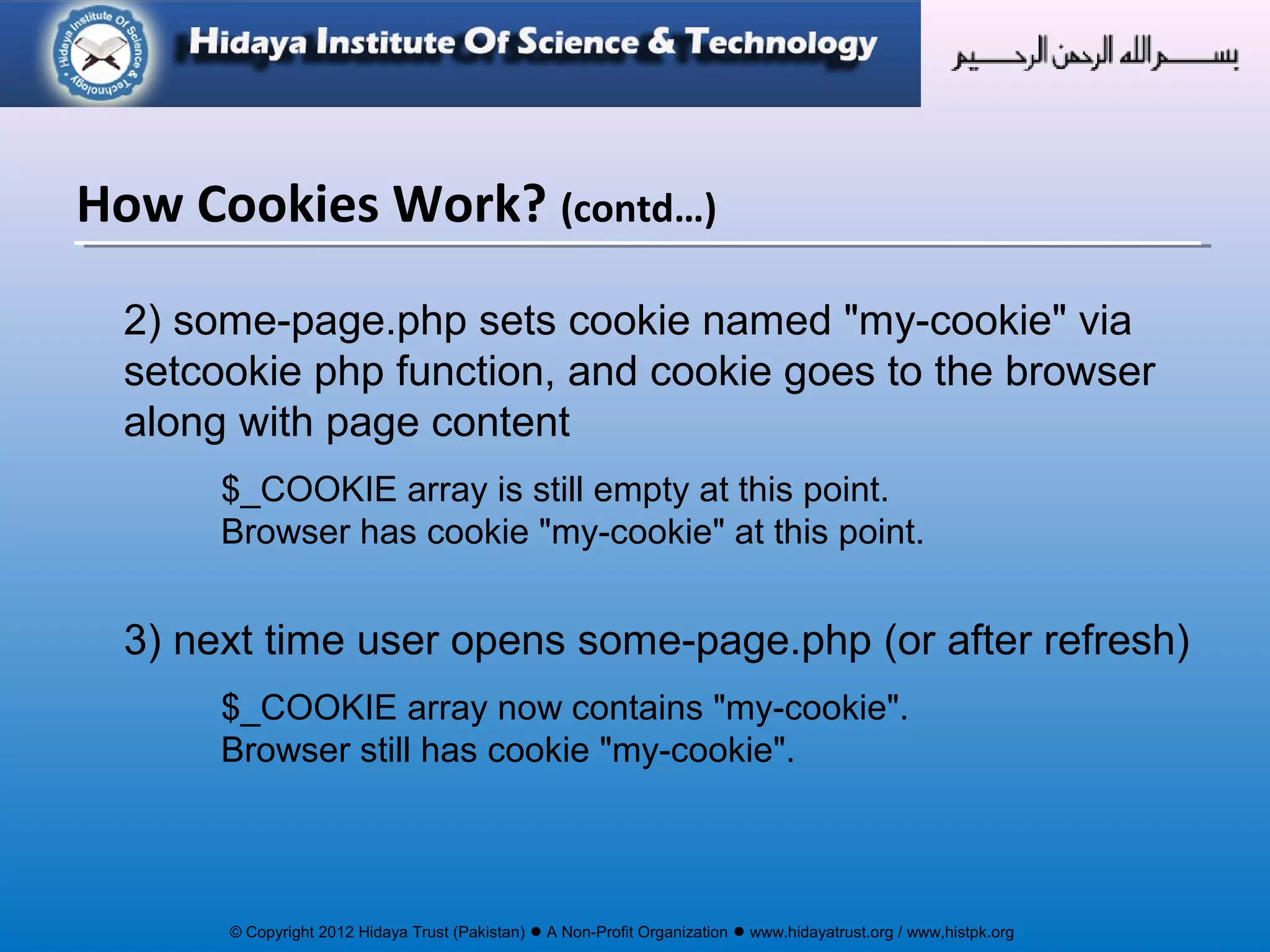
2) some-page.php sets cookie named "my-cookie" via
setcookie php function, and cookie goes to the browser
along with page content
$_COOKIE array is still empty at this point.
Browser has cookie "my-cookie" at this point.
3) next time user opens some-page.php (or after refresh)
$_COOKIE array now contains "my-cookie".
Browser still has cookie "my-cookie".
How Cookies Work? (contd…)
© Copyright 2012 Hidaya Trust (Pakistan) ● A Non-Profit Organization ● www.hidayatrust.org / www,histpk.org
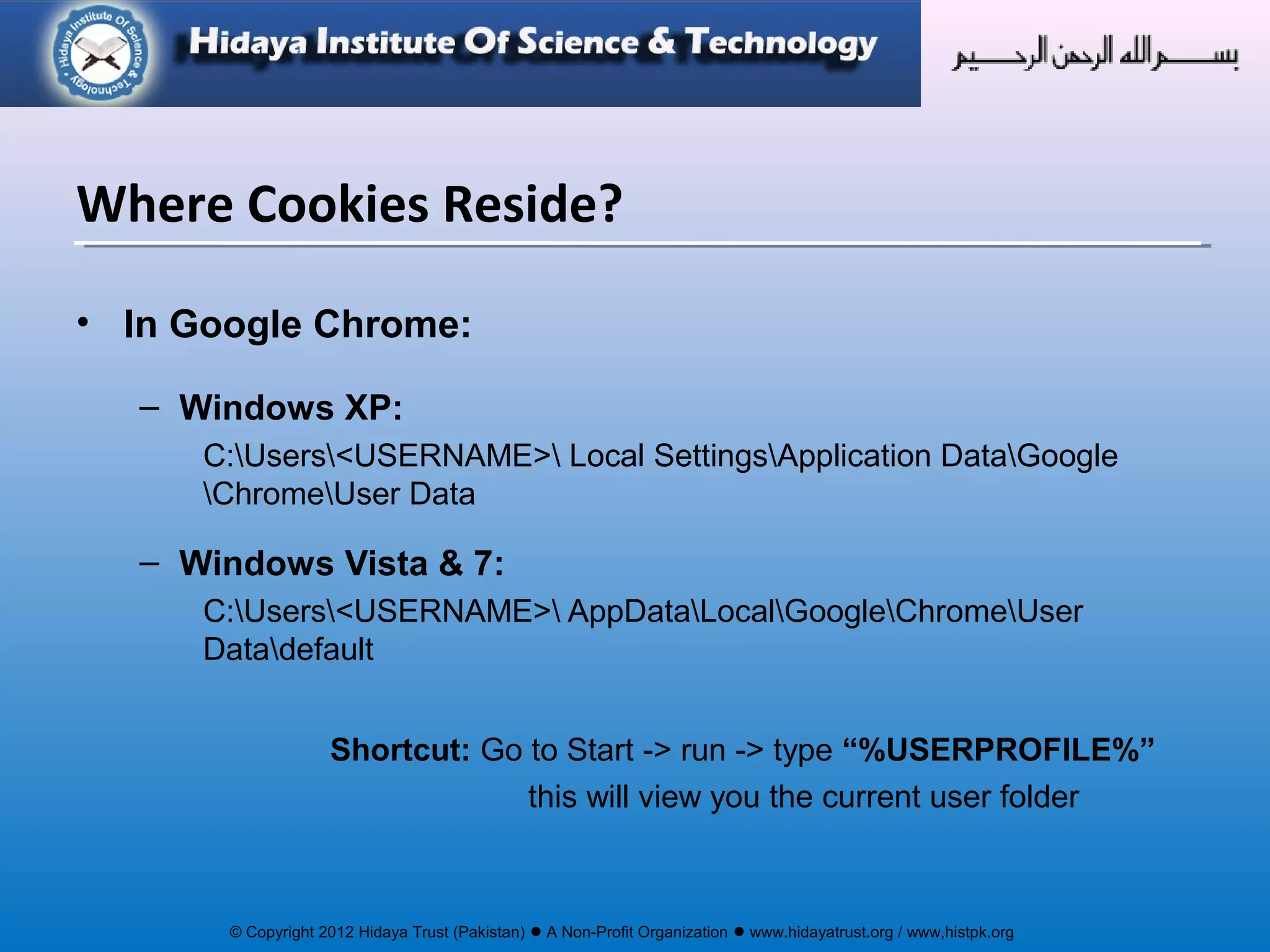
• In Google Chrome:
– Windows XP:
C:Users<USERNAME> Local SettingsApplication DataGoogle
ChromeUser Data
– Windows Vista & 7:
C:Users<USERNAME> AppDataLocalGoogleChromeUser
Datadefault
Shortcut: Go to Start -> run -> type “%USERPROFILE%”
this will view you the current user folder
Where Cookies Reside?
© Copyright 2012 Hidaya Trust (Pakistan) ● A Non-Profit Organization ● www.hidayatrust.org / www,histpk.org
“ The most important thing to remember, when
creating a cookie in PHP, is that you must set all cookies
before you send any data to the browser. This means
that you should always initialise new cookies before any
output. This includes echo() or print() commands, and
the <html> or <body> tags. Of course, there are some
exceptions, but this is a general rule of thumb. ”
Before Setting Cookie
© Copyright 2012 Hidaya Trust (Pakistan) ● A Non-Profit Organization ● www.hidayatrust.org / www,histpk.org
• Session Cookies
• Persistent Cookies
Types of Cookies
© Copyright 2012 Hidaya Trust (Pakistan) ● A Non-Profit Organization ● www.hidayatrust.org / www,histpk.org
Session Cookies
• Session cookie is also called Temporary cookie
• Session cookie is stored only for your current
browsing session, and is deleted from your
computer when you close your browser.
© Copyright 2012 Hidaya Trust (Pakistan) ● A Non-Profit Organization ● www.hidayatrust.org / www,histpk.org
setcookie() function is use to create the cookie
bool setcookie ( string name [, string value])
• name: This argument sets the name of the cookie.
for example setcookie(‘mycookie’, …) will set mycookie and is called
$_COOKIE['mycookie'] at server side.
• value: This will set the value of the cookie. Since this values is
stored on the client browser extra care must be taken that it does
not store some secure information e.g non-encrypted passwords.
The value is accessed by $_COOKIE['mycookie'] at the web server.
• All the attributes are optional, only the first (name) is not optional.
Session Cookies (contd…)
© Copyright 2012 Hidaya Trust (Pakistan) ● A Non-Profit Organization ● www.hidayatrust.org / www,histpk.org
<?php
setcookie(‘username‘,’admin’);
?>
<?php
echo $_COOKIE[‘username’];
?>
Setting and Retrieving Cookies
© Copyright 2012 Hidaya Trust (Pakistan) ● A Non-Profit Organization ● www.hidayatrust.org / www,histpk.org
• Once a cookie has been set for a domain, it becomes available in the special
$_COOKIE associative array, and its value may be accessed using standard array
notation.
<?php
// if cookie present, use it
// else display generic message
if ($_COOKIE['username'])
{
echo "Welcome back, " . $_COOKIE['username'];
}
else
{
echo “You are not signed in";
}
?>
• To check whether your cookies are working correctly, use the statement <?php
print_r($_COOKIE); ?> to look inside PHP’s special $_COOKIE array.
Retrieving Cookie Data
© Copyright 2012 Hidaya Trust (Pakistan) ● A Non-Profit Organization ● www.hidayatrust.org / www,histpk.org
• Only strings can be stored in Cookie files.
• To store an array in a cookie, convert it to a string by using the
serialize() PHP function.
• The array can be reconstructed using the unserialize() function
once it had been read back in.
• Remember cookie size is limited!
NOTE: You really shouldn't use (un)serialize with cookies
without encoding them. An evil user could inject ANY code in
your script.
Use of encoding:
e.g: base64_encode(serialize(cookie_data))
Storing an array..
© Copyright 2012 Hidaya Trust (Pakistan) ● A Non-Profit Organization ● www.hidayatrust.org / www,histpk.org
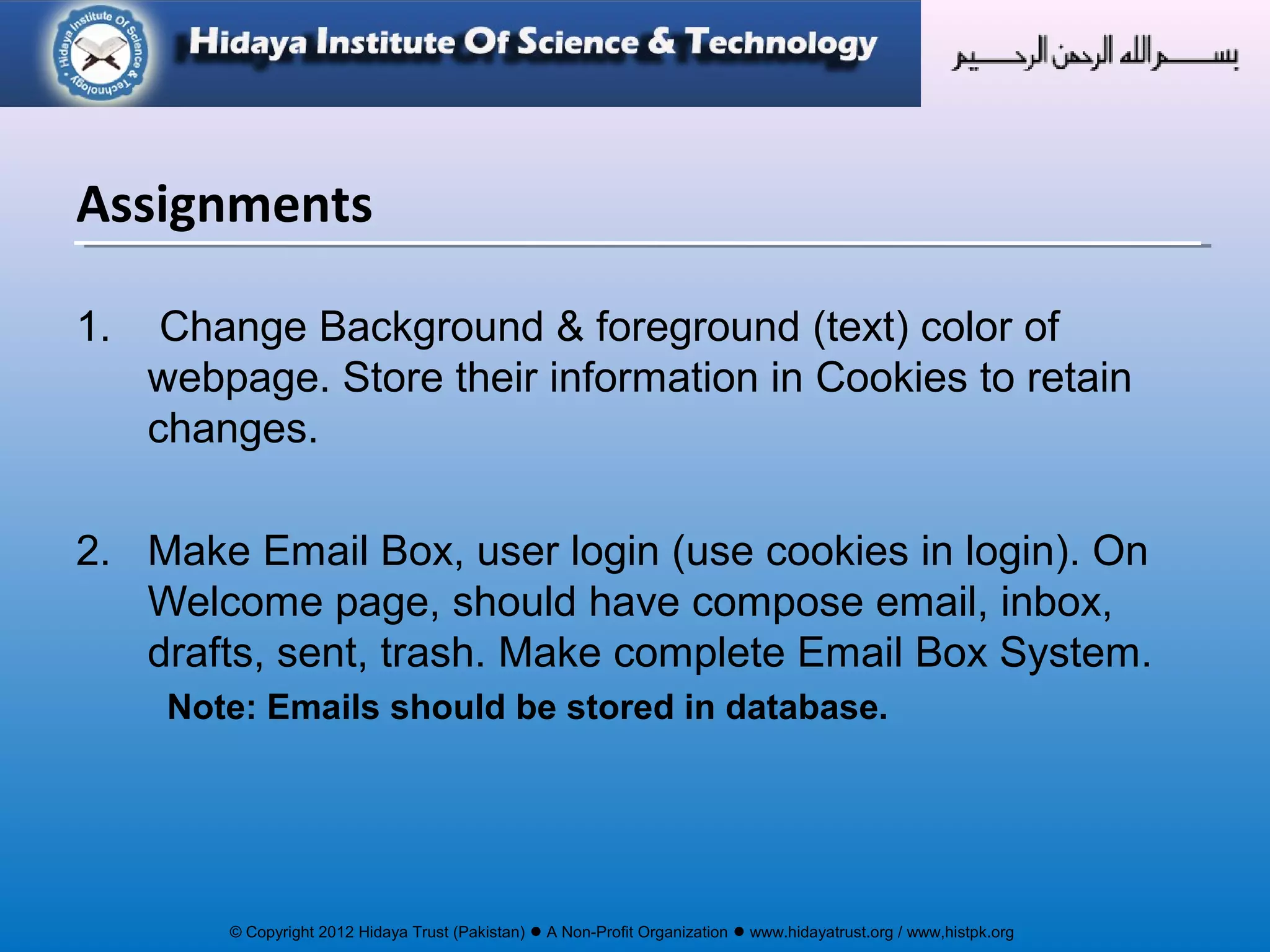
1. Change Background & foreground (text) color of
webpage. Store their information in Cookies to retain
changes.
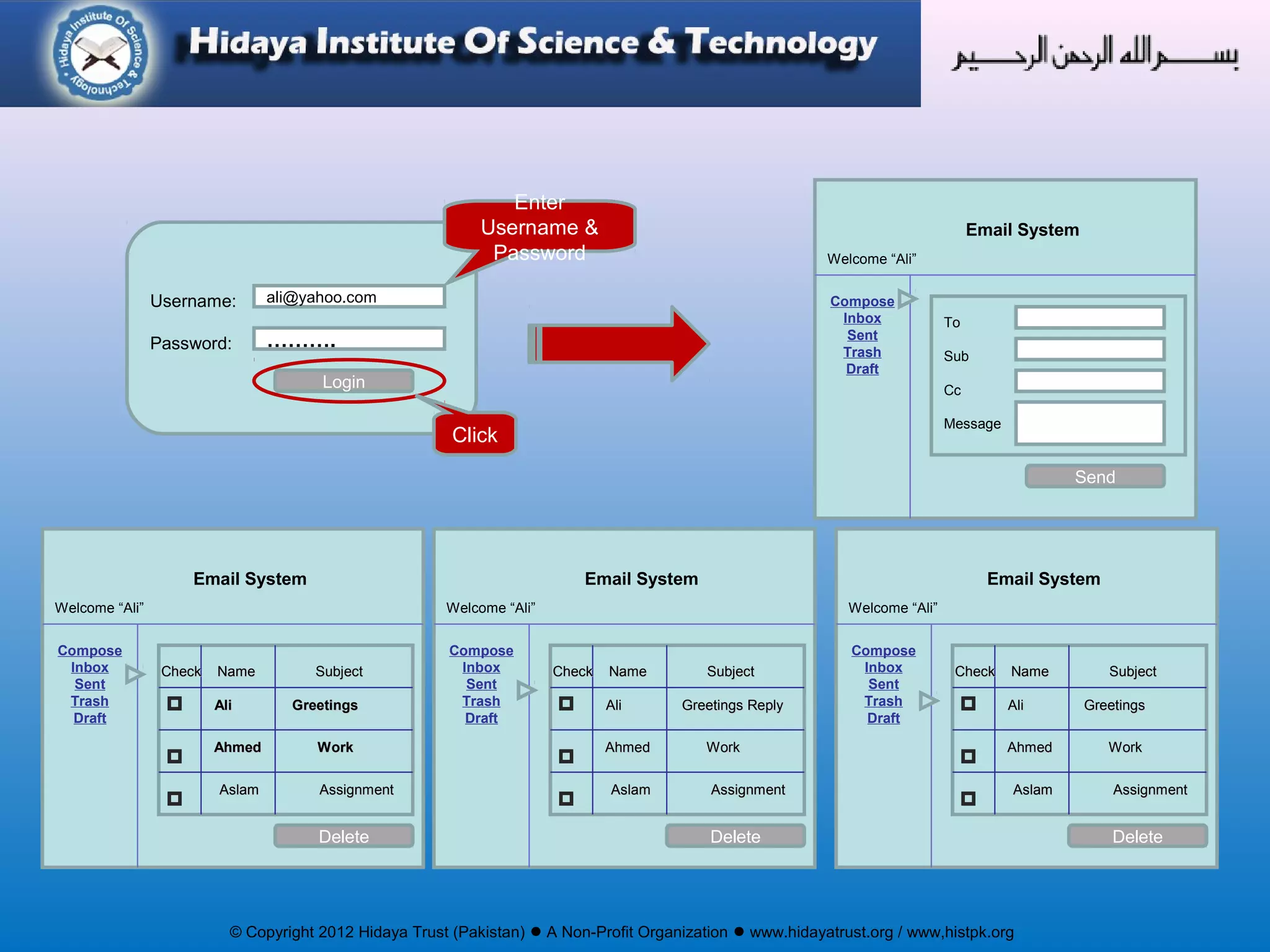
2. Make Email Box, user login (use cookies in login). On
Welcome page, should have compose email, inbox,
drafts, sent, trash. Make complete Email Box System.
Note: Emails should be stored in database.
Assignments
© Copyright 2012 Hidaya Trust (Pakistan) ● A Non-Profit Organization ● www.hidayatrust.org / www,histpk.org
Username:
Password:
ali@yahoo.com
……….
Login
Enter
Username &
Password
Click
Compose
Inbox
Sent
Trash
Draft
Welcome “Ali”
Email System
To
Sub
Cc
Message
Send
Compose
Inbox
Sent
Trash
Draft
Welcome “Ali”
Email System
Check Name SubjectCheck Name Subject
Ali GreetingsAli Greetings
Ahmed WorkAhmed Work
Aslam AssignmentAslam Assignment
Delete
Compose
Inbox
Sent
Trash
Draft
Welcome “Ali”
Email System
Check Name SubjectCheck Name Subject
Ali Greetings ReplyAli Greetings Reply
Ahmed WorkAhmed Work
Aslam AssignmentAslam Assignment
Delete
Compose
Inbox
Sent
Trash
Draft
Welcome “Ali”
Email System
Check Name SubjectCheck Name Subject
Ali GreetingsAli Greetings
Ahmed WorkAhmed Work
Aslam AssignmentAslam Assignment
Delete

Cookies in php lecture 1

  • 1.
    © Copyright 2012Hidaya Trust (Pakistan) ● A Non-Profit Organization ● www.hidayatrust.org / www,histpk.org Hidaya Institute of Science & Technology www.histpk.org A Division of Hidaya Trust, Pakistan
  • 2.
    © Copyright 2012Hidaya Trust (Pakistan) ● A Non-Profit Organization ● www.hidayatrust.org / www,histpk.org COOKIES
  • 3.
    © Copyright 2012Hidaya Trust (Pakistan) ● A Non-Profit Organization ● www.hidayatrust.org / www,histpk.org Did you know? “ Cookies were invented by Netscape, which wanted to use them for creating a shopping cart for an online shop. Thanks to cookies people were able to keep items in their cart, even after disconnecting from the shop. ”
  • 4.
    © Copyright 2012Hidaya Trust (Pakistan) ● A Non-Profit Organization ● www.hidayatrust.org / www,histpk.org • What are Cookies? • What information Cookies Store? • Why Cookies are Needed? • How to Enable Cookies? • How Cookies Work? • Where Cookies Reside? • Types of Cookies • Malicious Cookie Usage Topics To be Covered
  • 5.
    © Copyright 2012Hidaya Trust (Pakistan) ● A Non-Profit Organization ● www.hidayatrust.org / www,histpk.org Lecture# 1
  • 6.
    © Copyright 2012Hidaya Trust (Pakistan) ● A Non-Profit Organization ● www.hidayatrust.org / www,histpk.org • A little piece of data that is stored in a file (format depends on browser) on the user / client machine. • On the request of a webserver, your browser creates such a file (cookie). • Each time the user goes to a webpage this (cookie) information can be requested by the webpage. • The webserver can read and write content from and to this file. What are Cookies?
  • 7.
    © Copyright 2012Hidaya Trust (Pakistan) ● A Non-Profit Organization ● www.hidayatrust.org / www,histpk.org Cookie can hold any information, but usually applications use cookies to store user's specific information (login, encrypted password, last visited date, etc). What information Cookies Store?
  • 8.
    © Copyright 2012Hidaya Trust (Pakistan) ● A Non-Profit Organization ● www.hidayatrust.org / www,histpk.org When dealing with cookies, you should be aware of some ground rules: • Cookies are used to record information about your activities on a particular domain, therefore they can only be read / write by the domain that created them and their subdomains. • According to the HTTP protocol, cookies can’t be larger than 4096 Bytes (4KB) each. • Usually, A maximum of 20 cookies can be stored on a user’s PC / Client per domain, but may differ on different browser. • Usually total number of cookies on the client’s harddrive is limited to around 300 cookies. This may also differ per browser.
  • 9.
    © Copyright 2012Hidaya Trust (Pakistan) ● A Non-Profit Organization ● www.hidayatrust.org / www,histpk.org • Cookies are typically needed to bypass the stateless nature of the HTTP protocol, by using the client’s disk as a storage area for permanent data. • However, they’re dependent on the client browser being configured to accept cookies. Why Cookies are Needed?
  • 10.
    © Copyright 2012Hidaya Trust (Pakistan) ● A Non-Profit Organization ● www.hidayatrust.org / www,histpk.org To enable cookies in Chrome: •Click the wrench icon. •Select Settings. •Click Show advanced settings. •Click Content settings in the "Privacy" section. •Select Allow local data to be set to allow both first-party and third- party cookies. If you only want to accept first-party cookies, check the box next to "Block all third-party cookies without exception." How to Enable Cookies?
  • 11.
    © Copyright 2012Hidaya Trust (Pakistan) ● A Non-Profit Organization ● www.hidayatrust.org / www,histpk.org To enable cookies in Mozilla Firefox 3.x for Windows: • Click Tools > Options. • Click Privacy in the top panel. • Set "Firefox will:" to Use custom settings for history. • Check the box next to "Accept cookies from sites" to enable cookies. • Click OK. How to Enable Cookies? (contd…)
  • 12.
    © Copyright 2012Hidaya Trust (Pakistan) ● A Non-Profit Organization ● www.hidayatrust.org / www,histpk.org To enable cookies in Mozilla Firefox 2.x for Windows: • Click Tools > Options. • Click Privacy in the top panel. • Select the checkbox labeled "Accept cookies from sites." • Click OK. How to Enable Cookies? (contd…)
  • 13.
    © Copyright 2012Hidaya Trust (Pakistan) ● A Non-Profit Organization ● www.hidayatrust.org / www,histpk.org To enable cookies in Internet Explorer 7 or 8: • Click Start > Control Panel. (With Windows XP Classic View, click the Windows Start button >Settings > Control Panel). • Double-click the Internet Options icon. • Select the Privacy tab and Click Advanced. • Select "Override automatic cookie handling" under the "Cookies" section in the Advanced Privacy Settings window. • Select the "Accept" or "Prompt" option under "First-party Cookies." • Select the "Accept" or "Prompt" option under "Third-party Cookies." (If you select the "Prompt" option, you'll be asked for approval every time a website attempts to send you a cookie.) • In the Internet Options window, click OK to exit. How to Enable Cookies? (contd…)
  • 14.
    © Copyright 2012Hidaya Trust (Pakistan) ● A Non-Profit Organization ● www.hidayatrust.org / www,histpk.org To enable cookies in Internet Explorer 6: • Click Start > Control Panel. (With Windows XP Classic View, click the Windows Start button >Settings > Control Panel). • Click Advanced. • Select "Override Automatic Cookie Handling." • Select the "Accept" or "Prompt" option under "First-party Cookies." • Select the "Accept" or "Prompt" option under "Third-party Cookies." (If you select the "Prompt" option, you'll be asked for approval every time a website attempts to send you a cookie.) • In the Internet Options window, click OK to exit. How to Enable Cookies? (contd…)
  • 15.
    © Copyright 2012Hidaya Trust (Pakistan) ● A Non-Profit Organization ● www.hidayatrust.org / www,histpk.org To enable cookies in Safari: • Go to the Safari drop-down menu. • Select Preferences. • Click Security in the top panel. • Under "Accept Cookies" select Only from sites you navigate to. How to Enable Cookies? (contd…)
  • 16.
    © Copyright 2012Hidaya Trust (Pakistan) ● A Non-Profit Organization ● www.hidayatrust.org / www,histpk.org • Setcookie() is to let the browser know that the server would like to create a new cookie. • Use $_COOKIE variable (array) to retrieve a cookie. How it works: 1) initial state, just before user opens some-page.php in the browser. $_COOKIE array is empty at this point. No cookie in the browser at this point. How Cookies Work?
  • 17.
    © Copyright 2012Hidaya Trust (Pakistan) ● A Non-Profit Organization ● www.hidayatrust.org / www,histpk.org 2) some-page.php sets cookie named "my-cookie" via setcookie php function, and cookie goes to the browser along with page content $_COOKIE array is still empty at this point. Browser has cookie "my-cookie" at this point. 3) next time user opens some-page.php (or after refresh) $_COOKIE array now contains "my-cookie". Browser still has cookie "my-cookie". How Cookies Work? (contd…)
  • 18.
    © Copyright 2012Hidaya Trust (Pakistan) ● A Non-Profit Organization ● www.hidayatrust.org / www,histpk.org • In Google Chrome: – Windows XP: C:Users<USERNAME> Local SettingsApplication DataGoogle ChromeUser Data – Windows Vista & 7: C:Users<USERNAME> AppDataLocalGoogleChromeUser Datadefault Shortcut: Go to Start -> run -> type “%USERPROFILE%” this will view you the current user folder Where Cookies Reside?
  • 19.
    © Copyright 2012Hidaya Trust (Pakistan) ● A Non-Profit Organization ● www.hidayatrust.org / www,histpk.org “ The most important thing to remember, when creating a cookie in PHP, is that you must set all cookies before you send any data to the browser. This means that you should always initialise new cookies before any output. This includes echo() or print() commands, and the <html> or <body> tags. Of course, there are some exceptions, but this is a general rule of thumb. ” Before Setting Cookie
  • 20.
    © Copyright 2012Hidaya Trust (Pakistan) ● A Non-Profit Organization ● www.hidayatrust.org / www,histpk.org • Session Cookies • Persistent Cookies Types of Cookies
  • 21.
    © Copyright 2012Hidaya Trust (Pakistan) ● A Non-Profit Organization ● www.hidayatrust.org / www,histpk.org Session Cookies • Session cookie is also called Temporary cookie • Session cookie is stored only for your current browsing session, and is deleted from your computer when you close your browser.
  • 22.
    © Copyright 2012Hidaya Trust (Pakistan) ● A Non-Profit Organization ● www.hidayatrust.org / www,histpk.org setcookie() function is use to create the cookie bool setcookie ( string name [, string value]) • name: This argument sets the name of the cookie. for example setcookie(‘mycookie’, …) will set mycookie and is called $_COOKIE['mycookie'] at server side. • value: This will set the value of the cookie. Since this values is stored on the client browser extra care must be taken that it does not store some secure information e.g non-encrypted passwords. The value is accessed by $_COOKIE['mycookie'] at the web server. • All the attributes are optional, only the first (name) is not optional. Session Cookies (contd…)
  • 23.
    © Copyright 2012Hidaya Trust (Pakistan) ● A Non-Profit Organization ● www.hidayatrust.org / www,histpk.org <?php setcookie(‘username‘,’admin’); ?> <?php echo $_COOKIE[‘username’]; ?> Setting and Retrieving Cookies
  • 24.
    © Copyright 2012Hidaya Trust (Pakistan) ● A Non-Profit Organization ● www.hidayatrust.org / www,histpk.org • Once a cookie has been set for a domain, it becomes available in the special $_COOKIE associative array, and its value may be accessed using standard array notation. <?php // if cookie present, use it // else display generic message if ($_COOKIE['username']) { echo "Welcome back, " . $_COOKIE['username']; } else { echo “You are not signed in"; } ?> • To check whether your cookies are working correctly, use the statement <?php print_r($_COOKIE); ?> to look inside PHP’s special $_COOKIE array. Retrieving Cookie Data
  • 25.
    © Copyright 2012Hidaya Trust (Pakistan) ● A Non-Profit Organization ● www.hidayatrust.org / www,histpk.org • Only strings can be stored in Cookie files. • To store an array in a cookie, convert it to a string by using the serialize() PHP function. • The array can be reconstructed using the unserialize() function once it had been read back in. • Remember cookie size is limited! NOTE: You really shouldn't use (un)serialize with cookies without encoding them. An evil user could inject ANY code in your script. Use of encoding: e.g: base64_encode(serialize(cookie_data)) Storing an array..
  • 26.
    © Copyright 2012Hidaya Trust (Pakistan) ● A Non-Profit Organization ● www.hidayatrust.org / www,histpk.org 1. Change Background & foreground (text) color of webpage. Store their information in Cookies to retain changes. 2. Make Email Box, user login (use cookies in login). On Welcome page, should have compose email, inbox, drafts, sent, trash. Make complete Email Box System. Note: Emails should be stored in database. Assignments
  • 27.
    © Copyright 2012Hidaya Trust (Pakistan) ● A Non-Profit Organization ● www.hidayatrust.org / www,histpk.org Username: Password: ali@yahoo.com ………. Login Enter Username & Password Click Compose Inbox Sent Trash Draft Welcome “Ali” Email System To Sub Cc Message Send Compose Inbox Sent Trash Draft Welcome “Ali” Email System Check Name SubjectCheck Name Subject Ali GreetingsAli Greetings Ahmed WorkAhmed Work Aslam AssignmentAslam Assignment Delete Compose Inbox Sent Trash Draft Welcome “Ali” Email System Check Name SubjectCheck Name Subject Ali Greetings ReplyAli Greetings Reply Ahmed WorkAhmed Work Aslam AssignmentAslam Assignment Delete Compose Inbox Sent Trash Draft Welcome “Ali” Email System Check Name SubjectCheck Name Subject Ali GreetingsAli Greetings Ahmed WorkAhmed Work Aslam AssignmentAslam Assignment Delete