


Conversion Rate
Optimization
May 14th
, 2013
Paul Ryazanov
Director of business development
Promodo Inc.
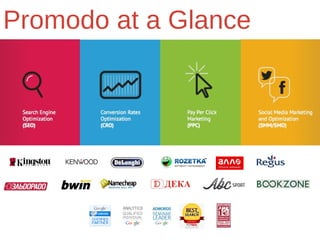
Promodo at a Glance
Why it is Important
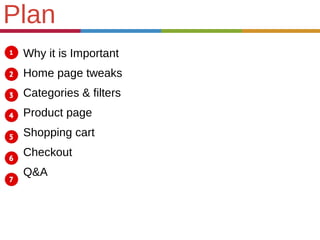
Home page tweaks
Categories & filters
Product page
Shopping cart
Checkout
Q&A
Plan
Why it is Important
One simple change which takesOne simple change which takes
only few minutes to apply mightonly few minutes to apply might
significantly improve yoursignificantly improve your
conversions up to 100% andconversions up to 100% and
more.more.
Home page
6
5
4
3
2
1
6
5
4
3
2
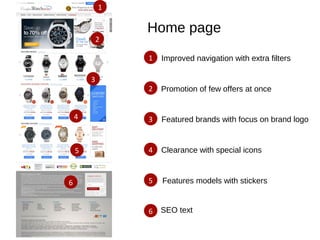
1 Improved navigation with extra filters
Promotion of few offers at once
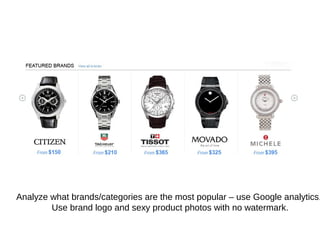
Featured brands with focus on brand logo
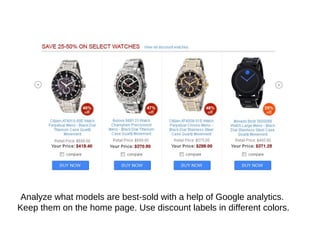
Clearance with special icons
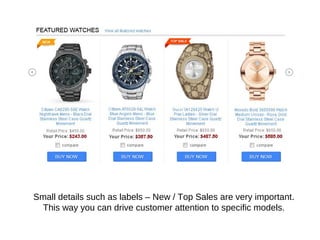
Features models with stickers
SEO text
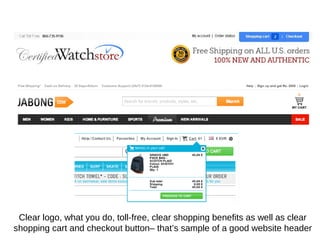
Clear logo, what you do, toll-free, clear shopping benefits as well as clear
shopping cart and checkout button– that’s sample of a good website header
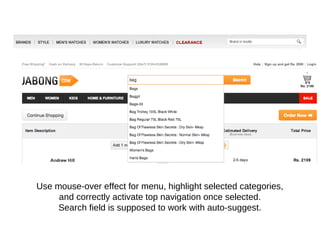
Use mouse-over effect for menu, highlight selected categories,
and correctly activate top navigation once selected.
Search field is supposed to work with auto-suggest.
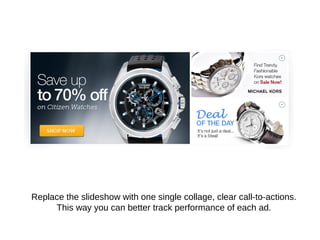
Replace the slideshow with one single collage, clear call-to-actions.
This way you can better track performance of each ad.
Analyze what brands/categories are the most popular – use Google analytics.
Use brand logo and sexy product photos with no watermark.
Analyze what models are best-sold with a help of Google analytics.
Keep them on the home page. Use discount labels in different colors.
Small details such as labels – New / Top Sales are very important.
This way you can drive customer attention to specific models.
You can collect the most frequently
asked questions from your support
and reply to those questions in a
very professional way.
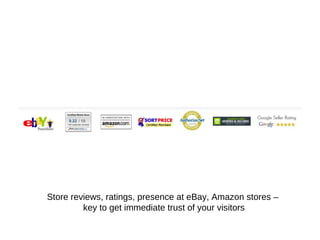
Store reviews, ratings, presence at eBay, Amazon stores –
key to get immediate trust of your visitors
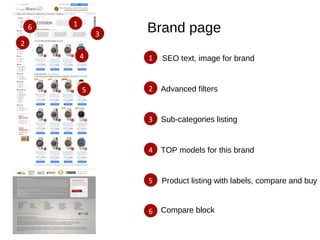
Brand page6
5
4
3
2
1
6
5
4
3
2
1 SEO text, image for brand
Advanced filters
Sub-categories listing
TOP models for this brand
Product listing with labels, compare and buy
Compare block
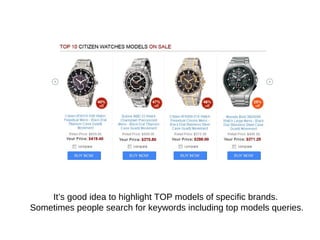
It’s good idea to highlight TOP models of specific brands.
Sometimes people search for keywords including top models queries.
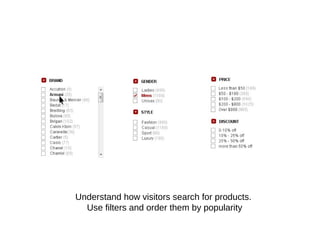
Understand how visitors search for products.
Use filters and order them by popularity
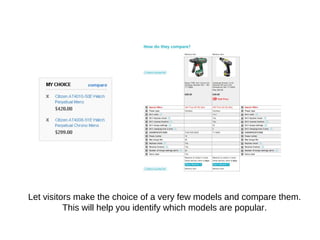
Let visitors make the choice of a very few models and compare them.
This will help you identify which models are popular.
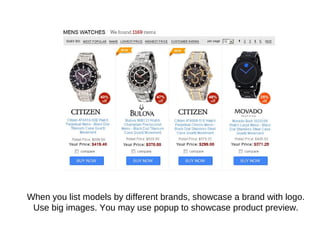
When you list models by different brands, showcase a brand with logo.
Use big images. You may use popup to showcase product preview.
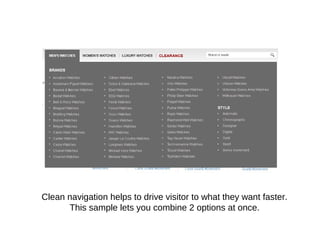
Clean navigation helps to drive visitor to what they want faster.
This sample lets you combine 2 options at once.
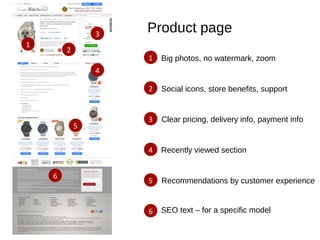
Product page
6
5
4
3
2
1
6
5
4
3
2
1 Big photos, no watermark, zoom
Social icons, store benefits, support
Clear pricing, delivery info, payment info
Recently viewed section
Recommendations by customer experience
SEO text – for a specific model
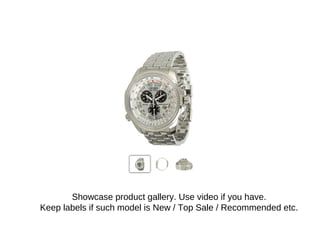
Showcase product gallery. Use video if you have.
Keep labels if such model is New / Top Sale / Recommended etc.
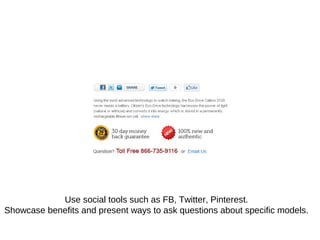
Use social tools such as FB, Twitter, Pinterest.
Showcase benefits and present ways to ask questions about specific models.
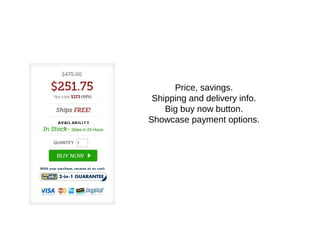
Price, savings.
Shipping and delivery info.
Big buy now button.
Showcase payment options.
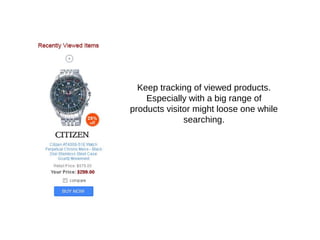
Keep tracking of viewed products.
Especially with a big range of
products visitor might loose one while
searching.
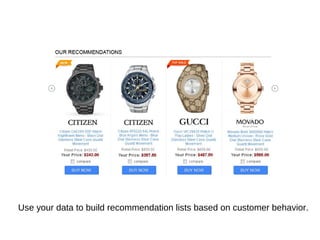
Use your data to build recommendation lists based on customer behavior.
Cart page
2
1
2
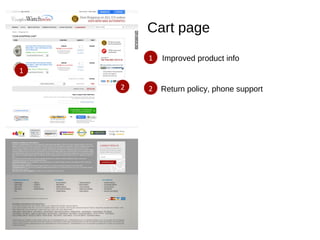
1 Improved product info
Return policy, phone support
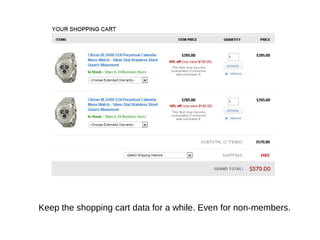
Keep the shopping cart data for a while. Even for non-members.
Final list of benefits.
Final info about delivery.
Phone number for support.
Information about security.
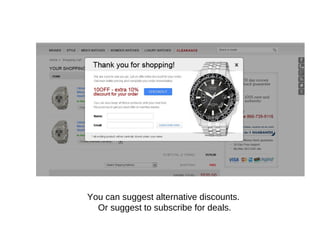
You can suggest alternative discounts.
Or suggest to subscribe for deals.
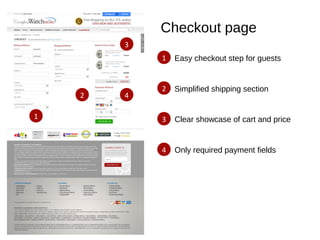
Checkout page
4
3
2
1
4
3
2
1
Easy checkout step for guests
Simplified shipping section
Clear showcase of cart and price
Only required payment fields
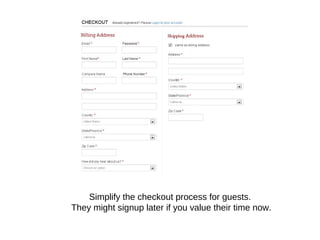
Simplify the checkout process for guests.
They might signup later if you value their time now.
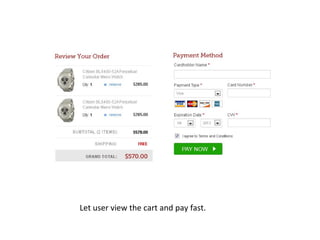
Let user view the cart and pay fast.
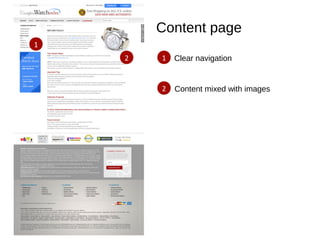
Content page
2
12
1
Clear navigation
Content mixed with images
What Next?What Next?
In God we trust.In God we trust.
Everything else we test.Everything else we test.
Free SEO and CRO audit
We would like to invite all you to take a free 10-15 minutes
personalised webinar for a quick audit of your website and
marketing campaigns by Google certified experts.
- Quick usability audit of the existing site;
- Quick SEO audit and review of existing analytics;
- Audit of PPC campaigns;
- Technical audit;
- Best practices of conversion rate optimization.
Reach out:
contact@promodo.com
Thank you!
Paul Ryazanov
Director of business development
at Promodo
e-mail: p.ryazanov@promodo.com
Skype: pavel.ryazanov
www.promodo.com

Conversion Rate Optimization

  • 1.
    Conversion Rate Optimization May 14th ,2013 Paul Ryazanov Director of business development Promodo Inc.
  • 2.
  • 3.
    Why it isImportant Home page tweaks Categories & filters Product page Shopping cart Checkout Q&A Plan
  • 4.
    Why it isImportant One simple change which takesOne simple change which takes only few minutes to apply mightonly few minutes to apply might significantly improve yoursignificantly improve your conversions up to 100% andconversions up to 100% and more.more.
  • 5.
    Home page 6 5 4 3 2 1 6 5 4 3 2 1 Improvednavigation with extra filters Promotion of few offers at once Featured brands with focus on brand logo Clearance with special icons Features models with stickers SEO text
  • 6.
    Clear logo, whatyou do, toll-free, clear shopping benefits as well as clear shopping cart and checkout button– that’s sample of a good website header
  • 7.
    Use mouse-over effectfor menu, highlight selected categories, and correctly activate top navigation once selected. Search field is supposed to work with auto-suggest.
  • 8.
    Replace the slideshowwith one single collage, clear call-to-actions. This way you can better track performance of each ad.
  • 9.
    Analyze what brands/categoriesare the most popular – use Google analytics. Use brand logo and sexy product photos with no watermark.
  • 10.
    Analyze what modelsare best-sold with a help of Google analytics. Keep them on the home page. Use discount labels in different colors.
  • 11.
    Small details suchas labels – New / Top Sales are very important. This way you can drive customer attention to specific models.
  • 12.
    You can collectthe most frequently asked questions from your support and reply to those questions in a very professional way.
  • 13.
    Store reviews, ratings,presence at eBay, Amazon stores – key to get immediate trust of your visitors
  • 14.
    Brand page6 5 4 3 2 1 6 5 4 3 2 1 SEOtext, image for brand Advanced filters Sub-categories listing TOP models for this brand Product listing with labels, compare and buy Compare block
  • 15.
    It’s good ideato highlight TOP models of specific brands. Sometimes people search for keywords including top models queries.
  • 16.
    Understand how visitorssearch for products. Use filters and order them by popularity
  • 17.
    Let visitors makethe choice of a very few models and compare them. This will help you identify which models are popular.
  • 18.
    When you listmodels by different brands, showcase a brand with logo. Use big images. You may use popup to showcase product preview.
  • 19.
    Clean navigation helpsto drive visitor to what they want faster. This sample lets you combine 2 options at once.
  • 20.
    Product page 6 5 4 3 2 1 6 5 4 3 2 1 Bigphotos, no watermark, zoom Social icons, store benefits, support Clear pricing, delivery info, payment info Recently viewed section Recommendations by customer experience SEO text – for a specific model
  • 21.
    Showcase product gallery.Use video if you have. Keep labels if such model is New / Top Sale / Recommended etc.
  • 22.
    Use social toolssuch as FB, Twitter, Pinterest. Showcase benefits and present ways to ask questions about specific models.
  • 23.
    Price, savings. Shipping anddelivery info. Big buy now button. Showcase payment options.
  • 24.
    Keep tracking ofviewed products. Especially with a big range of products visitor might loose one while searching.
  • 25.
    Use your datato build recommendation lists based on customer behavior.
  • 26.
    Cart page 2 1 2 1 Improvedproduct info Return policy, phone support
  • 27.
    Keep the shoppingcart data for a while. Even for non-members.
  • 28.
    Final list ofbenefits. Final info about delivery. Phone number for support. Information about security.
  • 29.
    You can suggestalternative discounts. Or suggest to subscribe for deals.
  • 30.
    Checkout page 4 3 2 1 4 3 2 1 Easy checkoutstep for guests Simplified shipping section Clear showcase of cart and price Only required payment fields
  • 31.
    Simplify the checkoutprocess for guests. They might signup later if you value their time now.
  • 32.
    Let user viewthe cart and pay fast.
  • 33.
  • 34.
    What Next?What Next? InGod we trust.In God we trust. Everything else we test.Everything else we test.
  • 35.
    Free SEO andCRO audit We would like to invite all you to take a free 10-15 minutes personalised webinar for a quick audit of your website and marketing campaigns by Google certified experts. - Quick usability audit of the existing site; - Quick SEO audit and review of existing analytics; - Audit of PPC campaigns; - Technical audit; - Best practices of conversion rate optimization. Reach out: contact@promodo.com
  • 36.
    Thank you! Paul Ryazanov Directorof business development at Promodo e-mail: p.ryazanov@promodo.com Skype: pavel.ryazanov www.promodo.com

Editor's Notes

  • #7 Please develop the feature order status so I can use the secure order # to get status of the order without required login
  • #10 For development – let admin set specific brands as most popular – use the scroll left-right but make sure that these specific brands appear on the page. Link both images, logos and “from” text to product listing of specific brand. View all brands link – open page where all brands are listed using similar design – just multiply rows per page. Brands marked as featured will be first on that brand listing page.
  • #11 For developers – this section will contain discounted watches that marked by admin as selected for the home page. View all discount watches link goes to Clearance listing. Compare checkbox will select / add watch to compare listing (see product listing page). Note for all products that present in compare list this checkout needs to be checked by default on all pages. Uncheck of the checkbox – will remove the item from the compare list.
  • #12 For developers – this section will contain most featured watches – to select watches use Google analytics or shopping cart stats – they will be marked by admin as selected for the home page. Also such section will have watches that generate more profit for business owner. Note there is labels like New, Top sale, Recommended etc – you may consider to have other labels in the future. View all features watches link goes to Featured listing. Compare checkbox will select / add watch to compare listing (see product listing page). Note for all products that present in compare list this checkout needs to be checked by default on all pages. Uncheck of the checkbox – will remove the item from the compare list.
  • #13 For developers – please link this banner to the shipping / return policy page
  • #14 For developers – please link this banner to the shipping / return policy page
  • #16 For developers – we recommend to keep alternative count of featured watches- so it may be 10, 20 top watches etc. Text “top 10 name-of-brand watches” will link to special page where all these models appear on one page.
  • #17 for developers – please keep these filters in the correct order – checkbox for the filters will refresh the page with proper results. When multiply brands selected – we show case the product listing with brand logos under product photo. Click on the brand name will link to brand page. Click on pricing link will showcase combination of brand + price value Click on gender link will showcase combination of brand + gender Click on style link will showcase combination of brand + style Note that we need to prepare such pages so we can have static URL for combination of 2 criteria's. Ex.: certifiedwatchstore.com/bulova-men/ or certifiedwatchstore.com/bulova-business/ In case customer used checkboxes and selected multiply of them – we just filter products accordingly. We don’t need to have a link. Also please note about mouse-over, and selected styles for filters.
  • #18 Please for every customer session start tracking of his activity. You can set a cookie and then collect the data what this anonymus client did on the site. What brand he clicks on, what watches, what he compared – what he put to the card. This will help with future marketing efforts.
  • #20 In case I click men’s watches – all mens wathces will be so we showcase brand logo. If I selected specific brand – we don’t show brand logos. If we select mens + style - we show brand logo. We have to revise filters and mark selected.
  • #25 Remembers that all products viewed by person will be stored in our data. Once client leave email or make purchase – that stats will help to generate recommendations.
  • #26 Recommended watches will be list of watches of similar models from the same brand, similar style as product page. We can then order from selected watches – the one that he browsed last time – so history data might be used here.
  • #30 When customer added something to the cart – before he leaves the page without completion of checkout – ask them that we can store these products on file for him. In case you get his email – we can automatically associate all past history with this email / name.
  • #32 Please make sure that details will be pre-filled in case customer signed in. in case I’m guest – keep the data I’m writing – once you have my email – associate all past history with this address. In case I went to listings again – make sure we remember the data and keep form filled in. By default shipping address is same as billing to keep checkout – checked.
  • #35 More than 61% of retailers doing less than 5 tests a month