Davide Benvegnù
Microsoft MVP Visual Studio ALM
CI: a real win-win for developers
aka
CI and CD in the Enterprise Scenario
Davide Benvegnù
• Director & CTO – DBTek Ltd
• Former International Development Manager – Aruba.it
• Microsoft MVP in Visual Studio ALM
• Speaker
• Trainer
• 14+ years experience in IT
• 11+ years experience in ALM/ DevOps
@davidebenvegnu – www.dbtek.com.hk – davide@dbtek.com.hk
@bout Me
• CI and CD: what and how?
• Visual Studio Team Services
• Demo: GitHub
• Demo: CI + CD (slot swap)
• Demo: CI + CD (multilayer)
Agenda
Continuous Integration
and
Continuous Deployment
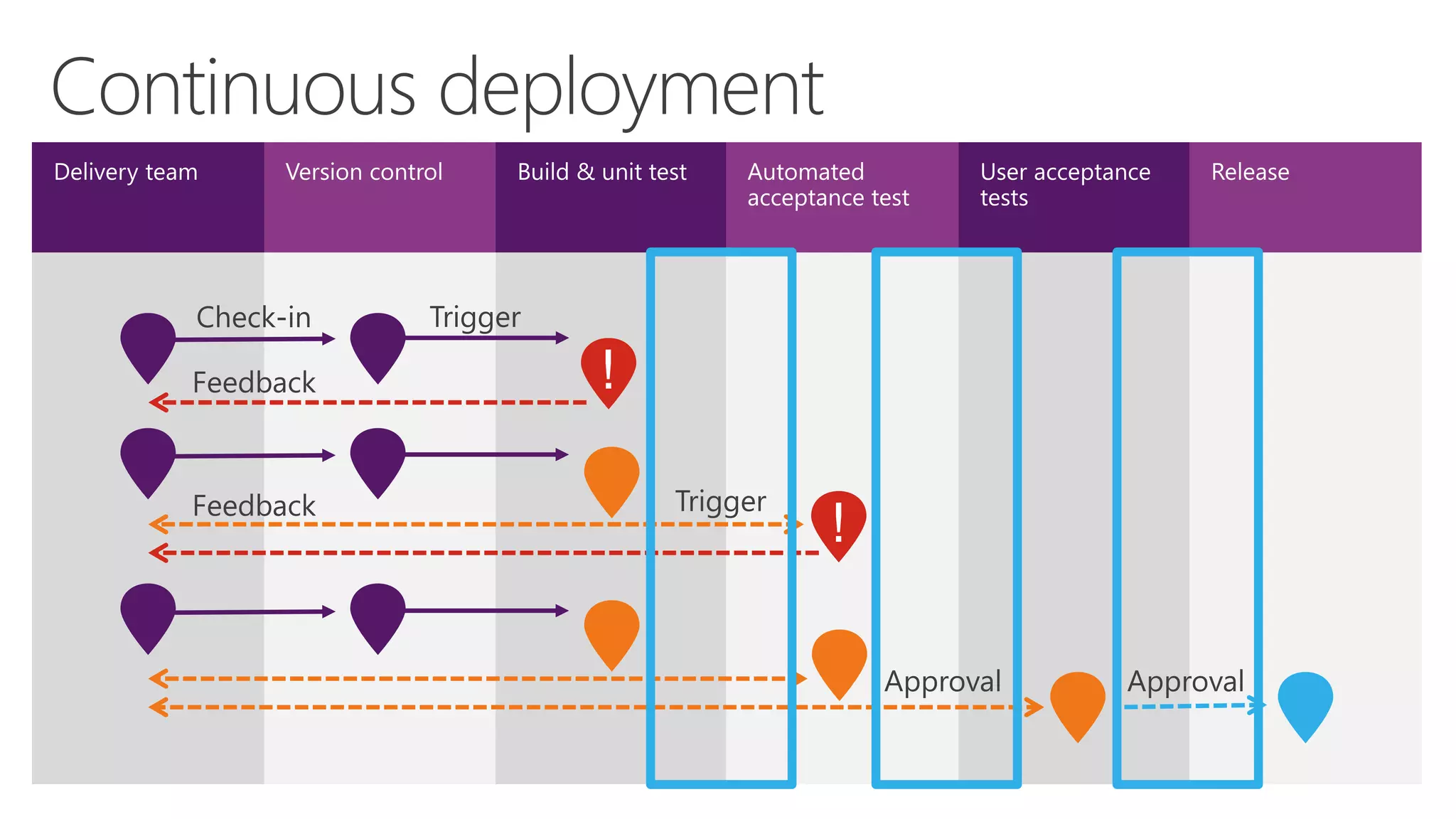
Every* check-in starts a build operation
It’s the starting point of a release pipeline
Best way to check the code integration
Validation of the changes
Continuous Integration
After the build succeeds, automated deploy
Use deployment templates to deploy your projects to
on premises, hybrid, or cloud
Can deploy to single environment or to multiple
environments (dev, int, test, preprod, prod…)
Continuous Deployment
n
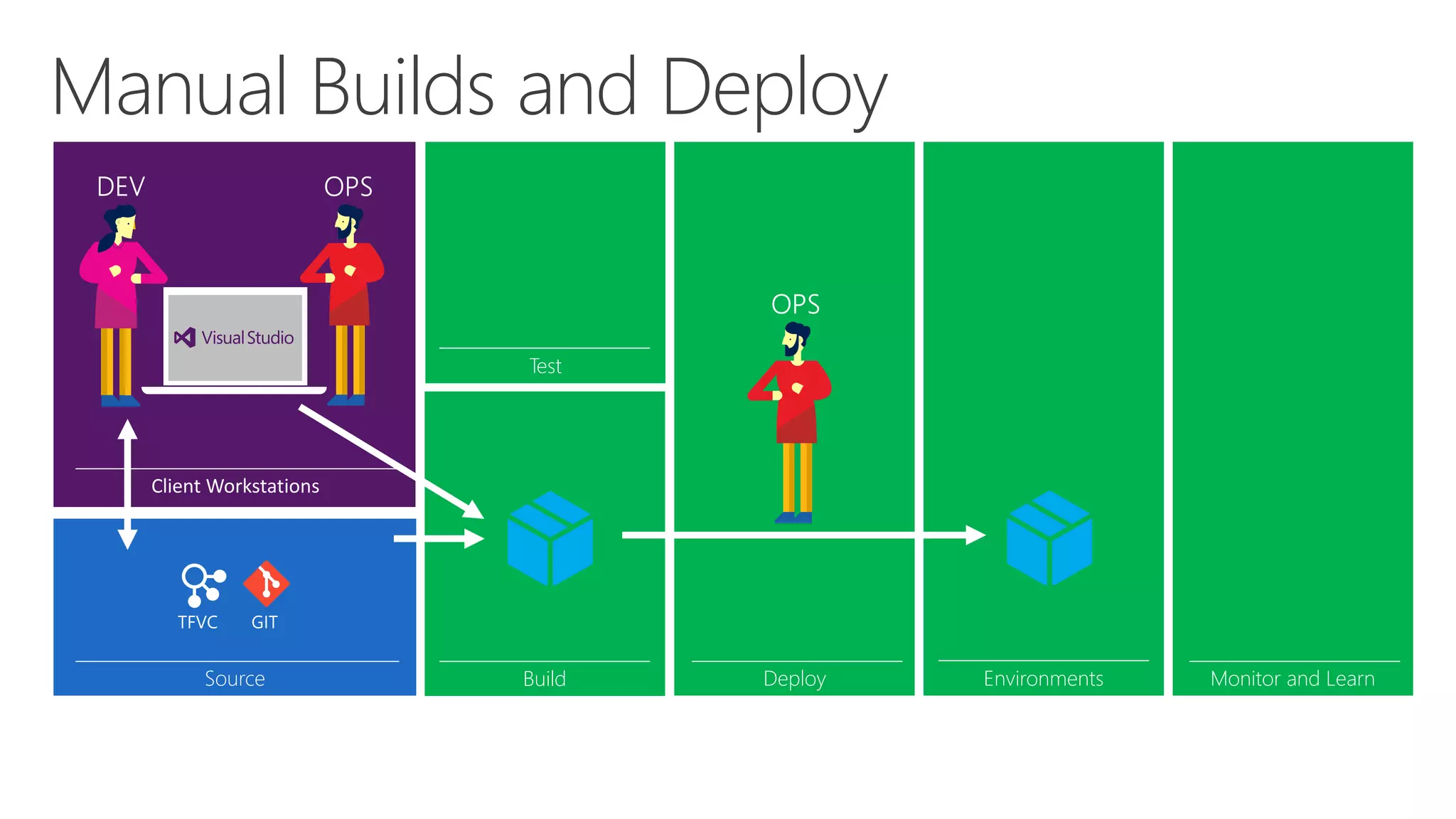
Manual Builds and Deploy
Source Build
Test
Deploy Monitor and Learn
cspkg
Environments
cspkg
Environments
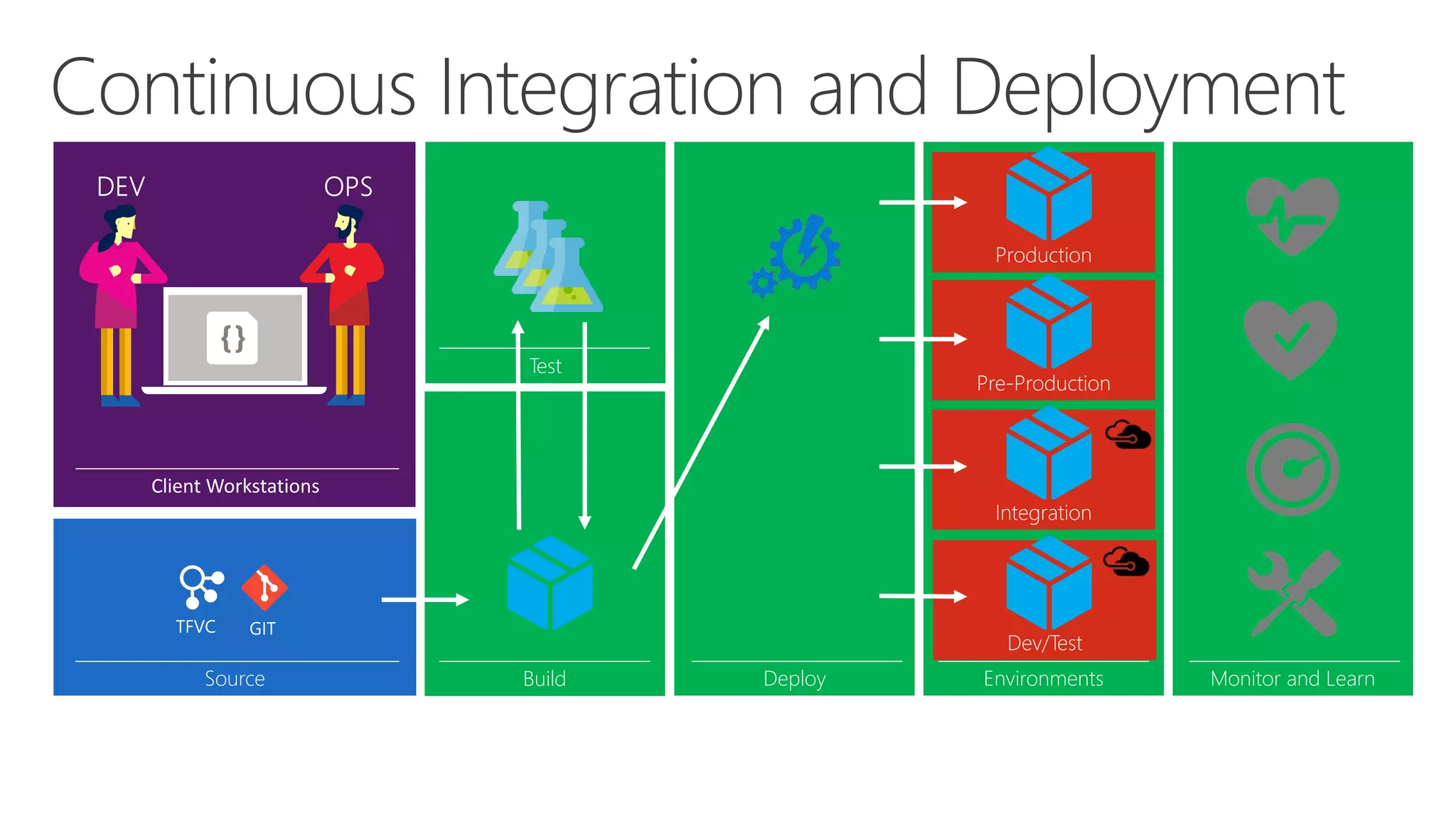
Dev/Test
Integration
Pre-Production
Production
Continuous Integration and Deployment
Source Build
Test
Deploy Monitor and Learn
cspkg cspkg
cspkg
cspkg
cspkg
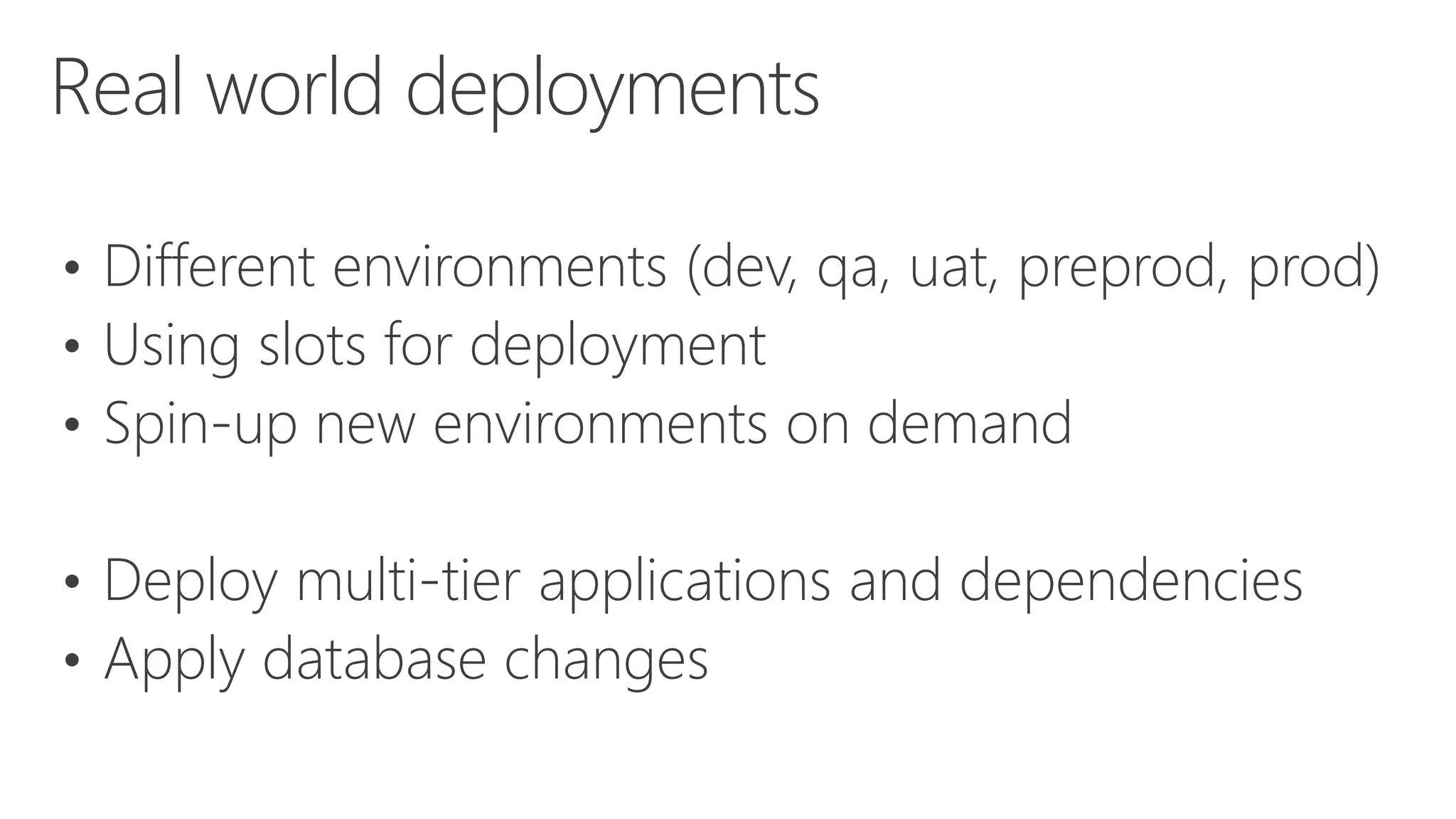
• Different environments (dev, qa, uat, preprod, prod)
• Using slots for deployment
• Spin-up new environments on demand
• Deploy multi-tier applications and dependencies
• Apply database changes
Real world deployments
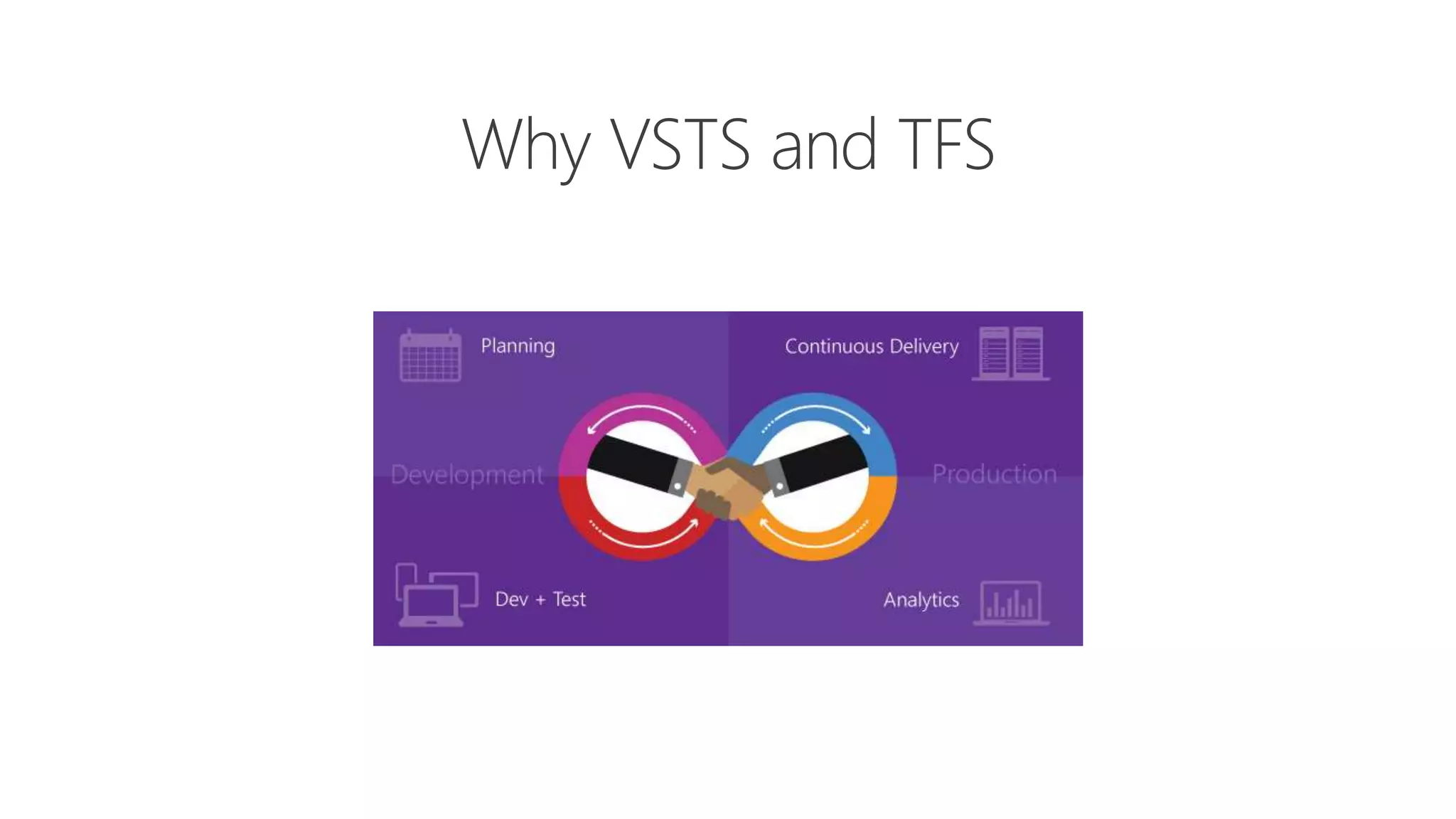
Why VSTS and TFS
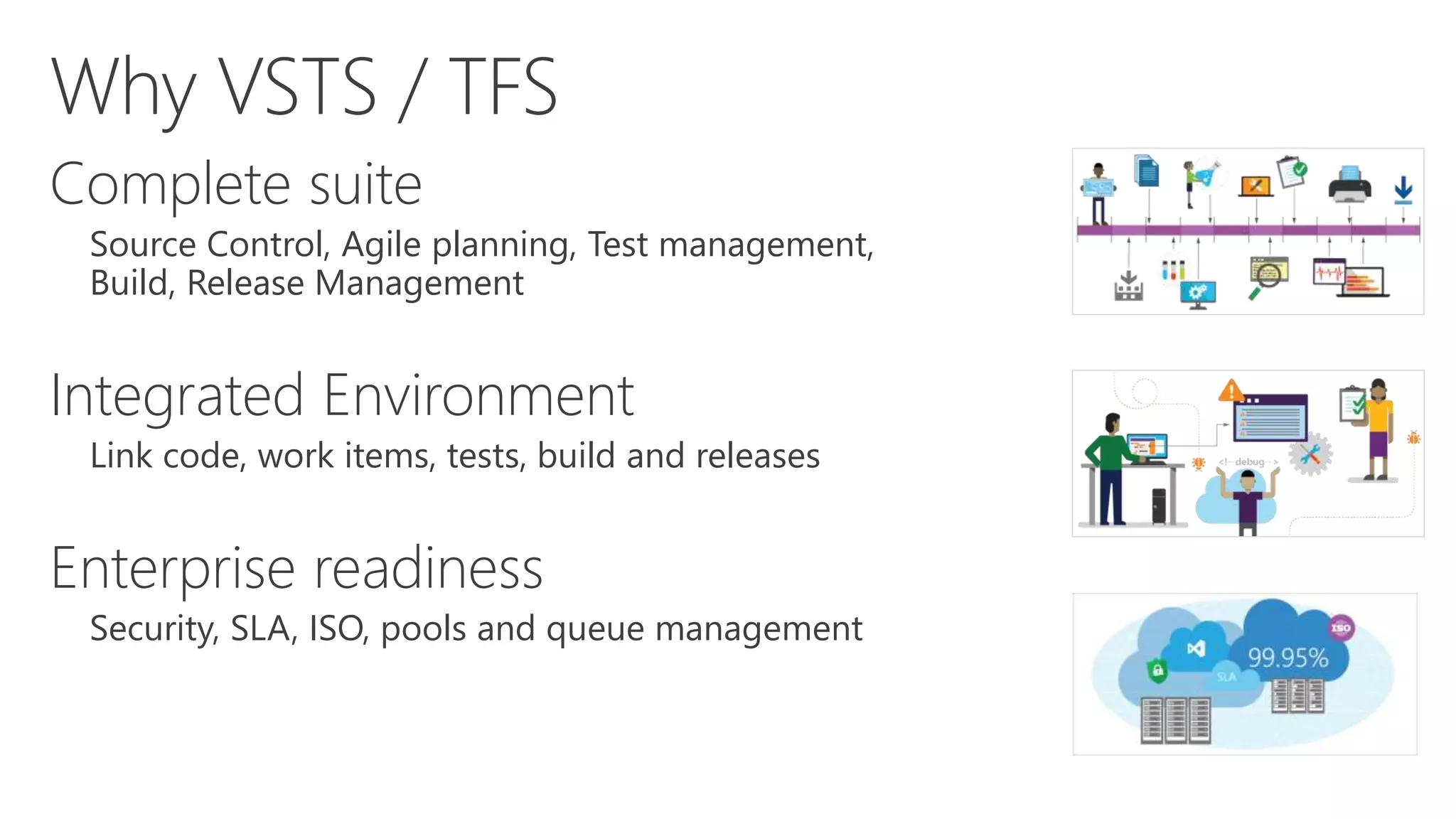
Complete suite
Source Control, Agile planning, Test management,
Build, Release Management
Integrated Environment
Link code, work items, tests, build and releases
Enterprise readiness
Security, SLA, ISO, pools and queue management
Why VSTS / TFS
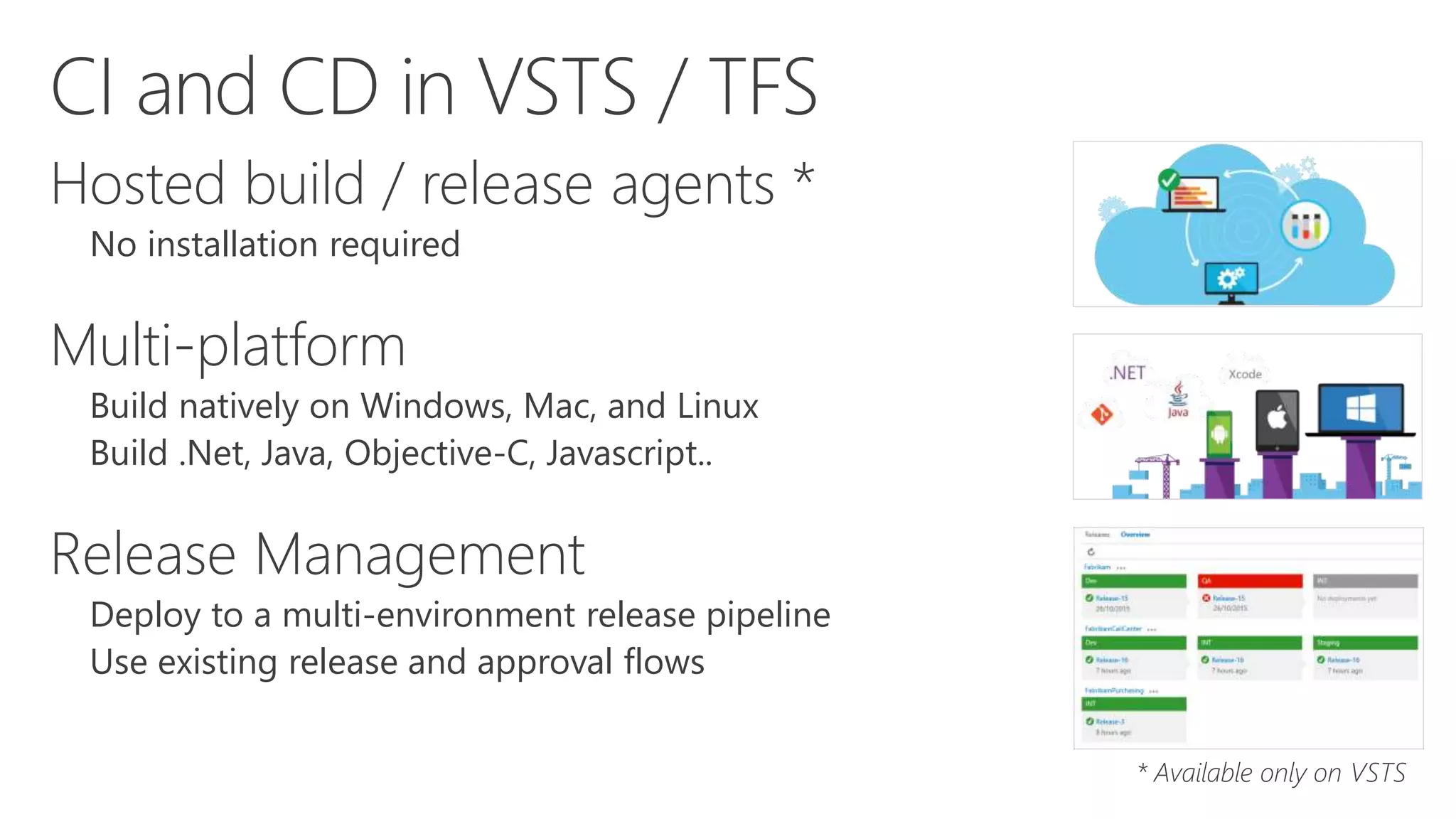
Hosted build / release agents *
No installation required
Multi-platform
Build natively on Windows, Mac, and Linux
Build .Net, Java, Objective-C, Javascript..
Release Management
Deploy to a multi-environment release pipeline
Use existing release and approval flows
* Available only on VSTS
CI and CD in VSTS / TFS
DEMO
Continuous Integration: a real win-win for developers

Continuous Integration: a real win-win for developers

  • 1.
    Davide Benvegnù Microsoft MVPVisual Studio ALM CI: a real win-win for developers aka CI and CD in the Enterprise Scenario
  • 2.
    Davide Benvegnù • Director& CTO – DBTek Ltd • Former International Development Manager – Aruba.it • Microsoft MVP in Visual Studio ALM • Speaker • Trainer • 14+ years experience in IT • 11+ years experience in ALM/ DevOps @davidebenvegnu – www.dbtek.com.hk – davide@dbtek.com.hk @bout Me
  • 3.
    • CI andCD: what and how? • Visual Studio Team Services • Demo: GitHub • Demo: CI + CD (slot swap) • Demo: CI + CD (multilayer) Agenda
  • 4.
  • 5.
    Every* check-in startsa build operation It’s the starting point of a release pipeline Best way to check the code integration Validation of the changes Continuous Integration
  • 6.
    After the buildsucceeds, automated deploy Use deployment templates to deploy your projects to on premises, hybrid, or cloud Can deploy to single environment or to multiple environments (dev, int, test, preprod, prod…) Continuous Deployment
  • 7.
  • 10.
    Manual Builds andDeploy Source Build Test Deploy Monitor and Learn cspkg Environments cspkg
  • 11.
    Environments Dev/Test Integration Pre-Production Production Continuous Integration andDeployment Source Build Test Deploy Monitor and Learn cspkg cspkg cspkg cspkg cspkg
  • 12.
    • Different environments(dev, qa, uat, preprod, prod) • Using slots for deployment • Spin-up new environments on demand • Deploy multi-tier applications and dependencies • Apply database changes Real world deployments
  • 13.
  • 14.
    Complete suite Source Control,Agile planning, Test management, Build, Release Management Integrated Environment Link code, work items, tests, build and releases Enterprise readiness Security, SLA, ISO, pools and queue management Why VSTS / TFS
  • 15.
    Hosted build /release agents * No installation required Multi-platform Build natively on Windows, Mac, and Linux Build .Net, Java, Objective-C, Javascript.. Release Management Deploy to a multi-environment release pipeline Use existing release and approval flows * Available only on VSTS CI and CD in VSTS / TFS
  • 16.

Editor's Notes

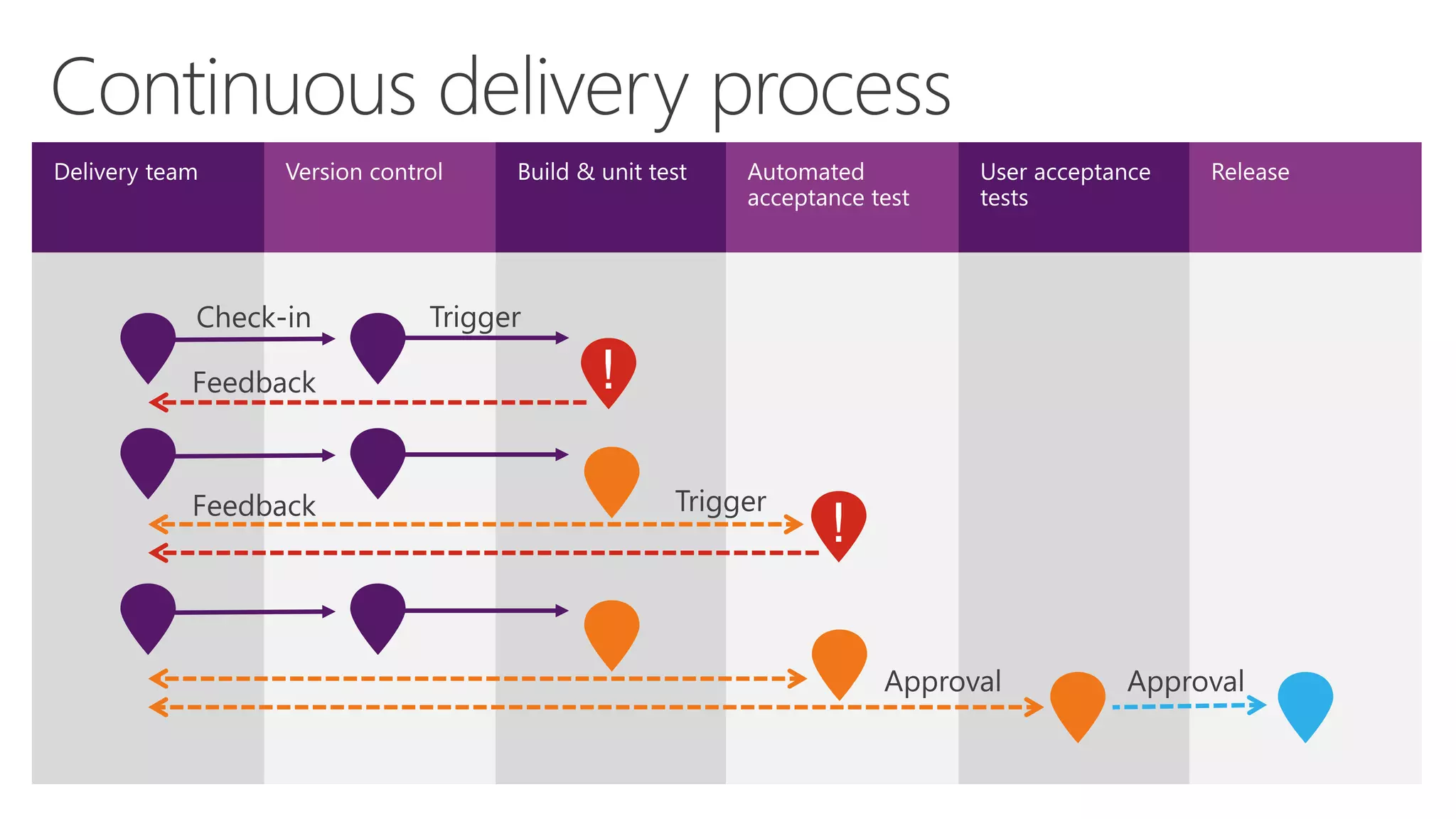
  • #8 [Slide goal] Describe how DevOps enables organizations to increase the flow of value by focusing on implementation of a continuous delivery pipeline as a means to achieve shorter cycle times. [Talk track] Continuous delivery is a set of process patterns that enable releases to be highly repeatable and frequent events for every environment - from development to test and ultimately to production. The goal of continuous delivery is to make releases a no-cost non-event, in order to give IT the ability to do them very frequently and no reasons not to.
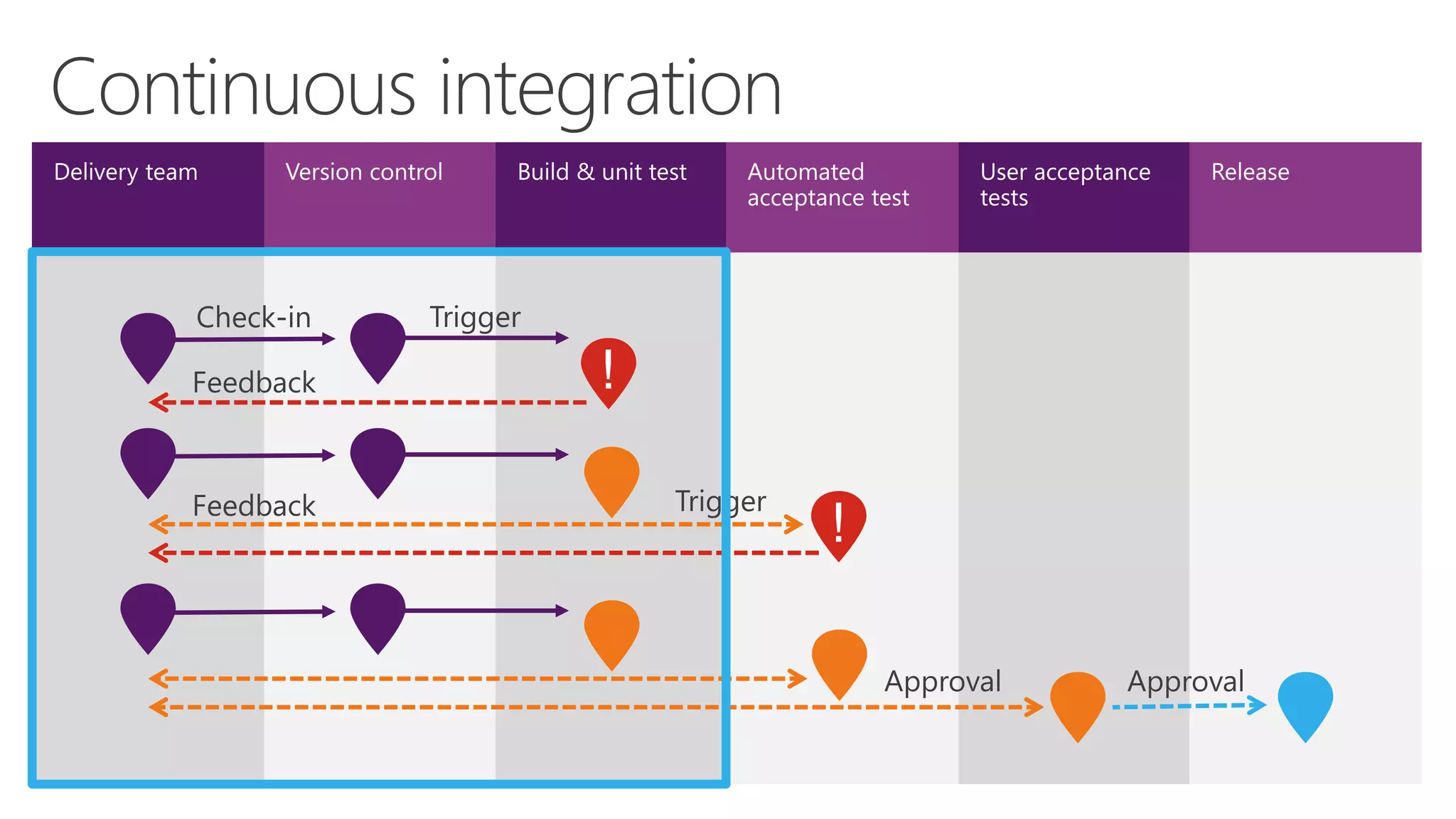
  • #9 [Slide goal] Describe how DevOps enables organizations to increase the flow of value by focusing on adoption and implementation of continuous integration, a key process pattern of continuous delivery, as a means to achieve shorter cycle times. [Talk track] Continuous integration, one of the process patterns of continuous delivery, turns every commit to the source code repository into an instantiation of the release pipeline, where it becomes a candidate to be delivered to production.
  • #10 [Slide goal] Describe how DevOps enables organizations to increase the flow of value by focusing on adoption and implementation of continuous deployment, a key process pattern of continuous delivery, as a means to achieve shorter cycle times. [Talk track] As it moves through the pipeline, continuous deployment through automaton, enables the release candidate to be deployed to the various environments available to perform work at every stage, in a highly repeatable, low-risk way.