Step-1
open xender in your mobile
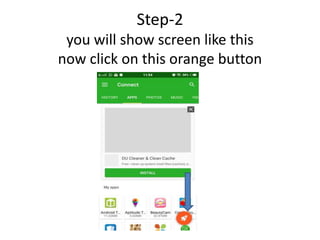
Step-2
you will show screen like this
now click on this orange button
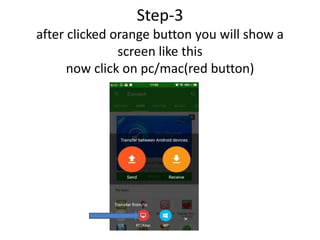
Step-3
after clicked orange button you will show a
screen like this
now click on pc/mac(red button)
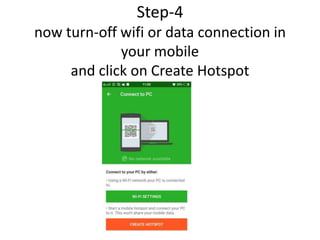
Step-4
now turn-off wifi or data connection in
your mobile
and click on Create Hotspot
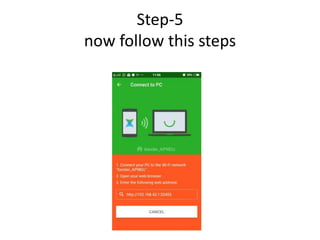
Step-5
now follow this steps
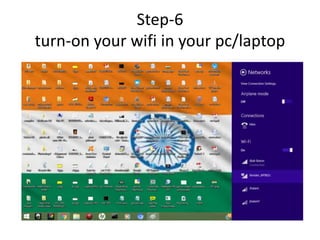
Step-6
turn-on your wifi in your pc/laptop
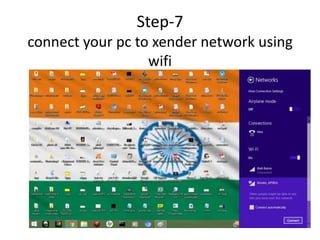
Step-7
connect your pc to xender network using
wifi
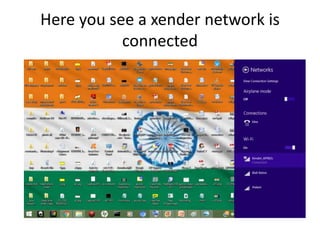
Here you see a xender network is
connected
Step-9
open your web browser
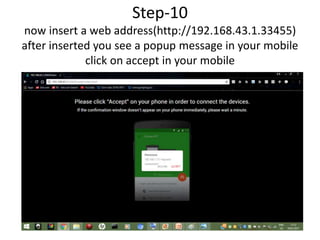
Step-10
now insert a web address(http://192.168.43.1.33455)
after inserted you see a popup message in your mobile
click on accept in your mobile
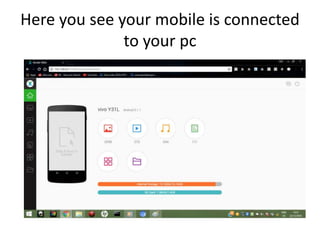
Here you see your mobile is connected
to your pc
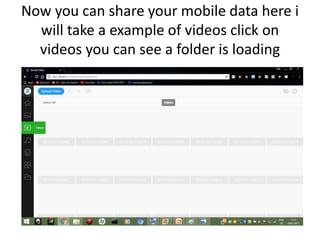
Now you can share your mobile data here i
will take a example of videos click on
videos you can see a folder is loading
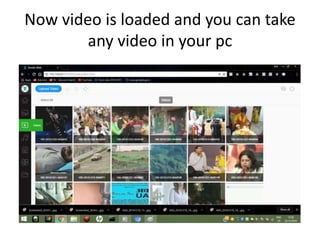
Now video is loaded and you can take
any video in your pc
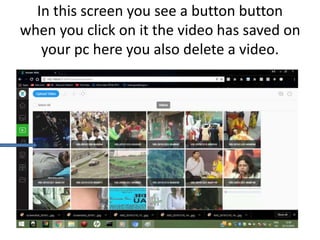
In this screen you see a button button
when you click on it the video has saved on
your pc here you also delete a video.
you can also watch it on youtube
here is a link
https://www.youtube.com/watch?v=8
res6QomXhk&t=1s
Thank you

connect your mobile to pc/laptop using xender