Download to read offline
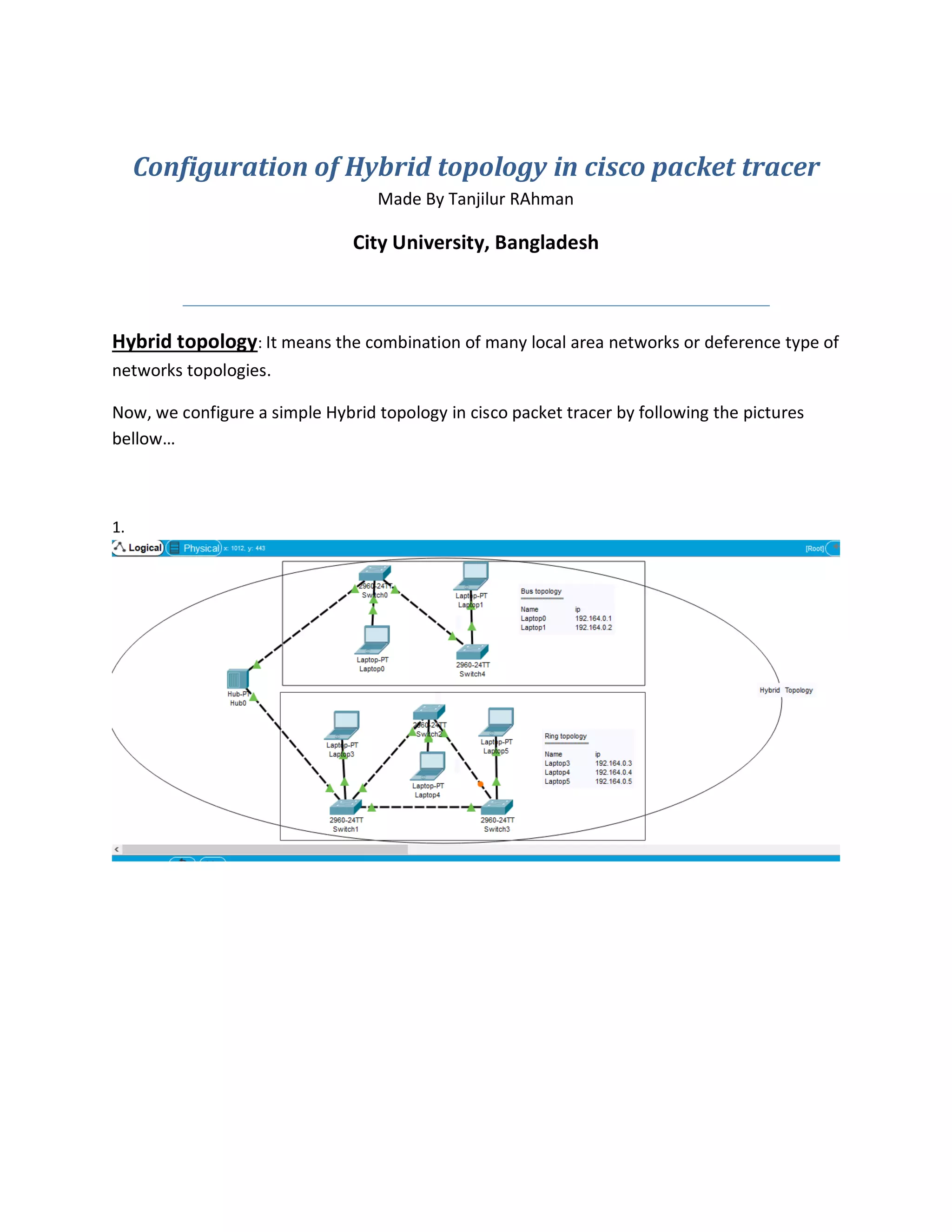
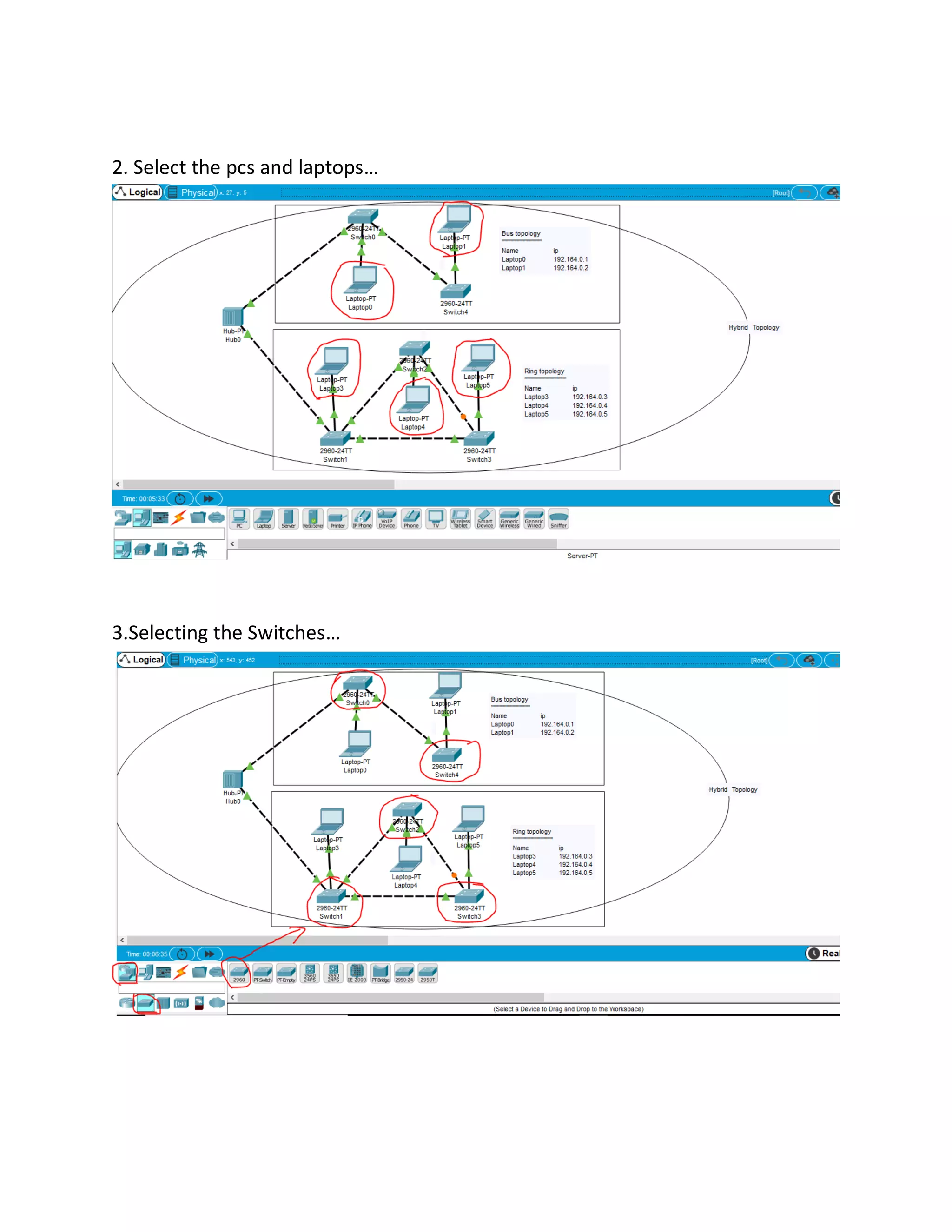
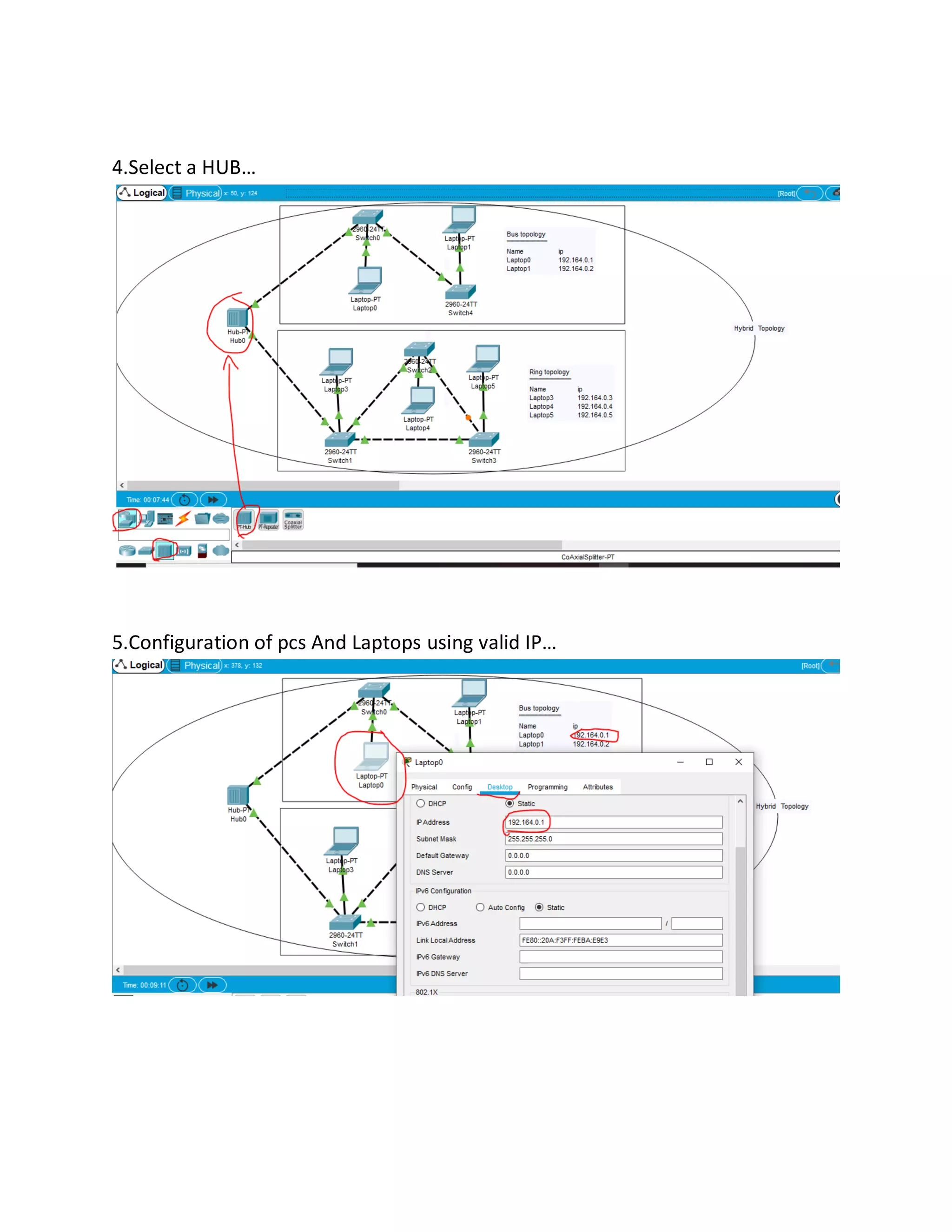
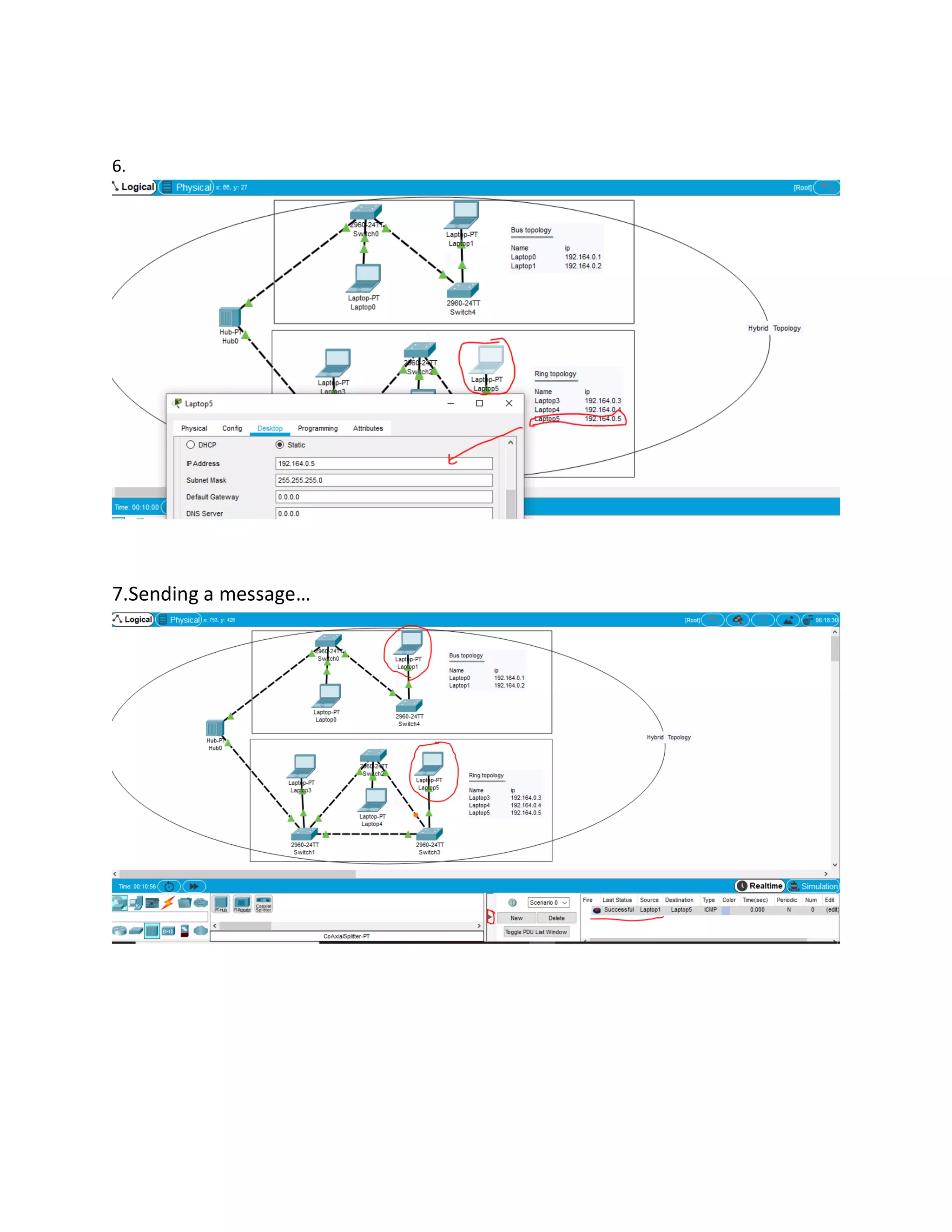
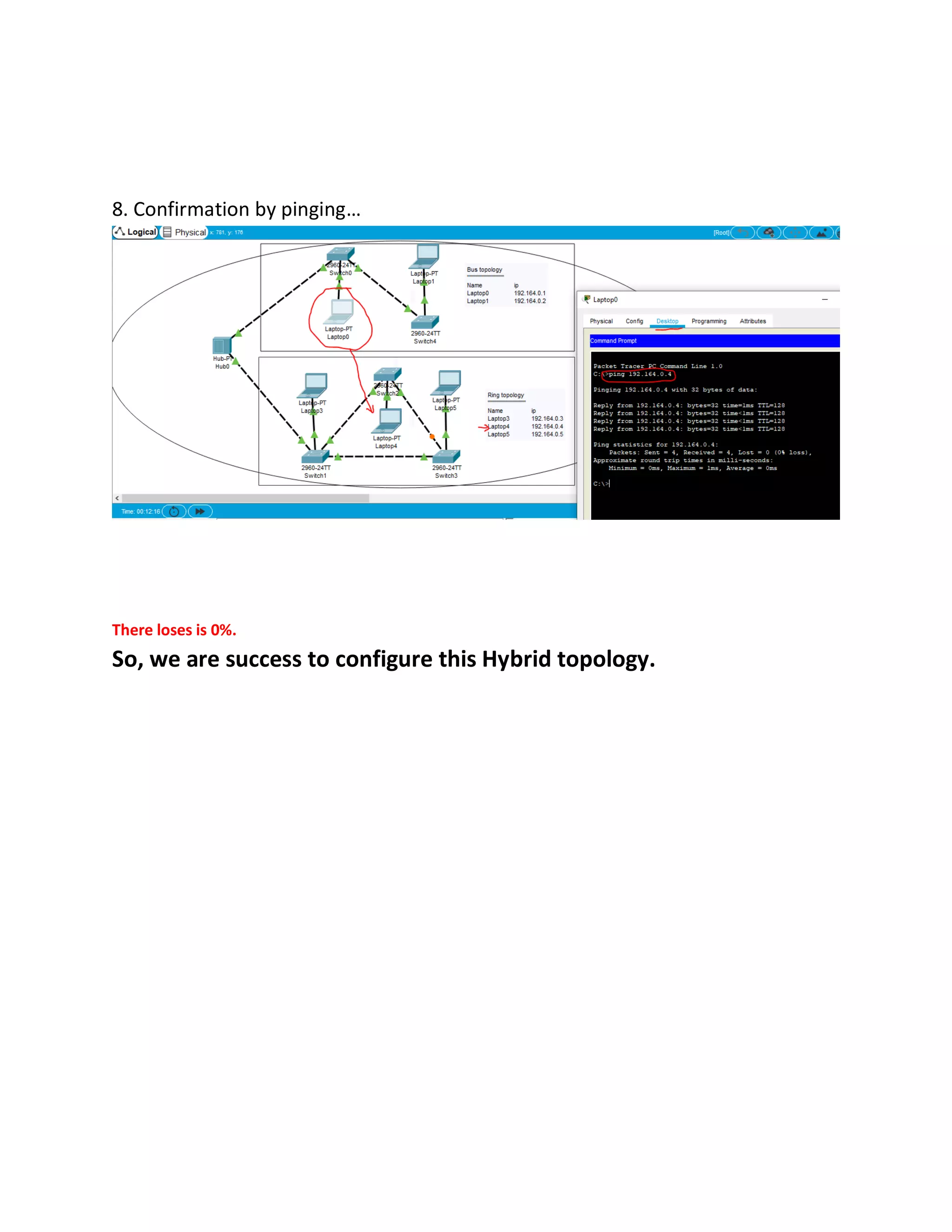
This document provides instructions for configuring a hybrid network topology in Cisco Packet Tracer, combining different local area network types. It outlines the steps to select PCs, laptops, switches, and a hub, configure their IP addresses, send a message between devices, and confirm connectivity with ping. The hybrid topology is successfully configured with 0% packet loss.
Introduction to Hybrid topology as a combination of different networks; configuration in Cisco Packet Tracer.
Steps to select PCs and laptops and the necessary switch components for the network setup.
Adding a hub to the setup and configuring the PCs and laptops with valid IP addresses.
Instructions for sending a message between devices in the configured hybrid topology.
Confirming the successful configuration by pinging devices; indicating a 0% packet loss.


