1
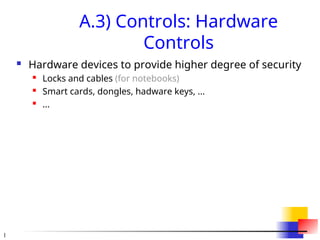
A.3) Controls: Hardware
Controls
Hardware devices to provide higher degree of security
Locks and cables (for notebooks)
Smart cards, dongles, hadware keys, ...
...
2.
2
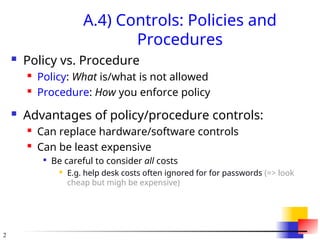
A.4) Controls: Policiesand
Procedures
Policy vs. Procedure
Policy: What is/what is not allowed
Procedure: How you enforce policy
Advantages of policy/procedure controls:
Can replace hardware/software controls
Can be least expensive
Be careful to consider all costs
E.g. help desk costs often ignored for for passwords (=> look
cheap but migh be expensive)
3.
3
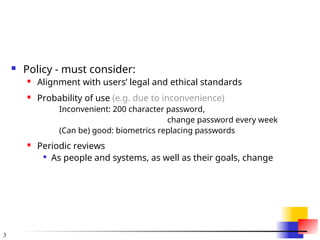
Policy -must consider:
Alignment with users’ legal and ethical standards
Probability of use (e.g. due to inconvenience)
Inconvenient: 200 character password,
change password every week
(Can be) good: biometrics replacing passwords
Periodic reviews
As people and systems, as well as their goals, change
4.
4
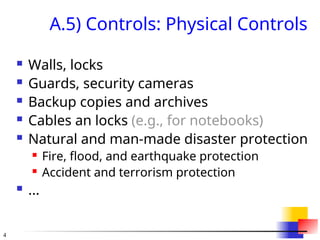
A.5) Controls: PhysicalControls
Walls, locks
Guards, security cameras
Backup copies and archives
Cables an locks (e.g., for notebooks)
Natural and man-made disaster protection
Fire, flood, and earthquake protection
Accident and terrorism protection
...
5.
5
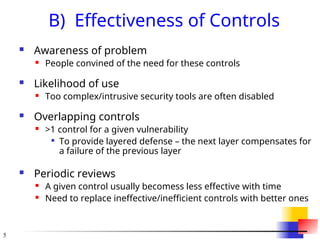
B) Effectiveness ofControls
Awareness of problem
People convined of the need for these controls
Likelihood of use
Too complex/intrusive security tools are often disabled
Overlapping controls
>1 control for a given vulnerability
To provide layered defense – the next layer compensates for
a failure of the previous layer
Periodic reviews
A given control usually becomess less effective with time
Need to replace ineffective/inefficient controls with better ones
6.
6
8. Principles ofComputer Security
[Pfleeger and Pfleeger]
Principle of Easiest Penetration (p.5)
An intruder must be expected to use any available
means of penetration.
The penetration may not necessarily be by the most
obvious means, nor is it necessarily the one against which
the most solid defense has been installed.
Principle of Adequate Protection (p.16)
Computer items must be protected to a degree
consistent with their value and only until they lose
their value. [modified by LL]
7.
7
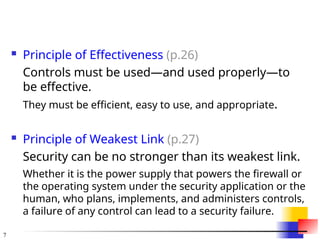
Principle ofEffectiveness (p.26)
Controls must be used—and used properly—to
be effective.
They must be efficient, easy to use, and appropriate.
Principle of Weakest Link (p.27)
Security can be no stronger than its weakest link.
Whether it is the power supply that powers the firewall or
the operating system under the security application or the
human, who plans, implements, and administers controls,
a failure of any control can lead to a security failure.
![6
8. Principles of Computer Security
[Pfleeger and Pfleeger]
Principle of Easiest Penetration (p.5)
An intruder must be expected to use any available
means of penetration.
The penetration may not necessarily be by the most
obvious means, nor is it necessarily the one against which
the most solid defense has been installed.
Principle of Adequate Protection (p.16)
Computer items must be protected to a degree
consistent with their value and only until they lose
their value. [modified by LL]](https://image.slidesharecdn.com/ciappt-250829140947-ae144ab5/85/Confidentiality-Integrity-Availability-PPT-ppt-6-320.jpg)


![5G Explained! A High Level Overview [Introduction]](https://cdn.slidesharecdn.com/ss_thumbnails/5gexplainedahighleveloverview-260119165306-cc137a3e-thumbnail.jpg?width=640&height=640&fit=bounds)


