Network
•A Computer networkis a collection of two
(or) more computers connected together to
share information and resources
•It is a combination of hardware and
software that allows communication
between computers over a network
3.
Data communication
•Exchange ofdata between
two devices via some form of
transmission medium such as
a wired cable or wireless
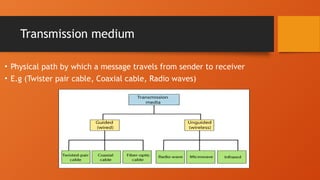
Transmission medium
• Physicalpath by which a message travels from sender to receiver
• E.g (Twister pair cable, Coaxial cable, Radio waves)
9.
Guided medium
•The datasignal in the guided
medium is bounded by the cabling
system that guided the data signal
along a specific path
10.
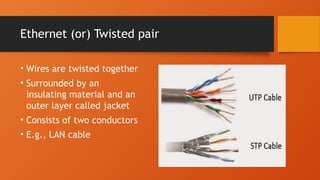
Ethernet (or) Twistedpair
• Wires are twisted together
• Surrounded by an
insulating material and an
outer layer called jacket
• Consists of two conductors
• E.g., LAN cable
11.
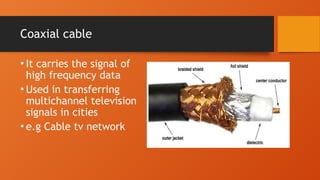
Coaxial cable
• Itcarries the signal of
high frequency data
• Used in transferring
multichannel television
signals in cities
• e.g Cable tv network
12.
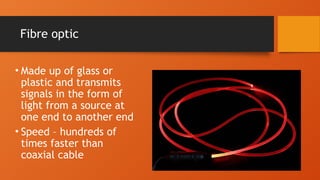
Fibre optic
• Madeup of glass or
plastic and transmits
signals in the form of
light from a source at
one end to another end
• Speed – hundreds of
times faster than
coaxial cable
13.
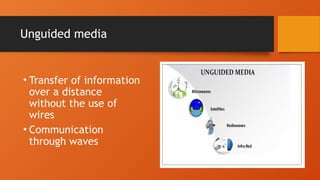
Unguided media
• Transferof information
over a distance
without the use of
wires
• Communication
through waves
14.
Protocols
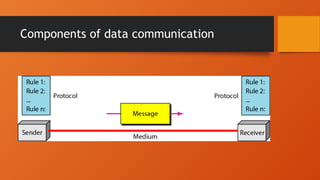
• Set ofrules that governs data communication
• Without protocol two devices may be connected but
cannot communicated
• TCP/IP
• HTTP
• SMTP
• FTP
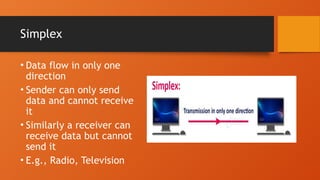
Simplex
• Data flowin only one
direction
• Sender can only send
data and cannot receive
it
• Similarly a receiver can
receive data but cannot
send it
• E.g., Radio, Television
17.
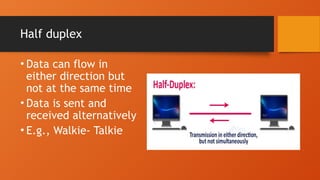
Half duplex
• Datacan flow in
either direction but
not at the same time
• Data is sent and
received alternatively
• E.g., Walkie- Talkie
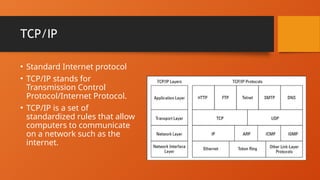
TCP/IP
• Standard Internetprotocol
• TCP/IP stands for
Transmission Control
Protocol/Internet Protocol.
• TCP/IP is a set of
standardized rules that allow
computers to communicate
on a network such as the
internet.
21.
Some Protocols
• HyperTextTransfer Protocol (HTTP): The core protocol of the
World Wide Web
• File Transfer Protocol (FTP): A protocol that enables a client to
send and receive complete files from a server
• Simple Mail Transfer Protocol (SMTP): One of several key
protocols that are used to provide e-mail services
• Domain Name System (DNS): The protocol that allows you to
refer to other host computers by using names rather than
numbers
22.
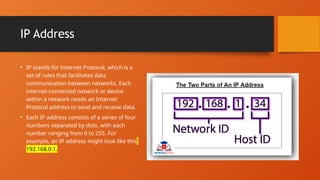
IP Address
• IPstands for Internet Protocol, which is a
set of rules that facilitates data
communication between networks. Each
internet-connected network or device
within a network needs an Internet
Protocol address to send and receive data.
• Each IP address consists of a series of four
numbers separated by dots, with each
number ranging from 0 to 255. For
example, an IP address might look like this:
192.168.0.1.
23.
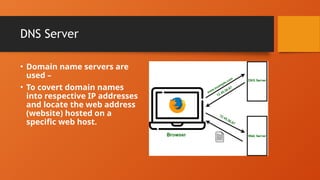
DNS Server
• Domainname servers are
used –
• To covert domain names
into respective IP addresses
and locate the web address
(website) hosted on a
specific web host.
24.
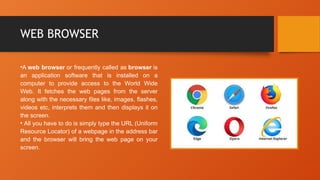
WEB BROWSER
•A webbrowser or frequently called as browser is
an application software that is installed on a
computer to provide access to the World Wide
Web. It fetches the web pages from the server
along with the necessary files like, images, flashes,
videos etc, interprets them and then displays it on
the screen.
• All you have to do is simply type the URL (Uniform
Resource Locator) of a webpage in the address bar
and the browser will bring the web page on your
screen.
25.
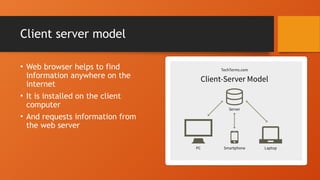
Client server model
•Web browser helps to find
information anywhere on the
internet
• It is installed on the client
computer
• And requests information from
the web server