COMPUTER
FUNDAMENTALS
DISC
 A disc, often known as a
diskette, is a hard or floppy
spherical, flat, magnetic
disc capable of reading and
writing information. Hard
discs and floppy diskettes
(floppy diskettes) are the
most typically found discs
with a computer.
MEMORY
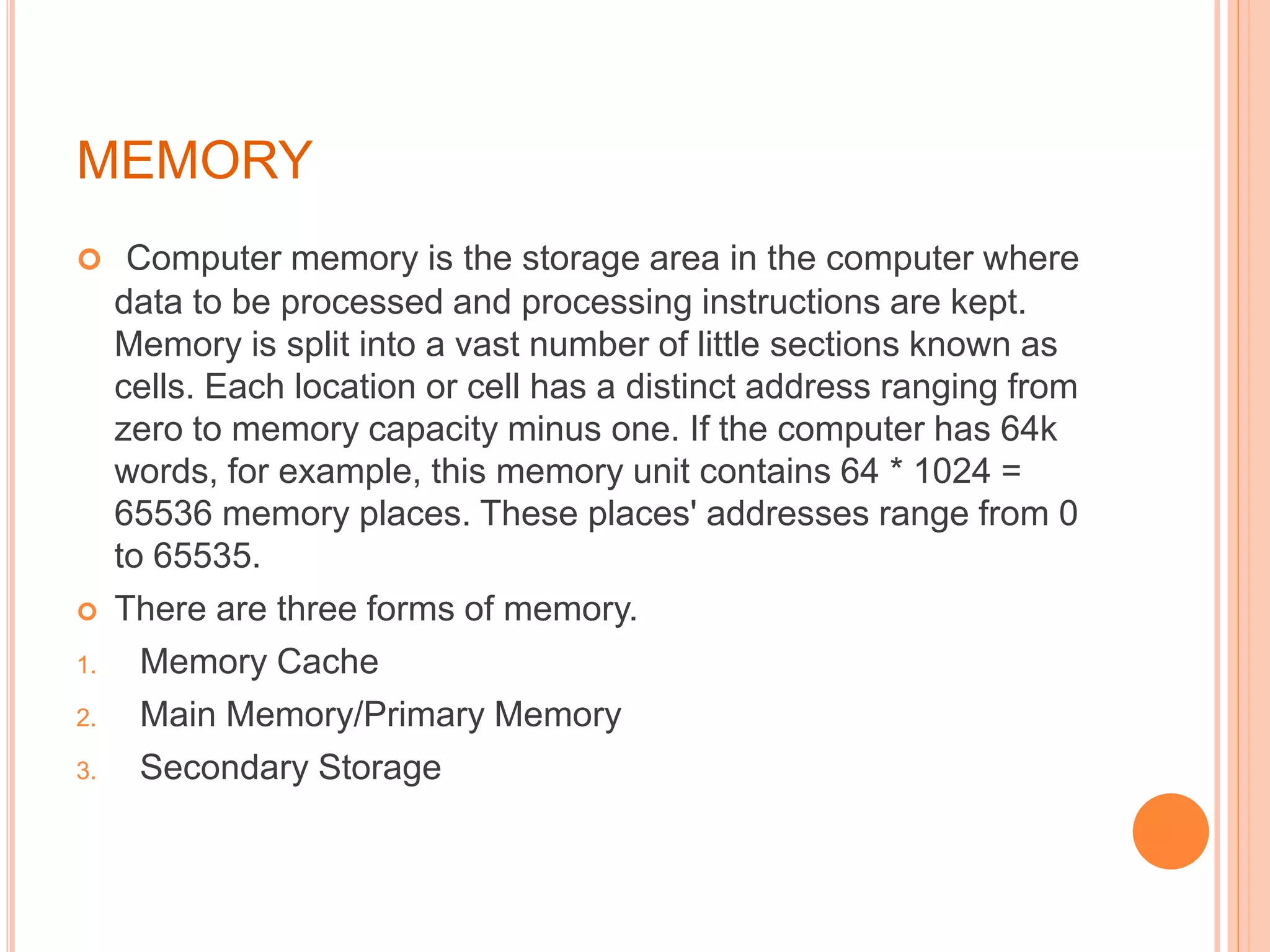
 Computer memory is the storage area in the computer where
data to be processed and processing instructions are kept.
Memory is split into a vast number of little sections known as
cells. Each location or cell has a distinct address ranging from
zero to memory capacity minus one. If the computer has 64k
words, for example, this memory unit contains 64 * 1024 =
65536 memory places. These places' addresses range from 0
to 65535.
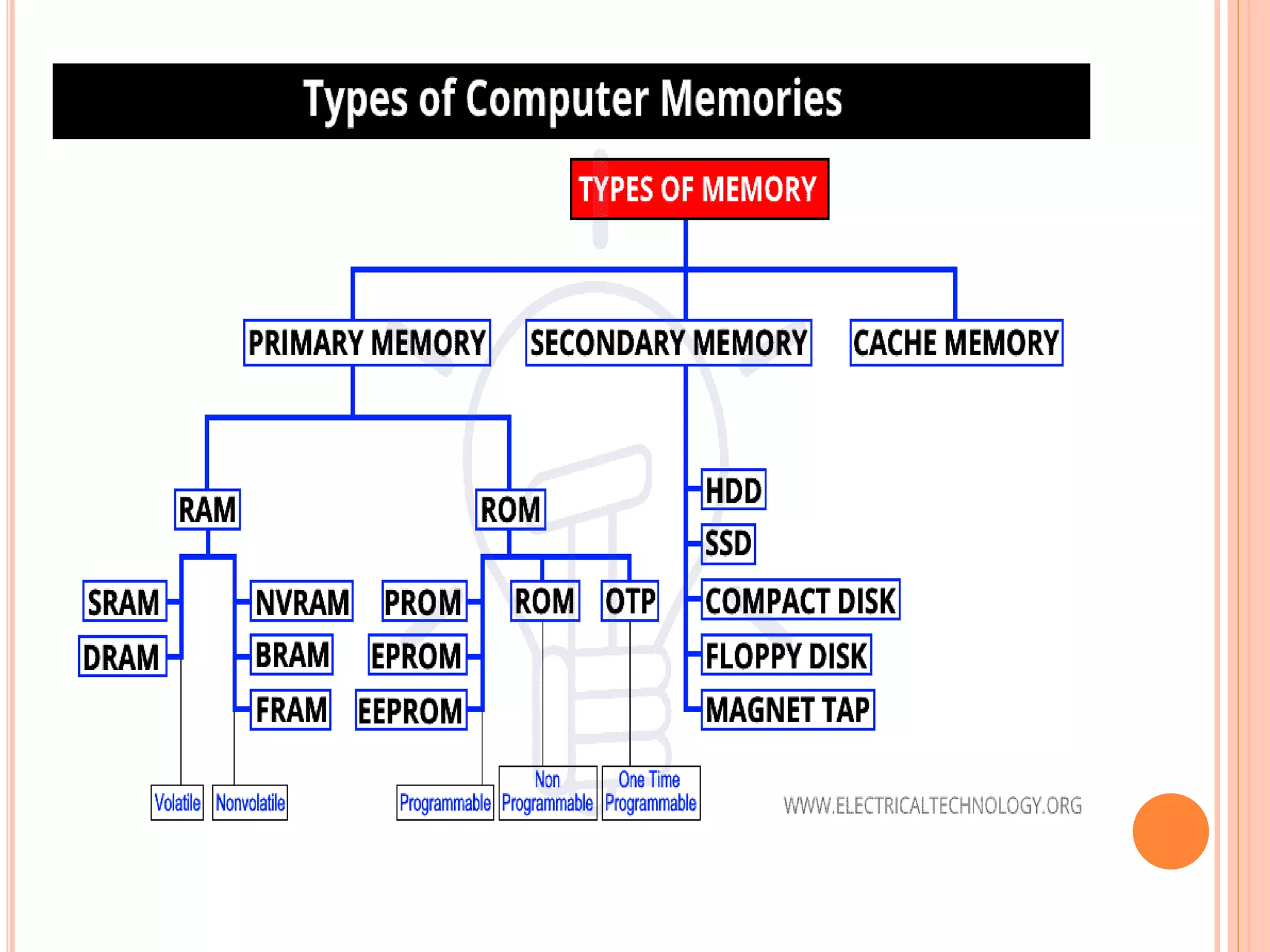
 There are three forms of memory.
1. Memory Cache
2. Main Memory/Primary Memory
3. Secondary Storage
PROCESSOR
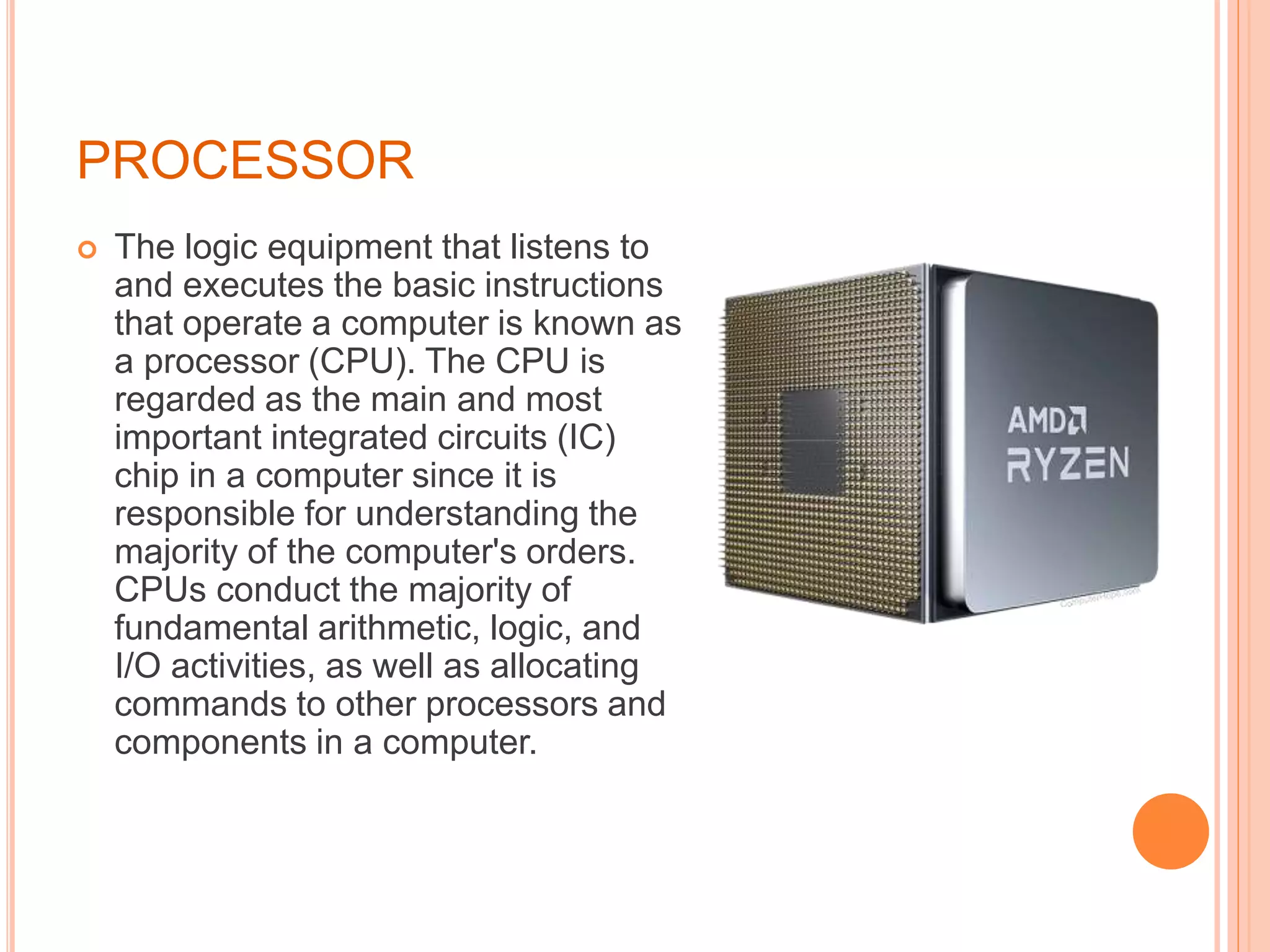
 The logic equipment that listens to
and executes the basic instructions
that operate a computer is known as
a processor (CPU). The CPU is
regarded as the main and most
important integrated circuits (IC)
chip in a computer since it is
responsible for understanding the
majority of the computer's orders.
CPUs conduct the majority of
fundamental arithmetic, logic, and
I/O activities, as well as allocating
commands to other processors and
components in a computer.
OPERATING SYSTEM
 An operating system serves as a
bridge between a computer's
user and its hardware. An
operating system's objective is to
offer a convenient and efficient
environment in which a user may
execute applications. An
operating system is a piece of
software that governs computer
hardware. The hardware must
have adequate measures to
ensure the computer system's
proper operation and to
STORAGE
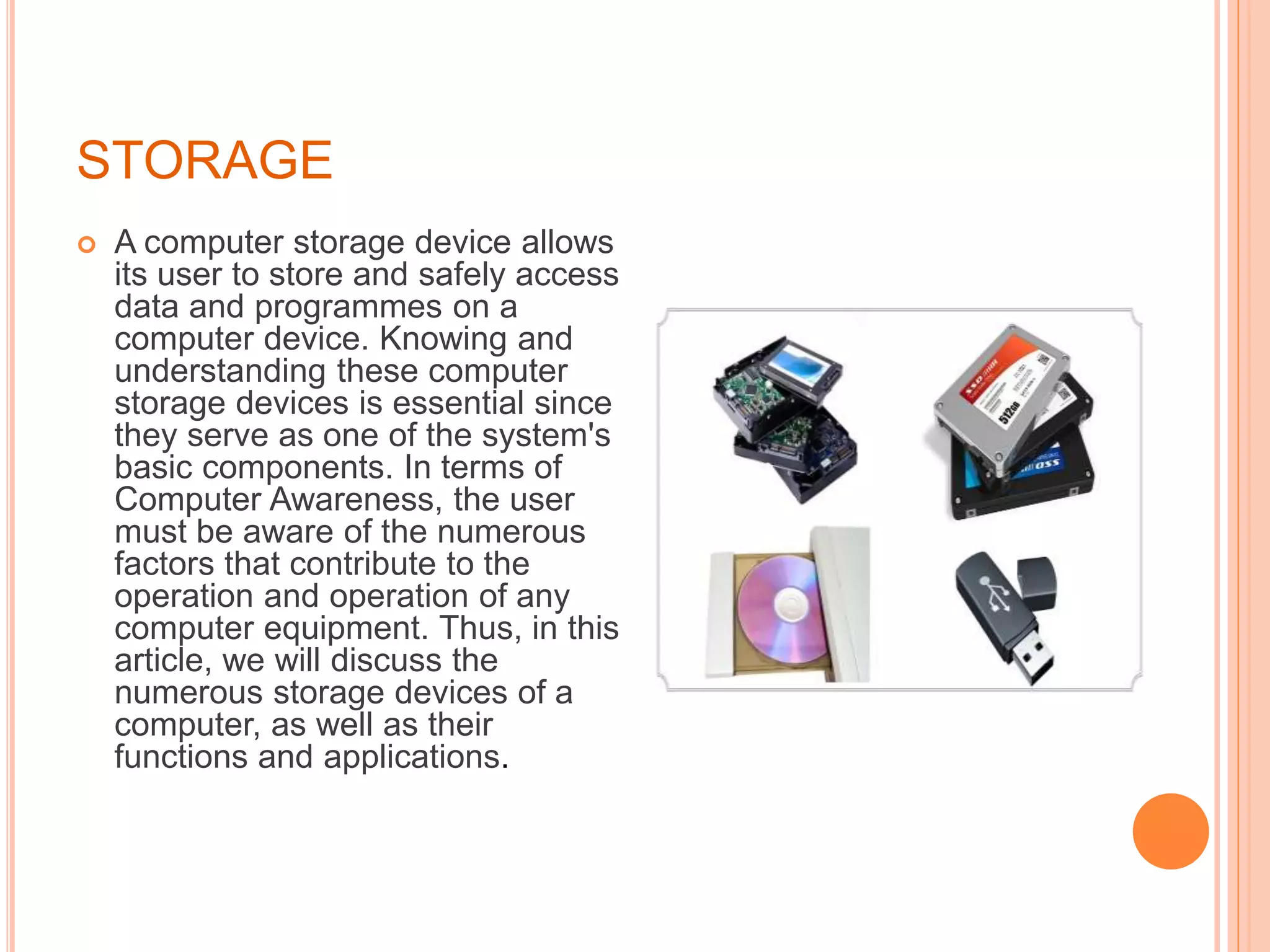
 A computer storage device allows
its user to store and safely access
data and programmes on a
computer device. Knowing and
understanding these computer
storage devices is essential since
they serve as one of the system's
basic components. In terms of
Computer Awareness, the user
must be aware of the numerous
factors that contribute to the
operation and operation of any
computer equipment. Thus, in this
article, we will discuss the
numerous storage devices of a
computer, as well as their
functions and applications.
CHARACTER REPRESENTATION
 Computers operate in binary mode. As a result, all characters
are saved as binary integers, whether they are letters,
punctuation, or numerals. A character set is all of the
characters that a computer can utilise.There are two widely
used standards:
1. American Standard Information Interchange Code (ASCII)
2. Unicode
 ASCII is a seven-bit character set with 128 characters. The
ASCII table contains a representation of the characters.
Among the 128 characters are:There are 32 control codes
(mainly to do with printing)32 punctuation, symbol, and space
codes26 capital letters26 letters in lowercasenumber of digits
0-9
NUMBER SYSTEM
 The number system or the numeral system is the system of naming
or representing numbers. We know that a number is a mathematical
value that helps to count or measure objects and it helps in
performing various mathematical calculations. There are different
types of number systems in Maths like decimal number system,
binary number system, octal number system, and hexadecimal
number system.
There are various types of number systems in mathematics. The four
most common number system types are
1. Decimal number system (Base- 10)
2. Binary number system (Base- 2)
3. Octal number system (Base-8)
4. Hexadecimal number system (Base- 16)
BINARY ARITHMETIC
 The base 2 number system is also known as the Binary
number system wherein, only two binary digits exist, i.e., 0
and 1. Specifically, the usual base-2 is a radix of 2. The
figures described under this system are known as binary
numbers which are the combination of 0 and 1. For example,
110101 is a binary number.
 We can convert any system into binary and vice versa.
 Example
Write (14)10 as a binary number.
 Solution
THANK YOU

COMPUTER FUNDAMENTALS PPT.pptx

  • 1.
  • 2.
    DISC  A disc,often known as a diskette, is a hard or floppy spherical, flat, magnetic disc capable of reading and writing information. Hard discs and floppy diskettes (floppy diskettes) are the most typically found discs with a computer.
  • 3.
    MEMORY  Computer memoryis the storage area in the computer where data to be processed and processing instructions are kept. Memory is split into a vast number of little sections known as cells. Each location or cell has a distinct address ranging from zero to memory capacity minus one. If the computer has 64k words, for example, this memory unit contains 64 * 1024 = 65536 memory places. These places' addresses range from 0 to 65535.  There are three forms of memory. 1. Memory Cache 2. Main Memory/Primary Memory 3. Secondary Storage
  • 5.
    PROCESSOR  The logicequipment that listens to and executes the basic instructions that operate a computer is known as a processor (CPU). The CPU is regarded as the main and most important integrated circuits (IC) chip in a computer since it is responsible for understanding the majority of the computer's orders. CPUs conduct the majority of fundamental arithmetic, logic, and I/O activities, as well as allocating commands to other processors and components in a computer.
  • 6.
    OPERATING SYSTEM  Anoperating system serves as a bridge between a computer's user and its hardware. An operating system's objective is to offer a convenient and efficient environment in which a user may execute applications. An operating system is a piece of software that governs computer hardware. The hardware must have adequate measures to ensure the computer system's proper operation and to
  • 7.
    STORAGE  A computerstorage device allows its user to store and safely access data and programmes on a computer device. Knowing and understanding these computer storage devices is essential since they serve as one of the system's basic components. In terms of Computer Awareness, the user must be aware of the numerous factors that contribute to the operation and operation of any computer equipment. Thus, in this article, we will discuss the numerous storage devices of a computer, as well as their functions and applications.
  • 8.
    CHARACTER REPRESENTATION  Computersoperate in binary mode. As a result, all characters are saved as binary integers, whether they are letters, punctuation, or numerals. A character set is all of the characters that a computer can utilise.There are two widely used standards: 1. American Standard Information Interchange Code (ASCII) 2. Unicode  ASCII is a seven-bit character set with 128 characters. The ASCII table contains a representation of the characters. Among the 128 characters are:There are 32 control codes (mainly to do with printing)32 punctuation, symbol, and space codes26 capital letters26 letters in lowercasenumber of digits 0-9
  • 9.
    NUMBER SYSTEM  Thenumber system or the numeral system is the system of naming or representing numbers. We know that a number is a mathematical value that helps to count or measure objects and it helps in performing various mathematical calculations. There are different types of number systems in Maths like decimal number system, binary number system, octal number system, and hexadecimal number system. There are various types of number systems in mathematics. The four most common number system types are 1. Decimal number system (Base- 10) 2. Binary number system (Base- 2) 3. Octal number system (Base-8) 4. Hexadecimal number system (Base- 16)
  • 10.
    BINARY ARITHMETIC  Thebase 2 number system is also known as the Binary number system wherein, only two binary digits exist, i.e., 0 and 1. Specifically, the usual base-2 is a radix of 2. The figures described under this system are known as binary numbers which are the combination of 0 and 1. For example, 110101 is a binary number.  We can convert any system into binary and vice versa.  Example Write (14)10 as a binary number.  Solution
  • 11.