- By: Bibus Poudel
Table of contents
 Introduction: Linux and Windows
 System Requirement: Ubuntu 17.04 and Windows 10
 Cost: Linux and Windows
 File System: Linux And Windows
 Uses: Linux & Windows
Introduction: Linux
 Linux is a Unix-like operating system
 Easily available free of cost and open source
 Available in both GUI and Command line version
 Predecessor: Basic Terminal (CLI)
 Example: Ubuntu, CentOS, LinuxMint etc
Introduction: Windows
 GUI based OS developed by Microsoft Corporation
 Initially released on November 20, 1985
 Popular among both technical and non-technical
users
 Predecessor: MS-DOS
 Example: Windows XP, Windows 7, Windows 10 etc
System Requirement: Ubuntu
17.04
 Processor: 700 MHz or better
 RAM: 512 MB
 HDD Space: 5 GB
 Graphics: Supporting 1024x768 resolution
 Either a CD/DVD drive or a USB port for the installer
media.
System Requirement: Windows 10
 Processor: 1 gigahertz (GHz) or faster
 RAM: 1 GB (32 bit)
 HDD Space: 16 GB
 Graphics card: Microsoft DirectX 9 graphics device
with WDDM driver
 A Microsoft account and Internet access
 Either a CD/DVD drive or a USB port for the installer
media
Cost: Linux
 Freely distributed and can be downloaded freely
 Distributed through magazines, books etc
 Some flavors are priced too but are cheaper than
windows
 Price ranges from $60-$90
Cost: Windows
 Prices varies for users according to windows version
 Pricing is as follows:
 Windows 10 Home: $119
 Windows 10 Pro: $199
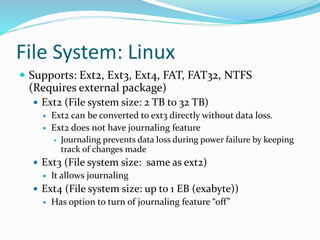
File System: Linux
 Supports: Ext2, Ext3, Ext4, FAT, FAT32, NTFS
(Requires external package)
 Ext2 (File system size: 2 TB to 32 TB)
 Ext2 can be converted to ext3 directly without data loss.
 Ext2 does not have journaling feature
 Journaling prevents data loss during power failure by keeping
track of changes made
 Ext3 (File system size: same as ext2)
 It allows journaling
 Ext4 (File system size: up to 1 EB (exabyte))
 Has option to turn of journaling feature “off”
File System: Windows
 Supports: FAT/FAT32, NTFS, ReFS
 FAT/FAT32
 used on external storages with the size under 2GB for FAT and
32 GB for FAT32
 widely used for flash memory cards and USB flash sticks
 NTFS
 Major file system for Windows
 Supports many file properties such as access control,
encryption etc
 Supports disk partitions over 32GB
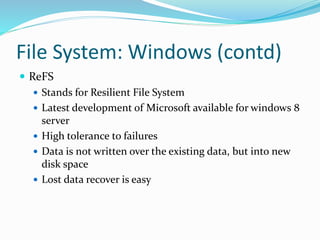
File System: Windows (contd)
 ReFS
 Stands for Resilient File System
 Latest development of Microsoft available for windows 8
server
 High tolerance to failures
 Data is not written over the existing data, but into new
disk space
 Lost data recover is easy
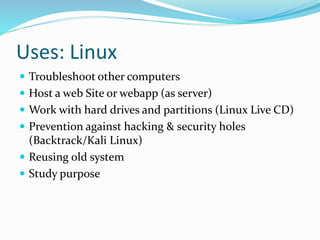
Uses: Linux
 Troubleshoot other computers
 Host a web Site or webapp (as server)
 Work with hard drives and partitions (Linux Live CD)
 Prevention against hacking & security holes
(Backtrack/Kali Linux)
 Reusing old system
 Study purpose
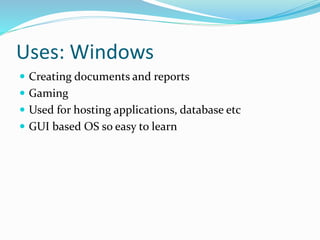
Uses: Windows
 Creating documents and reports
 Gaming
 Used for hosting applications, database etc
 GUI based OS so easy to learn
Any Queries?
Thank You For Your Time

Comparative Study of Windows And Linux.pptx

  • 1.
  • 2.
    Table of contents Introduction: Linux and Windows  System Requirement: Ubuntu 17.04 and Windows 10  Cost: Linux and Windows  File System: Linux And Windows  Uses: Linux & Windows
  • 3.
    Introduction: Linux  Linuxis a Unix-like operating system  Easily available free of cost and open source  Available in both GUI and Command line version  Predecessor: Basic Terminal (CLI)  Example: Ubuntu, CentOS, LinuxMint etc
  • 4.
    Introduction: Windows  GUIbased OS developed by Microsoft Corporation  Initially released on November 20, 1985  Popular among both technical and non-technical users  Predecessor: MS-DOS  Example: Windows XP, Windows 7, Windows 10 etc
  • 5.
    System Requirement: Ubuntu 17.04 Processor: 700 MHz or better  RAM: 512 MB  HDD Space: 5 GB  Graphics: Supporting 1024x768 resolution  Either a CD/DVD drive or a USB port for the installer media.
  • 6.
    System Requirement: Windows10  Processor: 1 gigahertz (GHz) or faster  RAM: 1 GB (32 bit)  HDD Space: 16 GB  Graphics card: Microsoft DirectX 9 graphics device with WDDM driver  A Microsoft account and Internet access  Either a CD/DVD drive or a USB port for the installer media
  • 7.
    Cost: Linux  Freelydistributed and can be downloaded freely  Distributed through magazines, books etc  Some flavors are priced too but are cheaper than windows  Price ranges from $60-$90
  • 8.
    Cost: Windows  Pricesvaries for users according to windows version  Pricing is as follows:  Windows 10 Home: $119  Windows 10 Pro: $199
  • 9.
    File System: Linux Supports: Ext2, Ext3, Ext4, FAT, FAT32, NTFS (Requires external package)  Ext2 (File system size: 2 TB to 32 TB)  Ext2 can be converted to ext3 directly without data loss.  Ext2 does not have journaling feature  Journaling prevents data loss during power failure by keeping track of changes made  Ext3 (File system size: same as ext2)  It allows journaling  Ext4 (File system size: up to 1 EB (exabyte))  Has option to turn of journaling feature “off”
  • 10.
    File System: Windows Supports: FAT/FAT32, NTFS, ReFS  FAT/FAT32  used on external storages with the size under 2GB for FAT and 32 GB for FAT32  widely used for flash memory cards and USB flash sticks  NTFS  Major file system for Windows  Supports many file properties such as access control, encryption etc  Supports disk partitions over 32GB
  • 11.
    File System: Windows(contd)  ReFS  Stands for Resilient File System  Latest development of Microsoft available for windows 8 server  High tolerance to failures  Data is not written over the existing data, but into new disk space  Lost data recover is easy
  • 12.
    Uses: Linux  Troubleshootother computers  Host a web Site or webapp (as server)  Work with hard drives and partitions (Linux Live CD)  Prevention against hacking & security holes (Backtrack/Kali Linux)  Reusing old system  Study purpose
  • 13.
    Uses: Windows  Creatingdocuments and reports  Gaming  Used for hosting applications, database etc  GUI based OS so easy to learn
  • 15.
  • 16.
    Thank You ForYour Time